Automatic is good, but so is having some say in the matter.

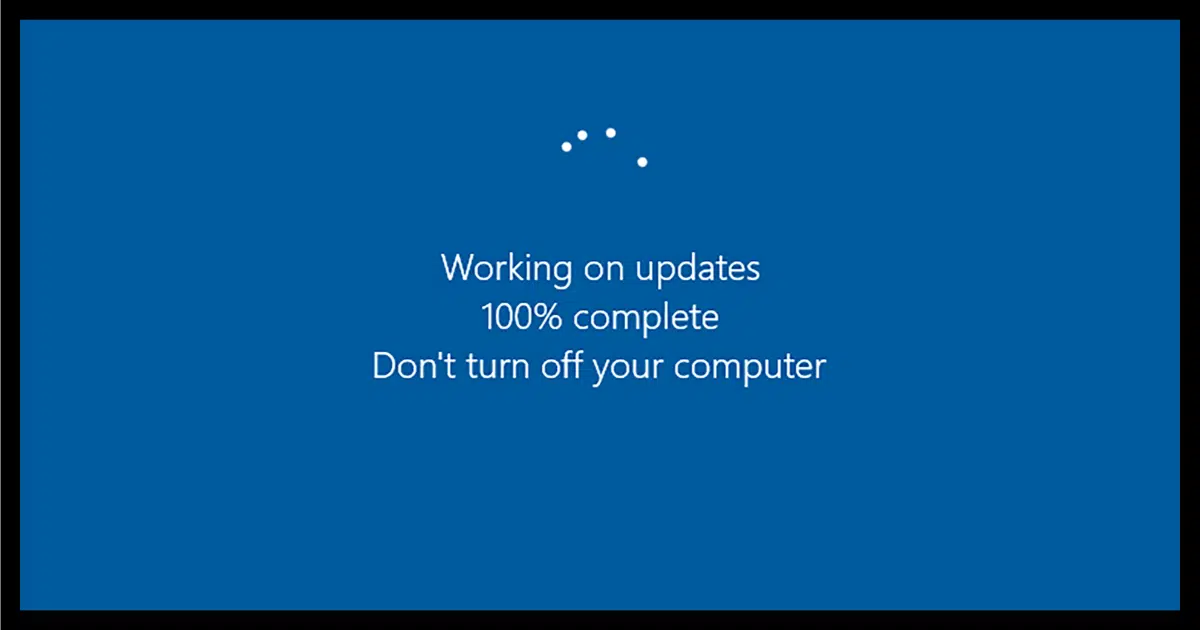
This one’s easy: I love automatic updates.
Let me explain why, and how to make sure your automatic updates are safe and doing what you think they are.
I’ll also explore one area where things have gotten worse instead of better over the years.
Become a Patron of Ask Leo! and go ad-free!

Automatic updates
Automatic updates are most definitely a good thing, and should be enabled whenever possible. However, automatic update features should allow for user control, including delays and even skipping certain updates if necessary. Security software is most important, and should get automated regular updates.
Security software: absolutely
I strongly believe automatic updates for security software is an absolute must. There are simply so many changes — literally every day, sometimes multiple times a day — that keeping them up to date is essential. Doing it automatically is by far the easiest and most reliable way.
The issue with anti-malware tools is what I call “the race”. Those who create malware do so constantly. Anti-malware tool vendors are always playing catch-up. They’re constantly updating either their tools or the databases of malware information so they can catch even the most recent threats.
Making sure your anti-malware tools have not only the most recent versions of software but also the most up-to-date versions of the malware database is critical to staying safe and secure.
Doing so automatically is by far the best approach for your security.
Applications: yes, but ask first, please
I treat updates to specific software applications somewhat differently. I want automatic notification of updates and new versions. This means:
- The update notification should be a true notification, not an every-so-often “Do you want to check for updates now?” Automatically check it for me, and bother me only if there is something I should know.
- The update notification should tell me what it is and what it’s going to do for me, including how important the update might be, in terms I can understand.
- I should be able to choose to delay the update and be reminded to install it later. Updates can interfere with work in progress or have other adverse impacts, so allowing me to choose when they happen is important.
- I should also be able to choose not to install the update at all, at least until the next new update becomes available.
There are some software packages that offer everything I’ve described, and I really appreciate them. Sadly, most offer incomplete mixtures of those features.
Most often, I do accept the updates.
I also believe that’s what the average user should do. You should not be required to understand what each individual update is about. In most cases, “just take ’em” is my general recommendation.
Windows: Oh, Windows….
Updates to the Windows operating system are a special case, and unfortunately not a good one. Windows update is a case of things getting worse rather than better.
If you scan that list of functionality around updates that I want from applications, you’ll note that the most recent versions of Windows fail miserably.
- There’s no notification that updates are available, only that it’s time to reboot after Windows has already installed them.
- There’s almost no information about what the updates include, and certainly not in language the average user can understand.
- The ability to delay an update has been severely crippled.
- The ability to avoid an update has been removed.
Windows has gone to the other extreme: you will take all updates as they’re made available. Period.
At best, you can delay taking updates for perhaps up to a month.
What’s frustrating is that in an ideal world, that would actually work. Windows would update itself transparently and would just get better and better.
But Windows has proven time and time again that we don’t live in an ideal world. Updates can cause problems. Updates can happen at inopportune times. Updates can absolutely feel forced on you because ultimately, they are.
Automatic updates are a good thing when they work and work reliably. Windows has yet to achieve that bar.
Automatic updates and security
As for your concern about security, I’m not terribly worried.
Most automatic updates are handled through the same mechanisms your web browser uses to visit websites. The result is that, for most instances, you’re not “opening up” any additional vulnerabilities by enabling automatic updates. As long as you’re dealing with reputable vendors, the chances of “automatically” downloading malware is next to zero.
You’re at much greater risk if you’re not behind a firewall, visit a malicious website, or mistakenly click on an emailed attachment.
Or if you don’t take updates.
Sadly, Windows itself represents the biggest risk today, forcing you to take updates whether or not you’re ready and having a track record that makes that unfortunately risky. All I can recommend to protect yourself here is to make sure you’re backing up regularly.
Do this
Unless you have a compelling reason not to, enable automatic updates on everything, and take all updates as they’re available.
If you do have reasons, apply those reasons, delays, or skips only to software directly affected by whatever causes you to want to avoid automatic updates.
But make certain that your security software is getting regular automated updates.
Like something else automatic that’ll help you stay safe and secure? Subscribe to Confident Computing! Less frustration and more confidence, solutions, answers, and tips in your inbox every week.
Podcast audio

Related Video


One of your bullets about Windows updates needs clarification. Namely: “There’s no notification that updates are available, only that it’s time to reboot after Windows has already installed them.”
In Win 10 which I was on for a few years & Win 11 which I’m now on, if there were Win updates available, whenever I went to Restart I always got two choices: Restart or Restart & Update. Thus I knew if Win updates were available.
You’re correct on the other points & I’m guessing if I just restarted without updates (I’ve never tried this; I always take updates) Windows would probably install them at some later time.
As always a good updated article. BTW, I always take updates for my MalwareBytes & other apps when they’re available. My MalwareBytes setting is set to update the database prior to my nightly scans which run every night.
Unfortunately, Microsoft messed up on the naming of those options as they are famous for doing.
Update, in this case means to restart the computer and finish installing the update. Shutting down or restarting the computer will automatically do this.
I agree with security updates. But why should I have to automatically accept system updates if my machine is working fine for me? I have several Win 7 machines that are working just the way they are and have not had system updates for years.
I am surprised that some smart programmer has not come up with an add-in program that can give update options to the user, just like when Microsoft first tried to shove Win 10 down our throats. I installed it, no more Win 10 on that machine. It was called WINX Control Panel. I still have it installed, just as a reminder to me of how things were back in the day.
We also need to stop Windows 11 installs if we don’t want it. If Microsoft reimburses me for the cost of my latest Win 10 Laptop, they can do whatever they want to it, they’ll own it.
Should I have persevered with my Mac or Linux?
“my machine is working fine for me” is misleading. The problem is that if your machine is vulnerable to malware and other exploits then you want the updates that remove that vulnerability. Everything will, of course, work properly, until you fall victim.
Hasn’t there been enough proof, over many years, that updates don’t protect against vulnerabilities in fact. Maybe in our minds, but not in the real world.
No. Most updates are for security related issues and address vulnerabilities as they are discovered. Of cours, they don’t always get everything. Of course, they can only fix known vulnerabilities.
I find it interesting that so many users are annoyed by Microsoft initiated changes. Windows updates are the most common. I am not enamored by Microsoft or Windows, but I readily admit that for a complex system it does an excellent job. I used Unix at work for many years, and would use it now if all my installed programs and application would work as well as on Windows. As for updates, ever since Windows became available I have allowed the updates to do their thing as required. I have had several computer from various manufacturers, but have never had a problem caused by Windows updates. I do run into occasional problems that I usually solve myself often after having done some research on the Internet. Applications are different. I have at least one which I refuse to update. The others I allow whenever they are available. I have regular backups, so I can always revert to an earlier version if necessary.
Peter Brixey,
If you have tried and given up on GNU/Linux, I’d suggest you try again, this time in a dual-boot configuration. This way, you can take your time learning how to use the distribution you chose, but still be able to use the Windows OS you already know until you get familiar with your Linux distribution. My single caveat for this suggestion is that you do not take very long learning your GNU/Linux choice because Windows 7 may seem to work well for you, but it is VERY vulnerable to attack.
If you want to try a GNU/Linux distribution that looks a lot like Windows (similar desktop layout), try Linux Mint (I use Linux Mint Debian Edition dual-booted with Windows 11 here). It is based on a Long-Term Support (LTS) version of Ubuntu, so it has a very stable base (and is very dependable). I use LMDE here because I prefer the Debian base for personal reasons. Both versions of Linux Mint will have the same look and feel so in the end, which is best depends on which base system you prefer.
I hope my suggestions help,
Ernie
On the day after the second Tuesday of each month (patch Tuesday), I proactively check for updates in Windows 11. This way, I never get bothered with reboots while doing other things. As one of my monthly system maintenance routines, I scan my system with SUMo to see if there are any application updates available on the first day of each month.
I use Microsoft/Windows Security (comes with Windows) for my antimalware/system security suite. AFAIK, it updates the signature database daily. I also have Malwarebytes Free installed. It updates its database when I open it, so my malware definition databases are up to date when I run a scan. Microsoft Security runs scans periodically (I don’t know how often) then notifies me that no threats have been found along with the number of scans since the last notification. I run a Malwarebytes scan on the first day of each month as one of my monthly system maintenance routines.
Every Sunday, I switch to LMDE5 to check for updates. The nice thing about LMDE (or any GNU/Linux distribution) is that when updates are available, the update app shows an icon in the notification area (near the desktop clock) and waits until I click it to get updates. I’m never bothered with ‘reboot required’ messages like in Windows.
As you can see, there is a lot more to do in Windows than in GNU/Linux to manage updates. That’s because my Linux distribution manages all the software I choose to install (from the distribution’s software app) along with any security/system updates that may be available. As an example, I use LibreOffice in both Windows and LMDE GNU/Linux. In LMDE, when LibreOffice has an update available, I get it from the system updater along with any other updates. In Windows, I have to use a separate app (not Windows Update) to check for application updates. In fact, the only application I have installed in LMDE that is not updated by the updater is my JetBrains IDE because it is installed in my local user space (under /home/), and they do not seem to have an update repository that I can add to my updater (well, maybe someday).
This is how I manage updates in two OS’s.
I hope what I have to say is useful to others,
Ernie
I find that some Android app updates can be consistently more nefarious than Windows. At least Windows lets you know they’re sticking it to you and you can like it or lump it, but some Android apps (including Google’s own) can do secretive things like change your settings without your permission, where you have to go back into the app to change it back. They especially love to put themselves in your startup routine and run in the background, but gps tracking is also fair game to them. I’m talking about very popular apps and I find this type of sneakiness despicable.
I wield total control over app updates and have learned to read the latest comments before updating a select few of them. Some fail to accurately describe the update. Still, there’s always the delete button as a last resort. I know it’s a little risky, but it’s worked for me so far.