In most cases, the answer is a resounding yes. In fact, I’ve done it myself.
However, there are a few caveats to be aware of.
Become a Patron of Ask Leo! and go ad-free!
What’s inside
Inside that external hard drive is an internal hard drive.
Most external hard drives are simply standard hard drives in a box with an additional circuit board that converts their native interface to USB. Depending on the drive, there might be an external power supply, or “brick”. So yes, open the case and you’ll likely find a standard hard drive you can then install directly into your PC.
Things to watch for
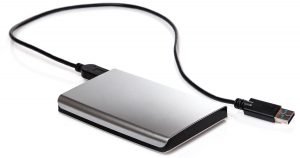 There are a few things to be aware of before you crack open that box, however.
- Doing so instantly voids the manufacturer’s warranty. After you break the seal and open the box, you’re on your own.
- Be sure it has the correct interface. Most computers and drives now use the SATA interface, but if you have an older computer or drive, you might be faced with an IDE interface. The two are not interchangeable.
- Make sure the physical size of the drive matches what your computer can use. This normally limits you to 3-1/2-inch drives, though some computers accept 2-1/2-inch drives. If you’re installing into a desktop machine, there may also be mounting converters you can use1.
- It probably won’t be one of your faster drives. My expectation is that drive manufacturers use their slower drives in external boxes. Drive speed is typically not a limiting factor when placed behind a USB interface, and slower drives also run cooler, reducing the need for an external drive to include powerful cooling fans, or perhaps any fan at all.
When to consider
Moving an external drive into a PC is generally done as a convenience. There’s one less external box to deal with, and the drive will probably operate faster internally than across a USB interface.
There’s one additional scenario worth considering: external drive failure. More specifically, if an external drive fails, it could either be the disk drive itself, or it could be the USB conversion circuitry. I’ve had the latter happen, and rather than discarding a perfectly good hard drive, I simply installed into a machine.
A note about data preservation
A you move hard drives from external enclosures to an internal installation (or vice versa), the formatting and contents will likely be preserved. I’ve done this a time or two, and in each case, the data on the hard drive was preserved and immediately available in its new configuration. In fact, data recovery is one of the major selling points for doing the reverse of what you’re asking — taking the internal hard disk of an otherwise broken machine and installing it into external enclosure.
Do this
Subscribe to Confident Computing! Less frustration and more confidence, solutions, answers, and tips in your inbox every week.
I'll see you there!


I have taken many internal drives and placed them in external USB enclosures, and they have always kept their contents. (Or, at least, they didn’t lose anything else. Several of these were from non-booting Windows systems, and nearly all the data was recoverable once moved to another computer.)
Whether one can move a USB drive between Windows and Macs, on the other hand, I have no clue.
How about the reverse? I have a removable internal IDE HD (D:) but when I replace it, I have to reboot. Can I make it a USB plug and play?
Thanks
Yes. See the section titled “Related” in this article.
Leo,
The power adapter (ad6008) of my WD harddrive has shut down. This adapter supplies 5V and 12V to the drive by a din plug. Is it still possible to use the drive internally?
Thank you for the reply.
Leo,
I have a cable to convert an IDE HD to USB.
I would like to put this into my computer case and power it with the computers power supply.
My question is:
Can I cut the 5 volt cable and ad a toggle switch to turn the drive off when not in use?
Will My Computer see the drive when I turn the power back on?
Thanks for the reply.
i have a Maxtor SATA external HDD and i wanted to convert it into an internal…how can i do this? as the slave connector port is on a seperate board, i dont see any way to connect this? plz help!
I have a WD5000aajs external hard drive that has about a hundred gigs of music on it and my fiance plug the wrong power adapter into to it on accident. Was wandering if there is any way to hook it up to my desktop so I can atleast get my music off?? Would appreciate any help you can give me!
Thanks Alot
14-Mar-2009
hey,I want to make my USB hard drive an internal one because it keeps getting disconnected.Its a transcend storejet 25p USB hard drive.So can you tell me what the problem is and please tell me whether games can be run on a USB external hard drive.
Recently my external hardrive off 1TB wasqnt detected by windows anymore so i opened it and inside where 2 SATA drives off 500GB each, so i hooked them up to my pc to try and recover the data but it seems that only 1 drive has the filesystem on it from both drives.
Do you know of any way i can still recover the data from both cause datarecovery programs only manage to get around 5% off data off the second drive cause they cant detect the system (wich is FAT32)
Yes you can connect a USB as an internal drive. I used a seagate 320Gb laptop drive as an internal backup drive in my Windows Home Server. I did not open the case so I do not know what the interface is, I suspect it is SATA. I cut a Mini D cable that I had laying around to about 10 inches long. I built a 10 pin header (with a key pin) from components to plug it into the motherboard. I siamesed both ports power leads to keep adequate wattage to the drive even under heavy use(there is only 500ma per port doubled to 1000ma or 5 watts). I also added an external switch to the harness so I can turn it off for secure storage. I did not remove the case and I can remove the drive simply by unplugging it from the harness. This also means I did not void the warranty. Works great and can be turned on at any time, just make sure you disconnect it (in windows) before turning it off. I also tried this with a mybook 160Gb drive (12v/IDE interface board 3.5″ drive). I removed the case and covered the interface board to prevent a short. Modified the power plug to connect it to a spare hard drive power. It also worked great, matter of fact it responded faster than before. I believe this was due to the really short USB cable compared to the original 6 footer it came with. Just remember this is a USB interface and it is not going to be fast, but is a good backup and streams music just fine. There are many resources on the net to figure out the wiring.
Yes you can connect a USB as an internal drive. I used a seagate 320Gb laptop drive as an internal backup drive in my Windows Home Server. I did not open the case so I do not know what the interface is, I suspect it is SATA. I cut a Mini D cable that I had laying around to about 10 inches long. I built a 10 pin header (with a key pin) from components to plug it into the motherboard. I siamesed both ports power leads to keep adequate wattage to the drive even under heavy use(there is only 500ma per port doubled to 1000ma or 5 watts). I also added an external switch to the harness so I can turn it off for secure storage. I did not remove the case and I can remove the drive simply by unplugging it from the harness. This also means I did not void the warranty. Works great and can be turned on at any time, just make sure you disconnect it (in windows) before turning it off. I also tried this with a mybook 160Gb drive (12v/IDE interface board 3.5″ drive). I removed the case and covered the interface board to prevent a short. Modified the power plug to connect it to a spare hard drive power. It also worked great, matter of fact it responded faster than before. I believe this was due to the really short USB cable compared to the original 6 footer it came with. Just remember this is a USB interface and it is not going to be fast, but is a good backup and streams music just fine. There are many resources on the net to figure out the wiring.
Is it possible to convert/swap internal 3.5 sata drives to ide,and vice
versa by changing the electrical board on similar manufacturers drives
where the contacts mate up?.I did this on a Maxtor IDE 20gb to a Maxtor
SATA 100gb and the bios recognized a drive but XP didnt.WD drives also
have some similarity in respects to the disk,board and mounting.Since I
have a limited number of drives to experiment with and that I was
working with junk,and dont want to possibly ruin the remainder,have you
had success with this?(not looking for USB powered drives)Thanks RK
i have destroyed 2 hard drives by connecting an internal hard drive via usb. a 300gb, and 500gb. at the time, those were the highest capacity you could get, so i lost a lot of money.
i have a 1TB external hard drive. i tried to convert it into an internal harddrive becaouse the usb port of the case stopped working. The hard drive connected with a SATA cable to the motherboard. All i did is to connect it to the power supply and to the motherbaord. From some reason it doesnt work. I go to My Computer and i only see the original hard drive. can u PLEASE advise me what to do????? i have some important content on that hard drive..
I have the same problem as Yuval with a Smartdisk external and samsung 1TB SATA HDD inside, I also tried to change some bios settings (AHCI to IDE) but nothing seems to work, maybe we should try formatting the drive somehow or changing jumper settings
save all your content first before you do it or risk losing your data
Using external 1tb drive as internal using sata. Device manager sees drive but does not show up in root. Any clues as to why?
13-Jan-2012
i have SATA WD External HDD the usb connector is broken, can I use it any how externally?
@Kidane
You should be able to open the case and remove the external drive and place it into a external USB external drive enclosure.
Recently tried to use my external hdd as internal ,opened the box and found a usb 3.0 micro b female connector on the hdd board. Are there any adapters to go from usb 3.0 micro b female or ss usb 3.0 male to sata. I tried to search but results were questionable.I’d really like to plug this external drive into the motherboard as efficiently as possible(read cheaply).
I have the same issue, the USB connector is on the hard drive’s PCB board, and there are no SATA connectors? It’s 2012, and I know stuff changes, but I bought the drive with the hopes of taking it out of the external case and putting it inside my laptop. Short of a converter, I would need a whole new PCB / Logic Board to use this drive as an internal. If I had a converter, I could use it in a desktop with a 2.5-3.5 adapter. However, without the new PCB there is just not enough room. Also, the height is like 15mm, luckily my Alienware laptop has enough space to hold a drive that thick, but it does not have enough space lengthwise to fit with an adapter. So, if anyone knows where to buy the adapter, USB3 to SATA, or if anyone knows where to buy a new PCB with SATA connectors, I would be very greatful. BTW: My drive is a Western Digital (WD) MyPassport 2TB model, the internal drive model number is WD20NMVW. Before you Google that P/N, it is never sold outside of the combo package as a stand alone drive. The closest thing and possibly the drive I would need to swap the PCB for is WD20NPVT, but I have not found any articles with someone trying this or any success? Please help whoever can shed some light on a way to fix my situation?
Thanks,
David
I have a question , I have a Western Digital External Hard Drive (1Tb) and my internal macbook pro 13″ is full. I have bootcamp on it to so I can run Windows too. My question is can i convert the WD hard drive to internal and split the hard disk in two (mac and windows) as i did before? Or is it better to buy an other internal disk and put it in. Can a Macbook Pro 13″ run 2 internal disks. Thanks in advice, Giulia.
08-Jan-2013
I had the same situation as Leo with a failed external drive. I did a google search and found a youtube video that showed how to remove the drive from the enclosure and then install it as a slave drive in my pc.
This was my first time doing something like this, so watching a video of it step by step gave me the confidence to do it myself.
Bang, I was able to use the drive gain.
I would like to take a moment and just say that Leo is always saying you need to backup your data.
Guess what? He’s right! That failed external drive was my ONLY copy of the data. I got lucky that time, but now I make sure to have 3 or more backups of my most precious data, mostly photos.
I did this — changed an external USB drive to an internal SATA — and it works fine. But there’s one weird thing: the drive still shows up in the list when I click on the “Safely Remove Hardware” icon, as if it were still a removable USB drive.
You will get someone who will try to hookup a flash drive, which will use up all the write cycles rendering it useless in a short time. I know this article refers to a spinning HDD, but not everybody will catch that. (I wonder how long would it last, but I am not going to destroy a flash drive for curiosity), any brave people willing to experiment?
Flash drives don’t have the interfaces to hook up as hard drives.
One other caveat to look out for… WD used to (don’t know if they still do) put hardware encryption on the USB adapter boards. Meaning, if you had data on the drive, and removed the USB adapter to use it as an internal drive, your data was encrypted and not accessible.
The simple solution is to copy your data from the intact external drive before removing it from the housing, then format it as an internal drive and recopy the data back onto it.
The real devil was when you had an external drive failure. You couldn’t just swap adapter boards because they had semi-unique (meaning, there were a handful of them, anywhere from a dozen to a couple hundred??) encryption keys known only to WDC. So you had no choice but to send your drive in to WDC for data recovery. Pretty sleazy if you ask me. This hardware encryption didn’t seem to serve any other purpose other than to make data recovery harder.
Just a thought… You can do it but they usually use some of the cheapest hard drives for this so be careful. This is why the price for portable hard drives has become so inexpensive in comparison to the cost of a drive itself. Most of the time they are 5400 rpm drives with pretty low data transfer speeds so they may not be worth using unless you intend to use it for a second drive.
Notes and gotchas with 2.5″ drives you might wanna put in your laptop:
There are now 3TB and 4TB 2.5″ drives. These are 15mm and will not fit in your laptop that expects no more than 9mm. Mine is taped to bottom of my laptop. Works, but not recommended.
I have no idea why drives bought in an external enclosure are cheaper and offer bigger capacities than oem/spare drives. I’ve seen no official explanation or real tests.
Someday manufactors might start making 2.5″ drives with nonstandard interfaces (as a way of preventing removal), but I doubt it.
All but some 1TB 2.5″ (WD Black, for example) will be 5400rpm.
I was wrong about this:
“Someday manufactors might start making 2.5″ drives with nonstandard interfaces (as a way of preventing removal), but I doubt it.”
I looked into it deeper, and it’s common. Always get confirmation that there is a SATA interface inside the case (which will probably take damage during removal and not a fused usb interface. I would prefer this even for an external drive since it’s useful for data recovery when the drive fails.
*Please Help Me//
#Hi! I’m Konno_Appu and I need your knowledge about this one.
– I just bought the “SD700X Adata SSD External Hard Drive” and I just found out that it has no screws or any signs for me to be able to open it in a easy way.
I dont know if it can be turned into a internal SSD drive for my laptop. Please tell me if it can be opened and turned into a internal ssd drive for my laptop
because after comparing the size of it with my old Internal HDD drive I found out that the “SD700X Adata SSD External Hard Drive” is shorter than my old Internal HDD drive.
Please I need help!
I forgot to input the size of my old inter Hdd drive which is 2.5 inch.
Hi,
I want to convert this WD10TMVW-11ZSMS1 external drive to internal drive and install inside CPU. I have ASUS P8Z77-V LX motherboard. Is there a way I can connect USB connector on the motherboard to this drive directly.
Please advise.
Not really. Besides, that gives you no real speed or other benefit. The “right” way to take an external drive internal is to remove it from its USB case and connect it directly via the (presumably) SATA connectors. Be certain everything is correct and compatible before proceeding.
I opened and external back up box to use the WD hard drive as a normal hard drive in the PC, but it’s not showing up anywhere. Disk management etc?
I’d run Disk Management. Click on the Windows Start Icon and start typing “Disk Management” without the quotes and click on “Create and format disk partitions” from the pop-up menu.
This article, written for external drives, also applies to secondary internal drives.
Why Doesn’t My External Drive Appear When Plugged In?
Hi , If am connecting my external drive to machine. Is it possible that data what is modifying in internal data will be modify same or backup in External drive at a time.
It’s not clear what you are asking but if you modify something on your internal drive, the changes will be reflected in the backup.
Hi I want to use my Sata drive in my USB caddy to be able to use on my TV but it says usb connection problems, is there anyway my tv can read my sata drive or is it only for storage??
I don’t believe TVs have the capability of reading a USB HDD. Theoretically it’s possible for a TV to include software to view video from one, but I don’t believe any TVs have that function.
My belief is that if there’s a USB interface to read video from, say, a thumb drive (as many TVs seem to have these days), then the TV probably doesn’t know the difference between a thumbdrive or HDD and would treat them equivalently.
Theoretically I’d expect it to work, but it’s possible that the TV’s USB port isn’t capable of supplying enough power.
Evening all,
I have recently used an external hdd to work internally in my pc. However, I used the data cables to power up and connect but my files aren’t seen and the hdd is ‘unallocated’ when in disk management.
Please help, Ive got nearly 1Tb of tv shows and films i dont want to loose.
Recently while researching for a new bigger external hard drive (WD 5TB, 2.5″ external USB 3.0), in the comments section a guy had pictures of the enclosure apart.
He showed that WD is now soldering USB boards directly to the controller board where the SATA connectors would be, to prevent hard drive harvesting.
This is purportedly on all new WD external drives (year 2020?).
I believe seagate still does it the normal way for now.
In another video elsewhere, a man showed a WB white label external drive and he said that a normal SATA power connecter sets the drive in a condition that the drive is not accessible.
He said 3rd pin on the power connector (on the board part) counting from the side nearest the data connector had to be taped to prevent that signal voltage from resetting the drive. Both sides of that pin has to be covered with tape.
TL:DR If I convert an external hard drive to an internal drive with data already on it, will it delete my data?
Hi, I have a Seagate Backup Plus 5Tb External Hard Drive that suffered a malfunction (ironically as I was in the middle of backing it up on a new drive) and now it won’t connect to my PC via USB. It has about 1.5 Tb of files on it and like an idiot I hadn’t backed it up in a while. It makes the connection noise when I plug it in, but the file doesn’t show up and a few seconds later I get the disconnect noise. There’s a small light on the drive that is normally solid when it’s on, but now it’s blinking, which I imagine isn’t good. I ran through the standard troubleshoot checklist for it, but no good. So, I removed the drive from its original casing and tried it in another identical casing, hoping the Sata-to-USB adapter in the casing was what died, but that didn’t seem to work either. Finally, I
plugged the drive up internally via SATA. In the disk management tab it opened a window that showed “disk 1” and “not initialized” and gave me the option to initialize it with either MBR or GPT. I read up what I could on this, but I’m still a bit hazy on it. It sounds like initializing it won’t delete the data, but I would need to create a new partition afterwards to access the drive, and it sounds like that will definitely delete the data. I wanted to double check if this is true, since I’m only interested in recovering the data, after which I have no need for the drive (assuming its damaged). I know there’s data recovery software out there and specialists that can recover it, but I was hoping I could sort this out on my own (for free) before resorting to those avenues.
“TL:DR If I convert an external hard drive to an internal drive with data already on it, will it delete my data?” — it should not, as long as you’re installing it as a second drive. If it’s replacing your primary drive you’ll need to install an OS on it, which will overwrite any data thereon.
INITIALIZING WILL DELETE DATA. Don’t do it. But that it shows as needing to be initialized then it’s possible the drive itself is at fault, and your data is already gone.