What your backup is and isn’t for.
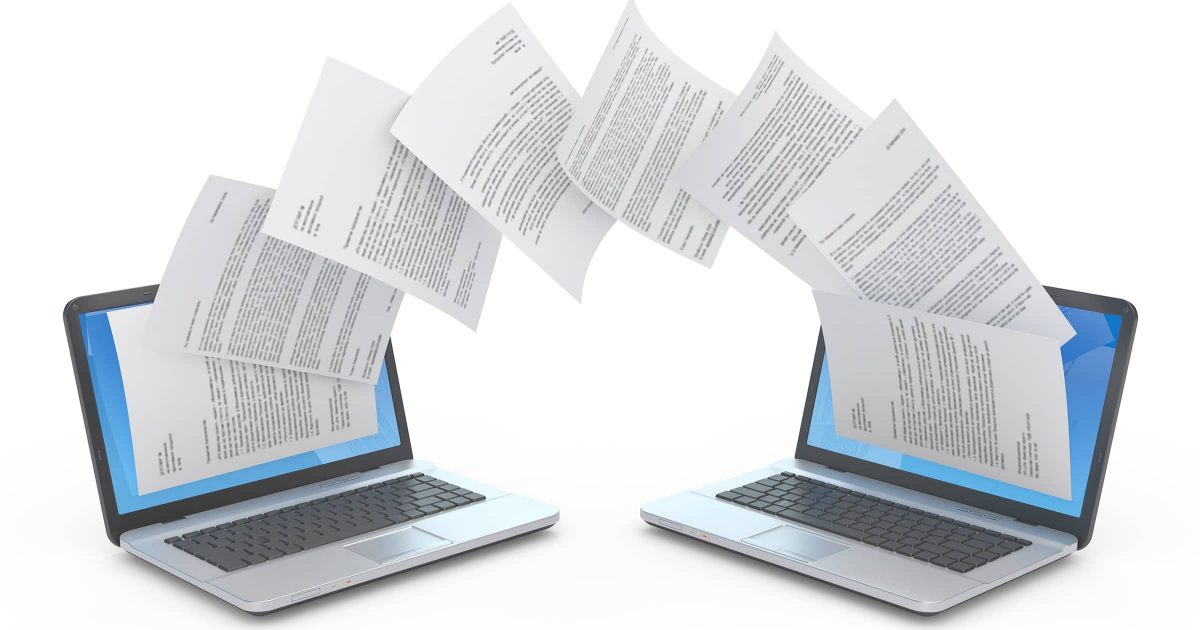

It’s not a question of allowing.
Restoring a full image backup will completely overwrite everything on the hard disk, replacing whatever was there before, no matter what it was. The previous operating system, along with everything else on the hard disk, will be overwritten and replaced with the contents of the image backup.
The real question is: will the result work?
Most of the time, the answer is no.
Become a Patron of Ask Leo! and go ad-free!

Restoring an image backup from one computer to another
Image backups are a safety net for software and hardware failures on the computer they back up. They contain a copy of Windows that is highly customized and configured for that specific hardware. They are unlikely to work — or work reliably — if restored to different hardware. The correct solution for new hardware is a new, clean, installation of Windows customized to that hardware.
What your backup is and isn’t for
What you’re asking is such a common question that I discuss it in each of my books on backing up.
Since an image backup contains the entire system, many people would like to use it when moving to a new machine. The concept is simple: restore the image backup to a replacement machine, and carry on where you left off.
That’s not what image backups are for.
Image backups are a snapshot of a specific machine, and are designed to be used in either of two scenarios:
- Restoring the entire system to a known good state on the same machine, for instance, in case of malware.
- Restoring the entire system to a replacement hard drive on the same machine, as in the case of a hard-drive failure.
Because image backups contain everything on the machine, they are also very conveniently used for one additional purpose:
- Restoring specific files onto any machine, anywhere, at any time (even the files you didn’t know you needed), because the backup contains everything.
Restoring a complete image backup to different hardware isn’t on the list.
Windows configures itself for your machine
When you install an operating system, the setup program goes through what appears to be the same sequence on every machine: you enter the product key, type in a little information, tell it what machine name you want, set the time zone, and pick a password. Then setup goes to work, showing a progress bar or some propaganda information about the benefits of the operating system you’re installing, and how wonderful your life together will be.
What happens behind the scenes is significantly more complex.
Every machine is different from every other machine, and during installation, those differences are accounted for.
Once it’s set up, Windows has been highly customized to the characteristics of your specific computer.
What your backup image contains
A backup image of any machine contains a copy of Windows specifically configured for the computer on which the backup was taken. It has drivers and settings and customizations for that hardware.
Attempting to restore Windows to a different machine means it won’t have the proper configuration it needs to run on that different hardware. Depending on how different the hardware is, you may experience any of the following:
- Windows won’t even boot. This is common.
- Windows may run, but will be unstable or present an assortment of error messages.
- Windows may appear to run, but later you discover instability or other problems defying explanation.
In some cases it appears to work… but it’s not something you should count on.
Restoring to a different machine might work if . . .
It is possible for the scenario to work, but several conditions must be met.
- The motherboard on the two machines must be similar. What does “similar” mean? There’s no real definition; motherboards often have a variety of hardware that require a specific set of drivers in order to work properly. Ideally, the motherboards would be identical.
- For individual devices that are not identical, they, too, must be “similar enough”. Once again, the degree of similarity depends on the specific device and the capabilities of the driver installed.
- Those individual devices that are not similar must be optional, meaning that the system will run properly without the device.
If those conditions are met, maybe it’ll work.
And it’s a huge if.
It’s possible Windows will be able to boot, notice that some non-critical hardware has “changed”, go through the process of updating itself, and run.
What you’re suggesting is a common approach to installations having a large number of identical machines, but the further you stray from truly identical machines, the lower the chances are of this approach working.
Windows on a new machine
When replacing a machine, the more correct sequence is:
- Install Windows from scratch if it didn’t come with the machine to begin with.
- Install your applications from scratch.
- Restore your data files from your backups.
- Make a backup image so you don’t have to repeat steps 1 through 3 should you ever need to restore this machine to its initial condition.
If, on the other hand, the failure does not involve replacing your entire machine, then the process is much simpler:
- Restore the entire machine from your image backup.
Because that’s exactly what a backup is for.
There are tools…
Before we give up on the concept entirely, I do want to point out that there are tools that can help in situations where an install from scratch is something you really want to avoid.
“ReDeploy” is a feature available in some versions of my recommended backup program, Macrium Reflect. It specifically attempts to restore an image configured for one machine to a machine with different hardware. I’ve used this once or twice successfully to move a backup image of a friend’s computer onto a virtual machine.
Other companies, particularly those with backup programs, may have similar solutions.
While not quite the same, several companies provide utilities that promise to transfer programs and settings from one installation of Windows to another. Quite often this is what folks are really looking for when they think of using an image backup to transfer setups between computers.
The solutions I’ve seen in both realms are not free. In addition, the problem being solved is incredibly complex. If you do go this route, I would proceed with caution, which means backing up early and often as you perform the transfers.
I much prefer the clean install approach; the result is typically a significantly faster and more stable system.
Do this
Subscribe to Confident Computing! Less frustration and more confidence, solutions, answers, and tips in your inbox every week.
I'll see you there!
Podcast audio

Related Video


Hey Leo. Your info is not exactly correct. If you use good commercial-quality drive imaging software, most today have an option to restore on a different machine. It’ll bypass the machine-specific stuff , load generic drivers, etc. . In my experience it has worked better than 80% of the time – of course there is a lot of tweaking and clean up afterwards. But if you don’t have the physical media for your applications, it’s sometimes your only choice
I sent a laptop into Acer for repair. They replaced the motherboard and possibly hard drive & DVD player, and naturally put it back to factory specs. I restored my image and booted.
Even on the same machine Windows needed to validate it AGAIN. It did work but made me a bit nervous.
On a completely different machine, a retail version might work. Most of us probably don’t have retail, though.
I’ve done this successfully on two different models of Dell machines running xp. My Older Dell 2300 had a number of problems and I didn’t want to go through the headaches of reinstalling XP and all my programs and then all the updates. I also had a Dell 2400, with a different motherboard, but had most of the programs I needed and was running well. I used an Acronis Image of the 2400 and restored it to the 2300. After rebooting and finding most of the right drivers automatically, with very little work on my part, the Dell 2300 was up and running in a lot less time than reinstalling XP.
Acronis True Image has an addon purchased separately that allows a backup to be restored to a different hardware configuration. So, if you do a restoration with a larger hard drive or to a new PC it is supposed to work. I haven’t tried it yet to be honest.
I use Easus Todo Backup and have for years and had a need to use it when I had a hard drive failure on another machine. It backs up automatically one you have set it up. I also have Easus Todo PC Trans, which I used to transfer Windows XP programs and content to a new Windows 10 pc. Both work really well, although not all the old XP programs were transferable to Window 10 but most were.
I use Synchtoy to do a complete back up of Drive C to an external drive. I have wondered long about what is the point of a complete backup? There are always system files in use which fail in the back-up procedure. In the event of needing to restore the entire disk well, it still would not work because of the missing system files. So again what is the point of a back-up? (Yes for data I agree)
04-Mar-2011
A free download of a program named “Easy Transfer” from Microsoft can help transfer your data and settings if you’re doing a clean install upgrade from XP or Vista to Windows 7. Note that if you’re upgrading from Vista Premium to Windows 7 premium you can do an “in place” upgrade leaving all your data and programs inplace BUT if you are upgrading from Vista Home Premium to Window 7 Pro (or higher) you will have wipe your hard drive and do a clean install (you won’t find this information on the Windows 7 Pro box). The “Easy Transfer” program can be a big help in this case. You can find it and information about it at http://windows.microsoft.com/en-us/windows7/products/features/windows-easy-transfer
When I upgraded from Windows XP to 7, all the original content of my system drive was saved into the windows.old folder.
Then, it was very easy to take installed application and data and transfert them to the new OS.
Most of the time, all that was needed was to simply drag the installation folder from XP’s programmfiles folder to 7’s programmgiles folder, and do the same with the content of appdata.
So, you don’t endup whiping the original content of the drive during the installation process.
I have a hard time believing that would work in most cases. Most programs write information to the registry and have components in other folders on the hard drive which would all have to be located and copied.
I’m guessing you copied a bunch of DOS-based programs. Windows-based ones generally must insinuate themselves into the operating system by installing & registering .DLL & .OCX files among others. This is why it’s best to run the program’s install routine on the new PC. Expect heartbreak with your method.
My understanding is that Microsoft will not allow you to install the same copy of the Windows operating system on more than one computer. If the second computer has a significant number of different components (e.g., mobo or CPU) the installation will not succeed. Please correct me if I’m wrong. It would certainly make my life a lot easier.
Thanks
Newer versions of Windows look around on your peer-to-peer or server network and identify duplicated authorization codes. When one is found, it generally shuts the 2nd found instance down.
RE: the Microsoft installation. I got the lockout trigger once when I installed a copy of XP pro upgrade on a laptop with XP home because the hardware signature was so different. It was originally on my desktop. I had bought a full version of XP pro for the desk top so wanted to upgrade the version on the other PC to pro as well. Per the message I had to call Microsoft. I did and explained to them I had bought an additional copy of XP and had moved the upgrade to the laptop. I told them it was only installed on one machine. They were very nice -not third degree or treating me like I was a criminal- and from beginning to end I was up and running in under 10 minutes.
I have used the Paragon app that allows restoration to different hardware (it replaces the inappropriate drivers with correct ones), but the sticky wicket is that the restoration will have to be re-activated once it is up and running. The original installation cannot legally be run once the new one is activated.
Another way to do this successfully is by doing a repair install of Windows after copying the backup to a new drive. I’ve done this for friends on many occasions and only rarely has it not worked.
04-Mar-2011
it is possible to restore a full backup on a different computer.1.restore full backup. dont boot the system now. 2. insert original windows cd and start. accept first option to install.3.reject option to repair from console and continue 4.when repair option is offered accept.allow windows to complete the installation and allow to finallyy boot.5.now run the original motherboard drivercd of this new machine.6. if necessary reinstall or renter serial numbers of some applications if they demand(some antivirus may ask for reentering serial number.
that is it. the machine should now work almost perfectly. if required sort out minor problems like vga drivers etc.
I was under the impression that some programs like Shadow Protect provide for Hardware Independant Restore. Different Companies use different terms for this but there are several out there. Are you saying that these won’t work?
04-Mar-2011
Actually, plug ‘n’ play systems are supposed to be able to adapt to new hardware and, in fact, that is precisely what Windows used to do thru version 98. You could actually replace the motherboard or move the hard disk from one machine to another and Windows would “discover” the new hardware as it came up and, at worst, it would ask for its installation CD to copy the necessary drivers to the machine’s hard disk. (Moreover, if you had copied the “I386” directory to the hard disk and “adjusted” the Registry, it would not even ask for the CD.)
Naturally, this was not good for Microsoft and that is probably why they stopped that “convenience” after Windows 98. Generally, if you replace the motherboard in a machine with Windows 2000 or later, Windows will blow up while it boots. And yes, as someone else pointed out, you can boot from the Windows installation CD and run a “repair” operation on the existing Windows directory and everything will be well. Almost everything. Some software will not. AVG, for example, will not run after a “repair” operation.
I seem to have managed this trick. I was given two computers, one made by Tiny & the other an old Acer. The tiny pc was full of infections & almost unusable. I took the hard drive from that & scanned it with my av in another machine. (My pc decided it would change the boot sequence to the added drive). Thats not good when its got viruses but i knew from past experience that would happen & went into the bios & changed it back before it got the chance to boot from it. So i got rid of all the infections found & put the drive back into the Tiny pc. It was better but blue screened every now & then. I discovered the Joys of the i386 folder & re-installed. Its seems ok now.
And the other pc was given to me without a hard drive. It did have the xp home serial number on it though. Trying the i386 instal failed because it asked for a service pack two disc. I tried making one & got no where. So then i put an image of the Tiny pc on another drive & put that in the acer machine. I let it boot into safe mode, after some time it discovered new hardware & installed that. After re-starting everything in device manager was ok except for the audio. I thought that was strange because the ac97 drivers used in the Tiny pc worked just fine when i told windows where to look. Also activation worked fine for me too because i had the correct serial number for both sets of hardware.
I have an hp laptop. All i need to do is upgrade it from vista home premium to windows 7 but then the c drive will be formatted and i will lose everything. So, if I backup the drive first and then install windows 7, will the backup work on the new operating system? Keep in mind that I have some original registered softwares like office 2003 and I want all these softwares back as they were last time. Please someone help me with this if you can (my laptop turned super slow with vista).
@Sandip
You wouldn’t be able to restore your programs from a backup drive. It is possible, however, to do an upgrade from Vista to Windows 7 which preserves your installed programs. A backup is still a very good idea as sometimes there are problems with an OS upgrade
@ Mark J
Yes, it is possible and i now believe it will work just the way i want. I installed a program from the microsoft website which detect other applications installed on the system and state whether they are compatible with windows 7 ultimate or not. Only some useless programs will not work, otherwise the upgrade will be very successful. Thanks a lot.
@ Mark J
Thanks it worked well.
I have a backup aimersoft dvd ripper cd which I bought together with online download. can I install that backup cd on a different computetr
On new machine:
Restore image to ANOTHER HARD DRIVE not the one with the operating system on it.
Transfer data files from separate HDD to new computer hard drive.
That way you have not destroyed the new system operating system and have everything you want to use..
Now with two HDDs you have twice as much storage.
I have the Acronis Mirror Image on two different HDDs – If I need to buy a new motherboard, will I be able to migrate ?? And If I save the Acronis Mirror Image to Carbonite, will I be able to mgrate from there ??
You simply need the image available on a disk you can connect to your machine. A new motherboard may cause the machine to be enough different that a simple restore may not work, but you’ll certainly be able to recover individual files from the image.
A an example, what if my motherboard goes and I decide not to change it and just get ride of the machine. with the back-up saved to an external HD, would I be able to pick and choose files from the back-up and then simply paste them to a new machine. ie. , Word, .xls, .jpg, .mov files etc…rather than trying to restore the back-up to a new machine.
Restoring an image backup to a new computer probably won’t work. But yes, you can retrieve individual files from the backup, and that’s very important. It’s so easy to forget about an important file off an old computer when doing an upgrade like that, or even when formatting. That’s one of the beauties of taking a full image. I remember once, a long time ago, I reformatted my computer. I thought I had everything backed up manually, but forgot my Outlook .pst file! I lost all my emails.
Yes.
I had to send my Acer laptop to them for repairs. One repair was a new motherboard.
I had wiped the hard drive after taking an image of Windows 7 Home Premium on C.
I restored that image after imaging the factory Windows 7.
Windows needed to be revalidated even though it WAS THE SAME machine except the motherboard.
But the validation worked, yes? That’s expected – if something changes “enough” you may need to revalidate.
with Acronis 2020, I am really badly affected by their “customer support” and the Software I got. I cannot recommend current Acronis to any friend. I would try, what Leo recommends, Macrium Reflect.
I have been using Acronis and Acronis only for more than ten years, but it seems now to be under new ownership or new management, that gives more attention to collect more money rather than provide a good service.
Leo wrote an article saying that was the main reason he switched his recommendation from Acronis to Macrium Reflect.
This is unfortunate, and unfortunately not new. If you look at my old recommendation of Acronis, you’ll see I stopped recommending it for exactly the same reason — perhaps ten years ago. Acronis TrueImage Home – Backup Software
A new motherboard is essentially a new machine. Everything else are considered to be peripherals.
The main point of your article is absolutely correct. I purchased two “identical” laptop computers, yet the two machines, out of the box, had two different sets of drivers and slight hardware differences. There is no way I would have tried backing up one machine and restoring it onto the other.
I have a question I have a backup of files etc (I think using Windows 7 ult.)
I had to do a clean reformat whilst I am away so will reinstall windows (using bootcamp) when I do can I transfer my programs onto the new windows?
ThanksM
Installed programs can’t be transferred. They must be re-installed from scratch. You should be able to do this at any time.
Hello,
I just want to know one thing my friend has a pen drive from an institution which contains lectures but he says it installs only in one pc .so is there any way
that i can copy his system or at least file history or something to make it install on my pc too.
Check the copyright on the contents. Installing more copies than is allowed would be piracy. Maybe someone has the skills to get a copy, but it would still be wrong.
I have managed to put the hard disk from one desktop of which I blew the motherbord into a new PC of totally different nature and everything ran without the slightest problem. In fact, the user (my wife) didn’t even notice I changed anything until a week later, when she saw that the start button of the computer had changed places. It was with an Ubuntu system.
In fact, the property of being able to use the backup image on a new machine is in my opinion, an important part of the backup function. Indeed, if the original machine fails catastrophically, it is necessary to be able to use the image, because if the backup image can only be restored to the original machine, and that machine is completely wrecked, then you can hardly call it a back up.
Of course, in most cases you can restore the file structure of an image, even if the system itself is not bootable any more: you can get back all of the files. But it can be a nightmare having to find them, spread around the whole file system tree. So the idea of being able to use the image backup directly on a new machine is nevertheless an important aspect of the function of “backup”.
There are many instances where this wouldn’t work, and it might be that Ubuntu is more forgiving. So thanks for the info.
In fact, this works essentially all the time for any linux distro, on condition of course that the processor is of the same family, where “family” is the more restrictive the more you’ve specially targeted compilations from source to your original machine (for instance, if you have recompiled stuff especially for an intel i7 processor to take all advantage of that specific hardware, you will need of course to use it on a new PC also with an intel i7 processor, and probably with an i3 or an AMD it will not work). Usually, the downloaded and installed *binary* distributions from repositories are relatively large-target (x86 family, or amd64 family), so there you simply have to use the same broad family of machines (an amd64 installed system will not turn on an x86 computer, nor on an ARM processor).
The issues that can appear are:
– It might be that you have to re-install grub (the bootloader) separately on the new machine.
– if you were using propriety drivers, say for the video card, and you have a different card in the new machine, they may need to be disabled (and use the generic Linux kernel drivers instead, with reduced performance). This can be done by putting a standard xorg.conf file instead of the one specifying the propriety drivers.
– if the disk configuration of the new machine is totally different (for instance, contains raid disks that weren’t present on the old one, has more hard drives etc…) you may have to edit the /etc/fstab file to put it in conformity with the new configuration.
All these things are not for the light hearted, except the bootloader thing which can be done with the live CD. But if you have essentially one disk, and you didn’t enable any propriety drivers on your old system, then:
a) It might very well be that after restoring the image on the new machine the bootloader is OK. Then there’s nothing to do, it will boot without problems. With a *disk* image by clonezilla, that should normally be the case (instead of *partition* images, where the MBR is lost).
b) if it doesn’t boot, you should simply boot your system from the live CD of your distribution (for instance, if you copied an Ubuntu 14.04 system, you should make the live CD of Ubuntu 14.04 and boot from there). With your live CD booted, you can now simply invoke a repair of the bootloader on the harddisk. It will recognize the installed system and put the correct bootloader configuration in place.
So most of the time, you really *can* just copy a linux image from one machine to another machine, if it is in the same processor family. Actually, at my work, we do this all the time: we have a “standard image” of a Debian distribution with our own software on it, and we can just clone it to any machine we like.
I’ve restored a backup from one computer to another. It booted, but it took a lot of work updating and uninstalling drivers and getting rid of incompatible utilities designed for the original computer. This is not for the casual user. And I was lucky. It was a different model but the same manufacturer. There’s a strong possibility that a driver necessary to booting Windows may be incompatible with the new machine, and it simply won’t work. It doesn’t surprise me, though, that the Ubuntu transfer works. This is an issue I wouldn’t expect Microsoft to address, as that could facilitate OS piracy.
Indeed, the linux kernel configures hardware *on boot time*, not during install (unless people have done that by hand afterwards with specific propriety drivers). During boot, the kernel sniffs for all hardware around, and activates those modules that go with it. So the kernel, and all its modules, are essentially generic (within a given processor family).
But I thought that the windows kernel had evolved towards a similar way of doing things, so I guess it is more a question of propriety politics rather than technical issues why a windows system won’t be transferable between different machines.
Dell is replacing the drive and Motherboard on my 2-month old XPS 13 9350 due to hardware failure*, a Proprietary OS image is included with the repair parts order. Is this still considered the SAME computer, as in article requirements?
1. Presuming the Motherboard is identical…or nearly identical, would I then be able to use an image (as in article) created on existing system to restore added programs and files?
2. Since there is a hardware failure*, would any image I create have corrupted or missing information…and should NOT be used?
3. Are manufacturer repairs like this common, affecting many users use of an image (as described in the article). Or, is this a whole different restoration issue?
*(Hardware failure was found via mfg remote access scans, I really don’t know any more specifics on what hardware failed.)
Thanks for the consideration and response.
I would expect it to work, if the motherboard is identical. Certainly worth a try.
hi,
I have installed an image of Win xp on same hard drive. Before deplying the image I formatted the entire hard drive and made same changes in partitions. Win xp is working fine, However, the custom made company software, which is the important thing to keep, is not working. A wrong authorization code message appears. I read in many formums and discovered that maybe the software checks the Volume Serial Number of the partition, and this must have changed due to formatting.
How can I get the original VSN from the saved image (Ghost image) to change the current one to it ?
Hi, I have a windows backup off my machine and have recently reinstalled windows on the machine. When I try to make a restoration it will not show me the old version as an option. I do not know (so far) how to fix it and would love to get help.
Info about the machine and the story:
About the machine:
It is the exact same hardware, except that there is now also an SSD. The SSD was were I installed windows 7 (with was the same OS as before).
About the story:
The PC is an older (bought ca 2007-2012) budget gaming PC. 2015 I built a new PC and did not use the older machine that much. At some point I tried installing Gnome but I did not like the distribution of Linux, I tried to then install Arch Linux but did not succeed. Know after have moved to a new apartment I wanted to get it running on the backup.
Acronis Universal Restore address this issue of dissimilar hardware. Any experience with it?
No I have not, thanks for the tip. I will have to try it.
Macrium Reflect and EaseUS Todo both have restore system to dissimilar hardware included in their higher end versions. I’d also like to hear from anyone who has tried those out. I’ve restored Windows to different machine and it took a lot of tweaking to get it to work but I managed to get them to work.
Hello!
I have two HP Elitebook 8470P laptops. One has an operating system windows 7 professional that came with it and the other did not have any OS installed. In the past I was able to create system recovery/bootable disks from and OS installed machine and use that for another machine without any trouble, but this was in the windows xp era. However, when I created a recovery disk and tried using that to boot in the other machine, it does not work. Any suggestions as to how to make this work?
It depends entirely on HOW it doesn’t work. What happened when you tried?
Also, what you’re attempting is probably not legal. Most operating system installations are licensed either to a single machine, or a single machine at a time.
What it sounds like is that Windows recognizes that it’s being installed on a different machine than it’s licensed for and is not allowing it to be activated.
I have done this every time I have upgraded my computer. I use Macrium Reflect PRO, yes the paid version. And it has worked every time … so far anyway. Just tell it to restore on new hardware and it does the rest.
LEO SAID: (referring to a 3rd use of system backups ): “Restoration of specific files, typically data files, onto any machine, anywhere, at any time . . .”
I have tried to do this but can’t get it to work. I use AOMEI free version (which has worked perfectly several times so far when I’ve used it to get rid of a virus, for example). However, I hoped I could use it to replace my files, docs, photos, etc. to a new computer if my present one suddenly failed. I have an old Vista machine that has Aomei on it, as well as my newer Win 7 machine. I find I cannot open Aomei backups saved from one machine on the other machine in order to do this. I am not using the boot disk, but asking one computer to recognize the backup from the other computer so I can access files (the way I can when I open the backup on the same computer that made the backup).
Am I doing something wrong? Any help?
You’ll have to check with AOMEI. I’d be disappointed if it didn’t work.
Liz, what you did that was imprudent, if not wrong. You relied on an image backup tool to save your personal files. There should be no need for that when it comes to your personal files. Certainly you should not entirely rely on an image backup tool. You can simply copy all your personal files to another computer or external drive or flash drive. That way, if disaster strikes and all your computers die, and you have to buy a new computer, you’ll be able to recover your personal files.
I disagree. An image backup is a fine way to back up your data files. You can easily extract those files on any other computer able to run the same backup software. Indeed, if you can have only one type of backup (which is one more than most people have), an image backup is quite acceptable.
I don’t understand what’s there to disagree about. Do you disagree with having redundant backups, or with having different methods of backup? Do you disagree with being prudent and safeguarding your personal files? Do you disagree with the situation that Liz described, that sometimes backup tools fail? Do you disagree with being able to get back your personal files on virtually any computing platform (MAC, Linux, Chrome, cell phones, Windows)?
You said “You can easily extract those files on any other computer able to run the same backup software”. Hardly. That’s exactly the point of Liz’s story, isn’t it? It’s a tall order to run the same software on “any other computer”, particularly months or years later. Many situations can render the image backup unusable: a software or OS update, different versions of OS, mishandling (corruption) of a multi-gig image file, forgetting passwords. The whole point of making backups is being able to recover *reliably*, in particular getting back what’s most important to you personally.
I disagree with your characterization of Liz’s steps: as “imprudent, if not wrong”. My claim is that it’s a very common scenario and not an unreasonable one to expect to have work. Of course backup programs fail. Of course another machine may not be available. But I would certainly expect that function to work in AOMEI, and would not characterize her actions as “wrong”. That’s why I directed her to seek resolution from AOMEI.
Regarding Macrium Reflect “Re-Deploy” feature…..I just checked and this option is available on all Macrium versions except their Free version, read it here:
https://www.macrium.com/product-comparison
Re: “…motherboards often have a variety of hardware that require a specific set of drivers…”
After Windows 10 bricked my Foxconn motherboard, I bought an ASUS motherboard, and had a shop install it. Little did I know. Yep, there is indeed a “specific set of drivers”. The CPU connects to the motherboard with drivers. Is there no level of hardware safe from software?
It was a huge, expensive struggle, but they managed to get my OS (W7) backup running.
Yes, the image backup includes the soul of the OS. Souls are picky about motherboard configuration.
Is there any 2019 update to the issue of Macrium ReDeploy being a reliable way to avoid reinstall ? (Or other similar features of imaging software.)
I must say I was incredibly disappointed by the conclusions of this article. I had taken Macrium’s claims at face value. Do we still have to assume this is a hit-or-miss affair ? Is it still advisable to reinstall from scratch, which can take (let’s be realistic) months ? Or never be achieved at all, because the amount of customization that one applies to all software over the years is tremendous ?
A couple of years ago, the power supply on my machine burned out. As the machine was getting kind of old, I decided to just get a new one. Both were HP machines, but not the same model at all. I set the new machine up, then did an image copy (with Macrium) so that I could return to “Initial State” if I needed to. I then ran Redeploy in Macrium. When I booted, the new machine came up, and everything was working perfectly – only faster, because my new machine had more power and memory. I heaved a huge sigh of relief, because I have all too often suffered through complete install/re-install syndrome. Instead of more than a day of work, this took a few hours (YMMV) – maybe three or four – and I had my “old familiar system” back up and running in a relatively short period of time. In my opinion, it was easily worth paying the license fee, just for this feature alone.
This was a 2019 update. I’ve heard good things about ReDeploy, and have used it myself at least once (as I believe i mentioned in the article). However a reformat/reinstall will always be less problematic and less risky overall. As I said, setting up Windows is incredibly complex, and relying on any third part — any third party, no matter how good they are — to try and replicate or account for that massive complexity is simply risky.
Regarding Macrium Reflect’s “ReDeploy” feature …… it is available on all their versions EXCEPT their FREE version.
To see what each of their version offers just search for their Product Comparison.
Sorry I am not allowed to put their URL here as my earlier post was removed because of this.
Yeah good news….I think because it is a genuine and helpful link my earlier post with the URL is now posted above.
Regarding special drivers that maybe needed….when restoring with Macrium Reflect program with the “ReDeploy” feature you will be asked if there are special drivers to be installed first….and here is when you do install your necessary special drivers so your restoration will be successful.
Good luck all.
We force any comments with links to be manually approved before they appear. Because of spammers.
There is no need for third party products you can run the built-in Microsoft sysprep.exe program it’s located in C:\Windows\System32\sysprep folder, create a backup image using something like Ghost or Clonezilla and then restore it to the new machine. The most time consuming task is reinstalling all programs, re configuring all programs and restoring data.
Leo mentioned your method and explained why restoring from a system image backup or a clone will in most cases not work. You also say, “There is no need for third party products”. Clonezilla and Ghost are third party software.
my case is a bit different.
i have thin clients and i install the OS and apps on an external usb 3.
What i need to do.
Instead of doing these steps for the remind thin clients , i need to clone this usb BUT with changing of computer name and the new created USBs , should be appeared as a diffrent PCs not identical for any other characteristics.
So , how i can clone the existing one to many once.
* I have Type C to 4 USB3 Ports converter, i can use it to fast creation through my laptop.
I don’t know, but I suspect it’s not something that’s easy. There may be tools out there for this kind of thing, but I don’t have pointers myself.
In the days of XP, typically if you used an image from one computer, on a computer with different hardware (or simply put the old hard drive in the new computer), Windows would be unable to boot (you would get a BSOD) on the new system. However, starting with Vista, Windows got much better at handling different hardware and with Windows 10 this improved even more so.
When you use a Windows 10 install on different hardware, the first time you boot, Windows will see that you are running it on a different system and where possible will load the required drivers for the hardware in the new system. It won’t load drivers for devices that are not present on the new system. The end result is that except for very rare cases, Windows will boot with no issues. Once booted, there will most likely be some devices with missing drivers. Sometimes Windows Update will be able to find and install these drivers. In other cases, you will need to find the drivers yourself. Once done, then more likely than not, the old Windows install will work just fine on the new system. Whenever I upgrade to a newer system, to save the time and hassle of having to reinstall software, I just take the SSD out of my old system and put it in the new one. The end result (after activating Windows again and installing the required drivers) is that Windows 10 works just as well on the new system as it did on the old one, with zero issues relating from Windows being on a different system.
If you have the time, I highly recommend you try this yourself, so you can see firsthand that it does actually work.
I did have issues a few years ago, with a somewhat broken Windows install, where I was getting blue screens when booting on the new system. I was able to fix this with the restore to dissimilar hardware feature of backup software I use. Several backup apps have this option, but is rarely actually needed. In this case, I had to try several backup apps, until I found one which fixed the blue screen issue. But I only had issues because Windows itself was somewhat broken, after having installed and uninstalled, literally hundreds of apps on this system.
Going back to XP. Sometimes you could fix the blue screen by booting into recovery media and doing a Repair Install. Of course, with Vista, sadly Microsoft removed the option to do a Repair Install. However, at least Windows became a lot better a handling different hardware.
I’ve used Macrium Reflect’s Redeploy feature several times to setup a new computer. The last time was using an image taken on a Dell laptop and restoring the image onto a HP laptop.
Between Macrium Reflect and using Windows 10, the process went without a hitch. Windows Update will look for any drivers needed and offers to download and install them. For insurance, I go to the manufacturer’s website and download the latest drivers for the machine involved and store them on a flash drive.
The gator in the swamp is that some programs have license keys that only allow installation on one computer. One step I take is removing the license key from the program on the source machine and then making the image to be used on the new machine. I’ve gotten into the habit of storing program license keys in a text file so that all I need to do is open the file and copy/paste the keys.
With a little planning and preparation, it takes me about an hour to have the new machine up and running.
Oh, and in case I run into unexpected issues, I do make a full system image backup of the new machine before starting.
Howdy Leo!
After all that I have read, I get the impression that it’s like this:
A) Do your image backup.
B) Have your entire computer go up in flames, hard drive and all.
C) Find out that your image backup is useless in regards to restoring it to a new computer (one that has no hard drive installed, or a hard drive that needs to be overwritten).
D) Spend lots and lots of time of time digging around in the image backup to get what you need for the new computer, along with making sure you have all the keys to any software that you may have been running for years (along with the possibility of losing some of those needed keys, of course).
E) Why backup if it’s practically guaranteed that you will have hours upon hours trying to get your backup to work(big, big “?” here!) in another computer, since (as far as I can tell) the backup should be designed for just this type of situation?
… Z) Of course, I could be all alone out in left field – but if I am, I would really appreciate the team providing some team effort in showing why I am all alone out there and not just mocked as some nut who has wondered onto the field. (Kinda-sorta-somewhat of an ex-Linux guy, so I know whereupon I speak.)
Thanks!
Why back up? Because you’ve only covered ONE of dozens of scenarios. Consider this one:
1) do your image backup
2) get infected with malware
3) restore your image backup and get on with your day.
or
1) Do your image backup
2) have your hard disk fail, suddenly and without warning
3) replace hard drive
4) restore image backup
5) get on with your day.
or
1) do your image backup
2) delete something you didn’t mean to
3) recover from your backup image
4) get on with your day.
That help?
I’d return your attention to the start of the article: “What your backup is and isn’t for”
When using a new computer, the backup can be used to restore your user data. Most will be found in the “Documents”, “Pictures”, “Music”, and “Videos” folders for each user. You’ll have to search for other personal data which may be kept in other folders by specific programs. That will take some work, but everything is there.
For example, if you use an email program like Thunderbird or Outlook, these articles can help you find their data files.
How Do I Move Thunderbird to a New Computer?
Three ways to find Outlook’s PST file
My OS is Linux Mint Cinnamon. One of my backup programs (I use several for different purposes) is called Aptik. With Aptik I can go between OS releases, change to a new computer entirely, or restore a bricked system. Here’s the concept:
Backing up with Aptik takes a snapshot of everything on your system EXCEPT the OS itself and all the stuff that’s installed automatically when you install a brand new OS from scratch. To restore with Aptik, you first install a brand new virgin OS from source. This means all the various drivers and stuff pertaining to a particular computer are loaded from the installation source and everything; printers, peripherals, WIFI etc. works. THEN you run Aptik Restore.
Aptik knows what programs you had loaded on the previous machine, what design level they were, and where to find them to reload them. It checks each to make sure they’re compatible with the new machine or the upgraded OS, then loads the appropriate version from internet repositories. If there’s no compatible version of a program it’s noted in the log and the program is skipped. In the end, after a couple hours during which you can drink several cups of coffee or a couple beers, you have an operating OS including 99-100% of what was contained in your previous system (restoring data is optional and probably better handled by your daily incremental backup). Aptik is written by a computer genius named Tony George who lives in India. There’s a small one-time charge which includes all updates. Tony also wrote other excellent backup programs, Timeshift and BackInTime, a Linux distro and other uber useful stuff.
Have sys image on HDD external drive A (2020) from computer A. Computer A had unexpected malfunction in which it required the install of OS 10 from MS store (F-disk in late 2021). There are files on External drive A that I would really like to retreive. Of course pluging Drive A into new OS as well as anyother computer is futile. I can see the WIBup & Laptop ###### but cannot access them (yes I understand why). How or is it possable to retreive these files without $billion dallor software?
Many thanks and be well.
I don’t understand why you’re saying plugging Drive A into new IS is futile. I’d throw it into an external drive enclosure and attach it as a USB drive and access the files that way. “Cannot access them” -> what happens when you try?
Hello Leo
Thank you for your response. The external drive with the old image of Win 10 was for the same computer but different Win 10 version. Did back up of that computer then a few months later the system crashed hard (Hard drive failed, 3 years old…wow) so I installed new SSD and fresh copy from MS. Now I am trying to retrieve the old backup from first drive onto new drive as I just want some important files off that drive. When connecting drive I can see BU but can do nothing with it.
Which Backup program are you using? Did you install the backup program on your new SSD? With most backup programs, double clicking on the backup file will open it sd s virtusl drive sd of the dste of the bsckup.