You can do it; it’s just not obvious.
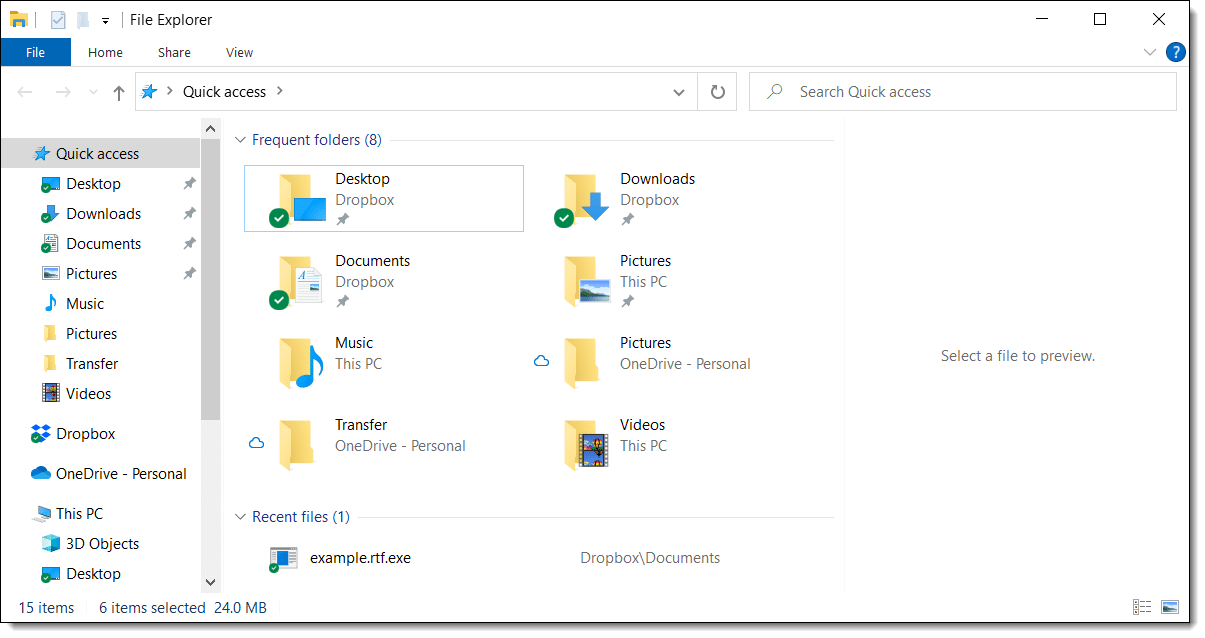
Windows File Explorer has several options for you configure what it looks like, what’s displayed, and more. Unfortunately, configuring it to open on a specific folder isn’t one of them.
Fortunately, there is another way.
Become a Patron of Ask Leo! and go ad-free!

Open Windows File Explorer to a Specific Folder
To open Windows File Explorer to a specific folder, create a shortcut to “%SYSTEMROOT%\explorer.exe /e,<folder>”, where “<folder>” is the folder of your choice.
Create a shortcut
The approach is to create a shortcut to Windows File Explorer, giving it the specific folder as a parameter. Here’s how.
Right-click on an empty area of the desktop. Click on New and then Shortcut.
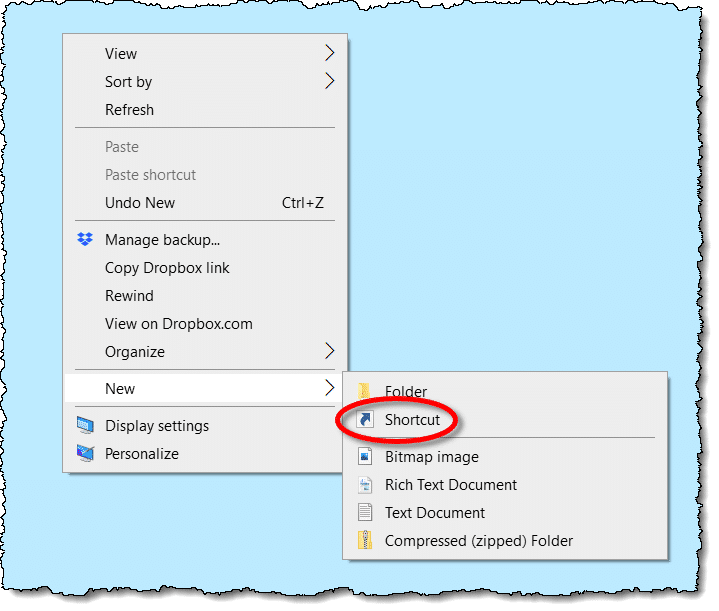
In the resulting dialog, enter:
%SYSTEMROOT%\explorer.exe /e,C:\t

- %SYSTEMROOT% tells Windows to use the location of your Windows installation.1
- explorer.exe is Windows File Explorer
- /e (optional) tells Windows File Explorer to display the left-hand folder pane
- c:\t is the folder you want it to open to. Replace this with the folder you’re interested in. If the path contains any spaces, put the folder in quotes, e.g., “C:\t”.
Click Next, and give the shortcut a descriptive name.
Double-click on the shortcut, and Windows File Explorer will open to the folder you’ve specified.
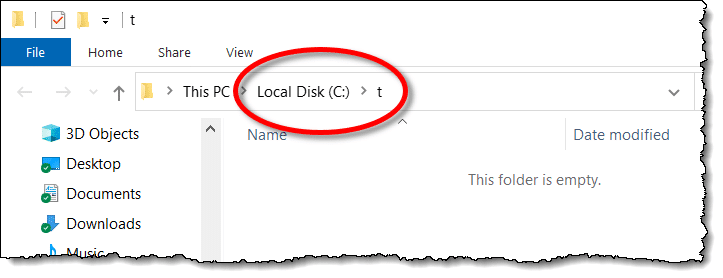
You can, of course, place this shortcut wherever you like, including on the Start Menu.
Do this
After you’ve created the shortcut(s) you need, go subscribe to Confident Computing for more tips and tricks like this one. Less frustration and more confidence, solutions, answers, and tips in your inbox every week.
Podcast audio

Related Video


Footnotes & References
1: Technically, this may not be needed. Just saying “explorer.exe” should run the right program. Using %SYSTEMROOT% is slightly safer in case certain settings have been changed.


My windows explorer keeps disappearing everytime from the taskbar. Can anyone help?
That would happen if IE is closed. Is IE still running when this happens?
As an addition to the default directory, I like to add the /e, in the following:
“%SystemRoot%explorer.exe /e,d:directory
This allows all of the directories above the target to be seen.
Yes, but now when I open Explorer, I fail to see the Folders in the left pane. I have to click “View”, scroll down to “Explorer Bar” and choose “Folders”.
How can I fix it to show the folders every time?
BTW, I’m using Win XP Professionall
Try this:
explorer.exe /e,foldername
The /e switch says “explore” which means display the folder pane.
I have a shortcut (folder) that has alot of items in it. I can’t get the shortcut to open and use any of the items in the shortcut. What can I do?
Thanks
Tom
I followed Leo’s advice and it worked fine, except for two things:
1. The window opened up in a ‘non-folders’ mode, so I had to press the folders button to have open as a normal folders-style window.
2. When I tried to open a second explorer window it just refused!
Leo’s extra advice worked fine!! Thanks Leo!
As an addition to the default directory, I like to add the /e, in the following:
“%SystemRoot%explorer.exe /e,d:directory
Try this:
%SystemRoot%explorer.exe /n, /e, /select, C:
Thanks a million for the various tips on opening Windows Explorer to show a specific directory/drive on my Windows XP system.
“%SystemRoot%explorer.exe /e,d:” worked perfectly for me.
Thanks
advice was great to open in ‘c’ drive– the only online help i’ve found that worked.
still, i’m looking for how to get my explorer to open, two paned, with the ‘my computer’ highlighted in the left pane, drives hightlighted in the right pane, with only ‘my documents’ and ‘my computer’ expanded in the left pane (and not have “C” expanded in the left.
CAN YOU HELP ME?! (i did read article, finding the code to open in two panes helpful; still, i can’t get computer to acknowledge “my computer” as a legit path).
pleaseeeeeeeee….?
I did what you suggested, however it will not associate itself with internet explorer and won’t open the page. This happens on a few web page icons I have on my desktop. The only one that opens is the actual internet explorer icon
Thanks
HELLOW
i had problem with windows explorer . when i open the folder or partition drive it automatically close the windows. so how can i remove this problems.
thanks for your kind cooperation.
The secret is “…Create a NEW shortcut”.
I tried to use the existing one found under the “Start” menue, and it did not work. Now if you change the icon too, it would be really snazzy.
to open windows explorer on “My Computer”, with the C drive highlighted in the right pane, you need:
C:WINDOWSexplorer.exe /n, /e, /select, C:
Hello!!
Windows 7(Vista) opens by default “Libraries folder” when Explorer starts.
PLEASE – How to change it for example to jump to c: instead of “Libraries folder” IN REGISTRY?
I want to use it so:
I will assign keyboard key to start Explorer.exe.
So I can use it in two ways:
1. if Explorer.exe hangs(I will kill it) and click X button to start it.
2. if Explorer.exe running – I will use that X button just to open Folder window.
Why I ask about registry changing? – Because “explorer.exe c:” – not works with p.1. (if explorer not running – it Not opens system Tray) but opens folders(Libraries) window.
and “explorer.exe” open system tray BUT not opens folder c:
Have a look at Bob Cerelli’s Explorer Tips …
http://www.onecomputerguy.com/explorer_tips.htm
Leo, this is way too funny. I was working on my friend’s PC and she had ‘Windows Explorer’ on the desktop. I am not that pc literate but I get there, with a lot of help from yourself…:) Anyway, I can home and realized that I never had WE anywhere. I mean anywhere. So, I searched your site, found what I was looking for and (lol) all along, I had it. Only thing was I forgotten I had renamed it “My Computer!!!” I love your page. Thank you for it. :)
I open the directory I want in WE then go up one level and right click that folder and create a shortcut. Then I move that shortcut to the desktop or wherever I want it, and rename it as required. Then whenever I click that shortcut it opens WE at that folder.
Incidentally that’s an integral part of how I keep my desktop very clear of icons, by using folders with groups of programs and/or folders in them. Then as new icons build up on my desktop I move them into one (or more) of the folders, leaving the desktop clear of all but the most essential column of icons (My computer, Help & Support, Recycle Bin, Control Panel, and one or two others that I use extremely frequently).
Otherwise the desktop is pretty clear. Plus there are the various taskbars at the bottom, which I have set to auto-hide. This is XP, by the way. Dont know if the same stuff would apply to a later OS.
Is this site still active? I want to follow the rules but can’t find them. About commenting you suggest “read the article” but I can’t find the article. If I have to register I can’t find that either. Help! I have question regarding changing Windows Explorer to display root directory in left pane, but I cannot access “create shortcut”. This along with many folders on my computer are greyed out although I am Administrator. I feel I should be able to access all functions on my computer (like I have done on all previous computers, even this one prior to a few days ago when a lot of things seemed to change). I have Win7.
It means read the article you are commenting on. Ie. this one. So I assume you’ve read it already. Unfortunately, I don’t have the answer to that one. Hopefully, someone here can help.
Here’s a curious one (at least for me). On one of my desktop computers – running windows 10 – the desktop show all the text underneath the icons – which aren’t there! How do I get the icons back? Incidentally, it’s a touch screen monitor but does that matter?
I want to go to a subfolder under Documents but can’t get the shortcut to work. It only opens up to the documents folder. Either I’m not able to do this or I’m using the wrong syntax. Any help would be appreciated. Thx. The shortcut is:
%SYSTEMROOT%\explorer.exe /e,”My PC:documents\Personal Information”
Change that to “C:\Users\-your user name-\Documents\Personal Information”
“My PC” doesn’t work in situations like this.
Thx Leo!
This may work for you. This works in Windows 11.
Navigate to the sub folder and select it. Right click on the folder and select “Copy as Path” from the list of choices. Go to the desktop and right click on a black area. Select New/Shortcut and paste the link that you copied. Click NEXT and enter a name for the shortcut and then click FINISH.
I must be missing something. When I want file explorer to open to a specific folder I right-click on the target folder; drag it to my desktop; release the right-button and choose “Create shortcut here”. When I double-click the shortcut, it opens file explorer with the target folder displayed. Don’t most of you have shortcuts on your desktop to your Documents, Pictures, Downloads, Screenshots. and others as well?
I’m always afraid that if I drag something to another location, it’ll move there. That’s what happens with individual files. Instead, when I want a folder on my desktop I do almost what you say, except I’ll right-click on a folder (in Explorer) and select “Send to > Desktop (create shortcut)”.
When you drag while holding the right-button, it always gives the option to make a shortcut or make a copy, in addition to the default (left-button) Move.
Dragging a file to the Desktop will move it to the Desktop. Dragging a folder to the Desktop will create a shortcut. What Dave said is also the case.
I do that, but it’s not necessary to right-click. Simply clicking and dragging a folder to the desktop defaults to creating a shortcut.
That is SOOOO helpful! Thank you!
Is it possible on Windows 10 to get File Explorer to open on a specific directory, say C:\Data\Pictures, and put the highlight bar on that directory in the left pane? I follow these instructions, but even though the files in the directory are shown on the right, the left pane still stays on C:\. I use Explorer many times per day and every time I have to click >(expand) on C:, again on Data, again on Pictures. That may not sound like much, but add it up many times per day and it’s annoying. Thanks, David.