The things you need to look at and the things you can try
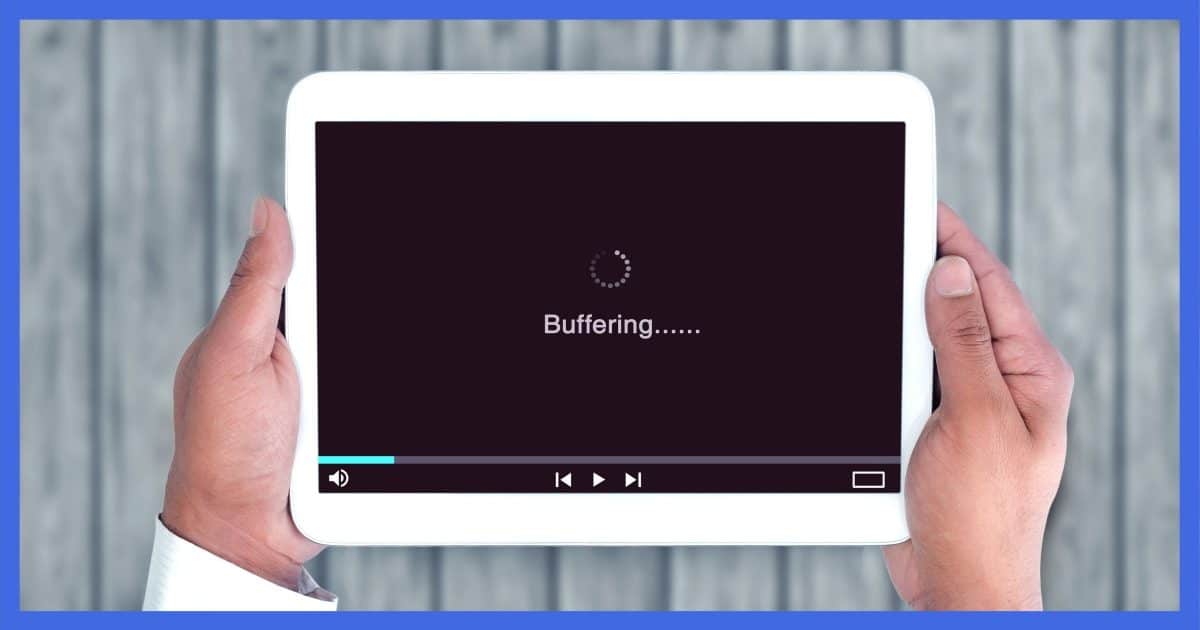

It’s frustrating to have a video play a little, pause, play a little more, then pause, then play a little more, then pause, then play a little more.
I’ll cover the two most common reasons and share some ideas for workarounds.
Become a Patron of Ask Leo! and go ad-free!

The speed of your internet connection is the most important factor when streaming video. Next would be other programs or devices making heavy use of that connection at the same time. Depending on the situation, you may be able to pause to allow things to catch up, reduce the demand by selecting lower quality, or avoid streaming completely by downloading the video, if allowed, to watch later.
The #1 cause: your internet connection
By far, the single biggest reason for videos pausing periodically while playing is the speed of your internet connection.
Or rather the lack of speed.
Videos use a lot of data, and it has to be transferred fast enough for the video to play smoothly.
If a video requires, say, three megabits per second (just an example1), and your internet connection is only 1.5 megabits per second, you will see stops and starts. The player can’t get the data fast enough to play without interruption.
If another program on your computer is downloading something at the same time, the speed left over to watch your video will be reduced. You may have the required connection speed, but if another program is also using it, the effective speed for your video might be cut in half or worse.
These days especially, it’s common for many devices to share your internet connection. If someone else in your home is also streaming video or downloading lots of data, then the bandwidth available to your machine is reduced, resulting in jerky video playback.
The #2 cause: your computer is too busy
Depending on your computer’s hardware configuration and whatever else it is doing at the same time, it might just be too busy to keep up with the work of displaying video.
Other programs can place high demands on the computer’s CPU, RAM, or disk speed and interfere with video playback. Symptoms like video starts and stops while watching can be one result.
Fortunately, you can use tools like Task Manager to identify resource-hogging culprits.
Solution #1: pause
Most video-player progress bars show three stages of video playback.

- Video seen shows how much of the video you’ve watched2 so far, and ends at the playback position indicator.
- Video downloaded but not yet seen shows the amount of the video downloaded into a buffer somewhere on your computer, but that you haven’t seen yet. In this example, it appears as a gray bar.
- Not yet downloaded is the amount of video that hasn’t yet made it from the video server to your computer.
If you never see the “video downloaded but not yet seen” gray bar during normal streaming playback, it’s likely that the download can’t keep up with playback, or can only just barely keep up.
The first thing I try when faced with this is to start it playing, click on pause, and wait a while.

Most video players have either a separate Pause button, or changes the Play button to a Pause button, as in the example above.
Pressing Play begins the streaming of the video. When you pause it, you give the download a head start, letting it fill the buffer with video ready to be played back.
However, some video players or services limit how far ahead they’ll buffer. They’ll get a certain amount and then stop before it’s done, apparently waiting for playback to catch up.
Solution #2: reduce the demand
Many players provide video in multiple formats, including different sizes of video and different qualities. The video player chooses a default based on a quick analysis of your device and internet connection. Some update their guess based on ongoing performance.
Sometimes they guess wrong, and you need to make a different choice.
On YouTube, you can click on the gear icon to select a different resolution.

The maximum resolution available is typically selected by whoever uploaded the video, and results in the largest and clearest picture. It also requires the fastest internet connection in order to play smoothly.
Select a lower resolution, and the image will typically be smaller and perhaps less clear. However, it also places less demand on the speed of your internet connection or computer, and may play back without pausing.
What if you have a slow internet connection, but still want high quality? That calls for a different approach.
Solution #3: download
Streaming and downloading a video are very similar. Oh, there are differences in protocols and software and whatnot, but the fundamental difference is simply this:
- Streaming plays the video directly to your screen to watch as it arrives.
- Downloading3 writes a copy of the video to your computer’s hard disk to watch whenever you like.
The differences, while complex behind the scenes, are conceptually pretty simple. The legalities are anything but. The problem is that when you download a video, you are creating a copy of that video. That may be illegal or against the video site’s terms of service.
Some sites offer a direct download link, which is by far the simplest approach. Click on the download link (or right-click and Save As…) and then, after the download completes, you’ll have a video file on your machine you can play using your favorite media player.
Other sites (most notably YouTube) and almost all streaming services do not provide this ability.
However, if you search for “youtube downloader,” you’ll find many. The problem here is that it’s unclear which to trust. In my brief research for this article, I checked out a few and found many to be discontinued, not working, or loaded with PUPs.
One final note about downloading video. If the download takes longer than the video would play — for example, it takes 15 minutes to download a three-minute video — then streaming isn’t an option. On the other hand, if you were able to download in less time than it would take to play, you’d theoretically also be able to stream it directly without the starts and stops.
Do this
Subscribe to Confident Computing! Less frustration and more confidence, solutions, answers, and tips in your inbox every week.
I'll see you there!
Footnotes & References
1: I’m NOT, NOT, NOT saying that all online video requires three megabits per second. This is simply an example of a video that requires a higher data rate than you might have available.
2: Assuming, of course, that you haven’t skipped ahead. If you have, this simply indicates the amount of the video prior to the current position, whether you’ve seen it or not.
3: I know it gets confusing on top of confusing because even in this article, I’ve used the term “downloading” while describing the ins and outs of streaming a video. Essentially, any transfer of data from the internet to your computer can be considered a download, and that’s most often how the term is used. When we talk about media like video or audio, we make this specific distinction between streaming and downloading based on what happens to the data transferred: displayed or saved to disk, respectively.
Podcast audio

Related Video


I do wait and let it buffer all the way but when I play the video, the video stops in the middle of it and asks if I want to atch it again
Hi Leo.
Leo thank’s a milion,you put my mind at eas.My sound has been exactly as you have said above.
I have a playlist saved on you tube with 18 songs. It is the same 3 any and every time I play the list. I have plenty of hard disk space for the temp file. I think there’s more to it.
I’d like play just an excerpt of youtube video on my web site. I know how to play youtube video, but not the excerpt (e.g., a segment from 15 sec. to 25 sec.). Would you advice what code should I insert to achieve that? Thank you. Art
PS
I use the following code to place youtube video on my web site:
I don’t know of any way to play an excerpt of a YouTube video, but you can specify an URL which can start the video at any point you wish. Right-click on the video at the place you want it to start and click “Copy video URL at current time”
You can’t specify and end point but the people who click on your link can stop watching when they want.
I know I’m responding to a 13-year-old comment but it might be of interest to someone else.
Hi Leo
I have the stop and go of my youtube videos which is odd because it wasn’t happening 2 weeks ago. My laptop is brand new and the youtube was working perfectly then suddenly I started having the stop and go. I cleared my cookies & still no help. When I hit the pause, the red line stops completely so its not downloading while I wait. Even if I wait for the entire video to download and then hit replay, it starts the same stopping and going. Could I have done something to bring this on suddenly?
thanks
jane
This indicates that your computer needs one or both items.
1. Defragment your hard drive. Of then this is the case specially if you download and “play” from a Hard Drive, not the new “memory type”.
2. You added or somewhere your software added some other software that runs simultaneously with your “playing” of the downloaded video. For this I suggest the free edition of Ccleaner.Org, once suggested by leo and I personally have it and run it often. Also SuperAntiSpyware.Com. Run both BEFORE you start “playing” your already downloade viseo file.
I had this problem crop up suddenly and found that it was due to a clutter of files and other junk I allowed to accumulate on my desktop. I ashcanned a bunch of videos and other files just sitting on my desktop and the problem with videos starting and stopping went away. You might try that.
Thank you! Thank you!! Thank you!!! I hit pause and let the video completely download, went back and when I hit play – it played just as it “should” – no stops and starts. I am very grateful. :-)
If it had been up to me, I wouldn’t have put You Tube up until that bug got work out. But then I would have made sure saccharine and cyclamates were harmless and not cancer-causing before putting them on the market.
06-Feb-2009
When running internet videos the red load line does load far ahead of the playing point. And the video still stops, skips frames, and starts and stops. Even going back to the beginning point and rerunning the video with the red line full the video still does the stop and start thing. The sound is doing the same. I am running windows XP with Internet Explorer. Adobe Flash player 10 Active X is loaded and Java Script is enabled. Memory space is clear. System is an Intel 866 MHZ, 512 ram with service pack 3. Display adapter is a Nvidia GeForce 2 MX 100/200. And the wireless connection is at 54Mbps.What possibly could be wrong or set to cause this video problem? Videos do run normal in Microsoft Media player. But are jumpy in Flash. Thanks
02-May-2009
I had the same start and stop problem with watching videos online. I tried numerous sites to make sure it wasn’t the site. The problem came on suddenly so I tried all the fixes on the first page, but no luck. I finally uninstalled ITunes which I had recently installed and now everything is working fine again. ITunes installed a mess of programs that I would never even use and it made itself the main music player. I also noticed that Itunes had a lot of task running all the time, at least 5 or more. So, that’s my fix. Hope it might help someone else.
Ive been having a similar problem but Ive found that if I reboot my PC the videos play faster what could be causing this?
26-Jul-2009
I recently bought a canon fs20 camcorder and tried to download several videos onto my computer. When I watch the videos, they stop and start again, like they are buffering. Is this my computer, download program or something else? I am using the Imagemixer 3 program that the camcorder came with.
My problem is similar, but not the same. I get fairly rapid initial download speed of the video, and download halts and does not resume. This appears on many sites. Is it possible that after a certain number of dropped packets, the download is quitting?
In other words, I get rapid download – then download ceases and there is no rebuffering or restart. Sometimes this happens every 30 seconds (and I have to reload the page) sometimes after 20 minutes or 30 minutes.
well is it so common, but so difficult to fix, the start and stop ,for all video reviews.This is ask by millions daily so some tech resolve my issue.I see no reason to pay the server for faster internet services.when videos do now work anywhere the servers do not know that ?.
I’m using Firefox 5.0 (however problem has been in every version)
I allow video to load completely and audio continues while video stops and starts after a few seconds. Even as I type this it’s delaying some of my words. I wait and it auto fills if I keep typing.
I’m using osx 10.6.7 All add-ons disabled.
@Ddrt
Sounds like you might have more programs running than your computer can handle which might be slowing it down. More RAM might help, or you might try stopping some programs that start up with your computer that you don’t need.
http://ask-leo.com/how_do_i_determine_what_i_absolutely_need_to_load_at_startup.html
Oops, I just noticed that you use OSX, I don’t know what the procedure is to stop programs from starting up on a Mac, someone who reads this might have an answer.
My dsl downstream rate was 765 and up was 132.
They were upgraded to 7036 and 508 respectively and I had no problem w/starts&stops of video.
For some unknown reason the rates have reverted to the lower nbrs and I now have that prob. again.
How can I change the rates back to the higher nbrs from the Broadband DSL Line Diagnostics page?
05-Sep-2011
I’ve been trying to watch videos from a site called Paper Crafters Library. I do what you say, but its still an extremely slow process. At times I can let it spool in for ages, but when I click play I still only get a very short time, sometimes only seconds, before it stops again. I tried Videobox but the makers of that said the site uses streaming videos and Videobox will not work. Is there anything else? I’ve spoken to our provider and they say its all ok there. I can watch Youtubes with no problems. Thank you.
If ya use Firefox which I would recommend, just use “you tube video quality manager”. This helps a lot. else just let it buffer and play later. Some VPN’s also increase download speed.
For other types of streaming..just move cursor to left side of screen..right click and just find Quality..select Low (from high/medium or low)..this also helps a lot as we in Europe know.
Use with care, I downloaded and before I could instal I received a virus warning (I use AVG). It hasn’t to the best of my knowledge caused me any problems, but that’s maybe only because I didn’t proceed.
I appreciate the link was offered in good faith though, so not a criticism, just a word of warning.
I used to think my Internet connection was slow, and that’s why video was taking so long and why web pages took so long to display. But then I hooked a Linux laptop to my home network, and wow … it was really fast. So, the problem was not the Internet connection, but rather my computer. My solution was to buy a new computer, the fastest and biggest I could get. I now have 16 GB of RAM, i7 processor, 10 MB cache, 1024 MB video card. Video never pauses. Web pages load like they were local. I am in heaven.
My old XT computer? I will load Ubuntu Linux on it as a dual boot machine.
In recent months my computer has begun encountering a different kind of video playing problem when playing videos from the Internet. I can see the downloaded, but not played, bar well ahead of the current display point, but the screen freezes anyway. Only if I move the mouse pointer up into the video does it free up and begin displaying properly again. In order to play a video smoothly, I have to keep the mouse up in the video and wiggle it around to keep the thing playing. This is MOST annoying, but I haven’t found a way to avoid it. I am mostly using Firefox, but I think it happens with other browsers too. Can you explain this? Better yet, tell me how to fix it?
BTW, this happens when my fast (3gB/s), big (6 gB ram) computer is not overloaded or doing lots of other things. The video will continue playing smoothly as long as I keep wiggling the mouse around in the video.
YouTube videos can also be conveniently downloaded without a program through http://www.keepvid.com if you have Java.
My IE9 hangs all the time with videos, and I have a fast connection. Then switched to FF and/or Chrome and have no problems. But I must close the IE hog first.
@Rene
That sounds like a problem of not enough resources such as RAM or CPU. I’d run Process Explorer, as Leo suggested and see how I could free up some resources on my system. I had a similar problem where doing anything with my keyboard or mouse, even simple things like scrolling a window, would cause the video hesitate. Closing a few background processes solved the problem.
In my documents on face book, when I go into doc to copy an image or quote to post on Facebook, when I click to see a doc all the documents fly by so fast I can’t even see them, much less choose one. Have any idea why this is happening?
Thanks
Hi Peggy,
This is not really the best place to post a question, especially since the question does not appear to be related to the topic.
The best way would be to click the link below that says “Questions? Ask Leo” and ask your own question.
Of course if you are a subscriber, you should go to your email and click the link in the email you received from Leo because Leo always puts subscribers questions to the top of the queue and you’ll likely get a response in a couple weeks as opposed to a month or two.
If your not a subscriber, it would probably be faster to subscribe (there’s a subscription box above). It’s free to subscribe and Leo doesn’t sell his mailing list. Then when you get the first email, click the link in the email to ask your question as a subscriber and move ahead in the queue.
Sometimes a reboot will help, undoubtedly because that closes processes and programs that may have been taking up resources. Sometimes it’s easier than trying to figure out what’s slowing you down with process explorer. One day everything was dragging on my computer–not just video. I realized that my son was using his computer wirelessly from my router. Usually he and I are not on at the same time, but this time we were.
I use a browser called Fastpeak Slimbrowser because I like the interface, with menus which allow me to do everything I want and with very easy access to translation. I just noticed that it now offers a button for direct downloading of videos on YouTube too in all the formats available.
My Mom developed this problem with watching youtube videos (would just buffer endlessly) and for months I blamed her old computer and even sadly her :( because I couldn’t figure out what the problem was. Never thought it could be a bad router! Replaced it, and that fixed the problem. Happy Momma, happy me :-)
Re specific speed recommendations for Netflix and Vudu, see:
http://hometheater.about.com/od/internethometheater2/a/Internet-Speed-for-Netflix-Vudu.htm?p=1
Cant watch a video, play button stops every second
My videos keep on runing and stoppin, can you help , at the sametime what do cpu ram means.
I’m far from an expert on computers. In fact, I could barely understand these solutions. What I tried: I turned my router off for a couple minutes and then back on. What a difference! Better than throwing my computer out the window which was my first inclination.
Does “streaming” create a file on your local computer? What happens to the data when the streaming is finished?
Some streaming downloads the whole file, and you can watch it as it downloads. When finished, it deletes the file. Others download the file and only keep a portion of the file in a buffer, which is also a temporary file on your computer.
Streaming may create temporary files of some sort depending on the technology being used, but that should all be cleaned up when you’re done.
I have wireless internet and can watch videos on my Kindle, but they will only play for a few seconds on my brand new lap top. I’m thinking that it must be the laptop, since they both use the same router, internet, etc. Does that make sense.
Maybe I missed it but one should always do a speed test (try speedtest.net) to determine the actual speed of the connection first. This will tell you if the problem is related the speed of the connection or if you need to look elsewhere.
Peak viewing times can slow down one’s connection significantly.
Why can I watch a Netflix movie in HD on my 24″ ext monitor for two hours without a single glitch or pause, but can’t view a simple three minute news cast, about 2″ x 4″ without constant freezes?
Maybe the problem isn’t at your end. Maybe it’s the news website not wanting to spend the money on sufficient servers/bandwidth/etc. to be able to serve up the video to as many people as are using their website. Whereas, I’m sure Netflix has already and probably continues to upgrade its hardware/bandwidth to keep its paying customers happy.
Linux has a utility called WINE (which originally stood for WINdows Emulator but now people say it means Wine Is Not an Emulator) which can run many Windows programs, but if Linux itself doesn’t have the drivers using WINE wouldn’t help.
Different technologies often have different requirements. It IS frustrating, for sure, but not all video display technologies work the same way.
Hi Leo,
I have a solution for the DASH problem. That’s where YouTube only provides a short buffer rather than downloading the whole video to its end.
It involves a third-party add-on for FireFox users. I am not affiliated with this product in any way. It provides many uses other than simply controlling DASH and is completely free to use.
Note: There are scripts and plug-ins available for other browsers as well.
I wrote a guest article for Dave’s Computer Tips that covers this very subject and it can be found at this link: http://www.davescomputertips.com/dont-like-dash-then-youtube-center-is-for-you/
Thank you for all the helpful information you provide us.
I hope this helps,
Richard
With an Android tablet, videos can be interesting. Some play fine. Some cause the tablet to completely freeze. And some start and stop every few seconds.
HI Leo,
I Have a desktop computer which i bought about a year ago and it could load a 20 minute YouTube video on full hd in about a minute or two. My internet speed is the same 15mb/s as it was back then, and yes that is fast for Australia but if i change the quality to hd it stops and pausing doesn’t help because you tube videos don’t like to download when they are paused on my computer. So i tried my sisters new mac which was connected to WiFi not Ethernet as my desktop is and the exact same video on the exact same quality loaded almost instantly. So Please help!!!!!!!!
My thoughts are not just uTube videos, but short clips on FB. I only have an Ipad and pay quite a bit for my not the top but next best available speed I can afford which is NOT cheap! I mean every second or two? It is so frustrating i want to throw this damn thing through the wall. Its a fairly new one and have no other problems with it but this. I will try the pause thing but I’m calling Apple next!
Thanks so much for the clarity. Only one remaining question: Could you please comment on how the CPU speed might affect streaming? Would one notice any significant difference between using a computer with a 1.88GHz processor and one with a 3.2GHz processor. I’m in the market for a new computer and the slower one would meet all my other needs and be less expensive. If, however, the faster one would provide a perceptible improvement in streaming, I’d be inclined to spend the extra bucks. Thanks for your thoughts.
John Meny
CPU speeds that you’re looking at shouldn’t have appreciable impact in general. Like I said, what matters most is the speed of your internet connection.
I am like John, looking at a new laptop. Does the available memory that the CPU uses affect streaming? Does 4GB have an advantage over 2G?
It really all depends on what else you do with the machine. Short answer is available memory absolutely can impact it. And more is always better. :-)
Thank you for the insightful video. I have a 10 mb connection and most YouTube videos were almost impossible to watch. I didn’t know about the “gear” setting that would let you choose a lower resolution. That seems to have made a big difference. :)
And where are the solutions?
So, barely explaining on why a video may stop and play, that is a solution to, what? Telling why it’s always stopping?
Gee, if all the professionals are as professional as you, then I wonder how the videos are even play and stop and not just stop full on.
This world certainly produces one kind of {removed} up brain dead pros. too much on facecrook, huh?
Older iMac completely updated. Chrome.
Why does video stop when I’m streaming — and never start again — even though, according to the ‘Video downloaded but not yet seen’ is completed? This happens frequently to me.
Try clearing your browser cache. This article will explain more – https://askleo.com/whats_a_browser_cache_how_do_i_clear_it_and_why_would_i_want_to/
Well I have a 65mbit connection and half the videos I watch online stop periodically and load then start again even at 720p. If this issue is my internet connection then it’s technically impossible to stream online video period. I would imagine anyway. I guess it could be the encoding. I’ve rented a few streams from Vudu at 1080p and google play and they both ran like 10 fps. The Vudu video issue was an encoding error on their part (email communication) and not sure about the Gplay issue.
I’d suggest in this case it could also be the server in which the video is playing. The main reason I upgraded to 65mbit is because I assumed this would be plenty of bandwidth. Oh well, who knows. Do you know Leo?
If you’re getting anywhere near 65Mb, the connection speed shouldn’t be a problem. I have 50Mb and several internet devices on my home network and I have no problems streaming. Either your ISP isn’t delivering the promised speed or you might have a problem with your router. You can check your speed by running an internet speed check, but if that comes up slow, it won’t tell you whether the problem is with your ISP, your router or you computer’s network adapter. Maybe you can get a router at a store with a liberal return policy to check it out.
http://ask-leo.com/how_can_i_be_sure_im_getting_the_internet_speed_im_paying_for.html
Leo, I never had the video start/stop problem until Windows 10 came along and I was forced to get it. Now I just about don’t even try to watch videos anymore. It’s too maddening. Also I was never swamped with all this advertising stuff coming up like I now have with Windows 10. Every time I go to a site some ad pops up on it and I have to figure out how to get rid of it so I can get to the site I went to. I’m just getting fed up. I long for the good old days. Any suggestions on what to do?
All I can say is that ads are not related to Windows 10 at all. If you visit a web site and an ad pops up, either you have malware (rare, but it happens) or it’s simply the site doing the advertising.
As a former windows fanatic, I took the easy, but only way out. A cheap promotional android phone, although not as happy as the good old days with windows, much recent complacency acquired. Windows mobile (alone) has been cast out, virtually, by microsoft, its own relatives. Family issues? Im not into. Notes: my previous carrier was not windows friendly, current carrier not wholly compatible, android is becoming much more windows acceptable. Any ideas on a non windows, non Android, way to use a phone and do all that is required of one, for someone, or more, who does tend to find alternative methods of cash flow thats not always phone related. Im not professing a lot of knowledge here, but with experience to cover the gaps. Thx ms to make this possible.
Side note, today is 4 years to the day that Leo presented the article, on thanksgiving day, that helped me a lot today (the stop/start thing)! A sincere thank you to askleo.com Thank You
Non-Windows non-Android solution: iPhone, iPad, or (shudder) Windows phone or tablet..
Hi Leo, I live on a boat and have to deal with slow internet speeds as a fact of life. Most of the times, I click the pause button as you suggest, but that doesn’t always work. Isn’t there a setting some place where I can tell all streaming videos to delay starting until most of the video is on the machine? I don’t mean downloading in the sense that violates copyrights and other legal issues; just a delay, a long delay. I have a ton of memory and storage on my computer, but I’m lucky if I ever achieve 0.1 mbps download speeds.
I’m not aware of any such setting. Complicating the matter is that there is not one video player, but dozens, for dozens of different sites and or browsers. Sorry.
Looks like I missed this post when I posted my very similar question below. Something has changed in most sites that stream video and audio programming content. YouTube is only the most obvious one. You press pause and it stops streaming in your computers memory till you press play again. HOW DO YOU DEFEAT THIS TYRANNY? That is the only question that needs a good answer. Like Rick Andrews, I don’t always have a good connection. Our only option is to sit forever while the pitiful stream catches up to where it stopped only to stop again as you go along. Press pause and the entire stream will stop after a predetermined amount has been loaded to your computer then something in your computer communicates to the server that you deliberately paused it. Different sites allow for differing buffered amounts and very few sites, if any, these days will allow you to fully buffer your program so you can take it with you to listen at your convenience.
The following shows the internet speed recommendations for streaming the videos on Netflix.
Required broadband connection speed – 0.5 Mbps.
Recommended broadband connection speed – 1.5 Mbps.
Recommended speed for SD quality – 3.0 Mbps.
Recommended speed for HD quality – 5.0 Mbps.
Recommended speed for Ultra HD quality – 25.0 Mbps.
Netflix Slow Streaming – Remedies
Because of seemingly endless choices that are provided by Netflix, it’s quite obvious that you might need a convincing purpose to go outside, otherwise who would want to leave the shows on Netflix? Remember the time before Orange is the New Black? When you needed the sun? Now, you just have a self-tanner, Vitamin D capsules, and a Netflix account!!
If you think nothing is more annoying than Vee in OITNB, then think again because Netflix buffering can be much worse. If you are exhausted of the Netflix quality and Netflix loading slow, here is a tip for you!
More: https://netflixmovies.org/internet-speed-for-netflix/
I found it helpful.
Why it buffers is NOT the right question. The question I have is why it STOPS buffering when I pause the stream. In the old days, you could pause the stream especially if you have a slow connection and simply wait to get the whole show fully buffered on your computer. Then you can watch or listen to it without the stops that a poor or interrupted signal can cause. I’m a truck driver who uses the wifi and many truckstops. I often don’t have time to sit thru the whole show so I’d like to load the whole thing, go out of range down the road and listen as I go. But most sites don’t allow this anymore…buffering stops at whatever amount predetermined by the server once it somehow detects you’ve deliberately paused the program. What’s up with that? I want to know where in my browsers source code that sends the signal to these servers so I can switch this outgoing information off that lets the servers know you have paused the program so you can continue loading the full show to listen or watch offline. This new policy these sites have is ridiculous. Any solutions? Thanks for your attention on this and for any truly helpful responses even if its to say, “Hey pal, this is how the corporate thugs do it now. They got your computer by the groin and you are stuck with their crap”…LOL!
There are many third party programs which download streaming video. I personally use YDT YouTube Downloader which downloads from YouTube and some other sites. Many antimalware websites flag it, probably due to its offering unwanted software when it’s installed, but I’ve found that if it is installed carefully, saying no to any additional software, I’ve never had any problems. I’ve used it for years.
Troubleshooting Buffering Issues on Your Computer
You can access a hidden menu to eliminate Netflix slow streaming. If your Netflix keeps buffering, then you can access the secret menu by performing the following action:
Open the Internet browser and go to http://www.netflix.com.
Select your choice of program to start playing.
For Windows PC, pressing Shift + Alt + Left click on your mouse and for Mac, pressing Shift + Option + Click on your mouse will pop up the hidden menu.
Select the Stream Manager.
Match the buffering speed with your playing speed.
If you still have the problem of Netflix loading slow even after following the steps mentioned above, then you can manually set-up your buffering settings: learn more: https://internetflix.org/internet-speed-for-netflix/ here.
If you are still experiencing the buffering issues, you should consult your internet service provider to find out if there are some problems on your network. Or if you think there is something wrong with Netflix itself then Contact Netflix Customer Service for help.
I was watching a Hindi telly drama on Netflix on my laptop and when i was watching it half was it stoped and a web page came saying there is an error and to reload I click the reload and it went back to the show and then it stoped and went back to that web page, I deleted everything on history but when i typed Netflix and went back to history all what I deleted was there , how?
Thank you
I updated windows 10 recently and it caused delays in streaming video. I was using firefox. Microsoft edge would not work at all. I installed the latest firefox and now it works fine.
It doesn’t matter how fast Your INTERNET speed is! It wouldn’t matter if You had 1 gig of memory! The problem isn’t Your Laptop/PC! It’s not Your Internet speed! It is Your Web Browser! and no it wouldn’t matter if You switched to another one like, Firefox, Opera, Internet Explorer, or even Google Chrome, You will still have the buffering hell! The error Hell! Use to, I would go into Firefox about config, and fix the video buffering problems, but it seems like they fined out the fix, and do something to mess it up! Yes You are reading right, the purposely fix it where You watching experience, is one big headache! It is almost like they don’t want You to watch a video on their browser! All browsers have gotten into bed with Google! The biggest Spyware company in the bossiness! well next to Microsoft! The days of enjoyable video playing on the web, is over! From all the trackers, and Google ware running in the background, eating away at ones data plan, we don’t have a chance! An example of this is take a look at Windows task manager while Your Running The Firefox browser! Now pop open a YouTube video! Now take a look at how much memory is being used? upper 80’s, all the way to 100%! You can thank Google for this! Their snooping, is draining the life from Your PC/Laptop! an here is the real kicker! If You watch a lot of videos, Your memory sticks is taking a pounding, and the life expectancy is probably cut in half! and if it is that ruff on the memory, well the mother board hasn’t got a chance either! The only solution, is to boycott YouTube and all the other video streaming sites for a month or two, I guarantee, it wouldn’t take long for Google, which owns YouTube from pulling their noses out of our bums, and stop the spying! Then all these other streaming sites will follow suit! What really tics me is I can’t even watch Movies I bought on Vudu, without the same Ole buffering bull, when they stop one from viewing that which they paid for, they have gone to far! Just saying! You can take what I typed here with a grain of salt, if You wish, but in doing so, I say prove me wrong! Enough Said!
That’s crazy cuz my problem is trying to watch videos on bing.com. they pause every 3-5 min and wont play until I actually push play, even the youtube videos. When I watch the same videos on google, I have no problem at all. I’ve found videos under bing that I couldn’t find on google which way my only reason for using it but with this headache it’s not worth it.
Bing doesn’t play or host the videos. Bing is a search engine which points you to the websites that do have the videos. It’s those websites, not Bing, that you’re likely having problems with.
One of the most frustrating problems for video hosts from a variety of different servers is that each one contains a set number of advertisements stacked onto each other. This means that when you click on a video either in youtube, vimeo, bing, msn, or other video host sites their third party servers rely on click friendly viewers. So even if you update all of your video programs like Adobe flash or shock wave or silverlight it won’t matter because nearly all of the video sites use embedded ads within the third party player itself. This can cause disturbing interference through the I/O connections from the third party server to your computer (via) your favorite video sites like putlocker, sockshare, 123 videos, yesmovies, gomovies, etc etc. Between the arguments from your movie sites and their third party customers, is that the complaint is… That if you want to watch a movie, you have to endure the continuous ads placed on their site otherwise they cannot keep up server maintenance costs. In laymen’s terms they do not care who you are, where you hail from nor how much connection speed you have. Since its free to use they can basically say why complain using our pirate site unless there is a little discomfort for next to no cost to you because of those same ads? What they feared most is that other movie sites are beginning to pop up using Solid state drives in their servers, and not the platter drives which are going way of the dodo bird. There is no heat issues or moving parts in a SSD so there is no fear of it breaking down too quickly. I used to work in a server room and know a bit about the mechanics of such drives and the cost to run a server room of about a dozen cabinets is about 500 per month depending on the customer usages. SO if the influx gets higher so does the cost. Yet the fact remains that the ad companies are the real bad guys here and not the host sites although there have been arguments between each CEO that too many ads get in the way of the movie’s playback. Of course under the table negotiations take place so you can draw your own conclusions as to who gets rich and doesn’t give a damn or you are stuck finding another site without unneeded malicious ads, which by the way are very rare and few. The only thing you can possibly do to stop the companies from using too many unwanted ads is to start a petition. Though that would be redundant anyway since they can fall back on another outlet source for their servers. Using adblock can be useful but now a days, all ad companies have hired techs to overthrow its basic function to stop ads from running within a video but they also have placed a hunting program to shut off the adblock’s authority protocol via message with… “You are using adblock, please shut it off for full functionality of our site.” And so on, and so on. So adblock is useless in any case. The bottom line is… no company wants you to use their site for free anymore. They don’t believe in friendly fire without a dollar amount attached to it and now a days it’s all they think about. All you can do is complain to your movie site about the ads getting worse and how it disturbs the I/O connections inside of the player itself. Perhaps if they had too many complaints on that level, then maybe they can rethink a strategy of getting the company clients to just limit or place ads on the sites’ splash background or front page in a separate index and leave the player free and clear so it has an open path for sending back and forth its pinging messages. In either case… it’s all about the money and no longer any honest relations with the public viewer. They rely on your continuous patronage by way of clicking too fast, which causes the irritation in the first place. Remember… complain to the movie site about taking out the ads from the players. Otherwise, they’ll just keep continuing using their ignorance.
Can any of these issues have anything similar in common with and be caused by a poor WiFi signal? In advance I’d like to thank everything you provide for a clear and concise, easy to understand advice…I really appreciate it!
Yes. It’s often caused by a poor WiFi signal.
I would like to agree with the very few who suggested that slow video playback could be caused by the source not having adequate bandwidth to serve the demand .
That can happen, absolutely, but for the most part, and certainly for the major brands and services, it’s pretty rare.
I’ve noticed with the heavy Internet traffic due to the COVID-19 keeping people home that the Internet is running slower than usual.
That’s not been my experience, but it wouldn’t surprise me in various areas and with various ISPs.
It’s probably more common in a city.
Is a streaming download going to a temporary file (on your hard drive), and then read by the web site or program that’s playing it? If so, then can you grab the file, if you can locate it, and rename and save it…or is it deleted in pieces as the playing proceeds?
Generally, no. That would make it too easy to copy and pirate videos.
As of November 12, 2020 – I had problems playing a video online or when I downloaded the video in my local drive when:
1) I play YouTube and it keeps on stopping. I need to play the start key every 3 seconds to make it work. This gets annoying after awhile. Imagine clicking the play button every 3 seconds.
2) In Zoom or watching a video conference, I may need to do the start or play again and again. This gets annoying again while watching people play item online.
3) My Internet Connection is 1 Gig or 920MB upload and download. I have Fiber directly connected to my house – so it is not a connection issue. My hardware speed varies per device as not all devices can do the 1 Gig upload or download. My laptop can only do 10~14 MBP upload and 260 MB Download while my iPAD can handle 430 MB upload or download.
4) I even downloaded the software in my local drive and when playing, it is also stopping after 3 seconds of play. I need to keep clicking play and play and the button play every 3 seconds of play. This gets annoying while watching a video from work.
The solution I found is that the Chrome settings is the culprit (ROOT CAUSE).
In Chrome, you need to do the following to make the stopping of Video to fail if you have similar to my issues above.
1. Go to Chrome –> Settings –> Under Privacy and Security:
2. Choose Clear Browsing Data. Clear all of them.
3. After item 2 above, go to or maximize “Advanced”
4. Advance will have “SYSTEM” available.
5. Under “SYSTEM” – Turn off the two options which are:
a. Continue running background apps when Google Chrome is closed (Turn this off).
b. Use Hardware Acceleration when available (Turn this off).
After following step 1 to 5.a and 5.b above, my video replay works all the time now. I did not test just doing item 5 a and b without Item 1 and 2 above. I am simply documented the steps I did to make the video play for me successful.
May this help other people who have this issue. It took me a good year or so to have this problem until I found this after searching multiple forums.
Have fun guys.
Leo:
This is completely off subject. Is that your Corgi in the picture in the article? Very cute & I know you’re a Corgi devotee. Is the wheeled cart behind the dog just for pulling? It looks like a walking aide for a dog with hip or leg problems. Sorry but I just had to ask. (-:
That was Guido. More about him here: http://notenboom.org/2009/01/guidos-page.html
Thx Leo. A very touching tribute. I’ve been through a similar experience with my 2 goldens. They’re sorely missed.
I had a question come to me while reading this article and the comments. I clicked the ask a question link, but It wouldn’t let me ask. Things have evidently changed since this article originated.
What happened when you tried to ask? What is your question?
I recently downloaded an exercise video from you tube to watch at a more convenient time then it is shown on PBS.
It downloaded and I played it. However, the next day when I tried to play it again, it wouldn’t play anymore.
My question is: How did they they do that? Is it possible to code something into the URL after that (? mark) to allow the downloaded video to only play once?
It doesn’t really fit with this article, but maybe a new question for some future article.
I forgot to answer your first question. I got this message:
Content restricted to patrons….etc.
Make sure you’re logged in to your Ask Leo! account.
I’d have to see the exact error you got. My suspicion is that it wasn’t really downloaded, but I could be wrong.
Now I see where I went wrong. I assumed that I was stemmed, but as you said above, just sign in. Thanks
To access this content, you must purchase Ad Free Ask Leo!, The Ask Leo! Tip Of The Day, Online Video Library or Downloadable Video Library, or log in if you are a member.
Old article that is still relevant! Thanks for reposting.
Since we switched from a 25mbps plan to 200mbps, I have had nothing but slowness on the desktop (but not on the mobile devices). I was instructed to replace the modem, did that. Tech came to the house, replaced some splitters outside, inside looked good (and he verified that I did install the new modem correctly). I spend more time looking at rotating circles than I have in the past fifteen years. Very frustrating since most of my time (and even more now) is on the desktop.
Complete BS! I’m on a 5G connection and RUMBLE is the only thing that keeps FREEZING…on all my browsers. Instead of some lame attempt at lame troubleshooting, why don’t you actually LOOK at what’s going on? Maybe then your ideas won’t sound quite so Dim.
I look all the the time. You apparently didn’t look at the article title which says two common causes. Not every possible cause, and perhaps not the cause of your issues, but the cause for many, many people experiencing the problem. I’ll let my readers decide who they think is “dim”.