What to do when it’s too easy to touch the touchpad.
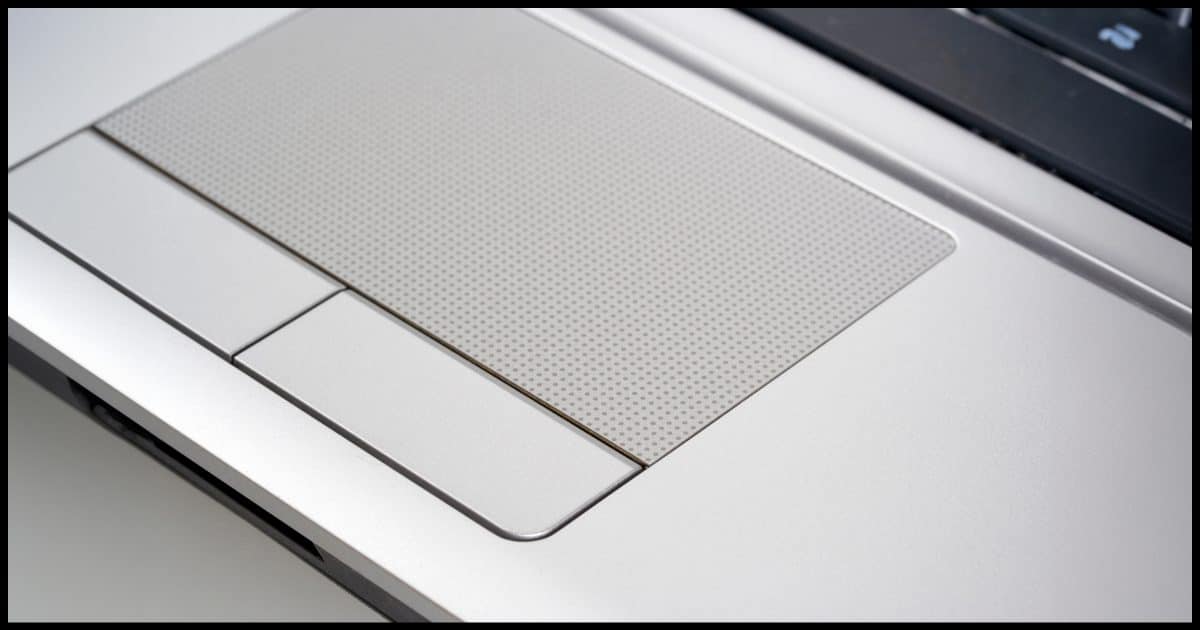
If the mouse pointer seems to be moving on its own or jumping around on your laptop, it might be your touchpad.
Not that the touchpad is at fault per se, but rather that you’re accidentally touching it. Sometimes touchpads can be so sensitive that even the lightest of brushes against it is taken as an intentional pointer movement.
The good news is that it’s very easy to disable touchpads these days.
Become a Patron of Ask Leo! and go ad-free!

Disable the touchpad
If your computer has a touchpad, there should be touchpad settings in the Windows settings app that allow you to control or turn it off. If not, you may need to look at mouse settings, possibly in the older Control Panel. Failing that, you can try disabling the device in Device Manager or looking for a UEFI/BIOS setting to turn it off.
Settings
Run the Settings app (right-click the Start button and click Settings), and then in the search field, type “touchpad”.1
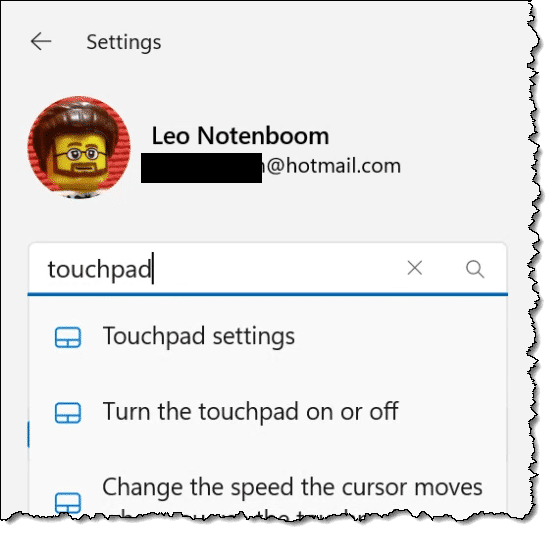
When it appears, click on Touchpad settings.
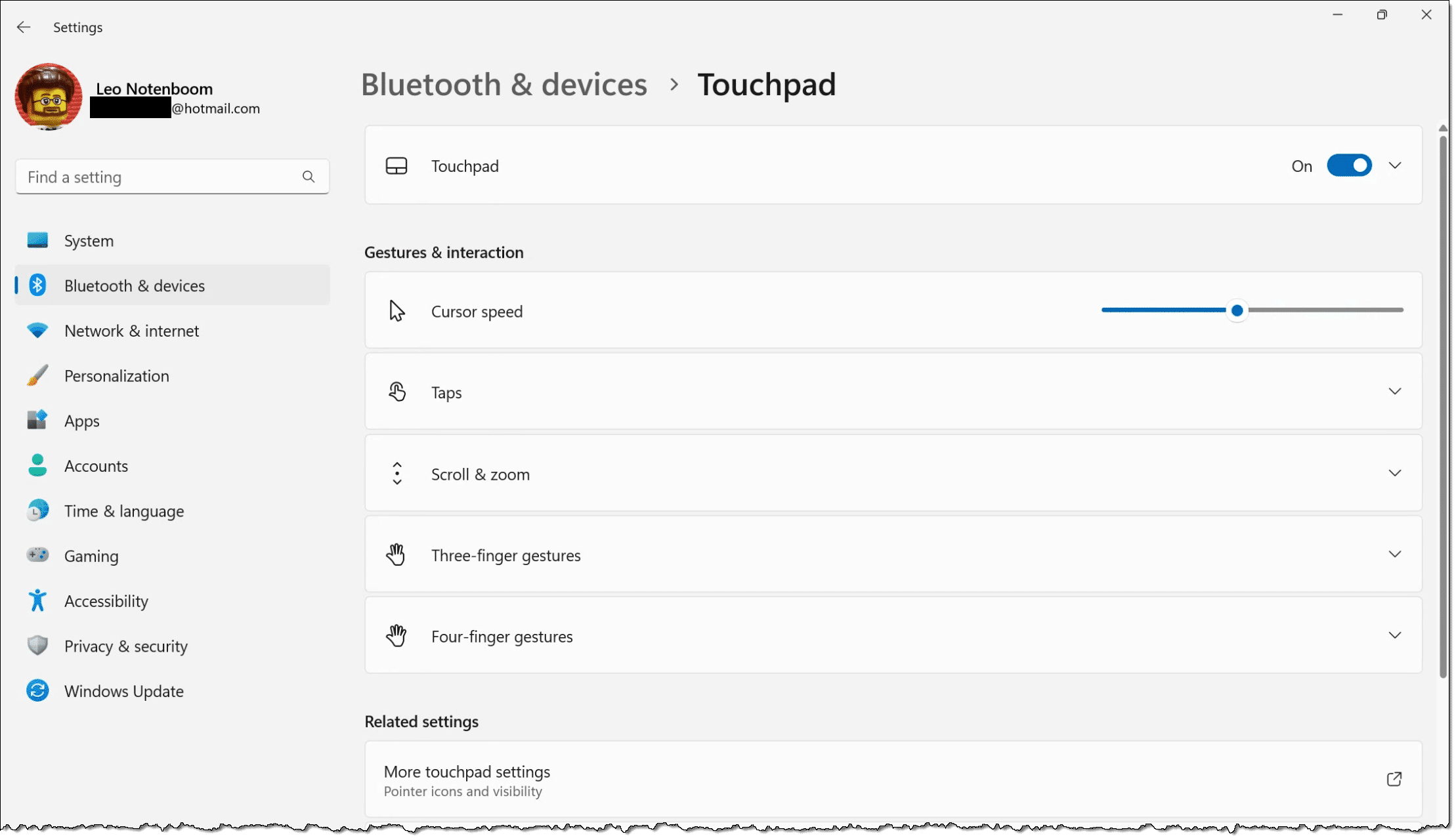
Near the top, click on the slider to turn off your touchpad.
Other settings
There are additional settings that might help on the touchpad settings page. Rather than turning the touchpad off completely, perhaps changing one of these will alleviate the issue.
One thing to note is that different touchpads have different settings (as defined by the installed driver). That means what’s shown above may look different than what you’ll find on your machine. Some touchpads include a “sensitivity” setting that might be exactly what you need.
You might also check with your computer’s manufacturer to see if there are more up-to-date or feature-rich drivers available for your specific machine and touchpad.
Other possibilities
I’ve used Windows 11 above as my example, and the concept should apply to Windows 10 as well, although it might look a little different.
If the touchpad settings aren’t available or you’re running an older version of Windows, you may need to look elsewhere — specifically in Control Panel/Mouse settings. Look for something that allows you to control or turn off the touchpad.
If it’s not there, then in the Device Manager,2 try locating and disabling the device corresponding to the touchpad. This may be difficult to identify, as the device might not be called touchpad. I’ve seen it referred to as trackpad and even some variation of a mouse since a touchpad just mimics a standard mouse.
Be prepared to use your keyboard-only interface if that disables your real mouse as well. That could happen, and the way to restore that is to re-enable the driver.
If there’s nothing in Control Panel allowing you to control your touchpad, another place to look is in your system UEFI/BIOS. Check with your computer’s manufacturer for instructions on how to access these settings. There are cases where the touchpad can be disabled here before Windows even boots.
Do this
My first recommendation is to look for a sensitivity setting for your specific touchpad. If there is one, that may allow you to avoid accidental actions without needing to disable the touchpad completely. Failing that, hopefully you’ll have found the setting on your machine to turn it off.
Subscribe to Confident Computing! Less frustration and more confidence, solutions, answers, and tips in your inbox every week.
Podcast audio

Related Video


(Giving something back to Leo) — Sony’s touchpad can be a pain. Accidental touch can make cursor jump elsewhere when you are trying to type a document.
So, plug in a mouse and then right-click My Computer, Properties, Device Manager tab, Mouse, highlight Alps GlidePoint or the equivalent, Properties, check “Disable in this hardware profile.” If that doesn’t work, the touchpad software is corrupted. Re-install Alps and then disable it per the above.
Toshiba touchpads can usually be disabled with the special functions keys. On most it is FN + F9. ‘F’ keys should have pictures hinting what their secondary functions are.
Actually, the only way I found I could do it was to go Start, Control Panel, Sony Notebook Setup, Device, and then untick the pointing device tickbox. Confirm this when the button appears and enjoy cursor-jump free tying from now on.
I have been having problem with the touchpad for YEARS…Thank you for the FN+f9 holy %$#* that is awesome. I had a card taped over my pad for 3 years because I could not figure it out.
I’ve accidently shut off a touchpad for a laptop by preventing the processes that control it from starting up at boot time.
Used msconfig and services.msc to stop these processes. The actual process names will vary per laptop and this may not even come close to working if the touchpad is controlled by hardware that’s built in, but it’s worth a shot if you really wanna stop the touchpad altogether.
Go through your process and services lists and Google those you think are involved with the touchpad. Stop ’em from running and voila.
To disable touchpad in my Sony Vaio:
Open My Computer
Open Local Disk (c:)
Open Program Files folder
Open Sony folder
Open Setting Utility Series folder
Open VCCPointingDevice
“Built-n Pointing Device” window pops up
Uncheck the Enable box.
Say yes, I am sure.
I had this exact same problem, and for some reason, when I touched the touchpad, it would move the pointer and I couldn’t disable the touchpad under Control Panel > Mouse. Because the touchpad configuration wasn’t even there.
So after looking all over the Internet and not finding an easy solution, I tried something and got the solution to making touchpad show up again under Control Panel > Mouse properties.
For some reason, apoint.exe (the ALPS touchpad program) stops starting itself when Windows boots itself, making the touchpad configuration inaccessible.
So this is what needs to be done:
1) Start menu > Search > search all files/folders for a file named apoint.exe (should be in C:Program FilesApoint)
2) Right-click on apoint.exe, create a shortcut.
3) Find your Startup folder and put the shortcut in there. (just press START, go to All Programs > Startup, and put the shortcut in that folder.)
4) Reboot then check Control Panel > Mouse, and touchpad configuration should be displayed.
P.S. You do not even have to reboot, you can just execute apoint.exe and touchpad configuration will show up in Control Panel > Mouse. But be sure to put apoint.exe SHORTCUT (***not the file itself***) in Startup folder if you want it to work every time you reboot.
Hope this helps.
THANK YOU FOR THE FN+ F9… I almost thought i had to give back my toshiba to the vendor.
I uninstall the ALPS touchpad driver as suggested by Leo because I don’t have the disabled button. I found this version of ALPS driver disables the touchpad when a USB mouse is attached to the laptop:
http://www.laptopvideo2go.com/forum/index.php?showtopic=7121
I have a Dell Latitude/D620 and I was wandering how to disable the mouse pad and just use the pointer in the middle of the keyboard and the two buttons below the space bar. I had the same version laptop and it had the icon on the bottom of the screen, so I am not sure if a program has to be downloaded or not.
I have that same model, and I’m not aware of a way to disable just the trackpad.
– Leo17-Mar-2009
If you have a Dell laptop, look at the Touchpad settings. My older 17R has a setting to “disable touchpad when” an external mouse is used. It is in the Device select setting. When I plug in the Unifying receiver, the touchpad deactivates. Remove it and back to normal.
I use a wireless keyboard and mouse.
Solved.
Hello; I have a Macbook pro that had a jumpy cursor even when I didn’t touch it. I checked off under system preferences, accessibility, to ignore the trackpad when a mouse was attached. However that did not fix the problem as both trackpad and USB mouse were still active. Upon further investigation I found a suggestion online to try another mouse,” bingo”, problem solved.