On my Facebook pages, I still get overlapping text and vertical text on my new HP PC. I have tried IE9, Firefox, and Chrome. They’re all the same. I have reset the “compatibility view,” but it did no good. It works okay on my wife’s PC and my laptop. What can I do to correct this problem?
In this excerpt from Answercast #33, I work through several screen resolution settings that may be causing a Facebook page to not display well in a browser.[
Become a Patron of Ask Leo! and go ad-free!
Overlapping text
The first thing I would do in all three of those cases is of course check the Zoom setting within the browser. That is one thing which is most likely to cause layout problems.
- Make sure your zoom is set to normal.
In most cases, you’ll find some kind of a Zoom setting on the View menu in your browser; or in Chrome, it’s somewhere under the wrench icon off to the right.
Desktop settings
Now, since it’s across all three browsers, I’m going to assume it’s probably something else. Since you have a new PC, I’m going to assume you’re running Windows 7.
I’m going to suggest we:
- Right-click on an empty area of the desktop and,
- Click on Screen Resolution.
Towards the bottom of that window, (to the resulting “Screen Resolution” window) is a phrase that says, “Make text and other items appear larger or smaller.”
Click on that and you’ll get an option that claims to make things easier to read. The default is 100%. It’s kind-of another zoom action that takes effect across all Windows applications.
- Basically, play with this setting and see if setting it to 100% (if it’s not 100%) makes your layout problems go away
Text size DPI
Finally, the last thing I’m going to have you try is:
- Off to the left on that same dialog box, you’ll see “Set custom text size (DPI).”
That is essentially a way to change the size of the text on your screen. It’s another way of zooming things that’s more focused on text size. Because it is focused on just the text, sometimes it can confuse fixed layouts on the web: layouts that assume a text of a certain font size and type is going to remain a certain size.
What you’re changing here is the ability to make that assumption.
- What I would recommend you do is set that also to 100% (if it is not already 100%) and see if that makes a difference as well.
Clear browser cache
Finally, the last thing I’m going to suggest (just because it’s one of those things that sometimes just fixes problems) is to clear your browser cache.
- I have an article on clearing your browser cache. I think it’s, “What’s a browser cache and how do I clear it?“
I would recommend that you do that for the browsers in which you are experiencing the problem. Again, it’s sort of grasping at a straw. Since you’re seeing this across three different browsers I don’t really suspect a browser specific issue. But it is one of those things that sometimes can surprise you.
So give those things a try.
Next from Answercast 33 – How do I keep my PC running all the time?


Something else to try – changing the size of your displayed browser window. Hold Ctrl and work the mouse wheel. Count the ‘clicks’ (up or down) so you can get back to where you were if this doen’t work.
When I click on Facebook, all previous browsing is
in left sidearm Facebook in box on righthand side. Will not work.
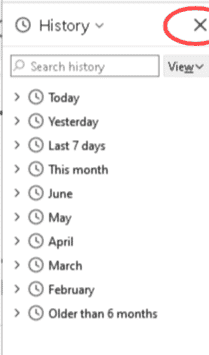
That sounds like you have your browser set to show History. Pressing Ctrl+h toggles the History setting.