What to look for, what to check.
This simple question opens up a veritable Pandora’s box when it comes to understanding URLs and what is safe to click on. And yet it’s important to have some sense of safety to avoid links that might take you to malicious or misleading sites.
The concepts are simple, but how those concepts can be combined is complex, particularly if someone is attempting to deceive you.
I’ll try to make some sense of it all.
Become a Patron of Ask Leo! and go ad-free!

How domain names can be abused
A URL or web address beginning with https1 has several components, the most important being the server or website address between the leading slash marks (//) and the following single slash (/). This is often obscured by making trusted websites appear as subdomains of a hacker’s domain or using confusing encoding. Always examine the leftmost portion of the full domain to confirm that it’s going where you think. Https is available to fraudulent domains as well, so you cannot rely on it alone as an indicator of safety.
Three basic URL components
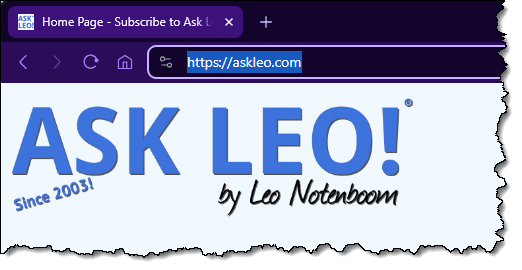
URL is short for Uniform Resource Locator. The web address — something like https://askleo.com — is the most common.
There are three primary components to a URL: the server specification, the page specification, and parameters.
The server specification ends at the first “/” after the “https://” start of the URL, and the page specification ends at the first question mark after that. To discern whether a URL is valid, bogus, or misleading, you need to understand the difference between the server specification and the page specification.
I’ll use this URL as our example for discussion:
https://www.somerandomservice.com/folder/page?parameter1=value1¶meter2=value2
- https://www.somerandomservice.com identifies the protocol (the “language” of webpages) and the server that hosts the webpage. www.somerandomservice.com identifies a specific server on the internet from which what follows will be requested.
- folder/page specifies exactly what you are requesting from the server. Typically it’s a webpage to be found within a folder on that server, but it could also be a program to run on the server or a file to be downloaded.
- ?parameter1=value1¶meter2=value2 are parameters. The question mark indicates that the rest of the URL contains additional information supplied to the page. Since “pages” can often be small (or large) computer programs, information from this part of a URL is given to those programs to use in ways that affect the content of the page ultimately displayed.
Let’s look at two common ways scammers try to fool people who don’t know the difference between server and page specifications.
One way a server specification can fool you
The server the URL is contacting begins after the “https://” and ends at the next “/”.
Or, in this URL, the part that’s highlighted:
https://www.somerandomservice.com/folder/page?parameter1=value2¶meter2=value2
That’s the part that matters because that’s the part that tells your browser what server out on the internet to connect to. Everything else is secondary. Important, yes, but not nearly as important.
Let’s look at one phishing attempt that might try to fool you.
https://www.somerandomservice.com/www.paypal.com
It might be tempting to look at that quickly and say “Oh, that ends in paypal.com, so it goes to PayPal!”
No, it’s not. Look again:
https://www.somerandomservice.com/www.paypal.com
That URL loads a page named “www.paypal.com” (a valid page name) from the server www.somerandomservice.com.
Now, my example is pretty lame, as “www.somerandomservice.com” is big and obvious at the front of that URL. But scammers use all sorts of variations on this theme to make it look like you’re going someplace you trust when you’re not if you don’t look closely.
Another way a server specification can fool you
For this point, we need to examine how server names are created and used.
URLs are created from right to left, and the individual components are separated by a period. Consider “www.somerandomservice.com”.
- “.com” is the top-level domain. It indicates which registry service is used to register the domain initially.
- “somerandomservice” is the domain name. This is the part you purchase when you register a domain name.
- ““www.” is the subdomain. Once you own the domain, you can create as many of these subdomains as you like.
In general, fully qualified domain names like “www.somerandomservice.com” identify a server on the internet. “photos.somerandomserver.com” would typically be a different server, but it doesn’t have to be.
The choice between using something like “photos.somerandomserver.com” versus “somerandomserver.com/photos” is purely one of site design and has no security implications. That’s just how the person building the website chose to do it. There are geeky pros and cons to each, but for a typical web user, it doesn’t matter.
What does matter is how subdomains can be abused. For example, this could be a valid domain:
https://www.paypal.com.somerandomservice.com
Once again, with only a quick glance, you might think it would actually go to PayPal since it starts with “https://www.paypal.com”.
In that example, “www.paypal.com.” is just a subdomain created by the owner of “somerandomservice.com” and has nothing at all to do with the real PayPal.com.
Here’s a worse example:
https://www.paypal.com————————————————————.somerandomservice.com
Once again, it’s designed to fool you into looking like paypal.com, but it’s not — especially if your browser happens to only show you the first part of the URL in your status bar since it’s so long.
Scammers use many different variations of this technique to trick you.
A slash is a slash is a … %2F?
This was brought up by an early comment on this article.
Characters in URLs can be “encoded” with a special representation that acts the same as the character it encodes. The format is a percent sign followed by a two-digit hexadecimal number (individual digits will be 0-9 or A-F).
A space character, for example, is %20, and you’ll see that in legitimate URLs because an actual space character cannot be used.
%2F is the slash character “/”.
So this rule:
The server being contacted begins after the “https://” and ends at the next “/”.
still applies, but you might see “%2F” in place of “/”. So to state our rule more correctly:
The server being contacted begins after the https:, “/”, or “%2F”,
and ends at the next “/” or “%2F”.
It gets ugly, but the thing to remember is just this: %2F is the same as “/”.
Here’s an example of how it might be abused:
https://www.somerandomservice.com%2Fwww.paypal.com/
That is not PayPal. Replace the %2F with “/” and you’ll see instead:
https://www.somerandomservice.com/www.paypal.com/
Clearly, it goes to www.somerandomservice.com.
Any URL with a % notation in the server portion (between that first “https://” and the next “/”) is suspect. A % notation after the server portion (in the page specification, or more commonly the parameters) is typically OK.
Https and secure websites
All of the above applies whether the URL begins with http or https.
Https adds two important things:
- It encrypts the data flowing between your computer and the server.
- It validates that the server you connect to is the server you requested.
Important: https doesn’t validate that you’re connecting to the server you think you are; it validates that you’re connecting to the server you requested. Those are two different things. A man-in-the middle attack could attempt to intercept your connection to somerandomservice.com, and connect you to some other server using the exact same name. http does not protect against this, whereas https does.
For example, let’s say you fall for one of my lame examples above, and click on a link like this:
https://www.paypal.com.somerandomservice.com
That’s an https connection. It is easy for the owner of somerandomservice.com to install a completely valid https certificate for www.paypal.com.somerandomservice.com.
Thus, when you click on that link, your browser will confirm that you are indeed connecting to what you asked for: www.paypal.com.somerandomservice.com. That might not be what you think you asked for, if you fell for a scammer’s trick, but that’s all that https can validate for you: you got what you asked for.
Do this
I’ll sum it up this way.
Pay close attention to the domain name: everything between “http://” or “https://” and the next “/”. Remember that domain names build from the right, so if it ends in, for example, “.paypal.com”, you can be assured that it’s a domain or sub-domain owned by paypal.com.
Here’s another example of a legitimate domain: https://newsletter.askleo.com. Use that to subscribe to Confident Computing! Less frustration and more confidence, solutions, answers, and tips in your inbox every week.
Podcast audio

Related Video


Footnotes & References
1: I’ll use https throughout, but the content in this article applies equally to http.


