Putting the taskbar back where it belongs.
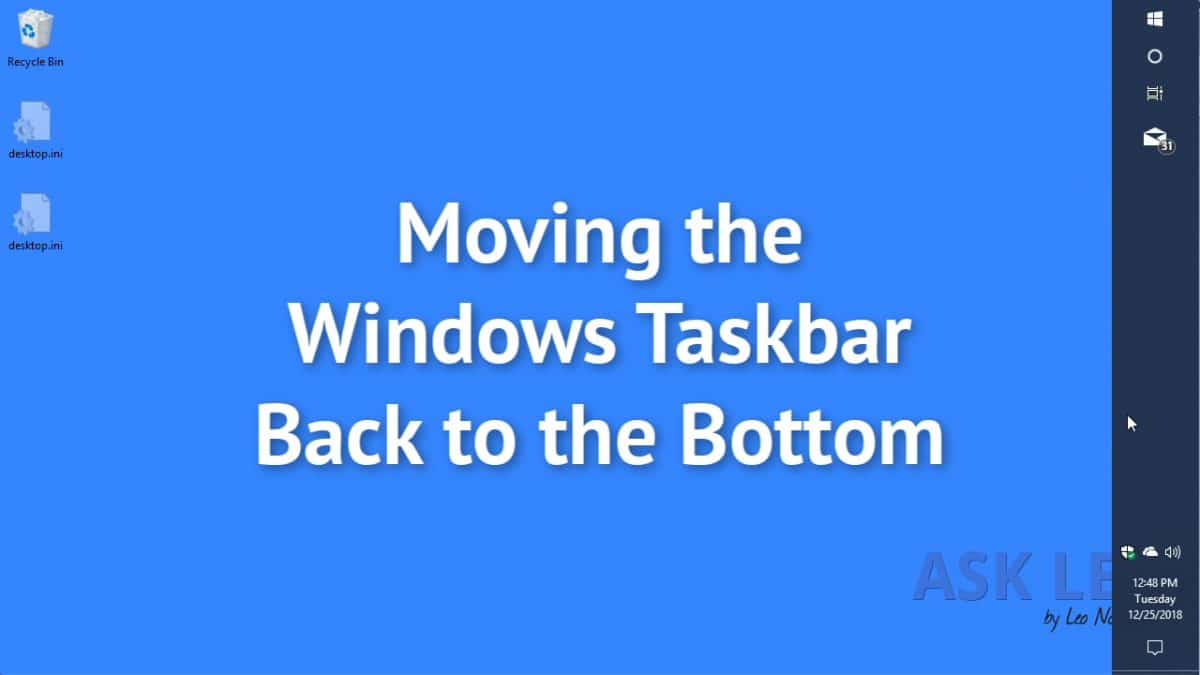
A lot of people don’t realize it, but the taskbar can be placed on any edge of your screen: left, right, top or bottom. In fact, if you have multiple monitors, it can be placed on any edge of any display.
Occasionally — usually through a mis-click or accidental mouse action — the taskbar can get moved to somewhere other than where we want it.
So, let’s move the taskbar back.
Become a Patron of Ask Leo! and go ad-free!

Move the Taskbar back to the bottom
- Right click on an unused area of the taskbar.
- Make sure that “Lock the taskbar” is UNchecked.
- Left click and hold in that unused area of the taskbar.
- Drag the taskbar to the side of the screen you want it.
- Release the mouse.
- Right click in an unused area of the taskbar, and make sure that “Lock the taskbar” is CHECKED.
Here’s a short video:


Why does the taskbar move on its own?
The most common cause for the taskbar to show up on an odd edge of the screen is that it was unlocked (which allows for this kind of movement), and somehow this click-and-drag approach mistakenly happened. For example, perhaps you thought you were moving something in another application, but “overshot” with the mouse click and ended up dragging and dropping the taskbar instead.
Of course, other types of mouse movement, and even the occasional bug, could result in the taskbar moving to somewhere unexpected.
One of the reasons we “lock” the taskbar after moving it back into place is to prevent this type of accidental movement in the future.
Do this
Subscribe to Confident Computing! Less frustration and more confidence, solutions, answers, and tips in your inbox every week.
I'll see you there!


What you said brings up an interesting point. There are many ways to improve the usability of an interface. Companies like Microsoft spend a lot of time and money in researching these, but when they implement the change, what people really want is what they’re used to.
nothing come up when i click the space area on my task bar to move the task bar at the bottom
i mean when i click the space area on the task bar, nothings happen. no properties shows!
Are you sure you’re right clicking and not left clicking?
I want to move my taskbar to the left of the screen. It is unlocked, but when I drag and drop it the screen flashes black, then resets the desktop with the taskbar back at the bottom and desktop icons moved into top left of the screen. The same thing occurs when I go to properties and switch the drop down menu to ‘left’.
Please, someone help me, I’ve had my taskbar to the left for years, the fact that it is stuck on the bottom is driving me crazy.
Thanks so much for your help. At first I didn’t read your instructions carefully & I clicked on my left instead of my right or visa versa??? Once I read it again & REALLY followed your directions, it worked perfectly & I moved the taskbar back to the bottom. Now I have locked it & hopefully I won’t have to go through this again! I need to be more careful when I read the instructions & make sure I actually follow them. Unfortunately, my 72 year old brain doesn’t work as good as it used to so I know I will be referring to your site often. Thanks again.
Thank You very much! This is helpful if sometime it happens. I usually forget this and try to drag but doesn’t work but when i read this it always works. Fixed in like 5 secs.
Plus do you have anything for when your icons dont appear on the home screen. Like mine go on the home screen but dont come up and they disappear. Because i used to have lot then one day they just disappeard and now I am cant put icons on my homescreen (desktop screen i meant) If you do please email me and thank you very much
I cant drag the bar anywhere it is on the side of my computer but i want it on the bottom i use windows 10 how do i move it
You probably need to unlock it first. This article explains how to do that.
I was at my wits’ end trying to get back my vertical taskbar to it’s original position. So glad I happen to find your website which solved my problem.
Thank you !! I’m your latest fan.
Only screen my taskbar shows on is my desktop. Whenever I sign on to any page the taskbar does not show at the bottom of the screen. How do I get it to show at the bottom of all screens
Thank you for the information about how to move the task bar back to it’s right place. Video was easy to understand and follow.
Brilliant. Look forward to receiving your newsletter.
I appreciate all the “thank you’s”, but they’re not adding much value for the readers who come after, so I’m turning off comments on this post. :-)
And that’s not counting the thank you comments I deleted ;-)
Ah…..I’ve been trying for quite a while to just use my intuition and just drag this stupid toolbar back to the bottom of the screen where it belongs. When the wind knocked over my laptop, it seems to have taken 15 screenshots of the ground plus moved my toolbar to the top….so very rude. Thank you. Turns out where you said left click in the unused areas first to do…..I still kept rick clicking and cussing until I re-read it…ah damnit, he said left click. I’d love to post another new question on why the Holy **** can’t it be just a tad easier……oh well, I’m out, Planet Claire here, over & out and a thanks.
Which toolbar are you referring to?
this does not work. all it does is stretch the task bar sideways. it does not let you move it back to the bottom. I can’t seem to find any info that helps. my task bar is suddenly on the side and I cannot figure out how to get it back on bottom. I do not believe anyone knows how to do this
If it stretches you’re not clicking on an empty area IN the taskbar — you’re clicking on its border.
I believe there is a bug in Windows 10 that moves the taskbar by itself. I like it on left of my screen, has been my preference for many years. This year, in version 1803, it started moving by itself to the right side of the screen, regardless whether I have it “locked” or not. Never happens while I am working, only appears after I wake the pc from sleep (nobody else uses my pc.) Oddly, it never goes to Windows default bottom of the screen, only to the right hand side. That annoys me because I use a second screen, on my right hand side, and the taskbar being on the right edge of the laptop screen is now in the middle of my work! So I unlock it, drag it back to the left edge, and carry on until next time.
I was able to make an online chat contact with a Microsoft help line, who had no answer except that the bug would maybe go away with version 1903. Sadly, it has not gone away, 1903 has the same bug. My internet searches have not turned up any information on this problem.
But I do notice when reading these Comments that the issue of “taskbar mysteriously moving to right side of screen” does not show up in any comment before 30th April 2019. I wonder if this is maybe not a coincidence, that these observations are evidence of a new bug?
Given that it’s so common, the term “idiot” clearly doesn’t apply to anyone to whom it happens.