It’s much easier if you’ve properly prepared.
No, Facebook won’t email you your password. If they do security correctly, they can’t. (Here’s why.)
There are two approaches to try: the official way and the not-so-official way. Even if you don’t use the not-so-official way, you should know about it, as it represents another potential security threat.
Become a Patron of Ask Leo! and go ad-free!

Recovering your Facebook password
The only legitimate way to reset your password is Facebook’s own account-recovery mechanism. This uses information you’ve set up beforehand to confirm you’re authorized. Without access to current info, you may not be able to recover your account. If you’ve configured your browser to remember passwords, you may be able to view what it saved.
Facebook login password reset
Note: the steps here change occasionally based on Facebook’s own changes as well as the specifics of your situation. Follow the steps Facebook presents to you, even if they differ slightly from what I’ve outlined here.
I recommend you do this from a desktop browser rather than your mobile device. The information presented will be clearer, and you may have more recovery options.
If you don’t know your password, you need to recover your account. Just below the login password entry field on Facebook’s sign-in page is a link: Forgot account? or it might be Forgot password?
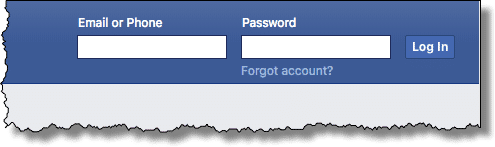
Click that, and Facebook displays a page where you can enter the email address or phone number associated with your account.
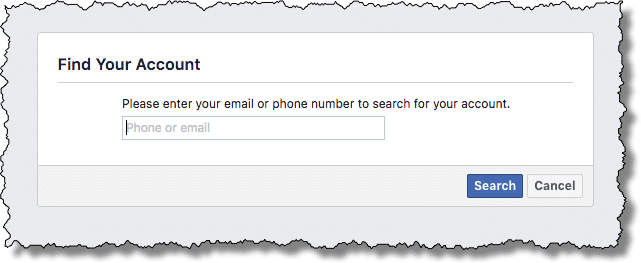
It’ll then show a list of account recovery options associated with your account.
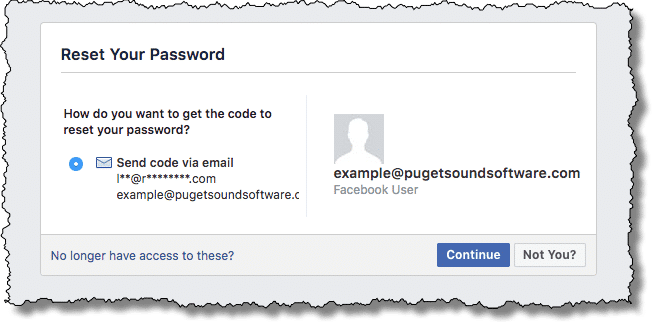
Select the one you want to use, and click Continue. In the example above, I have only an alternate email address configured, so I had no other choice. You may set up more than one recovery option.
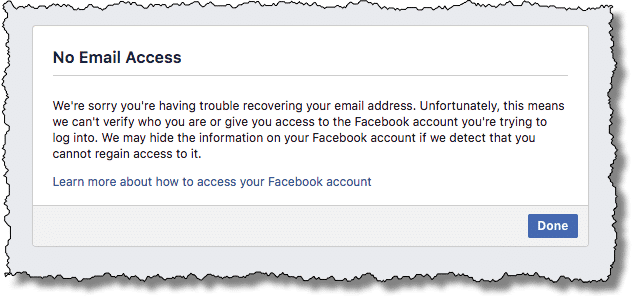
No longer have access to these?
You’ll note a link entitled “No longer have access to these?” Click it if you know you no longer have access to the recovery methods you had originally associated with your Facebook account (i.e., you’ve lost that phone or lost access to the email account).
This is a serious problem.
You only want Facebook to give access to those allowed, but they need to prove you are one of those allowed. Your account recovery information is that proof. Without it, Facebook has no way to know that you are the rightful owner of the account and should have access.
Without it, Facebook won’t give you access, and in the worst case, may even disable your account.
Setting a new Facebook password
Once you’ve asked them for it, Facebook will send you a code. Assuming you have access to the recovery account or method you’ve selected, you can copy the code from there and come back to the account-recovery process to paste it in.
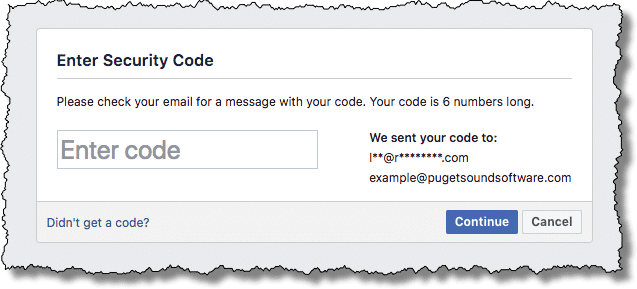
It showed up in my email.
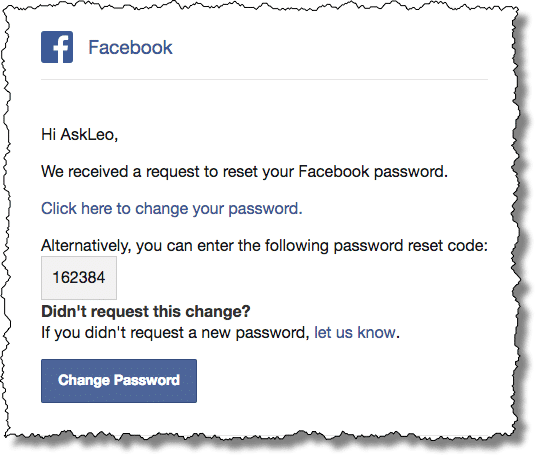
Enter the code as requested and click on Continue.
Having proven you are the rightful account owner, you can then set a new password.
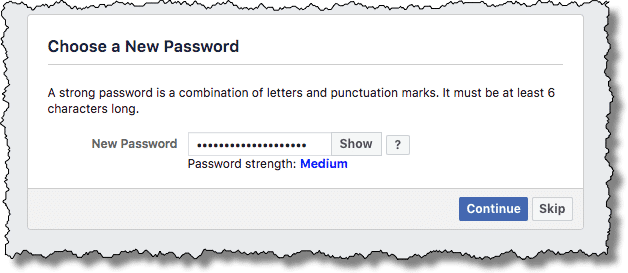
That’s the official and proper way to regain access to your account: by proving you can respond to the password recovery methods you set up originally, and then set a new password.
Facebook password recovery
If you aren’t able to get through the account-recovery process successfully, or you just want the existing password without setting a new one, there is one more possibility.
But I need to clarify that you might not be able to.
That being said, if you had your browser remember the password for you, it might be frighteningly easy.
I’ll use Firefox as my example, but most browsers have similar functionality.
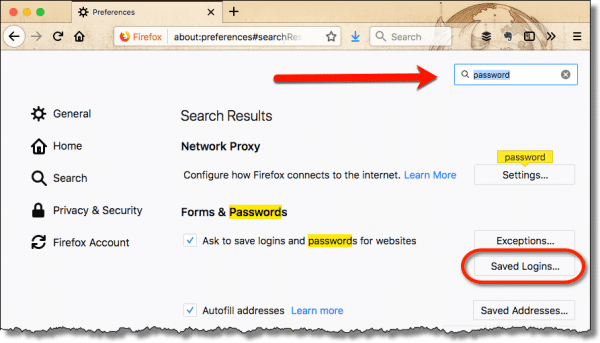
Click on the “hamburger” menu at the right end of the Firefox toolbar and then click on Options (or Preferences, depending on your version). Use the search box in the resulting page to search for “password”, and when it appears, click on Saved Logins...
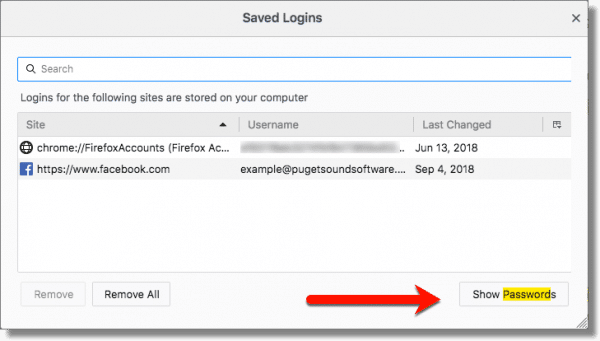
This will open a window listing all the sites for which Firefox saved your password. Click Show Passwords.
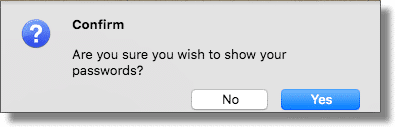
After a little extra paranoia:
The Saved Passwords dialog box updates with an extra column — the actual password — visible for all to see.
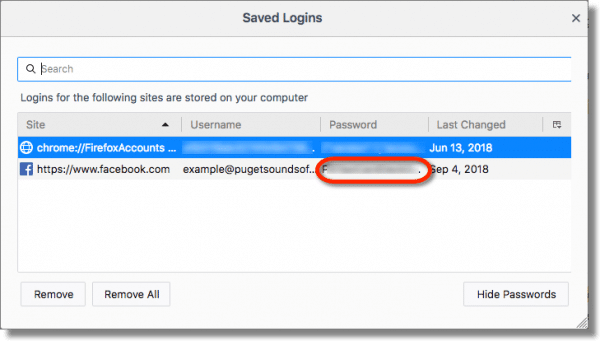
Naturally, I’ve blurred my password here; in reality, it’s clear as day.
All of this assumes you’ve allowed your browser to save your passwords for you. If you have not, this technique will not work.
Security issue
If your browser can show you your passwords:
- Feel relieved that you’ve recover your Facebook password this way.
- Be terrified.
If you allow your browser to save passwords, anyone with access to your machine can do what we just did: use this technique to discover all your saved passwords.
This is one reason I don’t recommend letting your browser remember passwords. If you feel you must, make absolutely certain your machine is always secure.
Do this
After you’ve recovered your account — or determined that you can’t — I strongly recommend you read my article 12 Steps to Keep from Getting Your Account Hacked. You’ll want to do everything you can to avoid this situation again. Be it due to forgetting a password or to having had your account hacked, that article will help you set things up securely to prevent it from ever happening again.
If you found this article helpful, I’m sure you’ll also love Confident Computing! My weekly email newsletter frequently covers issues like account security, password recovery, and how to prevent disasters that might cause you to lose access to your accounts permanently. It’s full of articles helping you solve problems, stay safe, and give you more confidence with technology. Subscribe now, and I’ll see you there soon.
Podcast audio

Related Video


I’ve closed comments on this article because those posted essentially boiled down to the same thing: not having read the article.
Please Read The Article
These are the options I’m aware of: following the account recovery process offered by Facebook, or maybe recovering it from your desktop browser.
There’s no magical way to get it back. If those approaches don’t work for you, then you may not be able to get your account back. Learn from this, and make sure you have proper security set up on your next, and all other, accounts that are important to you.