Removing the ultimate PC security measure.
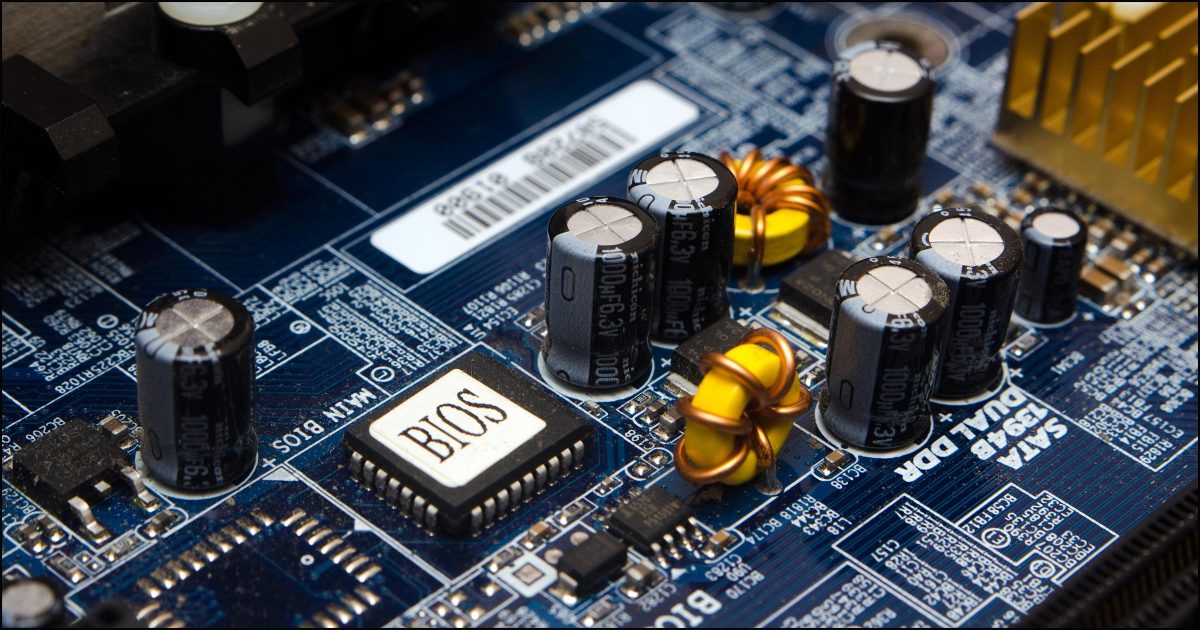
You probably can’t.
BIOS passwords — which you enter before booting to allow the process to proceed — are tough items to crack. That’s (mostly) great news if you’re trying to protect your computer.
Unfortunately, it’s pretty bad news if you don’t know the password.
Let’s review the options.
Become a Patron of Ask Leo! and go ad-free!

BIOS passwords protect your system from unauthorized changes and unauthorized booting. In most cases you need to know the BIOS password to change the BIOS password. If you don’t know that password some motherboards may have a physical reset switch that will reset a BIOS to its initial state, with no password, some require that you ship the motherboard back to the factory, and some cannot be changed at all it.
BIOS passwords
The BIOS (Basic Input Output System) or UEFI (Unified Extensible Firmware Interface) is software stored in a memory chip on your computer’s motherboard. It performs many functions. We’re most familiar with it as the software that controls your machine from the moment you turn it on or reboot it. It’s responsible for locating the boot device — hard disk, CD, or USB — and loading the software that takes over the next stage of the boot process. For this article, I’ll use BIOS to refer to both.
Many, if not most, BIOSs can be programmed to require a password before allowing you to do anything. This forces you to enter that password before you can even boot your machine, for example.
By anything, of course, I mean anything; if you don’t know the BIOS password, you can’t boot, you can’t alter any BIOS settings, and, of course, you can’t reset the BIOS password.
A BIOS password is strong security if that’s what you’re looking for. Given how often people forget passwords, it’s almost too strong, because if you forget it, you are likely to be completely out of luck.
I know of four possibilities if you forget your BIOS password.
Hardware reset
A few computer manufacturers provide the ability to reset the BIOS password by setting a switch on the motherboard.
The only way to know if this will work for you is to contact the manufacturer of the computer or its motherboard.
The reason this is infrequent is that the jumper defeats the purpose of the BIOS password in the first place. A thief who has stolen your machine can contact the manufacturer, find out how to reset the password, and get right in.
Ship it back to the factory
I have heard scenarios where the computer manufacturer will reset the BIOS password for you (possibly for a fee). That means shipping your computer back to the manufacturer, who performs whatever magic it takes to unlock it.
This is good theft deterrent because a thief isn’t likely to bother sending a machine off to a manufacturer where it can be traced back to him.
I believe this is also a very uncommon practice.
Motherboard replacement
If there is no way to reset the password, there is no way to unlock the BIOS.
One alternative, then, is to replace the motherboard, BIOS and all. With a new motherboard (and an un-passworded BIOS), you’ll have access to everything once again — data on the hard drive is unaffected by switching the motherboard.
Computer replacement
Sometimes a machine with an unknown BIOS password is, for all practical purposes, unsalvageable — for example on an older machine if the BIOS can’t be reset, and new motherboard’s are no longer available. It’s a shame, but it’s an occasional, unfortunate reality.
If the hard drive is not password protected (see below), getting a completely new computer and either installing the old hard drive, or attaching it as an external drive, is perhaps most expeditious.
Locked or encrypted hard drives
Occasionally, it’s not the BIOS that has a password, but the hard drive. For example, if you use whole-disk encryption with a third-party tool such as VeraCrypt, you’ll need to provide a password (or passphrase) before the hard disk can be read.
It’s easy to confuse this with a BIOS password, since they both ask for their passwords at roughly the same time: before the system begins booting. It can be difficult to know which you’re dealing with; paying attention to the wording of the password prompt and any information that precedes it is key.
The good news about a lost hard disk encryption key is that your computer is just fine. You may lose all the data on the hard drive1, and will perhaps need to reformat it, but the computer itself remains fully functional.
Remember your passwords
It goes without saying that remembering passwords is important — particularly those for which there is no hope of recovery if lost.
If you do choose to enable a BIOS or whole-disk encryption password, be sure to save that password in a safe, secure location in case you ever need to recover it.Do this
Subscribe to Confident Computing! Less frustration and more confidence, solutions, answers, and tips in your inbox every week.
I'll see you there!
Podcast audio

Footnotes & References
1: In some cases, the hard disk itself implements the password. If you lose the hard disk password it, then, may be unrecoverable.


We used in the past to take off CMOS battery, I think this still work, does not it?
26-Mar-2011
I have never seen a motherboard without a bios reset jumper… New model motherboards require you to source a jumper…
27-Mar-2011
Why not just upgrade or if not available downgrade to an older Bios version by downloading what you need from the manufacturer and flash it? Then repeat the process with the current/upgrade.
Some manufacturers will PW protect the Bios to prevent overclocking and associated ‘cockpit’ problems during the Warranty period.
I believe the jumper is to allow one to revert back to the factory firmware, should a problem be encountered when flashing, rather than rending the motherboard inoperable.
Built in safety net, since the Eeprom is large enough to hold two versions so let’s say the original BIOS lives in the bottom half, hence the jumper.
I have a several years old Vaio VGC-RA820G desktop which has never let me in to the BIOS? It never asks for a password and I have tried every imaginable combination of BIOS entry codes with no luck. I asked about this a year ago and got no answer. How is this possible and HOW DO I GET AROUND IT! Thanks. I’ll buy you another coffee if you can give me any hints! I want to install a larger hard drive, but it just doesn’t get recognized without BIOS intervention.
I have seen cases where an energy surge reset a Bios… perhaps use this somehow as a last resort… trouble is how to recreate an energy surge without loosing the patient!
I had a sister who had a friend giver her an older Compaq computer that they said was “broken”. She knew I worked on computers so she asked me to “take a look at it”.
Bottom line… the problem was that it had an unknown Bios password. I removed the internal battery, rebooted into the bios and reset the Bios password to nul (blank), and that solved the problem. It does still ask for the password on boot up, but all you have to do is press enter since there is not one assigned. This may not work everytime, but it did this time.
I hope you find this useful information.
If you Google default BIOS passwords, there are sites that will give the most common manufacturer default passwords. It’s worth a try.
Oh, by the way, I did replace the battery after the initial reboot and, yes it still worked fine. Sorry I left that important step out.
Just take out the cr2032 battery for 10 minutes and then reset everything to the defaults. The hard drive should be auto detected. It has been years since I bought a computer, so this information may have changed to flash memory, in which case you are out of luck.
Hello, A few years back i had a couple different customers bring me laptops with bios password protection and no password. One was an HP, the other a dell. I had also puchased a Dell laptop from Ebay with bios password problems for dirt cheap. Needless to say, the HP i simply called customer support & with the customers name and address, was able to reset the password since they had registered the computer after purchase. HP support gave me a reset password & this allowed me access to the bios where i did away with the need for a password so this would not happen again. The Dells’, i would up buying a password reset disk “hack” from, you guessed it, Ebay. There’s a guy on Ebay, who if you give him the bios number that can be found on the page that asks for the bios password, all he needs is the last few numbers, he sends you a disk that generates a new password on a working computer. Like i said, it’s been a few years and i don’t recall exactly how i did it, but it did work. You can also try Service Manuals: support.dell.com if you have a Dell.
Good Luck! don’t give up my friend. All is not lost. Chalk it up to a learning experiance!
I haven’t had to do it lately but removing the cmos battery always worked for me in the past.
As Steven mentioned above, take out the motherboard battery (which holds your CMOS settings), being a CR2032 usually for a while and reinsert it. It can reset HDD and CD/CDR/DVD/DVDR DL and Blueray drives where I had to press enter on the auto detect to see that it took the drives, then save and exit.
Yeah, remove the battery and sip your coffee.
Reinstert the battery and you’re brand new.
Everything is reset.
Try it.
just remove cmos cell and put it back it will work
30-Mar-2011
Ihave this problem for hp probook 650g1 remove CMOS batt…but nothing happened..the bios passward stay appear on display icant reinstall windows
You may have to contact HP to see if there is a way to remove the password. As the article states, there may not be.
Removing the battery (the button cell) on the motherboard, flushes the BIOS and resets the password. The easiest way, so far known to me.
30-Mar-2011
remove cams battery and start
2.swatch off ur pc and inset the battery enjoy
30-Mar-2011
Never set one in the first place! A bios password is a no no. Especially when we tech’s need to boot other than hard drive, and yes, the owner does not know anything about a bios password! ugh! take your mobo out and burn it. It is even more of a disaster on a laptop and can make the whole machine a financial dud.
Re-install your motherboard bios its easy, take a look at the motherboard name and then got to the motherboard website download the bios prog for your board and re install it ,full details how to do it on the site.
30-Mar-2011
A little repetittive, aren’t you, there Leo? Getting frustrated, are you? :)
No, it may NOT work on every BIOS/UEFI/motherboard/compuer.
But, yes, it’s worth trying, because you’ll never find out if it works (or not) until you do.
Now shut up. [Smile.]
Reading the comments on removing / replacing the battery…
I’ve seen several motherboards where there IS no battery… I’m assuming the BIOS is some sort of power-independant memory or there are some (possibly disguised) capacitors that charge while the Pc is in use.
Unfortunately, not setting a BIOS password isn’t always an option.
In our household there are two of us: myself, a computer-literate person, and my mother, who wouldn’t know a BIOS from a Bitmap or a User from a USB.
For her sake, I’ve implemented a BIOS password, because God help us both if she happens to hit the Wrong Key while the computer is booting and finds herself at the BIOS screen! Being scared to death (which she definitely would be) and frantically trying to “get out of it”, there is a better-than-middling chance she would end up randomly Changing Something by mistake… and God Only Knows what that would be!
So I’ve set a BIOS password, an evil I must live with for our mutual protection. It’s just my Windows logon password, so there’s no chance of my forgetting it; but she has no idea what it is, so we’re both safe.
Thru my travels. Some motherboards had a reset bios button, also some had a jumper that you take off, and most had nothing. You real need the motherboard manual.
Leo
Please comment on this article:
http://www.tech-faq.com/reset-bios-password.html
This seems to be fairly complete and isn’t as pessimistic as you appea to be. There seems to be something that you, or they missed, or more likely, that I missed.
–DBTsr
10-Apr-2011
I liked your article. I think for most computer users it is a good message to send to remember your passwords. I think that you could have done more as far as educating people about the options for when you can’t remember. I am surprised that you didn’t talk about the most common solutions for removing a BIOS password. I think you could really benefit by making a update to this article or a new article about what to do when you can’t remember the bios password. I know that it is a commonly searched term and a lot of people need help with this.
I own a own computer and laptop repair / tech support business so I actually run into this problem all the time. I can honestly say 100% of the time I can remove the BIOS password with virtually no effort. The new anti-theft models take more time to remove than most but usually I can have the BIOS password removed in less than 10 minutes. Typically 5 minutes. I thought you could benefit from this information and feel free to use this information for this article or a new one. These are my typical solutions.
1) master password AKA backdoor password- typically only 2005 and earlier models but certain manufacturers used them longer.
2) cmos battery removal works on almost all laptops and pc’s except for the newest ones with anti-theft by hard hard password cache. (how to remove this one is below)
3) short the jumpers method –
4) EEPROM decoding method – you need an EEPROM reader.
5) loopback dongle method – For older computers with a 25 pin port. While dongle is in the password is disabled when you remove it the password goes back to normal. For a locked system this allows you to access the system and boot menu to boot from cd so you can flash the bios with a new version and erase the password. Here is a link to the article about how to build one. The compatible models list is missing a ton of models because he only tested it one those models. It works on a lot more models than listed. http://www.instructables.com/id/Toshiba-Laptop-BIOS-Reset-Dongle/
6) IC Extract method – remove bios chip and put a new one in.
7) Flash the bios with a new version – works on every pc and laptop except for the password on a hard drive cache.
8) Hard Drive BIOS password cache – use a linux live cd to edit the partitions and delete the password cache partition. You need to securely delete the partition I suggest a 7 wipe dod standard wipe there is a free program for this called dariks boot and nuke it has secure hard drive wiping.
Here is a link to a site that has all the master passwords for almost every motherboard listed. They also list a million other bios related removal tools.
http://www.biosflash.com/e/bios-passwords.htm
I recently purchased a new Dell Inspiron laptop, a model 3793. When I first got it, I went ahead and set a BIOS password. I decided to clear the password when the computer insisted on needing the password when doing a restart. There’s a setting in BIOS that supposedly allows bypassing the password during a restart, but it wasn’t working. I found that I could not clear the password at all.
Contacting Dell was not very helpful and even contacting the vendor I bought the laptop from was not helpful either. Strangely enough, about a week later, Dell issued a BIOS update for this machine. After downloading and flashing the BIOS, I found that it was now possible to clear the passwords (there are two levels for BIOS passwords, an Admin and a System password. To make changes to BIOS settings, the Admin password is needed. To start the computer, either the Admin or System password is needed.)
The lesson I took from all this is that BIOS is just software and can have bugs just like any other software program. Luckily in this case all it took was waiting on an update.
Leo, The old remove-the-CMOS-battery, wait a while, then reboot should be in the main article, even if it doesn’t work in every case. And do your other methods. To remove a CMOS battery on a desktop is usually very easy, on a laptop it can be difficult. But worth trying if one has an otherwise unusable doorstop.
Hi leo thank you for the advise i reset my password