It’s much easier than it used to be.
Transferring Outlook.com (previously Hotmail) contacts from one account to another used to be pretty cumbersome.
These days, it’s a snap.
Become a Patron of Ask Leo! and go ad-free!

Transfer Outlook.com Contacts
You can easily transfer contacts between Outlook.com accounts by exporting “People” from one and importing into the other. The same technique can be used to import them into a non-Outlook.com account, and, perhaps more importantly, to periodically back up your contacts.
Export
Even if you use the Mail program provided in Windows, I recommend you visit Outlook.com in your browser for this exercise.
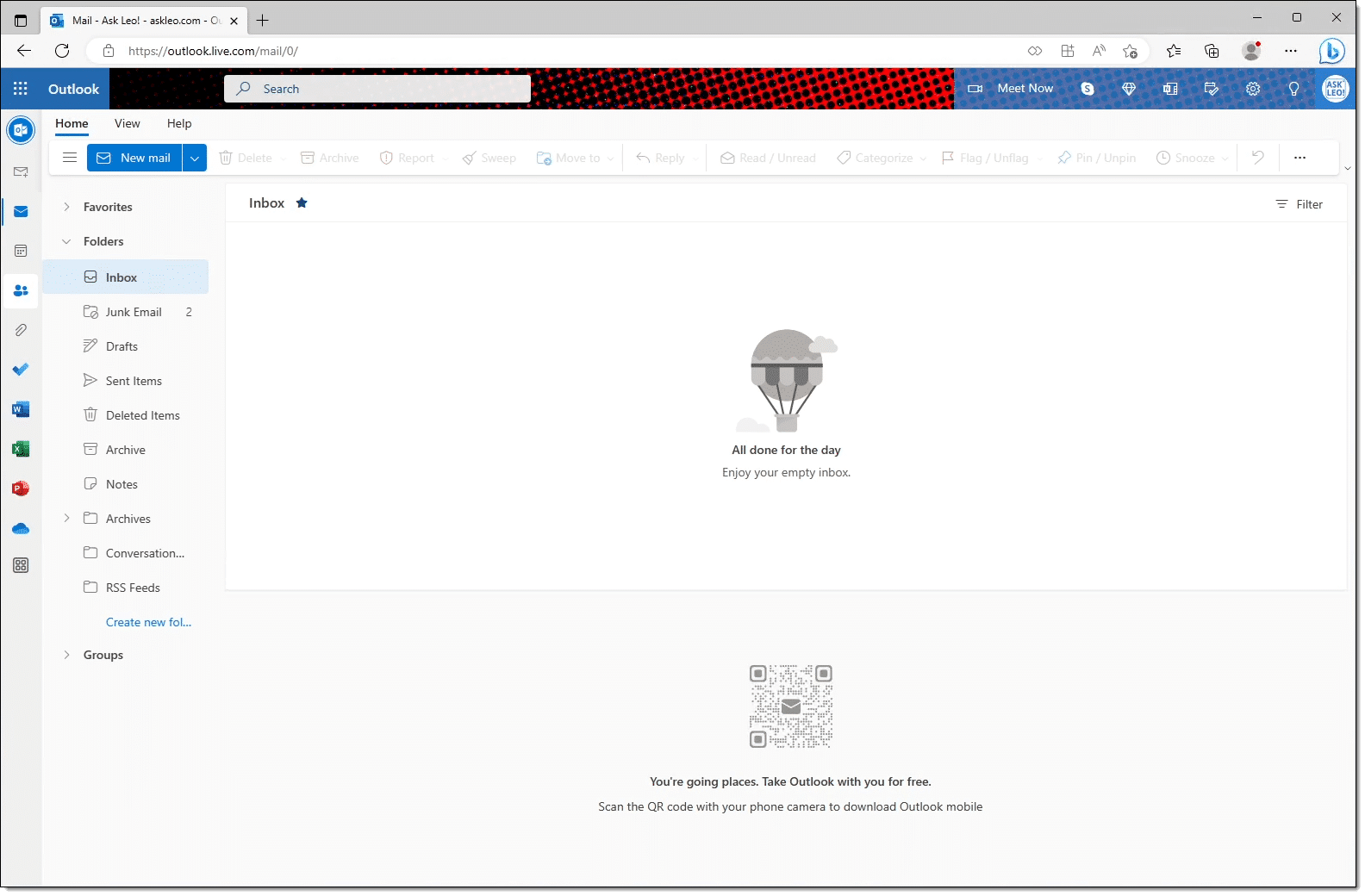
In addition, I recommend that if you’re offered the “new” Outlook interface at Outlook.com, accept it. It has more functionality than prior versions. It’ll look similar to the image above.
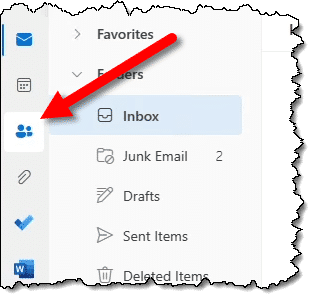
Click on the “People” icon on the left to access your Outlook.com contacts.
The result will be your contacts list. In the upper right, click on Manage contacts to expose the Import and Export options.
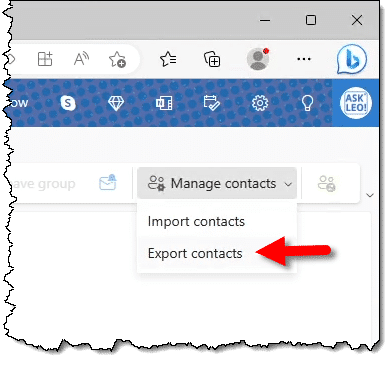
Click on Export contacts. This will bring up the Export contacts dialog.
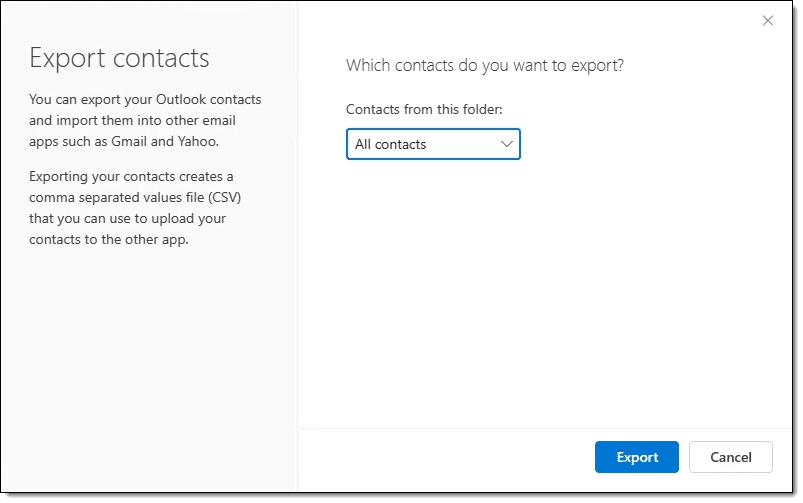
If you have your contacts organized into folders, you can elect to export only certain folders, but for this exercise, we’ll assume you want all contacts. Click on Export.
The result will be a file — contacts.csv — in your Downloads folder.
Import
Now go to the account you want to copy these contacts to. If that’s another Outlook.com account, it’s easiest to sign out of the current account and then sign into the new one.
Once again, click on the People icon on the left and the “Manage contacts” dropdown on the right. This time, click on Import contacts to bring up the Import dialog.
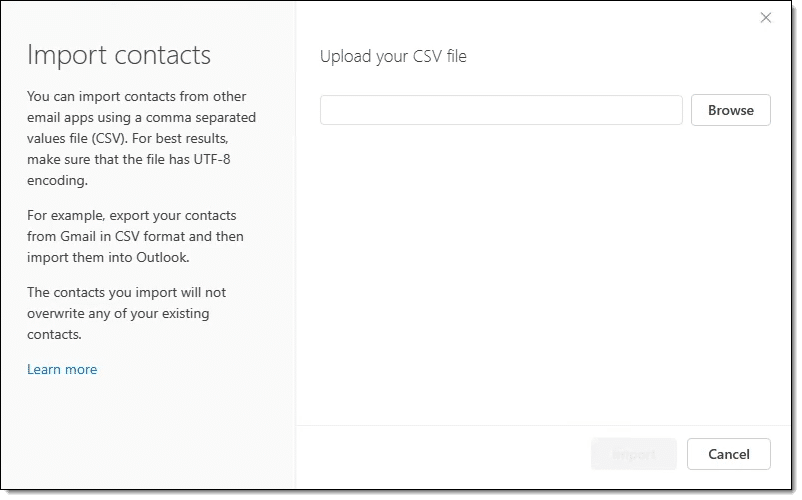
Click on the Browse button to locate the contacts.csv file in your downloads folder.
Open that, and the contacts will be imported.
Opportunity
After you export but before you import, you can open the contacts.csv file in a program like Microsoft Excel or other compatible spreadsheet program. (“CSV” stands for comma separated values, and is a standard format used for transferring tabular data.)
You can edit the contents if you like — perhaps removing entries that don’t need to be imported into the new account.
Just make sure to save your work in CSV format as well (not in .xlsx), so it can then be imported as above.
Do this
While transferring accounts isn’t something you’ll do very often, I recommend you export your contacts periodically. The reason is simple: backups.
While you might access your email account using a different email interface or program, contacts are one of the least reliable parts of that access, and are often not included. By backing up your contacts periodically yourself, regardless of where they’re stored, you ensure you’re protected no matter what happens. That’s one list you don’t want to lose.
Something else I recommend: Subscribe to Confident Computing! Less frustration and more confidence, solutions, answers, and tips in your inbox every week.
Podcast audio

Related Video


Exporting contacts from other accounts such as Gmail and Yahoo, are similar. The steps are different, but the end result is a .csv file.