
I know that this is confusing, but it’s important to realize that there are emails that you can and should unsubscribe from, and emails that you absolutely should never, ever “unsubscribe” from.
I’ll explain why that is, and what the relatively simple rules turn out to be.
Become a Patron of Ask Leo! and go ad-free!

- Never “unsubscribe” from spam. It will only result in more spam.
- Unsubscribe from things you originally subscribed to, or for which there was a legitimate business relationship.
- Mark spam as spam. That’s all.
Don’t unsubscribe from spam
What you are getting is most likely spam. Spam is sent to random email addresses. You haven’t been “subscribed” at all. You’re just getting it like many people do: randomly.
This is important: since you haven’t subscribed, there’s nothing to unsubscribe from, even if there’s an “unsubscribe” link. Clicking on that unsubscribe link will not help. In fact, it’ll likely make matters worse.
You might be asking, “If I’m not subscribed, why is there an unsubscribe link?”
Simple: spammers lie.
Like I said, spam is sent out at random and to email addresses that are both legitimate and not. The act of clicking that “unsubscribe” link actually confirms to the spammer that your email address is a real, valid email address with a real person reading it.
 From the spammer’s perspective, it allows them to say the equivalent of “We got us a live one!”
And once they know the email address is legitimate, they’ll start sending you MORE, not less, spam.
Thus this rule of thumb: “unsubscribing” from spam only gets you more spam.
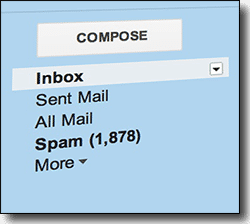
Instead, click on the “This is Spam” button in your email program or interface to get the email out of your inbox and train that service as to what spam looks like. That helps the service automatically identify spam for you in the future, and is by far the safest, most effective approach to dealing with spam using tools you probably already have at your disposal.
However…
Do unsubscribe from things you asked for
As a newsletter publisher myself, I do want to emphasize that when you’re ready to stop receiving a legitimate mailing, a mailing that you subscribed to, you do want to use the unsubscribe link.
Do not click “this is spam” for legitimate email. When you click on “this is spam” for legitimate email, it may actually cause other people — people who actually want it — to stop getting it.
Opening email
With most modern email programs it’s safe to open messages, regardless of whether they’re spam or not. As long as your mail interface doesn’t display images by default (one of the ways that spammers can track you), there’s nothing wrong with taking a peek.
If the email is legitimate, then of course you’ll need to open the email to see and click on the legitimate unsubscribe link.
If you can tell that the email is spam, on the other hand, you don’t need to open it at all. You don’t want to click on any links within, so there’s no need. Mark it as spam and move on.
The simple rules
So, there are things you should unsubscribe from, and there are things you should never unsubscribe from.
The rules are simple:
- If you subscribed to a newsletter, clicked “yes, send me more info”, or have some kind of a business relationship with the entity sending you email (such as having purchased something from them in the past), then it’s probably legitimate mail, and you should use the unsubscribe link.
- If you’ve never heard of the sender and have no relationship with whatever is being promoted or discussed in the email, then it’s likely spam, and you should not use the unsubscribe link.
It’s unfortunate we even have to think about these things, but the fact is, spam continues to be a problem. Fortunately, a few moments of thought (“is this email legitimate?”) and the simple rules above should make it fairly clear on when it is and is not safe to unsubscribe.
For spam, look into any of a number of anti-spam solutions and/or filters provided by your email program or ISP.
And never use the “This is Spam” button on email you asked for.


Yes, this is absolutely excellent advice. There’s no better way to say it. However, readers who may be a little less IT savvy may be extremely perplexed by mentioning that “When you click on ‘this is spam’ for legitimate email that may cause other people – people who want it – to stop getting it.”
I hope Leo will be able to answer that question in a later message: “How can my marking mail as spam affect the mail that others receive?” I think I know the correct answer, but I’ll leave that to the pro.
Thanks, Leo … A great, great message.
18-Aug-2009
How about the spam mails where there is not even an unsubscribe link? I keep receiving from different accounts the same type of the mail, I am sure they are all from the same sender, they are already in my spam box of the gmail, so cannot mark them spam, report spam etc.
I just don’t want to receive them on my email, even if it is in my spam box.
That is not possible. Spam happens. Always. If it’s already going into your spam box then the system is working as it should.
NEVER EVER click on an “unsubscribe” link in spam. You will NOT unsubscribe, but rather you will get MORE spam.
A few Suggestions:
re: 100 Spam emails
Turn your Spam Watch on – Yahoo calls it SPAM GUARD]
a] go through INBOX and anything you are sure you don’t want to read tick off as either “Read” or SPAM [2 steps]
b] Move those to your email trash folder
c] Open Trash and SPAM folders to check for mistakes
d] Use Empty button to clean both Spam and Trash emails
In following this approach you might see email you want that was placed by you or your email provider in the SPAM folder!
When I receive an email from someone that I don’t recognize I use the block sender, bounce email on my email program (incredimail) I never receive another email from those senders.
Something worth doing too is learning how to apply filters.
Just because you mark something as spam doesn’t mean you won’t get a very similar spam the following day. It’s because marking something as Spam only identifies one particular source and ‘blacklists’ that source (and hence why it can hurt legitimate senders if you mark them incorrectly).
Far better to learn to filter emails with keywords in the subject. For example, I expect I will NEVER receive legitimate email with the subject line containing the word ‘Pharmaceutical’ so I have a filter in place to automatically delete mails with that word in the subject.
It can be tedious setting them up in the early days and it certainly pays to check your ‘deleted’ folder occasionally to make sure you’re not accidentally deleting friendly mail.
As a point of interest, I’m sure they’ve made some adjustments now but Hotmail is/was a spam magnet (one reason many corporate firewalls disallow email from Hotmail email accounts!!).
Conversely, in four years of having a gmail address, I’ve received about three spam messages and they were very cleverly constructed. Perhaps Google use their smarts to filter spam better than others?
I had an ISP who actually charged a premium (can you believe that!!? – I wasn’t going to pay extra to overcome their sloppy standard service) for spam filtering and I’m told their filter rate wasn’t as good as Google’s.
Anyway, enough of that rant. Learning to create filters is pretty simple and is one of the most worthwhile activities I can recommend. I get 80+ mails per day, I need as many helpers for sorting/deleting as possible.
Keep up the good work Leo.
Another point worth noting…an “unsubscribe” link can actually take you to an unsafe sight, opening yourself up to viruses, worms, and malware. Spam is really the least of your problem when you think about it. Spam is a nuisance, whereas virus/worm/malware can be catastropic.
Thanks as always Leo…see you on the Tardis.
I use a program called Mailwasher Pro by Firetrust. It allows me to bounce and delete unwanted email from the mail server before it ever gets to my local computer.
David has the best answer I have found. A Gmail account solved virtually all of my spam problems. My ISP had so much trouble with attacks on their system a couple of years ago, that they switched all email service over to Google. I wasn’t sure it was a good idea at the time, but went along with it. The fact I didn’t understand at the time was that I would need a separate Gmail address, but could continue with my old address as my main email contact. All “valid” email was just forwarded over to my new Gmail account, and the original address has served as a great spam filter.
Since I have my own real estate web site, and publish my email address (original) in newspaper ads and on literature, I get about 300 emails a day. With the above system in place, about 30-40 get through to my new gmail account, and the rest are caught in the old account. When I have time, I scan through the suspect emails and simply hit delete all.
The fact that I periodically find an email from a new client in the “Spam” account is usually easy to spot and send on to my “good” account.
Works for me!
Take a look at: http://firetrust.com/en/products/mailwasher-pro
Their product, Mailwasher, lets you preview your e-mail and bounce messages back as if you never existed. You can keep messages from ever entering your e-mail program. I’ve been using if for several years and have pretty near solved my spam problems.
One other thing! I’ve used Hotmail for years. I used to get tons of spam in my inbox. But for the last few years, I get very few. Microsoft has done a good job of improving their filters. Granted, they could probably do better, but I have to say that I am quite satisfied with the service.
I too have been using Mail Washer for several years and find it to be a very effective spam prevention tool. Very easy to use. My ISP also provides “Barracuda”, an anti-spam program. This combination is working well.
I, too have been using Mailwasher for years (bought the “pro” version to deal with multiple accounts) but the “bounce” facility is questionable these days. What spammer is going to take the trouble to sift through bouncers and bother to stop sending the stuff to particular addresses? After all, it costs them virtually nothing to just keep on sending, regardless. The few I do get, I just delete on the server.
GMail is excellent for trapping spam. I have it set up on Thunderbird and just go the spam webpage folder a couple of times a week to make sure nothing has gone in there which is legit (rarely happens) and just leave it. Stuff in there gets deleted automatically, anyway.
AFTER BUYING AN ITEM FROM A FIRM I COULD NOT UNSUBSCRIBE TO THEIR CONSTANT E-MAILS. THEIR CHANGE OF ADDRESS WORKED AND I SIMPLY CHANGED TO A FICTITIOUS ADDRESS.
i get tons of spam in my Yahoo box. Mainly,a lot of junkmail and schemes. Opera and Hotmail does a very good job of filtering out the trash.Occasionly,a piece of junk,but no emails promising large amounts of cash. I NEVER click to these links,though I sometimes read the letter. I’m considering closing my Yahoo account because of the large volume of junk and ripoffs I receive.
SPAMCOP…it works, but it is not immediate. It costs $30/yr and its reporting system actually causes the spammers to lose their accounts, one by one. Though Mailwasher gives immediate satisfaction, bouncing does not work in the long run. Spammers need to be physically shut out of their email accounts, one by one.
I handle this problem by using the “select all” option upon opening my e-mail inbox. Then I read through the list and deselect the e-mail that I want to read – if I don’t know who it is, I don’t need it. Then I hit the delete button and all of the stuff I don’t want goes away. Usualy 50 e-mails ends up as 5 or so.
I use Block Sender for spam mail yet I don’t see other people saying this. What are your thoughts on using this method?
27-Aug-2009
Leo, Thank you for all of the great advice/remedies you provide!
I was just wondering… is there a way that we could bombard the spammers
Back? Thank you! Cindy
No. Most of the spam sent out is via spambots, malware installed on thousands if not millions of unsuspecting people’s computers. And if you do manage to bombard those spammers’ actual machines, that would be spamming and just as illegal as what the spammers are doing.
Nope. Even if you could you’re sinking to their level, and would be breaking the same laws and terms of service that they break. As a practical matter spam rarely has the correct “From:” information, so any attempt to bombard them back would result in innocent people getting bombarded instead. Just don’t.
I too receive many (hundreds, literally) of unsolicited email every day. Those that are obvious spam email go straight into the spam box to be trashed (but I always make sure I give a cursory glance over them to be sure I’m not missing an important or interesting email from a peer/client).
I personally would never use a program that blocks so-called ‘spam’ because often legitimate email can be incorrectly marked as spam. Also, I would never block a sender if they sent me an unsolicited email, UNLESS they repeatedly kept sending me emails when I have asked them not to, or they are obviously spammers. The reason I don’t block an email from someone I don’t recognise — as Bev says she does — is because of what I said before; some people are sending legitimate emails simply offering something that may or may not be of interest or use. If it isn’t, it doesn’t take much to hit the delete key, does it? :)
Overall, I think you can generally tell if an email is from an illegitimate source. Usually, I’ll take a look at the ones that have taken the time to personalise their email. You never know, an unsolicited but legitimate email might just come in useful.
The good spam filters (like the one for Gmail) do an extremely good job of getting rid of spam without getting rid of good messages, once you have used them for a while.
The key is to also glance at the spam filter occasionally for any good messages that landed there. Since I have folders for most of my good email (based on topic or groups), they stand out extra well in the spam folder. When you mark them as not spam, the filter also learns that. I don’t need to white list anyone, it just learns the few organizations that send me legitimate but spammy looking email.
Gmail is down to maybe one good message getting caught in the spam every couple months.
I disagree somewhat. for 1 month I unsubscribed to everything…and I try to send a polite sentence to those who don’t have a link asking to be removed. The result:
About 35-50 emails a day that qualify as spam down to 5 or so a day.
In my case, about 7 years ago I filled out a bunch of forms for survey taking. It ended up being a scam but my email was out there for so many offers and survey companies.
I learned later to use an internet activity email address for responding to ads and making inquiries about services online.
The result is I’m pretty satisfied with very little spam, and things I don’t care about at all go to another email.
please delete me from this e-mail, because I am getting this in my other account.
Thank You,
@Wanda
Here’s an article on how to unsubscribe from the Ask Leo! newsletter:
How do I unsubscribe from your newsletter?
this is why i like my G mail. right click on the Google icon in the task bar, it won`t work with the desktop icon, and left click incognito. since i`ve been on G mail i`ve only seen spam 3 or 4 times. and G mail always warned me that it is “probably” spam.
I agree with Leo. I have left spam up to Gmail provider and where there used to be hundreds of spams now there is 1 per month all because I didn’t touch it and Gmail saw it as spam and obviously has done the hard work of shutting down the spammers. Thx Gmail!
I think this may have already been alluded to earlier (a few years ago), but Incredimail offers a feature called “Bounce to Sender”. This, purportedly, returns the message to the sender and makes it appear as if you are not a valid (current) email address. I use this frequently and, to the best of my recollection, have not heard from that sender again.
I’ve never understood why some people get tons of spam while other people get very little. I, myself, have had two email addresses for years — one at Yahoo and another with my internet provider — and I get very little spam. One or two a day, at most. Many days, not even that. Yet, I know people whose habits on the internet aren’t much different from my own who receive dozens and dozens of spam emails a day. I just don’t understand why some people seem to be so much more vulnerable to spam than other people. If it’s something about their internet habits that’s making them vulnerable to receiving spam.
Wtf?! I googled an easy way to stop spam and I get a freaking novel!! Get to the point 1,2,3!!! Over!!
Except there is no easy way to stop spam.
Leo,
I use Windows Live Mail. There is no “This is spam” or any option with the term “spam” in it.
It does offer these two options when I click Junk on the received email
1. Add Sender to blocked sender list
2. Add sender’s domain to blocked sender list
I use both of the above when I receive spam.
Question: Since I do not have a “This is spam” or similar option, is there anything I can do better than what I am doing to keep my spam count down?
Not in Windows Live Mail, no.
If you switch to Thunderbird, you can get it to do what you asking (and much more). (You can’t always get what you want, but you get what you need.)
I wonder why gmail gives me a choice of confirming SPAM or confirming SPAM AND unsubscribing when I report SPAM? I always avoid unsubscribing in this situation, but what is the point they try to make?
Clicking on those unsubscribe links only serves to confirm that your email address actually exists and makes it a more valuable spam target and therefore worth more as they can sell it to other spammers. Entering your email address onto one of those pages makes you even more vulnerable to spam. They might not be as stupid as they seem.
Except for the good guys of course! It’s really important to pay attention when you subscribe to a legitimate service… Like the Ask Leo! newsletter, for instance. If you subscribe to a good service and then later report them as spam you can really damage a reputable business. So paying attention is very important.
NEVER click on unsubscribe links in spam. You’ll just get more spam as a result.
Actually, some of the unsubscribe links in messages that most of us consider to be spam are genuine. Just because a message arrives in our spam folder does not always mean that its unsubscribe cannot be trusted.
Unlike some other countries, American law does not require that one opt-in in order to receive bulk mailings. The principal requirements are:
1. The message clearly be identifiable as an advertisement.
2. A valid postal mailing address be given.
3. A procedure for unsubscribing from future mailings be provided.
4. Unsubscribe requests must be honored.
Since there are heavy penalties for non-compliance, many bulk mailers comply with these requirements and their unsubscribe links are genuine. If a message gives a postal address, check it out for credibility before trusting the unsubscribe. I have found non-existent addresses even in domain registration statements. Also, if a sender uses a lot of domain names and servers all over the world, that is dishonest behavior.
I used to get four nearly identical messages a day from someone announcing government education grants and linking to ads for third rate colleges. I consider this a borderline case. For one thing the sender names would be randomized. One message it would be from Lawrence80548 and the next one would be from Harold26351. This would prevent one from setting up a blocking filter. Since his message was basically constructive and he gave a mailing address I took a chance on his unsubscribe. We’ll see!
Mailings that absolutely cannot be trusted include messages that merely say “Click here to confirm your unsubscribe” and strictly personal ones that say “I think I saw you last night,” “Stop sending me your pictures,” “I want to meet you,” and “Did you block me on Whatsapp?” I save these, sort them by ISP, and when I have several I compose a complaint to the ISP.
I mark any bulk email as spam whether or not it violates CAN-SPAM. By definition, any email I don’t request is spam, and if that affects the on-line reputation with my email provider’s spam filters, it is purely intentional. As Graham Chapman of Monty Python said, “I don’t like Spam.”
https://www.ftc.gov/tips-advice/business-center/guidance/can-spam-act-compliance-guide-business
I wish you would tell me how to “Block Sender”.
Blocking the sender is different on each email program and webmail interface. In any case blocking the sender is generally not very effective. Leo said this in answer to another comment on this page:
Your best bet is to mark those unwanted messages as spam and let the spam filter handle it.
Depends entirely on what email program or service you use. (And for spam, it basically doesn’t work.)
Yes!!!Thanks so much for the advice and I will get rid of all spammer emails. I have unsuscribed from many different unwanted emails and more were created. So again thanks
Dear Leo,
I am getting hundreds of subcribtions list which I have never subscribed for, I keep clicking the spam list. Those mailing list looks real. I think the spammer is subscribing to every email list in the world and I am getting their subscription. I keep blocking these list but I am getting a lot every hour. I think what that spammer wants is we block all these newsletter lists which then consider to be a spam in the email servers such as yahoo, live and google. Your mailing list might face that too.
I dont know what to do, but the IT securty companies must know who is doing that and STOP them.
Are they subscriptions to actual, legitimate, newsletters? If that’s the case all you have to do is not repond and your email will not be verified. If an email is not verified then a legitimate system, like the Ask Leo system will not send the actual newsletter and will disable your address. At the very worse you’ll get a few reminders, which you can also ignore.
If this is spam attempting to look like a subscription, or if it is a spam subscription, then the best thing to do is to not respond in any way. Responding just let’s the spammers know that your email is “good” and your spam will increase.
So either way – the best thing to do is try to get your junk filters to manage it as much as possible. Delete the rest and don’t waste any time on it.
A legitimate newsletter sender would first send you a confirmation email. They would never just send you a Newsletter without that confirmation. This sounds like pure spam. The only thing you can do is mark those false newsletters as spam and train your spam filter. If the number of emails is overwhelming, you might consider opening a new email account and notify all of your contacts and periodically check your old email for stragglers.
thanks Connie and mark for your replay,,
I have this email for many years,,, it will be hard to close close it..I keep sending the message to Junk and to spam list, and I hope the number will decrease soon. I did not subscribe to list. I am used to put my email one I buy something or sign online, and once I am not interested to their subscription, I simply unsubscribe. I think I got trapped a month back when I kept unsubscribing for lists which I never subscribed for. This resulted the hacker to know that the email is live and someone is using it.
well lets hope that Yahoo spam and Junk list will know to stop this spam.
thanks
Leo…Help!
I have Windows 10…I miss my Windows 7!!! I had the option to mark as spam, or block sender. I have not found any such thing in Windows 10. I red flag, mark as junk, and it does absolutely nothing, as it just keeps coming into my inbox. I am getting some off the wall garbage, that I don’t want the children seeing on the computer…Viagra garbage and so on. How do I stop this??? Unfortunately, I have “unsubscribed” to these places, and it has indeed only resulted in multiple daily emails from them all!!! Is there some sort of fix for this in Windows 10? I have been searching and searching, and found nothing so far!
The option to mark as spam is a function of what email program you use, not what operating system you use. The default mail program in Windows 10 is pretty lame, but you can use any of 100’s of others in its place. NEVER UNSUBSCRIBE FROM SPAM – that just validates that the found a real email address with a real person, and as you’ve seen, just gets you more spam. My recommendation: use outlook.com online (the web site) and the mark-as-spam function there, or use a different email program like Thunderbird.
I would really like to not receive anyone email from Match.com. I have deleted profile multiple times but I still continue to get at least a dozen a week and its starting domestic issues here at home. so if u could help me in anyway I would greatly appreciate….fyi, I don’t respond to any of the emails.
All you can do is mark them spam every time they arrive. (Or you could set up a filter in Gmail to automatically delete them.)
I looked for job’s on snagajob,jobfinders,old navy.com,which has been very helpful,I did sighn up to to do a serve for money,but you could never finish it,I just won’t my job listings and online shopping emails to come through how do I get the rest to go away,I try to unsubscribe,most won’t even have a unsubscribe button if it does it just takes me somewhere else,I get like 200 a day,Please help me court this out thanks
The answer is a combination of the contents of this article you are commenting on and and:
http://ask-leo.com/how_do_i_get_rid_of_all_this_spam.html
My bitch about this company STREETS ? whatever, ? it just goes to show that the whole thing is crooked.?
These “#!*?!+*!? corrupt telemarketers, get into my computer ! which in my understanding is “DATA” ?, my data, being used up on my computer that I am having to pay for. ?,,which in the long run,,gets my provider to ask me to update , as I am going over my quota. ???
I am looking for a way to sue. these..!#*?*#!. ??????????????????????
There is nobody to sue. And yes, tons of spam will eat up your bandwidth. You may be interested in this article: https://askleo.com/how_do_i_stop_all_this_spam/
Marking the spam as spam in an email program won’t save you any bandwidth as your email program has to download the email before checking if it looks like spam. Marking it as spam on the website of your email service provider may or may not help your bandwidth problem depending on how they handle spam.
Today I opened my junk folder . . . there were 30 files. I dediced to “unsecribe” (which I just now read NOT to do!) After 9 or so successful “you are unsecribed” messages, I started seeing a redirected page that said “Backoff” . . .
That is a little scarry. Should I be concerned?
I made screen shots of each event, and there seemed to be only 3 different redirects, in a total of 16 ads that would not let me unscribe.
Please tell me what, if anything, I can do.
Thank you for your help
Just don’t unsubscribe from spam.
It’s says I have reach my maximum spam, can I delete what’s in there to make more room or does that allow all those I removed to start bothering me again
If you have reached a limit on how many people you can add to a spam filter, blacklist, or rule… then Yes. Removing a rule will also remove it’s function.
I have no idea. You’d have to tell me who “it” is that’s telling you have reached maximum spam. And perhaps the exact wording of the error message.
https://www.ftccomplaintassistant.gov/Information
Something call Class A Lawsuit. Get one started. Use websit above to stop email you don’t want. Believe me, a real live person is doing it.
That site isn’t to block spam. It is to send information to the FTC so they can collect evidence to look for spammers. It’s not very effective as most spam originates outside of the US or countries which actively go after spammers.
PLEASE STOP CONTACTING ME. i’ve never bought on line, i by every thing local where i live
Read the article you are commenting on. We are not contacting you. It’s spam. The links in the Read More section of this article discuss methods of dealing with spam.
I am getting tons of emails from one place only. It’s called Country living. There is no unsubscribe place on any of them. They are from all over and all different people. I get from 100 – 200 every day! Is there any thing I can do to stop this?
If it’s all from one source, you should be able to set a filter in your email program or webmail interface to send an email containing the phrase “Country Living” to the trash bin.
Mark them as spam, or depending on your email client, set up a rule or filter to automatically mark them as spam.
this link doesn’t work …. fix it
Which link are you referring to?
Unsubcribe me from all my e-mail i dont want to recieve Amy mail from Leo casino. Parade remove all my e-mails and sms
I have no casino. You can unsubscribe from any email you get from me by using the unsubscribe link in any email I send you.
i never got into any sex site at all just want all the crap that is being sent to me to stop its all from girls i am not gay i have never sent a message like this one to whoever this is the first time ive sent anything why is it so f—— hard to stop this
It’s not f’ing hard — it’s impossible. Set aside your frustration, mark spam as spam, and move on with your life.
I almost never receive spam. Note I’m not in the US, where the problem seems out of control. All the websites I give an email to get a different address from me, whether they are e-merchants, newsletter publishers, government agencies, software publishers, online services — you name it. If one of them goes rogue (or gets hacked) and I start to receive unwanted mail, all I have to do is switch off their unique address. I almost never need to use that kill switch.
The only way I regularly (but unfrequently) receive spam is through one of my personal email addresses, which I never give to businesses and such. A family member got his email account hacked, and now that personal address of mine is in the wild. You can’t really protect yourself against that.
I don’t believe you aren’t receiving spam because you aren’t in the US. I’d attribute it to your using different email addresses for different purposes. Using separate email addresses for ordering things and receiving mailings etc. is a good start.
Still good advice, except I do not agree with not reporting legitimate companies as spam. Sometimes it is the only way to stop receiving their emails because they completely ignore “unsubscribe” requests. I understand unsubscribing is not always immediate but it should not take (literally) months either (and multiple attempts). In those cases I have zero qualms with marking them as spam, bedamned to their reputation.
If I have to jump through any hoops, even responding to a confirmation email, I mark the email as spam. Just being a legitimate company doesn’t make their spam not spam.(this is not the official opinion of Ask Leo!, but that’s just how I feel).Being a teacher I receive a lot of book offers from legitimate book companies. I never asked for that crap, I spam it.
Actually we agree. If they ignore legitimate unsubscribe requests, then by definition they are sending you spam. But “this is spam” should not be your first choice when attempting to unsubscribe from something you asked for — aka “legitimate”.
On Yahoo Mail, to the right of the Spam icon there are three dots … Click on the dots. The fifth option in the pop-up is “Block Senders.” You can use this option in both Inbox and Spam folders. In the Spam folder, click the “check all” box on the top left corner then click on the three dots and click on “Block Senders.” A list will display of all of the E-mail addresses that will be blocked. What you will find is that the addresses won’t be “someone@someplace.com” but something that looks like “Ax73kzorn#w&049wmpEMT@uNameIt.com.” If the list contains an address that you recognize as valid, then uncheck that address before you delete the addresses displayed. This does not stop the spam but slows it down because on the next wave of spam sent from that server, they just increment the return address to “Ax73kzorn#w&049wmpEMU@uNameIt.com” because that sender is not blocked.
You might want to read/review this article: Why Doesn’t Blocking Email Senders Work?
It seems like my junk email has increased a lot ever since the beginning of this year. Around that time I remember clicking on some ads on the internet for things like “super bright flashlight” although I didn’t buy anything. Can those companies capture my email address somehow?
Not unless you give it to them.
I don’t understand why we have to look at the spam garbage at all ever. If we call it spam we should never have to look at it again. But Lo! Once in a while a message we WANT may be in the Horror House of email and NOW we have to go look at all their horrible, sometimes WORDS WE DON’T EVER WANT SEE OR TYPE INTO A FILTER, just to see if a friends’ email got sent to e’hell. If we call it SPAM it should go away never to be seen again! Is there a conspiracy? Is someone on the inside working this to scam us from the inside? You really have to wonder. Once called Spam it should never have to be seen again I declare! The unsubscribe feature is a joke to the Spammer. First it’s not always there, second is anyone actually going to unsubscribe 255 times a day?! ! ! ! ! ! !
I wish there were a filter to remove any email that has foul language NOT just to the useless Spam folder but thrown away in a manner that we don’t ever have to see it.
If you turn down a telemarketer they sometimes sign you up for the most lewd Spam. It happened to me. He said, ” Go enjoy all your Spam xxxxxxx”. Immediately and ever since I have 2 to 3 hundred of the foulest most profane per day. Gmail is good at this? Ha joke. Joke. Joke. Joke. Maybe they’re the least lame at it.
Quite the conspiracy theory, but I do want to clear up one thing: NEVER EVER UNSUBSCRIBE FROM SPAM. Unsubscribing from spam will only get you more spam.
And you can create a filter in any email program and most Webmail providers to place any emails with any words you don’t like into the Trash or Spam folder. Just be careful. Someone wanted to block any ads for drugs and put Cialis as a filter word and it blocked any emails with the word “specialist” :-)
Spam isn’t always recognizable as spam. A spam filter “learns” how to recognize spam, but it will never do a perfect job.
Has anyone else noticed there is no way of contacting Gmail administrators? Just like the Spammers they don’t want to get your mail but you are sure going to get theirs. Foul profanity and everything that goes with it. It seems the only thing to do is to organize a class action suit.
This is the price of a free service. You can, of course, look for a different provider who’s behaviour is more in line with your expectations.
And, while I’m no lawyer, I don’t believe there’s any lawsuit material here. These are all terms you agreed to when you accepted their terms of service when you set up your account.
I have had official newsletters that emailed me… the thing is, that a lot of them were requiring me to type in my email in order to unsubscribe, while others unsubscribed me by just clicking the unsubscribe… Also I have been getting messages that are asking me to unsubscribe that are from trusted senders that ask if I want to unsubscribe, and no matter what I click, I am prompted to respond to 90+ email addresses…
I am in a variation of SPAM hell. Several years ago, my email address was included with a friend who’s bank login was hacked. The hackers apparently used a web server that had a long list of openly subscribable distribution lists. Retail merchants, churches, community newsletters, etc. Most appeared to be smaller web sites which probably didn’t have good web designer skills to include a subscription verification mechanism, such as a positive response to confirm the subscription.
At the time, the hackers accomplished their goal – the bank notifications that my friend’s email address was being changed and confirming a very large transfer were obfuscated by the massive SPAM volume he was receiving, mostly welcoming him to new lists, when it happened. Fortunately, the bank was on top of potential threats and called him before making the transfer. The onslaught of SPAM subsided after a few days. For me, it was a gmail account that was included in the SPAM onslaught and even several years later, in spite of a generally very good SPAM filtering mechanism which I routinely train, I periodically get a new series of SPAM emails, often welcoming me to a new retailer list.
As far as I can tell, most of these retailers and other organizations are real. They are often in foreign countries, and usually target local customers with their email content.
Depending on my available time, I do sometimes take the time to “Unsubscribe” from these lists since the retailer or organization appears to be an unwitting victim of having my email added to their subscription list. When I have a batch of these emails and I use the Gmail ‘SPAM’ button, there is usually an option to “unsubscribe and mark as SPAM”. I know that using an “Unsubscribe” link can sometimes do more harm than good, giving a system a positive verification that I am a real person, but so many of these lists appear to be handled by reputable emailing tools that it seems better to get myself permanently on their do-not-email list.
I wish there was a better way to reach out to web site administrators and designers to educate them on the need for a positive confirmation for new subscriptions. I am sure their “subscribe” buttons have been recorded to servers all over the internet as a tool for hackers to inundate unwitting consumers.