It all starts with the vertical ellipsis.
There’s more to email than meets the eye.
In fact, there’s a LOT more.
Bundled with every message is a list of information, including the mail server it originated from, the servers it traveled across along its way, as well as a bunch of other optional information relating to who sent it, anti-spam information, mailing list unsubscribe information, and much, much more.
It’s a bunch of geekery you really don’t want to see every time.
But if you do, it’s easy to get at it, particularly in Gmail.
Become a Patron of Ask Leo! and go ad-free!

Full email headers in Gmail
When viewing an email message in Gmail’s web interface, click on the vertical ellipsis at the upper right of the message, and then click on “Show original” to view the full message in its raw form. The headers include everything up to the first blank line.
Headers in Gmail
Here’s an email message displayed in Gmail.

At the upper right corner of the message are some controls, including a vertical ellipsis.
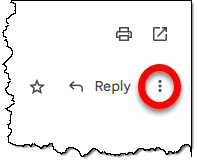
Click on that.
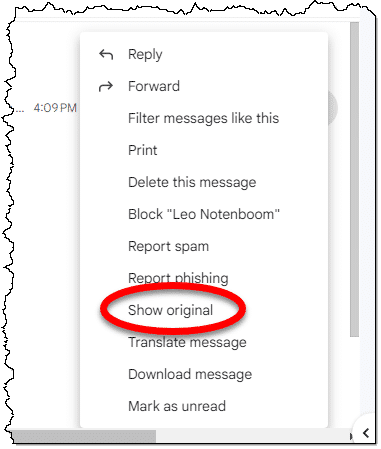
In the resulting pop-up menu, click Show original.
This will open the original email message in a new tab.
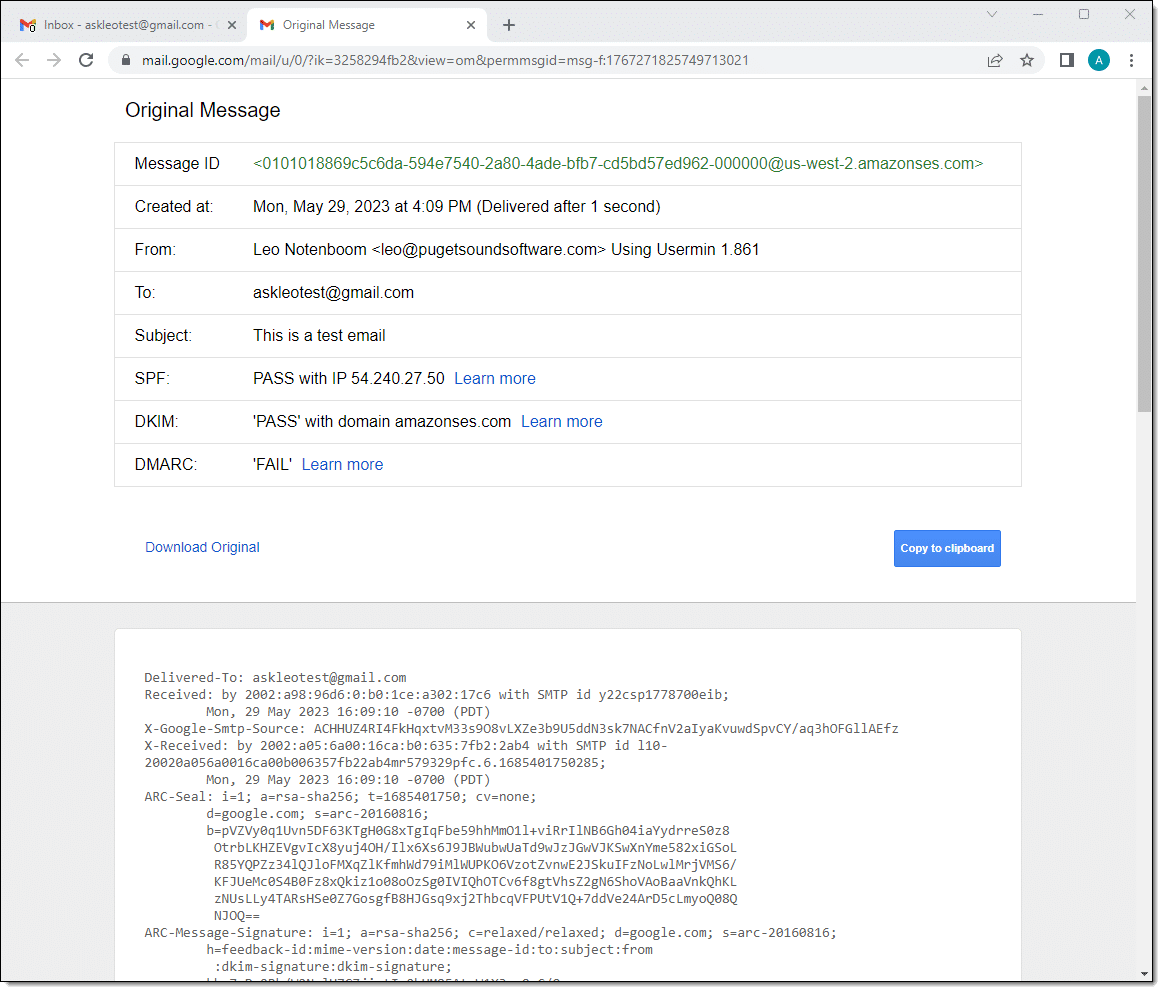
The upper part of this window includes some highlighted information about the message, but the actual full email message, including its headers, is in the lower pane. You may need to scroll to see more.
Click on Download Original to download the complete message as an .eml file. Copy to clipboard will place the entire message in the clipboard, after which you can paste it into Notepad or whatever text editing program you like.
The “headers” are all lines up to the first blank line in the message.
Sending email headers
Even though you might send rich text and pictures, email is always sent in plain text. Anything not plain text in your message will be encoded into something that can be represented in plain text.
The headers themselves are always plain text.
If your ISP or someone helping you diagnose an email problem has asked for the headers, start by composing a new message. It’ll be helpful if you can select plain text format for that message.
From the window shown above, click on Copy to clipboard. Switch to the message you’re composing, right-click in the body, and click Paste. You can, if you like, delete everything after the first blank line after the headers.
Send that message to whoever was requesting it.
What is all this junk?
Go ahead and page up and down and have a look around in the original message. You’ll see a lot of stuff in there above what you think of as your email (the message someone sent you).
A lot of geekery, as I said earlier.
The headers are a collection of information about the message being sent. If the first column is not blank, then the line begins with a token followed by “:”. For example, you’ll see many lines that begin with “Received:”. Each mail server along the path from sender to recipient adds a Received: line to the header so that the email messages path can be identified.
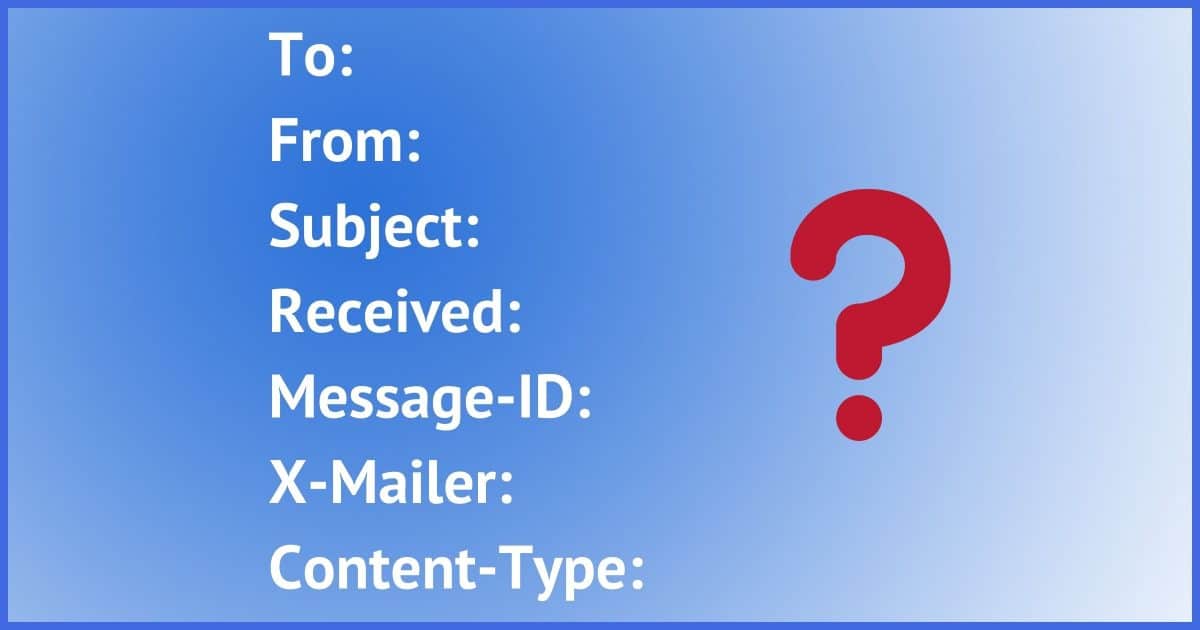
You’ll also see some familiar lines, like To:, From:, and Subject:, which are themselves nothing more than header lines.
There are too many to cover them all here. Many are obvious and many are not. You can learn more about email headers in Email Headers Revealed and How They Might Help You.
Header information can be faked
I want to point out that we often think of using header information to try to trace where an email comes from. While technically possible to a point, it’s often the case that a specific sender cannot be identified if they’re trying to be sneaky.
For example, spammers definitely try to be sneaky, and it’s not hard.
Information in the header can be faked or spoofed, and it takes a close, knowledgeable eye to be able to identify when this happens.
That’s probably why you’re sending it to someone who understands it.
Do this
Have a look at some email headers, and you’ll begin to appreciate the complexity of something we consider to be quite simple: email.
And now, if you’re using Gmail and are asked to provide the headers of a message, you know how.
Let me send you some headers — along with a full newsletter — every week! Subscribe to Confident Computing! Less frustration and more confidence, solutions, answers, and tips in your inbox every week.
Podcast audio

Related Video


I use the Windows Mail client to read email messages, and I don’t have much use for the new Outlook app for the most part (too many features, too complicated, and too busy/glitzy). Today, I found the one feature that may get me to try to get used to using it. I can ‘view message source’, which includes the message header This capability gives me one more tool to keep in my tool belt when faced with an unexpected email message or one coming from a sender I don’t know. Even though the message header can be spoofed, the IP addresses collected as the message traverses the Internet are a different story. For example, if a cracker sends an email message purporting to come from someone I know (who probably lives here in my hometown), I can check the message header, and particularly the IP addresses that are collected therein as the message traverses the Internet, so I can get some idea as to where in the world the message originated. If it purports to come from someone near me, but the IP addresses reveal far-off locations, I know not to trust it and I can move it to the spam folder in good conscience. I know I can do something similar using my email services’ web interface but using an app on my computer just works better for me.
Ernie
I have MS365 which includes Outlook.exe, but as you said, too many bells and whistles, and I don’i like how they store emails. I use Thunderbird which has exactly the features I use.