Who else got this email?

No.
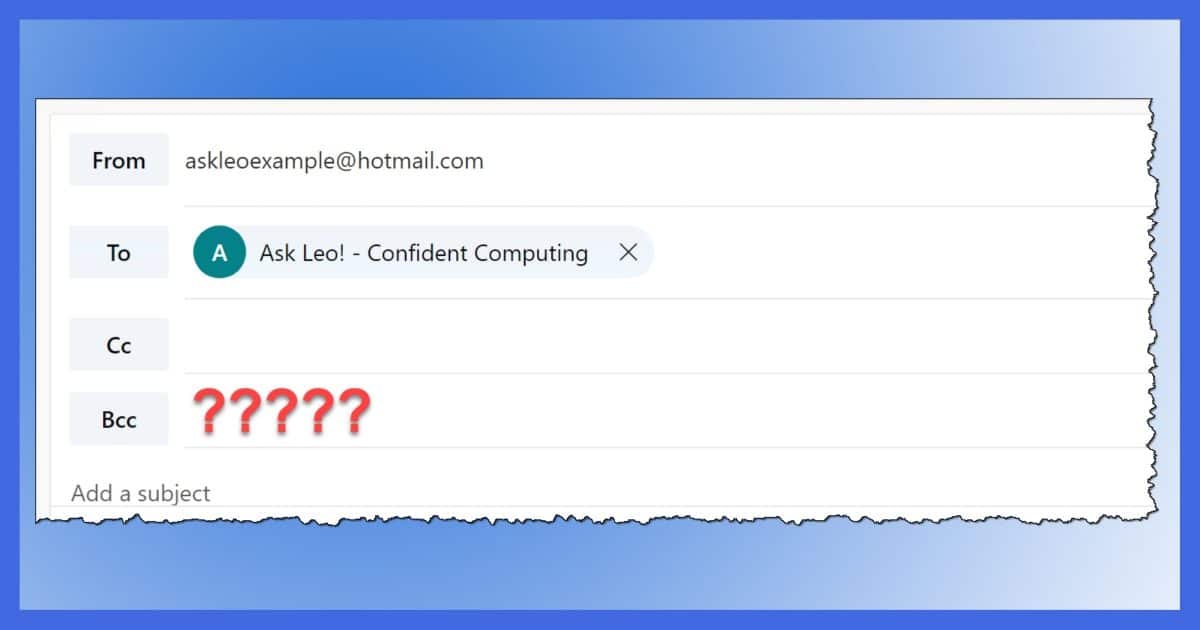
“Undisclosed recipients” is often placed in the “To:” line by email programs when the message being sent has no entries in the “To:” or “Cc:” fields. The sender has used the “Bcc:” feature of email to send the email to one or more people without revealing who they are.
So, how do you find out who they are?
Become a Patron of Ask Leo! and go ad-free!

Viewing the BCC Field
BCC or Blind Carbon Copy is designed specifically not to reveal who has been BCC’ed to any of the recipients of an email. Thus, you cannot see who was BCC’ed; there is simply no way to do so.
BCC: Blind Carbon Copy1
Say you’re sending an email to a customer, and you also want to send a copy of that email to someone else (perhaps your boss) without it being evident on the outgoing email. Adding that someone to either the “To:” or “Cc:” lines would be obvious: they’d be listed in the email that’s sent to the original recipient.
BCC sends the email to someone without their name being on the email at all. That’s what “blind” is all about: you can’t see that they’ve been sent the email. In fact, recipients of the email can’t tell whether anyone was BCC’ed or not. You can’t view the BCC field because the information isn’t included in the message.
 Undisclosed recipients
BCC is intended to be used in addition to whoever is addressed on the “To:” or “Cc:” lines, but that’s not a requirement. It is quite possible to send an email message with only BCC’ed recipients. As a result, there’s nothing to place into the “To:” or “Cc:” lines.
When that happens, some email programs automatically put the phrase “undisclosed recipients” (or something similar) in the “To:” line to indicate that this was on purpose: the email was sent to one or more people without revealing who they are.
Disclosing undisclosed recipients
This brings us back to the original question: how do you find out who the email was sent to?
You don’t.
That’s the whole point of BCC. That’s what “undisclosed” means. You can’t view the people who were BCC’ed. The information about who the email was sent to is not included in the email. There is simply no way of determining if it was sent to anyone else, and if so, who.
Period.
Old exceptions
Once upon a time…
There were email programs that got the whole concept of Bcc: and undisclosed recipients wrong. They included the BCC’ed recipients in normally hidden headers that anyone could read if they knew how. But that was a serious bug and has long since been resolved.
Similarly, it’s conceivable that corporate email systems could also somehow expose BCC’ed recipients, but these are systems where everyone is on the same email system, so the email does not travel across internet email servers.
In practice, though, today’s email programs simply don’t disclose undisclosed recipients.
It would be wrong to do so.
Do this
Subscribe to Confident Computing! Less frustration and more confidence, solutions, answers, and tips in your inbox every week.
I'll see you there!
Podcast audio

Related Video


Footnotes & References
1: Occasionally also “Blind Courtesy Copy”, after the concept of carbon paper was lost on many. 


How come I can’t see the bcc list on e-mails that I’ve SENT out? Not received from other people, I know that those lists are meant to not be seen. But what about when I want to go back a check bcc addresses of e-mails I sent out?
That’s entirely dependant on the mail program you use. Some save and show the BCC line on sent mail, others do not.
Leo – if the BCC list is really stripped when I receive an email sent to me via BCC, how come when I ‘reply to all’ – ALL of the BCC list gets my reply?
The information is in there somewhere….
Then there’s a bug the sender’s mail program, or the BCC wasn’t really a BCC. (CC maybe, but not BCC). A reply to a message where people are BCCed should NEVER go to the originally BCCed recipients.
A few years ago when I was with a different agency, I could have sworn there were instances where email recipients had replied to emails, that had Bcc: recipients, using the Reply All feature and had their reply go to the Bcc: addressees, as well. or was I just dreaming?
I’m told there used to be a bug in Outlook Express that included the BCC recipients in the message headers. That, as I said, is a bug and has been fixed. Perhaps that’s what you were remembering?
I have a reverse problem: trying to check or reveal BCC recipients as a Sender for a message I Sent that a client claims they didn’t receive. I have the original message in an OE folder. I tried File>Properties>Details>Message Source, but it shows no BCC recipients, only my email as blind “To:”. I know others received this from their responses. Any ideas?
Thanks, CF
That’s simply not true. BCC’ed recipients won’t be present.
It’s my understanding that on a server-to-server communication level, only one copy of an email is sent regardless of the number of recipients in the to, cc and bcc fields. *If you have access to your mail server* you can open up those raw email logs and look at the bcc fields. Your local mail server strips the bcc field info when it sends it to your account; so if you don’t have root access to that mail server, then you don’t have access to the bcc, at all.
At least as far as know.
HTH
—–BEGIN PGP SIGNED MESSAGE—–
Hash: SHA1
That depends entirely on the email program that you use. Check the
documentation for it.
Leo
—–BEGIN PGP SIGNATURE—–
Version: GnuPG v1.4.6 (MingW32)
iD8DBQFGdsckCMEe9B/8oqERAq7aAJ0TG1FcoFihOJqKCfkJRxpWhm8cmgCeI5jV
5ApY5KEWRB9iwLAfMSHaehk=
=uRWN
—–END PGP SIGNATURE—–
This is an opposite problem:
I sent an email in Hotmail to a mailing list I have. I desperately need to see the BCC addresses I sent to but can’t find a way. I tried clicking on the message, it only shows To: and CC: not BCC. HELP!!!
Ok, If I am sending a mail to others by using BCC, How to see those mail-ids later in sent folder ?
Pls reply to this.
—–BEGIN PGP SIGNED MESSAGE—–
Hash: SHA1
It depends ENTIRELY on the email program you are using. With most YOU CANNOT.
Basically if you look at the sent message if they’re not visible, then they’re
not available.
Thanks,
Leo
—–BEGIN PGP SIGNATURE—–
Version: GnuPG v1.4.7 (MingW32)
iD8DBQFHSFekCMEe9B/8oqERAkteAJ9Y3itW/AqppYX3Y2+V4zrx1olJTQCgjYOc
p8SIlr2qPKgOmcubBsVrseA=
=sxWN
—–END PGP SIGNATURE—–
It depends on your mail client. Don’t trust Outlook. DO NOT do reply to all if you are not certain.
Most clients will let you see the actual email text that comes in (that is all that email is, text, binary stuff is encoded as text).
At work I use Outlook for work only, and my private gmail, through a proxy I run on my home server over SSL for any personal emails.
Play it safe, don’t say things in a corporate email you would not want EVERYONE to see.
I am totally confused because I use the bcc all the time. I sent a message using bcc last night and when a recipient replied it showed my original message with everyone’s email addresses showing in the “To” block. Why did this happen? Now I’m scared to send to multiple friends because of this glitch. I’m using Outlook 2003.
I use thunderbird on my home pc for mail. I received what look like a scam email from RBS. Thunderbird also flagged it up as a scam and displayed the BCC list for the other 20 users the scam email was sent to. If BCC’s are indeed undisclosed to receiving mail servers how is this possible?
—–BEGIN PGP SIGNED MESSAGE—–
Hash: SHA1
Justin: then the sending mail program was not handling BCC
properly or we’re not really talking about BCC.
Krissy: the BCC information is stripped off by the sending
program. It tells the mail server who to send the mail to,
but does NOT include the headers that would normally be
included in the message that would also contain that list.
Leo
—–BEGIN PGP SIGNATURE—–
Version: GnuPG v1.4.7 (MingW32)
iD8DBQFHhqQMCMEe9B/8oqERAqWjAKCOfV6Hc3dJ2Ktk3qQ1G8FHdR4LawCeLRIU
SR1IJ7hQ8F9uuysx5Cy7W2M=
=6Tq2
—–END PGP SIGNATURE—–
In Yahoo – if you want to see the BCC list for something that YOU sent.. Right click on message – choose “Veiw full headers”. This is for the new Yahoo mail – not sure about classic yahoo mail.
Leo:
There is a known bug in Exchange 5.5 through 2003 SP1 that if a non Outlook MAPI email client is used to forward or reply to an email with BCC recipients, the BCC recipients will be revealed. How do you explain that in light of your statement that the BCC information is stripped off by the sending system? Do you have reference for a kb article or otherwise that defines this in MS Exchange? This is a mission critical issue for me – thanks for any insight you can offer.
—–BEGIN PGP SIGNED MESSAGE—–
Hash: SHA1
I’m not sure what I’m supposed to explain. You said it
yourself, it’s a bug, it’s not supposed to happen. BCC
information should never make it past the sending server,
and ideally never even leave the email client.
Leo
—–BEGIN PGP SIGNATURE—–
Version: GnuPG v1.4.7 (MingW32)
iD8DBQFHlppSCMEe9B/8oqERAhsnAJsExGZeLrbK+3pG1t3DGIT4rPLqPwCfcROE
97hVp46nLt1mz/v+6f/Al2E=
=O0E3
—–END PGP SIGNATURE—–
In Outlook Express: If you are the sender of the email with BCC recipients you are the only one able to see that list by:
Right clicking onto the email in the Sent folder, select Properties. Click on the Details tab and the list of BCC’d recipients will be shown to you.
It is always there for the SENDER only. Recipients are not stripped.
Leo, I think you are not answering the question that was asked, “I want find the list of “undisclosed recipients” of the email I’ve received in outlook. Is there any way?”. Take a look at following link http://crypto.stanford.edu/portia/papers/bb-bcc.pdf
The paper outlines a flaw in how many mailers create encrypted email. It’s not a direct exposure of email addresses, but rather encryption tokens that could be traced back to email addresses.
And to be even clearer: it’s a flaw in the system – BCC is not supposed to be exposed.
Thanks for the pointer.
25-May-2009
I understand that you can’t see anyone in the bcc: list if you are the recipient, but what about if you’re the sender?
I sent an e-mail to a long list of recipients in the bcc: field but forgot to include an attachment. how can i bring back up the e-mail, add the attachment, and resend it to all the same recipients?
Thank you!
19-Sep-2009
I’m sorry to tell you that you are wrong. The RFC 821 describing the SMTP protocol sates clearly that the addresses of the receipients are part of the “DATA” field (RFC 821, Page 5). The “DATA” field is sent to all receipient-SMTP agents. Having access to the SMTP-agent gives you also access to the full list of receipient users, independently if they are To Cc or Bcc users. Most of the Mail Systems handle the received mail in order to deliver mails without the whole list of Bcc receipients. But how can you rely on a statement that says “most of the systems do so” ?
If you want to be sure that the receipients receive the mail without getting the possibility to know who else received the same mail then you must use a mail distribution program that sends one mail to each of the receipients in a given list.
The article and comments were helpful and I know how to use “undisclosed recipients” and the bcc field but is there a way for me, the sender, to see who I actually sent it to after it’s gone? Thanks!
26-Feb-2010
Hi,
But what if I am a BCC: addressee? Right now when I receive that type of email its confusing, because it shows a TO: (who is not me) but no BCC: (who is me). And I can’t figure out how (or if) I can get my received email to show me as a BCC: so I’d know why I received an email addressed to someone else.
31-Mar-2010
I have multiple e-mail accounts and I organize my e-mail partly by the e-mail account it was sent to. However, for e-mails I received that I was bcc’d Outlook doesn’t by default show the account the e-mail was sent to and won’t organize the e-mail properly. I can’t even find a way to view the header to see the account. I have to use my web e-mail client to view the header to see the account. Is there a way to get Outlook to organize these e-mails?
Thanks
i once sent the same email to multiple companies and put all their emails in the BCC so the second day they phoned me and asked if i accidentally sent it to those companies and when they replied it showed that all the other email addresses where revealed . how come they can????
Sounds like a bug in your email program. That simply shouldn’t happen.
Another possible explanation might be that your email recognized that that was a response to your email to that list and filled in the other recipients for you.
How do I view the list of bcc: addressees on my copy of my SENT email?
18-Jun-2010
Do spammer’s use BCC? I get a lot of emails from addresses other then mine that are spam? How does the receiving mail server know where to deliver the mail if the BCC is stripped from the sending server?
02-Oct-2010
can the IT personal find out who was bcc’d on an email?
10-Apr-2011
Here’s a little twist. In Outlook 2003, you could set up a rule for a message to behave a certain way depending on whether the message was sent only to you, and this would let you determine if a message was Bcc’d or not, even though you couldn’t see the recipients. With Outlook 2007, there doesn’t seem to be a way to do that directly.
Is there a way you can think of to simply determine whether the Bcc field was empty or not? Or in other words, determine if you’re the only recipient in the message?
How do I view the list of bcc recipients on a email I sent out? I want to check to see who I sent the email to.
@Sandy
The specifics depend on which email program you are using. Here’s an article on how it works in Outlook 2003 but it is similar in most email programs:
http://ask-leo.com/how_do_i_find_the_list_of_bcced_recipients_in_outgoing
IT personell can find out who the BCC recipients are. Having done forensic analysis of how information was “leaked” from a company I have used this information myself. Required approval at the highest level of the company to interogate the archive and then the searches had to be properly specified.
If it’s an internal company email, the BCCs can be determined as the internal mail system has to know how the mail was routed.
“Today’s email programs simply don’t disclose “undisclosed recipients”.
It would be wrong to do so.”
But it is perfectly acceptable for me to constantly receive mail that doesn’t have my email address shown, so therefore must be bcc’d? I don’t agree with blinding; I can’t imagine it being used, proportionally, very much when compared to spammers. But oh well. I guess it’s worth it for those couple of people who do use it for real purposes.
Something that would be good, is if the big providers like gmail were to create an option to block incoming emails that were bcc’d to a user, unless they come from a trusted source (whitelisted)
.
@Joseph
BCC has a very useful purpose. It actually reduces spam. If BCC didn’t exist, it wouldn’t in any way limit spam.
How does using BCC help reduce spam?
@Henry
Leo isn’t talking about legalities, he just saying that if a program says it will hide the recipients’ email addresses, it should do what it says unless, of course, there is a bug in the software.
Leo, you’re absolutely right about not being able to see who the other BCC recipients of an email are; but if you have Outlook Express and you want to see who you sent your BCC message to, go to “Sent Items” and right click “Properties”. Then select “Details”. The names (and addresses) of all your BCC ‘s are displayed. No problem. I don’t know about other programs.
Leo, I can see the list of email addresses of the undisclosed recipients for 2 seconds on my iPad, everytime I open that email, before it turned into the undisclosed recepients name. If they can be seen, there must be a way extracting them, I strongly feel.
Hi,
if I look into my sent item – the email sent shows undisclosed recipients. How can I see whom I emailed?
26-Jun-2012
Leo, if an e-mail was sent to me and someone was Bcc’d in it and I reply to all, the person that was Bcc’d will also see my reply. How is this possible if your statement, “The information about who the email was sent to is not included in the e-mail”, is true? The only way I can see that the Bcc’d person will get my reply is if his details are somewhere in the incoming e-mail that I’m replying to.
19-Dec-2012
@Kevin G
If you reply to all in an email with BCC, the people on the BCC list shouldn’t get a copy, as their name and address info doesn’t appear on the emails sent. I can only imagine that happening if there were some bug in the email sending program or website. I would say the same for the case where the BCC list appears momentarily on the iPad. BCC is not supposed to transmit any receivers’ information to any of the other receivers.
@Mark Jacobs
I was under the same impression as you, but this is what happened that made me post a comment:
One of my suppliers sent me an e-mail and Cc’d someone else in her organisation, so I automatically “Replied to All” with my response. Just after that I received and “Out of Office” from her manager, but he wasn’t addressed in the e-mail as far as I could see, so the only way I could have received an “Out of Office” from him was if he was Bcc’d in the original e-mail that I replied to.
23-Dec-2012
Regarding viewing BCC’s that have been sent. MSN Internet Explorer 11.
Go to sent mail, click on the small down arrow up by the sent by name, listed will be all of the BCC recipients below.
It’s not a function of using Internet Explorer, it’s a function of the mail service or program that you use. Apparently you’re using MSN … which implies Outlook.com.
Fact is, if you save an email that contains BCC addresses from something like outlook to your desktop, and then open it in a text editor, you can easily just get the BCC email addresses out of this object as it contains all the BCC emails as plain text… Completely discredits your ‘cannot see them’ theory.
That’s simply not the case. BCCs are not in anyway visible to the recipients unless for some reason, there was a bug in the email program or webmail sending routine. However, some email programs allow the sender of the email to see the BCCs.
This can work on emails you’ve sent, but does not on email’s you’ve received. If it ever does the sending email program is broken.
Previously i was using windows mail with bcc addresess it was perfectly working fine SENT ITEM shows bcc addresses and some personal folders i created by name those are also shows BCC Recepient addressess, but some how my windows crashed and when i reinstall whole Computer then i switch over from windows mail to OUTLOOK 2010, now i have enabled BCC field , only new emails show my bcc addresess but my previous sent emails cant shows BCC addresses neither on SENT ITEM and NOR my personal Folders , how can i view BCC addresses Now ???
Is there is a way to know if an email sent to me using Outlook 2010 has recipients in the BCC?
I understand BCC and that I can’t know who is in the BCC field. I just want to know if what I received is to me only of if the sender is letting someone else in on the conversation using Bcc.
Nope. Once again, that’s the whole point of BCC.
I sent an email out today. There were 5 Bcc recipients, one cc and somehow I left out the “To” was it sent and who received the email?
Emails with Bccs and no address in the TO: field are sent just as well as if you had included an address in the To: field. If for some reason your email service provider of email program doesn’t like this, I would expect them to give you a warning about it and not just leave it unsent. As a general convention, it’s a good idea not to leave the To: field blank, as the recipients would receive the emails with “Undisclosed recipients” or something similar in the address field. It gives a more professional appearance if you include your email address in the To field.
Dear Leo,
I have read the articles as well as all comments. I believe I am on topic. I do understand that people are unable to see recipients of e-mails when the recipients are BCC’d, however here is my question. Can the owners of a WEBSITE that has e-mail capability see the people that I have BCC’d in an e-mail that I have written which also includes their “.com” website address?
The SMTP server which sends the email would get the email addresses as they need them to know where to send the emails to. The BCCed email addresses would be stripped off the header at that point and no longer be visible to anyone else.
Your outgoing mail service (SMTP) can see to whom you send mails. The recipient mail server cannot see BCC lines. But of course they could see that an identical message is being delivered to several people if all those people are on the same mail server.
Actually Gaurav the answer is valid. I’m currently working on our outward email program, generates a bunch of email addies to send reports to, and To and CC was working, and felt sure I had seen Bcc at some stage as well.
Leo’s answer means I don’t have to spend a few hours checking if there is a bug or not, ergo very valid answer :)
Peace out Bro, you now have a little more knowledge.
Honestly, I just wanted to commend your patience Leo in answering so many questions on the same topic by those who had clearly not read article or previous comments. You have far more patience than I.
Sometimes it’s hard to fight the temptation to answer “Read the %&@$§# article you idiot!” :-)
Thanks. It’s a basic job requirement, right after “thick skinned” (not to be confused with “thick headed”). :-)
When sending a BCC. I just put my own address in the “To:” address slot.
That’s a very good idea. That way the recipients don’t get Undisclosed Recipients in the To: field. It looks much more professional that way.
I used the BCC to send several recipients some email..I put my email address in the ‘to;’ address. I wanted to check what I had sent using BCC for the first time & I had TWO emails sent as one (together)..one showing all of my BCC recipients, and the other showing only myself. Is this how my BBC recipients are seeing it too..with the two emails sent as one (together)? If so..what have I done wrong? It is very important to me to keep the BCC recipients from seeing one another’s email information. Thank you for any help you can provide me.
The one WITHOUT the listed BCC recipients. Thats how BCC works. One is a copy of the mail you sent (with BCC listed) and one is the copy that was sent, and then arrived in your account since you sent to yourself (without).
If you send a single email to each address in your BCC, you have satisfied yourself by not showing all the addresses and the recipients by not having to wonder who the BCC addressee’s are. Or you could look around for one of these email programs that does it the way you want it done. Either way it’s a lot of extra work.
If you have a large list, it might be difficult to send individual emails. Thunderbird, Outlook and probably some other email programs allow you to send individual emails by using the Mail Merge function.
Regarding John’s comment, I wanted to add to Roy Rudder’s answer…
fyi… I am using Outlook 2007 and when I right clicked on my sent message, there was no Properties category to click for Details… however, when I OPENED my sent email, it showed the bcc field :)
Hi, Is there any way to check that a received email was BCC’ed or not, to get a hint. I know we can’t get the BCC Recipient’s info.
If you received it and you’re not on the To: or Cc: line (or none of those email addresses are an auto-forward to you) then you were Bcc’ed.
Hello Leo,
OK, I get it. Someone I Bcc’d in an e-mail will not have their e-mail address seen by anyone I sent the e-mail “To” or “Ccd.” But the Bcc recipient can see all those recipients in the “To” and “Cc’d” entries. Yes? If so, can the Bcc person “reply all”? If so, will everyone see the Bcc’s e-mail address?
Another question: I recently saw, to my horror, someone using my e-mail thread as a “scaffold” to send his e-mail with a different subject line. He “poached” my e-mail recipients, so to speak. But somehow he included people who I Bccd. He added them as CCs. How is that possible?
I suppose I should ask the “poacher,” but I want to hear from you first.
Thank you for your attention and I await your reply.
Sincerely,
Alton
Yes, the BCCed recipient can see all of the To: and CC: recipients. If they reply all, everyone who they’ve replied to can see their email address and only the non-BCC: recipients will get the reply.
The only ways he could have sent email to your BCCed recipients would be if the email program or email website BCCed incorrectly or rather didn’t actually send BCCs. Another possibility is that he hacked your email account which, unfortunately, seems to be the greater possibility.
The BCC’ed recipients can also NOT see the other’s BCC’ed. So a reply all will go only to the To:, From:, and Cc: lines.
No idea on the second. Could be anything from random spam to a hacked account to something inbetween.
Leo, you wrote:
“…Occasionally also “Blind Courtesy Copy”, after the concept of carbon paper was lost on many…”
Not on me. Heck, I even remember carbonless carbon paper — remember that? The white and yellow pages were impregnated with a pressure-sensitive chemical that left blue markings on the yellow (“copy”) page when the white (“original”) page was written or typed on.
I could always tell when this “carbonless” paper was used, because the chemical caused a highly distinctive (and slighly unpleasant) sensation in my fingers as I handled it…