Not showing them is typically the default.

I received an email from a known vendor (not spam) with all the pictures withheld. At the top (below the header) there was a message which read:
“Some pictures have been blocked to help prevent the sender from identifying your computer. Click here to download pictures.”
My question is: How can a sender identify my computer because I receive pictures? And of course, how great is the risk?
“Identifying your computer” in that informational message is somewhat vague; it’s not exactly what can happen. But the concept is still important.
And in fact, if you’ve ever seen ads or services that claim “We can tell you if your email has been read”, images are how they do it. It’s also why they can never be 100% reliable.
Become a Patron of Ask Leo! and go ad-free!

Remote images
Remote images in emails can track whether and who views a message. When opened, the email program fetches the image from the sender’s server, logging the recipient’s email or other details. Spammers misuse this to verify active addresses; businesses use it to analyze open rates. Block images from unknown senders for privacy.
Email image types
There are two types of images in email: attached and remote.
Attached images are exactly that: they’re attached to and sent with the email message. When the message is displayed, your email program looks no further than the email already on your computer for the images. Typically, it displays those right away. Attached images can be displayed in the body of your email or appear as actual attachments. In either case, however, they were sent with the email itself.
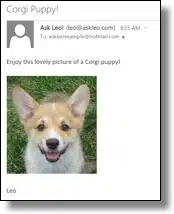
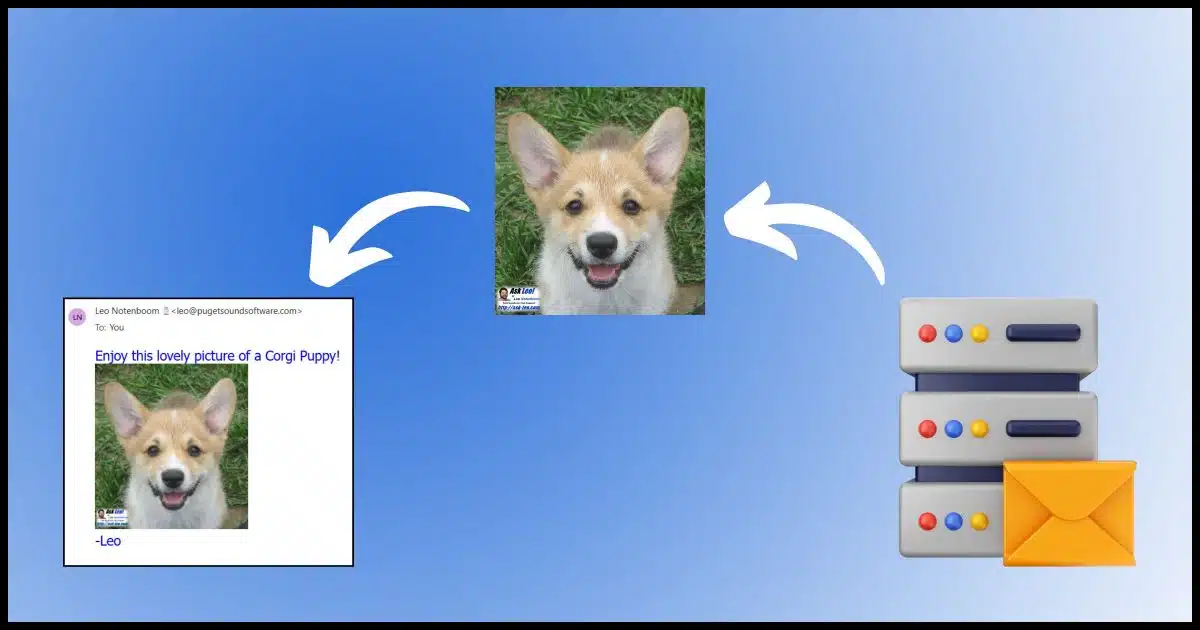
Remote images, not surprisingly, are also exactly that: remote. The email message includes a link (or reference) to the image rather than the image itself. The intent is that when the email is displayed, the email program uses the link to fetch the image from wherever it resides on the internet and display it.
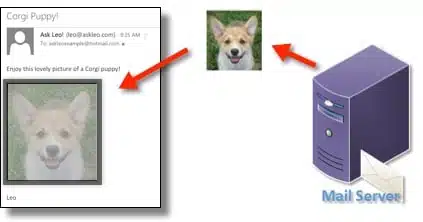
In either case, the email can look exactly the same.
Each of the two techniques has pros and cons. Attached images make your email larger and slower to download but probably faster to display. Remote images result in smaller emails but assume that the images can be fetched at the time the email is displayed, which isn’t always a valid assumption.
Most email programs block remote images by default unless you indicate that a particular sender is trusted by adding it to an address book or some kind of safe list. This is typically what’s happened when an email arrives and all you see are red dots or empty holes where the images should be.
Now that we know what remote images are, let’s look at how they can be used and abused.
How remote images work
Let’s say I send an email to a large number of people. In that email — formatted in HTML — I include a link to an image on my server, like this:
https://img.askleomedia.com/puppy200.jpg
In HTML, it would be encoded like this:
<img
  src="https://img.askleomedia.com/puppy200.jpg"
  alt="Corgi Puppy!" />
When displayed, it would look like this.

That image is hosted on my web server1, and because of that, each time the image is displayed by an email program or by someone reading this article, the retrieval of that image is logged.
That’s how I can track how many people displayed the image. Note that this is not the same as the number of people who opened the email. Since images are blocked by default, there’s no reliable way to do that.
So far, though, we haven’t identified anything about you specifically. That doesn’t take much of a leap, though.
Tracking you via remote images
Let’s assume once again that I’m sending a large mailing to many people. In that email, I include the same image, but this time, I add a little something to the HTML:
<img
  src="https://img.askleomedia.com/puppy200.jpg?email=you@example.com"
  alt="Corgi Puppy!" />
Here the mailing list software automatically includes the email address the message is being sent to as part of the link to the image.
There are many techniques for doing and hiding this, but I’ve chosen something easy and obvious for this example. Each email contains a link to the image “personalized” with the email address of the recipient.
When the email program fetches the image, it asks for:
https://img.askleomedia.com/puppy200.jpg?email=you@example.com
Since this is an image, everything including and after the question mark is ignored by the web server, which just returns the image.
But the full reference, including the “email=” part, is logged in the web server’s access logs.
Now I can tell not only that the message was opened and the image displayed but exactly who opened it…
…unless, of course, images are blocked in your email program.
Abusing remote images
So how can this information be used and abused?
Well, with spammers, it’s easy: if they see that a particular email address has opened a message and displayed an image, the spammers now know that they have a valid email address that someone checks. You can expect more spam.
With legitimate businesses, it’s a little less clear and in my opinion, a lot less concerning. They do track “open rates” to see how effective their messages are. They know that not everyone displays images, but they can observe trends in the portion that does.
Using the techniques above, businesses can also track individual open rates if they want to. Exactly how they might use this information varies depending on the business. As one example, I use it to see how many people open Confident Computing. Among other things, this helps me understand how useful the newsletter is to my readers.
Do this
My configuration is simple: I leave images blocked by default but add almost all business senders to my safe list so I see their messages in all their glory.
Don’t view images in spam, as that lets the spammers know you’re real and reading. Do allow images for those correspondents you expect and/or trust.
And if you’re not sure? Don’t show images, just in case.
Hopefully, you trust me. Subscribe to Confident Computing! — more confidence and less frustration delivered to your inbox every week.
Podcast audio

Related Video


Great explanation.
In theory, legitimate business emailers should be using open rates to make the emails they send you more relevant. To give an example:
Say you signed up for an email newsletter with information on cruises, because next year you want to go on one up the Amazon.
The emails the travel company sends you are sometimes about European cruises and sometimes about South American cruises.
If the company sees that you only “open” those emails about South American cruises, then they should change the focus of the newsletters you get. So there’s more on South America and less on Europe.
In reality, though, most businesses don’t get that clever and simply look at how many people in total open their emails so they can get a general feel for want people like most.
I’ve heard a number of terms for these tracking images. Some call them “web bugs,” but my favorite is “ratware”.
I do agree with Mark that it would be nice if open rates were used to personalize and target e-mail ads better, but they’re just generally used to determine the success of a specific campaign, and at best they try to use the information to make their future subject lines more clickable to their broader mailing list.
I’ve heard that images in emails can be used for even more nefarious purposes, like secretly downloading malware onto your computer when you open the email containing them. Can anyone comment on that?
This is not true in general. Once upon a time there were bugs (aka vulnerabilities) in various vendors image display code, but there’s no currently known vulnerability. The act of displaying an image is generally safe. It’s fetching the image from the remote server, as discussed above, that has privacy ramifications.
“As one example, I use it to see how many people open Confident Computing. Among other things, this helps me understand how useful the newsletter is to my readers.”
Before, when emails defaulted to showing remote images, this might have been useful, but now that email programs and webmail sites block remote images by default, is it still useful since most recipients don’t download images?
Enough people do (typically add the sender to a safe sender list, etc.) so that the results are statistically useful, yes.
It would have been convenient for this article to have some hint about how to do the recommended setting (don’t show pictures) in Outlook, Thunderbird, GMail, and other major email platforms.