Do the math.

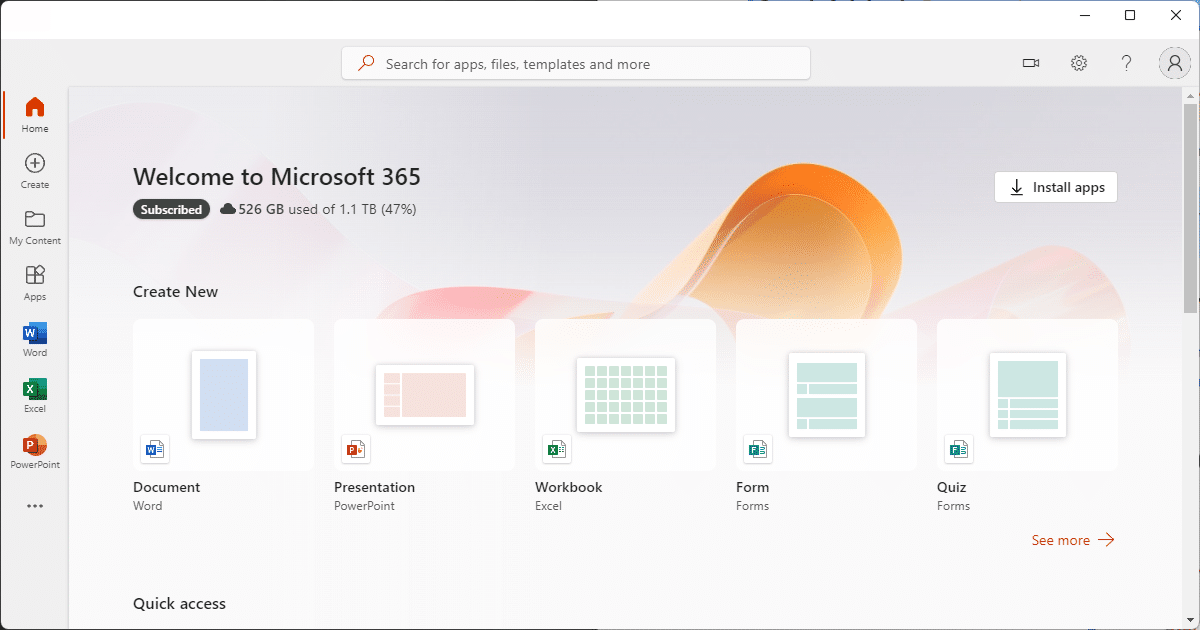
When Microsoft introduced Office 365 as an annual subscription rather than a one-time purchase, I had exactly the same reaction.
Then I did the math.
It turns out it’s a really good deal.
Become a Patron of Ask Leo! and go ad-free!

Microsoft 365
Microsoft Office is still available as a one-time purchase for use on a single computer. The Microsoft 365 subscription includes all the apps, can be used on up to five computers, can be shared with up to six people in your household, and includes a full terabyte of OneDrive storage. Given everything included, the subscription is a very good value.
Office from “a box”
Microsoft Office is still available the way you’ve purchased it in the past. Whether you want to buy the Professional or the Home and Student edition, you can spend a few hundred dollars and buy one copy. Instead of a literal box, it’ll more likely be a download, but it’s still a one-time purchase licensed to run on one computer.
No one is forcing you to change…
…but I recommend you consider it.
Microsoft 365 subscription
The subscription option is to pay $99.991 per year for the Microsoft 365 Family subscription.
There are several really interesting things about Office 365 Home subscription.
- It’s all of Office. Desktop editions of Word, Excel, PowerPoint, OneNote, and Outlook, as well as Publisher and Access (for PCs but not Macs), are all included.
- You can install it on up to five computers! If you have five computers, it’s effectively $20 per year per computer. Even if you only have two machines, you’ve cut the effective price in half. (The five computers can be Macs, PCs, or any combination.)
- It includes at least 1 terabyte of OneDrive storage. Some people subscribe to Microsoft 365 just for the cloud storage.
- You can share it with up to six people “in your household”.2
That second point alone makes it really hard to compare against the packaged product, which can be installed on only one machine.
There is a cheaper “Personal” subscription for $69.99 per year, but you can install it on only one machine.
In comparison, Office Home and Student includes four basic Office applications (Word, Excel, PowerPoint, and OneNote), can be installed on only one computer, does not include any additional OneDrive space, and costs (at this writing) a one-time payment of $149.99.
The same product
Make no mistake: it’s not a different product. It’s not “that much better.” It’s the same product.
Even for a single computer, I think it’s pretty cool. You’re always guaranteed the latest and greatest versions and features of these key applications.
But if you’re in a home like mine, with at least two different people running at least three or four different computers, it becomes really appealing. If you’ve got a mixed household (again, as I do), you install the Mac version of Office on a Mac and the Windows version of Office on a Windows machine… on up to five different machines.
It doesn’t take five machines to make the numbers work. In my opinion, it’s almost a no-brainer as soon as you have two or more computers.
While a subscription may feel kind of “icky” (for lack of a better term), once you get past that initial reaction, in my opinion it’s a great deal.
Of course there is risk
Let’s acknowledge the risk: Microsoft could raise the price.
In the many years since Office 365 has been available, that hasn’t happened.
There’s also nothing that says you have to subscribe forever. If you don’t like it, you don’t renew. You make your choice every year.
To me, getting all of Microsoft Office on five machines for $100 a year is a clear and obvious choice.
Do this
I’m not suggesting you get the Office 365 subscription. I’m also not suggesting you go the one-time purchase route.
I’m suggesting you do the math for your own situation.
Don’t let the fact that it’s a subscription spook you away from what may be a very cost-effective solution. Choose what’s right for you by more objective standards than “I don’t like subscriptions”.
And while you’re at it, be sure to factor in OpenOffice and LibreOffice, both of which are free. In many (though not all) cases, they can be suitable alternatives.
I also suggest that you subscribe to Confident Computing! Less frustration and more confidence, solutions, answers, and tips in your inbox every week.
Podcast audio

Related Video


Footnotes & References
1: All prices quoted are as of this writing/update. (Date below.)
2: From a Microsoft support article: “Each person can install Office on all their devices and be signed in to Office on five devices at the same time. To install Office, they need their own Microsoft account.” I could not find a definition of “household”.


I used to have a paid subscription to Dropbox which was my file server and kept all my computers and device in sync and keep my data backed up. For a similar price, Office 365 gives me more storage and accounts for family members. A single user account is even cheaper.
My understanding is that there is one important draw back…
If I am using Office 2010, I have that for ever. I can use it for as long as my computer is compatible.
However, if I decide to stop my subscription to Office 2013, the Office apps will enter a “read-only reduced functionality mode.” This means that I will be able to view or print documents, but won’t be able to create any new documents or edit existing documents.
Although you say that the per-year costs are cheaper than the boxed product, aren’t you really comparing 1 year subscription with 1 year use of Office old-school – but most users don’t use Office for just one year! Office 2007 , I used until 2011 when I got a great deal on upgrading to office 2010 – that’s 4 years of use, not 1. I’m happy with Office 2010, and see no need to upgrade to any future version (boxed or otherwise) in the foreseeable future – realistically, it’ll probably be when I get a new computer which is not compatible with it – it’s been 2 years so far, it’ll probably be at least another 2 years until that happens!
I understand your logic – and in your case, with multiple computers, it probably *is* cheaper this way. For a lot of users like me – single user (actually, my license is for up to 3), not always wanting/needing the most recent version – it’s probably not the best way.
My experience is that most people upgrade systems and Office packages at a rate that would still make the subscription cost effective. Heck, just having a second machine almost guarantees that it will be. But you’re quite right – there are absolutely cases where the math works out better the other way. What I think people shouldn’t do, however, is avoid the subscription simply because it’s a subscription. I honestly believe that for many, perhaps even most, it’s a win. But absolutely do the math and decide for yourself.
question – do you really believe most people upgrade every year? – I purchased ‘Office 03’, & was still using it until this year. when I became tired of the insistence that WIN7 was no no longer upgradable so I’ve now switched to Mac.
But when I realized that LibreOffice is a far superior product in each of these aspects, I’d really quit using it; except to be able to share with others.
Do I believe people upgrade every year? Of course not. Most only upgrade when there’s a reason. Sometimes the reason is support being discontinued for the version they’re using. Sometimes it’s a new feature they’re after. Sometimes it’s compatibility with others that they’re exchanging documents with.
I’ve been using Office since it was 3.1…have 2007 version now, which I’ve had since 2007. It still works fine–all its features (including Word, Excel, Excel, Publisher, Visio, Access, One Note, and Outlook). It is just what I need and I’m retired now…can’t afford extras.
If you have a version of Office which works, and you don’t need the new features (hint: very few do), then it’s definitely not worth the upgrade. I have 2 Office 365 licenses and one Office 2007 which I use on my third machine, they all work great for what I need.
And if you quit Office 365, you can still edit your Office documents with Libre Office.
Libre Office far superior? ROTFLMOA… sorry, do not agree at all… and I’m a fervent believer in using freeware/shareware wherever possible. Libre Office, along with Open Office, make things very difficult in a number of ways. This is especially true with their spreadsheets. Formatting, and even formulas vary greatly at times.
Me… I’ll stick to MS Office Enterprise version. Got that for $30… special deal that Microsoft has (had?) for Govt Depts and large enterprises. Keeps the workers (sheep?) away from that nasty (to M$) free stuff. Have it on, legally, 3 machines.
One might also want to take into consideration that Office 365 is greatly improved since the 2010 version. And it is greatly improved in terms of useability and features. I don’t pretend to be a huge fan of Office (I vastly preferred Lotus Word Pro to MS Word, but I’ve adjusted). But all of the Office 365 applications are light years better than their 2010 counterparts or even their 2013 counterparts.
Now when a program is right for me, I stick with it. Corel Ventura Publisher 10 is one example – it last came out in 2003 and is no longer supported. But it has features that current desktop publishing programs cannot match. Office, on the other hand, has greatly advanced since the 2010 version and I couldn’t go back to it from Office 365.
By the way, you can get Office 365 annual subscriptions (for 5 devices) for as little as $80 or $85 if you keep your eyes open for sales at newegg.com and amazon.com. Be cautious about vendors selling it for a lot less – they’re often counterfeit.
Costco regular price is $90 for a 15 month subscription. I’ve seen it with a $20 discount as well.
I considered the subscription model because there are multiple computers in the house, but decided against it. I am still using Office 2007 – Outlook, PowerPoint, Word and Excel. All work fine. Same on my wife’s machine except we upgraded her Word to 2016. The Word upgrade was necessary to make her Word compatible with that of her work. I reckon I’ve saved quite a bit doing it this way.
I am familiar with the latest Office from work, but in truth there are no serious features I feel are lacking from my older Office software.
“let’s go” word 365… keeps billing via visa even after flagging it not to renew, seems big corporations are our new masters like the counterfit government in wash. d.c.
I’d chalk that up to Microsoft’s gross incompetence. Their software is great, but they tend to make some amazing blunders
Your credit card company can stop it.
The OneDrive storage gives you 1 TB online for each family member, that’s up to 6 TB. For the same $99 you only get 2 TB online storage with Dropbox. I find the online storage makes the subscription worth it. Whether it’s worth it or not, depends on everyone’s personal needs and wants.
You get that high storage but only while you are subscribing and so, if you actually use most of it say for photos, you are trapped if you cannot move them elsewhere
OneDrive isn’t a complete backup solution. Those files should also reside on your computer and be backed up to (an) external drive(s). Cloud backup is only for saving your work between system image and incremental backups or to keep several computers in sync. If you quit MS 365, your files will still be on your computer and backups.
Is OneDrive a Backup? Assuming it is can put your data at risk.
Of course, you know, you CAN move them elsewhere whenever you like.
or copy them. You should have copies of your OneDrive files in several places.
I subscribed to the $99 Office 365 because, at the time, I thought I needed Access and have since found out I don’t. However, I still think it is a good idea for the subscription because what you get is really the Office Professional V 2013 which sells (on Amazon) for $400. So I have 4 years to figure out whether I want to continue or not. A lot can change in 4 years and I suspect that if I had the box, I would upgrade within 4 years also? Another factor, I am discovering, is reliability! This is important to me because I gave up Outlook for years because one could count on some irritant or bug or glitch or something that mankind never heard of popping up! It was inevitable! So far, I’ve been using the Office 365 since it was announced and have had NO glitches and no problems! So many people in business use Outlook, Word etc and it almost becomes required to use to collaborate. Another reason is that if I want to cancel, I can do so AND Microsoft will prorate any refund due. You can’t prorate a disk/box!
I think Microsoft’s new pricing models will create more interest for the free alternatives to Office. Of course, none of the free packages replaces ALL of the programs in the Office suite, but if you need just a spreadsheet program, word processor, and presentation program, I suspect many more will flee to the free alternatives.
In my home, our practice has been to play “release leapfrog,” meaning that we’d buy every other release of Office. So, since we already have Office 2010, we’re pretty confident we can skip Office 2013. However, I noted with great interest that Office 2013 contains new, superior collaboration tools. For users who track their changes and get documents edited by other team members, Office 2013 may be a very worthwhile investment. However, after careful consideration, we decided to “stay put” and we’ll simply wait for the next release just as we’ve always been doing.
For Microsoft “might” raise the price, read “will” raise the price. For individuals there is absolutely no sense in paying at least $100 a year ad infinitum. It’s just not worth it. Depending on how long you and your family are going to live, after 20 years that’s $2,000 if in the unlikely event that Microsoft don’t raise the price. I think we can safely assume that 5 years from now it won’t be $99.99 a year. Every subscription service increases. Look at Netflix. I cannot understand the rationale behind trying to convince individuals and families to pay until the end of their days for a product available at at one off price.
In my family, four kids each have laptops that all need Word, and some need Powerpoint. Plus my desktop and my wife’s machine. That’s six computers right there that need Word. The Office 365 subscription has been a great deal for me–there’s no way that buying individual licenses (or even 3-packs) could beat this deal for my family.
If it weren’t for the up to 5TB OneDrive storage, I’d agree with you and I’d be using Libre Office.
I used to use microsoft office, but I tried Open Office, it’s free and compatible with Open Office, only better. It has all of the features that I used with Open Office and more. So why pay Microsoft? When You buy a new computer It has to have W-10 or a competitors Program. I like W-7 better so I kept my old computer, disconnected the internet, and It stays bug and ad free and it loads much faster. I only use the W-10 computer when I need the internet.
In the years since the subscription model was introduced, the price has not increased, and features have only been added — delivering more value.
$100/year for five computers. You could spend that $2000 in ONE year if you needed to purchase single-install copies of Office on those machines.
I think $100/year is dirt cheap for what you’re getting.
Turns out it’s actually up to 25 computers and 5 users. Five devices per user. $3.30 per device.
And buying the box on sale you can get it cheaper than $99. I live in Sweden and there have been sales where the Office Home (yes the 5 computer version) has been for sale at $50 or less. I have bought a couple and entered the codes. So my account is valid until end of 2023.
Only the 1 TB Onedrive account is worth the annual cost…
That may be so… until, for want of a better term, critical mass happens. Then far, far too many people will be tied to the systems and it would be problematic for them to change. Then the price will increase.
For me, a once off payment for Office 2010 Enterprise Version, which quite frankly does all I “need” is a far, far better deal. Especially @ $30 back in 2011. Still works like a dream.
And… I can put it on as many machines as I like… my only problem is I can’t afford to have any more machines. Wife would hit me over the head with a cast iron frypan.
I bought Office 2011 for Mac for 3 users back in 2011 and have been using it until this year when Mac OS became 64 bit, when I lost the ability to use it on two computers. The cost per year is around the $20 per machine you quote. If you allow for real world price inflation, then the cost of buying outright is probably lower. I use Office at work as well – to be honest the earlier versions are easier to use and navigate and the extra functionality really only makes a difference for a minority of users.
I think the conclusion is that in terms of value for money its about the same for most home users or slightly more expensive, but for commercial/business customers it’s probably a better deal. I would say that as I work user that has looked at the payments there are all sorts of add-ons that get charged for onto.
Personally, I avoid Microsoft bloatware. I use LibreOffice. It does EVERYTHING I need, has little to no trouble with most M$ Office files AND IS FREE!!
Ha, ha, ha. I always laugh when I read statements such as the above advocating avoiding Microsoft bloatware and use LibreOffice or OpenOffice instead. LibreOffice and OpenOffice are just as bloated as Microsoft’s. It’s just a perception that they are not.
I used OpenOffice for a while, but not anymore. It doesn’t operate the same way as Microsoft. I often write documents that have a mix of single column and multi-columns. Switching between the two in OpenOffice was always painful. It also gets confusing when at work I’m writing formulae such as =Sum(A1, B2, C3) and at home =Sum(A1; B2; C3).
LibreOffice and OpenOffice want to include all of the same functionality of Microsoft but they don’t want to do it the same way (I guess for fear of a law suit that they stole Microsoft’s code). But it’s really confusing when you use one program at home and a different one at work. If they did things exactly the same way (right down to the commas in the spreadsheet formulae), they might get a better reception.
For my dad on the other hand, OpenOffice is great. But since he’s retired, what he has at home is the only thing he uses. So it doesn’t affect him much.
Sorry Leo, but I don’t think there’s any such thing as a good deal on Microsoft’s office if it isn’t free. There are several good ‘good office suites’ free out there including Open Office and Libre (much alike) and others. And they have all the bells and whistles like a power point type application as well.
But the kicker is, they will open a document from your rich friends created in ‘Word ‘format, as well as a ODF, but Word will not open ODF’s to my knowledge. (Sort of like pretending your the only one in heaven). And you can even save the document in word format, so your rich friends can read it.
I believe 2013 opens ODF. Open/LibreOffice are good packages if you use them in isolation (it’s what I have on one of my Mac’s), but when you need strong compatibility, especially with formatting, when exchanging documents with Microsoft Office users they fail regularly.
Versions of MS Office, at least since 2010 can open ODF Open/Libre Office file formats.
They may claim to open Microsoft documents but my experience is that they randomly change things when they don’t have particular features. Makes coexisting in an environment with Microsoft difficult.
True compatibility – particularly with respect to look and feel of a document – has always been the weakest point. Open and Libre are best if you don’t need to exchange documents with MS Office users and expect them to look the same.
Agreed. Compatibility tends to be a 1-way street. Basic documents can be opened. If you have something complex and want want to collaborate backwards & forwards with one person using MS and the other OO… No fun at all.
I no longer have Open Office, but I have one spreadsheet which I still use and preserve in OO format. I open it in Excel 2010 on my work computer, and also in Excel 2013 on the home computer, and it can be quite irritating, but I am going to keep the “experiment” going.
My XP pro machine has office Pro 2003 that I purchased 4/30/04 for $21.20 from a work program that Microsoft offered thru the company I was working for at that time. They now are offering Office Pro 2013 thru the Microsoft Home Use Program for $9.95 but I no longer work there.
My Windows 7 machine has office Pro 2010 that I purchased 3/11/12 from Amazon.com for $96.98.
I am still using both of these and I have no need to upgrade them. You can Google Microsoft Home Use Program to get more information on this. I will not get Office Pro 2013 because I know that if I had not been laid off I could have gotten it for $9.95.
One thing to consider: If you are happy with the version Office that you are using, there’s no reason to upgrade. I am using the Office 2013 trial version. It works well, but so far I haven’t found any new features that I actually use that 2010 or 2007 doesn’t have. So if you already have a version of MS-Office that fulfills your requirements, that’s factor in the equation of whether it’s worth it for you. Of course, that’s not unique to Office 2013 but to any program you might have.
I am using Microsoft office web apps and skydrive which I can use on and internet connected pc and office 2010 on my desktop. It works fine and I got office 2010 free so I haven’t paid for anything
Quite amusing to read all the above comments, I am running Word 2000 (plus Excel) on a new spec built 64 bit windows 7 system with no problems and it does everything I want. To top it all, it was free when I got it !!!
With two computers at home, that offer almost sounds tempting.
But, my Windows XP computer is still running MS Office Professional version 4.3 (this was the last version that ran on Windows 3.1) which has Word, Excel, Access, Powerpoint, and MS Mail client. For my onw personal use, it works. I can still create a file and share it with others; however, the reverse usually doesn’t work, so I’ve got the viewers installed as well.
I got student pricing in October 1994 and paid $213 for it. So my cost per year is $11.50 per year and dropping every year that the computer continues to run.
My laptop has Word and Excel Starter 2010. While not complete versions, they do almost everything I need at home and were free with the purchase of the computer. So I suspect it may be another 18 years before I need to purchase another version of Office. :)
The only point of a subscription in the place of a hard copy is so that large companies can keep us slaves to consumerism. MS Word is really a program that will never need an update or any new features and they want us to make sure we keep paying them forever. There is literally no point in having a subscription besides that. What they want is for someday to have everybody own nothing. If they could they would have me rent my shoes and rent my pet cat and rent the privilege use of using my own dishwasher.
It is still possible to get MS Office as a one time purchase without a subscription.
https://products.office.com/en-us/buy
I would like to know “What Office 365 Personal does for me?”
Should I continue to pay $19.95 each year for it or not?
I can not even remember why I installed (subscribed) it in the first place.
The renewal is coming up and I would just like some clarification.
Thank you advance for your assistance.
Office 365 is just Microsoft Office. The 365 part means that any upgrade, for example from Office 2013 to 2016, is available for no extra cost. If that sounds good to you then it’s worth it. Otherwise you might prefer to switch to Libre Office which will probably do everything you need for free.
https://askleo.com/is-openoffice-a-viable-alternative-to-microsoft-office-applications/
Some things have changed since this article was written. If you get a home license for $100 a year, you can use it on 5 devices and you get additionally 1 TB of OneDrive storage for each of the 5 devices you have Office installed on. Or for one device for $70 you get 1 TB of OneDrive storage. And a small perk is one hour of Skype credit per device.
So if you use a paid service like Dropbox, you can get the same amount of storage for less and have MS Office essentially free.
I have a copy of M$ Office Pro on my computer as well as Libre Office. I use Libre every day. I may have used M$ half a dozen times in the past year. Free has worked great for me for the past decade. When M$ decided to exclude Vista Pro from the Action Pack, that may have been the straw that broke the camels back. I started using Open Office and Libre Office and including them with the systems I built and sold to my customers. I don’t remember many complaints about not having the opportunity to pay for M$ Office.
For home use, it’s just not worth paying for. I will stixk with 2010 for the forseeable and eventually probably migrate to open office. Microsoft is probably essential nowadays for anyone running anything other than for home use or a very small business.
Shame they cannot provide a home licence and a commercial licence, but i guess that would be open to abuse nowadays.
Through my job, they offered a Microsoft Office for home use for $10, so I got my Office 2013 that way in 2014. So doing the math, that works out better for me.
Also note (that at least in Sweden where I live) there are sometimes promotions on Office365. Then it is sold with a 40-50 % discount. You can enter several codes on the same subscription and by that have up to (I think) three years of paid subscription time. Last time I paid about 130 USD for three boxes. I am now insured against price increases for this.
And the Onedrive 1 TB makes it really worthwhile. All my documents and photos available from any device at any time :)
I am an all Mac household. So why have Microsoft excluded Access and Publisher from the suite of packages for Apple products? Are there any alternatives available?
I don’t believe they ever ported those applications to the Mac. I’m sure there are alternatives, but I’m not well versed enough on the Mac side to make a suggestions.
Check your MAC applications, you should find both of their products on your machine – if not, then go to ‘their store’. I was pleasantly surprised to find so much already on the Mac, including a video program which does what I’d been seeking.
But Mac’s terminology is very strange & they’re not compatible with the MsFt computers. ;-(
I temped in an office awhile back where the MS software was kept on an off-site server. While I was there, the staff enjoyed many long breaks every so often when the site was down and the software could not load, or stay in contact with the server. How often is this an issue?
I’d chalk that up as an issue with that company’s server and not an issue with MS Office.
Never. You still download and install the applications on your own PC.
If you have the Office 365 subscription, does it automatically update or does it stay with the version you install?
I don’t trust ANY Microsoft upgrades. Have seen too many upgrades that caused problems.
Office 365 is a subscription which gives you a license for the latest version of Office. On one of my machines, it automatically upgraded to Office 2016. On the other, I had to manually upgrade, but the activation was automatic.
You’re regularly offered security and other upgrades. They’re not hidden, and you can defer. I’ve never had a failure with Office.
I’m not sure if this is the place to ask this or not. About the only reason I would switch is for the Access as MS charges a horrible price for it. I have tried a few other packages, like Open Office, and Access just doesn’t map to them but I’m no genius on this kind of stuff. I’m walking away from using the product and do a lot of stuff in Excel but the one big reason to keep it is for row integrity of the data. Any packages (free variety) that are Access compatible both ways?
I don’t believe anything is fully compatible. Libre/Open Office comes the closest, but has layout compatibility issues.
As far as I am concerned, living in the UK not the US means that Libre Office is much the better option. I only need it for home use and it does everything I need, including producing documents in almost any format that can be read without cost and with regular updates.
I did hear recently that Open Office is no longer being updated, but that may have been just a rumour. I haven’t seen any confirmation. Anyone know the answer?
Going back to living in the UK – I hope this isn’t off topic! – I frequently find some aspect of Windows 10 which I would like to use but which is not available over here – Windows Hello is the latest example.
I personally use and love MS Office 365. What tips the scales for me is OneDrive 1TB storage and Publisher which I use extensively for posters. Otherwise, if you only use a Word processor, Spreadsheet and Presentation program, Libre Office is sufficient. I recommend Libre Office over Open Office as it has more advanced features than Open Office. I believe Open Office is still being supported, but Libre Office seems the better option now.
I thought the subscription model only worked through the cloud, so if I cannot connect to the Internet I cannot use it. Is this correct?
No. You end up with a local copy of Microsoft Office on your computer which you can use when not connected to the internet.
Not correct. Once you’ve downloaded and installed it you don’t need tobe connected. You’ll want to connect for updates, of course.
For Office 365 subscriptions, both yearly and monthly, you MUST connect to the internet every 30 days to ‘validate your subscription status’. Otherwise Office will go into limited function mode (read and print only, no file creation or editing).
Yes. This happened to my daughter while living at a house where the internet connection was off for an extended period of time. She had to bring her computer back home after 30 days to validate her subscription status. (She has one of my 5 installs).
I didn’t know that, thank you. Thankfully, aside from that the products can still be used offline.
I try to look at things from both sides. That means I need to see it from Microsoft’s point of view as well as my own. Doing that. I think I understand why this new business model is being developed. MS needs a steady stream of money. Every business does. And nobody here is claiming the Office products don’t have value. The problem is that if MS makes a good enough product, that doesn’t wear out, their revenue only grows with new users. It’s unsustainable. They have tried adding features to entice people to upgrade. But at some point, it’s pointless. They either need to find a whole new type of software product to market. And then do they abandon Office? No security updates? No help for a new user with a problem? So how to gain enough revenue to at least have a core group of employees keeping that piece of software current?
Enter the Subscription model. If priced right, it balances MS’ need for revenue, with giving the user enough value back. The biggest hurdle they will face is the same as you can see from the majority of the posts here. People don’t trust the model, or they see enough cheaper alternatives to make them look only at their side of the picture.
Given the choice, I will pay more upfront, to lower or eliminate an ongoing fee. I’ll buy a DSL Modem instead of Renting it. I buy my cars instead of Leasing. I bought an OTA antenna and rotator instead of subscribing to Cable TV. It will always be my prefered way of doing things. I have a few PC’s with older versions of Office on them. And for my newer ones, I’ve gone to OpenOffice. And I do see some of the limitations this brings. But aven with the 5 device feature of the Subscription model, it’s still more than I’m willing to pay on an ongoing basis.
I do hope MS’ approach solves their revenue problems. A company should be rewarded by the value they bring to the Marketplace. And Microsoft has provided a huge service, with their Office products over the years.
I don’t know about the rest of the world but in the UK second-hand dealers can legally sell-on Office product keys taken from scrapped PCs. Just go to Ebay UK and look for “Microsoft Office Keys” and you’ll find dozens of offers from around £25.
I’ve bought 2 single user Office Pros for my PC and Laptop. Both work and can be registered with Microsoft to get your upgrades. It’s a no-brainer!
Leo
You describe Office Home 365 and relate it to your household but wouldn’t you contravene the Home use licence as you operate a business and would require the more expensive business version?
I’ve honestly not looked into it. I’m actually an even more special case as I get Office via my being a member of Microsoft Alumni.
I worked in a home office until I got laid off a year or so ago. We used Office 365 for business and I was used to it. Also, since I continued working as a free lancer at home, I still needed good software and Office 365 Home was a hundred dollars compared to $400 or whatever (I didn’t even check). Having the latest versions is something I’ve always done and it’s fairly important to me. Plus I’ve got several desktops, a laptop, and a phone, all running it. The laptop is a MacBook Pro. Like you said, the math is pretty clear.
I’ve also used Open Office and Libre Office. I’ve used Linux, where that was the only alternative. But in spite of their claims to be compatible, they simply aren’t, especially if you use macros in your spreadsheets, etc. They don’t maintain a complex layout in a Word document either.
I’ve run into various incidents where someone I’m working with only had an old version of Word, and not Excel, etc. You end up sending them everything as PDF and they can’t use the change tracking features, etc. It just becomes a real nuisance. So if there is any chance of you needing to share documents please use standard software and keep it updated. Office 365 is by far the easiest and cheapest way to do that.
I have a hard time understanding the attitude some people have about Microsoft. Microsoft sets the standard for most software. Linux clones wouldn’t have nearly the features if Microsoft hadn’t set up the target. Linux is fun to use, but for real work I don’t want to fight with drivers and settings all the time.
The other thing I like about Office 365 is the document sharing facilities. You can send a link to someone, or a group, and edit a document together, or add comments, and Office 365 will put it all together for you. I can even open a document stored in OneDrive with my phone and edit it, in a pinch.
Of course, I like that kind of thing. Some people hate new things and will attack any change in their favorite software. I can’t identify with that, so I suppose they can’t identify with me either… :)
Sounds like this topic is quite the lightning rod for opinions, Leo! (LOL). I have been subscribing to the MS Office package for 2-3 years now and love it. One thing people seem to miss in this offer is that it also includes use of all the same apps on your Android devices, too. And yes, the 5x1TB cloud space is quite the deal. But the point that many people miss, especially those still running dinosaurs like XP is that by staying current, you get all the bug and SECURITY patches as they’re released. My data is far too valuable to me to leave it exposed to a unsecured product like Windows XP or older versions of Office. And having bought licenses for many years in the past, this is a bargain.
Another point people seem to miss is that when they’re buying the license, they’re not buying the product. Read the EULA that came with it. You’re buying the rights to use it as long as MS (or any company for that matter) says so. As an example, I used to use (purchased) another firm’s accounting software, and third company’s contact manager. After a certain amount of years (I forget the exact number), both of them went dead and displayed a message to the effect that the license had expired and the product was no longer supported. I used both of them VERY infrequently and could neither justify buying a new license, or, heaven forbid, a monthly cloud version. So I had to abandon both.
In short, you’re only using the software as long as the maker says so.
There’s no “in perpetuity” unless it says so in your agreement.
I have a very mixed environment: windows, Mac in all its form factors, and android, Ubuntu, Mint, device Linux. My solution is one Office license on one computer of fairly recent vintage, one Office of older Vintage, Google Drive and docs for most stuff, and Libreoffice on all computing devices. I also have an open source super text editor that is portable and runs everywhere. So, from a worldwide and device agnostic perspective Google Docs, even the paid version, is a better general solution for most users worldwide (where Linux distros rule).
In my opinion, Google Drive and Docs don’t behave as “real” as Microsoft Office Web Apps.
I see that Amazon is selling a “lifetime” license for Office 365 for $90 to $122: https://www.amazon.com/Microsoft-Lifetime-License-devices-download/dp/B074MPC21G/ref=sr_1_9?s=software&ie=UTF8&qid=1504037221&sr=1-9&keywords=office+365. Is this for real?
No!
Office 365 and “lifetime license” is an oxymoron.
ALL Office 365 licenses are monthly or yearly subscriptions.
Only “Office 2016” one-time-payment licenses are “lifetime”. That is “Home and Student”, “Home and Business” or “Professional”
The price and OS (MAC) suggests that this is the Office 2016 Home and Student license for 1 Mac.
I’ve reported “incorrect” infomormation to Amazon. Hopefully they will contact the vendor to correct the ad.
For some people it is important to have Office simply to be able to interface with what is used at work or required within a certain profession; however, for most people free offerings are plenty good enough starting with Google’s stuff you get by having a Gmail address. I am a professional writer, and frankly free Google docs is way more than enough for almost everything I need to do “professionally” since most publishers want minimal formatting. Dealing with MS Word that has been formatted extensively is actually more trouble for most publishers than sending them something done in Notepad or the simplest writing apps. Google Docs are completely understood and accepted by most publishers and people I write for, and they have gotten really good at saving and opening in other formats. Libre Office is also great, and again way more than most people need. Yes, there are exceptions, especially it seems on the Excel side, so the Office 365 subscription may be worth it to you, but not for most ordinary consumers.
My kids have been using Google docs in school since 5th grade, and now in junior and senior year their written assignments are to be turned in online. I have asked them for help in Word and Powerpoint documents and get a blank stare from them. Their response is “We don’t use Word, Excel, or Powerpoint–ever.” If the graduating students don’t touch Microsoft products, Microsoft is going to rapidly see their market evaporate before their eyes. Businesses that need privacy may still purchase Office products, but home users may not care enough that Google reads their letter to the company that built their refrigerator to want to spend $100+ per year for an office suite.
MS makes the vast majority of their profit from business users. Your kids will one day likely be in a professional environment using Office. I don’t believe the use of cloud office applications will affect MS in a big way. Some schools use online office suites because they don’t want to force their students to use paid software.
I taught a course in Office at a business college. Some students didn’t have MS Office. I adapted the course so they were able to follow the course using either MS or Libre Office.
I’ve had a subscription to Office 365 for a couple of years now for the reasons you describe. The 5 installs allows me to keep 2 kids and a wife and my PCs on MS-Office for $100 per year. The value of 1TB cloud storage per user is pretty much worth the annual subscription by itself. It’s the cloud storage I don’t have to worry about going over limit & I don’t need to worry that my wife is going to lose any of the gazillion photos she has taken because they are backed up to OneDrive from her phone.
I used to follow the occasional work related special deals to by the latest version of Office (I still have have purchased copies of Office 2000, XP, 2007, 2010) but this generally resulted in blow back when someone in the family was not working on their normal PC or was trying to help with a PowerPoint presentation. differences in menu structure available styles and fonts all contributed to problems that were all my fault.
I’m a fan of open source software and once tried to move the family in that direction but it resulted in too many issues – that again were all my fault. That being said, my brother runs his business using Open Office and is very happy with the result.
Kind of timely this article repeat. I was thinking of looking for it. We are contemplating purchasing a new laptop and I’ve been wondering what to do about the “Office” software. Our last laptop came with Office Starter and that was sufficient for our needs. But now, it seems that the shop is pushing people towards Office 365.
I get why Leo is excited getting 5 Office licenses for $100 per year. Yeah, that is a good deal. It would take 7.5 years to pay off purchasing five licenses. But I don’t have 5; I will have just 1. And I’m not the kind of guy who changes his software as often as I change my socks. In fact the last time I purchased Office was in 1994. Office 4.2 it was called (I think). Ran on Windows 3.1. Had Word 6, Excel 5, Powerpoint, and Access 2. When I bought a new computer, I installed it on that computer. When I bought my XP computer, I installed it on that. It worked, so I just kept using it. It didn’t bother me that I didn’t have the latest features. I never would have used those features. It only crashed on the odd occasion. It was workable.
It wasn’t until 2012 when we got the laptop that I stopped using Office 4.2 (since Office Starter was on the laptop). I think it’s safe to assume that Office 4.2 is not going to work well in Windows 10. So with only one license needed, $100 a year for a guy who is happy using the same software for 18 years, just doesn’t seem justified.
Maybe I’ll just use LibreOffice, and use Office that’s included in my free OneDrive account, when I need to use the real thing. It may not have all the features, but like I said, I don’t use all the features.
A couple of points you should clarify in the article.
365 subscriptions include “free” upgrade to the next version whenever it is released. (this is mentioned in the comments). Onetime payment licenses will have to buy the new version
365 and “2016” one-time payment applications are not feature identical! They were at initial release in Sept 2015, but since them MS has released a number of “new features” that are limited to 365 subscriptions ONLY. While some of these new features are fairly trivial, a few are substantial, like the new grammar “Editor” in Word. MS says these features will be rolled into the next release of onetime payment versions, when ever that is.
This page lists the new features: https://support.office.com/en-us/article/What-s-new-in-Office-365-95c8d81d-08ba-42c1-914f-bca4603e1426?ui=en-US&rs=en-US&ad=US
This page lists the new features as they were released on a monthly basis: https://support.office.com/en-us/article/What-s-new-in-Office-365-95c8d81d-08ba-42c1-914f-bca4603e1426?ui=en-US&rs=en-US&ad=US
365 subscriptions allow install on 3 classes of device: PC/Mac desktop/laptop, keyboardless tablet, and smartphone. So the 365 Home license actually allows you to install on up to 15 devices! and 365 Personal allows install on one each of the 3 device types. 365 University allows up to 10 devices and many of the 365 business subscriptions allow 15 devices (like home).
There are “free” versions of Office for various tablet and smartphone OS’s. They are not fully functional. When you get 365 you also upgrade office on those devices to have more features. But even these upgraded versions are not fully feature equal to the desktop (the usual excuse is OS limitations).
Ron’s “clarification” on Office subscriptions is enough to drive anyone away. It’s worse than a melange of cable TV and cell phone plans. You’re never sure what you’re getting and whatever you do get will change within weeks or even days. When you buy a new computer, you are typically given the option to buy a copy of Office at a reduced priced (compared to store retail). This is the best option to have an hold something you can grow old with. Also remember that most people – even businesses – use only about 10% of Office capability, so the whole Office suite is overkill, but certainly nice to have. I’m still happily using Office 2003 and 2007 and never felt that I’m missing a feature. I have macros built into them and not willing to risk Microsoft obsolescing them some day.
I do see the benefit is of a subscription if you are running an office or household where you have multiple users. As a single non-business user I am happy with my antiquated Office 95 which works on my desktop (Windows xp) and laptop (Windows 10) with no issues. I was pleasantly surprised that Windows 10 still didn’t have a problem installing and running Office 95. The Word docs and Excel spreadsheets are compatible with all versions of Office (I don’t use document sharing) so no problems there and I have free cloud storage through a different source. If you are an occasional Office user, an older more reasonably priced version of Office may meet your needs. In addition, there is a free version of Word & Excel for iPhones. Thank you for your thoughtful article.
Upgrades to Office are like upgrades to Windows, in that most of the upgrades are just change for its own sake so that Microsoft can manufacture demand and sell replacements. I dispute the claim that people _want_ to update their version of Office. I suspect that a lot of them upgrade only to keep their home PCs in line with the software they use at work. (I’ve no evidence, it’s just a hunch). For myself, I run Office 2003 on my Win10 box. As long as it has the (free) add-on installed it can read the new format files for Word and Excel introduced with Office 2007. I actively do not want up upgrade – that damned ribbon introduced in Office 2007 is far too much of a pain to get to use. (I wonder if Microsoft ever considered the _cost_ to industry of having to have all their staff retrain themselves, and the accompanying lost productivity) No, I see no reason to replace a product with which I am familiar with one which regularly changes – and having to pay for that dubious privilege
The other reason for updates are security issues. Vulnerabilities in Word and Excel have both been abused to propagate malware of various sorts. Keeping with the latest supported version (or any supported version, to be honest) keeps you updated with the latest protections.
I don’t want to sound like I’m gloating, but when I retired in 2012, I took advantage of my company’s deal with MS, where I could buy a functional copy of Office Pro on a disc, for $10. Before you buy anything from MS, check with your company’s IT guy to see if you can qualify for this benefit. I have it happily mounted on my desktop and two laptops. True, it will always be Word 2010, but it’s still supported and does everything this old geezer still needs to do. As far I I care, I’ll die with this version.
It is a rip off, next time once you are a customer what’s to stop them from raising it even more the year expires and then its all over again. Keep your old PC with XP or win7 and keep on using what you have.
If you are an individual for yourself why take on the expense of a product that never changes. There’s
also the open source programs that work very well for person who is restricted for funds. Greed is what
Msft is doing because they have you over the barrel and want to keep you forcibly paying the fee,
I strongly believe congress needs to step in and force MSFT to make an option just like before. Its called
being an monopoly and they are holding you for a ransom
There are SO MANY alternatives these days that the word “monopoly” just doesn’t even come close to applying any more.
My wife tried Office 365 for the free month and didn’t like it – the space hogging ribbon, the constantly trying to learn where Microsoft put things on the menu and so on. As she usually only uses Outlook and Excel, I thought it would be best for her to try it. So now we are both back on Office 2003 (pre-ribbon). As the only part of Office I normally use is Excel, any of the free alternatives (including WPS Office, Open Office, etc) work fine. My only complaint about OpenOffice Calc is that the right click menus in Excel are missing (which WPS Office has) and it is a little slower. Office 2003 has this annoying (and worthless) “SmartTags” so-called feature I can’t get rid of so if it continues to plague me, I may go back to Office ’97. So I can not imagine why I would ever pay for a newer version of Office in any form since the alternatives work fine. (Since I only use Word for documents sent to me, I use Excel for Word Processing – I used to laugh at my boss when he used Lotus for word processing – now I know why – lots more control of what it looks like)
I agree with your sentiments about sticking with an older version that does what you need, but I have to balk at your comment about using spreadsheets as a word processor. When writing something in paragraph type format, I would have to say that Word (or an equivalent) is much better, if you know how to use all the various formatting options. I cringe when I get something sent to me at work and the person has used the spacebar to layout the document, as if it were a typewriter. Learning to use left tab, right tab, center tab, decimal tab makes layout much quicker and more reliable. Also learning to use styles, indents, margins also can greatly help your layout and make your document much more consistent. I won’t say that I don’t use Excel for word processing because I sometimes do. Excel is often times nicer when you are designing a form or a table layout type document (even if you don’t need the math functions of Excel).
Knowing when to use each tool is important. I wouldn’t be without Word or Excel (or their equivalents).
The dreaded RIBBON: for those of you who don’t like the Office ribbon, there is are tools out there to add back the classic Office menus. I use the one from here: http://www.ubit.ch/software/ubitmenu-languages/.
I am not a spring chicken, but I don’t get why so many people get upset about the ribbon. I actually think it is an improvement. If I end up on a computer with an older version of Office, it takes me so much longer to get stuff done because I have to play hunt for the menu option. With all the visual icons on the ribbon, it’s easier to remember where to look for what I want. I try to leave the ribbon on the Home tab and for the frequently used items that are not on the Home tab, I put them in the Quick Access toolbar.
Yes, it took some getting used to for an older guy like me, but now I miss it when I use a computer that doesn’t have it.
This type of radical change is not about age. It’s an issue of productivity and efficiency. When you get used to a tool, you want to continue to use the tool to do your work. When you pay 100 employees (or a thousand) to use a tool on which they’ve been formally trained, you don’t want to take the efficiency hit of each one of these people spending time to find where the copy command is hidden. And if they complain that they can’t do their job efficiently, you’d be obligated to provide them with more training. All of this translates to a waste of money and time (think about Microsoft’s massive global reach). When this type of arbitrary change is forced on people, people don’t like it. Of course, it’s a matter of getting used to something. I’ll predict that when MS goes to another arbitrary menu system (and they will) all those people who grew up with the ribbon will start complaining. Unfortunately, in the world of software and web design there is societal pressure to make changes just for the sake of change.
I could go into detailed reasons why the ribbon system is inferior to the classic menu system, but I’ll just summarize it by saying that everything you do in the ribbon system requires more mouse clicks. I’ll also note that when you put commands on the quick access toolbar what you’re actually doing is creating your own custom menu system because the other one you got wasn’t good enough.
I beg to differ that the ribbon takes more mouse clicks. Just the other day I embeded a Word document into an Excel workbook. I clicked the Insert tab of the ribbon and clicked the Insert Object icon. Had this been done in an older version, I would have clicked some menu (maybe there’s one called Insert?) and then I would have clicked Insert Object from that menu. Same number of clicks. In fact, in an older version, if I left the menu settings the way it defaulted on installation which hides less frequently used commands, I might have had to make a third click, to expand the menu. I can’t think of too many commands that I frequently use that require more or less clicks using the ribbon. But finding things is much easier because the icons are a visual reference.
And I would prefer to make my own custom toolbar, rather than be stuck with the toolbar icons that Microsoft thinks are important and having to search through the menus to find the thing that I want (e.g. Inserting a Symbol should be front and centre, but Microsoft doesn’t think it’s important enough, so I get to add it to the Quick Access toolbar, so it is always 1 click away).
I think it has to do with whether or not a person has managed to learn the ribbon. I know I haven’t and it frustrates me every time I use Word. I’m thinking that’s more my fault.
Aa1234aa, I agree with you on the loss of productivity when switching to a new interface. I’m sure it cost businesses several million dollars collectively. However, I agree with James B, that some things are easier and most things are at least as easy using the ribbon and the Quick Access bar. The issues is the learning curve. I thought Microsoft should have done something similar to what they did with Word 6. They had a Word Perfect 5 compatibility mode to allow Word to use all of the same Function Keys as Word Perfect. Simply including a compatibility ribbon which looks like the Word 2003 toolbar would have made the transition easier. There are 3rd party add-ons which do that and create a ribbon which looks and acts like the older Word toolbar. Similar to what ClassicShell and Star 8 do for Windows 8 & 10.
Leo, I am using Microsoft Office 365 on a subscription at $6.95 a month because I don’t have $69.95 for a year. I actually pay about $14 more on the year and to me it is worth it to be able to open my previous Excel files that I had on my computer but couldn’t access because I didn’t have Excel any longer after the Windows 10 upgrade from Windows 8 which was an upgrade from Windows 7. Why it was no longer available I don’t know but my Excel files were very important to me and I needed to be able to access them. As soon as I installed the Office product all my Excel files were available again. I don’t know how to use all the things in Excel but I use what I can or learn to use. Thanks for this article.
If you only use Excel and possibly MS Word and don’t need to have your documents look identical on another computer, you might be able to replace MS Office with Libre Office which is totally free. It can open and work on MS Office files. To test it out, you can even install it and use it to edit your current Excel files without any conflicts with MS office. I have Office 365 and Libre Office installed on my computer and use either Office or Libre Office to open the same Excel files without any problems. If you find Libre Office works for you, you can eventually stop paying for MS Office. If you have any questions while switching over, you can ask a question here in comments so others can get the benefit of any answers.
http://ask-leo.com/whats_a_good_alternative_to_microsoft_office.html
http://www.libreoffice.org
I apologize if this has already been asked: If I purchase Office 365 will the new versions overwrite the 2010 versions I have been using? I have developed several programs in Access 2010 and I want to continue using them as is. When there are future upgrades in Office 365 will I get to chose when or whether to use them?
The upgrade will overwrite Office 2010, but any files created using Office 2010 will remain and be compatible with the new programs.
Yes. You can have only one version of Office on your machine at a time.
I’ve been using Windows machines since the early 90’s, I’ve still got an Elonex desktop with Win 3.1 installed, Office, Netscape Navigator etc. and it still boots up!
We moved over to using Open Office several years back, and found it quite acceptable for most every aspect of small biz life. Since Microsoft has now decided that our Win7 Pro machines are no longer fit for purpose i.e. that they’re not worth upgrading (even security patches), they just sit there ‘downloading’ updates for days, but to no effect, we’ve decided to dump Windows O/S completely except for a couple of machines.
Over the past year, about half our Dell machines are now running Linux Mint 18.3, using Libre Office, Gimp, Sublime Text, Filezilla, MySQL Workbench, Thunderbird etc. etc., and apart from a few teething problems (bit more Geeky), everyone appears to like it, because it’s fast, upgrades are quick, no need to restart – unlike Windows. It’s like a breath of fresh air!
Microsoft is still updating Windows 7 with security patches, and will until 2020. I’d suggest fixing Windows Update.
https://askleo.com/fix-windows-update/
Thanks for your advice Mark.
This machine is dual boot Linux Mint + Win7 Pro – which hasn’t updated for ages, despite going to Windows and downloading fixes. I’ll try the manual route as outlined in the link you provided.
I’ll let you know if it works!
Mark
I followed your advice above and went for the: Install Windows Update Agent https://askleo.com/fix-windows-update/
Guess what? It worked!! ;o)
We’ve now fully updated four of our dual boot Linux Mint x Win7 Pro machines – one of them had 1.4Gb of updates to download and install – which took 6hrs+ – but at least they’re all updating now like good’uns!
Thanks for your help – oh, and we love Leo!!
I’ve been using Microsoft Office subscription for three years. I have the individual so it’s $6.99 a month and I have it on my laptop and my Windows Phone, both are running Windows 10. It makes it really easy to pull up what I need on the go, and I like that it’s always upgraded. Have thought of changing to Open/Libre, but afraid it might be harder to use on my website when uploading and not sure if I could use on my phone. Plus I am so comfortable with Microsoft products as I have been using them since 1993 both in work and home environments, it feels like it’s a great bargain for me. I have my husband’s laptop set up with OpenOffice as he doesn’t use it as much and not worth the added expense. So I agree, it comes down to numbers and preferences.
TWO OTHER CONSIDERATIONS:
First, computers are a commodity, subject to fast obsolescence. Manufacturers have historically bundled their product with “OEM” versions of Microsoft Office at a cost that’s effectively well below market. That may be changing as subscriptions become the norm but it can potentially alter the financial equation, especially if you’re going to upgrade hardware every 4 or 5 years. That tactic works for me, as I can write off the equipment cost as a business expense (engineer-consultant LLC) and eventually dispose of it by donating to a charity or a needy individual. (Of course I do a lot of uninstalling, cleanup, and a DoD free space shred first.)
Second, I do contract work for a government agency (typically for a 5-year term) and each new contract requires the use of a specific version of MS Office. And with gov agencies slow to embrace the “latest and greatest” software, I typically cannot use the latest version. For example, until the current contract (effective for work in 2016, forward), I was required to use Word 2007 and PowerPoint2007 when preparing course materials. At that time Office 2013 had been out several years. It seems a subscription to Office would be incompatible with such a requirement.
I have been paying for Microsoft Office 365 since my computer was set up for me by a Tech expert who used to service the company I worked for. I seriously can’t continue to afford to pay $99 for renewal each year. and want to know my alternatives.
I am retired, my computer is used mainly for relaxation but I am doing some voluntary accounts work for a sports club.
EXCEL: I use basic Excel for some spreadsheets and records.
WORD: of course is pretty much mandatory for whatever purpose you use a computer for
OUTLOOK: I do rely on Outlook for all my emails. As well as my own private email address I also have a club address with an outside server and received and send many emails.
Can I get a free Word/Outlook/Excel program and would all my current emails and files automatically be accessed through the new program?
Would love to hear your comments.
Many thanks
The free Libre Office program can open and edit Word and Excel files. The layout of the documents might change a little but no information would be lost. Thunderbird is a good replacement for Outlook. I prefer Thunderbird to Outlook, fewer useless bells and whistles.
I use MS Office 365 but only need Word, Excel and Outlook on my desktop computer.
I can no longer afford to pay the $99 renewal )due 17 May 2018) and want to be sure that I don’t lose any files or emails if I cancel my subscription and instal or download a free Version with Word, Excel and Outlook.
I do some voluntary work for a sports club and have a club email address as well as my own private email. I wouldn’t want to lose the club emails in a change over to a lesser program than the 365.
Other than the above, my computer is mostly used for my relaxation. I have no interest in Powerpoint/Access etc since I retired. I’m in my 70’s and need to be looking at cost these days. I already pay a subscription for Trend Micro Security which I won’t be changing. Look forward to your comments.
cheers
You wouldn’t lose any files or emails by cancelling your subscription to Office 365. Your subscription only affects the installed programs and nothing else. You can switch to Libre Office to edit those files.
I love my 2010 office applications. I’ve managed to use them on two laptop upgrades with the original CD’s and keys. The last upgrade was to a Win 7 machine. My question is will I be able to use the same disk and key on on my newest Win 10 machine? It doesn’t even have a disk drive! If so, for the price of the drive I’d be way ahead and using adequate and familiar software. Thanks.
It should work on your new machine. You may have to deregister it from the previous machine to allow it to reregister on the new one.
There is a statement that may have been correct at the time the article was written but is not correct now. The Personal version can also be installed on 5 computers. It can only be used by the one user on the 5 computers. It can not be used by a different user on the other computers.
Here’s what the Microsoft Office website says about it:
“One solution for you and your family across all your devices. Includes premium Office apps for up to 6 users on PC or Mac.”
“There is a cheaper subscription for $69.99 per year, but it can be installed on only one machine.”
Not correct (anymore): 1 user can install it on mulitiple devices .
You’re right. You can use it for up to 5 devices, 30 for the Home pack.
“There are those who get Office 365 just for the cloud storage.”
That would include me. I used to have a Dropbox paid subscription for $100 a year. Now I pay $100 a year and get more storage and the use of MS Office on 4 computers including my Mac. I can put one more on my Windows tablet but it’s not worth the effort. If it weren’t for the OneDrive storage, I’d be using Libre Office which does most of what I need, although I really love Publisher. I don’t thing enough people realize how great Publisher is. I encourage my students to use it for term papers. If you ever try layout in a word processor, you’ll really appreciate Publisher. The pictures actually stay where you put them when you add a paragraph.
I believe you’re a little off with your numbers, Leo.
First, I think being the paying subscriber……you get to share the subscription with FOUR other people…..for a total of FIVE sign-ons. (not “You can share it with up to six people “in your household”….which would be a total of SEVEN)
Second, the storage capability is much better than you mention. I think I’m correct when I say EACH of the FIVE different people who share your subscription has their OWN 1 TB of storage.
I contacted MS Support and they told me it’s
and
I hereby correct myself! (LOL)
Here’s the latest (I believe) good news about Office 365 from ZDNET:
“They can load the Office apps onto multiple devices, but only be signed into five. For Home, starting October 2nd, that updates to six users, across all your devices and each user can be signed into five devices at the same time. Technically, that means an Office 365 Home customer could have 30 Home subscriptions running at the same time, with each user getting five signed-in devices.”
I stand by my comment about EACH of the participants having their own, individual TERRABYTE of storage……so that means a single $99 annual subscription to Office 365 would actually provide SIX TB of storage space. AMAZING.
Yes 6 TB and 30 devices. Crazy good deal.
Also being in my 70’s, my need for Microsoft Office is now only for Outlook, which I have used since at least 2007, and used to be a stand alone program that could also be folded into Office if you also used it.
Alas, Office is no longer offered as a stand alone and I have not found a viable alternative to it. If I did find a replacement, how would I be able to transfer all of the data in my PST file (emails, contacts, calendar)
I contacted MS chat support to clarify some of the questions in these comments. Turns out, it’s an even much better deal than Leo says in the article. (I think they’ve improved the conditions, contrary to the nay sayers who say they’ll get people sucked in and then raise the prices.)
You’re welcome, Mark.
Glad I motivated people to check the “fine” details of the offer. Leo’s description was a combination of “understated”…..and/or “out-of-date”.
m
“You can install it on up to five computers! If you have five computers, it’s effectively $20 per year per computer. Even if you only have two machines, you’ve cut the effective price in half. (The five computers can be Macs, PCs, or any combination.)”
What Leo says here is actually about the $69 personal subscription. The $99 subscription is for 6 users, even in different countries, with up to 5 computers each or up to 30 machines or $3.30 per computer per year. We also now have a definition of household.
Auto renew is fine if it is optional. I cannot accept forced auto renew. Remind me to renew when the year is almost done. Do NOT charge my credit card and and then tell me about it.
I recently got a credit card charge for renewal of a subscription to software product I stopped using a long time ago. No warning. I immediately cancelled but I got no refund. How do you keep track of dozens of subscriptions that you may stop using during the year? I cancel any new subscription that forces auto renew.
How will my spouse deal with all the future charges after I die? I am 74, but it can happen to anybody at any time.
I have auto-renew turned off. I have to manually take action once a year.
I acquired Microsoft Office Professional in 2000 when I was introduced to it in a large company professional environment. I have been using it since then on all of my former and current home computers with operating systems XP, W7, W8, W10 as of now. It still works as before. There is no support for it, but then over the years I have developed an expertise that does not require help. As long as it works, I don’t plan to subscribe to Office 365.
Office 365 can be loaded on 6 devices, each with its own 1tb cloud storage
Office 365 is updated monthly
Office 365 has features not it the “buy”
Dynamic Array Formulas, Power Query, and new Data Types are some of the new features
Power BI Desktop is a free download. A stand alone program that gives features of Power Query
None of the Microsoft upgrades ever deal with simple business problems. I am often using a spreadsheet with data entry from a previous year, like 2019. Still no way to set Excel so I can just type a month and day from 2019, and just hit Enter to get “2019.” Instead, I have to type the whole 2019 each time. All of the whiz-bang, fabulous upgrades have nothing to do with my basic business use of Excel. So I keep mine as long as possible.
A while back I added an extension to the Edge browser to be able to work on “Microsoft” documents if and when they would come to me.(if and when hasn’t happened yet) It was free and when you mouse over the extension, it just says “office”. I’ve read all of the comments here and didn’t hear this extension mentioned. How does this extension fit into all this Microsoft boxed and subscription software if at all? If you don’t know what I am talking about, it’s probably not that important. I was just curious.
Oh Leo. Time to do a few corrections / updates to the article
.
No MS is not “forcing” you to 365. But they sure make it hard to find onetime payment online or in any store!
.
“Doing the Math” is vital.
.
I’m a home user with just one computer, no need for OneDrive.
How many users need to go beyond Word, Excel, PowerPoint. I don’t need Outlook, I am satisfied with Outlook online. I don’t “need” Publisher or Access.
/
So the math for me is simple. One-time payment. = $150 / 7yrs /1 comp = $21 per year / comp
.
True if you have 2 or 3 computers on 365 Personal = $70 / 3 = $23 / yr / comp
or 2 or more users with 2 or more computers on 365 Home = $100 / (2*2+2*2) = $25 / yr / comp
.
365 is not a “one time purchase”! It is a rental! They can call it a “subscription”, but you have to pay for it by the month or by the year. You have to keep purchasing it. Even if it is set for “auto renew”, you are buying it again.
.
A vital distinction you didn’t mention is the 365 REQUIRES the computer to be connected to the internet at most every 30 days! It must “validate” the subscription, even yearly subscriptions!
.
365 Personal also allows install on up to 5 computers at the same time.
.
You forgot to mention that the 5 count of computers includes Win Desktop / Win Laptop / Win Tablet / Android Smartphones / Mac Desktop / Mac Tablet / Mac Phone. Using 365 on a tablet or phone enables additional features that are not available in the “free” versions on those devices
.
Make no mistake, Desktop apps in one-time payment and 365 ARE NOT THE SAME! MS is adding new features to 365 that are not given to one-time payment. The applications are no longer the same! That is an important distinction, part of the benefits of paying more for 365 than one-time payment. If you NEED to use the bleeding edge features, then the only option is 365. If you need to use the “AI” (Artificial Intelligence / Artificial Idiot) features, you need 365.
.
365 does NOT include “all” desktop applications. MS (dis)”improved” OneNote out of Office a year ago! The “replaced” it with the dumbed down OneNote UWP (NOT! a 1:1 replacement) ! Yes, MS says they will eventually, some time spring 2020 return OneNote to Office, but till then it is another vacant MS promise.
.
There is NO “Office 365” bundle that includes Visio or Project That is a pet peeve of mine. And it is STILL very difficult to install them along side 365 Home or Personal!
.
You need to clarify your statement about 365 Home subscription users. 365 Home allows the owner to “share” with up to 5 / FIVE other people, for a total of up to 6 people on the license. “Up to 6 people can share the subscription” would be an alternate way of saying it.
.
Oh yes, MS has massively increased the price of 365! When it came out to widespread distribution in 2016 it included literally “unlimited” OneDrive space, great selling point. But after only 1 year, when a few users stored their massive DVD/Video collections online in OneDrive, MS (dis)”improved” the offer to 1TB only. That is a huge price increase, even if most people did not see it.
Your article says “at least” 1TB. WRONG, it is “at MOST”! Sure, you can pay for more, pay through the nose $24 per year per 100GB.
.
PS: Your comments would be more “friendly” if they were sorted in descending order.
Keep up the good work.
That’s 1 TB PER USER, I believe, Ron. Ergo, SIX TB.
And Office 365 subscriptions actually cost less than $99.99/year. I’ve never paid that much. Sales at newegg.com, frys.com, and amazon bring that cost down to as low as $65/year. Just stock up when its on sale and buy 2 or 3 key cards, registering them as the subscription expires each year.
I too was suspect when Microsoft went to the subscription model for Office. But they give us a real deal, unlike goniffs like Adobe, Corel, Quicken, and others that have turned subscriptions into a more costly option. Adobe may be the absolute worst of the bunch.
RE: Subscription to Office
What happens to folks that don’t have Internet access sometimes?
I believe you only have to be logged on to the Internet at least once a month to keep your registration up to date.
I’m still using the the word processor suite I bought in maybe 2000? and it’s still working with Windows 10, even with a couple cranky spots, and have used it since DOS in the mid 80s. Since I don’t send those files online, and only screen shots if I have to, and I still use it for it’s graphics features I feel happy. I don’t like Office and Linux turned out to be just a way to surf the internet for me because it didn’t translate into a direct replacement for Windows at all to me. In the 42 years since I first used a computer in school that was a large disappointment.
All my money has gone into hardware and some basic software, printer ink and getting my last stubborn PC to upgrade at the computer shop (three months of trying was enough, it finally took).
Any reason for old people to pay for 360? Used to get it free and don’t use the high tech stuff it offers? At 68 I feel they are ripping me off? Thanks, Ed Dostie
It all depends on whether you need the features or not. I’ve found that the free Libre Office is good enough for most people as long as you don’t need to share documents with fully compatible layouts. I use Office 365 because of the OneDrive which I use to synchronize and back up my computers, otherwise Libre Office would suit my needs.
What’s a Good Free Alternative to Microsoft Office?
I have a friend that got a Mac with ms office. After setting up the multiple apple IDs and passwords required these days she set up ms office. Got logged out of office and forgot the password and had not set up recovery. She had the store receipt and the product code but Microsoft refused to help. Hundred bucks down the drain. She had a vital college project due so I lent her my old laptop with office 2000 from piratebay- she had zero problems.
Before you try to scare us with virus stories I have never had any problems using pbay or torrent sites and never used antivirus. Never paid for ms office and never will after that.
Software piracy is theft, plain and simple. You’re advocating theft. If you want free software, there are free alternatives to almost all popular programs. For most people, Libre Office will do everything they need in an office program. And many pirated programs do contain malware.
We used to be able to buy Office at a discount through our company for home use. It was only $11 and last for years. Now we’re asked to spend more than $55 per year to use Office 365 at home? I don’t see any benefits to that. I’d happily pay $11 every 3 years whenever they roll out each generation of Office (which they don’t do every year any way). $3.50 a year is much cheaper than $55 a year.
I hate Microsoft account management, the email data corruption with overlapping exchange and 365 addresses. I refuse to use software that can lock me out of my own data based on its whims. I also hate their customer service
I have a question concerning Microsoft 365.
How can you find out what and If you have the product.
I don’t enjoy re-buying a product just to find later I already own it.
Having a list of purchased products would benefit all of us.
Thanks for the help in advance.
Sign in with your Microsoft account and visit https://account.microsoft.com/. That’ll show you the subscription(s) you have. (I don’t think you’d be able to subscribe twice as long as you use the same Microsoft account.)
Leo,
I’ve searched, but I cannot find the answer to this:
Is there a way to integrate Macrium Reflect or Easeus and OneDrive? When I’ve tried it seems to cause a loop—backup with Macrium to OneDrive, then OneDrive saves back to my laptop, then a backup with Macrium double the size to OneDrive and back to my laptop and on and on.
How can I rectify this?
Thanks for any wisdom that you might be able to share.
System image backups are too large to be uploaded to OneDrive or Dropbox on a home Internet connection. The upload speeds are too slow. I tried it. It would have taken 2 weeks to upload a 300 GB backup. Solution, get an internet connection with a fast upload speed.
You can’t place the backup on the same drive you’re backing up. So if you’re backing up C: and your onedrive folder is on C:, then it’ll fail.
I have used Office 365by subscription for the past five or more years. I have it on four of my computers and one of my wife’s. I use OneDrive a lot and can’t get that storage for less anywhere else. I do use Access a lot and the price of Access stand alone is prohibitive.
I have used both Open Office and Libre Office and do like Libre Office generally except for the database, It is terrible and has not been updated in years in either Open Office or Libre Office. That alone drives me to Office.