What to look for when swapping the power supply.
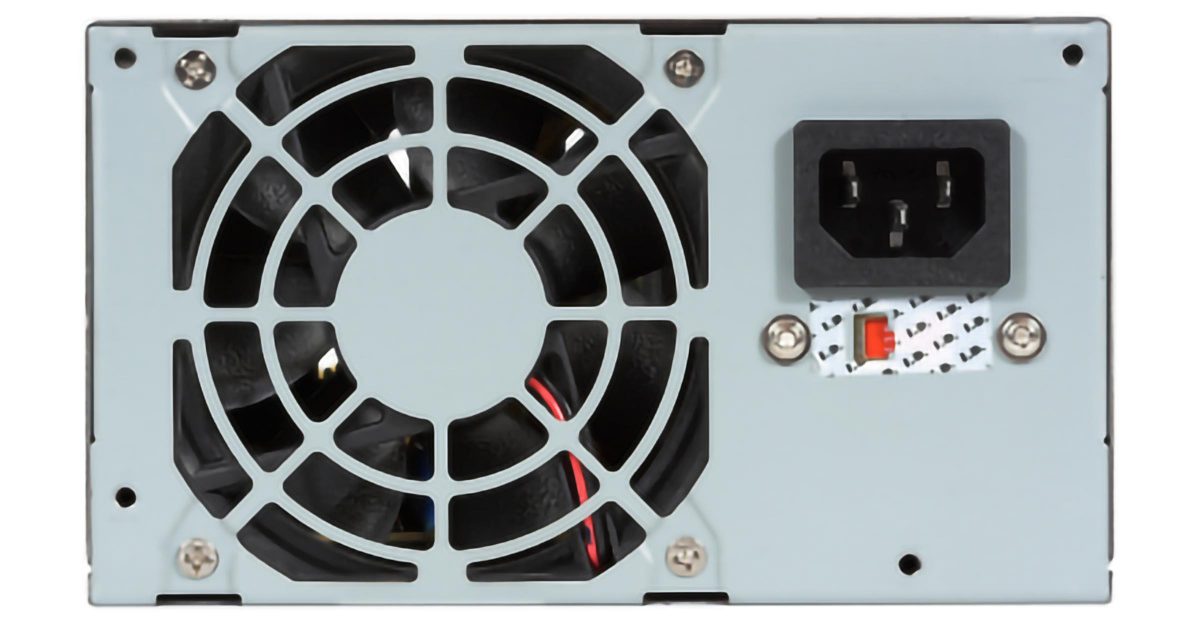
It’s quite all right, and if things were working well before, you probably won’t even notice a difference.
Let’s look at why, and just what that “W” means. I get questions on this topic frequently.
Become a Patron of Ask Leo! and go ad-free!

More watts: is it safe?
It’s quite safe to install a power supply with a higher wattage rating than the power supply it’s replacing. The wattage rating only indicates what the power supply is capable of. Actual power use is determined by the computer’s power requirements.
W is for watts, which means power
The “W” stands for watts, which is a measure of electrical power.
Power supplies are rated by the maximum amount of power they can deliver. That means a power supply rated for 520 watts can supply more electrical power than one rated for 300 watts.
That’s more electrical power. It won’t make your computer run faster or give you more “computational” power — this is only about the electricity required to operate your computer.
The power you need
If your computer has been running well on a 300-watt power supply, then it doesn’t need a bigger one.
But there’s nothing wrong with using a bigger one. It’s possible that a new, larger power supply might be a little more efficient or perhaps a little quieter.
Your computer will continue to use whatever amount of power it was using before, which we know is less than 300 watts. That your new power supply might be capable of providing more is beside the point.
Time for upgrades
A new power supply is typically called for in one of two situations:
- Your existing power supply has failed, or is in the process of failing, and is no longer able to produce the power your computer requires. It might be rated at 300 watts, but due to whatever is failing, it’s not capable of providing power anymore. As the power supply fails, unexplained crashes usually become more frequent.
- You’ve added hardware in the form of add-in boards, memory expansions, additional hard drives, or other devices that draw more power from your computer, and you’ve exceeded your power supply’s rated capacity. This, too, can behave like a failing power supply.
In either case, the solution is a replacement power supply.
In the first case, a power supply with the same rating as your old one will do; in the second case, you’ll need one with a higher wattage rating.
Future-proofing your power supply
If you’re going to replace your power supply, I recommend replacing it with one that has a higher wattage rating. It hurts nothing to do so (other than, perhaps, your wallet, depending on how far you go).
More to the point, it makes your machine more capable of supporting additional hardware power requirements in the future.
What a power supply will not do
I’ve heard concern that a high-wattage power supply can somehow “force” power into the computer, causing overheating and burnout.
This is incorrect.
A power supply supplies power in response to need; it doesn’t push power anywhere. If your computer only needs 100 watts, then a 500-watt power supply only supplies 100 watts. Why have a 500-watt power supply? For “peak” usage (sometimes hardware requires sudden “bursts” of power, such as at startup or under high load) and for future expansion.
It’s better to have too much power than too little.
Power supply requirements
There are two more important aspects of power supplies, replacement or otherwise.
If you do replace it, get the right size. By this I mean physical size — there are several standard sizes out there, and they are not interchangeable. Similarly, the number and type of connections provided by the power supply must match your computer’s needs.
Make sure the machine is well ventilated. Using more power means generating more heat, and that heat has to go somewhere. That’s what ventilation is for. Even for your existing working system, make sure things are well ventilated.
Make sure the fans in your machine are working properly and that the airflow is unobstructed. Overheating due to blocked airflow may be the most common cause of computer hardware failure — in particular, the power supply itself.
A word about laptops
If you have a laptop, you’re out of luck. Laptops come with the batteries and power supplies they come with. There’s no real way to “upgrade” their power capacity.
Do this
Subscribe to Confident Computing! Less frustration and more confidence, solutions, answers, and tips in your inbox every week.
I'll see you there!
Podcast audio

Related Video


Speaking of “peak usage”, I have a friend whose computer would work just fine — until he tried to burn a CD, at which point the system would fail. It turns out he upgraded from a CD-ROM to a CD-R drive, and the original power supply had just enough power to run the system as-built. The extra power needed to write to a CD-R pushed it over the limit. I replaced the power supply with a higher-wattage one, and everything was fine.
Look at these power supplies. Many of the replacement power supplies that are recommended are actually much higher wattage than the original power supply.
I want to upgrade my computer power supply, do I have to buy the same physical size? or does it matter? I try searching for one that the same size but they all diffrent sizes, am afraid I buy one and it wont fit? and does the brand matter since there so many..
I have a Dell Dimension 4550 running XP, 1Gig RAM, Intel P4 3.06HT, Seagate 160Gig HDD. Recently I bought a BFG Geforce 7800GS OC. My PSU was only 250w and the card requires atleast 350w. So I went out and picked up the 800w BFG PSU to power the card and everything else. I start notice that when I put my machine on Stand-By for the night, I come back in the morning and the machine won’t come back on. All the while, I know that the machine is powered up b/c I can hear the fans going. I have to do a hard boot. Then I start getting random reboots, the situation progrssively gets worse until one day I go to my office b/c I hear this rattling sound, it’s the PSU. I turn the machine off, open up the box, take a look at the PSU, I smell it but it’s not burnt. As soon as I try to reboot, I see a flash come from the PSU; it died. It has a lifetime warranty, thank God, so I call BFG and then send out a new one. I start to put the machine on Stand-By to test if the same thing happens. It doesn’t, atleast not yet. A week goes by and even though I don’t get the random reboots, my machine won’t come out of Stand-By. The monitor is black, I wiggle my mouse, press some keys and nothing. Meanwhile the machine is on b/c I hear all the fans going. I have to do a hard boot. I call BFG again and they explain to me that they can change PSU again but the chances of the replacement being bad too are “astronomical”. I agree to a certain extent. So I call Dell and they say that the machine can only handle a 250w psu. Now here’s my question (finally right?!) I believe it’s true that “It’s better to have too much power than too little.” and I believe it and understand how psu’s work, why is Dell saying that my machine can only use a 250w psu? I don’t get it. Can anyone help with this?
Dell usually goes by what the Specs say, but I would have suggested for you to go around 500W rather than 800w.
I would also check for any OS issues, you can look at Event Viewer to see what’s going on, that could also be your Video Card.
Its possible that the Motherboard is drawing more power then it can use, I suppose… say the old PSUs Mobo connector was only good for X Watts and Y Amps, but the new PSU can put more then that to the mobo.
Would be very poor design to limit the Motherboards power draw by using the PSUs Rail limit, but if Dell’s giving you the run around, I wouldn’t be shocked.
It’s possibly the the PSU regulator, which may not be able to handle less than some minimum load. As you mentioned it only happens at standby, which pulls very little load (components within the system are designed to either shutdown or stay kinda asleep using very lil power. For e.g. some processors advertise they will take up say 2 Watts in standby while 65 watts in active condition). The trouble is, the PSU manufacturers may not advertise the minimum required load and hence even if the manufacturer sends you a new one it may work the same way as before in standby conditions. So, I think having a bigger power supply is not the problem. Either shut down your computer after using it or find a power supply that can sustain very low power usage. HTH.
Just to make sure you understand this fully, if your system requires 5 watts in standby while the PSU regulator can go as low as 10 watts, the extra 5 watts will still be dissipated somewhere! Not sure if there is an easy way to calculate the power usage when system is in standby but am sure there are good power supplies out there which can be functional even in a no load (i.e. 0 watts) condition.
so if my computer has a 300 watt power supply and i put in a new 750 watt, it will over heat.
29-Nov-2009
No reason why it should overheat.
I bought and fitted a 750W PSU in my pc to replace the original 300W supply, with my ONLY concerns being that the new PSU had enough leads and plugs to run everything and that it would physically fit in the case.
Compare a larger PSU with installing a larger engine in your car. It will still do 50m.p.h. like before, but with a far greater reserve of power should you need it.
I have to disagree with the statements regarding to big of a PSU. The components use what they want from your PSU, it doesn’t force more in. The PSU isn’t “Burning off the extra” it simply has the capability to perform at higher wattage’s if needed, yet will only supply what your components want. They want 200watts then the PSU provides 200 watts, got a honkin grafix card that means you need 400watts you get 400watts. If you have an 800watt PSU it doesn’t sit there with 800watts of potential energy stored in it dissipating the extra in the form of heat. It only means it has the capacity to do 800watts.
I’ve been running a 750watt AERO PSU in the same rig for going on 8 years with no issues caused by the PSU. I had one motherboard that fried a capacitor and later found it to be a design flaw in the IC7 from ABIT (thank god they are gone!), so to remedy I installed the IC7 Max3 which has a fan and ducting over the capacitors. I also originally had a EVGA FX5700LE card and changed it to the EVGA 7800GS which required a 4pin molex so I was glad I had installed the 750watt supply. Now my son has this computer and I see no reason it shouldn’t last another few years for him, I just inspected everything and it looks great. It’s now running WIN 7 Pro and has a Autobot Bumblebee theme to the case and the system.
My new rig is running a Kingwin 1220Watt in it, staying cool too. Great product by the way!
You want to upgrade your PC’s in the future buy good parts first, don’t scrimp on some cheap brand, just go find a good deal on a good brand. Next time don’t buy a pre-built PC if you want gaming, get one built or build it yourself with the right stuff to game! You waste more time, money, and effort with upgrading a Name brand PC to do something the manufacturer never intended it to do.
Danke! I’m not new to computers or building them, at all, but there are some things I never got around to learning everything about; power supply units are a good example of such a thing.
I came here, because I have recently ordered a state-of-the-art gaming rig, since I can’t be bothered to build one. I have concerns about whether the PSU will be safe and reliable, as it is a Dutch make and put in a computer that will be shipped from Germany, via Amazon, for over £400, although it’s worth easily over £800!
The PSU I’m concerned about, is the “Techsolo STP-650” that, according to at least 2 sources online, is indeed certified (CE) but I need to KNOW, for sure, first, otherwise I will have to just fork out for a Corsair. Any advice, please share!
Viel glück mit ihre Computer, leute!
Agree with your answer. on high memory machines, the power supply may be just adequate and thus a slow machine. my example is the Asus CG1330 with a supplied 400 watt power supply for 8 Gig of memory. Must purchasers increase the power supply to a 600 watt and then have a machine worth speaking about. Increasing the memory to 16 Gig may require an increase in the power supply especially if one increases number of monitors.
I have a custom machine with a 1800 watt supply that sits in the bottom of the case. As long as you have a supply bigger than what the machine draws no problem.
Hmmm not convinced, yes more Ram will require more power as Ram is “always on” however i would expect that less Ram would require more read/ write to the hard drive and that accessing the hard drive would consume more power. Ram consumes approx. 2 to 4 Watts per stick pretty minimal imo
Hi, I have a Q6600 with 2gtx550ti’s, 8gb ram, 3hdd’s and 1 dvd drive. Cpu cooler master V10.My power supply is a 550W. Is it enough?
You can upgrade your power brick for laptops.
Usually only necessary when you’re having USB 3.0 ports on them that draw a lot of power to other devices (eg: charging), or thunderbolt ports
Leo –
Hi. Is it normal for a power supply to remain warm to the touch when it is connected to a power strip — but the device it supplies power to has been turned off for a while? And by device, I mean not just a laptop, but also a display monitor, external speakers, etc.
Thanks.
Power supplies often are warm when plugged in. They work on the principal of induction where a current flows through a coil wrapped around an electromagnet. A smaller (or larger) coil is also wrapped around that magnet and that magnet creates a current in the second coil. The amount of voltage in the second coil is based on the ratio of the number of wraps of each coil. As long as the transformer is plugged in, a small amount of current can pass through the primary coil creating some heat
It varies. Not really warm, but I wouldn’t expect it to get stone cold (as if unplugged) either. It’s possible that some components are still drawing some power.
Internally, your power supply can probably tolerate temperatures of >80 C. and a really good class H supply would be rated to 180 C. for the transformer part.
Also, copper windings and the steel laminated core will retain their heat for quite a while when powered down because the cooling fans will no longer be running.
p.s. I’ve been rewinding electric motors and transformers for a living since the mid 70’s.
180 degrees C??? You can bake a cake at that temperature. Most PSUs shut down at about 60-65 degrees C. Maybe you mean Fahrenheit, but even 180 F is more than a computer would be able to handle.
Before I retired I designed electronics for the military. We always provided powers supplies that were capable of twice the wattage that was calculated as needed. Power supplies ran cooler and were more reliable. I have continued this when I build my computers. I know it costs more but it give me peace of mind.
As Leo mentioned in the article, it also allows you to add more expansion cards. If you only have a power supply capable of powering what you have, it might not be enough to accommodate more expansion cards.
I agree that adding hardware needs more power – but usually it’s small amounts of power – like a hard drive might take 20 watts, Most power supplies can handle that.
But the one thing that can be expected to require a bigger power supply did not get mentioned – a video card! And yes, it is an expansion card, but somehow I do not see it as just an expansion card.
In short… buy a quality brand PSU (Seasonic etc) with decent wattage, say 500-600 watts or so (more might be required if you got a higher end GPU that’s really power hungry), for a reasonable price (call it in the ball park of $60 off the top of my head), and make sure it’s at least a 5 year warranty on the PSU (I really stress the 5 year warranty!). doing that… your computer should be reliable for years, if not many years, to come.
more details…
I would be most concerned with getting a quality PSU as that’s probably THE component in a computer you don’t want to risk buying lower quality if you want a reliable computer etc. I am a fan of Seasonic as they seem to have a long rep for longer lasting PSU’s. but regardless of which brand of PSU you buy, my basic advice when buying a PSU is don’t buy any that don’t have at least a 5 year warranty. so without going too far into the past, a fair amount of PSU’s I have owned typically fail within a year or so after warranty ends (see below).
my three most recent PSU’s for use in my primary computer, which I leave running all of the time (short of a occasional power down etc)…
-Enermax 500 watts (or so) (3 year warranty). I had from March 2006 til I think sometime in early 2010 give or take when it failed. I think I paid over $100 for it in March 2006, so it was not a cheap PSU. (NOTE: the Seasonic 430 watt (mentioned in the “p.s.” section of this post) is currently powering the board this Enermax was originally in, which I got in March 2006, which is a ASUS A8N32-SLI (which I replaced some capacitors on this earlier this year), which was a higher end board in it’s day.)
-Rosewill 600 watts (or so) (2 year warranty). I got this after the Enermax PSU (listed above) died. I think I got this roughly early 2010 and lasted til Nov 2012 (which is when I got my current Seasonic (mentioned below)). also, this Rosewill was also running on the same motherboard I have currently which I got in May 2012. so the Rosewill seen about 6 months of use on my current motherboard before the Rosewill PSU died then I swapped it out to the current Seasonic (see below).
-Seasonic 520 watt (5 year warranty). this is my current PSU which will be 9 years old in Nov 2021. it’s hands down the longest lasting PSU I ever owned and is still powering the same motherboard to which I got in May 2012 and got this Seasonic 520 watt in Nov 2012. because in Nov 2021 this will be 4 years beyond it’s end of warranty period where as the two PSU’s above may have been somewhere around 1 year or so after warranty ended before they failed. NOTE: this Seasonic 520 watt PSU is powering i5-3550 CPU (although I am undervolting it by 0.130v which lowers CPU temp by about 13c as that helped since I was not using the official heatsink/fan but used my old i3-2120 CPU’s heatsink/fan which does not have the copper contact and is just aluminum which makes it run hotter and that undervolting of CPU has help offset the increase in temp as Prime95 is okay with it etc) (although it was powering a i3-2120 CPU from May 2012 til sometime in about mid-2020), a Geforce 1050 Ti 4GB (powered solely by PCI-E slot which from what I read can’t draw more than about 75 watts MAX), two 8GB of DDR RAM chips(so 16GB of RAM), a couple of DVD burners, three HDD’s and one SSD and has a PCI-E 1x expansion card which I can add a additional 4 SATA devices and has a PCI-E 1x expansion card for USB3 so I can connect USB3 devices for more speed since the motherboard itself is only USB2.
but I suspect you can get a rough estimate of a PSU’s quality by it’s warranty period which, given my experience, I would generally avoid buying PSU’s that don’t have at least a 5 year warranty and like I have said before I leave my primary desktop computer powered on all of the time short of a occasional power down (like to blow the dust out of it etc) or reboot.
but like others have mentioned… having a higher wattage PSU is always better than having a lower wattage PSU, especially if your already pushing it, it ‘may’ wear out faster. but I tend to see it roughly like this… once you get to around 500-600 watts (give or take), the price to buy one of these is still quite reasonable (call it roughly $60 or so the last I knew) and it’s not really worth paying a arm-and-a-leg (say roughly $100-150+) for a PSU if you don’t really need those higher wattage PSU’s (one that are a fair amount beyond around the 600 watt range).
so off the top of my head… unless you got one of those really high end GPU’s that are major power hogs, I can’t see most people needing beyond 700 watts or so tops, although 500-600 watt is probably a good ball park with a little room to breathe as I suspect many with more basic usage could get by in the 4xx watt range, but off the top of my head, as a general guideline… I would avoid buying a PSU with less than 400 watts MINIMUM(but I can’t imagine anyone would have to worry since it seems like all of the good PSU’s are at least 4xx watts minimum), although I would generally try to aim for 500-600 watts or so to be a bit safer since that will power many peoples needs maybe short of those higher end GPU’s that use way too much watts as even for gaming I generally try to aim for ‘bang-for-the-buck’ instead of top end performance which cuts back on wattage to. but as long as one is buying anywhere around a mid-range (maybe even lower higher end range) GPU chance are they won’t need some super high watt rated PSU and my 500-600 watt ball park will be ‘good enough’ (although if you can get higher wattage PSU for minimal $ over the 500-600 watts PSU, I would say go ahead and buy it as you ain’t really got anything to lose).
with all of that said… I have had more PSU’s die on me over the years than hard drives as, off the top of my head, it was at least 3 PSU’s (the two I mentioned above plus at least one other one in the past) and only about 2 hard drives (40GB IBM(I think this was nicknamed ‘Deathstar’)/80GB Maxtor).
p.s. I got a solid deal on a Seasonic 430 watt PSU back in Jan 2019 for only $22 (or so) as that was a great price (it was worth roughly $40 or so as shortly after I bought it the Ebay seller must have realized they were selling it too cheaply and raised price to basically $40) on a quality PSU as even though the wattage is a little low, it’s still capable as long as you don’t run some super power hungry GPU on it as it should still power a decent GPU. I got that because it was a really good deal, and could revive my older computers motherboard that I had retired for a while (it was my main PC from March 2006 until May 2012 and then it collected dust til Jan 2019), and I figured even if that old setup dies or gets outdated etc, I can always use that PSU as a backup to my current main PC’s Seasonic 520 watt PSU. so I can’t lose. but that backup computer (AMD dual core with 4GB of RAM etc) only see’s occasional usage so I expect that Seasonic 430 watt to last for the foreseeable future if it’s quality is even close to my main PC’s Seasonic 520 watt. plus, the GPU’s I have in both computers (Geforce 1050 Ti 4GB (main PC)/Radeon 5670 512MB (backup computer)) are solely powered by the PCI-E slot (which from what I read means 75 watts MAX although at a idle I am sure they are much lower).
Hello, I have Zeb-G41-D3, LGA 775 Socket MoBo, where I have installed Intel Core 2 Quad Processor Q9400 2.66 with total 8GB of RAM (4+4) with 2-SSD (120GB & 250GB) and 1-HDD (500GB) with GT-710 2GB-DDR3 GRAPHICS CARD. and I’m also using 1TB External Hard disk.
so last month, I Installed 500GB HDD and after few days My External Hard disk is keeps disconnecting and reconnecting while transferring data. So it seems that it may have a Power Supply issue. So as your post says that “Actual power use is determined by the computer’s power requirements” so if I Install higher Watts SMPS for more power to run external hard disk, then is it safe for Motherboard?
Should be.
Hello,
I have a Dell XPS 8900 with an i7 6700k processor. I want to upgrade the graphics card and I assume it will require a power supply upgrade. My question is really about the graphics card upgrade. Is there a limit to ‘how far’ I can upgrade that card by the motherboard/processors or architecture? I currently have an NVIDIA 960 in there which was a replacement for the factory one that failed. Any help would be greatly appreciated.
Not really. As long as it can be installed and has drivers there’s really nothing about the motherboard or processor that would limit it technically.
Well, of course, it’s safe… the problem is a lot of people don’t understand wattage for the most part.