You could be making things worse.

No. No. No. No.
And, by the way, NO! 
RAID is not back-up technology and should never be considered a replacement for backing up.
I’ll review what RAID is, and most importantly, what it is not.
Become a Patron of Ask Leo! and go ad-free!

RAID and its uses
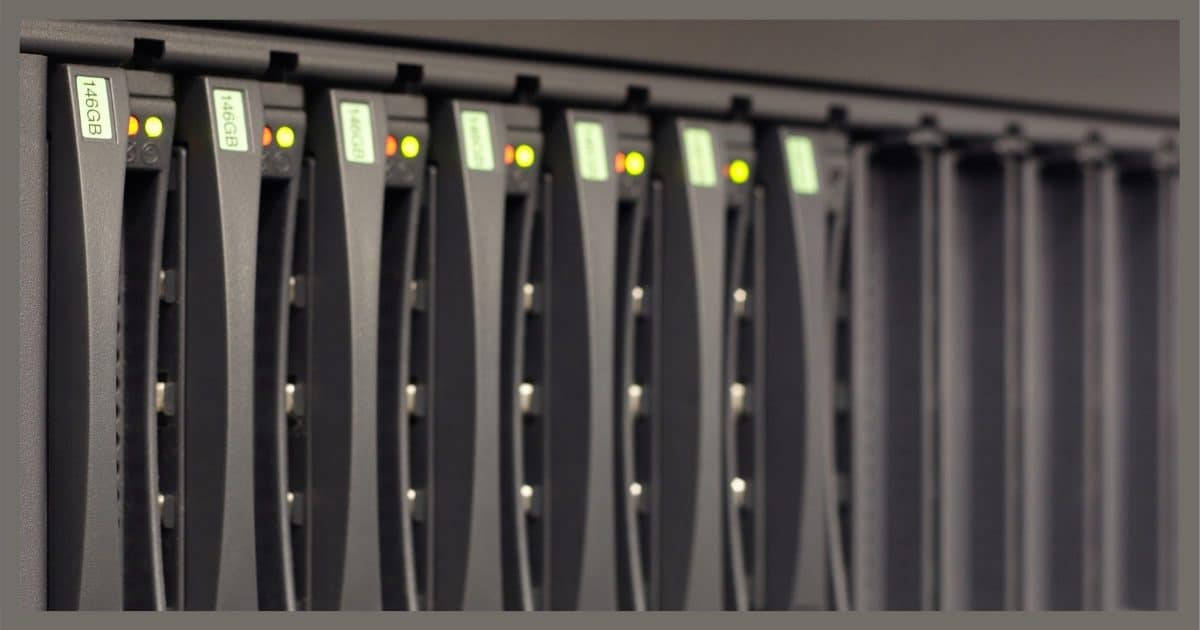
RAID — Redundant Array of Inexpensive Disks — is a technology used to increase either the reliability or speed of hard-disk access, or both, by configuring multiple disks to act as a single disk drive. RAID is not a replacement for backing up, as it provides no protection for other types of hardware failure, malware (including ransomware), or user error.
RAID
RAID is an acronym for Redundant Array of Inexpensive1 Disks.
Using RAID technology, multiple physical disks are configured to act as if they are a single disk.
There are several ways the disks can be arranged, but they all boil down to improving one or both of two things:
- Reliability
- Speed
So-called “RAID arrays” of multiple disks can be managed either of two ways: using a dedicated hardware RAID controller, or RAID can be implemented in software by the operating system.
RAID is . . . improved reliability
RAID 1 (which is what you’re asking about) uses what’s called “mirroring” to improve the reliability (or more correctly, the fault tolerance) of a disk drive.
The two drives appear as a single device. Whenever data is written to the logical drive that your operating system sees (perhaps C:), that data is simultaneously written to both physical drives by the RAID controller.
Should either drive fail, the other is still present and available. The RAID controller will run in single-drive mode until the failed drive is replaced. Some RAID controllers allow this to happen without powering down at all.
Throughout all of this, the logical drive (i.e. C:) continues to work. The system as a whole is now more tolerant of drive failure; a physical drive can actually fail completely and the system can keep on running.
RAID is . . . improved speed
RAID 0 uses what’s called “striping” to improve the apparent speed of your hard disk.2
Striping spreads your data across two (or more) physical hard drives. Once again, they are combined transparently by the RAID controller to look like a single drive — perhaps your C: drive.
Hard-disk head movement and the speed of the spinning disk both limit the rate at which data can be retrieved from its media. As one example, by alternating every other sector of your data across two physical drives, the apparent data rate can theoretically be doubled.
RAID 0 should really never be used, even though it sometimes is. It increases the impact of hard drive failure. If either of the two drives fail, then the entire logical drive will have failed. I use it here as an example of a basic RAID technique that can be built upon.
RAID is… improved speed and reliability
The two techniques I’ve discussed can be combined in various ways by adding additional drives.
One common technique uses both redundancies of data across multiple drives and distribution of data across multiple drives to achieve both improved speed and fault tolerance.
Consider this equation:
A + B = Z
Let’s think of A and B as our data (we can also think of them as bytes or sectors — it doesn’t matter), and we’ll call Z a sum of A+B.
A, B, and Z are each placed on separate hard drives. These three drives together are managed by the RAID controller to look like a single drive.
When you write data to the drive, A and B each get written to their separate drives; the RAID controller calculates A+B and writes that to the third drive as Z.
Why?
If a drive fails (and it could be any of the three drives), whatever was on it can be re-calculated from the remaining two.
- If drive A fails, its data can be replaced by calculating Z – B.
- If drive B fails, its data can be replaced by calculating Z – A.
- If drive Z fails, its data can be replaced by (re)calculating A+B.
The RAID controller can do this so that your system can continue running until the failed drive has been replaced. This gets you the fault tolerance that I discussed as a characteristic of RAID 1.
Your data is spread across two drives: A and B. This allows the RAID controller to stream your data off those two drives; doing this simultaneously gets you the speed improvement of a RAID 0 configuration.
Best of both worlds.
Naturally, I’ve oversimplified. There are many ways to configure RAID arrays, but these are the fundamental concepts that pretty much apply across the board.
RAID is . . . NOT a backup
You might be tempted to look at RAID 1 and say, “Hey, my data is on two drives. That’s backed up, right?”
Nope.
Your data is on one drive: C:. Yes, you might be more tolerant of a hard disk failure, and that’s a nice thing, but it’s not a backup.
- If your system is infected with malware (such as ransomware), you won’t be able to restore from RAID like you would a backup.
- If you accidentally delete a file, you won’t be able to restore it from a RAID array like you can from the most recent backup.
- If your system goes up in flames, a RAID array is not going to be a copy of your data safely stored elsewhere, like a backup would be.
In general, there are two rules of thumb for backups that you can apply to any backup approach:
- A backup should never be kept on the same machine. External drives kind of violate this rule, but they’re at least a separate physical box, which removes some of the major concerns relating to this rule.
- A backup should never be on the same logical drive (i.e. C:, regardless of how many disks are involved) as the data being backed up. If you accidentally instruct your computer to delete all files on your drive,3 both the original and backup would be deleted. Any number of types of malware could produce the same results. And, of course, if the drive fails — be it a single drive, as is most common, or the RAID controller controlling several physical drives — then the backup is once again lost with the original.
Relying on RAID 1 as some kind of backup violates both of these rules.
RAID is . . . good for what it’s good for
RAID is an important technology to deliver potentially both speed and fault tolerance. Most higher-end servers, including the server hosting the Ask Leo! site, use some form of RAID for one or both of those purposes.
But don’t confuse it with a backup. Having RAID does not impact your need for proper backups.
Do this
Subscribe to Confident Computing! Less frustration and more confidence, solutions, answers, and tips in your inbox every week.
I'll see you there!
Podcast audio

Related Video


Leo,
This was a lesson the admins at JournalSpace.com learned the hard way, when they decided to use RAID 1 as their only data backup. The website publicly and catastrophically went down in flames in December 2008…as a last act of desperation, they tried recovering the data from the hard drive directly using one of those professional data recovery services (which didn’t work).
It’s a real-life cautionary tale of why RAID != backup.
http://www.quickonlinetips.com/archives/2009/01/journalspace-blogs-gone/
http://hardware.slashdot.org/story/09/01/02/1546214/Why-Mirroring-Is-Not-a-Backup-Solution?art_pos=1
Mike
A wise computer geek told me that RAID was for uptime, not backup.
A small correction: the “I” in RAID stands for Independent and not Inexpensive…
Best, Roberto
> RAID stands for Redundant Array of Independent Disks.
22-Jul-2010
I always thought it stood for “inline” disk. Saw that in a tech manual decades back.
Never heard of that one. Not sure how they’d be considered “inline”. Note the footnote mentioning “independent”, though.
I work in a DNA sequencing environment. The demand for storage capacity for the latest high throuput data is a bottleneck for our field. I am a newbie trying to learn the issues. I hear people comment on RAID 4, 5 and 6. I hear statements like disaster resistant (not good) and disaster tolerant (better). Do all you comments on RAID I apply to RAID 4 through 6?
22-Jul-2010
I think that the question was too broad to answer. For example I believe that a RAID 5 NAS system is an excellent choice for a backup – assuming that it is being used as a backup. Your no, no, no, is an incorrect response to a very broad question. Granted I agree with you completely that RAID 1 is not a backup. However a backup using RAID 5 in a free standing NAS unit (that can even be in a different physical location) is a hard to beat choice.
22-Jul-2010
Larry, Canton, Ohio, the set-up you describe doesn
I have a RAID, how can I tell whether it is Raid 0 or Raid 1? How can you get rid of it?
22-Jul-2010
If I am setting up a raid to my existing computer will I have to erase my hard drives to do that ?
16-Aug-2010
This is the best article I have seen to provide simple and accurate information and an explanation of RAID that is of interest to most home computer users. Your link to the Wikipedia information providing additional information for those interested in more than RAID 1 & RAID 0 is the appropriate for those who want or need additional information.
1. Does it mean that if I used RAID, I will never need to reinstall Windows when the hard disk fails? When one of the disk fails, the system will still operate as per normal and I can take my time to replace the faulty hard disk?
2. When one of the RAID hard disk is faulty the system will operate as normal, how do you know if one of the hard disk is faulty?
3. Do you have a guide on how to setup RAID?
I only know how to install Windows 7 on a single hard disk, everytime my hard disk fails, I need to waste time to replace a new hard disk and reinstall/setup Windows and all programs again.
Thanks
1. “never”? Of course not. Something may happen that causes things to fail more catastrophically. Raid reduces the occurrence, but “never” is not I would you should ever use. :-)
2. Typically a software notice, depending on the specific raid being used.
3. Nope.
If you had an image backup of your (single) hard drive you would not need to reinstall everything on a replacement. You’d replace the drive, restore the most recent image, and be on your way. MUCH more practical than RAID for most people.
i. I thought RAID would be more practical and more convenient than restoring backup (takes a long time) to the most recent image since the computer system will still be working if a hard disk fails on RAID? For RAID, just take out the faulty disk and replace a new disk only correct?
ii. Are small business/shops using RAID? I have never encountered a shop (e.g. clinic/optical shops/supermarket) that needs to close one day to do restore due to hard disk failure.
iii. Can I restore on a different new hard disk if the new hard disk brand/model/size is different from the faulty one?
I do have Macrium Reflect image backup now, I guess if I were to restore it will take hours to complete. I was using Acronis in the past and had a fear of doing restore as I read some people had problems, so I usually reinstall windows and software instead of doing restore.
i. RAID would prevent you from having to shut down and restore from a backup in the case of hard drive failure, but it wouldn’t help, for example, in the case of malware or an electrical problem which would fry your drives. A backup in addition to RAID would be the best of both worlds.
ii. I don’t know how most business operate, but a RAID would provide the redundancy (the R in RAID) to keep on working.
iii. Any hard drive should work, as long as there is enough space to hold the restored date. You would have to re-partition the drive to extend the c: drive to fill the new drive if it is larger in most cases.
1) As I said, it reduces the frequency of failure, but it does not eliminate it. I have heard of Raid arrays failing. Also it does not protect you in any way from soft errors – like malware – which is another reason to have image backups available. (In addition to Raid, if you continue to use Raid.)
2) I have. (RARELY do the “close” – typically they limp along until the machine is repaired, or they have other computers available to handle whatever task, or they revert to alternate means.) Sadly it’s much more common that small businesses have no backup at all. Raid in small biz is rare.
3) Absolutely.
Does it mean that only advantage of using a RAID is only when one of the hard disk in RAID is faulty, the system still operates as normal and it is faster to replace the faulty hard disk without needing to restore from backup.
In all other cases when no faulty hard disk is involved, a restore from backup is more practical.
Correct?
RAID is not a replacement/alternative for backing up. :-)
RAID does two things: it minimizes the impact of disk failures (replace without downtime, as you say). It does not eliminate failures, even catastrophic ones. Catastrophic failures will entail restoring from backups. The other is that RAID is used often when performance is important, as RAID arrays, properly configured, can be faster.
I am using Macrium Reflect, it contains the whole system backup (Windows 7).
A. If lets say the motherboard is faulty, and I replace it with a new motherboard (any brand and model that is not same as the old faulty motherboard) I assume it will not work correctly with the old hard disk (that was installed with Windows 7 during the old motherboard was working). For any motherboard to work correctly with the hard disk, the new motherboard needs to be the exact same brand and model as the faulty motherboard correct?
I think the old hard disk will not work with a new motherboard (different model) because the Windows 7 in the hard disk is “linked” to the old motherboard brand/model correct?
B. If lets say I cannot find a new motherboard that is the exact same brand and model as the faulty motherboard, and therefore I changed to a new motherboard (any brand/model) that is different from the old motherboard. What shall I do to make the old hard disk (that was installed with Windows 7 during the old motherboard was working) work correctly with the new motherboard?
Thanks
If the motherboard is the same or similar enough, it might work out of the box. If you try to boot from the drive and it doesn’t work, you’d have to reinstall Windows and all of your programs from scratch. I’d take a full backup of the hard drive before reinstalling to preserve the data. A couple of backup methods would be to boot from the Macrium Reflect rescue disc and take a system image backup before installing (my preferred method). Or you could copy the the contents of the c: drive, as you won’t need it to be a bootable system drive. You might be able to just copy the c:\users folder and subfolders, but occasionally there is a program which writes data in other places.
If the new configuration boots, but doesn’t work properly, you might be able play around with it and find the correct drivers. That’s something I’ve been able to do without too much work.
A: there’s no yes/no on this. The more similar the new motherboard is to the old one the more likely it is to work.
B: All you can really do is try. If the restore works, then you’re good. You may need to reactivate Windows, which should also be possible.
Mark, how do you “find the correct drivers”
Leo, what do you mean by “reactivate Windows”? Is it entering the Windows reg key somewhere?
Thanks
Drivers should be available on the component manufactures´websites. Any other website or program which offers driver updates can be dangerous.
https://askleo.com/from_where_should_i_get_driver_updates/
Reactivate means being prompted by Windows to re-activate. Typically it’s an online thing, but sometimes you may need to phone in.
I don’t think many use raid, why waster an article on something most never heard of or want to use?
Because people do hear of it, do wonder, and indeed — occasionally some new machines come pre-configured with it.