The most common cause and a plan of attack.
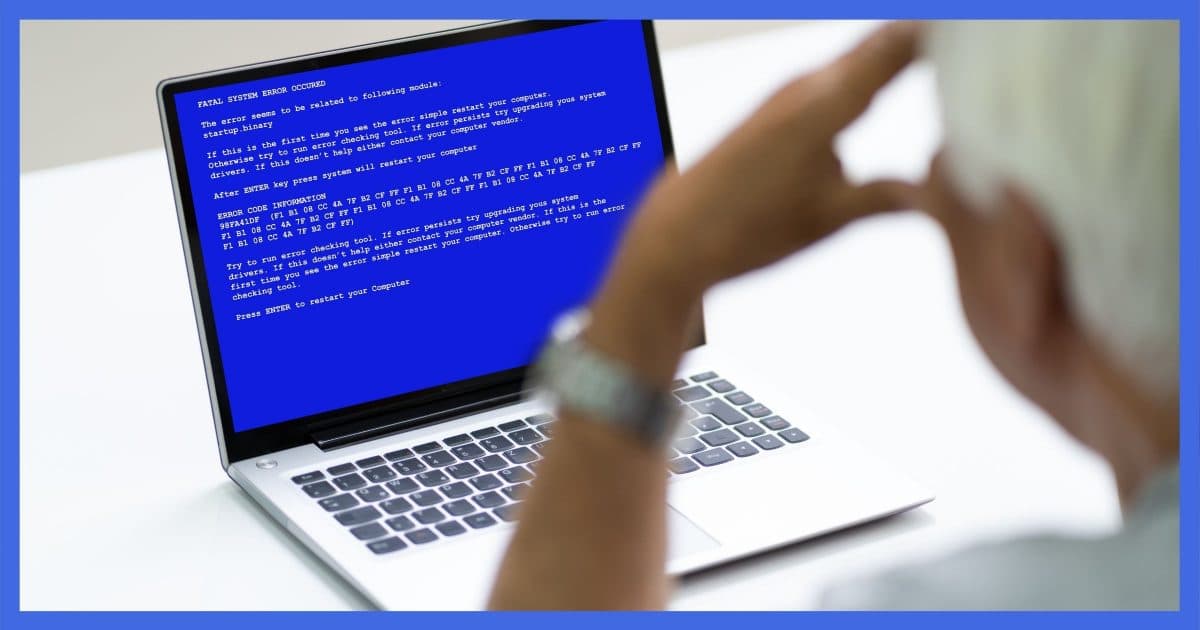
By “crash”, we mean things like random blue screens, black screens, reboots, freezing up, or shutting down, all without warning.
I find one cause to be the most common by far.
Become a Patron of Ask Leo! and go ad-free!

The most common cause of random crashes is an overheating computer caused by blocked airflow or a failing fan. Pay attention to how hard your computer is working at the time of a crash — high usage implies a heat problem. Other causes include hardware failure, including RAM or disks, and less commonly, malware.
Heat is the enemy
The most common cause of random crashes is an overheating computer.
The most common cause of an overheating computer is blocked airflow.
The most common cause of blocked airflow is an accumulation of dust and debris.
Fans in your computer blow air through its components to cool them down. Your computer’s CPU, hard disk, and other components all generate heat — sometimes a lot of it. If the components become too hot, they can fail and cause a crash.
Particularly in laptops, it’s easy to accidentally block the air vents allowing air to flow through the device. I recommend not putting a laptop on your lap — use a table or “laptop desk” to ensure proper airflow.
Desktop computers are more vulnerable to dust and pet hair, which can clog the vents. It’s worth unplugging your computer and looking inside. Carefully clean it if you find a lot of dust and dirt.
After blocked air vents and dirt, the next most common cause of an overheating computer is a failed fan. Fans have become complex over the years. In an effort to reduce the noise, computer fans often operate at variable speeds, running quietly at a slow speed when things are relatively cool, and speeding up to move more air as the computer heats up.
Heat and your CPU
The temperature inside your computer can change depending on what you’re doing.
The harder the computer’s CPU works, the more heat it generates. That’s why variable speed fans make sense — if your computer is idling, you probably don’t need the fans running at full speed. On the other hand, if the CPU is working hard, the fans speed up to cool things back down as the internal temperature rises.
Listen to or watch your computer’s fans as you use your computer. If they never turn on, there’s almost certainly a problem with the fan or its control circuitry.
Your computer should be designed to handle the maximum heat its CPU can generate. Even if your CPU is at 100% usage, the fans should keep up. A machine crashing randomly the longer it is used or the harder its CPU is put to work is a warning that there’s an overheating problem.
Check for overheating first.
After that, it gets more difficult.
Other causes
Malware is no longer a common cause of random crashes. These days, malware is more interested in keeping your machine running so it can do its malicious work. Certainly look for malware, but don’t be surprised if you find none.
Failure is always an option. Hardware can fail. We think of hardware failure as being instant, total, and catastrophic, but various components can have intermittent, delayed, or random types of failure.
Next to the fan, failing RAM is the most common hardware-related cause of random crashes. Programs don’t always get loaded into the exact same place in memory, which means you might sometimes access bad RAM, causing a crash immediately or afterwards.
Software is what people think of first, but the vast majority of software errors will not cause your computer to completely crash. More commonly, a program may crash or terminate unexpectedly, but Windows itself will keep running.
The exception is device drivers. A bug or other unexpected error in a driver could cause it to fail and crash the entire system. If you’ve recently added hardware involving new or additional drivers, or if a recent update included drivers, then it belongs on your list of suspects.
The hard disk (either HDD or SSD) deserves special mention. A disk with bad or damaged information affecting any of the software — including Windows itself, drivers, or your applications — might cause a crash. You’ll usually get warning signs, such as significant disk slowdowns, or even “bad sector” or “CRC” errors before the crash.
Do this
Here’s a plan of attack for a computer crashing randomly:
- Make sure it has unrestricted airflow.
- Make sure it’s free of dirt and dust, and that the fans are working properly.
- Run a CPU temperature monitoring tool. Speccy is a free tool that displays this and more.
- Run a memory diagnostic, such as Memtest86.
- Run a hard disk diagnostic as provided by your disk manufacturer, or run CHKDSK /R.
- Make sure the operating system and device drivers are as up-to-date as possible.
- Make sure your security software is running and up-to-date.
And as always, if the crashing started after a recent change, consider reverting to a system backup taken prior to the change to see if perhaps it was the reason.
Subscribe to Confident Computing! Less frustration and more confidence, solutions, answers, and tips in your inbox every week.
Podcast audio

Related Video


Correct your suggested answers.in my case a lap top Dell purchased new in UK-went to Perth OZ,in their summer temps 30C crash crash—The internal fan to small,could not cope with ambient temps.no Help from Dell-they ducked every issue.used it on table outside the house in the shade.Purchased a sloping plastic tray with 2 extra fans plugged into port on lap top.Problem solved
Another all too common problem is STILL poor connections. Again yesterday I got a computer in that would not boot – and when it did it would crash. It reported not being able to find or read the hard drive. I pinned it down to a bad connection between the EATA cable and the drive. I little spritz of “stabilant 22” solved the problem. I find many “memory” problems are solved the same way – and I use it on CPU sockets as well. It’s hellish expensive at over $200 an ounce but a little goes a LONG way and a treated connection is as good as a soldered connection, electrically.
I have a Compaq Presario laptop that also shuts down (drops dead, actually) when it gets overheated. The two fans still work, though.
I finally got one of the new laptop chill pads, which has two fans that pull air through the bottom and blow it out the sides. It connects to my laptop USB port, so it can be a nuisance when I need to use the port that is not connected to my printer. The chill pad maker should have installed a USB hub in the pad so I could use a flash drive when I need to do so.
I had similar problems during a hot spell over here in Scotland.
As well as cleaning the fans etc, I realised that most of the ventilation holes on the side-cover of the traditional tower-type PC were being blocked by the PC being pushed hard against a room wall.
To avoid this happening, I have “velcro’d” [hook & loop] two short lengths of 1 inch-square [25mm/2.5cm] wood to the outer face of the affected cover.
These ensure that there is clearance space for air flow through those ventilation holes.
Remember to clean the holes as well.
I have also today renewed the thermal grease on the CPU. (from Tandy/Radio Shack et sim)
During that hot spell, I noted that the Mains Voltage, nominally 230 Volts -6% +10% so supposedly 253 Volts max, was actually exceeding 260 Volts occasionally and almost consistently above 255 Volts.
So an external regulator may be of use as well.
Alex Dow
Not really needed, (external regulator) your power-supply will deal with voltage fluctuations of that order or higher easily.
Leo, you mentioned software usually doesnt shut down the whole PC. This was my previous notion as well. Just recently though, I acquired some malware from the torrents. I cleaned it out but I can tell its still there because my first Google result always gets redirected to infomash or something similar. Thats not the issue though. My issue is that whenever I run uTorrent on my PC, it will inevitably crash within less than 2 hours. It won’t crash immediately but after a little while boom. BSOD. I know I had a slightly faulty wireless card, but any other networking program should shut it down as well. The problem occurs ONLY when im downloading and/or uploading torrents. I can’t figure it out, what do you think it is?
Piriform has a great little free program called “Speccy.” For newer machines it gives you everything you need to know about your PC and let’s you save the results for later reference. It will give you temperatures of the CPU, the system, the memory, the hard disks, and all kinds of other information like the speed of the fans, etc. You might be surprised to learn that your memory is not running at the correct speed. By keeping snapshots you can see if the temperature is increasing. If it is, it’s time to open up the case and blow it out with canned, static free air. Do it outside or you’ll be sorry. Don’t use a vacuum to blow it out as this can cause a static buildup that can shock your machine, I know.
I recently found that a memory card in an old laptop was not as fast as it should have been. The vendor I’ve bought memory from for years has a lifetime warranty and they have kept records of my purchases for the last 20 years. They replaced the memory card on this 7-year-old computer. It pays to shop with quality vendors!
Piriform also produces the highly regarded free CCleaner utility for getting rid of those pesky invalid references in the registry and helps to manage your startup folder and other things.
AnVir software has a free version that monitors your startup configuration and warns you at the next boot if something has changed, like Adobe updater, etc. It keeps you from having all the surprising clutter being added to your machine without your knowledge, which slows it down.
Hope this helps!
Heat is absolutely the most major cause for the sudden shutdown. Being a PC Tech I have opened desktops and laptops and found them to be layered in dirt & dust. I clean them up, check the fans for correct operation, the the problem stop. Good point Leo on the laptop crashes. You must pay attention to the fan on the bottom of the laptop to make sure it has clearance to exhaust. Some expansion bases will cover it up and in a short time the LP-TP will cease to work. — Jim
Related to heat issues is loose components. Although it is not the problem it used to be in the dinosaur days, heating and cooling cycles can sometimes loosen chips and components. So, for an intermittent problem it is worth removing and reseating various components, or at least pressing on things to ensure they are completely seated.
When cleaning interior, don’t forget to clean the fans on the Power Supply and on the Video card.
I have been preaching the use of canned air in removing dust to no avail, for years. Until their systems break, most people will not change. I wish somebody will invent a 400 psi hand(No electricity) refillable air pump. I glued a straw to an empty garden sprayer for 100 PSI air. It was never filled with chemicals. It is better than Re-Air.
A poor hard drive connection can cause crashes, and is especially frustrating and hard to identify, if the connection is good most of the time but fails now and then.
awesome work leo – and i’m boosting my own ego saying that. i’ve seen this behaviour a few times, blue screen (BSOD) etc,open the case to find the CPU heat sink loaded with dust. So often we techs go for the most difficult solution first only to find all you need is an air compressor and ear plugs. i tend to take the step of reseating and regooping the CPU when i’m in there.
but bottom line everything you said is right on.!.
System is XP, fully up to date, AVG. Nothing adventurous for applications.
Failure Mode:
With typically Google calendar or other functions up, plus Thunderbird.
System locks up. No keyboard response. Cursor is stuck, no mouse response.
Power down and reload is resolving this for now, but….but….but….bad news is coming I fear.
E J Lee
Thanks for the column and advice.
This. I had a problem with my computer randomly shutting off a year or two ago. It was getting worse and worse. I just had to look inside and dust off the fan, and it worked good as new.
Proper power supply voltages are often overlooked, can cause a multitude of issues, and can be intermittent until complete failure. Having worked as a tech in a computer shop, I have seen plenty.
Have your computer tech check this or find software that will monitor.
Leo, it would be a good idea to recommend to people experiencing random crashing that they run the System File Checker as well. Many times I have found that when the system files get cleaned up such troubles go away. You should advise them to insert their Windows disk first (as it will invariably be requested later if one doesn’t start with it in), then choose Windows-R and in the run box, type “sfc /scannow” (without the quotes). This could just be one more line of investigation for random crashing.
a couple of months back i had this problem, as leo said the problem was with the fans, i have just cleaned up my pc and added two more fans to cool cpu.. now its working like charm
Thanks for the article & comments. I’ve done, or are about to do all of the items on the “checklist”, but have a question about drivers. Is there an easy way to tell if/which need to be updated?
02-Jul-2011
You missed one that is I’ve had on my own machine and helped others with on theirs. An overloaded hard drive.
Windows needs to have a good chunk of hard drive in order to function properly, and Windows doesn’t tell you when it is low on space.
It just keeps on going and running programs and just crashes, and the reason is not obvious and the crash symptoms can vary.
One good diagnostic tool is the sound your computer makes when it starts up. All the desktops, and most of the laptops I have owned, you can hear the fan come on at high speed when you turn the computer on…and most of them will do so also when just restarting the computer. The fan will most generally quiet down a couple of seconds after booting the machine, when the BIOS gets to the point in the boot instructions where it checks temperature and resets the fan speed. (I surmise from this that the fan speed defaults to HIGH.) So, once you recognize the fan noise, you can use the presence of the noise before shutdown to recognize there may be overheating involved, or the lack of the fan noise altogether may mean a failure or loose connection in the fan. I try to make a point of opening my computers up once a year to blow out any dust that has accumulated. People with pets that shed may need to this more often. And a note about laptops….you will most likely want to blow air through the cooling channels BACKWARDS, because the heat sinks have narrow passages that often clog up. Blowing through the fan side will tend to force those dust bunnies/hair balls further into the heat sink; blowing from the exit side will tend to send it back out through the uptake opening.
A clue from the question itself: “Antivirus (both)…” I’ve experienced all kinds of weird behavior including BSODs when I’ve (inadvertently) had two antivirus applications installed (true antivirus, not anti-spyware or other anti-malware). The dueling applications each think the other is a virus (due to the way antivirus applications work) and beat up on each other trying to wrest control of the system away from the “intruder”. Best practice is to have only one true antivirus application installed and, if you suspect an infection that went undetected by your installed antivirus, run one of the free on-line antivirus scanners.
That’s true, but instead of true antivirus, it’s more correct to say more than one antivirus programs scanning in real time. There’s no problem in having more than one AV as long as only one is scanning in real time.
My Asus laptop shuts down suddenly after 5-15 minutes if I run it with the cover shut, during heavy number crunching or when feeding Internet content to the TV. Maybe it breathes through its keyboard, or maybe the screen puts out heat even when not in use. Leaving the cover open is untidy, but avoids the problem.
Yes. Laptops are actually designed to run with the lid open. That’s why they usually come with a default setting of going to sleep or shutting down when the lid is shut. Heat is so damaging to computers that it seems best to just keep the lid open when running it.
Heat is indeed an issue in laptops and netbooks. Dust clogs the airscreens on the intakes. Here’s how I deal with mine:
1) Identify where the air comes in and where it goes out. Most laptops get the air in through intakes on the bottom of the computer, and blow it out one side or the other.
2) Turn off the laptop and remove all cables.
3) Remove the covers on the bottom of the laptop.
4) Pick up the lap top and put your mouth over the exhaust port and blow as hard as you can. You may be amazed at how much dust comes out the bottom of the computer. Blow a few times more, then reassemble your laptop and resume normal use. Understand that this is not a complete cleaning, but on the other hand it does not mean a trip to the shop or extensive dissassembly.
Cheers
3)pick up the lap top, put your mouth over the
I was wondering what the correct way to do this was. I have no problem opening up the case of my desktop to clean dust. But wasn’t sure about what to do with the laptop. But I’ve been thinking it probably needs some cleaning, as I notice the fan running at a higher speed more frequently than it used to even though my computing habits have not changed.
Excellent article, Leo. It should be mentioned that, in desktop computers, the number 1 location for dust to accumulate in a way that will cause overheating is at the CPU itself, under the CPU fan. Inexperienced users might not see this dirt unless they are looking for it specifically. Dirt will often accumulate over the fins of the CPU heat sink until airflow is completely blocked. It is best to blow out this dirt with a can of compressed air (purchase from an office supply store or computer retailer) rather than trying to use a vacuum cleaner. Users should be sure to unplug the desktop before opening the case. I find that a year or two of normal use is usually long enough to require cleaning of this area.
Hi Leo and all,
Thanks for all your great comments here.
My thoughts:
* CPU overheating can show intermittent symptoms but usually the entire machine simply clicks off in an instant.
* Check bad RAM. Boot Memtest86+ from a CD. Run a complete pass, all tests. If you see any errors at all, replace your RAM.
* Uninstall all your anti-virus and anti-malware temporarily and see if the problem goes away. Afterwards reinstall only 1 good anti-malware package.
* Try the free HWMonitor utility from cpuid.com for real-time temperature measurement.
* NB: If you’re blowing out dust, use something non-metallic to stop rotation of the
fans, where possible, to avoid reverse-emf frying your mainboard.
All the best.
Leo
Thank you so much for this article. A PC with a crash problem was about to be taken to the repair shop. The article has been printed out and the listed points to fix the problem will be followed plus suggested software mentioned will be downloaded.
Thank you again.
i have same problem but when i installed it with kaspersky pure 3 and its gone. ive try bitdefender and avg , avast ,malwarebytes ,advance system care and malware IObit and still the same it crashed. before i always suspect my RAM and CPU and change the bios and it took me two years to figure out.
Hi Leo
My 3 month old Asus k553m Laptop with win 8.1 started crashing, screen would get jumbled the freeze. Customes support side to unplug power supply from laptop then hold power button down for 60 sec. then power up and then plug the power supply back in. It seemed to work but it is a PITA when it is happening at least 2x a day. He said the concern stems from static elect buildup on and in plastic case and that procedure will discharge the static. This sounds like it may also be some of the concerns in this thread as well…no?
I was getting BSODs on my laptop. Managed to get the main error # of 109. It looked like many times it is caused by a faulty piece of RAM or bad software.
The last crash was when I was attempting to change settings in Windows Media player. Maybe Windows was corrupted?
I restored an image from about 6 weeks before the crashes started. Since I only had 2 x 2 MG of RAM, decided to replace one with 4 GB. I arbitrarily chose one chip to remove for the 4 GB replacement. Also changed out the 2nd to 4 GB a few days later.
Memtest86 showed no errors when run through to completion.
So far, no BSODs have occurred since then, over a week ago. I am not babying my laptop either.
I wonder if static electricity could be causing our sudden shutdowns? Our new couch has a lot of static.
Or…miniclips games?
For finding software crashes I have had very good luck with WhoCrashed a program that reads and formats with comments mini-dump files that Windows produces at crashes. It led me directly to a failing driver by name in one case. Recommended. http://www.resplendence.com/whocrashed
I have no financial connection with this company or its free software.
Great article, Leo, from a four-year reader. My Toshiba Satellite C655 just blew a fan (trust me, it was loud!), so I ordered another one online and a friend of mine replaced it. While watching him literally take apart my laptop and put it back together again, I noticed there was no dust (I blow it out w/can of air from time to time), so guess it was just time for the fan to go!
The new fan is much quieter than the original one, and I am sure happy to be back full-bore with my computer. Funny thing, when he opened up the laptop, there was this little round battery inside. He said it is for BIOS, and most people don’t even know it exists. Must say, I fall into that category. Next time I will replace it, too! Thanks again, Leo, for all the help you have provided me over the last four years or so.
One more thing that can completely crash a computer is a bad video card. I upgraded a video card on my desktop computer and soon after installing the card the computer started crashing. I took the card back to the store and they tried it and it immediately crashed their computer. A replacement card has been in use ever since without trouble.
My PC is about 15 years old, with some modifications made to it. It runs the Windows 10 OS, but used to run Windows 7, and originally ran Windows XP. When I made some modifications to it to run Windows 7, it started crashing. I then decided to upgrade it to Windows 10, hopefully to see if it will stop crashing. But unfortunately, it keeps crashing. It’s not overheating for sure, but I don’t know what it is. Any advice?
It’s not possible to determine that without some testing. My experience with older computers is that they often just seem to wear out. Maybe some hardware component is no longer working consistently, or some driver doesn’t work correctly. When I experience that, I replace the computer and recycle it. You might be able to get it working, but you have to decide if it’s worth the effort. I had a friend with an old computer which was behaving as you described. The amount of work I put into it for him would have more than purchased him a new computer if I charged him.
I had a similar problem – I went through many iterations of troubleshooting. It could be seen as hard drive corruption leading to crashes. I finally determined it was a failing motherboard. Bad caps, if memory serves.
Finding a mobo with a CPU that would support Win 7 was a bit of a challenge (Win10 is not for me), but after transplanting all components to the new board, all’s well!
I have a problem when I start a heavy programe it automatically close and shows a window to Close the programe. also my system reboot automatically (by error screen). which part of my computer was wrong RAM,Hard disk,mother board….? please help me to solve this
It could be any of those things. I’m not sure what you mean by “heavy program”.
>> The most common cause of truly random crashes is an overheating computer. <<
It seems to me that in order for virtually anything to be truly random, it would have to be exempt from the so-called law of cause and effect. Just sayin'… ;) <3
My computer has been crashing since I got it, It used to be the blue screen of death (finally fixed that) but now I have something equally bad… RANDOMLY (sometimes not for a week, sometimes 10 times a day) it will simply freeze and I have to unplug and re plug for it to turn back on. I know it’s not overheating because it crashes equally in different tempatures (basement/top floor, Summer/Winter) and although the ram was corrupt, that’s fixed (and tested by NCIX). It’s not the operating system, both 8 and 10 crash for me. Also the freezes don’t occur because of overuse of the pc, they can happen when I’m reading a page on google, or when my pc’s going 100% for minecraft. One thing I know is that it will only crash at my house (most likely) because it was stress tested at NCIX and they didn’t get a single crash.
I suspect there might be some problem with energy surges or lack of energy. During really short power outs my dads setup will stay on, 1 of my monitors will, but my pc turns off or freezes immediately. Is it possibly some kind of capacitor issue? Or even maybe when my dad turns on his setup, that that brief extra use of energy might be enough to freeze my computer. I’m getting a power surge protector with the hope it might solve my problem.
Any suggestions? If not I’m used to it, no sites seem to have a fix for this.
Thank you for publishing your article, Leo, which despite the only possible date thereof being a statement that it was published on August 3, 2014 in Hardware magazine dates back at least to 2010 because the Comments to it do. Please update some of the references or links in it. Based on your suggestion, I jsut downloaded RalTemp 3.7 for use to gauge the temperature of my CPU and discovered first that it was not even compatible with Windows 10 and second that it was not compatible with my AMD A4-5000 APU with Radeon (TM) HD Graphics. I am having to try to uninstall it, but it has no uninstall utility built in to it so I am apparently going to have to download some uninstall program because RealTemp doesn’t even register in my Settings as an App that I can uninstall through Settings! i have to ask–have you ever encountered a system which freezes up such that the monitor looks like it has had water poured all over it, the pixels are all smudged across the screen so that it also looks similar to old pre-cable TV screens when they would go haywire? My HP has been having those kind of crashes since I bought it, in response to which the ONLY thing I can do is hard boot, hold the power button down until the computer shuts off, then wait 30 seconds, then turn it back on. Sound s suspiciously like the blue screen of death, doesn’t it? Despite it’s being dated, your article is still helping me identify why my system is throwing an entire barrage of Windows-imposed with error message, pixel-smudged, solid-freeze, and system shut-down crashes at me to the tune of 5-6 per day now., although any additional insight would be greatly appreciated.
I have a Blackbird 002 from 2007 rebuilt in 2010 that has windows 7. It was crashing and rebooting and diving me crazy for a long time. I finally took a guess at the problem and turned out to be correct. I disconnected everything, opened it up, pulled out the 24 GB of RAM, and reseated the 6 RAM cards and the problem has been gone for a year now. I seemed to have remembered this fixing the same problem in this or another desktop years ago. ust simply reseating parts that plug in
One thing you can do to mitigate the effects of a computer crash is to save your work often. In most programs this is the CTRL+S keystroke combination. It won’t stop your computer from crashing, but it will prevent data loss in case of a crash. Press CTRL+S often. Many programs such as MS Office do automatic saves every so often. I’ve set the default interval between saves to one minute. Computers are so fast these days that it’s totally transparent. I still do periodic CTRL+S saves as the automatically saved document isn’t always as easy to recovery as your personally saved file.
When entering data on a web page, I often type CTRL+A to select the text in the data entry fiels and CTRL+C to copy it to the clipboard. If anything happens to the program I’m typing in, I just paste it back, and if the computer crashes, I can get the data from my clipboard manager. I use the free Ditto program.
I gotta say, there are times when I use Google Chrome to fill in data on a webform and my “time limit” to submit the form expires. CTL-A, CTL-C vitally helpful in that case.
As always, when I encounter a “crashing” pc, I open it up and grab my trusty can of aerosol duster and clean out the machine. In 95% of the cases, this fixes it. When I see clouds of dust, I smile cause that is the issue. People are afraid to open their pc and this is a big mistake. It is only a cover and nothing more. Clean your machine regularly anyway, Especially if it is in an area of poor housekeeping.
I have to put in a plug for speedfan 4.52. Marvelous freebie monitors many sensors including CPU temperatures and fan speeds in your computer and will even give a report on S.M.A.R.T. attributes of your HDDs, along with a link to a website that will give detailed HDD info.
Remember, passive monitoring is no substitute for actively cleaning the dust from your computer’s innards.
That last warning is true, but a temperature monitor can warn you that you need to do a dusting. :-)
If you choose to build a computer it is possible to kill two birds with one stone so to speak what I suggest to build a computer of your choice in the ASETEK Vapochil Lightspeed XE-II PC case it might not look very attractive but it will keep the CPU at a nice frosty -70 degrees below zero provided you followed the CPU install instructions and coated the areas you don’t want to get wet with liquid rubber and allow it to cure before installing in said case
my dell desk top computer doesn`t crash, it keeps switching
from normal mode to safe mode on different start ups. i`ve tried msconfig,
sometimes it works sometimes it don`t. chkdisk, system diagnostic,
MBAM scans, MSE scans nothing helps. i`ve resolved myself to just
changing the zoom settings and go from there.
Hi Leo, I run a HP Envy reversible with windows 10. I have used this for a couple of years now with no problems, the other day just after a crucial update my screen went blue and that was that, it would not boot only offering a repair, the repair did not repair the trouble shooter didn’t know know the answer so I ased a computer man to come and fix it. He tried several things and then told me he was going to take it home where he had more testing equipment, he also said he would transfer all my docs, etc, to a external drive “which I supplied” and away he went. After several telephone calls that were unanswered he returned my pc switched it on and it booted up, he also sold me a small usb with a booting up system on it, he told me the pc would be faster to work on because all my personal stuff, photo’s downloads, documents etc, were on a external drive and I only had to plug it in and my data would be available and after I had paid him off he went. Every thing seemed to be ok I checked my mail on two accounts opened the news stations, played solitaire and switched the pc off. Sadly it would not boot up again just showed a repair, recovery option that didn’t work it all went in circles. I have emailed him but no reply has been received. So I plugged in my new usm boot up gadget and started the pc, it got to the restart offer and then it stopped and returned to the repair, rfecovery option. I then plugged in my boot usb and it went through the motions until the restart otion, I then unplugged the usb and carried on. I finished the new installation of windows 10, being helped by “the built in “cortana” voice, she seemed to know what she was doing, and my pc sprang to life. As before I checked my mail, etc, switched it off only to find it will not boot up again, it just show blue screen with repai, recovery, trouble shoot options etc. Can you help, please.
It’s not possible to diagnose a situation like that without a hands on inspection. It sounds like it might be a hardware issue since reinstalling Windows didn’t solve the problem.
I’d recommend finding another technician, I’m afraid.
Keith, this may not be a job for you, but check if your RAM modules are seated correctly. Remove them and install them again. Assuming you trust your computer guy, one reason he may have said to put all your files on an external drive may be because your disk (hard drive or SSD) is filled to capacity. Make sure you have at least 10GB free for Windows 10. Another reason you may be getting into repair mode is that your main drive isn’t set as the boot device.
Hi Leo, I have built my own desktops for years, one of the things I always do is turn my case fans so they suck air into the case instead of blowing out. I then put a filter on the outside of the case over each of the fans (so I can easily remove clean and or replace them when the get clogged). This way I have a “positive pressure” case and I’m not sucking dust into the box and the components in it. It has worked great for me for decades, I have even done the same to OEM desktops bought off the shelf, even if it meant grinding off riveted fasteners on the fans and replacing them with nuts and bolts just so I could turn the fans around and add a filter. You may have already done this yourself, or you may want to try it sometime. I worked for Big Blue for 35 years, and “negative pressure” boxes were very prone to packing the innards with dust and overheating. Cheers, and I love your news letters, thank you and keep them coming! :)
I’ve thought about adding a filter (like a coffee filter AND changing it daily) over my intake screens. Unfortunately, if I did this I’ll bet not enough air would enter the box. Your suggestion of reversing the fans (so it’s an intake fan) and adding a filter sounds better. I also put a piece of tape over my various card slots so dust and cat hair doesn’t go inside. My smoking at my PC doesn’t help either.
Hello Leo. My problem with my laptop (Toshiba Satellite) is that I keep losing my internet (wifi and/or ethernet) in addition to just freezing. What may be the problem? I have my laptop sitting on 2-fan laptop stand and it works. Thanks.
This feels like some sort of software/driver issue. Make sure you’re as up-to-date as possible, perhaps see if you can get newer networking drivers from Toshiba. If all else fails I’d probably try repairing Windows itself: https://askleo.com/five-steps-to-repair-windows-10-without-losing-programs/
i hold the power button for 30seconds it worker thank you good advise