Knowing what to do and what not to do.
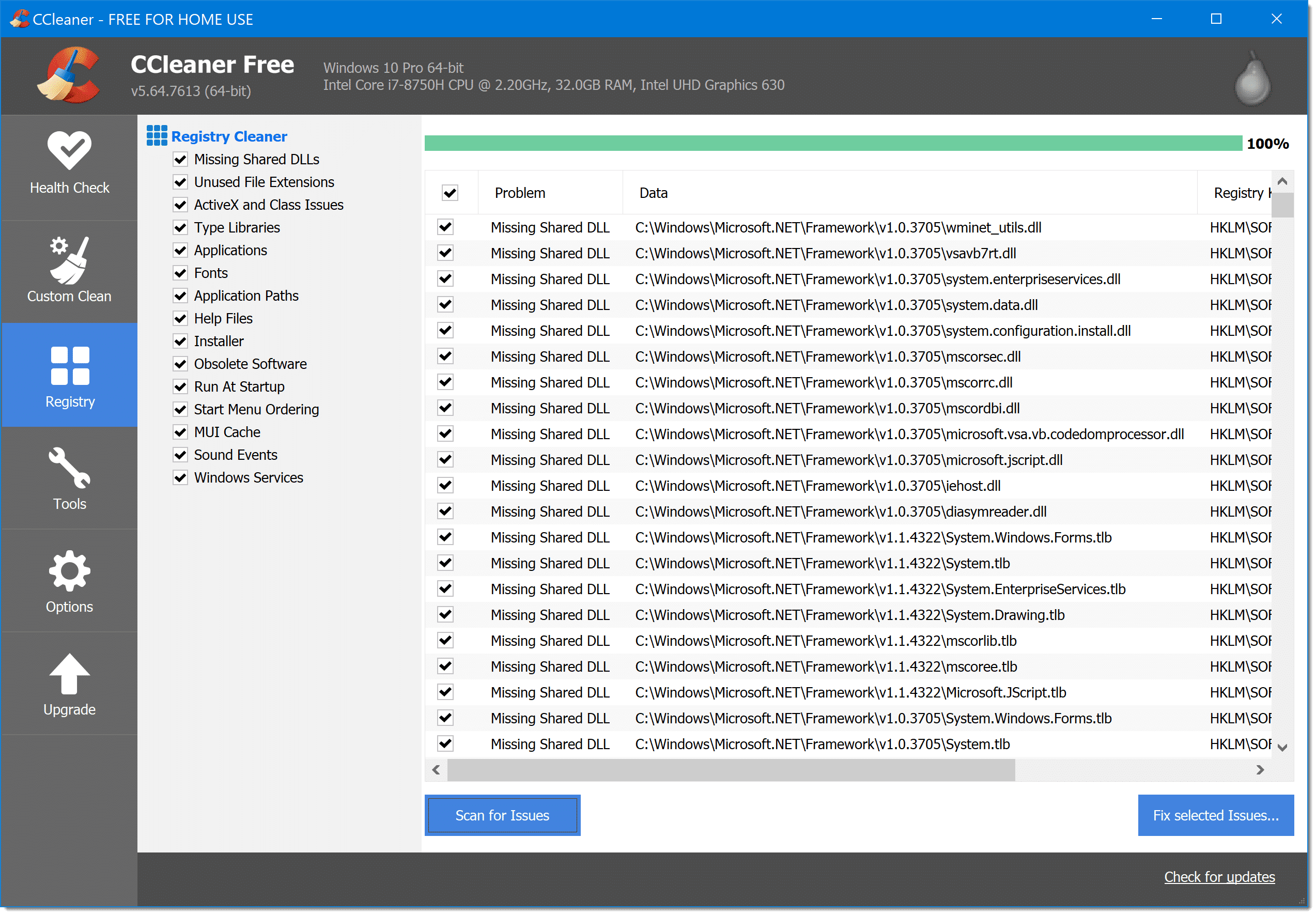

I believe that registry cleaners are only marginally useful. One reason is that they rarely actually help.
Another reason is, it’s all too easy to needlessly panic when you see the long list of issues they typically present.
That’s not to say they aren’t sometimes useful — but knowing what to do next in your situation isn’t all that easy. It depends on the registry cleaner.
Here’s what I do.
Become a Patron of Ask Leo! and go ad-free!

Cleaning registry scan results
Registry scanners should be used rarely, as they rarely have any significant impact. The number of issues usually reported makes understanding and deciding how to proceed with each one infeasible. The pragmatic solution is to either fix nothing, or — after backing up — fix everything.
All or nothing
I take an all-or-nothing approach to registry cleaning.
Most of the time, I simply don’t run one. At all. Over at least a couple of decades now, I’ve never encountered a problem using a registry cleaner would have solved or prevented.
I honestly believe 99% of computers out there simply don’t benefit from registry cleaners. Ever.
This is the “nothing” in my all-or-nothing approach. In your case, I would not have run the cleaner, and I’d ignore the “errors” if I did.
Note I put “errors” in quotes.
The majority of what a registry cleaner reports as needing cleaning are not errors at all. Most issues are what I’d call “inefficiencies” — unnecessary but harmless registry entries. Removing them might speed up your computer by some minuscule but unnoticeable amount.
Given that so many of the so-called “errors” are in fact completely benign, I’m extremely comfortable ignoring all of them.
Cleaning
But what if, for some reason, you really, really want to clean the registry?
As I mentioned in that earlier article, perhaps attempting to address some kind of problem is the last step prior to giving up.
Fine.
- Make sure your computer is backed up.
- Let the cleaner clean them all.
Yes, all of them.
Again, 99% of the time, it’ll be just fine to do this. Yes, there’s a small chance something cleaned will resolve some problem, or perhaps your machine will speed up a tiny bit.
Or, more likely, you won’t notice any difference at all.
So. Many. Issues.
The fact is, issues reported by registry cleaners are too numerous to track down and know what to do with individually. There are just too many, as you’ve seen with your 700+.
So if I run a registry cleaner and it finds issues, I either fix none, or fix all.
If I fix any, then I run it again. Fixing some issues can expose other fixable issues. If you’re going down this rabbit hole, you might as well be thorough.
The critical step and important assumption
One important note: please pay attention to step one: backing up.
Some percentage of the time, a registry cleaner may do more harm than good. It may “clean” something important. You should be backing up your data and machine regularly anyway, but this is an important time to make sure.
Finally, this all assumes a “decent” registry cleaner. There are hundreds of tools out there that claim to clean, optimize, defragment, boost, or whatever your registry. Many are modern-day snake oil, and can be dangerous.
What’s the Best Registry Cleaner? will first reiterate that registry cleaners are rarely needed, and then include my recommendations for which ones I trust.
Do this
Subscribe to Confident Computing! Less frustration and more confidence, solutions, answers, and tips in your inbox every week.
I'll see you there!
Podcast audio

Related Video


Dear Leo,I run a registry cleaner called Max Registry Cleaner and it does Quite a good job.It also creates a Back up of the registry each time before any deletions take place,but so far i havn’t had to use the back up.
The mane reason i use it though is when i uninstall some programes it generally leaves behind dozens of entrys in the registry which can
conflict with similar programes i install.
For instance I had a programe on my computer called Winfast TV 2000XP Expert.Which played TV and FM Radio on my computer.I decided to delete that programe and install later software Winfast DTV2000H,which allowed me to play High Defenition
digital tv Etc on my computer.But before the new programe would install i had to get rid of all references to the old one on the registry otherwise it just wouldn’t install.so in this instance and various others my registry cleaner was very usefull saving me alot of work doing it manually.Neither of these programes is very easy to install and i had problemms getting the FM Radio to work at all.I eventually discovered i had to install a separate programe off the installation disk Winfast PVR.Although there was nothing mentioned about that in the instruction manual.Its still not working properly as i can only receive about a dozen FM stations although i
have a good outside antenna atatched to the card and the old one received almost unlimited FM stations.So if anyone has any exprience of this kind of problem help would be appreciated.
Thank you Alistair Mitchell.
I regularly use CCleaner downloaded free from http://www.cnet.com downloads. The interface is easy to use and it also lets me “see” (and uninstall) applications that don’t always show up in the Control Panel. You do have to be cautious though as some that show up there are parts of such things as HP all-in-one software tools.
And for the record, regardless of how I typed it in my link, the link to JV16 goes to Macecraft and the legitimate product.
u could replace the registry hive files off of xp disc but thats a bit complex and the effect is basically the same as a reformat (data is still present just all pointers to data in registry are gone) by replacing the hive files from the win xp disc you’d be back at square one with no errors – do i recommend this fix, nah just clean it you should be fine *backup stuff 1st*
and leo i agree 99.9999 pct of things automated registry cleaners find are harmless knowing how to remove entries from run and runonce manually is more worthwhile then any of these peices of software will ever be, why? cause its something that actually comes in handy.
I downloaded and installed Glary Utiltes and did a “one click maintenance” and over two thousand registry entries were found. I allowed the program to “fix” the problems. Then I saw the option to “defrag” the registry. Again,I allowed the program to proceed. The very next morning,I could not boot into Windows (a “hal.dll.” file was missing).I could only boot into Ubuntu. If it weren’t for the dual boot option, I would have nothing. Also, I didn’t create a backup. I ended up buying another refurb laptop. Windows XP Pro SP3 costs $200-$300 alone(the program).I couldn’t fix the problem through Linux,I could browse the web but Linux is hard for me to work with. The point is,I’ve learned my lesson. LEAVE ALL THESE FREE REGISTRY CLEANERS AND “OPTIMIZERS” ALONE,they are a waste of time to even read about.
I use CCleaner’s registry cleaner on rare occasions. It asks you if you want to back up the registry first. Always perform the backup. I’ve never needed it, but it only takes a minute or two and can save you hours of aggravation.
When I did regularly use a registry cleaner, I noticed a distinct trend :
MOST if not all the «errors» reported tended to reappear after just a few days. There always where tons of «invalid» shortcuts and files associations. All of those will return after just two to three days of normal use, maybe even after a few minutes. They could come back after simply opening the file explorer and displaying a folder containing files with strange extensions, like .123 and similar.
Yes to what Alain said. The Registry records everything you do on your computer. Every file you open, every folder you visit, anything you install or uninstall, the settings of all your software, etc., etc. The “errors” aren’t really errors, but obsolete entries that never get cleaned by the Registry itself. The Registry is more of trash repository than you might think.
Best example I’ve heard on reg errors. If you approach the local library and see a sign out front: “WARNING–A THOUSAND BOOKS INSIDE HAVE SPELLING ERRORS AND MISSING PAGES”
Do you turn away? The only time any of those thousand errors “might” affect you would be if you checked out that particular book. And even then-so what?