How to avoid the #1 cause of compromised accounts.
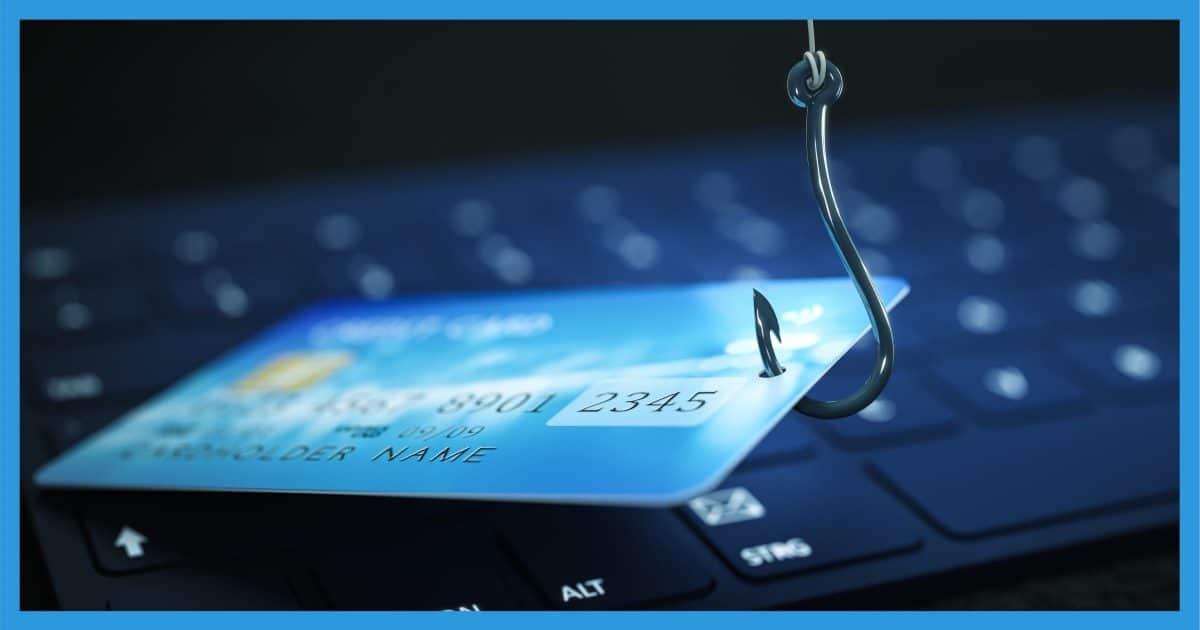

You’re right to be suspicious: this definitely sounds like a phishing expedition.
Phishing is the #1 way accounts are hacked and credentials stolen.
Become a Patron of Ask Leo! and go ad-free!

Phishing
Phishing is an email message trying to trick you into handing over confidential information or installing malware. One form involves misleading links that take you to fake sites and ask you to sign in. Another uses attachments to deliver malware. Whenever you’re not 100% certain, visit the website manually, using your own bookmark or typing in the URL by hand. If needed, reach out the company’s support, but above all, avoid the suspicious email.
Phishing: what it is
Phishing is like fishing, except you’re the fish and email is the bait. If you bite, you run the risk of account or identity theft and all the subsequent hassle.
Phishing is an email message trying to trick you into taking some action by fooling you into thinking the message is authentic when it is not.There are three basic scenarios.
The misleading link
The bad guys, or phishers, create an email that looks very much like an official message from an important entity, like eBay, Microsoft, PayPal, or your bank. The email insists you visit a site via a link in the email. The site it takes you to looks very official and proper. You’re then prompted to enter personal information, like signing in to verify your account.
Fall for it, and you’ve just handed over your personal information to a thief.
The trick is that a link can look like one thing and yet take you somewhere else. For example,
That looks like a link to eBay, but it’s not. Click on it and you’ll be taken somewhere else entirely. This is possible due to the way HTML and rich-text email can be encoded.
If you’re tempted at all, first hover your mouse over the link, and look before you click.
- The destination should match what you expect. Exactly. If the link claims to be eBay, http://ebay.hacker.com is not where you want to go. Nor is ebay.cc (note that it’s not “.com”).
- The destination address should be a word (like askleo.com), not a number. If the destination has numbers, such as http://72.3.133.152, it’s not valid.
- The destination should be secure, beginning with https:. If the destination for anything claiming to be secure (or for account validation) begins with regular, unsecured http:, chances are it’s not legitimate.
Avoiding this is simple. Never click on a link in the email you receive in these scenarios. Instead, open your browser and go to the site yourself, using your own bookmarks or typing the URL you already know to be correct.
The misleading attachment
Another approach phishers use is to include an attachment supposedly containing important information. For instance, it might say you have a package coming via a popular shipping service, and you must acknowledge an attached document to get it.
The problem is the attached document isn’t a document at all. It’s typically a mis-named file that looks like a document but is actually a program (report.doc.exe), or the “document” is in a zip file you must first open — and when you do, another program is run.
That program? Malware.
There is no package. The email is lying. Opening the attachment infects your computer with malware.
Avoiding this is simple: never open attachments you aren’t 100% certain are legitimate. When in doubt, don’t.
The misleading threat of closure
A surprisingly successful phishing attack boils down to what you’ve seen: an email threatening to close your online account unless you respond with your account credentials — including your password.
Legitimate businesses never, ever ask you for your password via email.Never.
Don’t even think about it. Mark the email as spam and move on.
If there’s a real issue
If you get a message that concerns you and you want to safely ensure you’re not missing something important, here’s how.
Step one: ignore the email. Completely. Personally, I’d delete it right now.
Step two: go to the site in question manually. Use your own bookmark, or type what you know to be the correct URL into your browser by hand, and log in to your account as you normally would. If there’s something you need to do or verify, you’ll probably see it there.
If you’re still not sure, give the institution a call, contact their support line, or search their support site. Trust me: they’d much rather have you ask than have to deal with the possibility of identity or account theft.
Do this
Subscribe to Confident Computing! Less frustration and more confidence, solutions, answers, and tips in your inbox every week.
I'll see you there!
Podcast audio

Related Video


I assume that the following (series) of emails to me are a scam, but Hotmail makes it almost impossible to verify. Can anybody help?
Thanks! -Rich
[LARGE collection of scam/phishing examples deleted.]
Here’s the official word from Microsoft on this scam: Phishing Scam: Hotmail Warning (Verify Your Hotmail Account Now to Avoid it Closed)
Visiting Windows Live Help is always a good first step.
28-Jun-2009
Michelle,
You sound surprised that a link that says “www.ebay.com” to the user could actually go to buyleoalatte.com instead. But, think about it. How many times have you seen “click here to do something”, and never thought “how does that do to a website not called “click here”?
The answer is simple… That’s how HTML works. There is an HTML tag which says “when you click here, do this”, and the text within it is what is displayed to the user.
Basically (hoping the formatting comes through):
<a href=”phishing_site_URL”>real site name</a>
Ken B., you wrote:
“How many times have you seen ‘click here to do something,’ and never thought ‘how does that do to a website not called “click here” ‘ “?
Actually, the question should go one step deeper than that. Append this sentence: “In fact, how does that do a website at all — THAT’S not a valid URL!” :)
So, I feel like a moron. I got an email from a guy named Mark Savorn regarding a rental, shortly after emailing several people who had rentals posted on craigslist. In Savorn’s email, he made no reference to the listing number, number of bedrooms, location, or any other identifying factor or way in which I could link this email to any particular rental listing on the site. There was however, a very reasonable tone about his email and what seemed like a harmless request to fill out a credit report. I wasn’t sure what to think, but despite the fact that I was a little suspicious, I clicked on the link! uh–whoops! so now i’m wondering how bad it is to click? I didn’t fill anything out, just looked at the site, then left it. I don’t do any online banking, but occasionally make purchases online so what are my chances of not being screwed here? I got smart just a minute too late and googled the guys name, and it’s plastered all over flakelist.org! Help!
Hi everyone, Hi Leo.
I’ve got a question to you Leo( or everyone who can answer my question), it could be that my question is totally stupid but, how did you do that ‘www.ebay.com’ , so that it leads to another website? Can you teach me how to do it? so i can do something similar to prank my friends?(btw:i have my own subdomain, so it would like to give an existing link to my friends that leads to my own site..) Bye and thanks in advance
15-Jul-2011
The basic HTML syntax for a link is:
{broken link removed}
This is called an “anchor” link (hence the “<A" and "” parts).
Hope this helps!
Bother! And I have no idea how to “escape” that, either! :(
Good job Leo in having your fake “Ebay” link go to “Buy Leo a Latte” – that is a very cute phishing example. Maybe you’ll get some coffees out of it!
A few questions;
1) In Firefox, there is an option to “not redirect” a page. Would this help?
2) What exactly is the act of downloading a malware? Opening the suspicious email, clicking something in the email (like go to a site), or actually downloading something (either email attachment or from site)?
If it is “opening email”, can it be sent to spam box and opened with caution (to check)? If it is downloading, usually there is a prompt to Run or Save File. At that point is it already too late?
Many thanks Leo
Leo…I use a great email/spam screening program called Mailwasher from Firetrust. There’s a paid version but I’m a single user and have the free program. I consider Mailwasher one of the most useful items, such as Belarc which I love. Mailwasher lets you screen the email, determine if it’s malware, etc., and a range of options such as mark as good, delete, spam, add to friends list, etc. This is a great program for more security. ec
I like to Forward phishing emails to the purported sender, the Federal Trade Commission (spam@uce.gov) and my Internet Service Provider, Comcast (abuse@comcast.net). I figure that the “Sender” has a name, brand and reputation to uphold with a justified reason to investigate. The Feds have job to do and my ISP has a responsibility to protect their customers.
This is what I do. First, set your email program to “View All Headers”. Second, look up the legitimate “Sender” web site to find their “contact us”, “report fraud” or “report phishing” email address. Third, look up your ISP report abuse email address, then forward the suspicious email to all of the above. I’ve even been known to read through the Nigerian 419 emails to find a brand name of a shipping company, a bank or a corporate “sponsor” and send them the emails of scammers using their name in vain.
This won’t stop getting spam in your inbox, but it feels good to let others know what’s happening. Just maybe I’ve helped stop one or two of these clowns.
I still use Outlook Express. When I get a suspicious email I look at who sent it by going to Files > Properties where all the info on the source and routing is displayed and check the email address of the sender. The last one was supposedly from my email provider but the sender’s address was madeupname@aol.com and why would ATT be using AOL for their emails? I don’t think so, so I just hit delete.
Be sure to back up your Outlook Express data. It has a great history of suddenly dying on people.
Leo … I seem to recall phishing is a contraction for ‘password harvesting fishing.’ I checked your glossary and didn’t find this, and reread all these comments to verify nobody mentioned it. Some quick research didn’t locate this contraction; quick for me being the first paragraph of two Google references. Reading more in Wikipedia because I find the subject captivating, the term phishing is attributed to a hacker: Khan C. Smith (6th paragraph under History and current status). I was amused to find variants such as ‘Spear Phishing’ and ‘Whaling.’
I’ve never heard of that contraction. I wonder if it’s a “backronym” – something that was contrived after the word phishing had already been coined. ( http://encyclopedia2.thefreedictionary.com/backronym )
Hi Leo,
Nowadays, these criminals have come up with new ideas. A few days back, I received a mail threatening me that a case has been filed against me (in some god forsaken named court). I must open the attachment for details and reply immediately. Otherwise, the case will be decided in my absence!
Mmm… What to say about this?
I’m almost sure a “case”, such as for a lawsuit, the paperwork must be delivered via certified U.S. postal mail and/or hand-delivered by a person known as a Process Server.
Is it possible that a cyber criminal even though it compromised your email account would use one (or maybe even 2) of your contacts to phish more information about you (to perhaps get access to your computer)?, because my contacts has not been hacked at all and nothing is showing in his recent activity and no other contact has recieved anything from them. It gets me confused
New definition of irony?! Your email notification for this phishing article was blocked by Windows Live Mail as a suspected phishing attack … :-)
Yes, and it’s easy to see why: because of the “fake eBay” link. Windpws Live Mail picked up on that and, since that is, indeed, a common phishing technique, flagged this article accordingly. :o
one thing thats a big red flag, the greeting. when you see “hello dear”
“dear email owner” “dear customer” or the like. if your financial
institution contacts you using the email you gave them, you can be
sure they will use your name in the email. my credit cards actually
use the last 4 digits of my card in the email. and i still open a new
tab and type the URL in myself.
Note that many phishers/scammers etc now direct you to https sites, so that on its own won’t show it’s real. Just look at the domain on its own as Leo says.
Hi Leo,
You mention learning basic html to people (which is a great idea!) but don’t mention to them that they should view the Source of the email to obtain this information. If they’re unaware of html structure then they’re probably unaware of how to find the information that will validate their skepticism and protect them or build their confidence.
ps: regarding poor English grammar in an email it’s often hard to decide whether it’s from a non-English scammer or a Millenial talking chat!
I don’t think you’ll get an email from a legitimate company written in Millenialese. That Millenial would have been fired long ago :-)
“http://www.ebay.com/”
“hover your mouse over the link”
…but many times this doesn’t work
But when it does — which is most of the time — it’s very informative.
Don’t throw out a good source of information because it might not work in a few cases.
I saw a phishing email from an email address when clicking on reply it went to another email, a yahoo.com email. Using abuse.net and entering the yahoo domain name I got the email to report the spam.
https://www.abuse.net
Abuse.net is NOT a spam reporting service or feedback loop. But if you can identify the origin of an unwanted message, abuse.net can help you get your complaint to the right place.
The problem is that the reply address may not have been involved in the spam at all — it could easily have been faked or spoofed. So you may have just reported an innocent user. I do NOT recommend this approach.
Leo, you wrote:
“If you’re tempted at all, first hover your mouse over the link, and look before you click.”
Here’s an inportant “heads up” for Amazon Kindle Fire users:
The equivalent for a Kindle Fire is to tap and hold on the link in question, until the context menu pops up.
Many people have never noticed this, but the actual link target address is at the top of that pop-up menu! I imagine most people simply think it’s a “title,” and not anything important. The reason you’ve probably never picked up on this, is simply that you’ve only been clicking on legitimate links — meaning that the link you tap on and the link listed are the same. (They’d only be different if the link was fraudulent!)
So, if you suspect a link at all, tap-&-hold, and pay close attention to the link listed at the top of the menu.
Hope this helps!
I inform anyone who asks me, (mainly the ‘missus’ and family), to 1. – check the email address of the sender and 2. – before clicking on ANY link in an email to, as Leo has pointed out, hover the mouse pointer over the link to verify or not the web address shown at the bottom of the screen.
If there’s any doubt at all, delete the email and/or forward said email to the legitimate website being used, in the form of, for example ‘spoof@paypal.com’.
Whether they’re able to do anything about tracking and taking care of the scammers using a fake version of their web address, I don’t know the answer to that question.
Using a password manager like LastPass is a layer of protection against Phishing links. If you go to the legitimate site for which LastPass has a saved password, LastPass will usually automatically fill in the login information. If it doesn’t, it’s time to investigate that email very closely or even simpler, close that login page, type in the website’s URL or click on the website in LastPass’ vault and log in that way.
Maybe this gets a bit too technical, but if the hovering thing doesn’t work, try this: Most browsers give you a way of looking at the source code (HTML) of the page. Typically it’s in the menus, perhaps under something like “Developer tools”. Or you right click a link and there may be a context menu for “inspect”. In the window that opens up there should be indicators of where the page or parts of the page came from, such as URLs. On a link, you can also right click and select “copy link location” and paste that in a text file to see what the underlying URL is. Try this on Leo’s example of the eBay link. Granted, this is not something you would do on every web page or link, but if you get really obsessed and curious, try it.