It’s something to look at if you’re fed up with Microsoft and Windows.


I give up. Between Windows 8, Windows 10, and now Windows 11, I’m done.
What do you think if I convert to Linux, or am I wasting my time? What applications and utilities are compatible, i.e. browsers, anti-spyware, virus protection, etc.? How would you go about setting the computer up? I have moderate experience utilizing forums and sites like yours when encountering major problems.
I often hear from people who, like you, are frustrated with Microsoft and are looking for an alternative.
Also, Linux is a great way to extend the life of older computers because many Linux distributions require fewer resources than Windows.
Linux isn’t for everyone, but it can be a solid alternative.
However, we need to set realistic expectations, and naturally, there are a few “gotchas” along the way.
Become a Patron of Ask Leo! and go ad-free!

Switching to Linux
Linux is a valid alternative to Microsoft Windows. The most important thing is to set realistic expectations around support, compatibility, and updates. Many distributions of Linux can be tried before actually installing them on your machine. Before you decide to take the plunge, be sure to take an image backup of your existing machine so as to be able to change your mind later should that be necessary.
Linux distributions
One of the first concepts to understand about a switch to Linux is that it’s not just one operating system — it’s many. In fact, the number of different Linux versions numbers well into the hundreds, and most of them are free.
These different versions are referred to as distributions, or distros for short. Each is based on a core version of the Linux guts — referred to as its kernel — but each differs in various ways and for different reasons. Sometimes there is more than one edition of a distro, with different collections of applications or features.
Some distributions target low-end machines, others make great web servers, and others are better for desktops. It’s the latter I’ll focus on here, recommending two distributions for general-purpose desktop use.
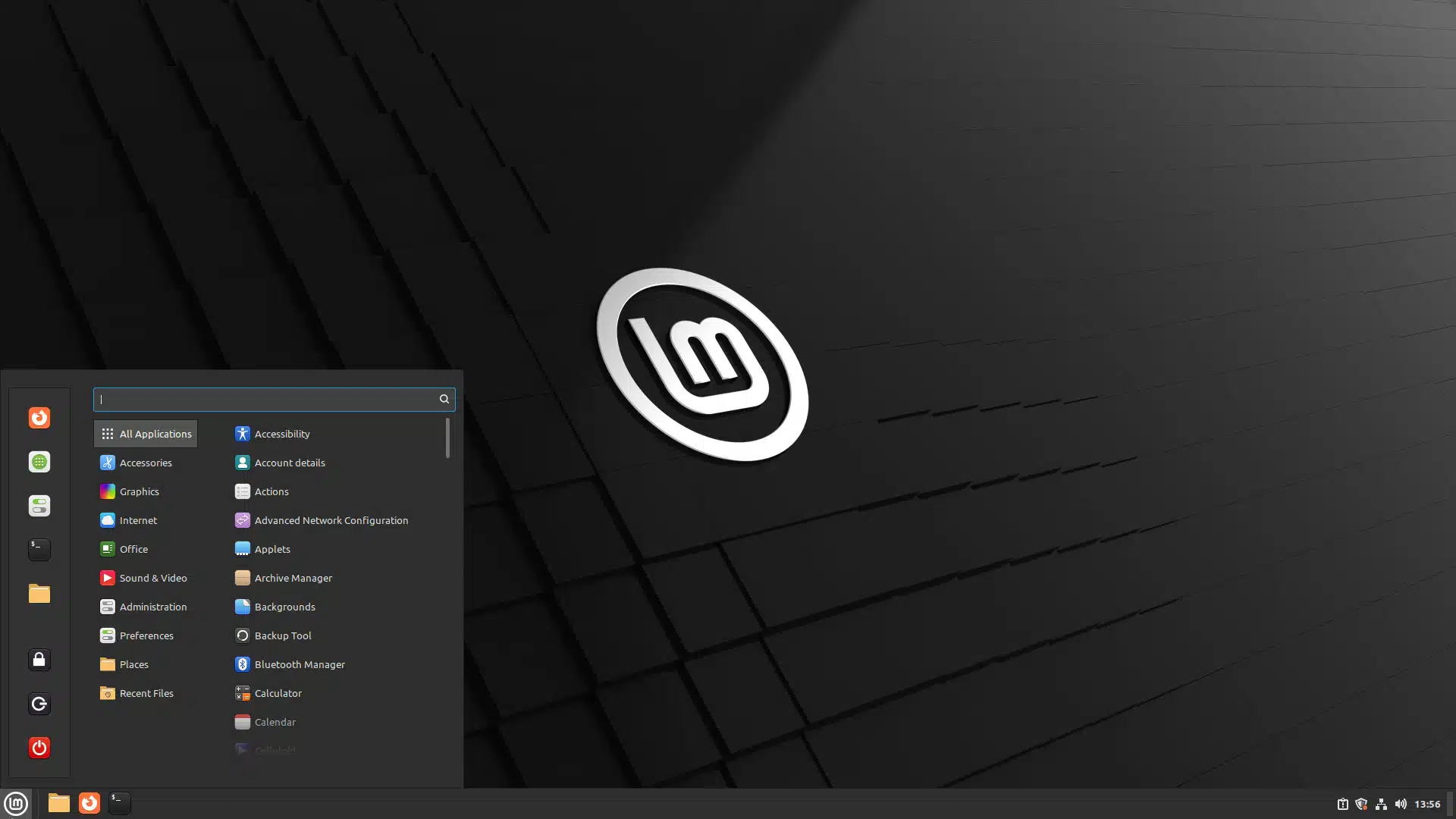
Both of these versions of Linux allow you to choose between different user interfaces. Windows is limited to whatever Start menu and desktop it comes with, but with these distributions of Linux, you get to choose among several options.
As we’ll see shortly, you can experiment to see which you like best. For now, I’ll recommend the one I often use on desktop machines: Linux Mint.
A switch to Linux Mint Cinnamon will probably be most comfortable for those resisting the kinds of user interface changes that appeared in Windows 8 and 10.1
Setting expectations: updates and support
Once you’ve selected a distribution, there are a couple of important expectations I want to set. Windows users often complain about how often updates happen and how long their current version of Windows is supported.
In Linux, those factors vary with the distribution you’re running.
Linux update frequency
Different distros update at different rates. In fact, those rates can cascade in a fairly complex chain of events. Both Ubuntu and Mint, for example, are based on the Debian distribution of Linux2. That means updates can be initiated from four places: the Linux kernel, the Debian distribution, and the specific downstream distribution (Mint or Ubuntu) you’re running, plus any additional applications you have installed.
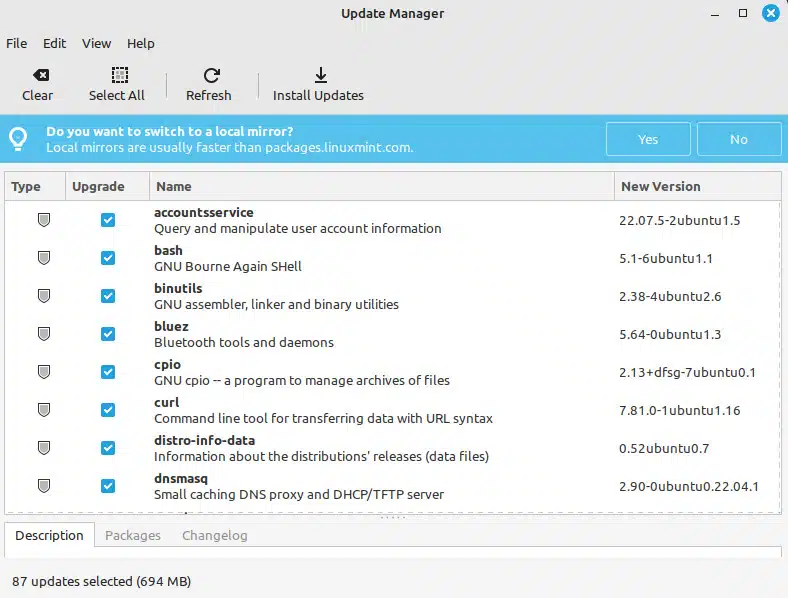
Unlike Microsoft, most distributions don’t batch their updates into a once-a-month cycle but make them available as they’re ready. My experience with Linux Mint is that updates appear frequently, as in multiple times per week. The good news is that there’s usually no harm in waiting a while, and should there be a critical update, it’s made available as quickly as possible.
Again, depending on the distribution, you may get notified of pending updates, or you’ll have to run the Update Manager yourself every so often. And reboots, while sometimes needed, are never forced.
Linux life cycle
I’ll be blunt: if you’re complaining about Windows’ life cycle, you don’t know how good you have it. I know of no other popular operating system that is supported for as long as Windows. If you switch to Linux because of this, you’ll be disappointed.
Most Linux distributions fall into two classifications of release:
- “Normal” releases are typically supported for two years.
- “LTS” releases, standing for Long-term Support, are generally supported for five years.
In addition, while frequent releases are typically in-place upgrades, more major releases rarely have that as an option — you must reinstall the operating system from scratch to upgrade.3 This usually means saving your data, and starting over from scratch (though, again, some distributions may make this process easier).
The good news, however, is that unlike Windows, it’s typically not nearly as risky to keep using an unsupported version long past the end of its life.
Setting expectations: software and hardware support
Most major concepts are common across Linux, Windows, and MacOS. Files are files, folders are folders, they all have a clipboard, and they all run similar applications.
The devil, as they say, is in the details. Keystrokes may be different (CTRL+Q instead of ALT+F4 to exit a program, for example, or CTRL+Insert to copy to clipboard, rather than CTRL+C); menu options may be different; and occasionally, similar programs behave differently, perhaps making assumptions in one operating system that the other asks about.
There are too many small differences at this detailed level to cover exhaustively. The good news here is that, as I said, the concepts are typically the same, and the differences often fall into the category of “similar” rather than radically different.4
Linux applications
The first place folks often run into trouble with a switch to Linux is in applications support.
Windows applications will not run on Linux.5 You’ll need to find Linux versions of the applications you care about to run them on Linux. These fall into three broad categories.
- Applications that are, in fact, the same. Many applications you may already be familiar with have Linux versions. Examples include the FireFox web browser and the Thunderbird email client.
- Alternative applications. In many cases, there are alternatives to the applications you’re familiar with. For example, the Open Office (or Libre Office) suite is available for Linux. It’s the same as the Open Office suite on Windows, and both versions are an alternative to the Microsoft Office suite for Windows. As an alternative, it’s compatible — to a point. Many, though not all, of the same features and functionality exist, though often in different ways. Even though they’re compatible, documents may look different when exchanged between Microsoft Office and Open Office applications. This is a common experience across many of the alternative applications available for Linux. Once again, they’re the same, only different.
- Missing applications. Some applications have no direct alternative available. Your only hope then might be to choose a different approach to the problem (for example, an online offering, if you’re comfortable with that), or running Windows on another machine so you can continue to use the Windows program(s) you need.
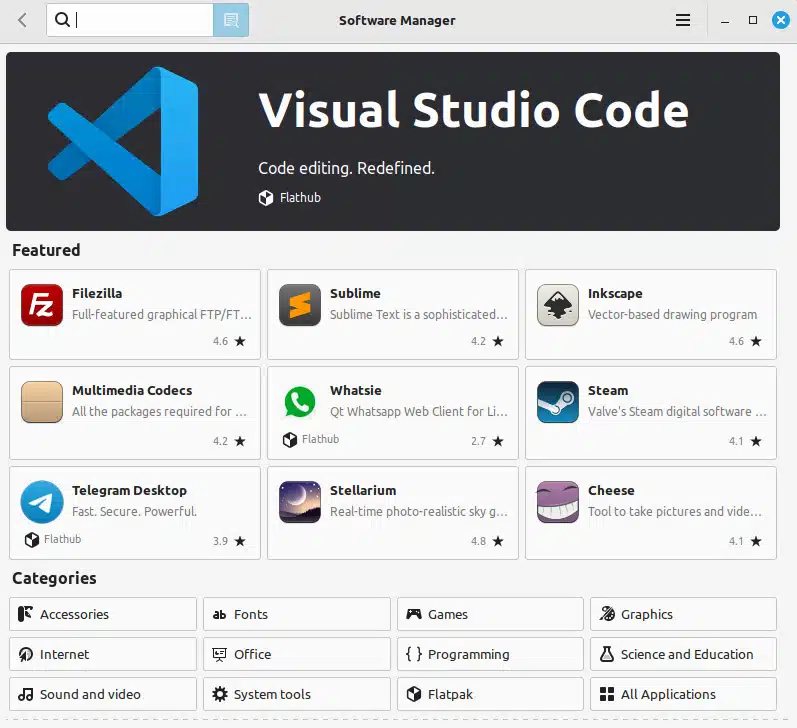
In terms of finding applications, the great news is that there are thousands and thousands of applications available, mostly for free.
While there are anti-malware tools for Linux, they’re typically not as extensive, and, to be honest, not as necessary as they are on Windows. Linux on the desktop isn’t the target for malware that Windows is.6
Linux hardware support
The second place folks run into problems with a switch to Linux is hardware support — more specifically, either advanced support or support for newer (or more esoteric) hardware.
One problem with hardware support is rooted in device drivers and the terms of the Linux open-source license. Technically, all software distributed with Linux is supposed to be open-source — meaning anyone can view (and sometimes even change) the software within certain limits. Hardware manufacturers resist this, as it can expose proprietary features relating to their hardware. On top of that, hardware manufacturers rarely take the time to write device drivers for Linux as it’s such a small part of their overall market.
The result is that many drivers are basic, generic, or cannot take advantage of a device’s full range of abilities in Linux.
Sometimes there’s no driver at all, so a particular piece of hardware just doesn’t work on Linux machines.
The good news is that the vast majority of hardware is fully supported (or supported well enough) to keep most people satisfied.
Linux user support
The final place folks run into trouble when they switch to Linux is when they… well, when they run into trouble.
Getting help for Linux issues is more difficult than for either Windows or Mac. There are two basic stumbling blocks.
- There are few equivalents to an “Ask Leo!” for Linux. I don’t address Linux questions often because most of the people coming here are Windows users with Windows issues, so I’m able to help the greatest number of people by answering those types of questions. The result is that Linux isn’t big on my radar. The same is true for the vast majority of technical support sites and forums on the internet.
- The forums and venues that exist for Linux support have a reputation for being intimidating, geeky, and unfriendly to beginners. That’s unfortunate, but I’ve visited lots of them for solutions to my own Linux problems, and I’ve seen it often enough to note it here. I hope it’s improving. The best advice I can offer is to be extremely clear in the questions you post and to carefully read and respond to all responses you get. More often than not, frustration is generated when questions are vague and incomplete and/or when people provide answers that are apparently not even read.
Giving Linux a try
It’s easy to try Linux.
Most distributions are delivered as a “live” CD or DVD (or bootable USB image) that you can download from the website of the specific distribution you’re interested in, such as Linux Mint or Ubuntu. Download and burn these to a disc and then boot from that disk.7 Rather than running a setup program, a live CD will boot into a running, usable copy of Linux without modifying your hard drive or your Windows installation.
(In fact, you can often use these live discs to recover files from an ailing hard disk using Linux-based tools.)
Play with Linux. Experiment a little. See what programs you like or don’t like. See how it is different and how much you care about those differences.
Two important things to note about running a live CD:
- Nothing will be saved unless you use and save to an online service or explicitly connect to your local hardware. (For example, reading your email on Outlook.com on the web should work — and save — just fine.)
- It’ll be much slower than if it were installed on your system. Don’t read too much into the performance you experience with a live CD.
Switching to Linux
First, create a complete image backup of your existing Windows machine.
I cannot stress that point enough: back up your machine completely before you install Linux.
The issue here is that switching from Windows to Linux is as big a change, if not bigger, as upgrading directly from Windows XP to Windows 11. There’s a lot to learn and a lot to get used to. After using it for a while, you may decide it doesn’t meet your needs or is just not your cup of tea.
Maybe Windows wasn’t so bad after all. 
Having that complete image backup of your machine means that reverting to what you had will not only be possible but relatively easy.
Do this
Depending on your needs and willingness to take a little time to learn different ways of doing things, Linux can be a very viable alternative to Windows and a cost-effective way to extend the life of an older PC.
Podcast audio

Related Video


Footnotes & References
1: Warning: Some folks get downright religious when expressing their opinion on what the “best” distribution or “best” desktop choice might be. Don’t let that scare you; for everyone who feels that x is good or y is bad, there are others who feel the opposite just as strongly. Ultimately, make your own choice – something Linux is good at.
2: Yes, distributions can be based on other distributions. Debian as a base distribution is very common.
3: I recently went through this exercise with my Linux machine. My current version was no longer supported. I let it run that way for a while but then bit the bullet and did a clean reinstall.
4: I’m really talking about the graphical user interface. The Linux command line is fairly different, though exceptionally powerful, and pretty consistent across all distributions.
5: Yes, I know about technologies such as WINE and others that allow Windows programs to run on Linux. In my experience, they’re too fragile to recommend to new Linux users and could unnecessarily scare them away from the platform entirely. The best solution for most people is to make the effort to switch to Linux-native applications whenever possible.
6: Running a Linux server, on the other hand, is another matter. While not subject to the same types of malware as the desktop, Linux servers are all under constant attack. The only machine I’ve ever personally had compromised was a Linux server that was then used to send spam.
7: Check out How Do I Boot from CD/DVD? and How Do I Boot from CD/DVD/USB in Windows 8? if you’re unclear on how.

I would like to touch upon a point that Leo didn’t mention in his article, and that is that GNU/Linux is an open and free system, as compared to propriety systems like Windows and OSX. To me, that’s the essential reason to prefer Linux over those other systems: the fact that I’m free (as in freedom mainly, even though it is also free as in “free beer”) to use it as I like. There are no freedom-restrictive EULA things with GNU/linux. I’m willing to take a certain level of inconvenience in order to be free (and that inconvenience is actually very shallow).
Knowing that you are *not* locked in with a system of which the owner only actually “allows you to use one copy” under his terms and conditions, that you can put that system anywhere you want, and modify it the way you like it, is for me a very important aspect.
Another important aspect is that it is open source, meaning that it really does what it says it does. With a propriety system, you never know what the software *actually* does, whether it is spying on you, and whether one day it will “lock you in” (like the Win-10 upgrades that you cannot switch off).
Finally, the multitude of linux distributions (which are all based upon GNU/linux and only differ in package choices and management, and some system layout choices) is a good thing, in that you even do not depend totally on your distro. For instance, Ubuntu (by Canonical) is a very popular linux distro, but you may become wary about Canonical (like people can become wary about Apple or Microsoft). Well, the day that you don’t like Canonical any more, you can still keep your home directory, install a totally different distro, copy your home directory into it, install the same packages (using eventually other package tools), and everything will work the same, because, after all, it is still GNU/linux. With a GNU/linux system, you know that you will NEVER be “locked up” into the whims of a single company. You cannot say the same about a switch from Microsoft to Apple. If you don’t like Microsoft, and you decide to leave Microsoft, the “move” will be much much harder, and things will not work the same. If you decide to leave Apple, you’re also in for a big loss. You’re tied to them. With GNU/linux, you’re never tied up.
Concerning needed support, I would say that this has improved a lot. First of all, popular distro’s like Ubuntu really do work “out of the box” for most hardware, at least since edition 14.04. And there is the ubuntuforums, where most issues you might encounter are solved, and if you have a problem, you can always post there. And then there IS professional linux support. It is Canonical’s business for instance. There are freelance people who do this too. If you want to pay for support, you can just as well get it for linux as you can get it for any other system.
I would say that concerning computer literacy, a linux distro of today is much easier to use than a windows distribution of the 90-ies. Now, unless people have become much much more stupid and illiterate since 20 years, I don’t see why it should have become harder to use a linux system now, than it was to use a windows PC in the 90-ies. I’m not saying that a linux system now is like a windows system of the 90-ies. I’m saying that *the required computer literacy* of a linux system now is certainly not higher than the required computer literacy for using a windows system of the 90-ies. People are not bigger idiots now than they were in the 90-ies I would presume.
The fallacy is to say that “linux is not always compatible with Windows”. In how much is that a problem of linux, and not a problem of Windows ? Why should a linux user be compatible with his windows fellows, and shouldn’t be the burden on the windows fellow to be compatible with the Linux user ?
Open/Libre office is an example. Open office can read and write Microsoft office documents, but not always perfectly. However, Microsoft office cannot read Open office documents. I would say that that’s a problem of Microsoft office, that is visibly not capable of handling the Open office fellow’s documents *at all*. There are many examples like that, where Microsoft (or Apple) products fail to be compatible with Linux products. I don’t see why that should be a problem for the Linux products, and not a problem for the Microsoft/Apple products.
If I send an open office document to a collegue, and he can’t read it with his microsoft office suite, then I consider that that is a problem of *his* office suite. But, open office being open and free software, it can never block him: he can always install it and read my document ! However, in as much as he sends me a microsoft document which I’m supposed to modify, say, my suite can actually read it. But sometimes, things don’t work out perfectly. And no, I cannot download a version of microsoft office to handle it: it is propriety software. So the open office document standard is actually superior, in the sense that nobody is ever “locked out” of it, while propriety standard documents do lock out people, unless they commit to the propriety software (by buying a license, or having to sign other commitments).
It is not the fact that certain propriety software is at this point ubiquous, that this isn’t a problem of principle. I don’t have, nor at the office, nor at home, a microsoft office suite. If I send documents to collegues, I send them my open office produced .doc file (which may or may not work), my open office .odt file which he can ALWAYS use if he installs open office, and a pdf.
If I receive a .doc file, and it doesn’t read well, I ask my collegue to send me a pdf. If I have to work with it, I send him the screwed-up .doc file back. His problem, not mine. But most of the time, actually open office does handle .doc files well.
So yes, Linux can have some shallow inconveniences, but I consider the fact that it is free open source much more important than those shallow inconveniences.
MS Office can open Open/Libre Office files. I think that started with Office 2010, but might have been since 2007. When I install Libre Office, one of the first things I do is change the default to save files in MS Office formats to avoid this problem. It might preclude a few features, but compatibility, for me, is more important.
Re: saving files while running a live CD….
The article mentions that “Nothing will be saved, unless you happen to use and save to an online service.”
I am able to save files by locating my hard drive while using Linux (similar to what you’d do if you were using the live CD to recover files, as mentioned above).
In Linux, I can locate my hard drive using the Linux menu (Files>Devices–in my case, it’s labeled “80 GB Volume”). I can right click the file I want to save and choose to MOVE the file there or I can save to my hard drive using the Save As prompt in the program.
I’ve had problems with this, however:
1. If I start up using the live CD after having hibernated in Windows, I can’t access or save to the hard drive (says Unable to Mount)
2. It may take extra effort to save the file so that it will be readable in your regular OS (but I’ve had success saving text and jpeg files).
Once in a while (and I don’t know why it only sometimes happens), I will save a screenshot to my hard drive while using Linux, but I am unable to open it with Windows (in that case, I have to go back to open the file with Linux and “re-save” it).
Also, when I save a text file, I change the default “Encoding” on the Save As box (I use Western/Windows).
I finally switched one of my laptops permanently (maybe) to Linux. The system crashed when I was teaching a class, and luckily, a student had Ubuntu on a USB flash drive. It booted into Ubuntu very quickly, and I was able to do all I needed to do that day from the PE version. When I got home, instead of reinstalling Windows and all my programs from scratch. (Since this machine is always in the case at home, I haven’t done an image or incremental backup in over a month. All my data on that machine is backed up and synchronized with my other machines via Dropbox, so I was sufficiently backed up.) When I got home, I downloaded and installed Linux Mint (The interface is more like Windows 7 than Windows 10 is 🙂 ) After installing DropBox and LastPass on the Linux machine, I was ready for work. I was even able to use to teach my office computing class, as I had decide to teach Libre Office instead of MS Office this semester, as most of the class is using Macs, so I was already set up for that. The only problem I have is that the touch screen doesn’t behave properly, but I can live with that, and I’ll probably find a driver for that when I have time to look. I found that Mint had matured quit a lot since I had last tried it out.
Since the time I removed Ubuntu from that machine. I’ve been playing with different distros off and on. Lack of OneDrive synchronization was a deal breaker. Lately, my 5 year old computer wasn’t behaving as it should. I ran SFC /SCANNOW and it didn’t improve much. I considered a reinstall of Windows, but since I have a few machines I booted Ubuntu USB live version. After playing for a few hours and finding InSync, a OneDrive sync app, I decided to install it on the computer. It’s not free, but it’s a lifetime license. It’s the only Linux app I’ve ever paid for. I also missed the two pane explorer replacement, Total Commander, when I experimented with Linux. Now Linux has a great Two Pane file manager called Double Commander which works great.
Wubuntu has a OneDrive app included in its distro so that solves that problem.
This is a great article. Leo does a masterful job of addressing the topic.
As someone who has used Linux for 2 years, I certainly have to agree with the points regarding it’s shortfalls. On the Linux forums you will find a lot of Windows hatred, often for no good reason.
I would have to say in all honesty that nothing has made me appreciate Windows as much as using Linux for 2 years.
I especially agree with this assertion made by Leo.
“The forums and venues that do exist for Linux support have a reputation for being intimidating, geeky, and unfriendly to beginners. That’s unfortunate, but I have to say as I’ve read through various places for solutions to my own Linux problems, I’ve seen it often enough to note it here.”
If your computer needs are simply, web browsing, email, online shopping, then Linux can serve you well. If you require a full featured ‘work horse’
stay with Windows.
Rather than spending more time learning a system that ultimately won’t meet my needs, I am now spending more time learning the broad spectrum
that is Windows.
Alternatively the Windows forums are extremely helpful without being condescending.
How safe is linux? Can someone get all my browsing and viewing history if i have linux from his/her own pc (if we dont share the same router)?
Linux is not intrinsically safer than Windows. It’s just not targeted by hackers because such a small percentage of the population uses it. But think about it… even if you are using Linux someone could walk up to your computer, sit down, and go through everything that is on it. Your ISP is still sending you to every website that you visit… so they have a record of your browsing. In those two cases it is not any “safer” than a Windows machine. On the other hand, though, if you download malware that is written for a Windows machine it won’t work on your Linux machine. So the answer is: in some ways Linux is more safe. In others? Not so much.
There are ways, of course, that someone could get your history – doesn’t matter what OS you run. It’s more difficult in Linux, but nonetheless, possible.
How os that possible if we are not using the same router?
Malware. Spyware. Administration access to the next router upstream that you do share. As I said, harder, but you can never say never.
Choosing the suitable distro is the first step
You can check this list https://likegeeks.com/best-linux-distro-2017/ and choose your one.
Regards.
“In fact, you can often use these live discs to recover files from your hard disk using Linux-based tools.” What Leo is saying here is that you can also use a Linux to access files on a Windows computer, in case that wasn’t made clear.
I know this article and the comments are old, but since it popped up on this week’s newsletter, I’d like to add to the comments. Firstly, I think it is no longer true that it is difficult to get online support – at any technical level – for Linux: support has really come a long way since this article was written. So has the out-of-the-box support for hardware: I’d check it out in advance, just to be safe, but the odds are good that your hardware will be supported. I will also reiterate a point made a few times above: Windows works in an emulator (I use VirtualBox). And if anyone is looking for a place to start, here is the Linux version of askleo: https://itsfoss.com/ , and their community support forum: https://itsfoss.community/ . Also, https://unix.stackexchange.com/ . And so many more – just do a search for what you’re looking for. Linux is really a lot more user-friendly than it used to be – if you want it to be!
There is no developer provided support from Linux unless you get an enterprise version of, for example, Red Hat or Ubuntu. You might be referring to the support forums, but those have been around since almost the beginning of Linux distributions. I find them excellent but sometimes over the heads of beginners.
As for out of the box hardware support, yes that has been improving over the years.
Yes, I was; my point was just that there are now many Linux support forums that are less technical and more welcoming than they used to be. 🙂
“In addition, while frequent releases are typically in-place upgrades, more major releases often don’t have that as an option — you must reinstall the operating system from scratch in order to upgrade.”
In regards to Linux Mint you generally ‘can’ upgrade from one major release to another (there are official instructions on how to do it) but it’s more risky (since your more likely to encounter bugs/issues if you do) which is why the general advice is minor version upgrades (i.e. Mint v20.0 to v20.1 to v20.2 to v20.3) are generally considered safe while major version updates (i.e. Mint 19 to Mint 20) one is best off clean installing from scratch to ensure everything is in good running order.
“The second place folks run into problems with a switch to Linux is hardware support — more specifically, either advanced support or support for newer (or more esoteric) hardware.”
Well in regards to Linux Mint, at least with the Cinnamon edition (which is their most popular anyways), they have two ISO’s (which they started doing fairly recently now) you can use…
-linuxmint-20.2-cinnamon-64bit.iso = 5.4 LTS kernel (this is recommended for most people according to the top guy (Clem) for Mint and is supported for the life of the Mint 20 series)
-linuxmint-20.2-cinnamon-64bit-edge.iso = 5.11 kernel (kernel is supported until Aug 2022). NOTE: you can upgrade the kernel to a newer one through ‘Update Manager > View > Linux Kernels’ as they become available and I ‘think’ if a person waits and does not want to install it manually that it will eventually be given as a update through ‘Update Manager’ once 5.11 kernel becomes ‘end of life’.
the 5.4 kernel is supported for the life of the Mint 20 series which is until April 2025. any newer kernels you may opt to install through ‘Update Manager > View > Linux Kernels’ have limited support before you will have to switch to a newer kernel version.
but if you can boot into Linux Mint with whatever kernel your using you can change the kernel through “Update Manager > View > Linux Kernels” as Linux Mint automatically boots the newest kernel you have installed. so for example… if you install 5.13 it will automatically use that to boot into the Mint OS. but if for whatever reason 5.13 gives you problems and you want to go back to using 5.4 you would then have to reboot the machine, press ESC (or SHIFT (my old computer uses SHIFT while my main PC with a i5-3550 CPU uses ESC)) before the Mint OS loads, which will bring you to a menu and from there you can select the 5.4 kernel, after Mint boots up, go back into ‘Update Manager > View > Linux Kernels’ and simply uninstall all kernels newer than the 5.4 series (which should be easy enough to figure out) and then from now on you will remain on the 5.4 series and after reboots will remain on the 5.4 kernel. but if you decide to stick with a newer kernel, like after you use it for a while so your confident it’s stable on your system, then I suggest removing the 5.4 kernel series so it no longer gets updates for that so save a bit of storage space. plus, I noticed if you install a newer kernel, then decide to shift back to say 5.4 kernel and you remove the newer kernels like I was saying, it’s a good idea to run ‘sudo apt autoremove’ (without the ‘) from the terminal to remove left over junk from the previously uninstalled kernel(s) which for each newer kernel that was removed it will free up about 75MB of storage space (it seems to only do this if you venture into using kernels newer than the LTS (5.4) one). but anyways… as time passes you will eventually have quite a few kernel updates installed for which you can remove pretty much all of the older ones to free up storage space (it will be several GB of storage space after a while as the months/years pass) although it’s recommended to keep the newest kernel installed that your currently using along with the previous one you were using(the previous one is more of a ‘backup’ for a ‘just in case’ sort of thing), but you can remove all others besides these.
another thing about accessing the Mint menu I mentioned above with the ESC (or SHIFT) key prior to the Mint OS loading… I noticed on my main PC if you don’t do it correctly and press it too much or too long etc, that it will kick you to a prompt instead of bringing you to the menu where you can select your kernel you want to boot. but if this happens, simply type ‘normal’ (without the ‘) and press ENTER and then press ESC again immediately after that and then you will be at the proper menu so you can select which kernel you want to load.
also, while people have different opinions on whether it’s best to run a newer/newest kernel available or stick to the LTS (long term supported) kernel on Mint (or other Linux OS’s), it seems the top guy (Clem) who runs the Mint team suggest most people stick to the LTS kernel (which for Mint 20 series is 5.4) unless they have a specific need to run a newer kernel, like if they need it to support more recent hardware. because sticking to the 5.4 LTS kernel it’s safer in the sense that if it works well on your system it’s best not to change it since it’s more proven reliable on your system and is supported for the life of the Mint 20 series. but some might argue upgrading to a newer kernel can give one some newer features or bug fixes or performance tweaks and the like, but it’s also possible there could be bugs/regressions on your system with a newer kernel. personally I am running a newer kernel (currently 5.13, which is supported til Aug 2022, which means ill eventually have to upgrade to a newer kernel at some point in the future since the Mint v20.x series is supported in general until April 2025) on my main PC (as it fixed a small issue I had with the 5.4 kernel (but you may not even have the small issue I had)) even though my two backups are using the standard 5.4 LTS kernel.
but if that kernel stuff sounds confusing… ill simplify things a bit. basically if your computer hardware is not too recent, chances are you can just install the newest standard version of Mint (Cinnamon) and your all set (currently (as of Nov 2021)… linuxmint-20.2-cinnamon-64bit.iso) and things will just work well enough out-of-the-box/as-is.
but one thing I forgot to mention in regards to Linux Mint… if you got a 32bit CPU, you won’t be able to use Mint beyond April 2023 because the Mint 19 series is the last one to offer a 32bit ISO. because Mint 20 series on forward is 64bit ISO’s ONLY which means you need a 64bit CPU for it to install on your computer. but good news is at this point I can’t imagine there are many 32bit only CPU’s still in use out there (because these tend to be quite ancient for the most part) as the typical person will likely opt for the 64bit OS anyways by default nowadays.
At least for a while now Mint has a general pattern… each major release is about 2 years apart and each major release is supported for 5 years. so Mint 19 series was first released in June 2018 and is supported til April 2023. Mint 20 series was first released in June 2020 and is supported til April 2025 etc. so if that holds for the foreseeable future, which it likely will, that means Mint 21 series will probably be out in June 2022 and supported til April 2027 and so on. also, with each Mint version there are a few minor version upgrades. for example with Mint 19 series it goes… 19.0, 19.1, 19.2, 19.3. then after that comes a major version (along with it’s own minor versions)… 20.0, 20.1, 20.2, 20.3(Mint 20.3 is probably due before Christmas 2021) etc.
Thanks for touching on Linux (Unix) Leo, I’m just an ordinary Joe that really rates Linux. digging out old laptops and desktops I installed Ubuntu and have upgraded distro’s over time until I hit 18lts which wouldn’t upgrade any further due to my old kit being 32bit.
I still have a Medion all in one, some 15 years old now, which is running windows 7 having been wiped and re-installed and then refused permission to update at all! because it has one purpose in life now and that is to edit the church magazine using PagePlus 8 which of course will not run on Linux. As it’s a very clean install and doesn’t go anywhere near emails or browse the web (okay the Parish Pump is browsed for content) it is very fast.
My answer to the 32bit problem was to purchase a Raspberry pi 400. It came with a pre-installed Debian OS on micro sd, which wasn’t to my liking so I downloaded Cinnamon OS with ‘Ultimate ‘ desktop. Now that’s nice! Dropped in Firefox password, and kept ‘evolution’ (already installed) for picking up my mail then after changing my password was good to go (Libre was pre-installed). You would be wise to learn some basic commands like upgrading etc and finding what is available in the linux repository, (a pre installed library) but it’s not difficult and there is plenty of good information out there. It’s actually good fun, and knowing that it won’t break too readily is peace of mind. (you can always re-install). It didn’t even need to be told where the printer was! Hit print and it fired up!
I’ve installed Ubuntu on friends laptops that were slower than coal fired with windows and they will never go back. In fact a friend had a new laptop given to her for Xmas and she insisted straight away that I throw out windows because she knew that although it was working well being new it’d soon start complaining about everything.
When you think that you are already using Linux if you’ve got an android phone there’s no need to get scared of change.
John T. If your existing WiFi adapter is not supported in GNU/Linux, you can do a search on the Internet for “Linux: USB WiFi adapter” (as a starting point). If your WiFi adapter is not supported under GNU/Linux, you can usually get a USB adapter that is supported for about $20.00 (US) or $30.00 (US) or so.
My computer has a fairly recent USB WiFi adapter that is supported in Windows out of the box, but not so much in GNU/Linux. I searched GitHub and found a driver for it, but I had to build it from source. This is not as hard as it sounds, but it can be quite daunting if you are not familiar with the GNU/Linux Command Line. All I had to do was follow the directions provided in the Installation document on the developer’s GitHub page. If you are technically savvy, and are familiar with the GNU/Linux Command Line, this may be an option for you. Otherwise, I recommend you search for (and purchase) a GNU/Linux compatible WiFi adapter that comes with Linux drivers on the installation disk.
My2Cents,
Ernie
That analogy works if you substitute getting a Windows 11 machine after using XP for years. I installed Linux Mint on a friend’s computer when his Windows 7 was beyond repair, and he didn’t have an installation disc. I don’t think it was possible to download Windows 7 from Microsoft at that time. He found it easier to learn to use to Linux after XP than to learn to use Windows 7. Maybe I’m too geeky, but I don’t find Linux that different from Windows or Mac OS. In all of them, you click on an icon and run a program. The Linux GUIs and program installers have advanced so that it can be used without the console and do what most people need. The main thing to learn is where to find the programs shortcuts, and that’s pretty simple. The only things that keep me from using Linux everywhere are drivers and a couple of proprietary programs that only run on Windows.
I have one desktop and two laptop PCs in service here. The desktop and one laptop are new this year (I got them with part of the Stimulus money I received from the U.S. Government). The two new computers dual boot Windows 11 with KDE/Neon GNU/Linux, and they both work very well with either OS.
My second laptop is older, and will never be able to run Windows 11 because it’s CPU is too old (it has TPM-2 and virtualization), and the CPU is soldered in (a common practice on laptops) so I cannot swap it out for a newer one. It currently dual-boots Windows 10 with KDE/Neon GNU/Linux (based on the Ubuntu LTS core and it gets the latest KDE packages from the stable branch), but it’s a bit sluggish running in either OS, so I am considering switching my GNU/Linux distribution to LMDE 4 (Linux Mint Debian Edition), a distribution I have used before. LMDE 4 is Linux Mint, but based on Debian rather than Ubuntu (it’s from the Linux-Mint team too) so while the package choice is just as wide, there are fewer package sources to deal with. Another reason I prefer the Debian Edition of Linux Mint over the original Ubuntu edition is that Debian is a community-driven distribution while Ubuntu is a business-driven distribution offered by Canonical who makes money from providing GNU/Linux technical support to companies. I have nothing against Canonical or Ubuntu. As far as I can tell, Canonical is a very ethical company, and they produce an excellent distribution. However, I just feel better about using community-based distributions in general, so LMDE 4, being based on a Debian core is more to my liking (a personal choice).
I have used a variety of GNU/Linux distributions since the dark days of the late ’90s. I started with Mandrake Linux. It morphed into Mandriva (a blending of Mandrake and another distribution – I can’t remember its name), then when the company ‘went away’, most of the newly unemployed development team took the source code and started a community-driven distribution named Mageia (Magic). I used that until recently when I started having trouble with it. I started trying other distributions, including LMDE 4, Neon-GNU/Linux, and even one named Windowsfx 11. This one is based on an interesting concept. It looks very much like Windows 11 – even comes with wine pre-installed so it can run many Windows apps. The one drawback is that it is a bit resource-intensive, so an older PC that has trouble running Windows 10 may have trouble with it too.
If you want (or need) to switch from Windows to GNU/Linux, start by running live versions until you find one that looks and feels right to you. This will take some time and patience because there are so many to choose from, but there is a distribution out there that will fit you like a glove. On the other hand, if switching NOW is imperative, try going with Linux Mint. The UI is not too different from Windows 7, and it will provide a good starting point. Once you are running Mint, you can still try out other distributions (using live versions) just as you would have done from Windows, until you find that one distribution that fits just right.
In my experience, by default, most Linux distributions use at least three partitions, one for swap space (about 8GB is usually big enough) – analogous to the Windows page-file system, another for the systm partition (‘/’ – the root of the Linux file system), and a third to house the user’s files (/home partition). Unlike Windows, the Linux filesystem consists of a single directory tree, starting at the root directory (‘/’). Additional partitions are mounted to nodes on the main tree, so your user’s files will be stored in /home/ where is a placeholder for your user account’s name (for me it’s usually /home/ernie), and if you set up the partitioning scheme with a home partition, that partition is mounted at the /home node on the main Linux directory tree, and all the files for all your user accounts are stored in it. This is the scheme I suggest because if you decide to switch distributions, you can keep (re-use – not format) your /home partition so all your files remain intact in the new distribution. If you had a few specific application packages that you installed in your previous distribution, when you install them in the new one, their configuration will usually persist as well.
If you decide to try GNU/Linux, I hope you enjoy the journey. I did (and do),
My2Cents,
Ernie
Hi Leo.
Another ‘get off Windows’ option that I’ve been increasingly interested in, is the Acer Chromebox CXI3.
I use Windows 10 out of necessity right now, but only for accessing Facebook and my email. I use Firefox as my browser, which Microsoft hates, and I have the outdated Forté Agent as my email client.
I would have no problem switching to Thunderbird for email.
I know there are much more expensive ‘Chromebox’ offerings, but this appears to be all I’d need. Just plug my monitor into it, and use the supplied mouse and keyboard.
Kindly provide your comments on this option to Microsoft.
That’s probably a great option for most people. If all you do is use the Web and email on your computer, why would you need more? There are web apps for almost anything most people would want to do. Office apps, PDF editors, music and video editors, graphic design apps, and that’s just scratching the surface. I just looked at the programs I have installed and almost all of them can be replaced by a Web app. And I’m a heavy user.
Switching to another OS like Linux isn’t the big issue. People use many kinds of operating systems on their device. It’s mostly about what apps will run on that OS and how well would their device work when in most devices they are designed around a particular OS. Sure, older hardware might perform better on a Linux but then again, an older device might still have compatibility problems. Hardware stays the same while an operating system evolves to support newer hardware they all do that. Most never switch their OS beyond upgrading to the latest release. It’s something most don’t want the hassle of doing and also finding new apps that work with that OS. Even Chrome OS a relatively simple OS has not attracted mainstream to it like education. I think it has doubled its market share over all Linux desktop distributions which are many. Linux has never won over that many and those it has seem to be almost call it a religion of sorts. But again, most are plenty happy using what came on the device when they bought it and I don’t ever see that changing.
If you want to save a file when working on a Live Linux session, you can save it to a USB external drive, either HDD or Flash.
For me, the biggest hurdle to using Linux as my main machine is drivers. If more people used Linux, more device manufacturers would make drivers for Linux.
You can also try the Zorin Linux, which is very Windows-like.
If you’ve used Windows for decades, it’s difficult to change into a new ecosystem. You’ll have to learn many new things and that’ll impact your productivity on a computer. But that depends on what you do with a computer. If all you do is surf the web and emails, then Linux is fine.
But before you change to Linux you should understand what it is with Windows that you don’t like. Is it the GUI? The updates and changing features? Stories about Microsoft spying on you? The weekly zero-day security panics? Make a list – literally. Then check to see if any Linux distribution will solve all your gripes.
Personally, I’m not a big fan of the most recent versions of Windows, because they are intrusive and obnoxious, But I know that I can tame Windows to make it do what I want. One caveat is that I’m technically knowledgeable and I have lots of patience and perseverance. Also, I’m not too concerned about the doom and disaster warnings about not have continued updates or “support”. Your chances of being a victim of a hack are not much different between Windows and some Linux version because an actual hack is more a result of your own online behavior or a specific targeted attack.
If you’re willing to go with Linux, then I’d suggest trying a dual boot machine.
You never know when you decide that the grass isn’t greener there.
“If all you do is surf the web and emails, then Linux is fine.” Yes, and for those users, even a Chromebook is fine. The only downside I see is that many see Google spying on us just as much as Microsoft. But other than our purchasing potential, companies as big as Google or MS, have no interest in us other than serving up ads that will earn them more money.
If that’s something you can’t live with, then I’d recommend Debian Linux and the TOR browser. Why Debian? I have a conspiracy nutcase friend who doesn’t trust distributions like Ubuntu because he doesn’t trust Canonical the group that maintains the Ubuntu distro. I include this paragraph for the ultra paranoid. Everyone else, feel free to ignore.
Thank you for this informative article on switching to Linux. I have been using Linux Ubuntu for several years with very few problems compared to MS Windows. Some programs require MS Windows to operate, but I have found alternatives that serve my purposes.
My wife has a new computer with MS Windows 11 installed. She has had multiple problems.
Linux is the answer to solving those problems.
Thank you Leo.
I first heard of. Linux from a FedEx courier severalyears ago. He told me FedEx had used Linux OS for years with few problems..so I read up on it and loaded it on my old Dell Laptop. It was a learning curve but once I understood and tried several free programs, it became my main OS on both of my Dell Laptops. I’ve gone through three hard drives and the old Dell computer is still working just fine.
I recommend to anyone fed up with MS Windows to give Linux Ubuntu a try.
The average person may need help with understanding how to install the Linux OS.
It’s me again. I’m still dual-booting Windows with GNU/Linux. This time, I want to clarify a few things about GNU/Linux distributions. They can be broken down into two basic types, versioned, or rolling release distributions.
Generally speaking, a versioned release works by releasing version x, then periodically releasing kernel patches/aka back ports, and software updates, as they become available (when they’re successfully tested to work correctly with the distribution). After some period of time (usually about two to about five years or so), a new version gets released with a new version number, a newer kernel, and a new installation image, then the process starts anew. By contrast, a rolling release distribution may release new/updated installation images from time to time to limit the number of updates required to bring the newly installed system up to date, but, essentially, you install the system today, and simply install software and kernel updates as they become available (no version numbers) in an ongoing manner.
Both types of distributions have advantages, and disadvantages. If you want the latest, cutting edge applications/most up-to-date kernel, a rolling release is probably for you, although you may have to deal with a few hiccups from time to time. As an example, I use Garuda Linux (an Arch Linux based rolling release distribution) now on all my computers, and for the past week or so, I have been unable to play either Mergest Kingdom, or Tropical Merge in Firefox, from the time my system was updated to kernel 6.9.10, until last night, when some additional update fixed everything. I haven’t figured out the cause. On the other hand, if you prefer more stable software and kernels, a versioned release is probably the best choice for you. Some versioned distributions offer in place version upgrade functionality, but not all of them, so you may have to deal with re-installing the system when a new version is released. You can mitigate this by using a partition for the EFI, one for the system (/), one for swap, and another for user space (/home). Using a separate user space partition allows you to keep your data, and only format the system partition during the upgrade process.
As for people looking to switch to, or try out GNU/Linux, start with live images on USB sticks (at least 8GB) to find a distribution you think will work for you. I suggest you start with either Linux Mint (for most computers), or Linux Lite (for older machines). I agree with Leo, back up what you have now, before you install GNU/Linux (or any other OS) o your computer, so you can get back to Windows if you decide GNU/Linux just isn’t for you after all. Don’t be deceived, GNU/Linux isn’t Windows. There are differences, and a learning curve. There’s also a lot you can learn if you want to. Most distributions have a user forum where you can ask for help. Before you ask for help, check the forum for directions about how to ask. This way, you will at least show that you put in the effort to ask intelligently. You’ll get a much better reaction if you do so.
I hope something here helps others,
Ernie (Oldster)
Just to add… As a novice I changed to Linux due to a screaming Gig laptop (Win 10 resources I guess) and the continued attacks by Windows to upgrade Win 7 to Win 10. Of all the windows I loved Win 7 and would still be using it if not for the hounding of MS. Used many Linux distros over the last 10 years or so, and happy with them all, apart from a few niggling annoyances which were tolerable, I decided never to go back to windows. A year ago I discovered Mx Linux that I think uses the XFCE platform, and boy am I impressed. Really there are no real annoyances at all now, which has confirmed my choice to remain with Linux.
* Much faster than windows in all areas.
*Boots in 17 seconds
*No more screaming fans and cpu.
*Simple firewall has prevented any hacks or viruses
* Get to use my favorite browser with all the addons I had with windows
*Get to keep Lastpass… dropbox….Firefox… and most of all Thunderbird.
* The only thing I miss is portable apps, but really, no big deal.
Yes, I had problems for a week or two and yes the forums were hard to follow advice, but now I notice most forums are eager to help and no smart asses showing off how much they know and how little I know.
I now run Mx Linux on…
* 3 year old Acer swift
* 12 year old Gigabyte
* 15 year old HP
* 21 year old Dell
All without a problem.
Once you get “Permissions” sorted for networking; peace at last.
I tried a few (5 or 6) distros some years ago. I didn’t notice any huge improvement in machine performance over Windows. I abandoned the project for a number of reasons: 1) lack of drivers for printers, CD drives, and proprietary hardware. 2) Too many overlapping dependencies eg Program 1 required V2.34, but P2 needed V3.06. And the documentation showing this was arcane. 3) Fonts. Primitive compared to Windows, although lack of specific monitor drivers may have contributed to the fuzziness. I may try again if I can get a secondary machine to experiment on.
I’ve just discovered Wubuntu AKA Windows Ubuntu”. It’s the most Windows like Ubuntu, yet. I’ve just started playing with it so I can’t make a full recommendation, yet, but it looks promising. It even has WINE integrated so that it can install and run many Windows programs without any playing around to make it work. I ran Ninite and most of the programs installed. I haven’t tested them yet, and I’ll update this comment when I do.
I’m surprised Windows hasn’t sued because they use some (slightly changed) Windows graphics.
Update; I checked with CoPilot and it told me:
“Wubuntu is considered to violate Microsoft’s copyright. Wubuntu, which was rebranded from LinuxFX, is designed to closely mimic the look and feel of Windows2. This includes using elements that are similar to Microsoft’s trademarks and user interface designs. As a result, it likely breaches Microsoft’s copyright and trademark protections1.
It’s always best to use officially licensed software to avoid any legal issues.”
I did some research into Wubuntu on the Web and I found many negative articles that not only is it legally questionable, some articles are saying it’s a bait and switch.
Why I no longer recommend this Windows-like Linux distro – ZDNET