
Disk partitioning is one of those topics that generate conflicting opinions.
Some swear that proper partitioning aids performance, makes backing up easier, and is just generally “better”.
Others opt to let Windows sort it all out, believing that improper partitioning might prevent the file system — already optimized for both safety and performance — from operating in the best way.
While I’m certain the truth is somewhere in between, I tend to fall into the latter camp.
I’ll look at some of the pros and cons of partitioning your hard drive, and make a recommendation if, after all is said and done, you’re still not sure.
Become a Patron of Ask Leo! and go ad-free!
Partitions
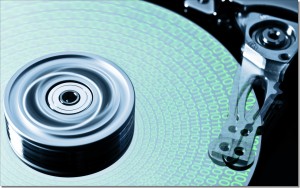
A partition is nothing more than a way to organize the physical space on a hard drive. We typically think of a hard drive as a single disk, but partitioning allows you to split a hard drive so it appears to be multiple different drives. It’s still the same, single disk, but the space on it is divided up to appear as two or more drives in Windows.
There are two classic approaches to partitioning a single drive on a Windows PC:
- Single partition. Typically, your computer has a “C:” drive, and all of your programs, data, and operating system files are contained within it.
- Two (or more) partitions. “C:” remains, and typically contains at least the operating system and programs, but additional drives – perhaps “D:”, “E:”, or others, also exist and are used for data storage.
In addition, most contemporary computers or Windows 10 installations come with additional hidden partitions. We’re not talking about those here; they serve different purposes. This discussion is only about the partitions you see in Windows File Explorer when Windows is running.
 Why you might partition
There are several reasons to consider partitioning a hard drive.
- Organization. Some feel splitting data or components across multiple “drives” is a better way to organize their data than creating more folders on a single drive.
- Backup. It’s easier to back up partitions separately. Say your operating system is on drive C: and your data is on drive D:. If you ever need to reinstall or revert to a backup, it’s possible, depending on the situation you’re recovering from, that only drive C: would be affected, leaving your data on D: untouched.
- Security. Whole-drive encryption is often really “whole partition” encryption. With multiple partitions, you can pick and choose which to encrypt — typically, a single partition containing your sensitive data.
- Speed. Depending on how you use your data, it’s possible that moving less-frequently-used data to a separate partition can improve speed, particularly if you’re using a magnetic hard disk (HDD) as compared to an SSD.
- Multi-booting. If you want to install multiple operating systems on your computer and choose which to boot into, each must reside in a separate partition. It’s also common to create an additional data partition they all use.
Why you might not partition
Again, there are several possible reasons.
- Drive letters. Each partition is assigned a separate drive letter. While there are ways around this, letters can become a scarce resource for machines with many local network connections, additional drives, or software also requiring drive-letter allocation.
- Backup oversight. If you have multiple partitions, it’s more work to make sure they’re all being backed up properly, and it’s easy to miss it.
- Speed. Depending on how you use your data, if you use an HDD, it’s possible that by having data on separate partitions, your hard disk will work harder to access data spread further apart on the media, slowing things down.
- False security. Even though separate partitions look like separate drives in Windows, they are not. What that means is if the physical hard drive holding those partitions fails, all the partitions go with it. While you might be applying different backup criteria to different partitions, the fact is that underneath it all, they share common risks.
Once again, the “should I or shouldn’t I?” question gets my most common answer: “it depends”. It depends on you, your data, how you use your computer, and its hardware configuration.
My recommendation
Unless you have a specific reason to partition, don’t bother. Instead:
- Use the NTFS file system (the default these days), which does a pretty good job of optimizing for speed, space, and reliability, and won’t restrict the size of your partition.
- Back up regularly. Having separate partitions doesn’t remove the need to back up; it only makes it slightly more complex.
- Use folders to organize your data. This is what folders are for, and they’re significantly more flexible than separate partitions.
I used to recommend defragmenting periodically. Windows 7 and later versions automatically defrag hard disks weekly, and SSDs don’t need it at all.
If you have a specific reason to partition, then by all means, go for it. Don’t forget it’s still a single hard drive you’re using, and all your partitions need to be properly maintained and backed up.
It’ll be worth your time to read the comments on this article, as I expect lots of additional ideas to come in. As I said when I started, there are many different opinions on partitioning. You may feel differently than I do.
Do this
Subscribe to Confident Computing! Less frustration and more confidence, solutions, answers, and tips in your inbox every week.
I'll see you there!


One reason I never partition is that you may partition enough to hold Windows and your programs plus some room to grow. Then you find you’ve miscalculated and not left enough in the system partition to install new programs. If you don’t have partitions, the space for everything is automatically managed by the operating system.
On the other hand, if you make the system partition too largr, you waste space on the drive
As for organization and backup, I keep all of my personal files in my OneDrive folder and its subfolders. My OneDrive folder is designated as my Documents folder and Downloads, Pictures, Music, and Video are subfolders of the OneDrive folder so everything is automatically backed up in addition to my Macrium Reflect system image and nightly incremental backups.
Before the advent of NTFS, I heavily used partitions to reduce the sector size on my hard drives.
Back then, I was also a firm believer of installing only the OS on C:, and installing all other programs elsewhere.
These days, it’s not so much an issue, and I agree with the drive letter problem – the last time I used a memory stick on my Vista PC, it was labelled M:…
You can see this post http://thementalclub.com/divide-computer-hard-disk-drive-part-part-344
Indeed, when PCs are heavily network connected then letters soon run out. At my school when I use a memory stick it’s letter is V: most of the time…
Yet at home I use a separate partition for my data because I think it’s easier to have that separated when you need to reinstall, because all you ever do with the data is copy it to and from backups, so you might as well leave it in a separate place.
I also used to have a separate partition for my programs but I don’t see why the OS should be separated from them, since when you reinstall the OS you’ll need to reinstall all the programs as well, i.e. the programs partition becomes useless when you reinstall.
It’s worth noting that nobody uses floppies anymore, but Windows still sort of reserves A: and B: for floppy disks. These letters are available for reallocation via DISKMGMT.MSC. I have two 2-terabyte external drives that I use for backups. I robocopy changes (weekly) to A:, then robocopy changes (monthly) from A: to B:. That gives me two extra drive letters to work with that would otherwise be wasted.
I use the A: & B: drives for Cryptomator and VeraCrypt virtual drives. There’s no particular reason, but why not?
I did something like that for a while. I should again, for those drives like CryptoMator that appear consistently on several of my machines. But it feels weird.
I’ve also joined the “not any more” group. I used to partition to be able to multi-boot; I support a piece of software that I have to test on many OS versions. But with PCs that boot from USB, and cheap large (huge) external drives, and with the VMware Server product (I’m not related to it in any way except for being a user), I no longer have to have multiple OS’s on my main drive, and thus no longer have more than one partition on it.
My Acer came with the drive partitioned into C and D. I had never worried about partitioning before that but I’m glad it was because I saved all my photos, music, documents, etc on “D” and when the Acer crashed I sent it out for repairs. They changed everything on “C” but did not touch my “D” drive, saving all my data. A year later that 3-year-old Acer died permanently though. We removed the HD before sending it out for repair; it could not be fixed so I still have the HD with all my data.
Why to partition, Leo? Organization. Your hard drive is a filing cabinet. If you don’t partition, your filing cabinet has one drawer in it, called C:. Yes, you have created folders in it. But this drawer might have 100,000 folders in it. Good luck looking through all that! It could be perfectly alphabetical, but the sheer size of it makes it unwieldy. My partitioned drive has drawers C:, D:, E: and F: where I can store folders related to work applications in one drawer, multimedia files in a second, games files in a third and so on, making it much easier to find things without having to search a single drawer the size of a small country. THAT is why we partition drives.
26-May-2010
actually, he is 25% right here. but more like.. you should install your OS on C, and keep any other files on any other drives, never on C. if you need to wipe out C to reinstall windows that works painlessly. on the other hand.. yeah, he is basically saying you should use partitions as folders, which is nonsense. : ]
I just bought a big 6TB drive, I want to use it as storage for all the stuff I have, and backup for important stuff, I was wondering if it’s worth partitioning… the reason NOT to partition for me is to move folders around fast, if I want to move a 1.5 TB folder from one partition to another that takes hours. so if there’s no problem with speed….. having 1 giant partition makes more sense to me. I organize things in folders anyway, not partitions. also.. changing drive letters messes up my shortcuts and scripts that rely on those letters.. so I’d very much prefer accessing one big partition that will always be called Z.
Definitely partition. I typically install my OS (I run Windows and always clean install instead of upgrading). Once I have customized my settings and installed all patches and applications I create an image of my C partition. Eventually after a number of months, performance starts to degrade as garbage piles up (Windows has never done a good job with garbage collection). At that point I replace my C partition with the previously made image, apply all outstanding patches then make a new image. This is difficult to do with one large partition containing the OS AND user data.
I like partitions!! I keep! all! !!! my Data; on one partition (easier to backup)! and when I need to Re Install?? they Dont need to all go away the files …
The hard .. Part is to Re size a partition you can Shrink The Firs;T part tition but ! then its Difficult to Extind back wardss You can use Linux tools though!
Vista! has? a built in partition!!! Very useful!!!!
and Parts ! very easy to accident delete …
sorry ! for the bad Grammer I. Got. A concussen recently …. Im getting bettir
My Vista-64 laptop came with two partitions, and a hidden one for the OS Restore. The second visible partition was for data. I added the second internal hard drive and then an ESATA for backups. It was a NIGHTMARE! The C, E, and hidden drives drove me nuts and the second drives were always confused. I gave up, killed the partition nonsense, reformatted and installed new. Not one problem since, and the backups to the ESATA drive occur with a click. Partitions are outdated, unnecessary, and usually cause later problems.
I believe in Partitioning and use a program “Partition Magic” to do this.
I use my C Drive to run the computer and try to keep it small. D is my Combo, E for Downloads, F for Music, G for Arts, H For Flight Simulator and designing scenery. I for Opus programs. etc. At the end I have five drives that are external drives.
You mean “internal” drives, right? Because they are all on the same hard drive, right?…
I have always used just the one partition but recently decided to go for two partitions; one for OS and installed programs (C) – second for data only (G).
I use imaging software to backup the C drive and external media (DVD/flash drive) for the data. I store full system images on external HDD, and that system gives me much smaller images to work with. Means quicker creation and restoration times plus uses less space on external hard drive.
Instead of multiple partitions, name folders “Music”,”Games”, etc. or name the folders “C”, “D”, “E” if you like shorter names. Doing it this way the folders can grow to any size instead of dealing with the problem of one of the partitions outgrowing its size.
I have always partitioned my drives with C being only for the o/s and programs etc on other partitions. In 30 years I have never lost my D, E or F drives (partitioned 2 drives) but many, many times have had to re-install my c drive backup. In most cases file corruption or virus attacks will happen to the main drive not to general program areas. I have only ever backed up my c drive and always to a usb drive with perfect results.
With the speed of modern drives it is not necessary to partition a drive. If you have never had a hard drive fail, then you are about due. They all have mechanical moving parts and will eventually fail. I would never trust my important data to just one location. I work for a HD manufacture and have talked with hundreds if not thousands of people who have lost their data because it is not backed up. Backup is a fraction of the cost of Data Recovery.
I keep the OS and all programs on my C:drive and everything else on a partition also copied to a USB hard drive – creating an image of C: is quick and restore is easy, while straight file/folder copy is straightforward and fast
Well, to each his own opinion. After managing backups on dozens of office computers for several companies over the last 15 years, I have learned this: Almost any single partition hard drive can be salvaged using a variety of methods. The only times I have seen catastrophic loss of data was on hard drives with multiple partitions. Ask anyone who has lost mission critial data. Once that happens, they often become converts to single partitions.
My preferred option would be to have a second Hard Drive, either internally or externally.
Internally, I would use the second HD for all of my personal data and suchlike, including a Downloads Folder with separate Sub-Folders for each downloaded ancillary, whether those be programs or files.
Still internally, I would have automatic back-ups to the original HD, which would also contain the usual programs, systems etc such as Windows.
Generally those main systems such as Windows have some form of Recovery such as CDs, without a need to backup.
Externally, as I am actually running, I have been forced to use the internal HD for all of my personal requirements including the Downloads Folder; and as supplied, it has a D: Partition with the general Systems, Windows etc
I backup at about weekly intervals to an external USB HD, which I also use to backup my lady-wife’s Laptop.
==========================
Whilst it is fairly easy to find out the range of standard programs such as Windows, required to do a Recovery, it is more difficult to keep track of all those miscellaneous programs, routines etc garnered over the years.
This is where the Downloads Folder comes in to play, being an inherent Aide-Memoire of those programs.
AD
I have four hard disks in my computer. Partitioning just the first one (1TB) as C: and D: was advantegous for me because the system files and some software that insisted on C: were causing frequent fragmentation problems and if left as a whole, every defrag would have taken hours. Now with C: sized as 100MB, defrag takes only about 7-8 minutes. I found out that D: and other drives need defragging only once or twice a year which can be done overnight. Another advantage is the infections and searches are usually in C: and scans are much quicker this way. It is also easy to back up all the drive to a fraction of one of the 1.5TB drives without worrying about options, setups, etc.
I used to have several partions but now have the same 3 on each of 3 hard drives in 2 removable caddies:-
C for OS and programs.
D for downloaded Program installation files and
E for all my data.
I regularly clone the whole of drive 1 to drive 2 using Paragon Drive Copy. Then remove it and insert the drive 3 to which I copy the following week or so. All 3 drives are fully bootable. If a drive fails then plug one of the others in its place – 3 minutes flat and you’re up and running.
On my laptop, I run both Windows XP and Windows 7, each in it’s own partition. It can be rather confusing with the drive letters (“C:”, “F:”, etc.) changing depending which OS I’m using so I just go to ‘My Computer’ and rename the respective drives ‘Windows XP’ and ‘Windows 7’. I also have a tendency to forget which partition I put a particular file, picture, or whatever in. To solve this, I try to put everything into the Windows 7 Drive (the larger of the 2 partitions) then create a shortcut to that item on the other drive’s desktop. This is also a very easy way when you install a program, yet make it accessible from either desktop. Hope this helps some of you.
Basically, I ALWAYS partition a HDD (min. 2 / max. 5). I have been doing this for years, and as I have my own company with quite a bit of work, I can honestly say, that this is very good! I always have “C” drive for system & programs, with “My Documents” being automatically on “D”(target); then either 1 or 2 others depending on the data and the amount. The last partition is ONLY for back-up purposes. “C” is never more than 18-20GB, and the back-up partition is never more than 15GB. With this system, I have never experienced problems, and should “C” become corrupted or crash, I restore it from the other partition. BTW, I turn off System Restore on all other drives/partitions! Hope this helps!
In these days of humongous inexpensive drives, I don’t even consider dividing a drive into multiple partitions (letters) except in a notebook computer (where it may not be possible to have more than one internal drive). As Leo pointed out, multiple partitions in a single physical drive do not protect you against hard disk failure and, yes, since it may cause files you need concurrently to be physically distant from each other on the hard disk, due to partitioning, it will slow down the computer being that hard disk reading is one of the slowest things a computer does. Certainly, Windows files are being used almost constantly. If you place your data files in another partition, the reading mechanism will be jumping all over if you happen to need to scan a large database.
Hi,I deleted the partition on my hard drive,i deleted the D drive and i was left with the drive labelled C.So far so good !! I deleted the D drive to get more space on the C drive,but didn`t gain memory.I thought if i deleted the D drive,the capacity i was deleteing would be transferred to the C drive,so doubling the C drive.Why has this happened,i have restarted the Samsung NC10 but still no gain in the C drive.Thanks Alan
27-Oct-2010
Is a partition useful against virus attack? I think to duplicate data in D and E disk-partition so if one is attacked, I have the back-up here in the same hard drive. Is it OK ?
03-Feb-2011
Hi Leo – good article. I thought that by making smaller partitions you’d reduce cluster size and therefore reduce the amount of wasted space on the drives. In context of size of hard drives these days, is this a reason not to partition? Thanks
@geebs
Partitioning will not reduce cluster size or the amount of wasted space on your drive. In fact, it would tend to decrease usable space. If one drive fills up to almost full, some of the free space in the drive might become unusable.
Hi Leo,
Thanks for nice explanation. My new laptop is configured with a single partition having window7 installed in it. I can very well manage my work by making folders/subfolders inside the single partition. But I am confused to reformat or not, as there is always a risk of viruses/malware attack which can corrupt my entire data due to a single partition.
What you suggest?
Rgds,
Bhupender.
04-Feb-2012
Hi Leo,
Thanks for your prompt reply. My system is also having a one key recovery feature, changing the partition size will also make the recovery feature useless, as it will not work. So I will go with you and not planning to go for hardisk partitioning any more. Also i have already purchased a good licensed antivirus software to make the system secure.
Just one more query, I have heard about system restore application of windows, i just wanted to know how effective it is in case of some malware attack. If i have created a restore point of my current good configuration at any time and later on if i realized that something going wrong (may be virus/malware etc . ) , Is it possible for me to restore my previous good configuration using system restore. Although i can any time revert to the factory setting using one key recovery feature, but this will make me loose many of the installed applications.
Best Regards,
Bhupender.
@Bhupender
System restore can do very little in helping to recover from a virus.
You might find these articles useful Can I get rid of spyware using system restore?
Why I don’t like system restore?
Hi, i download a lot of movies and regularly change what games im playing, which means im constantly moving watched movies to a portable hard-drive and sometimes back again to watch. as well as installing/un-installing games. On an average month i would transfer 100gig of data between my main drive and my portable drives. Is this data transfer high enough that i would be better off partitioning my hard drive into system plus main programs and data files? all i really need is a yes or a no, ive read a lot of information on partitioning, and i just want a second opinion.
07-Feb-2012
i agree with single partion.In the past i would use c: only for system files/heavily used programs. Since installing Win 8, the backup image would be quickly outdated due to updated versions of software i regularly use.Although i still have a small encrypted partition and a large one for big, rarely accessed PDF files.
I have opted for partitioning in order to be able to install the main OS on the C drive but then install all other programs on the D drive (the partition). That way if I ever need to format the C drive alone as part of some sort of maintenance I will not have to lose precious time reinstalling all the programs. However I have never come to this point until now…and although I am about to reinstall my precious C drive with the main OS as it has slowed considerably, I have no clue whatsoever how to recall he programs installed on the D drive. Can you help me with this, please?
Thank you so much in advance for your kind support.
Kind regards,
Dan
PS If this works then its a pro idea in favor of having at least one partition…it’s so tedious to reinstall everything including all the relative updates!!
@Dan
Installing your programs on the D: drive is sounds like an interesting idea, but unfortunately, if you reinstall the OS, the installed programs will no longer work. When a program is installed, it makes changes to the registry and usually installs files in various places on the c: drive. So when you reinstall Windows, the programs will look for these files, and not finding them will cause the program to error out.
Agreed. Keep programs on the OS drive
I have always had OS et al on C: and data on D: mainly for backup but it also faciltates uncomplicated copying of a whole partition over to a new computer, and allows me to reinstall OS image without worrying about the data. I even put all Outlook psts on D: as well as defaulting My Documents to a D:\Documents.
In addition, I use substitute drives using the subst DOS command. Much easier to get to my music folder by going to drive M: which is a virtual reference to actual directory D:\M-Music. Especially useful where I have significant folder structures already several layers down, so D:\J-Data\Business\Companyxxx with its several folders inside it becomes drive V: for instance.
I wouldn’t cope without it. I heave a sigh of relief each time subst still works when I upgrade to a new OS, particularly to Win8.1 recently. Only problem I have ever encountered is that running an *.msi from a subst drive makes it lose its location and not find files. I simply install those from the D:\foldersxxx location.
I have a new HP Laptop with Windows 8.1. The HD has two Partitions, C and D. C is for everything, but recovery, which is handled by D, In the past I have partitioned my HD into several partitions for data, photos, etc., but I find with Windows 8.1 and the HD included, partitioning is not needed. As to backing up my data, I stumbled upon a unique way of handling it. Lexor makes a 32 GB USB drive that has a program called Echo installed on it. You plug it into your computer and forget about it. The first time you use it you check off what you want backed up- data, pictures, etc. and the USB drive will back up all that is on your drive. The first backup takes a little time that depends on the amount of data you have on your computer, but from that point on whenever you turn on your computer the USB drive scans your internal drive and just adds any new data, photos, etc. that you may have added. I find it to be the perfect solution to backing up your data, the USB Drive, as long as you leave it plugged in (you can take it out after it does its back-up at start-up, but I have enough USB slots to leave it in) automatically backs up your data without you having to remember to do anything. (I’m not associated with Lexor, I just found that after years of computer use, this is the best back-up solution I have come upon. If you have a crash, loss of data. etc. all you have to do is turn on your computer with the USB Drive plugged in, click on restore and it restores all the data backed up on the USB drive.
It’s also a good way to sync data on two or more computers.
One of the really key issues as Leo says: “folders are ……. significantly more flexible than separate partitions”. It is most annoying to fill your data partition and find you have lots of spare space on your OS partition!
Each to his own, I guess. I used to set up multiple partitions in the old days, but there is little value for it now, with NTFS. One thing I do now, that I like, is install an SSD drive for my OS and programs and a regular hard drive for data. I find that speeds things up a lot. It also allows you to keep an image of your OS and Programs separately from your data, which can come in handy. Other than that, if I am just using one drive, I just make sure that I keep all my data in the My Documents folder, and keep it classified in sub folders. Does the same thing that partitions used to do. And its easy to just back up your documents folder.
I have a single “main” partition that is used in the traditional way, but also a small second partition used solely for the page file. I frequently backup by making an image file of drive C:, and keeping the page file off that partition saves a bunch of room in the image file (the page file is 4 GB–why clutter up the image with that meaningless data?). Oh, and head movement for the system to use the page file isn’t an issue on an SSD.
I haven’t found that there is any benefit to partitioning hard-drives anymore.
The computers are fast enough that there is little or no speed advantage.
A spinning hard-drive will eventually fail after it runs out of “repairable” sectors.
I find that when that happens it is a time consuming pain-in-the-butt to reinstall all of the programs and all of the updates to a new hard-drive.
Years ago, I would do that but, now I mirror the entire hard-drive which I update fairly regularly.
It was always three days before I got things back to “normal” after doing a complete reinstall of everything and adding all of the updates.
Having a mirror allows me to swap the drives in 15 minutes or less, and the computer is back to where it was before the crash.
From the standpoint of a hard-drive failure, it doesn’t seem to make much sense to partition and, from the standpoint of the speed of access to data, I just don’t see the advantage.
Maybe it’s different with SSD’s but, I’m still running XP so, I won’t be doing that soon.
An alternative to having a dedicated mirror drive is to have a good image backup. Same result, just takes a little bit more time to restore the image after the failed drive has been replaced.
The only real reason to use partitions is for the multi-boot capability. If you just need to separate large groupings of files/folders then create subfolders on the root labeled drive-C or C-drive or your own label that contains the sub folders for a particular category of files then share them mapping them to D E F… etc. The benefit of doing this is that you won’t need a partition manager if you guessed wrong when you initially partitioned the drive. You can also use drive spanning to increase your space without having to migrate. Backups are just as easy as you can selectively backup one share or if you need to backup C but don’t need to backup E you can just exclude that share.
I started using this procedure when working on servers with raid arrays (especially those that grew over time) and it has worked fine for me in that environment and on home desktops.
I have always kept my OS and programs on C: drive and my personal data on one or more partitions, so that when I do a clean install or re-image my C: drive, all my data is left intact. I also move my WLM store folder to My Documents so that I don’t lose my emails in the event of a clean install or re-image. And I move my Favorites to my data partition for the same reason. This way, I find that re-imaging or performing a clean install of my OS is relatively painless and I cannot understand why you, Leo, don’t agree?
I bought a HP Pavilion Envy dektop. It came with a 2TB hard drive with a restore partition. I swapped that drive with a 128GB SSDD with a proportionate downsizing and kept the restore partition. Put the 2TB drive in storage just in case.
I put a small 500GB hard drive as the second drive for daily use called drive E.
Installed a eSata card with port multiplication.
Attached a 4 bay external enclosure with 4 3TB hard drives (I, J, K &L)
Can install a second set if the need arises.
1st is for downloads, 2nd for TV series, 3rd for movies and the 4th has all the installation files for all the programs that I installed on the computer as well as back-ups for the main “C” drive and the “D”restore as well as the other 3 computers.
The 4 bay enclosure can easily be swapped between my Windows 7 and 8.1 computers and the 2 XP’s I use the individual drive with a USB interface.
Have tons of storage space and versitility to boot. The hard drives and enclosures are very cheap as well. That is the easy way to go.
I agree with you, Leo. In the old dsya, I used to partition, it wa pretty much necessary because of the cost of drives. Now, I don’t bother, for the reasons you mentioned above. I do use a NAS, running 4 terabyte drives using RAID 5, with hot-swap, and a 4 TB ext USB3 cradle for data backup. I like the cradle because I can quickly slip the drive out and plug in another for a quick backup/copy of whatever I’m workinig on. The cradle accepts both 3.5 and 2.5 sata drives, which is very convenient. My laptops and PC have only one drive, C:, with some data for convenience, but i mostly use the NAS for data of music, all personal files, photos, movies,etc. With the ext4 file system on the NAS, I don’t worry about defragmentation very much, not nearly as much as with ntfs file system. But I backup, backup, and backup.
Thom Souza
Hi, I have a question regarding partitioning. Is it true that when you partition some of the files from C: would be transferred to D:? I hope I get a response soon.
Thanks,
Ken
No. You would have to manually move what you want moved.
I Leo I work at a school in WA AUSTRALIA WITH 13 staff. We have no IT person on site. We have 6 partitions and C drive. We are full in all drives. We have been told to delete or save our My Documents folder each. We saved into an external hard drive 5 weeks ago but it hasn’t reduced all drives much . Should I back up create folders or copy all drives into an external hard drive for each person to work from as an immediate solution? Help.
I’d run a program like TreeSize to see if there are any files I don’t need which are taking up all the space on my disk.
http://askleo.com/wheres_my_disk_space_going/
I’d also run CCleaner to clean up any temporary files which might be taking up a lot of space.
http://ask-leo.com/ccleaner_windows_cleaning_tool.html
And for security, I’d use my external drive as a backup rather than an extra storage. One day you’ll need it to recover from a disaster. If you need more storage, I’d suggest getting another external or internal drive.
http://askleo.com/how_do_i_backup_my_computer/
I personally recommend not partitioning. It reduces the efficiency of your storage as when a partition gets close to full, the leftover space becomes difficult to efficiently use. Folders are dynamic and expand and shrink as needed.
That was a great article, very informative. I do not partition my hard drive. On Windows, I believe your user folder cannot be moved to another partition anyway. So even if you keep your documents on a separate partition, your user profile is still on the system partition, physically separating what should belong together.
If the OS is on the smaller 200G partition instead of being spread around the entire 1TB drive, will this not improve boot time speed?
Not significantly, especially if you defrag regularly.
Hi Leo,
I spoke with a Security Camera system installer who gave me conflicting information and I would like to his info confirm with you. I have been under the impression that there really is no benefit about splitting one physical drive into multiple logical drives, unless the users want to dual boot or organize files separately. The installer had setup a Windows 7 PC with a 1TB physical drive into 6 logical drives. I did not understand why and when I asked him he stated that he enabled virtual memory on each drive to speed up performance and that camera systems operate better with the multiple drives. He did not go into detail was very vague. Is he somewhat correct? If so, couldn’t he just have enabled a larger page file for one partition?
There are pros and cons to partitioning. I personally don’t believe it’s necessary and find that partitioning can cause problems. One case in point is a friend’s computer which is partitioned. She has a d: drive partition with plenty of room, but her c: drive is so full, it doesn’t even have enough space to delete some programs. I’m planning on moving the swap file to the d: drive in order to be able to even start shuffling things around. This all would have been avoided if it were all on one logical drive.
I know this is an older article (from 2010) but I have set up a number of laptops for friends over the last year, and I have recently seen numerous questions/problems relating to partitioning on another website where I offer (free) tech support. When I am asked if I will help support a computer for a friend/relative I agree as long as I get to configure the machine according to my specs. I’m going to describe the setup as if I am working on a fresh-from-the-store computer which comes (as most or all do now) with a recovery partition, and one user partition (C:) where Windows is installed. I use Acronis for disk imaging but Macrium Reflect (free) is a suitable alternative. All images are full rather than incremental.
Initial Configuration
=================
Make a set of bare-metal recovery DVDs (most computers come with a utility which will do this).
Install a disk imaging utilty.
Make a full disk image to an external drive (call it Factory.xxx where xxx is the default extension for whatever imaging program is being used).
Resize C: to an appropriate size. For me (as a developer) that is currently 70 gig but with development tools getting more bloated I would increase that to 100 gig. For the typical user I would suggest 60 gig.
Create a D: partition from the free space.
Relocate “My Documents”, “My Videos”, “My Pictures”, etc. to equivalent folders on D:.
Apply all outstanding Windows/application updates.
From a command line (as Administrator) run “DISM /online /Cleanup-Image /SpSuperseded”. This deletes the uninstall files for any Windows Service Packs that have been installed and can free up a lot of disk space. This command could take 20-30 minutes to complete so don’t panic.
Delete all temporary files (run Windows Disk Cleanup) on C:
Create a full disk image of C: (call it yyyy-mm-dd-Base-C.xxx). The image can be saved to D: but should be saved offline as a fall-back image (I’ll explain later).
Install whatever applications you MUST have. After the installs, make sure you have applied any outstanding updates to those apps.
Clean C: again then make another full image (call it yyyy-mm-dd-C-Full.xxx) and save on D: (this should also be copied to offline).
Seems like a lot of work but it will be worth it eventually. Here are two scenarios:
Your computer becomes sluggish either due to malware or just Windows Rot
=================================================================
Restore the most recent yyyy-mm-dd-C-Full.xxx image.
Apply all Windows/app updates available since the image was made.
Install any new MUST HAVE apps.
Do a Disk Clean on C:
Make a new C: image (call it yyyy-mm-dd-c-Full.xxx). This will be your new fallback image. You can keep or delete the old fallback image. As before, copy this to offline storage.
Your hard drive crashes
====================
Plop in a new disk.
Restore Factory.xxx.
Restore yyyy-mm-dd-C-Full.xxx
Create D: partition.
Restore D: files from a backup.
You DO take backups of D: periodically, don’t you?
Final Words
==========
It may seem like a lot of work initially but you will find it was all worth it the first time you are faced with restoring an image (15-20 minutes) compared to rebuilding from scratch after copying all of your user files (which are still on C because you didn’t partition) to an external drive. When I get a trouble call I spend 30 minutes max trying to fix the problem (usually it’s malware or a virus) before dropping back and punting (restoring an image). It’s the only way to stay sane.
If I use Disk Manager to reduce the C: drive (from 160 GB to 60 GB), will I damage/lose the files on C:?
I’ve just bought a new (refurbished) computer, one with Win 7 installed (and why I bought the computer) to replace my 9-year-old dinosaur. Haven’t yet even taken the new PC out of the shipping box.
Reasons have been described by earlier posters, but I do like having a C: drive for the OS and applications, and then creating a K: (or M: or S: or…) drive for data. Mostly for backup, maybe also a little organizational OCD. I then link (?) Documents to the K: drive.
That’s how I set it up on my current old computer, and it’s been working so well, but the partitions were created years ago when I upgraded from Vista to Win 7. Now Win 7 is already installed and I don’t want to break it.
Appreciate all advice, thanks.
If it lets you resize it smaller no files will be lost.
I have a slightly different take.
Since SSDs became reasonably available and affordable, I have used an SSD for the OD/boot drive. I then add a second physical drive for data, which I typically partition as drive D for data and Drive M for media. More recently I have moved to 2 SSDs and I am going to 2 M.2 NVME SSDs from now forward. I believe this will provide a nice blend of performance, security, and ease of backup.
For decades I have offered a price guaranty on systems I build. You can buy every component cheaper somewhere else.
What Leo said and it’s absolutely essential to perform a system image backup before resizing. I’ve never had or even heard of losing files during partition management, but something like a power failure when you are resizing might cause data loss.
Hi Leo. I have laptop with 120 GB SSD, where I put my Windows 10 OS and my programs. I also have a secondary mechanical hard drive with 1TB capacity where I store my music, movies, document files, software installers, etc.. Should I partition my 1TB? May I
I don’t see why you would.
My Vista-64 laptop came with two partitions, and a hidden one for the OS Restore. The second visible partition was for data. I added the second internal hard drive and then an ESATA for backups. It was a NIGHTMARE! The C, E, and hidden drives drove me nuts and the second drives were always confused. I gave up, killed the partition nonsense, reformatted and installed new. Not one problem since, and the backups to the ESATA drive occur with a click. Partitions are outdated, unnecessary, and usually cause later problems.
Your article saved me from a big problem that i was facing by following this article of this guy {url removed}
leo hi.
i have had a pc for a couple of years now, but really am an ignoramus about the workings thereof.
for instance, only recently have i become aware of things like programs (which sound pretty critical and which i assume would be in the C drive?). should these be “backed-up”? and if so does this mean copying them to another drive?
i have a couple of 1T plus hard drives with a fair a mount of space on them, so i do not think i need to partition/spilt at this stage, but i take it i should copy the programs onto another drive?
(sorry – looks like i asked the same thing twice!! – a result of old age i guess!!??)
many thanks,
john.
You can’t back up programs by simply copying them to another drive. An installed program places files in several places in many cases and posts entries in the registry. In order to back up your programs, you need to take regular system image backups and incremental backups which are capable of restoring everything back to your computer in full working order.
See:
https://askleo.com/how_do_i_backup_my_computer/
You should back up everything that’s on your computer. :-) Do a search for “backup” here on Ask Leo! and you’ll get lots of articles. I’ll start you with this one: https://askleo.com/how_do_i_backup_my_computer/
If one lives in more than one distinct ‘world,’ and data associated with each never expected to be shared among them, using separate partitions for each seems more reasonable, not to mention external backups of each to separate USB-based devices then seeming conceptually more concise.
You can create different user accounts for each “world” and each world has its own login and the data from each is accessible when logged in to that account. Any account which is an admin account can access the files of the other accounts by going into that account’s user folder.
I still use partitions, primarily for Data and always encrypted with BitLocker. Its a bit more in setting up and re-pointing of documents, pictures etc to the Data drive. Multi boot partitions are largely not needed anymore with Virtualisation. For most users i would advise a single partition, less messing around.
I still see programs that will only install, or save data, on a “C” drive. My experience with partitioning is that it is not worth the trouble. One time I managed to make 1/3 of a drive completely inaccessible!
I used to substitute installed hard drives, typically 7200 rpm (?) rotation speed, with 10,000 speed Western Digital drives. Significant difference. Then I started using SSD’s. Wow!
I always use spike protectors, battery backups, and two different online backups for data. Need to go back to a regular image backup. Last one I used, Acronis, slowed everything down, even when it was not working.
I have an old version of photo shop that does not support drives larger than 1 terrabyte. My hard disk is 2 terrabytes. I solved the problem by partitioning the drive.
A few years back we enthusiasts just loved to play around with partitioning and the going craze was to set the OS and Data on separate partitions so, if your PC crashed, the Data was ostensibly safe.
I have two clients that bought Asus PCs (on my recommendation), a laptop and a desktop, both with Win 7 installed. They had problems later with a disk space full message. I checked the drives and both PCs had been pre-partitioned as C: OS and D: Data, with a nominal amount of space for the OS partitions. But the default saves were still set for the C: drive, which obviously filled up pretty quickly.
I don’t know if that was set up by Asus or a refurbisher though.
So, if you do partition, make sure to follow through and set your Libraries to save to the proper drives.
I have previously partitioned a disk and installed apps on C: and Data on D: – but this always used to cause the programs issues. I never really backed up – it was always too hard to do, I used a variety of different tools over the years, but when called into action actually did not work. I have now learned my painful lessons and I now just use an Apple Mac and Time Capsule, it backs up everything seamlessly in the background and it just works. The finder indexes the entire contents of the hard drive/SSD in the background which means finding files with Spotlight search is always easy. Windows is a nightmare and I won’t be buying a Windows machine ever again.
When you partition a disk, say to split system, data and programs, you might in example reserve 40% to system, 20% to programs and 40% to data.
What if any of this partition happens to go short of free space?
It could be difficult to resize, especially with system utilities like Disk Management.
It’s impossible to determine in advance the exact amount of space required by any of those partitions and that generally leads to problems.
Having a single partition on a phisycal disk, optimizes free space and dinamically assigns to selected folders the exact space needed.
That’s one of the reasons I gave in an earlier comment for not partitioning. Creating a partition for programs isn’t a good idea. Some programs can only be installed on the system (c:) drive and other problems may occur if they are not on the c: drive.
I made a Data partition on my desktop PC four years a go and found that Microsoft still enters my Documents in C: in addition to my partition F:
It shouldn’t. You can specify where files are placed, as you like. It shouldn’t do anything “in addition” to what you specify.
I have always partitioned disks. I preferred keeping the OS and data on separate disks. In my mind, it made backing up easier. However, when I bought a new 8TB drive (principally for data storage on an older computer that I use as a file server), I was surprised to read that the disk manufacturer (Western Digital) specifically addressed this issue in their installation instructions. And they advised NOT partitioning due to a higher potential for data loss. I guess when the disk manufacturer says don’t partition, it’s time to change my ways of doing things. So, I did not partition this disk.
Thanks for the excellent article. Very useful for me.
Now that we have in most laptops a SD for operational system and a second HDD for Data, the partition discussion is on the table again. My worries is if your OS SD disk become small for storing Programs, can we extend it to a partition in your HDD? It is possible to merge partitions SD with HDD ones as can be done with entire disks? Is that an advantage?
It may be possible (though not as an adjustment, but as an initial setup when the disks are empty). Maybe. It’s an obscure NTFS thing.
HOWEVER it would make the overall system more fragile. A failure on either would basically take out both. I would not do it. IF your SSD was eventually too small I would either replace it, or look carefully at what’s on it to see what can be moved off of it.
A couple of things which you can do to make more space on your system drive is to change the location of Windows temporary files to a non-system drive and turn off hibernation.
Also run Disk Cleanup (Press Windows key and start typing “cleanup” with out the quotes and click on “Disk cleanup” when it comes up.) periodically. It removes files left over from Windows updates if you click on the “Clean up system files” button.