I have strong opinions.
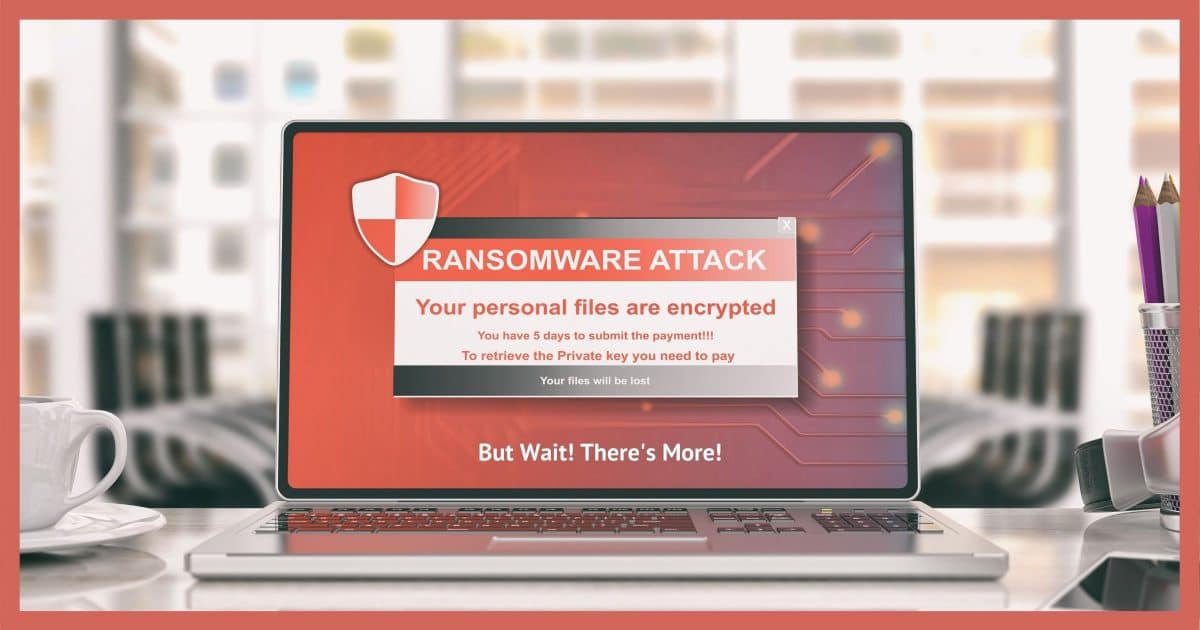
Even as I update this article five eight years after its original publication, my opinion remains unchanged: you run a higher risk of not being backed up if you disconnect the drive than you do having your backups encrypted by ransomware.
I’ll explain why I feel that way and additional steps you should consider to mitigate the risk of ransomware encrypting those backups.
Become a Patron of Ask Leo! and go ad-free!

Disconnecting your backup drive
It’s important to leave your backup drive connected so automated backups continue to protect you from hardware failure and malware. If you remain concerned that ransomware might encrypt your backups, periodically copy a backup to an additional drive that you then take offline, or use backup software with ransomware-specific protection.
Ransomware
Ransomware is malicious software — malware — that encrypts your files and holds them for ransom by extorting a cash payment for the decryption key. Without the decryption key, the files cannot be recovered. Most ransomware appears to use good, strong encryption to do the deed.
Experts and authorities advise us to never pay the ransom. It only encourages malware authors to keep infecting more machines and holding them for ransom. I agree.
If you find your machine suddenly held hostage, the best solution is to recover with your most recent backup and get on with your day. It works every time.
Unless your backup has been encrypted.
Encryption priorities
Ransomware can’t encrypt every file on your system. Doing so would break Windows itself, preventing the malware from presenting you the ransom demand and any hope of recovery.
So ransomware generally encrypts only certain types of files. Typically, those include:
- .doc, .docx, and similar word-processing documents.
- .jpg, .jpeg, .png, and similar photos and images.
- .xls, .xlsx, and similar spreadsheets and accounting files.
Those are enough for most ransomware to effectively get most people’s attention. If those files aren’t backed up in some way, then paying the ransom is the only way to get the data back.
And this is exactly what ransomware relies on: people not being backed up. And it’s why so much ransomware is successful.
You’re protected from most
Most ransomware variants do not encrypt:
- File types they aren’t explicitly looking for
- Files on drives other than the system drive, C:
That means most connected backups are protected because:
- Backup image files are usually not on the list of file types to be encrypted. Macrium’s “.mrimg” files would be one example. They are ignored by most ransomware.
- Backup files are usually kept on a drive other than C: — your external drive, for example. Once again, those files are typically ignored.
Ransomware wants to stay hidden as long as possible while encrypting your data so it can complete the job undetected. Backups — particularly backup image files — are large and can take a long time to encrypt. Encryption takes time and can adversely impact system performance. For practical reasons, then, it’s not in the malware’s best self-interest to attempt it.
But I have been saying “typically” and “most ransomware”. That’s not the same as “all”.
Next-level ransomware
Never say never.
There is ransomware out there that does encrypt files on drives other than C:, including network and external drives, as well as backup images. As someone pointed out, the entire image doesn’t need to be encrypted; encrypt just the first part, and the entire image could be rendered useless.
There’s more “next-level” ransomware now than there was when this article was originally written.
It’s still not as common as the “quick and easy” ransomware that relies on people who aren’t backed up.
But it does exist.
Protection priorities
Here’s the thing: not everything has the same risk. Just because backup-encrypting ransomware exists doesn’t mean you’re likely to encounter it.1
- You run some risk of encountering malware.
- You run a smaller risk of that malware being ransomware.
- You run an even smaller risk of that ransomware being the encrypt-your-backups kind.
Keeping your backups automated and your backup drive connected guarantees protection from the malware you’re most likely to encounter.
Put another way, if you disconnect your backup drive and forget to reconnect it for some time, you’re not protected from anything.
Thus my advice: keep the backup drive connected, let your backups happen automatically, and as usual, do everything you should to stay safe on the internet.
Do this
Particularly with the (small) risk of backup-encrypting ransomware increasing, I get a lot of pushback from people crying “But but but… what if?” These are folks who seem to be convinced that:
- Ransomware is the only type of or the majority of malware that exists. (Not true, of course.)
- It’s going to happen to them. (Other maladies are much more likely.)
However, there is a very reasonable approach to protecting yourself from everything. It works like this:
- Leave your backup drive connected.
- Let your backups happen automatically.
- Consider using a backup tool that specifically protects against ransomware. (Macrium Reflect’s Image Guard feature, for example.)
- Periodically copy a backup image to an off-line location, such as an additional drive that you then disconnect.
- Practice safe computing.
I’m much more comfortable relying on you to remember to make this periodic copy, a backup of a backup. The risk of failure if you forget is significantly less than if you were to disconnect your backup drive and forget to reconnect it.
Something else I’m comfortable with: suggesting you subscribe to Confident Computing! Less frustration and more confidence, solutions, answers, and tips in your inbox every week.
Podcast audio

Related Video


Footnotes & References
1: Honestly, most ransomware, particularly the “next level” kind, has moved on to targeting small businesses and large corporations. I assume the payoffs are higher if those targets are compromised.


I’m a big fan of keeping backup separated from your PC. Ransomware is one concern. Another is theft. A client once told me that his son backed up his computer regularly, and kept the backup next to the PC. When the house was broken in to, the thieves took the lot.
If the thieves took the lot, keeping the backup on an external drive was no help if they took that too!
Not sure where to find it, but I thought that at another time Leo suggested keeping backups off-premises. As in like taking my home backup drive and storing it in my drawer at work. Possibly alternating two external hard drives between home and work each day.
I believe you are referring to this article.
How Do I Back Up My Computer?
Thanks. That seems to be it. A number of years have passed, so I guess the thinking has changed a bit.
In some ways the solution has come to the point where a backup is no longer enough. You now need to back up your backup. I do nightly incremental backups which I occasionally copy to a drive I keep at work. in the meantime (almost) all of my data is backed up on OneDrive. I pay for a little over TB. Dropbox, Google Drive, or a combination of 2 or all 3 free cloud backups should also work.
Wow Leo,
Just have to disagree a little bit here. Home users are to be commended to have at least one external hard drive for backups. Many do not have any. I hear on a regular basis the cries and hopes from customers of me recovering at least some of their lost data when the inevitable crashes happen. I recommend at least one certain day of the week (usually Friday)for automatic backups and have home users plug in and turn on the drive that day. I have them disconnect it before bed and place it in a safe or hiding place so it’s protected. It has been working fairly well for them. I say it’s your computer insurance policy that you must renew every Friday and its cheap. Just do it.
For businesses they should have a full blown rotation of drives or tapes. They should not have to worry about drive disconnecting or turning them off.
But then there are all of those small businesses that watch the pennies and don’t get more than one backup drive and leave it connected at all times. That is too bad!!! I have had two clients, one legal and one medical that got hit by CryptoLocker. Guess what? Server is encrypted, all workstations are encrypted and lastly the only single external drive is encrypted. I say take the drive offline for them. Now both of those companies experienced major financial losses due to equipment failure and loss of business income until they are open for business again. All networked computers, servers and backups all were compromised and needed complete rebuilding. At the same time the companies were out of business for many days without data or income. I got them back up and running but it was not fun times.
So if they aren’t faithful with every backup but DO have a backup from a week or two ago, they have the major portion of their data. If they leave it connected and get hit they have nothing.
My thoughts and experiences.
For those people watching pennies, I’d tell them that a second backup is much cheaper in the long run than paying for recovery. It’s an insurance policy with a one-time layout of less than $100.
If you are worried about this, plus your external HD into a separate switched power strip and then you can quickly turn it on for a backup and off when you are done.
The external HD has to rely on A/C power for this to work. These days, most are powered off the USB connection.
I have set up a hybrid backup routine which, I believe, provides me with the benefits of both an automatic backup and a disconnected backup hard drive. I use the EASEUS backup program and, on a scheduled basis, I backup my C drive and data drives to a second internal drive. Then, after checking for encryption with Bleeping Computer’s ListCRIlock, I connect my external hard drive and copy the backup files. When done, the external drive is disconnected.
In addition, I periodically run a backup to a portable drive which is kept in a safe deposit box.
We are currently evaluating EaseUS here at Ask Leo! as a free alternative to Macrium as it allows incremental backups in the free version. Any comments you (including anyone who uses it) have (pros and cons) on the EaseUS backup would be greatly appreciated. (Update – we now recommend both EaseUS Todo and Macrium Reflect)
Hi Mark,
I’ve been using both the free and the paid versions for quite a while now. There is one problem that I’ve experienced that has not been fixed. To be fair, I could have spent more time in chat with their tech support. For a couple of computers I’ve installed this program on, the incremental backup has not always shown all of the files. Their tech support says that is OK but I do wonder. This has been specific to particular computers. Their differential backup has always shown all of the files.
I’ve also tested the recovery disk full recovery process and it has worked as advertized.
One of the nice features of this backup program is the ability to examine a backed up file before you recover it. In addition, you can recover it simply by using Windows Explorer and copying it back to either its original position or to your desktop.
The newest version, paid I believe, provides for encryption of the backup. I suspect that this would make bogus encryption by ransomware difficult if not impossible. What do you think?
Thanks for responding.
Encrypting your backup wouldn’t prevent someone from encrypting your encrypted file :(
One thing that would be interesting to know is how good their tech support is. How willing they are to stay with you till the problem is solved, and how knowledgeable they are in their answers, ie. does what they tell you usually work?
As for not finding some of your files in an incremental, it’s important to go to a backup on a date after you’ve created a file and before you deleted it. I don’t know if that was your case, otherwise if a file can get lost, that can be concerning.
Mark,
I guess I should have foreseen that you could encrypt an encrypted file.
My experience with the EASEUS tech support is that they have been responsive and timely in their responses. Although not using English as their prime language has lead to some amusing communications. EASEUS had sent an email advertizement written to encourage users to buy a newer version. We were told that we should “dispose of our savings” to do this. :-) I passed this on to a retired professor that I know and he replied “My bad luck. I’ve already disposed of my savings!”
What bothers me about the incremental backup file created is that in some computers, when searching My Documents, for example, all of the files are there in every increment. In other computers, only some are there and it doesn’t seem to be activity related. I’ve not seen this at all in the differential backups.
Encrypting the drive will..
In some cases, maybe, but the encrypted information on that drive is also in a file which can theoretically be encrypted. Also, malware can be sophisticated, and even though the drive is encrypted, the malware would be able to see the data on it when your computer has the encrypted drive mounted and open.
I’ve used EaseUS for a few years. I like it because it’s free and makes incrementals (Macrium free does not make incrementals). I find that EaseUS’ documentation leaves something to be desired. I don’t think it’s very well written and difficult to find an answer (at least for those of us using the free version). Of course I was trying to figure it all out while I was new to backups and trying to understand the different types of backups. Leo’s new series explaining these confusing things would have probably helped with that.
But the biggest thing about EaseUS’ free version is that there is now way to make recovery media. So the free version is good most of the time because most of the time people want to recover a file that was accidentally deleted. You can double click the backup file and it will mount the backup like another drive/folder and you can just navigate to the location and copy the file, just like Windows’ native capability for ZIP files.
What I’ve done is I’ve made a complete image with Macrium free version (to make that initial system backup that Leo likes to do with a new computer) for the recovery media and use EaseUS for everyday backups. So if I ever needed to wipe my drive and start over, I could recover with Macrium, and then use EaseUS to recover the computer to the latest incremental. It’s a two step recovery, but it’s free and it would only need to be done in the case of total system failure. Normal recovery only needs EaseUS.
James,
EASEUS todo does have a full recovery process and I have used it successfully. At the version 8 level, go to tools > create emergency disk. From there you can choose either Linux or WinPE and then decide on the recovery media — CD/DVD, USB device (flash drive), or even ISO.
I agree with you about their writing skills. ( See my note to Mark.) I’ve told them several times that they need a tech writer whose primary language is English. I suspect that there are not too many of those folks in China!
And to confirm also, this is the free version?
Could you clarify: you cannot make recovery media with the free version? So you could not, for example, restore an image to a replaced hard drive?
I started using EaseUS with version 4 Free. I never found a way to make recovery media and when I checked the online help, it specifically said that you couldn’t in the free version. I figured that was their way of encouraging people to upgrade to the paid edition.
I currently use version 5.8, also free version. I’ve just assumed that they continued that practice. But since you asked, I went poking around. Under Tools, I found “Create Bootable Disk.” According to the online help (which is for version 7 and prior) it says, “It is indispensable when windows system fails to boot.” It goes on to explain that this option will let you choose to make either a WinPE or Linux emergency disk. However, on my computer, I didn’t have a choice … only a choice of where (USB/CD/DVD/etc.). So I created a USB. It formatted my USB and said that it successfully created the bootable recovery media.
I rebooted my computer, but it failed to boot from the USB. I examined the USB stick with the command prompt and found that there was a hidden BOOT folder which contained two files: EASLINUX.SYS and EASLINUX.IRD, and a folder called SYSLINUX. So it looks like I’ve got a Linux recovery media. Not sure why it didn’t boot (is it a BIOS issue, a USB issue — I’ve been having some issues with my USB ports being flaky, or is the USB stick missing a file that tells the BIOS to run the EASLINUX.SYS file)
However, it looks like the free version of version 5.8 will make recovery media to be able to recover when you can’t use your hard drive. So if I can just get it to boot from the USB, I won’t have to have the wonky two step with both Macrium and EaseUS.
From my experience with an older version of EaseUS, it allowed the Linux recovery media on the free version, the paid version allowed Windows PE. Not much difference really.
If you were hit with ransomware that encrypted your MS Office files (for example) kept in your Dropbox folder, the online version will then become encrypted also right? If your other backup on an external HDD wasn’t available for whatever reason then are the Dropbox versions toast also or will version history save the day there? Thinking it’s time for the periodic offline backup stored elsewhere unattached to main PC.
Dropbox keeps older versions of your files for up to 30 days. So you could recover the unencrypted versions that way.
I had a cryto malware attack that even attacked the external hard drive. It didn’t get the image because that is very protected, but the incremental backup of data was trashed. I still haven’t totally recovered. I plan to reformat the hard drive and install linux and buy a new computer.
Daniel,
Was it that the ‘image’ was specially protected or that the first full backup was just too large for the encryption program but the increments were not?
There shouldn’t be any reason to get a new computer after a malware attack, including CryptoLocker. Formatting the system drive and restoring from your image backup should be a safe option.
One question I have is will these programs destroy/encrip files I have stored to the cloud. Or web sites like carbonite?
They wouldn’t have any access to anything you have on the cloud, such as Carbonite, OneDrive, or Dropbox, etc. However, these may upload your encrypted files. The good news is these services keep older versions of the files for 30 days.
I use SyncBack Free version to backup my data to a portable USB drive and then to a second portable drive every day. And I do keep meaning to disconnect them when I’m not backing up, to protect them from viruses and ransom ware but I keep forgetting:-( I should build that step into my daily start up routine!
The fact that you forget to unplug them illustrates Leo’s point of the danger of forgetting to plug in the external drive.
I am a long time Macrium user using the paid version 5. I also am perturbed at the large increase in cost for their update so am looking at Ease US ToDo as well.
Comments here regarding earlier versions of Ease US are not helpful – indeed, they are downright unhelpful. Version 8.2 free certainly has a Linux and Win PE recovery disk creator. About to test my just created Win PE CD!
Regarding connected backup drives, I use my NAS for regular scheduled backups but I also periodically copy backups to a USB ext drive that gets stored in my safe. My family photos etc are also up in the cloud.
I do PC servicing and see many PCs with no backup. I have given this much thought, but, sadly, have come to the conclusion that trying to protect the data for most people is a forlorn hope (willing to be convinced otherwise, though!!). The truth is that any backup setup has to be checked regularly to see if it is still working and this is just too skilful a job for the people who need to have their backups designed for them. Even if errors are notified by the OS, they will, more often than not, be ignored in the hope that they will go away. Drive full? Don’t know what that means. Drive doesn’t exist? Move on. Data moved to somewhere else? How could that affect a backup? Drive failing with hard errors? So what? Etc, etc.
So, even if we provide a good solution, how do we ensure it stays good? Maybe this needs a monthly service that checks backups are still OK. Bit like the Pool cleaner or lawn mower who turns up regularly? Admittedly, hard to sell this one.
Call me gloomy but I think this is the bigger elephant in the room.
Hello Lindsay, tough you wrote this 5 years ago, I want to say you seem to have hit the right problem on the head because all the instances you described are really the case of most people especially the elderly, I included! I’m sorry no one replied with their opinions. For us all we need is good emails and photos. The rest is all “Chinese” lol! Thank you for thinking of our problems too. :o)
If all you use is email and photos, you can back up more or less transparently. Install OneDrive, Google Drive, or DropBox for your photos and any other files you consider important. If you need more space that one holds, you use more than one of those. Get the Thunderbird email program or use the Windows Mail App and use it to manage your emails and you’ll have a copy of your emails on your computer and another on your email service provider’s server.
Using Dropbox for Nearly Continuous Document Backup
Using OneDrive for Nearly Continuous Backup
Back Up Your Email Using Thunderbird
I wouldn’t call that ideal, but it would be much better than no backup. If your system gets infected or crashes beyond repair or if your hard drive dies, you’ll have to install Windows and all your programs from scratch. You might even lose some data that’s store in folders with their associated programs. Another thing is you’ll have to figure out how to move your Documents, Photos, Music, Videos, and Downloads inside your OneDrive, Dropbox, or GoogleDrive folder.
Leo, first, I love your stuff. But wouldn’t this be an easy solution: If you have a second internal drive you use as a backup, simply remove the drive letter after each backup. It’s just a few clicks: Right click “computer,” click “manage,” click “storage,” click “disk management,” right-click the backup drive in the list, click “change drive letter and paths,” and click “remove” (eg: “F”).
The drive will no longer show and even if the malware is looking for drives other than C:, it can’t find it. When you’re ready to back up, do the same steps again, but in the last step simply add the letter (eg “F”).
The whole process takes maybe 5 seconds.
Sufficiently sophisticated malware can still find the drive. Not that that’s common, but to point out that it’s still not a 100% solution.
Hi Leo, I believe in backup. I have lost 3 internal HDD’s and now it looks like two external
HDD’s. I run Windows 7 pro 64 bit. My browser uses Internet Explorer 11. My external HDD
is a Seagate USB3 goflex. I have some Seagate software “Disc utility CD upgrade kit
internal hard drive” on Seagate CD’s. All my photos are backed up to CD’s and DVD’s.
My problem is “Access Denied”. I down loaded from Seagate a copy of “Disk Recovery”.
Ran the Demo and all my files and folders are on F:\ Trouble is all the lights on that
drive are on; the drive is getting warm. I have not formatted it. I want to power it down.
I had installed Nero 10 on the computer but never ran the program. I also had a copy
of Photo Shop Elements 10 up and running. PSE 10 sync with Nero and wrote 44
backups to F: Also Seagate Dashboard using Memeo software writes backups to F:
Windows disk manager shows my drive is okay. Control Panel shows F: and free space
along with space used. Thanks Esley
I HAD to get an Android from Metro PCS. Somehow I ended up at a page asking for a code.I thought it was my voicemail code.WRONG!! I managed to lock it up and pay $10 for a new card.I charged my phone and it has ransomware.Says I went to a kiddy porn site or some crap. I’d NEVER pay. I know on a computer you can system restore. Please tell me how to get it off my phone. I can’t get to any way to download.Thanx. I’ve learned sooo much from your newsletters.Got ’em
all saved in my Leo file.Pertinent ones.
I’ve reset my Android phones and tablets a few times. I went to the manufacturers’ websites and got the specific instructions for each phone and tablet.
It would be much less trouble to put the external drive offline if I didn’t get the message “drive currently in use” that requires me to shut down the whole system, just to safely switch off the external drive. Why can I safely remove USB sticks but not the HDD? Does anyone know of a solution?
I’ll start you with this article: http://ask-leo.com/why_do_i_get_device_cannot_be_stopped_right_now_trying_to_safely_remove_my_usb_drive.html
Thank you Leo, procexp.exe is certainly useful.
As to figuring which process is using which hard disk, I found that I could sharpen the search by using “ F:\ “ (F: drive for example) instead of “harddisk”.
Problem then is that most of the listed process items referencing my external drive are listed as “system”, which I guess would be unwise to “kill”.
I have to say that with device External USB policy set through Control Panel to Quick Removal and not Write Caching, and I just pull the plug anyway, I have never actually had a problem with the drive. Maybe the worry is overrated.
Here is my way of adding a few security layers for Ransonware to navigate. First, remove administrator rights from your ‘daily use’ user, ie. create a user just for daily use. Next, use either an internal or external drive exclusively for backup, I use an internal 1T drive. Then using Powershell both remove the drive letter and set to OFFLINE. Lastly, again use Powershell to Set you know backup drive(by Name) to ONLINE, run WBADMIN(this is native Windows Backup) command-line, when completed, set drive back OFFLINE. You can even send yourself status emails via Powershell
I am not entirely happy with any of the ideas presented here, but least of all with the idea of having your backup device always connected. I was keeping my wife’s computer pictures and documents backed up to an external USB HDD using Win 10 File History. She opened the wrong attachment and fell victim to Zepto/Lockey ransomware. The infection was immediate. Removed the virus with SpyHunter by Enigma but the files on both the computer and the backup drive were gone for good. Fortunately I had copied a lot of the pictures to a thumb drive for a relative and could borrow them back. Not so the documents. I will never, ever, leave my backup medium attached while I am using my computer. Even then it will be just a matter of time before the villains write ransom ware that does not activate until it senses a drive addition. Perhaps the answer is cloud storage. Would the infection spread to Dropbox, especially if I save directly to a Dropbox folder as Leo suggests?
It would synchronize the infected files with Dropbox, but Dropbox maintains a 30 backup of all deleted and changed files, so it is a great addition to your backup arsenal. I like it so much I have the paid version and do all my work and keep all my files in the Dropbox folder. I also make regular image and incremental backups and rotate my removable drives regularly.
My OS is Linux Mint. I use Aptik and Backintime to back up Root and Home, respectively. These happen incrementally daily, to an always connected external 1TB HD. My desktop includes two 1TB internal drives in addition to the 256GB SSD containing Root and Home. The internal 1TB drives contain historical documents, photos, audio and video files, my Calibre database, etc.; items that don’t change much. Weekly, or when I remember, I mirror (using FreeFileSync) all the internal and external drives to an external 3TB which is unplugged afterwards. We recently had a direct lightning hit on the house which fried the desktop which was running at the time and corrupted (but luckily didn’t destroy) the connected drives. Bought a refurb desktop from Amazon, loaded the Linux OS from a live USB stick, formatted the drives and restored everything from the 3TB drive. All done in a few hours, not counting the wait for the refurb desktop to be delivered from Amazon. My essential documents are also backed up real-time to the Mega cloud service which features end-to-end encryption and archives all file changes automatically.
Was your USB drive a 3.5″ drive with an external power supply or a 2.5″ drive which gets its power directly from the USB port? I’m asking because, the lightning strike would be more likely to damage the USB drive if it was plugged in to the wall.
I’m not sure I’d make that assumption, myself. So many odd things can happen with lightning strikes that I’d place the odds at about even between the two. Depends on so many things (quality of manufacture, capriciousness of the strike , etc.)
I have always suggested the external backup drive be disconnected when not in use for backing up. My reason for this was to prevent incoming power surges due to system events from corrupting the external HDD.
I also suggest having the primary computer (home use, business use maybe different) connected to the power outlet using an uninterruptiple power source (UPS). The UPS should correct any power events from the grid reaching the computer.
A surge to the computer may cause damage to any connected HDD’s. Power quality is often less than optimal throughout the day on the grid. The data on a surged HDD often has the data distorted beyond recovery.
Most of the above refers to using a desktop computer with an external HDD for a backup.
For laptops with a good battery they may only be connected to the grid for the purpose of charging the battery.
The USB 1TB uses an external power supply. The whole system was on a UPS, but I think the problem was the system was connected to the router via ethernet and the router was connected to the cable modem. The router was fried, as was the cable cable modem and cable splitter, so the surge probably bypassed the UPS and came in via the cable. The lightning hit a large oak about 20 feet from the house and plowed a 12″ furrow from the tree to the house directly adjacent to the AC power and cable entry points. Noise was about like a 12 gauge in a closed room. All the lit lights (all LEDs) were blown as was the clothes dryer and microwave. Some of the surge protectors died valiantly protecting their load but some worked and survived unscathed. All the electronics (TV, game consoles, etc.) connected via WIFI and protected with surge protectors survived.
I agree that the risk of leaving the backup drive disconnected is greater than the risk of ransomware corrupting the backups. However, while it may be rare for ransomware to encrypt backup files directly, a backup can also be rendered useless if it only contains copies of encrypted files. This could happen, depending on the timing of the infection and the backup schedule. However, all is not lost if the backup software enables you to go back in time to earlier snapshots. You can do this with file-based backups like Win 10’s File History (although that can be unreliable, stopping for no apparent reason) or image-based software like Veeam. But I f it’s just a simple file-based copy/backup that overwrites the last version you might be out of luck.
I also agree with Leo’s recommendation of making a periodic separate backup to a different device – just in case. It’s a backstop against the normal backup being corrupted, or the backup drive itself developing a fault.
It’s not only ransomware though. There is the chance of storm/power cut damage to the external hard drive if it is plugged in.
The smart way to protect against ransomware is to have a second drive where you manually backup your complete PC image, like with Acronis True Image or Macrium Reflect, besides to your first automatic backup drive that Leo highly recommends.
Very important….you have to always remove the second drive after image backup completion and hide it in a safe place. This is a simple and cheap method to be completely be protected.
I hope you also have created your image drive program’s emergency boot disk so in case of catastrophe you will be able to restore your last backed-up image easily and very quickly. You will be up and running in less than half an hour, how comforting it is to tell the evil scammers to go to where the sun does not shine.
I have one comment and one question.
The latest version of Macrium Reflect contains a feature called guardian that only allows changes to an image file using the Macrium Reflect program. If I need to make changes, I disable guardian within the program, make the changes, and then enable guardian again.
I have a question about backing up laptops. It is not possible to have an external drive always connected. What procedure would you recommend for backing up laptops?
I’m also quite a fan of Image Guardian.
For laptops what I do is I have the backup software configured to automatically TRY to back up regularly, and have it back up to a location on my local network. If the laptop is home, that just works. If I travel, then it fails while I’m out and about (silently), but as soon as I get home again it automatically resumes.
As an alternative to a network location, doing the same to an external drive would still be my recommendation. Then leave the backup drive “around” wherever you keep the laptop, so that you remember to re-connect it when possible. Whenever the drive is connected, the automated backups can simply happen without thought.
Leo:
My biggest concern is not ransomware or power strikes. It’s leaving an external drive running all the time. Even though I can configure them to stop disk rotation after 10 minutes of non-use, I have had 3 external HDDs stop working in the past 3 years (Seagate & Western Digital) after leaving them plugged in continuously. I leave my 2014 HP laptop powered on 7/24.
I now have a back-up reminder in Office Outlook to do a full back-up daily. I plug in the 1TB external HDD at night & run the full back-up overnight. I unplug the HDD in the morning after the back-up completed successfully.
This scheme may not work for everyone but it suits my needs. In the past, I’ve only had to restore an image twice to deal with system issues but it worked okay.
My question to you is what is your experience with leaving HDDs plugged in from the standpoint of reliability? You’ve said you use a NAS on you network so this isn’t directly applicable in your case but I’d still like to hear your opinion. Thx.
I no longer use a NAS. I have an old PC running Linux with about six external drives connected to it. And they run ALL THE TIME.
There are two risks: that a drive dies because it’s been running continuously (my approach), or that a drive dies because it starts and stops, heats up and cools down, repeatedly (your approach). If there’s a statistical difference in longevity between the two approaches, I’m unaware of it.
My recommendation is ignore that aspect of it and do what makes the most sense for you. If leaving the drive running all the time means you’re more likely to back up, GREAT. Do that. If you have a bullet proof way of making sure you plug in the drive to back up regularly, GREAT. Do that. If there’s something else that might impact your usage, factor that in. (For example sometimes people reference electricity usage. I consider that minimal, but it’s an issue for some.)
What’s more important is that EVERY drive you have can fail, without warning, without apparent reason, regardless of how you use it. Make sure that the information on it is backed up.
A long time ago, in a classroom far, far away, I had an instructor utter words that have always stayed with me; “No one has ever been fired for having too many backups!” I run an automatic full system back up every night using Casper Secure Drive Backup (all of the drives connected to my computer are encrypted using Bitlocker, I also manually create a full system backup every Sunday (the drive otherwise resides in a safe), I manually copy my profile and my DATA folder (if it’s important this is where it is) on my computer to an encrypted 256GB thumb drive (that is almost always with me), and finally I backup the same folders to SpiderOak. Some might find this overkill, but the quote referenced above has morphed into; “you can’t have too many backups!”
I have an NAS and use RoboCopy by an unattended overnight batch to copy data from my Windows PC. This data is readable by my iPhone and iPad. Once a week the batch uses Acronis to make an image, one full at the beginning of any month and incrementals for the remainder of the month.
The NAS has a program to copy the images to an external portable HDD which I do after the weekly image. Between images the HDD is disconnected and kept in a fire proof safe, I have a daily batch on the PC to remind me to use the HDD. The batch does not run if the HDD has been used since the last image.
Cost of the belts and suspenders approach to be able to overcome a ransomware problem was under $100 for the USB3 HDD since I already had the NAS and safe.
I have installed an internal drive (other than the C drive) on my main computer to use for bakup. I used to have Macrium do a daily incremental image backup automatically, which worked just fine. Then it occurred to me that any drive (external, internal, secondary) can fail at any time. As a solution I came up with a scheme. I do an incremental image backup on the internal drive one day, then the same on an external drive the next day. This gives me backup with daily granularity spread over two drives. It also gives me a chance to recover even if one of the drives fail. The only detriment is that I cannot program Macrium to back up only on certain days of the week on one drive then on alternate days on another drive, so this has become a manual operation. I have set up a reminder to this manual operation and on which drive during a slow part of the day. This also doubles the time interval over which I can maintain daily backups without having to clear space.
I have in the past followed the advice of making a copy of the image backup onto an external drive. I have found that (1) it is still a manual operation, and (2) it takes a long time especially if the drive is on a LAN. So, I find my leapfrog method on alternated drives more convenient.
You can work around this by installing EaseUS Todo and Macrium Reflect and have each backup program run on alternate days.
I would like to have a simple, automatic file backup to a cloud storage but I have problem to find a suitable software.
EaseUS Todo is often recommended but it seems that it supports only Google drive, Dropbox and OneDrive.
I am not clear what stops it from being capable to backup (not sync) to any cloud storage, such as pCloud drive, which is what I have.
Most have custom interfaces that the software must be written to support. Never having heard of pCloud, I’m not terribly surprised that it’s not supported. You might check with pCloud to see if they have any techniques that might make their service appear as an additional disk drive in your system, or as a folder on a separate drive, either of which into which you may be able to convince EaseUS to place the backup.
I’m experimenting with pCloud and it creates a virtual drive. I never tried backing up to it with EaseUS because there’s not enough space on the free version, and if I had enough space on it, it would probably take too long to back up to be feasible.
It’s available through the Apple App Store and the Microsoft Store so it should be safe as Apple has strict standards.
I use Mega (https://mega.nz/) as a cloud backup. Besides the fact that it includes end-to-end encryption and keeps all previous versions of changed files, the greatest feature for me is that it allows the user to specify as many folders as desired to be synced on a real-time basis. You don’t need to sync a single “Mega” folder. In my case I include my Data folder, my Calibre database, my Desktop and Photos. That’s all the essential stuff that changes often. Those folders are on three different internal disk drives.
Sorry Leo I have to disagree!, my wife’s computer was hit with ransomware it encrypted everything connected to it even the Google drive in the cloud! Would never leave it connected again, lucky for me she didn’t have access to my backup NAS
Hi Leo, I am reluctant to disagree with you as your knowledge far exceeds mine. However years ago I read that a backup disk next to the computer is not a backup. The reasons included flooding, fire, theft etc. It was even suggested that a backup should be kept off-site.
We live in a block of flats and our backup is kept in a draw near our flat front door. I hope it never, ever happens but should we need to leave the flat in a hurry we can (assuming we remain aware) grab the backup disk.
I only run my external hard drive backup every week, with an incremental backup, and then the full backup once a month. So for that reason, I don’t keep my external hard drive connected. All my files are on Dropbox or OneDrive too.
Definitely disagree with this one.
I’ve trained my clients to plug it in at night, and the next morning check the date and unplug it. It’s not difficult.
The other danger in just leaving it in all the time is that you never check it. If there’s a problem with the backup, you might think you’re backing up every night but your actual last backup could have been 6 months ago. My system prevents that from happening.
I get a pop-up and an email whenever my backup succeeds or fails. I use Macrium Reflect which has the Image Guardian feature which blocks access to the Reflect backup file by any process other than Macrium Reflect. I can’t even delete them myself without running Macrium Reflect.
Image Guardian was designed to protect backups from ransomware, but it also protects against all malware and accidental deletion.
I run Linux on both my desktop and laptop, which means my risks of malware attack are minimal compared to Windows. My backup scheme is an automated daily backup of both the OS and Home to an always connected external drive. In addition, on a weekly (more or less) schedule I connect another large external drive and backup everything on my system to it, then disconnect it. This backup includes many items not normally backed up daily plus the OS and Home directories. The use of two backup programs (I use Baqpaq for user data and Timeshift for the OS, or “Root” ) allows me to restore one without the other, or to restore both, but from different dates. Additionally I use Megasync to dynamically backup my essential data to the cloud. Megasync is end-to-end encrypted so I don’t worry about including sensitive information. Oh, and on an almost daily basis I check that the backups are working properly. Since my desktop is operating 24/7 my backups are scheduled for the wee hours.
At my place of employment (higher education), the servers used to be on-site. Backups were made every night, and in the morning the tapes were physically taken to an off-site location about thirty miles away. There was a stockpile of tapes at this location, and backups made on Fridays, or on the last day of the month, were taken out of rotation for… don’t remember how long, but long enough to make sure we still had several of the most recent weekly and several of the most recent monthly backups available at any given moment.
Then we changed to a different ERP system, and now our servers are in The Cloud.
“Do we know what their backup policies are for our data?” I asked.
“We don’t need to know that. It’s all in The Cloud now. We’re safe!” was the reply from more than one senior member of I.T. management. Senior enough that I couldn’t argue. Also senior enough that they really should know better.
This story has no grand climax, no terrible denouement. It’s been a little over five years now, and nothing has gone wrong so far. However, back when our servers were on-site, we only needed our backups twice over the course of fifteen years. With luck, I’ll be retired before our senior I.T. staff gets hauled before the Board of Trustees for gross negligence.
I’m doing weekly backups and daily backups. Weekly in case the daily drive croaks for some reason.
The weekly one is a large 8TB NAS. I do only turn it on once a week, mostly hoping to extend it’s life and save on energy consumption. I simply told the computer to remind me a few hours at night to turn it on and to turn it off the next am.
I suppose you could set the reminders to plug/unplug daily, but not if it’s more frequent.
In spite of the name, Ease US is a China based company. Maybe this doesn’t give you cause for concern but personally I feel a lot safer entrusting my backup work to a firm based in the U.S. or a country that has demonstrated a friendly and supportive stance towards the USA and a respect for international laws (i.e. The U.K.) rather than one that provides a safe harbor for and actively encourages and supports malicious hackers. Just because you are paranoid doesn’t mean that you are wrong!
Macrium Reflect is from the UK.
I backup my C drive and also my S drive regularly to an external HDD permanently attached, which also contains an ‘archive’ of data files, drivers and program install files – this is duplicated to a portable HDD. The C & S drive gets a disk image (Macrium) backed up every week to an external SSD and I also make a new image just before patch Tuesday in case MS borks the PC :-)
I have a desktop and two laptop PCs. The desktop PC is my main production computer and I use the laptops as something like satellites to the desktop. The desktop PC is the only machine configured to sync everything with OneDrive. While both laptops have access to OneDrive because I log into them using the same Microsoft Account I use for the desktop PC, they don’t ‘sync’ with OneDrive.
By the same token, the only PC I back up is the desktop because neither laptop PC stores any data locally. I store any work I do from either of my laptops on OneDrive so it’s available on the other two PCs if needed.
For me a backup set consists of a weekly full image and six daily differential images. I keep four backup sets so I have access to the state of my desktop PC on any of the past twenty-eight days at any given time.
I’ve been using the free version of Macrium Reflect, but I just checked, and I can get the paid home version on one computer for $49.95/year. That’s not too bad. I think I can afford it. If so, I’ll be able to use the image guardian feature so my backups can’t get encrypted by ransomware. That just might be worth 50 bucks a year :).
For me, the bottom line here is “Back up your computer – regularly!” I don’t care what paradigm you use as long as you stick to it religiously. Without a good backup routine, if anything really bad ever happens, you’ll be fresh out-a luck because you’ll have to start from scratch/nothing to recover.
My2Cents,
Ernie
Macrium Reflect has Image Guardian which blocks any program other than Macrium Reflect from modifying or deleting the backup files. You can’t even delete it in File Explorer.
If you have backups scheduled, Macrium Reflect and EaseUS Todo warns you if you backup was unsuccessful. That would happen if your backup drive was disconnected.
As for removing the drive letter and assigning it when you want to back up is a ship-load more work than simply unplugging and plugging the drive in again.
Best solution for me. Regularly plug in an second external drive and copy you backup files. Even better, keep a copy in a location far from your computer and preferably away from your home or office.
Thanks for the backup piece. A thought just hit me and I wonder whether I am overconcerned. I have two backups. One is an external hard drive that gets all my Macrium image backups. I disconnect it between regular backups (but the drive and cables are always at my right hand) because I don’t see the sense in letting a drive run constantly and it doesn’t seem to have an auto shutdown feature. The other backup is off site – to Backblaze that I have been using + 5 yrs and used successfully to restore everything when a friendly Tech Support fried my data (This won’t touch my data, will it. No sir, we just re-install Windows and it doesn’t touch anything. Zap. Oh, I’m very sorry)
Finally getting to the question. If I were to get invaded by the Maniac Encryptor Ransom Dude, would I have a mess of encrypted off site files at Backblaze that would be useless to me? B’Blaze backs up files whenever they change.
Check with BackBlaze. Some services (including Dropbox and OneDrive) actually have provision for this. They keep a “recycle bin”, or some other backup-of-you-backup that you can restore en masse when ransomware strikes.
I have personally seen Ransomware destroy Macrium backup when left attached as well as Drive C.
A bad thing to have to explain to a client, when they thought everything was protected.
The paid version of Macrium Reflect The only currently available version) has Macrium Image Guard (MIG) which prevents any other program from writing to or deleting the Reflect backups.
According to the Macrium documentation: