The problem may not be where you think.
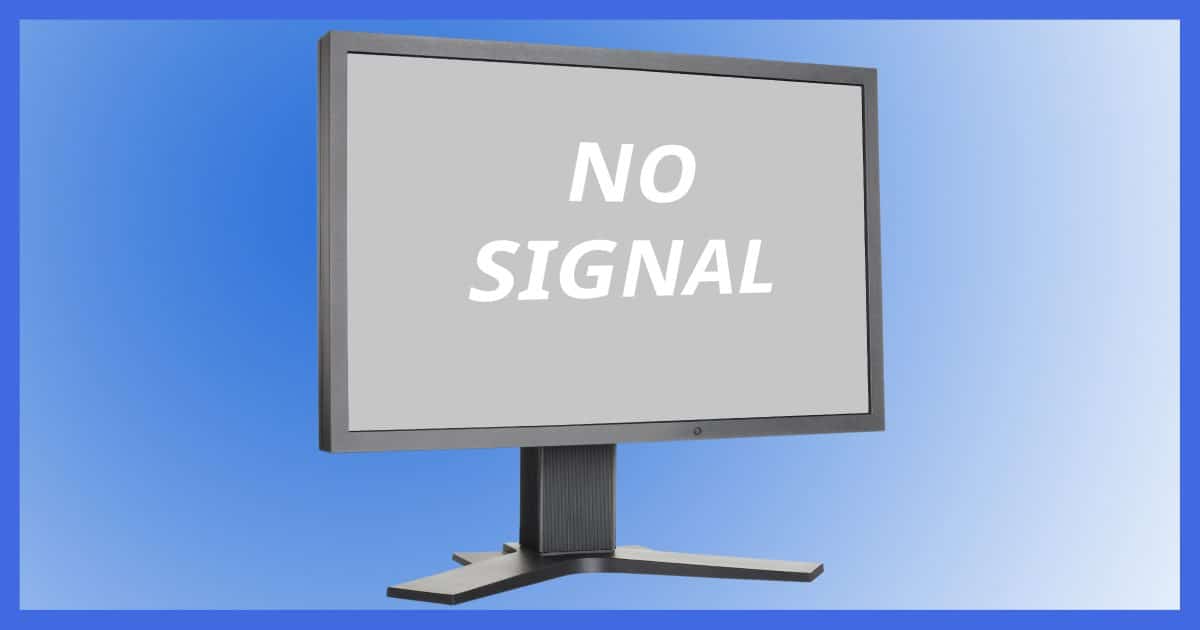

This message, and several others like it, confuse many people.
The reason for the confusion is that the message doesn’t come from your computer — it comes from the computer’s display.
And on top of all that, it may or may not indicate there’s a problem.
Become a Patron of Ask Leo! and go ad-free!

No Signal
Your desktop computer is connected to a monitor via a cable. “No signal” is a message from the monitor, not the computer, that it is not getting information from the computer. Most commonly it’s a configuration, connection, or power problem — or just a temporary message while booting.
PCs and display devices
Your desktop computer is typically connected to a display device variously referred to as the monitor, screen, or display. It is not “the computer”, since by itself, the display can do almost nothing. It’s only when connected to your computer that a display serves a purpose.
The video card or circuitry inside your computer turns the bits and bytes that represent the image you see on your screen into information that travels along the cable connecting your computer to the display. There are various types of cables and video interfaces, ranging from the older “VGA” style to the newer Digital Video Interface (DVI) and the increasingly popular High-Definition Multimedia Interface (HDMI).
Even if you’re using an all-in-one computer or a laptop with a built-in display, this is all still present, though often using different interface technologies and hidden from view.
Each of these interfaces transmit information about what should be displayed from the computer to the display.
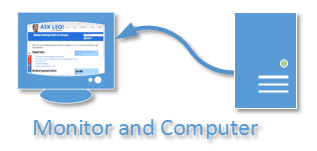
The information traveling along that connection is typically referred to as the “signal.”1
And therein lies the clue.
No signal
The “No Signal” message does not come from your computer; it’s generated by the display itself.
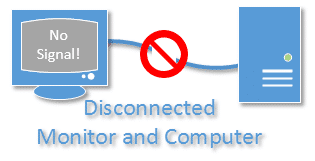
All it means is that the monitor is not receiving a video signal from the computer.
Possible causes
That’s a pretty simple explanation. In fact, from the display’s point of view, it’s a pretty simple situation: it’s expecting a signal telling it what to display, and it’s not getting one. So it displays a message on its own to tell you what’s up.
Like so many “simple” situations, there are many, many possible causes:
- The computer is outputting a resolution (such as 3840×2160) that the display does not support.
- The display is on, but the computer is not.
- The cable connecting the computer to the display has become disconnected.
- The cable connecting the computer to the display is faulty.
- The display has multiple inputs, and the wrong one is selected.
- The computer has multiple display outputs, and the one the actual display is connected to is not enabled.
- The computer is in standby or hibernate mode, and has turned off its display signal.
- The computer has crashed in such a way that it’s not displaying anything.
- The computer is broken in such a way that it cannot boot.
- And, of course, the display itself could be broken.
It’s also completely normal for a display to show “No Signal” for some period of time while your computer boots up. Often the computer’s display adapter temporarily stops trying to display anything as it is configured for use by Windows.
As you can see, there are many possible causes.
When faced with this situation, I check to make sure that everything is turned on (it’s so embarrassing when it’s not :-) ) and that the cable is properly connected. If that doesn’t resolve it, I move on to trying another cable or display, and finally, attempting to diagnose whether the PC is working at all.
Display messages
Computer displays have become sophisticated devices in their own right and can display messages of their own. It’s important to realize that these messages are not coming from your computer at all; they’re being presented by the display.
In the case of “No Signal”, it may be the only thing on the screen.
Other display-generated messages will often appear “on top of” whatever else your computer is displaying.
Understanding what they look like and what steps need to be taken means becoming familiar with your monitor’s options and controls, which are completely separate from the computer itself.
Do this
Subscribe to Confident Computing! Less frustration and more confidence, solutions, answers, and tips in your inbox every week.
I'll see you there!
Podcast audio

Related Video


Footnotes & References
1: Technically, “signal” refers to any electronic-signaling mechanism carrying information. It commonly refers to analog signals, like radio, TV, and the video signal carried over the VGA interface. It applies to digital information as well, because in some cases, digital information is transmitted using otherwise analog media.


This happens to me almost every time the computer comes out of standby (Windows XP). I think it means the monitor was off and first turned back on, but the computer is not sending any video just yet — it’s still coming back up from standby. After a few seconds the screen lights up and all is well.
I guess the question is, what is the “panic button” on the tower, and how would it change the No Signal indication? “Startup” doesn’t differentiate between Bootup, or coming out of Hibernate or Standby. However, like Bob S stated, it’s most likely a short term indication that will correct itself after several moments for the video card to start sending out display data again.
“No Signal” can just be a simple problem that as the PC “wakes from sleep” and the video card doesn’t wake up fast enough. So the monitor reports no signal. this can sometimes be resolved by just turning the monitor off and on again to flush the message. or by setting the PC bios to “refresh video bios on wake from sleep” STR 3 or some simular bios option found on most modern PCs
My TV is my monitor. Computer is on hdmi 2. If the computer goes to sleep while I’m watching TV on hdmi 1 I can’t get the signal back after computer comes back up and I’m back to hdmi2.
My key board Will not come on or my mouse won’t stay on what’s going on ?
Could be SO many different things. I’d start by trying a different mouse and/or keyboard. Wired, if at all possible.
I had this problem with the “No input signal”, but in another way: I had to recover the C partition from a backup, the backup program started, and after 5 minutes a had this message on my monitor. I could not see anymore what is the status of the recovering process… I had a shock, believe me… I found later where the problem was: a setting in W7 to stop the monitor after 5 minutes of inactivity… but until I found that, I really wanted to buy a gun to shot the video card…
I had this problem when I had to buy a new monitor. I kept thinking it was because the new monitor was bad and after 3 upgraded monitors later it turned out I really did need a new video card. It’s very interesting to see all the different reasons why this might happen. Thanks for all your help, Leo and all responders!
Had this problem for weeks.
My video card had an outdated revision.
Updated it and all problems are gone.
Video card:
NVIDIA GeForce FX 5200
Windows XP
How do you update the revision if you can’t see anything on the screen?
If you have 2 monitors, no signal on both.
My monitor has given a no signal notice since I bought it. The monitor came with the package and has a built in speaker. They sounded like an old transistor radio (yes I am that old). So disabled the speakers in the monitor and attached my Bose speakers to the computer and I have great sound. It just keeps giving me the same signal.
I use Windows XP Pro on a desktop. A few weeks ago after getting a Blue Screen of Death, I have the same problem and it’s driving me crazy! I’ve checked just about everything I can check, including running several scans of various types and many of the suggestions in this article, including replacing the cable with a brand new one, but the only way I can get my monitor to display anything is to press F8 when booting up and hope I can select “Last known good configuration” before that menu vanishes and the screen goes black again. I have to try several times before the menu stays visible for long enough to do so. Once it’s in Windows it’s fine, I have no problems at all so if I’m going to be afk for a few hours or so I leave it on rather than go through all that hassle again. Unfortunately, I’m not a hardware expert so I’m reluctant to take the PC apart and I wouldn’t know what to look for anyway.
Hello
I get the “no signal” on my screen only after gaming.
I get no display what so ever so I am forced to use the reset button
so my problem is
computer has crashed in such a way that it’s not trying to display anything.”
Would it be possible to explain this to me, in what way could the pc crash with this problem? It’s not trying to display anything, so is it my videocard or something else?
Regards
18-May-2012
Another possible cause for this could be a video driver problem. Coincidentally, I’m in the middle of a similar problem. I’m trying to revive an old XP machine. Everything works fine except the screen resolution. When I try to change it, I get a message from my monitor that it requires a 1920X1080 resolution. It bypassed the usual reverting to the previous resolution Windows normally gives. So, I rebooted using the “Go back to a previous configuration which worked” and get the screen to work again. (As Leo said, System Restore is great when it works) Then I went to the Asus website and downloaded the driver for that net top. I installed it and when it rebooted, I got that same warning again. I booted again with the go back option and it worked but again with the bad resolution. Now I’m trying to figure out if somehow the driver is not compatible with my monitor or it’s simply that it’s not the correct driver even if it is the one Asus offers for that machine with XP.
Perhaps XP is the problem. Have you tried Xubuntu? [smile]
Funny you should say that. Well, not exactly, I installed Mint Linux :) Everything just works, and all the programs I need are already installed with the OS.
Hi Leo and many thanks for providing such a great IT knowledge base and all for free ! Well I have bought some of your publications!
Two things – Any idea why Firefox always marks your weeklies with a dire red warning of spam? I have got it set to warn me of what it thinks is spam, I just wondered why Firefox gets it wrong. The second thing is that , although I have already subscribed to your weekly offerings, the adware pops up within the email and asks me if I would like to subscribe with offerings of one of your publications is I do so.
Kind Regards,
Tony
Firefox is a browser that has no concept of spam – it just displays web pages. Do you mean Thunderbird? That’s here: http://ask-leo.com/why_is_thunderbird_saying_your_newsletter_might_be_a_scam.html – If that’s not it then it really depends on what email service you’re using. They’re the ones marking it spam.
You say several times that “the message is coming from the device (display or monitor).
If the cable is disconnected – how can the monitor initiate the message.
Isn’t it the video card or the driver that is initiating the message?
The monitor is actually capable of displaying the message all by itself if it is unplugged from the computer. It does need to be plugged into power however!
Monitors are built with the ability to display status and error messages on their own as well.
Have an ASUS desktop, purchased a new monitor on the strength of the “No Signal’ message believing my old monitor had had it. Didn’t resolve anything, although initially it was an occasional problem, now it seems permanent. The Asus logo shows up while the machine is starting up so surely that dismisses some of the minor suggestions like cables etc, then some design logo shows briefly and then nothing, then no signal. It’s like the machine goes into some sort of impasse or loop during the start up phase. Then of course you can’t see anything to do anything. We can only turn the machine off to go through that again. It’s Windows 8 by the way (though might as well be Windows 0)
I also receive multiple requests to sign up to your newsletter. I am using Windows 8.1. Any suggestions?
Thanks. Ilona Stewart
Unfortunately, those pop-ups are one of the things which help make it possible for Leo to offer such a great service for free. As it says in the linked article, “The newsletter subscription pop-ups are actually vital to Ask Leo!’s survival. I have run without it, and the results were not pretty. It, like some amount of advertising, are what helps pay the bills, and keep Ask Leo! free and vibrant.”
This article explains why and how to block them if they get too annoying.
https://newsletter.askleo.com/why-do-i-keep-g-1/
My Lenovo Thinkcentre & Ideapad are about the same age; Microsoft no longer supports them, bulocal fixit guy transplanted W7 & dusted off Ideapad’s wifi to talk to desktop. Several months later, with more use/variety, changes that require me to be the “administrator” & I’m not, probably. I can track down fixit g. but is there a quick way to get round that? The necessary installed M.Office is there, but I can’t open & use bcs computer innards are no longer those from the IMEI ID string that’s clearly printed on the old desktop frame. (I think I may have just used this foreign language to say ‘I have your bassoon” when I wanted to ask “How can I become the administrator?”)
computer unable to come on display message d sub no signal what to do I tried everything
Please read the article you just commented on. It addresses exactly this issue.
My XP SP3 machine with NVIDIA video card was working ok for about 4.5 years.
Now, for several weeks, I started to receive “No signal” messages
from my monitor when starting the PC for the first time, after it was shut down
and both the PC and the Monitor were unplugged from the Power outlet.
It does not happen always, but it does happen quite frequently.
When it happens, I don’t see anything at all on the monitor,
not even the first image that usually appears BEFORE starting windows
(the one from where we can enter BIOS, press F8 for safe mode, a.s.o.).
I hear the usually beeps of the POST, and the PC itself seems to perform correctly the entire startup procedure, just without displaying anything, and then, all that I can do is to
stop it by pressing the Power button, to cause it to attempt a new startup.
One thing that I have remarked is that in the Device Manager, under
Display Adapters, I see ONLY the NVIDIA video card that I have in the PC,
( NVIDIA Geforce 210 ) and NOT also the on board video card which also does exist,
though it is currently not used.
I don’t know whether this is correct and/or whether it is related in any way to the
“no-signal” problem.
I have read a lot of web posts saying that NVIDIA has a lot of known problems (bugs !)
in correctly reading the Monitor’s characteristics (the so-called EDID),
and therefore is not able to use the monitor properly.
I have the last available NVIDIA drivers installed.
I tried to use install an older driver version, but then I got a warning
that a newer version is available, so I (re)installed the last one.
My monitor appears in the device manager as “Plug and Play monitor”
(and not as its specific type – Phillips 190B9),
but it is reported as working properly, without any drivers,
reporting “No driver files are required or have been loaded for this device”.
The monitor is connected to the video card using a DVI cable,
and I have also read on some web sites that this is the typical connection in which
most “No signal” cases are reported, it is stated that using VGA or HDMI does NOT have
this problem, though, the VGA image is of a lower graphic quality.
In addition, what also happens sometimes is that the PC simply freezes up during common
working, without any direct relation with what I am doing.
The mouse and keyboard suddenly stop responding and, again, all that I can do is to press
the Power button and force a reboot.
After pressing the Power button for a few seconds, the PC starts to reboot immediately,
without entering the Power-Off state.
There is no error message or any event logged when such freezes happen.
Sometimes they can happen several times a day, but other times they might not happen again
for several weeks.
All these situations are very tricky, and what is NOT clear to me is why do they happen
only sometimes, so I cannot “put my finger” on a specific component or feature
that consistently does not work and can be considered the culprit.
I have read that sometimes simply removing and reinserting the memory cards could help,
but I am not experienced enough for daring to do this by myself, I even don’t know
whether they are part of the motherboard or not.
The power supply was replaced recently, in the hope to solve these problems,
but it looks like this was NOT the cause.
It would be great if anybody could give some clues for how can I investigate further.
Thanks a lot in advance & Best Regards
Iudith
Hi Leo! I also have the same problem with my pc. I am getting no signal sometime, nothing displays. If i was listening to music the my pc suddenly shows no signal and music also stops automatically and then i have to press power button to for a new startup. Whats the problem i an not able to identify. I have checked all the connections including VGA cable and all is fine .I hope you will help Leo. Thanks in advance for any help from anyone.
This sounds like your computer is simply crashing at some point. I guess I’d start you here: Why Does My Computer Crash at Random Times?
Hey Leo! I am in great trouble. In order to solve the problem of no signal i had another one. Today when i booted my pc now then in startup screen it suddenly shows no signal and started beeping long continuosly. Whats the problem i didnt understand? I hope you will help of Leo thats why i am here.
Your problem sounds like what’s described in this article.
My laptop won’t turn on and only beeps when I start it. Is it dead? Or is this a simple fix?
There are so many things that could be wrong I can’t say. What I can say is that there’s some kind of hardware problem involving the computer itself, but more than that I have no way to know.
“No Signal” can also appear when using computer software to watch TV on your PC. That error is usually unrelated to Leo’s explanation in this article. If “No Signal” appears when trying to watch TV via a software program (through a tuner in your PC), the program settings in the software usually need to be adjusted.
I don’t see amy mention of the video card having failed – or has my old brain missed it?
It happens, but it’s actually quite rare.
From my experience, other than the computer not being connected or on, the problem has always been a loose or broken cable.
I had an unusual (to me) cause for the “no signal” message. Turns out the HDMI port itself was defective on my display and had to be replaced.
Sometimes your graphics processor (discreet GPU or embedded graphics with the CPU) simply has a hiccup and stops working. You can re-start the graphics function by pressing – cntrl-shift-windows-B – together. The graphics capability will re-start – this has solved the problem for me more than once. Sometimes a hard re-boot is necessary.
I get this often when my PC wakes up from sleep. The computer does wake up, because its light stops blinking and is on continuously, but it does not give out any video signal.
I then have to reboot it by keeping the on-off switch pressed. Quite often, the PC would restart, but would still output no video. In that case, I have to keep the button pressed, wait till it switches off without restarting (success is random), and simultaneously switch off power on the electricity cable, so that the computer “really” switches off.
This is very annoying. It started happening at some point, and I don’t know what changed. I have even switched off the possibility for the PC to go into sleep in Windows.
Sleep is often problematic. It’s great when it works, but on some machines, it simply doesn’t work.