Why it’s not malware and how it’s helpful.
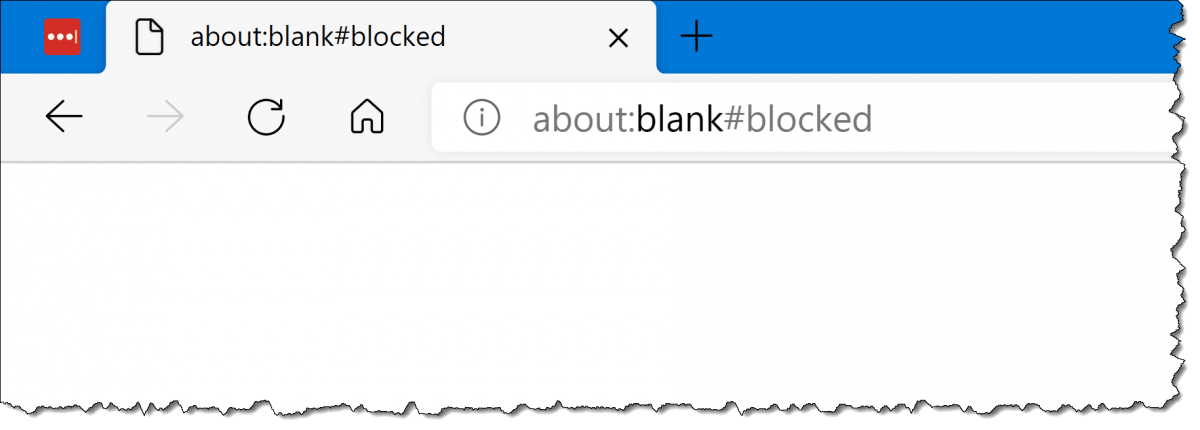
“About:blank” is a blank page built into web browsers to display when they have nothing else to display.
It’s not something you “get rid of.”
However, about:blank can show up unexpectedly. Here’s why, and what to do next.
Become a Patron of Ask Leo! and go ad-free!

about:blank
“About:blank” is a blank page built into web browsers to be displayed when there’s nothing else to show. It’s not malware, though it can result from malware being removed. “About:blank#blocked” is sometimes displayed as the result of security software blocking access to something. “About:blank” can also be used as a browser homepage.
About about:blank
About:blank isn’t really “about” anything. The word “about:” is a keyword some browsers use as a way to enable some functionality or display standard pages. You can read more on “about:” in this Wikipedia article.
About:blank displays a blank page (see image above).
That’s it. About:blank is nothing more and nothing less than a blank page built into your browser.
Most browsers have to display something in the browser window. If they can’t figure out anything else to display, they display about:blank.
About:blank is not malware, but…
Since I keep hearing from people assuming otherwise, let me be extra clear:
about:blank is not malware.
However, your browser may display about:blank because of malware.
Again, about:blank is not malware, a virus, or anything malicious. At worst, it’s a symptom of malware. Malware sometimes breaks things, making your browser unable to display a page, in which case it displays about:blank instead.
The solution in these cases is to run up-to-date scans for malware.
Malware removal and about:blank
Malware can break your browser. The browser may be left in such a state after malware is removed.
What that means is the process of removing malware might cause the browser to become confused. Perhaps it was displaying a page provided by the malware which, once removed, leaves the browser nothing to display. The browser must display something, so it displays about:blank.
The solution is simple: change your homepage back to what you want it to be.
About:blank#blocked
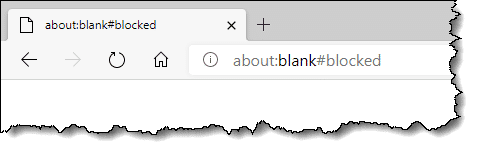
Browsers may also display the about:blank page with an element reference1 of “blocked”.
This is apparently used by some security packages, and perhaps even the security features in some browsers, to block access to links or content that are considered risky or malicious. The browser needs to display a page, but the original target is blocked for security reasons, so about:blank is displayed instead. The element “blocked” is added to describe what’s happened.
If this is something you’re seeing regularly, review your browser security settings, your security software settings, and your browser extensions.
Since there are so many reasons this can appear, there is no single fix I’m aware of.
About:blank as your browser homepage
Your browser homepage is the page you see when you first run the browser or hit the “Home” button.
You can set the homepage to whatever you like. “About:blank” is one option, specifically because since there’s nothing to display — it’s a blank page, after all — so it loads really quickly.
Do this
Know the uses of “about:blank”. It’s not malware and it hasn’t “taken over” your browser. It’s simply a symptom of something else. Since the browser must display something, it uses “about:blank” to display a blank page.
Subscribe to Confident Computing! Less frustration and more confidence, solutions, answers, and tips in your inbox every week.
Podcast audio

Related Video


I’ve started using the about:blank function as my opening page. Basically as a platform to launch from. Sometimes when my connection is slow for some reason, my computer hangs & I have a devil of a time closing the browser (firefox). If I click on the home page icon & it can’t get out to it, it seems easier to shut down & go kill a bit of time playing solitare until the problem clears up. I use a wireless provider and it seems that many things can cause it to mess up.
I agree with Mike. About:Blank is an excellent starting point.
Sometimes loading a page you don’t always want to read is counter-productive, especially if your monthly limit is on the low side or you’re paying by the kb.
These days a lot of pages load Mb of ‘junk’ just because they can – flashy banners, video clips, etc etc – and unless you watch/read all of it, you are downloading data for no good reason.
If you want to start without loading a page, allowing you the time to choose what you want from favorites or whatever you wanted to type, about:blank is perfect.
When you click home that is about:blank. Setting it as the default page is an excellent choice. Your browser is basically idle.
There is no way to ‘get rid of it’. It is written into the browser and has been for nearly twenty years. It looks odd but the term comes from the early days when more formal terms and structuring were prevalent (and DOS ruled as well). Most browsers as we know them came from or owe their existance to a program called MOSAIC, which you should do a search on. It might be heavy but it will probably fascinate you.
For the about:blank as a home page people.
Consider creating a minimalist web page with your most common links on it and saving it on your hard drive.
You get the speed benifits of About:blank but also get your most common items with one click.
22-May-2012
You wrote: “My “Home” page is a page of my own creation full of links to various places I go and sites I use frequently.”
Exactly & precisely what I do, as well. :)
This about:blank web page reminds me of the Opera web browser which has a home page of links.
You can’t sign out of the browser by x’ing out a tab. you get this links page. you have to alt-x to close the browser.
It’s easy to sign out of other browsers by mistake.
I, too, always use “about:blank” as my home page. I started that after being issued my first laptop, long before wireless was everywhere. When I had an actual webpage as my home page, e.g. Google, and was not connected the browser would hang for a long time, and I am impatient. Also, when learning that many websites track where you go when you leave their site I began the practice of clicking the “home” icon and then navigating to my new destination. I felt that going from a retailers site to a baseball score site was information about me they really didn’t need to have.
I have my Internet Explorer load to a blank page on purpose. I don’t want or need a home page so it’s my default home page. Loading a page with lots of graphics takes a long time on an old computer, so that’s why I do it, but also I don’t need that home page and can choose where I want to go once the internet is up and running. To get rid of it, just choose a home page.
In my case,I think about blank is one of Microsoft home page.about blank shows for less than a second on starting my Home page (google).My Home page in Internet options never changes it’s always google.
This you did not explain in your article.
I love about blank, when I fire up my PC I sure as heck don’t need nor want to see a bunch of kooky info from the get-go. As an example, If I want to find my weather info I’ll look it up myself.
My “start” (i.e., “home”) page is a hand-written local offline (on-disk) html page with links to various Google services, and to my online web page. It loads almost instantly. :)
I’m not a real dummy, but I’ve portrayed one more than once. Such as just last week when, for no apparent reason, Chrome changed my “Open browser to” settings. I couldn’t remember if it was supposed to be aboutblank, about.com or blank.com. About.com was a website, but the next one I tried (blank.com) gave me the blank page I wanted so I went with it. Within a week my browser was being misdirected to some Spanish-language gaming site and I got a malware alert. I ran a full scan, got rid of it, then told the IT son about it. “ABOUT BLANK, Mom, ABOUT BLANK.” : ) There are those who know, those who don’t, and those who know just enough to be dangerous. sigh
@Joy
Just for the record, it’s about:blank. Punctuation is important ;=)
Punctuation is Bob Rankin’s thing. :)
It should be everybody’s thing.
The Typo that Destroyed a NASA Rocket
@Mark
See what I mean? : ) Thanks
@Joy,
You might want to get that IT son to take a look at your computer for malware. Things shouldn’t be changing like that on it!
Nobody is truly ‘dumb’, they are only unfocused in one or more disciplines. Those with no actual working knowledge of a concept often contribute to the solution of very vexing problems to those who have studied it hard. Or, to put it in a different way, grace is not learned, it is found.
All is not that easy with ABOUT BLANK because i once had a problem with it where i couldn’t get rid of it and then relished there’s also a virus with the name of ABOUT BLANK. After i removed the virus all was then ok again.
I used to have MSN as my home page. The page was all very interesting, and offered quite a few things to read – thus I was waylaid from what I had intended to do. I can’t remember why or how I had that page. One day I decided to get rid of it; in wanting nothing showing on the home page I got “about: blank”. Very good! No distractions!!
yes I ve set google as my home page and checked it about a hundred times and yes internet explorer opens to google. however, when I click on a new tab on the google page to open up ANOTHER page- I get about:blank. so how can you change that so that each page you open thereafter is also google???
I’m not sure that’s possible, but if you open a blank page and type your search question in the address bar, it will Google, or whatever search engine you use, it for you from there. No need to open the Google home page each time.
I had no problem getting rid of about: blank. I have a program named “Hijack this.” I ran the program, found about: blank on the scan of the program and deleted it. done! I do not know if HiJack This is still around but I do have the program and will send it to anyone who needs it.
Hi Sandy,
I need this program. It’s a long story I will tell if you want, but my situation is bad. I just got a job working from home and I have this about:blank problem. Will lose my job if I don’t get started. Have NO money to buy anything, no vehicle to go to a job away from home. So I NEED this job. So if you don’t mind sending the software, I’m your forever best friend. [removed]@hotmail.com
Angela
Here’s the link to Hijack this. Be sure to click where it say Download@MajorGeeks which is right under Download Locations. All other links and buttons are ads.
http://www.majorgeeks.com/files/details/trend_micro_hijackthis.html
Hi Sandy.
Just read your article on about: blank, and how you got rid of it. We’ve got it too. Not obviously a problem, but I do wonder if its browser monitoring function does compromise the PC’s security. Also, is it involved somehow in junk e mails?
Could you be very kind and forward the link to ‘hijack this’.
Thanks & Regards,
Crispian
It’s not monitoring your computer. It has nothing to do with spam. It’s just the result of your computer being slow. As Leo explains it is just your browser loading nothing.
Not quite true that about:blank is benign and not something to be removed. It is a huge annoyance and prohibits me from doing quite ordinary things. Today for example, I wanted to place a small order with Amazon. Went well right up to proceeding to checkout. The about:blank window popped up; I clicked it off (I thought) and again tried to proceed to Amazon checkout; tried many times; could not find the answer. And surely there MUST be a straight answer. — I’ve been using computers for 40+ years. Now elderly and losing my patience quicker; refuse to read tomes of nonsense just to get to what should be a simply solution. I did not ask for this, don’t want it, need it to go away. Thanks.
about:blank just means the page hasn’t loaded yet. So every time you click it off you click off the page you are trying to load. It’s, like, the default page – the first thing the browser displays when going to a page. People with fast computers won’t see it at all because it flashes past so fast. So the only thing that is happening is that your computer or internet connection is slow. It’s not a virus or anything like that.
The trouble I have has not been addressed!
I know it’s a benign blank page, the trouble is that the words “about:blank” will not leave the address field when I attempt to enter a website address! That is bloody infuriating! The address filed should quite literally be left blank, that is, completely empty so that it may receive an address entry by the user.
Some twit from the past thought it was necessary to announce to the world that the page is blnak, rather than just let us observe that, yes, it is indeed actually blank!
Furthermore, Google, MS, Maxthon, et. al should provide an option to leave the ADDRESS FIELD EMPTY if we choose to have NO home page, what could be simpler than that? I continue to be bemused by the idiocy inherent in the IT industry, no one in it seems to have any practical sense!
about:blank is a bloody nuisance I have had this install itself twice on my PC and have tried about 4 of the top anti-malware programs to get rid of it and all to no avail. It generally shows itself through a program that you may have recently downloaded. Ironically about:blank had attached itself to the very anti-malware/anti-virus program that I thought could get rid of it. I applied the same method that I found previously successful by uninstalling the suspect program and then powerfully uninstalling the residue – it worked. Well worth a try.
TROLLOLOL, it’s about:blank! This annoying thing has cause a lot of trouble. Some says it is extremely annoying and some says it is just a glitch in the web. But the truth about this horrid thing is something that if the computer has absolutely nothing else to display, it will show about:blank. Hope this is helpful!!!
People, you just can’t get it, as Leo said blank is nothing. If someone asked you for a definition of “blank” what would you say? I would guess something like “nothing” and you would be right. Maybe it would be easier for you if you thought of it as a blank page which is exactly what it is and as soon as you write something in your address bar and enter it, it will no longer be blank because you have changed it to a Url (web page) or a search, etc. Starting to get it? You are in control and your action changes it to no longer be blank to something with content. That is the key, a blank page to one with content. That is my two cents worth, hope it helps.
zbuckone
My Mac book doesn’t let me look anything up.. Its used and every time I look something up it sends me to a blank white page.. What does that mean?
I’d have to know exactly what steps you take to “look things up”. What browser? What site are you trying to look things up on? Need LOTS more information.
There is an old saying “The difference between stupidity and ignorance is that ignorance can be fixed”.
I suspect that the “I am dumb” comments are probably intending to say “I am ignorant” and (since they are asking about it) want to fix it for this topic.
All people are ignorant of most knowledge in the world. Do I know the derivation of the Sanskrit language? I am totally ignorant about it but that could be fixed if I had the desire to know it.
Bill F, your comment relates to another old saying: “You can’t fix stupid”. While that may be true, and as you rightly pointed out, you can indeed fix ignorance if you are willing to put some effort into it.
People of the past,
It’s now 2019 and there is no longer the scourge of about:blank. What was so vexing in 2012 has been eliminated by Trumpian fiat. Also, there is a new Microsoft browser called “Edge” that’s even lamer than IE and Chrome is still the best browser for ameliorating your about:blank woes.
Since I use ‘Chrome’ as my browser, is there any premium in uninstalling Internet Explorer?
Nope. It’s so tightly intertwined with Windows it’s actually quite difficult to do completely. More here: https://askleo.com/how-do-i-uninstall-and-reinstall-internet-explorer-in-windows-10/ – particularly in the section labeled “What you’re really uninstalling”.
Thank you Leo, I’m aware it’s deeply embedded but, on Windows 7 professional, will any damage ensue from uninstalling as much as may be possible to find?
It depends on how deep you dig. The answer is yes, if you delete components that are shared by other applications or Windows itself, then you will damage those applications or Windows. Honestly, it’s just not worth it.
Thanks again Leo, I’ll keep my sticky fingers out then.
If you do, keep an installer handy as you might need it. I’ve removed IE and it was not worth it, in that it caused problems with other browsers and programs and Windows. Some websites still — as backwards as it sounds — “prefer” IE but in reality that may be the only browser that works. Just ran into one of those two weeks ago in trying to complete a necessary online transaction.
“Some websites still — as backwards as it sounds — “prefer” IE but in reality that may be the only browser that works.” That’s true. I used to have the hardest time doing online banking until I tried logging on with IE. Their website only works with IE and now Edge. And not to mention any names, it’s the largest bank in the US which can’t be bothered to get their website working on other browsers.
Better than an installer is to take a system image backup before attempting any major work on your computer. Reinstalling Windows might cause a loss of data and/or installed programs. In this case, simply don’t try to remove IE. You would only gain an insignificant amount of disk space in the best case scenario.
JavaScript used to be VERY diverse before standards came along. In fact, in the late 1900’s to the early 2000’s, it was so bad that sites would display – “Worked best in IE” or “Worked best in Netscape Navigator”.
I’ve encountered a few websites that do that, actually.
As web developers, we assure you that most of us try to work best to support most or all of the popular web browsers.
However, some browsers have “goodies” that make life easier, so we tend to lean in on those.
It’s bad practice, but sometimes our things just don’t work (or work well) with other browsers.
That said, your “banking” website probably should have supported most browsers. It depends though, back then there WAS a lot of diversity and it was hard to do support. Nowadays it’s much easier.
What I was referring to with browser diversity and goodies mainly applies to games, but there ARE going to be times where it’s hard to have things work in more than one browser.
You’ve explained this so clearly for me. Once again, thanks so much for clearing up something that has always confused me.
When I used dial-up internet in the previous millennium, I would always set my browser’s homepage to about:blank to prevent it from using more bandwidth. When high speed flat rate broadband access came out, I switched to using a news and weather website as my homepage.
Some few years ago I had problems with about:blank. It hijacked my home page no matter how many times I re instated it. It may not be malware but Malwarebytes did stop it, though for a limited time (sometimes a few days). I stopped using IE 11 and moved to Chrome. No trouble since though I have seen it occasionally while waiting for a page to load.
“It” did not hijack your home page. Some other malware or system problem did. about:blank is not malware.
Change your homepage setting.
I occasionally get “about blank” on Chrome. I don’t worry about it. It seems to be relative to some defective link or links. I’m not sure, but I just move on.
Many websites use about:blank for security reasons, opening the link directly can allow the opened webpage to maliciously change the website that opened the link’s address.
Example:
https://somerandomservice.com opens http://some-random-malicious-site.com directly.
https://some-random-malicious-site.com has access to the window.opener object (in JavaScript, that gives you a reference to the site that opened the website, in this case – https://somerandomservice.com is the opener because it opened https://some-random-malicious-site.com).
This potentially allows https://some-random-malicious-site to redirect https://somerandomservicecom to another malicious link OR can potentially inject harmful scripts to it.
Now, a safer way is this:
https://somerandomservice.com/ opens https://some-random-malicious-site.com indirectly (using noopener noreferrer which is an attribute that tells the link not to allow referrer information to be passed to the website being opened).
https://some-random-malicious-site.com tries to redirect the webpage, but window.opener is null (a value that represents an absence of a value (google the definition of null if you don’t get it)).
Because of that, https://some-random-malicious-site.com can’t do anything with https://somerandomservice.com/.
Btw, these sites are just examples, but please don’t go to them in the case that they are valid addresses (unless they are legit websites).
[Editor: I changed the site to Leo’s sample website because the fake website posted was a real website.]
The solution is simple: change your homepage back to what you want it to be.
You are one of the last persons on earth who still knows the difference between simple and “simplistic.”
The latter word is sooo much more high toned sounding, so everyone uses it instead.
Using simplistic instead of simply is not only high toned but completely wrong. Simplistic means over-simplified.
Hi.
As many have pointed out and Leo states correctly, about:blank as your home page is NOT malware. It can indicate malware but is not anything else. Like it? Keep it?
Check for malware. Sure.
I cannot get rid of a blank page since the arrow icon in my computer is occupied by a circling rainbow – colorful ball. It keeps turning. The ball keeps me 20-30 minutes before it came back to be an normal arrow again. How can I make the turning ball go away or delete?
I have run into an issue with multiple about:blank tabs opening up when I am attempting to do anything in Yahoo mail. I am using Chrome and I have run a full system scan looking for malware that came up negative. I only experience the issue in Yahoo mail. Any idea what could cause this?
Not really, First thing I would do would be to clear the cache. Then I’d try a different browser. Then I’d start looking at extensions as the possible cause. If none of that helps, I’d reinstall Chrome.
I just enabled the pop-up blocker and it is effective in preventing the tabs and allows me to use Chrome for my email. The pop-up blocker is working overtime.
Clearing the cache did not help.
I tried IE and did not have the new tabs opening, however EI is not compatible with the latest Yahoo mail, so it defaulted to Yahoo mail classic.
I will try reloading Chrome when I have time.
Same problem, just started! Will try the suggestion of the Chrome popup blocker.
I have the same problem and clearing cache/history didn’t work. I checked extensions and rebooted, didn’t work. But I was able to stop it by turning chrome “popup blocker” on. (settings->advanced->site settings)
I use Netfront browser, and I cant seem to change the home page or get to about:blank
hello leo,
I have a mac and am running chrome browser. everytime i hit my Plus for a new tab (not home page) but a new tab about:blank comes up. I have gone through all the settings and researched the heck out of it and i cannot get my open new tab button to go straight to Google search. Odd thing is on my old Mac this works just fine. I have run Malwarebytes and it did find one file which i got rid of. I have run Malware several times again with no problem signed out of google and restarted chrome but No its still there???Can you provide any other suggestions on how to fix this problem I have removed cache and cookies as well.
Only thing that comes to mind is to install one of the new tab customization extensions that will allow you to set the new tab function to go to wherever you define. (Which also makes me wonder ➡ could an existing extension be interfering?)
Hi,
I wonder if anyone can help with my issue about opening PDF’s via an application.
The application is [link removed].
When clicking on the PDF link within the application nothing happens. If I right click on the link and open in new tab the about:blank#blocked page is displayed. I have tried changing the browser settings in Chrome to allow pop ups and links etc. without any luck.
Any ideas?
Thanks
Manoj
In Chrome search settings for “PDF” — you’ll find one called “Download PDF files instead of automatically opening them in Chrome” — make sure that’s enabled.
I have the same issue.
I noted, however, that using right click -> copy link, tapping “new tab”, then pasting that link — WORKS! That means it’s not a security problem since I *can* get to the URL, but just not by clicking an <a> link. It’s not a js issue either (no js is present on this link).
So what’s left? Is different security applied on a link than by directly typing?
BTW, I do NOT want the user downloading the PDF. I just want them to see it to verify it’s got the right content.
You should also take note that about:blank#blocked could be for things other than security. For instance, you can have an anchor (a link on a webpage) that runs JavaScript or returns javascript:void 0.
If you open it in a new tab, it can’t run it because that JavaScript is meant for that specific webpage, meaning that it would throw errors and such, thus forcing the browser to display about:blank#blocked.
about:blank#blocked is thrown (in Chromium at least) when a data URL (as in the case of a canvas to image creation data URLs) is too long to be loaded as a URL. The data URL limit lengths are about <2048 chars depending on the browser.
The solution for developers is a dataURL-to-BlobURL conversion.
The solution for users; if it ever happens, is… forget it and move on to something else. :)