The best definition of “the cloud”, or “cloud computing”, that I’ve run across is, to paraphrase:
Cloud computing is just using someone else’s computer.
In some ways, it’s too simplistic to be useful, so I’ll dive deeper and explain more.
At another level, it’s wonderfully simple and perfectly accurate.
Become a Patron of Ask Leo! and go ad-free!
Cloud computing: one definition
Here’s a fine definition, courtesy of Wikipedia:
|
It’s accurate, but not nearly as simple, or as clear.
Translated into layman’s terms, it’s services provided over the internet, using computers and storage that can change as needed to meet the needs of whatever service is being provided.
That still needs to be picked apart a little.
The cloud
The word “cloud” comes from the fact that when diagramming networks, engineers often use a cloud to represent a massive inter-connected network.
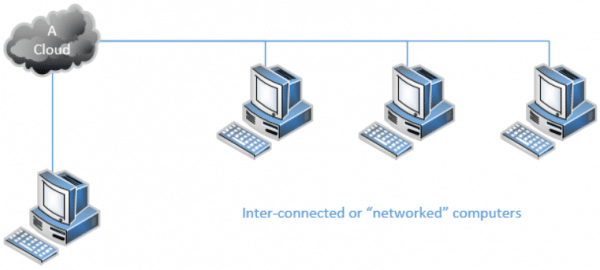
Using a cloud to represent the connections highlights that it’s a somewhat intangible thing “out there”, as well as hiding all of the specifics of exactly how the interconnections happen.
Today, of course, when I say “massive inter-connected network”, most people immediately think of the internet. Hence, “the cloud”, in common terms, is really nothing more than “the internet” and all the computers and equipment connected to it.
Cloud services
As the internet has grown, one of the things we’ve realized is that when we use a service of some sort on the internet, we don’t know if that service uses one computer or a hundred. In fact, we know almost nothing about how that service is implemented, how many computers are involved, how they’re connected to one another or even where they might be located.
Like “the cloud” we just discussed, these services are yet another intangible thing “out there”, where all the specifics of how they’re constructed are completely hidden from view.
So, these days we often consider them part of “the cloud” as well.
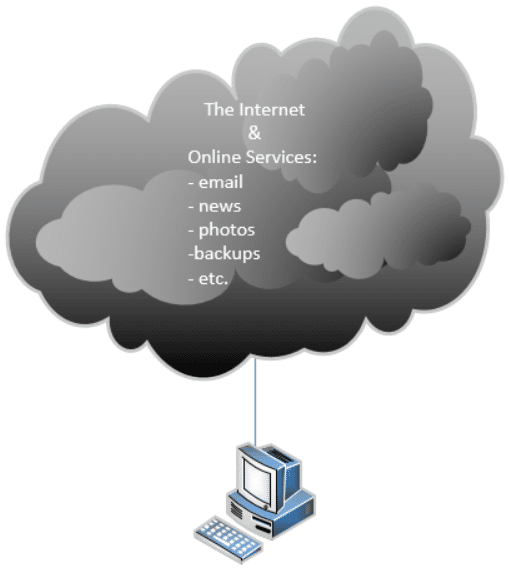
Examples of cloud services include:
- Your email. Web-based is the most obvious “cloud service”, but even if you use a desktop email program, your email has been traveling server-to-server in “the cloud” to get to you.
- Social media services like Facebook, Twitter, and others.
- Photo storage services like Flickr, Photobucket, Google Photos and many more.
- Document storage services like Google Docs.
- “Anything” storage services like Google Drive, Dropbox, OneDrive and so on.
- Financial services like QuickBooks Online, your bank, your investment firm and others.
- Web-based information resources like AskLeo! and Wikipedia.
- Backup services.
Just about anything you use online or over the internet is involved in “the cloud” in some way.
Cloud computing
The number of servers used to run a cloud service is undefined. It could be one, it could be a hundred, it could be thousands.1
As users of the service, we don’t know, and to be honest, we don’t care, as long as it works.
One of the characteristics of cloud computing is that not only are the computer specifics undefined to users of a service, but those computer specifics can change without notice and as needed.
I’ll use Ask Leo! – askleo.com – as an example.
As I write this, AskLeo! is hosted on a single server. That server is a virtual machine, meaning it’s a software simulation of an actual, dedicated server.2 I manage it exactly as if it were a dedicated computer in a data center somewhere. In reality, its hardware is completely unknown to me. It’s just one virtual machine on a much more powerful computer that is likely running other virtual machines at the same time.
Here’s why that’s beneficial: I can change its configuration at any time. I can add CPU power, RAM, or storage as needed, with only a little downtime and a reboot. I can also reduce those things to reduce my cost, as needed. In fact, I’ve done so in the past. The host has also swapped out the underlying hardware without impacting how my server looks and acts at all.
I’m a simple operation. When you get to large-scale online services, they can and do not only change their servers configurations, but they add and remove entire servers, automatically, as needed, and with zero downtime. In the business, this is called being “dynamically scalable”.
Ultimately, that’s what cloud computing is really all about: not just using someone else’s computer, but not knowing or caring what kind of computer or storage it might be, and having the ability to change it all as needs warrant.
Building for the cloud
Building cloud-based applications is both simple and hard.
It’s simple if you don’t plan to scale transparently. I did nothing other than choose my hosting service and build my server. I built it using the same tools and techniques as if it had been a single desktop computer stored in my closet.3 That it’s really just one virtual machine on some high-end computer in a fancy data center somewhere is completely transparent to me. It just works.
If, on the other hand, you really do need to have your online service be truly transparently scalable, and changeable with zero downtime, that’s a different beast altogether. Consider Google itself – thousands upon thousands of servers coming and going online and offline more or less constantly. There’s an incredible level of complexity to make that all transparent, and it had to be designed that way from the start.
Your privacy and the cloud
Now that we understand that this so-called “cloud” thing is really a marketing term for using someone else’s computers, and why that’s advantageous, we need to touch on another aspect of cloud computing.
Your data is on someone else’s computers!
That needn’t scare you, but it’s something you do need to be aware of.
Specifically, you need to make sure you trust the people on whose computers you place your data. That means understanding the privacy (and other) policies, as well as the reputation of your various online providers.
Any online service you use has some portion of your information on their computers. Do you trust them not to share it with people they shouldn’t, or haven’t, told you about? Will they protect you from unwarranted access requests? Do they maintain adequate security measures? Do they know what they’re doing?
With so much of our activity happening in “the cloud” these days, it’s critical to:
- Use only online providers you trust.
- Only trust those providers with specific, and perhaps limited, information.
- Avoid online providers you don’t trust, if you can.
- Consider whether additional layers of security, like encryption, while inconvenient, might be needed to maintain your privacy and trust.
Honestly, it’s almost impossible to avoid online services and cloud computing entirely, short of disconnecting completely. Understanding what it is and what it means, however, can help you make more informed choices about how you use the cloud, and into whose hands you place your precious data.
Do this
Subscribe to Confident Computing! Less frustration and more confidence, solutions, answers, and tips in your inbox every week.
I'll see you there!


The explanation has been put up expertly in a simple manner. Though it might have been more technical as such.
Good account.
I have Panda anti-virus software, which I believe is cloud software. How does it compare?
I use Panda Cloud A V and one thing it doesn’t do,like other systems,it won’t slow down your machine and it’s Free!
Thank you for a very good short, concise, to the point explanation.
IMO, ‘Cloud computing’ seems simply to be one more in a very long line of ‘money making gimmicks’.
From what I understand the other important part which was not stresses was the fact that the documents in the cloud can be accessed and worked on from anywhere. Meaning many people can work on one document practically simultaneously. i.e. they don’t need to update it then email to other to update email etc…..as would otherwise be the case.
I love it when things are explained as simply as this. I ‘kinda’ had an idea from the Wikipedia article. It may be interesting to mention Software as a Service (SaaS) in this context, as well as the ‘infamous’ crowdsourcing.
Great stuff, Leo.
Thanks a mil
For those who have not heard Leo on New York City radio – Oct. 7, 2009
http://archive.wbai.org/files/mp3/091007_200001pcs.MP3
My IE8 browser does not permit me to access Leo on the WBAI website. Whenever I try a web address ending with .MP3 – all I get is a page with a red X. (I have no trouble playing normal MP3 audio files.)
We found a great visual about cloud computing that I thought I’d share with you. Simple and informative, and easier on the eye than a long blog post: http://bit.ly/cZLjN3
To go along with the “we are cloud” comment, I though I would add this video explanation from Salesforce for another visual reference, I think it’s pretty simple and complements your explanation above: Cloud Computing
Cloud computing is here to stay. I use it for almost everything and now can travel anywhere in the world and use any portable device to access all my information. All I need is a web connection.
Will this eventually lead to home computers having very little software installed on them and forcing people to rent software on the cloud ?
Seems unlikely. There’ll always be a balance, and always be alternatives like Linux.
That’s a very old idea that’s never been implemented widely. Hardware can fail when you need it. Software can crash. Updates fail. Mistakes are made, and your data gets lost. Configurations get changed, scrambled. Viruses, malicious hacking, denial of service happen. Your ISP goes down and you can’t get to the Internet. Local resources need to be available when you can’t get out. So you need both local, for security and emergencies, and “cloud” for cost and convenience.
Considering the internet and the cloud are interchangable references to some extent, the thing that occurs to me is the image, the public perception, of each. It is well-known that the internet can facilitate the dark web yet you never hear about the cloud in such negative terms. Does this mean that we cannot access dark clouds anywhere? It suggets that the cloud is in some way better policed, but this can not be true, surely?
The cloud is composed of individual websites. It’s very easy for someone to offer free cloud storage, and steal personal information. It’s a matter of only going to cloud websites you know are safe. For me, those would be the ones offered by tech giants who have much more to lose by stealing data.
The terms aren’t nearly well defined. I would not assume that the dark web isn’t also the cloud or “in the cloud”, depending on the context of how the terms are used.
Thank you, Leo, for a great article! On several occasions recently, I have explained to various people that “cloud” is a truly misleading term, and that all their computer stuff ‘in the cloud” is actually on machines or hardware. The reactions ranged from disbelief to downright anger! I guess this says more about education and conditioning than anything else. My only wish is that I owned the expression “cloud computing” and was being paid a royalty every time someone used it!
Whenever I hear the term “The Cloud”, I remember what clouds bring and do…rain, floods, tornadoes, hurricanes, lightning, etc., and give serious thought to any endeavor that will involve “Cloud” resources.
With as much hype and all the promises it presents us with, sunshine, mirrors and smoke being blown into various orifices, before diving headlong into a love affair with it, remember: “The Cloud” is just someone else’s computer.
As in all dealings with outsiders: Caveat Emptor.
Leo’s description of the cloud was excellent and complete, but it leaves you with the notion that the cloud is something new or special. If you google who first used the term cloud computing, the first entry is:
“Part of the debate is who should get credit for inventing the idea. The notion of network-based computing dates to the 1960s, but many believe the first use of “cloud computing” in its modern context occurred on August 9, 2006, when then Google CEO Eric Schmidt introduced the term to an industry conference”
(https://www.technologyreview.com/s/425970/who-coined-cloud-computing/). Other sites say it was someone at Amazon in 2006. Other says it was conceptualized in 1994 at AT&T. And there are many more attributions for the term “cloud” or its concept. I’m old enough to remember concepts of distributed or shared computing and data storage in the 1970s.
Basically, the terms “internet” and “web” had become stale and lost their pizazz, so a new term was created (or resurrected) to keep the buzz going. I’m going to short circuit the obsolescence of the term cloud and coin the next possible terms: sky, nebula, big brother, …
Question 1: “I can add CPU power, RAM, or storage as needed, with only a little downtime and a reboot.” How can you add RAM or CPU power since it’s a virtual machine, meaning it’s a software simulation of an actual, dedicated server and not a real computer?
Question 2: Also why use a virtual machine instead of a real computer?
Thanks for a great report on cloud computing!!
Mike :-)
A virtual machine is run by a program, and the program allows the user to add more CPU, RAM or storage as needed. It’s just a setting.
The reason to run a virtual machine is so you can use various operating systems on one computer. Very handy for answering questions without having to have a separate computer for each operating system.
When you set up a virtual machine, you allocate a certain amount of the computer’s resources (CPU, RAM etc.)to that virtual machine. In order to “add” more means booting it allocating more of those resources.
You change the software simulation to use more of the host machine’s resources. For example the host might very well have 128 cores (yikes, right?). Reconfiguring mine to use 4 instead of two is a simple reallocation of resources. Same for RAM.
It as powerful, more configurable as needs change, and actually somewhat cheaper.
“Hardware can fail when you need it. Software can crash. Updates fail. Mistakes are made, and your data gets lost. Configurations get changed, scrambled. Viruses, malicious hacking, denial of service happen.”
And that’s why, I buy one of those 32, 64 or 128 gb USB thumb drives, about once a week, to keep my documents, music, videos, movies, etc on. I also bought a terabyte drive, called the “Book”, for a back up of my USB (thumb) drives, that I picked up at Walmart. They have many different ones, suitable for whatever size you need. And these are so easy to use, just drag whatever you need over to them, and drop. Or copy and paste.
If your computer goes down, you can be happy to know, your stuff is still secure!