Batch files are a kind of computer program.
A batch file, or command file, is a text file that contains a list of programs and commands Windows executes when you “run” it.
Batch files date back to the days of MS-DOS and are designed to contain commands you would run within a Windows Command prompt.
Become a Patron of Ask Leo! and go ad-free!

Batch files
Batch (or command) files are text files containing a list of commands that are executed one after the other when the batch file is run. They’re convenient ways to collect common multi-step sequences, but can also become quite complex and powerful computer programs in their own right.
A simple batch file
Run Notepad ( + R, then type Notepad, and press OK).
Type in the series of commands you want to run. Here, I’ll use it to run a single command:
dir /O:-d
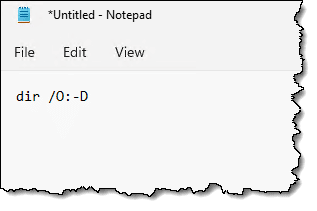
“Dir” is the command prompt command to display a “directory” — the list of files in a folder — and “/O:-D” is the option to that command to Order the results by the Date/time the files were last modified, with “–” indicating to sort the most recent at the top of the list.
Now, save that file as a .cmd file. Let’s call it “tdir.cmd”:
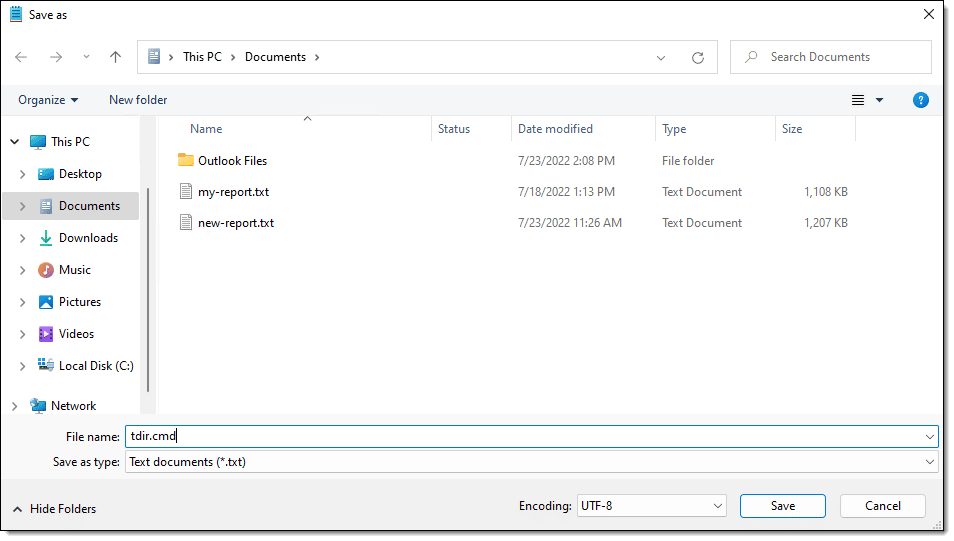
Pay attention to the full path to the folder in which you choose to save it. I saved my file into my Documents folder, which, because I’m using OneDrive for backup, is:
C:\Users\<username>\OneDrive\Documents
(Replace “<username>” with your Windows user name.) Run Windows Command Prompt ( + R, then cmd, and press OK).
Enter CD (for Change Directory) followed by the path to the folder in which you saved the file, followed by Enter. Enter tdir (without the “.cmd”), followed by Enter.
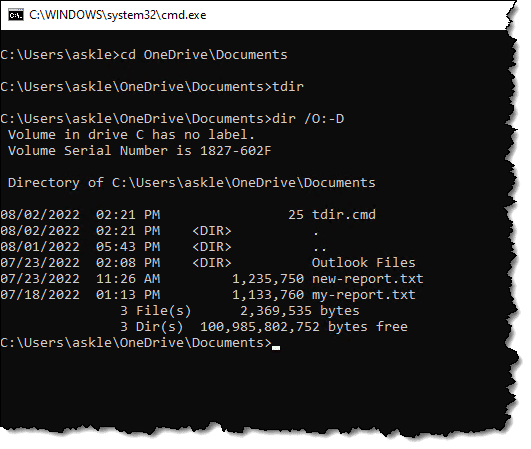
You can see that running “tdir” ran the command listed within the tdir.cmd file we just created. The result was a list of the three files in that folder in reverse chronological order.
So far this has been pretty simple, but now that you’ve seen how to create and run a batch file, we’re going to cover three concepts that give us a peek at the power they can pack: multiple commands, parameters, and arbitrary programs.
Multiple commands
Batch files get their name because you can “batch” or collect multiple commands into a single file and they will run in the order listed. There’s no limit to how many commands you can include in a batch file.
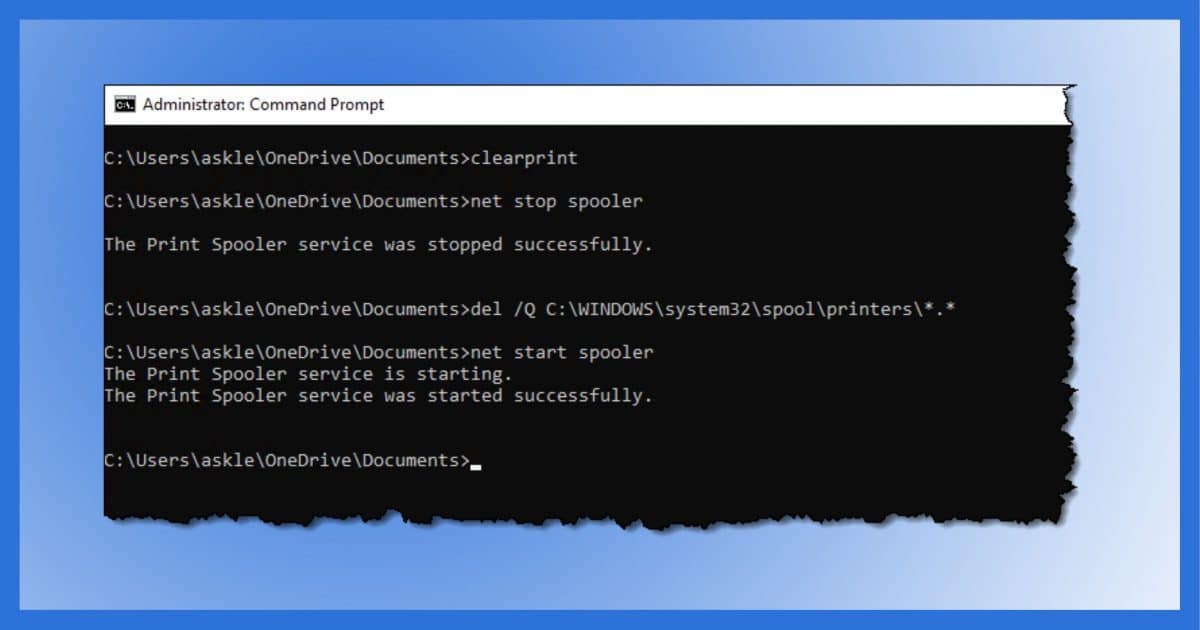
In My Print Queue is Stuck. How Do I Print Anything? one of the solutions was a sequence of command-line commands:
net stop spooler
del /Q %systemroot%\system32\spool\printers\*.*
net start spooler
That’s a perfect candidate for a batch file.
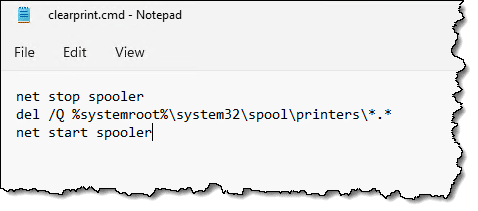
I’ve named the batch file “clearprint.cmd”.
Running “clearprint” in an administrative Windows Command Prompt runs the three commands in sequence.
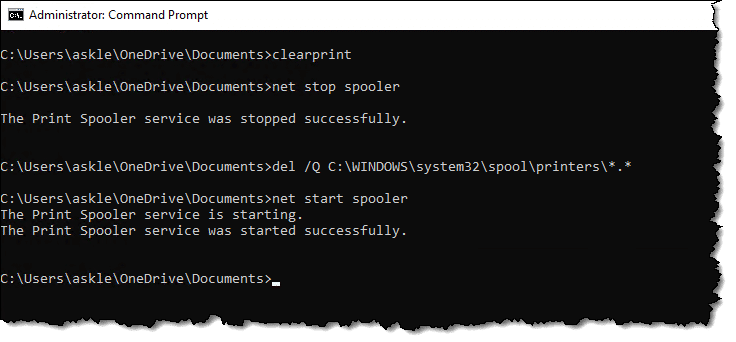
Creating and running a batch file with a list of commands runs them in the order listed.
Parameters
Our original little batch file isn’t really all that useful because it shows the listing for only one specific folder: whatever folder you’re in. We’ll make it more flexible by changing the single command to this:
That “%*” is a parameter substitution that is replaced when the batch file is run by whatever follows the invocation of the batch file. So, for example, we can now run:
And the batch file will run:
This makes the batch file significantly more useful, as you can now specify the folder you want to have listed or any additional parameters to “dir”. Or you can specify nothing at all, and it will operate on the current directory like before.
Arbitrary programs
What can you put in a batch file?
Commands like CD and DIR are commands internal to the Windows Command Prompt, but in reality, any “.exe” file (among other types) will do as long as it can be found. For example, this batch file:
“C:\Program Files\Microsoft Office\root\Office16\Excel.exe”
would start Microsoft Word, and then after Word completes and exits, Microsoft Excel would load (assuming they’re installed to the path shown in this example).
You may not have to specify the full path to many commands. When you run programs in the Windows Command Shell, it will search for them in something called the “PATH”. This normally includes C:\Windows as well as C:\Windows\System32, so any “.exe” you find there can be run in a batch file without any qualification:
This, in a batch file, would run Notepad (from C:\windows) and open or create the file “notes.txt” from the desktop of “<username>”.
Similarly, placing your batch file into one of the directories on the path means it, too, will be available, regardless of what directory may be current at the time you run it. Batch files can, in many ways, be used very much like the other programs on your machine, including in the + R “Run” dialog.
CMD or BAT (or PS1)?
You’ll hear them referred to as both command files and batch files, and you’ll see examples that end in either “.cmd” or “.bat”.
Aside from an esoteric difference you’ll likely never care about 1 unless you get into some very advanced batch file programming, they’re the same thing.
My recommendation is to standardize on “.cmd”.
“.ps1” files, on the other hand, are PowerShell scripts. While similar in concept, PowerShell is more powerful and has a more complex syntax.
Do this
I’ve only scratched the surface of what you can do in batch files.
There are programming constructs like loops and conditionals, there are additional ways to manipulate parameters, and many ways to interact with your computer’s environment. There are even ways to alter that Word/Excel example above so rather starting one after the other, they’re started nearly simultaneously.
There’s much more than I can get into here, but I wanted to give you a brief overview of what they are and how you might use them in some simple circumstances… like clearing your printer’s queue.
If you’re interested in pursuing batch files in more detail, a quick Google search on “batch files” returns many helpful resources.
Podcast audio

Related Video


Footnotes & References
1: The ERRORLEVEL variable is treated slightly differently between the two. For backwards compatibility, of course.


I am not sure, but it appears that batch files must be built and run (only) from the command prompt.
31-Mar-2009
I have a batch file that works fine for backing up on demand certain files to my 2nd drive, but it fails when I tried backing up an important file in the ProgramData folder. Says “Cant find folder xxxxx”.
I realize that folder is hidden but I changed my View to “Show Hidden Files”.
The bat file does a DIR successfully on the folder, but the COPY command on the 2nd line gives that “Cant find folder xxxx” message.
(I have Vista.)
What gives?
01-Apr-2009
Batch files! A blast from the past but still useful. I have written way too many in my 20 years in front of a PC. Unfortunately for me, in XP, the batch file runs then immediately closes with nothing to see. Properties does not allow me to un-select close on exit. Solution: Pause as the last line then all is fine. But I know this is not the “real” solution, but… Thanks Leo for another fine “Ask Leo” which I always read and enjoy.
Well done as always! Leo, now that you’ve stirred a renewed interest in writing and using batch files. I gently urge you to describe the latest twist on them found in PowerShell. You would do a terrific job introducing people to this seemingly simple, yet powerful application.
We often add batch files to jobs in SQL Server to copy files to useful locations so that it doesn’t have to be done manually. For example, a data file located on the server of another system is copied to the SQL server. Or an output data file is copied to a backup folder on another network server.
I just press the Windows Key and start typing “cmd” or Windows Key and start typing “note” (without quotes) to run the Command Processor or Notepad. It’s faster and you don’t even need to finish typing the name. Just press Enter when it comes up highlighted in the search. That’s how I open all my programs that aren’t on the Taskbar.
I believe this works from Windows 8 and higher.
Read the complete article, dude. Leo already covered this.
This comment may not mean anything to anyone here, but nothing comes close to the power and limitless capability of Unix-based shell scripts (Unix/Linux type batch files).
I haven’t written any batch ‘programs’ in decades! I did build a bash (the GNU/Linux equivalent) program that displayed the system time in a window on my desktop (just to see if I could – it worked OK). I’m very familiar with, and use the command line, I’m not sure how useful batch (bash) ‘programs’ would be in this day of multi-tasking. I’ll have to give the subject some thought. Perhaps I’ll find a use for it again . . . :)
Ernie