It seems the rules keep changing.
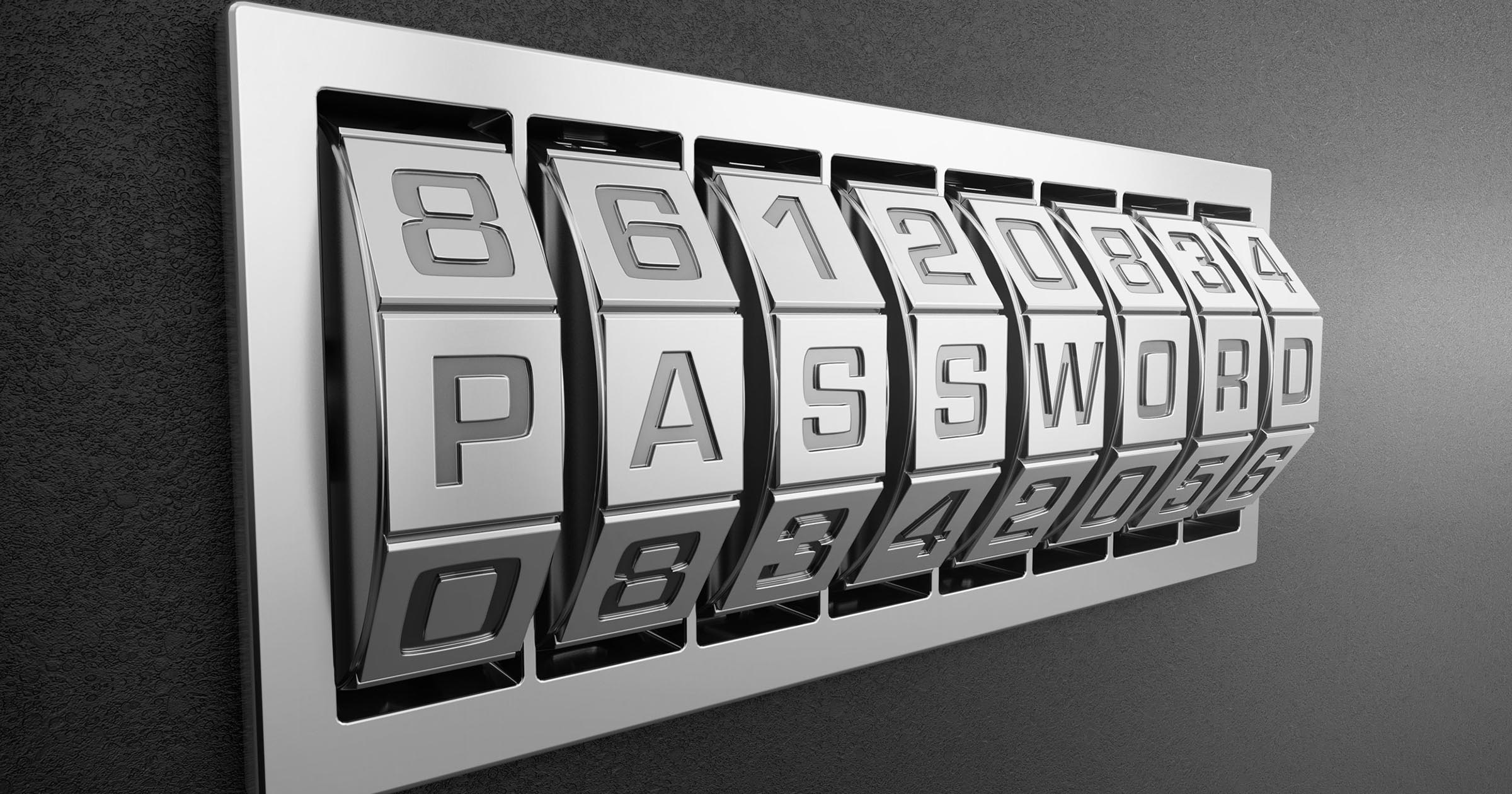

We frequently hear of major websites suffering data breaches exposing millions of user accounts and passwords to hackers.
This type of theft makes the concept of “good passwords” much more important to understand.
Become a Patron of Ask Leo! and go ad-free!

Good passwords
Longer passwords are better, with 12 characters a minimum, 16 recommended, using a combination of upper and lower case letters, and digits. Even longer passwords can be comprised of multiple words, perhaps joined in unique ways, and padded with repeating characters. Use a password vault to keep track of it all, and make sure to use all security best practices to keep your computer and your accounts safe.
Moving target
What makes a password good constantly changes, sometimes in ways you wouldn’t expect.
To understand what makes a good password, we need to appreciate what makes passwords vulnerable, which means understanding a couple of the ways hackers hack.
Along the way, I’ll also discuss “hashes” and why a “salted hash” isn’t breakfast food, but a critically important approach websites should be using to keep track of your passwords.
And there will be rainbows.
The rules, old and new
For those with short attention spans, I’ll start with what you need to do differently, beginning yesterday.
In the past, the traditional advice on passwords was:
- Eight characters long, minimally
- Never use names or words, at least not without mangling them somehow
- Never use combinations of names or words, at least not without mangling them somehow
- Use a combination of upper and lowercase letters and digits
- Use at least one special character — something other than a letter or digit — if the system will let you
Those rules are no longer sufficient. Even if you carefully follow them all, you’re left with a password that remains susceptible to many types of compromises.
Now, the rules instead:
- 12 characters long at a minimum. I recommend 16 and use 20 myself, when possible.
- Longer is always better
- Use a combination of upper and lowercase letters and digits
- Words aren’t quite as evil as they once were, as long as the password is long enough
- Consider padding the password with a random character to make it even longer
As you can see, there’s a new emphasis on length.
If you remember nothing else from this article, let it be this: size matters. Longer is better.
The dictionary attack
One reason we were told never to use normal words (or common names) in passwords is that there are simple attacks called “dictionary attacks” that try all words, or all combinations of words, one after the other, until something works. Many attackers jump-start this process by starting with a list of known common passwords or words used in passwords.
The Oxford dictionary tells us:
This suggests that there are, at the very least, a quarter of a million distinct English words… 1
If we stick to a single case (upper or lower, just not mixed), then a program needs to try only 250,000 x 250,000 (62.5 billion) times to be guaranteed to stumble onto a two-word password. I say “only” 62.5 billion because to a computer running with speeds measured in billions of operations a second, that’s nothing.
Yes, you can add names and random capitalization to the mix, and perhaps even insert digits, but even that slightly obfuscated dictionary-based approach to password cracking is easily performed by today’s technology.
It’s also not necessary anymore.
It’s now quite possible for hackers to try literally everything.
The brute force attack
Let’s say you’ve been really, really good and you have an eight-character password made up of completely random letters, numbers, and symbols.
Perhaps 7CxX&*Xf.
That’s a good password — perhaps the best you can do in eight characters — but it’s not a great password.
It’s estimated that such a password could be cracked (offline) in a little over 18 hours.2
It doesn’t matter that you didn’t use words or your name or anything else. Eight characters – 6,704,780,954,517,120 possible combinations and passwords – can be hacked in less than a day.
Now, the most common response I get is, “How can they try that many that fast when I get locked out after getting it wrong three times?”
Online attacks
The attacks I’ve described so far all involve the hacker having a stolen copy of some user account database that they can access on their own computer(s), offline. This allows them to attempt to crack it at extremely high speed — as fast as their computers allow.
In the online scenario — accessing the service directly attempting to break in — they can’t try nearly that fast. However, they can use other techniques to try fast enough for it to still be a serious issue.
For example, consider a botnet of hundreds of thousands of computers across the globe performing a distributed dictionary attack against a set of email accounts. Slowly, patiently, and from different locations so as not to trip any limit filters, they try millions of passwords against hundreds of thousands of accounts.
Eventually, they’ll hit pay dirt — especially if they try those “most common” passwords first.
Surprisingly, that’s not why eight characters is too short. A truly random eight-character password will probably protect you just fine from these types of online attacks.
It’s the offline attack you need to worry about, where your eight-character password — any eight-character password — might be cracked in microseconds.
To understand how that can be, we need to understand how passwords are stored. But first we need to realize that guessing from the outside is only one way to get password information, and it’s no longer the most common.
The database breach
Every so often, we hear that an online service has been hacked into and had their database stolen.
What that usually means is that rather than trying to guess logins one at a time, a hacker has infiltrated the systems of the service and snatched a copy of some or all of the user-account database.
As a result, they typically have:
- A list of all usernames or login IDs for that system
- A companion list of password information for those login IDs
- Other stuff that the system may have stored for each user ID
No need to try guessing passwords slowly from the system’s public-facing login; the hackers walk away with almost all the information they need in one fell swoop.
Note I said “password information” above. Properly secured systems don’t store your password — they store something else.
Hash (hold the salt)
What a secure system stores instead of your password is called a “hash” of the password.
A hash is a mathematical function that takes an arbitrary amount of text and computes a number from it. That number has the following characteristics:
- Any change, however small, in the data being hashed should result in a large change in the resulting hash.
- It should never be possible to reconstruct the original data from its hash value.
- It’s not feasible to craft data that, when hashed, would generate a specific hash value.
So, instead of storing your password “iforgot”, the system might instead store:
d9fd60a8cf992ec3d554ec2df8dd4cb345e77de7ecb4df4772920897b1d51bc5
That’s the result of an “SHA 256” hashing function. Any time you give that function “iforgot,” SHA 256 will return that number (which happens to be 256 bits long).
This is important: given only the hash, there’s no feasible way to figure out what password caused it to be generated. Hence, it’s often called a “one way” hash.
When you log in, the system passes whatever you type as your password through the hashing function, and if the resulting number matches, then you must have typed in the correct password, because it’s the only thing that could generate that number.3
Your actual password is never stored.
Unfortunately, as technology has grown more powerful, we’ve run into an interesting issue that puts this technique at risk anyway.
Rainbow tables
 Consider the eight-character password.
If the password we choose allows each character to be any of 26 alphabetic upper and lowercase characters, 10 digits, and 10 special characters, that’s 72 possible characters in each position. If we have eight of those, that’s 72 to the eighth power, or 722,204,136,308,736: 722 trillion possibilities.
It sounds like an enormity, but with today’s computational and storage power, with a stolen database and an offline attack it’s possible to:
- Calculate all possible eight-character passwords
- Calculate the hash value for every possible eight-character password
- Store that in a massive table
“Cracking” a password from a stolen database just requires looking up the hash value they got from the database and fetching the corresponding password. This type of table is called a “rainbow table.”
In reality, hackers rarely need the entire table. People tend to pick bad passwords, so a smaller table with the hash values of lots and lots of common passwords is enough to crack a huge number of accounts.
The hashing algorithms are often quite standard.4 So, if your email service, your social media service, your photo-sharing service, and whatever else you log into all use the same hashing algorithm, they’ll all store the exact same hash value for your password. If that table of password hashes is ever stolen, then a quick lookup in a rainbow table will retrieve your password. Then the hackers can try it at any of those other sites, even though they were never directly breached.
As it turns out, there’s a trivial way to stop that possibility.
Add seasoning.
The salted hash
“Salting” is a way to obscure the information stored in a service’s password database.
Instead of computing the hash of a password, they add something to the password and hash the combination. Then, when the time comes to check that you’ve entered the right password, they take what you’ve typed in, add that same something to it, and hash the result. If the hash value matches, then the password is correct.
For example, perhaps I create my password as “iforgot”. As we saw, that gave us an SHA256 hash of
d9fd60a8cf992ec3d554ec2df8dd4cb345e77de7ecb4df4772920897b1d51bc5
If, however, the system storing my password automatically adds “mypants” to every password and hashes the result — “iforgotmypants” — the hashed value is completely different.
9791d33a44b51d071a90cd246a3b8a4ca2491f9474ebd737bc137b82826c7e5d
When I come back to log in and enter “iforgot,” the system automatically adds “mypants”, hashes that, and the values match.
If that hash value is ever in a rainbow table somewhere, it maps to “iforgotmypants”, which is most decidedly not my password.
The item we add — in the example above, the frivolous “mypants” — is known as “salt,” as it changes the flavor of the result of the hash function. In reality, it wouldn’t be anything so simple, and it would vary from system to system (and if done really well, from account to account).
Now, with all of that as backdrop, here’s the kicker: you don’t know how the services you use encode your password, and too many do not use salt. In fact, a recent breach at an extremely well-known large online service exposed the fact that they were not using salt at all to secure their database of hashed passwords. The stolen passwords could be easily looked up via rainbow tables.
So, in the face of not knowing which services do password security correctly, how do you protect yourself?
Size matters
The single most important thing you can do to improve your password’s security is to make it longer.
The longer the better, in fact.
Recall how I said an eight-character password gave us 722 trillion possible combinations? (722,204,136,308,736, to be exact.)
A 12-character password results in 19,408,409,961,765,342,806,016 possible combinations.
There’s no rainbow table big enough for that, and there won’t be for quite some time. Short of storing your password unencrypted (which is a huge security no-no anyway), just about any hash will do, salted or not.
As a bonus, it’s extremely unlikely a dictionary attack will bother with the assorted combinations to eventually get to whatever it is you put in 12 characters.
Length doesn’t imply complexity. There’s a very strong argument that says:
****password****
is, in fact, a significantly more secure password than
7CxX&*Xf
— plus it’s easier to remember. (Although using normal words in this manner still makes me nervous for reasons I can’t quite explain.  )
)
In fact, even longer passphrases — something like:
are perhaps best of all. (With big a hat tip and propeller twirl to that great geeky web comic XKCD.)
The bottom line (this time at the bottom)
So, what should you do?
- Abandon eight-character passwords. They should no longer be considered secure. Period.
- Make all passwords 12 characters or longer. (You can make a password longer and more secure by adding repeating characters if you can’t think of anything else.)
That’s the bare minimum. For bonus points:
- Make your passwords 16 characters or longer. I use 20 characters myself whenever possible.
- Use a password generator, such as that included with many password vaults, to make it a 16-character or longer random password.
- Never use the same password in more than one place. If, for some reason, an ID and password gets compromised at service “A”, hackers then run around to many, many other services and see if they can log in with it. All too frequently, they can.
- Consider using a password vault like LastPass to generate, remember, and fill in unique passwords for you.
And of course, keep your PC secure. No matter how strong your password, malware such as keyloggers can capture it, and using an open WiFi hotspot without proper security could be the moral equivalent of writing your password on the wall for all to see.
Do this
Subscribe to Confident Computing! Less frustration and more confidence, solutions, answers, and tips in your inbox every week.
I'll see you there!


Also, it’s important to use all four classes of characters (numbers, upper case letters, lower case letters, and symbols) according to https://www.grc.com/haystack.htm.
Sites that REQUIRE the use of certain characters like special characters or numbers or upper case reduce security. A given length password that can have any combination of characters on the keyboard will have more possibilities than passwords where the combinations containing no numbers, for instance, are excluded. The more requirements for certain characters the smaller the universe of possible passwords. If the hacker knows these requirements he doesn’t have to test for them.
As long as those sites don’t have an upper limit on the number of characters, requiring all 4 types of characters doesn’t make it less secure. In fact, they make it more secure as they require a more complex password than many, if not most, would otherwise choose.
I find it so unbelievable that some sites restrict you to a maximum of… wait for it… 8 characters. Some add insult to injury in requiring no alternate characters (think tildes as a classic… there are more).
As I come across sites like these I warn friends and colleagues to NOT use them no matter how useful the information on the website may be.
Great article. I just don’t understand why quite a few sites put certain limits on the password length and complexity. Recently I registered for an Adobe ID, which didn’t even allow passwords longer than 12 characters! I can’t believe they put any limits on it, since you can feed an arbitrary amount of data to the hash functions, and the only practical limit is the size of the post request you’d be sending to the server. Maybe certain characters from specific locales can’t be displayed correctly, but as long as you enter the same password every time, that too should not be an issue, right?
Another weak link to watch out for: Password recovery questions. These should not be easy to guess and to be really safe, should follow the same rules as choosing a password. Ie. 12 or more difficult to guess characters not at all related to the question. Password Recovery Questions; how do they work and can I make up my own?
Could always use a password generated from your password manager, e.g. Last Pass, Keepass etc.
As a classic, some websites ask for your mothers maiden name, where you first went to school etc.
Now I could always say I went to Beverly Hills High (bit of a trek from NZ btw) or I could use a randomly generated password from Last Pass etc… ala Ub0bwXOM7Vmz6iKaKog1 which could be referenced to Beverly Hills High.
That way nobody else even if they looked over your shoulder would be able to remember what it is, because human brains don’t work that way. OK, there might be the very, very occasional weirdo who can do that but are the really likely to be looking over your shoulder when you are using it, and recalling what the original password recovery question was.
A randomly generated answer to a security question is the most secure.
If you had read the article I linked to in my comment, you would have seen that Leo had already suggested that. He recommended a password like “’K4nRawvDc3vAQtvh7dTz’ — a 20-character string just generated by my LastPass password generator.”
When Sarah Palin was a household name, her email account was hacked, probably because answers to her security questions could easily be googled.
I thought I remember reading somewhere that starting one’s password with a space makes it nearly impossible to be stolen. What are your thoughts on this Leo?
12-Jun-2012
And some sites strip off characters beyond some limit without telling you. I used a site for years and only found out by accident after mistyping my password that they were stripping off everything after 6, yes 6, characters. I could put in a 20 character password and they would say nothing about the fact that only the first 6 were used.
That would be a site I’d be VERY reluctant to continue using.
A real eye opener and something to act on. Thanks, but one maybe naive question. When these hackers create the rainbow tables how do they get the hashing algorithm?
12-Jun-2012
Wow!!!!!! I have been educated. About 8 months ago, I started using a 12-letter/digit/caps-combo password, but unfortunately, it was only AFTER my email account had been compromised.
Another good technique for developing the password is taking letters, suitably modified, from a phrase. For example, use the phrase: The quick brown fox jumped over the lazy dogs. Take the first and last letter from each word, use numbers where they look like letters, and add a character or two as well. So the password, based on the above phrase, is: Teqkbnfxjd0rte1yd$#
If you remember the phrase and the rule, you’ve got it. Much easier than trying to remember Teqkbnfxjd0rte1yd$#
(Note, don’t use the phrase in the example as too well known)
Great article! I’ve been trying to use 19 character passwords, but as Mike pointed out that is not always allowed. I’ve been using RoboForm to generate the passwords and occasionally using GRC’s password generator. I’ve been using 63 character passwords on my WPA2 router and my kids think I am crazy. I could do better, but my router only allows alpha-numeric so I’m limited there.
Mike, generally, it means they aren’t encrypting your password at all if they use character limits.
12-Jun-2012
But my bank only allows 8 characters and only upper and lower case letters and numbers.
12-Jun-2012
Many of my accounts do not allow long passwords and some no special characters. How do we get them “on board”/
12-Jun-2012
It’s my understanding that some sites, financial institutions in my experience, take increased precautions the first time you log in, usually some form of 2 factor authentication. Perhaps forcing you to answer a security question you initially set up or responding to an SMS message to your phone number of record. Once authenticated the site will place an encrypted cookie on your machine with a unique token, essentially a second password. During future log in’s the site obtains your typed in password and uses that to access your cookie to authenticate you. This is why, when you access the site from a new device, you have to go through the initial authentication process again. A hacker trying to log in from a new machine would have to know how to satisfy the authentication requirements which would involve knowing more than just the password.
Alarmingly, it’s most often the big financial institutions (you know…where you do your online banking?!?!) that DON’T allow passwords longer than 8 characters…..and DON’T allow “special” characters…..i.e. anything other than lower-case letters and numbers. Pathetic!
Shame on you CIBC and others!
Tony and all: If your bank is only allowing 8 characters, then the best thing to do is make it the strongest 8 you can. My friends and I frequent a free site called passwordmeter.com that will tell you just how strong your password is and how to make it stronger, explaining the portions of it that make it good or bad. It seems spot on with what Leo teaches, but was designed in 8-character days. Good luck.
Many sites will not allow p/w’s longer than 8, and worse, they won’t allow symbols.
That said, if your site does allow more length, and you like your 8 digit p/w, simply repeat it.
So, ‘mynameis’ becomes
mynameismynameismynameis
That’s 24 characters with little effort.
That isn’t as silly as it seems when you first look at it. Might actually implement that strategy. Thanks for the tip… coz I’m forever trying to memorise passwords, which is problematic when using a smart(?)phone. I tend to use Keepass on my “real” computers at home, but Keepass is clunky as on a smartphone. Fortunately my bank uses 2 factor authentication with my smartphone so that eliminates one set of hassles.
Thanks Leo – just a quick word of appreciation. I have been using computers since the days of the Sinclair ZX81, and now-a-days use it (NOT the ZX81) intensively for banking, bill paying, etc, etc, etc. I thought my passwords were pretty good, but you have opened up a whole issue for me. As a direct result of your article I am rehashing (no pun intended) my entire password strategy. After almost 30 years hobbying with computers I thought I knew enough to be OK, but you have taught me something in this article I really needed to know. My grateful thanks. Oh, and can I also add that I really appreciate your attitude when dealing with folk who are obviously just beginners with computing. I like how gracious and patient you are with them, and it makes me feel confident to ask whatever I need to ask – assuming I can’t find the answer already in your outstanding web site. Many thanks.
I also built a ZX-81, complete with a computer tape recorder for storage from Radio Shack. I also added the 16K memory expansion module. Fun stuff.
My own passwords are always over 40 places long and I’d use a pass phrase that you can never forget example [ I dont use this one ]
“I said lookIsaidLoveIsaidDarlIsaidPetIsaidlookSamwiseGangy” A combinathion of my favorite comedy show of old and lord of the rings. I dont care how fast an offline hacking computer is – there is no way in my lifetime you can stummble on something this long – with salted hash yet.
I do not keep passwords on the machine; I record them in an XLS file on a 3.5-inch floppy disc; although lately I have also left a copy on a thumb-drive I occasionally use for other purposes (think again, Les!). That way I never type-in a password for the delectation of visiting keyloggers, I use CTRL-C/CTRL-V; and lately I have taken to using a hashed (thank you, Leo!) version of foreign town names and numbers from dates in my life, scattergunned in and stored on three discs and the thumb-drive, which is the master copy and updated about once a month. I have never been hacked. What a splendid service you supply! Cheers, Les from SandGroperLand.
While highly unlikely, it is feasible for a hacker to download heaps of data including your beloved XL spreadsheet. Boom, you would then be totally compromised.
For many (10+) years I used one password (not a word) for strictly confidential stuff and one other for everything else. Then, only about a year ago, I started to use KeePass. It’s great: one password to get into KeePass (and local TrueCrypt volumes), and different ones generated by KeePass for everything else.
KeePass also has the advantage that use can use it to plant username and password into any browser.
The only downside to KeePass is that it has so many options that it has so many complexities, like customised scripts for specific situations, that it looks more complex to use than it actually is. It’s actually easy to get started – there’s a First Steps Tutorial, for those who, unlike me, have the sense to read it.
And it’s all free, open source, you name it …
Does this mean I should not rely on my LastPass program that makes me feel so warm and safe now?
Heck, use Lastpass. Use roboform. Use Keepass. Whichever trips your trigger. But for hecks sake, save the database in the cloud somewhere so you don’t lose your passwords if you PC suddenly dies, or is corrupted etc.
If you are anything like me I create about 8 new passwords a week for new sites so do that.
@Mary
Towards the end of the article (the last bullet point) Leo puts in a plug for LastPass and RoboForm.
So totally agree. I use Keepass, have for the last 5 or 6 years. Yup, one password to open it up and then use a key combination to insert the information needed.
Some sites do however not allow you to input both a username and then password. Simply a byproduct of how they have set up their site. But my experience is only about 4 or 5 sites that I use have this quirk. And yes, I fail to recall that everytime I go on those particular sites. But heck, its a massive waste of 15 seconds max. Thats 15 seconds I’ll never get back again… lol, and how much time do I lose getting up and getting countless cups of coffee everyday???
This sounds a bit like having a 24 hour security lock on your front door – ie after you shut it you cannot open it again for at least 24 hours. Very secure, but a little inconvenient.
It’s relatively easy to have secure passwords when you are sitting at your PC, either by using RoboForm or KeePass etc, or by using your own list or encrypted spreadsheet etc. But if you have 100 different 12 character passwords how do you remember the one you need when you are out at an office or abroad using someone elses PC? Can you keep all your passwords online, so that you can access them from anywhere using just one 12 character password?
14-Jun-2012
Keepass has a portable version so you can install it on a USB drive etc. Just need to ensure that you have an up to date version of the database with the app on the USB drive. So, if you add a new website login, then save that latest version of the database from your computer to the USB drive with the portable version on it. Pretty sure LastPass has the same facility.
good article on hacking passwords, but you never fully explain why we get locked out after 3 wrong tries and a hacker doesn’t
14-Jun-2012
Thanks Leo. Your article was very helpful. I will lengthen all my passwords to 12 characters starting today. Also, signed up with LastPass to help manage these new passwords.
Thanks Mark, I missed that last bullet point. I feel better now. I love using LastPass.
I agree with almost everything here, except that:
(1): I suggest a 16, rather than 12, character minimum length for passphrases; and
(2): I STILL suggest —
(a) Continuing to respell/obfuscate words wherever possible (hey, why make things any easier on the “crackers” — don’t call them “hackers!” — than they have to be???);
(b) Adding capitals, numbers, punctuation, and special symbols (such as &, #, @, +, $, etc., which for the most part aren’t ordinary punctuation marks normally used in sentences).
The basic premise that “the longer the passphrase, the better” is true enough; but it does NOT vitiate the concurrent principle that “complexity increases the security of ANY passphrase.”
And DO allow me to once again recommend my favorite book on this topic:
“Perfect Passwords: Selection, Protection, Authentication” by Mark Burnett ($20.09),
available for sale at Amazon.COM.
Good luck trying to use the logical rules of passwords.
Schwab allows only eight characters and nothing but numbers and letters.
Fidelity does not allow more than twelve characters and nothing but numbers and letters.
Vanguard will take almost anything but only uses the first ten characters.
The three financial services rely upon the three-tries then lock-out feature.
I can’t afford to change companies but will if any of them improve.
Schwab really worries me even though they have a “guarantee” of refund if someone hacks the account.
See my reply to Ed, June 12, 2012.
There is another “password” associated with your account in a cookie on your machine. Delete all the Schwab cookies and try to log in. You’ll have to re-authenticate yourself with more than your password.
I hazard a guess that Schwab’s guarantee isn’t worth the paper its written on. (sarcasm re: paper btw)
At times I just get annoyed at the fact that we are living in a password world. Almost everything is only password protected. But ultimately the fact is passwords (strong or not) do not replace the need for other effective security control. You can opt for a password manager but the only real solution is that these companies need to add additional layers of authentication for access and transaction verification without unreasonable complexity and this will help their customers by implementing some form of 2FA were you can telesign into your account and have the security knowing you are protected if your password were to be stolen. This should be a prerequisite to any system that wants to promote itself as being secure. With this if they were to try to use the “stolen” password and don’t have your phone nor are on the computer, smartphone or tablet you have designated trusted, they would not be able to enter the account.
To follow the “different password on each site” rule, but easily remember them all, I simply use [My*Strong*Long*and*Secure*Password] on each one, but prefaced or suffixed (or both) by a word relating to the site: like “citbnk” or “gmal” or similar.
You have many articles about creating passwords, so this may be on the wrong one.
Here is something I copied from a government agency on creating passwords that you can remember.
PASSWORD TIP
Here’s one way to create a strong password you’ll remember: Think of a sentence or phrase that’s meaningful to you (i.e., my oldest son Zac will be 15 years old on May 30!). Use the first letter of each word to create a password (i.e., mosZwb15yooM30!). Then change some of the letters to similar special characters (i.e., mo$Zwb15yooM30!). Warning: Do not use this example as your password. Now that it’s been widely published, a hacker is likely to try it.
Add what Duval said to remember which account is involved.
Numbers and letters that can easily be confused – I (cap eye), l (small ell) and 1 (one); O (cap oh) and 0 (zero) – use the alternate form, such as i for I, L for l, o for O. This also adds a little extra security to the password.
I’m perplexed about Roboform and Lastpass. They say that they save your password and automatically fill in the information when you visit a site. How would this protect me if someone stole my computer? Also, my browser already auto fills my log-in and password if I want it to. How are Roboform and Lastpass different?
LastPass and RoboForm give you the option to password protect your passwords with a master password. A recent article on Ask Leo! explains the difference and why having your browser remember passwords isn’t normally such a good idea.
How safe is it to let my browser save my passwords?
>In reality, it wouldn’t be anything so simple and it would vary from
>system to system (and if done really well, from account to account).
I don’t see how they could use a different salt value for different users without storing the salt value in a way that hackers could see it. For that matter, even with a static salt value, would that not need to be hardwired into the code?
I don’t know how it’s actually done but one way might be to add a part of the user ID into the hashing algorithm.
I’ve often wonder this as well. It really depends on the hack, I think. Gaining access to the database contents is one thing. Getting access to the actual code that the site might use in its implementation is a completely different ball of wax. Yes, I would assume that the static value (or algorithm for per-user values) would be visible if the code were exposed. But for most hacks the code is not exposed — only the database.
A good solution I read about years ago is to use some sort of a pattern as the base for your password, then just add extra characters to the pattern. That way you don’t need a password vault. You can safely write down either just the extra characters, or just “pattern” followed by your extra characters (e.g. if your pattern is HiHowAreU and the extra characters for one of your passwords are 76Trombones, then you’d just write down either “76Trombones” or “pattern76Trombones”).
Very well written article. You have never stopped to amaze me, Leo. Having said that, this brings me to an even more pressing question for which, I never seemed to find a definitive answer to my satisfaction: How do I find out or know that my computer is free of keyloggers?. Would WD or MBAM find them if there are any, or do you have a referenced article on the topic where I can read about it?.
Understand that this is the biggest security concern I have about my computer nowadays.
First there’s nothing special about keyloggers — they’re just one form of malware.
Now, there’s no way to absolutely know or prove that you machine doesn’t have malware. None. You can’t prove a negative.
Also, there’s no anti-malware tool that is guaranteed to catch every possible malware. None. Period. See I Run Anti-virus Software. Why do I Still Sometimes Get Infected?
The best thing to do is to do all the things we so routinely admonish people to do to keep your computer safe: run anti-malware tools, security software, keep your system as up to date as possible, backup, practice good behavior and so on. Basically everything outlined in Internet Safety: 7 Steps to Keeping Your Computer Safe on the Internet. Do that reliably and while you should never reduce your vigilance, you can reduce your worry or concern.
Does it make a difference if we connect words? In other words “correct horse battery staple” becomes “correcthorsebatterystaple”. Or do hacker programs take that into account? What about “CorrectHorseBatteryStaple”?
That would work but it would be three characters shorter :-) . In fact for some strange reason, some services don’t accept spaces in passwords. A safer password might be “C0rr3ctH0rs3BatteryStap13′ with the quotes. PS, don’t use that password now that it’s out on the Web :-) . You can use something similar.
Who knows what “hacker programs” take into account? As Mark points out removing spaces makes it three characters shorter, and length is perhaps the most important characteristic of all. A password this long is, today, quite secure (as long as it’s not this exact password, of course). If you want to make it more secure … add another word. “Correct Horse Battery Staple Warehouse”. :-)
Cameras are everywhere, and they can see what you type. Put a piece of paper over your hands before you type in a password. And try not to mouth it as you type. ;-)
I have owned many vehicles over the years so i use differing combinations of very old registration plates numbers and letters with capitalisation at certain points so it is easy to remember and prompt would be Spitfire+TR6 or Honda+Lambretta etc
I use a program called ByePass by IOLO System Mechanic Ultimate Defense and it works great…not sure what would happen if my computer crashed as not sure where they save this info….but I just thought of something..If I am on a different computer then my own then I will be unable to log unto these accounts without using the change password feature….guess I did not plan this out too good:-)
This article was quite an eye-opener. I think there is another problem; How and where do you save your password list? You could print the file, then delete off your computer… but it’s still on your computer… somewhere. When you have a lot of sites you visit, coming up with complicated passwords for each almost forces you to have a list. An old guy like me will have a hard time remembering 60+ passwords, 16 characters long. So I’d have to have a reference list. I have a methodology to store passwords now, but after reading this, I seriously need to come up with a MacGyver method… ;-)
No MacGyvering needed — this is exactly the problem that password vaults like LastPass and many others are designed to solve.
Leo, very little in this matter has really changed. Your “new rules” for passwords do not vitiate the “old” rules at all — they merely supplement them.
And I still recommend the book, “Perfect Passwords”:
https://amzn.com/B003VM7GBA
Even though it’s thirteen years old, almost everything in it is every bit as relevant today, as it was when it was first written. The only really outdated information concerns the recommended password length, and that’s easily compensated for — just use 20 characters instead of 16.
To increase the password length, I tend to just repeat the shorter password and attach a numeric suffix. To remember passwords I write down the initial letter of a short easy to remember word together with its suffix.
Here’s a link to info on password strengths.
https://www.grc.com/haystack.htm
Per my ever researching everything kiddo, one option is to make your password the Second line of your favorite poem, with a 2 digit number and an oddball character added – use anything on the line above the numbers on your keyboard.
I don’t understand the following part :
“The hashing algorithms are often quite standard. So, if your email service, your social media service, your photo-sharing service, and whatever else you log into all use the same hashing algorithm, they’ll all store the exact same hash value for your password. If that table of password hashes is ever stolen, then a quick lookup in a rainbow table will retrieve your password. Then the hackers can try it at any of those other sites, even though they were never directly breached.”
My understanding of the process is the following :
1. The hacker breaks into one website.
2. He uses a rainbow table to find your password.
3. He can then try that username + password combination to break into your accounts at other, potentially higher-value sites.
How is that related to the fact that the two sites are likely to use the same hashing algorithm ? The rainbow table is no longer used in step 3, is it ?
Once the hacker gets the username-password combination from one site using rainbow tables, it’s no longer necessary to do anything more than try that same username-password combination on other sites and see if he can get in. If two sites share the same hashing techniques, it’s not necessary to get the username-password combination. They can use the hashed value of the username-password combination to get in. That’s why websites should use salted hashes which is essentially adding their password to the username-password combination hash.
I understand the importance of salt. Salt is what prevents you from using a rainbow table.
But I don’t understand this :
“If two sites share the same hashing techniques, it’s not necessary to get the username-password combination. They can use the hashed value of the username-password combination to get in.”
Assume salt is not used. I have a bunch of hashes from site A. How do I go from there, to break into site B ?
Without salt if two sites use the same exact algorithm, on the same exact data, then an exposed username/password on one site would show a hash, and then that same username/password could be used on a second site. But a username/password is required somewhere.
My Facebook account got hacked and the hacker removed the mobile and e-mail from the account and changed the password. What can I do now?
We cannot recover hacked accounts, lost or forgotten passwords. Please see these articles for more information on your options:
https://askleo.com/how_do_i_recover_my_facebook_log_in_password/ and/or
https://askleo.com/how-do-i-recover-my-hacked-facebook-account/
Article says, “12 characters long at a minimum. I recommend 16 and use 20 myself, when possible.”
Using those standards (excluding ‘spacebar’ ; so 94 possible characters for use instead of 95) converted to Diceware in terms of similar levels of entropy (which means similar level of security)…
-12 characters (78.7bits) = 6 words (77.5bits) (NOTE: Diceware is inline with your 12 character minimum since they suggest six words at minimum (or five words with some decent padding etc))
-16 characters (104.9bits) = 8 words (103.4bits)
-20 characters (131.1bits) = 10 words (129.2bits)
but given we can use a password manager, it’s best just to stick to 20+ characters as a general rule where possible and just about all sites I use will allow at least that long of a password since anything of that length or higher is not going to be even close to being cracked for the foreseeable future even with a boatload of computing power and it’s easy to do if one is using a password manager which anyone who even remotely cares about their online security should use a password manager (or at least come up with some decent passwords with some padding and wrote them down on a piece of paper and stored that piece of paper in a secure location, especially on higher sensitivity accounts). NOTE: with a password manager, just make sure your database file is backed up as this way if your computer/device ever dies out of no where, you will still be able to recover that database file to use on another device otherwise it’s going to be a major chore (maybe impossible) getting access to your online accounts again.
while it’s easier just to use a password manager for long random password generation, if someone is a bit paranoid and does not trust the password manager’s security in terms of password generation one can use regular dice to generate it using theworld.com/~reinhold/dicewarefaq.html under the “How do I use dice to create random character strings?” section. basically a person needs three dice and you roll those three dice together 20 times. basically each roll of the three dice gives you 3 digit number (reading from left to right as they fall in front of you on a table) which is then converted into a single character on the keyboard which you do twenty times to get a 20 character password (it’s possible you will have to roll them more than twenty times if you hit a blank). for example, here is a 20 character password I came up with using real dice… >|?OU`.2);xLF@oQY`N1
also, in terms of the random password generation stuff… I tend to be of the mindset that one should use at least one lower case letter, upper case letter, a number, and a symbol as this way it forces the attacker to try all possible password space. but just from my limited testing it seems if your generating 20+ character passwords with real dice, there is usually at least one of each of those four things (lower case letter, upper case letter, a number, a symbol) in the password which makes things nice and secure even though there will be occasions that’s not the case since the stuff is random after all. but even when it does not occur, just keep rolling the three dice til you get the desired result.
for Diceware passphrase generation use… eff.org/files/2016/07/18/eff_large_wordlist.txt ; with that text file all you need is five dice and with each roll of those five dice (reading them left to right as they fall on a table/floor in front of you) gives you one word in that text file. so if your going for a six word passphrase, then you will basically roll those five dice together, six times (or if you only got one die, you would have to roll it 30 times). you just convert the 5 digit number into the word in that text file which gives you your first word (TIP: press CTRL+F when you load up the text file in your basic text viewer and search for each number as it’s much faster than manually scrolling through the list to find your 5 digit number). adding a bit of padding is a good idea to, to give a further increase in security, but it’s not required especially once your passphrase is more than long enough. but I figure for Diceware, if one is using the minimum(i.e. six word passphrase), I would suggest adding in a bit of padding. for example… 1my.Six.word^diceware.passphrase.here!!!!! ; and it’s probably a good idea to bring the… at least one lower case letter, upper case letter, a number, and a symbol standard into this to further increase security.
but one last thing with the password manager… in terms of the master password for the password manager one could use Diceware or, to make things even easier (but might sacrifice security a bit), one could use a decent password that’s not difficult for them to remember and then just load it up with a padding scheme that lengthens out the password. so say your password to the password manager was something like 10-20 characters in length, add in quite a bit of padding, and that can stretch out to say 30-40-50 characters. for example… “MyOkayPassword”. this is 14 characters long but if we add in some decent padding that “MyOkayPassword” turns into something like “-!!!!!!!!!!-MyOkayPassword!!!!!” which is now 31 characters in length. try to be fairly creative (but not so much to where it’s difficult for you to remember) so it makes it that much less likely someone else is using the same padding scheme you are as this way even if your basic password is a bit so-so in security, that padding scheme can make your overall password have a reasonable level of security. because from what I have read it seems hacker types usually go for the ‘low-hanging-fruit’ as they say. so as long as your security is noticeably higher than the easy-ish to crack level of passwords, chances are your ‘safe enough’ at that point.
p.s. I don’t know the details, nor how true this is, but I heard while people consider 128bits of entropy to be uncrackable for the foreseeable future with classical computers, one needs double that (256bits of entropy) should a quantum computer ever attempt cracking a password. but if this is true, that basically would mean one would have to double things as instead of a 20 character password one would need 40 characters which is 262.2 bits of entropy (or with Diceware one would need 20 words (258.5bits)).
Is picking a long (12+) character random or semi-random username just as important as picking a 12+ character password?
Since many sites require or allow the username to be the email address associated with the account, does this also jeopardize account security?
Finally, how safe can it really be if one uses a password manager to store hundreds of usernames and passwords, since the same hacker who uses brute force to find passwords, could use it twice–first to find a username, and then to find the associated password for the password manager, thereby having access to the owner’s entire list of account usernames and associated passwords? Shouldn’t password managers require long usernames?
Please my facebook account unlock kar do please
Id. [removed]
Password. [removed]
Please unlock
Never publish your phone number, email address and especially not your passwords in a public forum.
We cannot recover hacked accounts, lost or forgotten passwords. Please see this article for more information on your options:
https://askleo.com/would_you_please_recover_my_password_my_account_has_been_hacked_or_ive_forgotten_it/
Since this is a Facebook account then please see:
https://askleo.com/how_do_i_recover_my_facebook_log_in_password/ and/or
https://askleo.com/how-do-i-recover-my-hacked-facebook-account/
Unfortunately, if you no longer have access to the recovery email account or phone number, your account may be lost forever. It’s important to always keep these up to date on your account.
https://askleo.com/a-one-step-way-to-lose-your-account-forever/