Confusing terms.


I’m going to use this as an opportunity to clear up some confusion I see all the time. You might not believe me, but the confusion is extremely common. (And Microsoft isn’t helping any, as we’ll see.)
An email program is not at all the same thing as an email service, or an email account, or even an email address.
When it comes to technology, terminology is important. Time for some definitions so you won’t be confused.
Become a Patron of Ask Leo! and go ad-free!

Email terms, briefly
- An email service is the company, servers, and software handling your email to route it to its destination.
- An email account is your relationship with an email service, and all the storage, features, and functionality included.
- An email address uniquely identifies your mailbox as provided by your email service.
- An email program is computer software you run to download and manage email on your computer.
Email service
An email service is something like Outlook.com, Yahoo! Mail, Gmail, or the services provided by your ISP, domain registrar, school, or place of employment. The service they provide includes the servers and software that:
- Route the email you send on the first leg of its journey to its recipient.
- Collect the email you receive in a location where you can access it.
To begin a metaphor, think of an email service as an apartment building in which you live.
Email account
An email account is a relationship you establish with an email service, and all the storage, features, and functionality included. This may include more than email services. For example, Microsoft and Gmail accounts include not only email, but cloud storage services, messaging services, calendaring, contacts, and much more.
An account is often, though not always, identified by a single email address.
In our apartment building, this is the equivalent of the apartment in which you live.
Email address
An email address uniquely identifies your mailbox as provided by your email service. When a message is sent to your email address, it’s collected by your email service and placed in a mailbox, which you access through your email account.
Email addresses are always in this format:
name@domain
The domain — the part after the “@” — is used to route email to the email service. The service is often obvious from the domain — such as outlook.com, gmail.com, and so on. The domain is used to identify the mail service1 handling its email.
As an email message is on its way from sender to recipient, the name — the part before the “@” — is completely ignored until it reaches the email service handling the email account. Once it arrives, the name is examined to see which account should receive the mail.
In our apartment building, the domain is like the street address: it gets the mail to your building. Your email account is your apartment. Your email address is like the apartment number. In the mailroom, the mail clerk uses your email name to place the message in the correct box.
Email program
As soon as you say “program”, you’re talking about computer software. An email program is software you run on your computer to access your email. Examples include Microsoft Outlook, which is included in Microsoft Office (not Outlook.com), Thunderbird, the Mail program pre-installed in Windows 10, and many others.
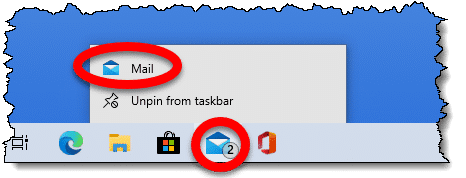
An email program must be configured with your email account information, including your email address(es), password, and more.
Confusion #1: Email programs versus email websites
There are two basic ways to access email: using an email program on your computer or visiting a website online. The latter is often referred to as web-based email.
When you use an email program, email is downloaded to your computer.
When you visit an email website — like gmail.com, outlook.com, or others — you’re not using an email program. Instead, you’re using your web browser (like Edge, Chrome, Firefox, or others) to visit a website where your email is displayed to you. The email is not downloaded to your computer; it remains on the service’s servers, in the cloud.
An email program is like the person you hire to run and get your mail from the mailroom and bring it to your apartment. Using your web browser is like running down to the mailroom yourself and leaving all of your mail there.
Confusion #2: It’s a floor wax and a dessert topping2
So, is gmail.com, for example, an email service? An account? An address? A program? A website?
Some of the above, depending on what you’re talking about.
- Gmail.com is the website and domain associated with Google’s mail service, Google Mail. While Google Mail can be delivered via other domains, it’s safe to think of “Gmail” (without the .com) as synonymous with Google Mail. Thus, yes, we think of it as a mail service.
- Gmail.com is not enough to identify an email account or address. It’s not until we add a name — like askleoexample — to @gmail.com, resulting in askleoexample@gmail.com, that we get a valid email address. Gmail uses email addresses to uniquely identify a Google account, which has access to many different services in addition to email, such as Google Photos, Google Maps, YouTube, and more. So gmail.com is not (by itself) an email address or email account.
- Gmail.com is not a program. It is, however, a website you can visit3 to access the email associated with your email account.
As you can see, “Gmail” means many things, depending on the context.
Of course, Microsoft makes things even more confusing.
Confusion #3: The many faces of Outlook
Outlook is not an email service. Outlook is not a website. There’s no such thing as an “Outlook” account. Outlook is a program that is part of Microsoft Office, which you run on your computer. Outlook — or more formally, Microsoft Outlook — is an email program you use to access email from almost any email service by downloading it to and managing it on your computer.
Outlook.com is a web-based email service. Outlook.com is a website you visit to access the email associated with your Microsoft account. Email addresses ending in @outlook.com are Microsoft accounts, provided by the Outlook.com email service.
The “.com” matters A LOT. Why? Because Outlook (without the .com) and Outlook.com are completely unrelated to one another — other than both being Microsoft products and both being called Outlook. You’ll note when I was discussing email programs above I was careful to include “(not Outlook.com)” as part of the description of Microsoft Outlook, since they are two different things. I now often refer to the program as “Microsoft Office Outlook” to further distinguish between the two.
Thanks, Microsoft. You’ve no idea what confusion you’ve created down here in the trenches.
Moving machines
So say you get a new computer. To get your email on the new machine, what do you need to move from one machine to another?
If you’re using an email program, you need to:
- Install the program on the new machine.
- Move your email messages and contact list from your old machine to your new.
- Configure the program to access your email account, which means telling it your email address and other configuration information provided by your email service.
- Start downloading any new email on the new machine, and stop downloading email on the old.
The only thing really “moved” is your collected email and contacts. Everything else is just configuration to properly access email from the new machine.
If you’re using web-based email, things are simpler.
- Open a browser on the new machine.
- Visit your email service’s website.
- Sign in.
There’s really nothing to move from one computer to another.
Moving accounts
The original question was, “I want to change my email program from Hotmail to something else.”
By now, we know you’re not changing your email program; rather, you’re changing your email service — which means getting a new email account on the new service and then getting a new email address.
At a high level, changing email accounts means you’ll do this:
- Create a new email account with a new email service. This will give you a new email address.
- If you use a PC-based email program, configure it to use your new email account and address.
- If you use web-based email, use your browser to sign into your new email account.
- Tell all your friends, business relations, newsletter subscriptions, and anyone else who might care what your new email address is.
It’s really no surprise people get confused — there are several layers of complexity here, and many of the terms aren’t always used accurately.
Unfortunately, when it comes to computers — and particularly when seeking help for computer problems — terminology matters — a lot.
Related Questions
How do you create an email account in an email program?
You don’t create email accounts in your email program. You create email accounts by signing up with the email provider of your choice. Then in order to start using it, you configure your email program to connect to and send/receive email using the new account. Occasionally, configuring the account in your email program is mistakenly called “creating” the account, as it creates the account configuration in the program.
Is an email address and email account same?
Normally, an email address is associated with one email account, and thus they can be considered the same thing. Technically, however, they are different things. With some email account providers, for example, you can set up multiple email addresses in the single email account. Examples might include “+” addresses and Outlook.com’s “Alias” feature.
Is your email address your user ID?
Many online services, including email providers, use your email address for your user ID. It’s not required, though, and some services let you choose a separate, shorter, perhaps friendlier username in addition to your email address.
Do this
Subscribe to Confident Computing! Less frustration and more confidence, solutions, answers, and tips in your inbox every week.
I'll see you there!
Podcast audio


Footnotes & References
1: Technically, it is used by the DNS service to identify the specific server or computer designated to accept mail for the domain.
2: Kids, ask your parents. 
3: Using your web browser, which is a program you run on your computer.


Hi Leo – regarding Outlook – it gets worse! Not only is there a difference between Outlook.com and Outlook (as you have clearly explained, for which many thanks!) but I have just been battling through the difference between Microsoft Outlook – the App, and Microsoft Outlook – “on your desktop” as the guy on the helpline called it. Surely the App sits on my desktop I thought? Well maybe, but in order to switch my stored emails from the soon-to-be-defunct Windows Live Mail 2012 (which I have known and loved for ages) I needed to access the version of Outlook in my Office 365 subscription, because you can’t import stored emails into the Outlook App (apparently).
After a lot of hassle I have succeeded (it fouled up my webmail so I received no emails for 3 days, which meant getting their engineers involved, then when that was fixed Outlook wouldn’t open at all – panic – but a reboot sorted it out.)
As you say – thanks a lot Microsoft!!!! (I know, I know, I should have followed your advice and switched to Thunderbird, but it didn’t seem to offer all the features I thought I needed).
Helen,
It is (was) even worse than that. Leo didn’t mention Outlook Express which is an even older program than Microsoft (Office) Outlook. Just in very recent days I saw someone wishing to continue using it on an old Windows XP computer. Both Express and XP are obsolete for all intents and purposes.
I believe he didn’t mention that because nobody should be using it as it’s unsupported, full of bugs, and very few people are using XP which is the only way to get OE.
Why Outlook Express Must Die
Hi Leo
An interesting and useful article. Is there anything further you can say about keeping historical emails associated with your old account? I have an old archive from a previous email account in my Thunderbird files and backed up of course – but are there any other options?
Re moving accounts at the behest of your ISP
Verizon moved some email accounts from Yahoo to AOL. They provided an ‘easy way to accomplish the transfer’ online form, that transferred all your Yahoo mail to AOL.
I got only some of my emails and once I clicked in I was forever shut out of my Yahoo account.
What you need to do if this happens to you:
-While you still have access to your old account, setup email forwarding to another email account; your ISP will probably not think to do this for you. In my case I still continue getting emails on my Yahoo account but can’t get in to even see who these are from. Had I simply known to setup forwarding any emails that came to my old Yahoo address would go to my new account.
-Before you click to move your email, go into your ‘sent’ folder and move those emails to your folders where you keep your other emails. Your ISP may not have thought to include emails in your ‘sent’ folder in its transfer program.
Excellent explanation of the email complex, but I still have a question. When I try to use a Microsoft email alias to hide my main email address it does not work. When I send an email using and alias it reports the email as having come from my main address. What’s the point in having an alias?
You can set the account to use the alias as your return address.
So that people can send to it, and you can see which email address or alias was used to contact you.
And … it gets even worser. Worsener? :-) Microsoft, in some instances, allows *non*-Microsoft email addresses to be used as a sign-in name for one’s *Microsoft* account. As an example, an email address like “name@yahoo.com” could be used to sign-into Outlook.com.
So, “name@yahoo.com” may be what one uses to login to the Yahoo email service *and* is what one may use to login to one’s Microsoft account. And please keep the passwords to those accounts separate; they are not related!
As I tell my listeners, when one establishes a new account with any service, WRITE IT DOWN SOMEWHERE! (yes, I shout.) no way can one remember all the services, accounts, names, passwords, secret questions, etc. without recording them somewhere. How to keep those records is a subject for another askleo article.
Also true for Google – I believe you can have a non-Gmail address as a Google account.
Keeping all that information, including passwords, is what I use LastPass for. I discourage writing down as a) it’s a single copy that can be lost, b) it’s easily stolen.
Very interesting article on what is an email address, acct. etc. However, I have always been under the impression that the domain name of your provider along with your name gave you a ‘legitimate’ email address. Some banking institutions will only accept ‘legitimate’ email addresses, rather than hotmail, yahoo etc.
A few years ago, my ISP made a name change to better reflect their place in the game. However, some of the ‘old’ customers were allowed to grandfather their old email addresses and keep them, rather than having to notify umpteen different friends, services etc of the change. I have lately, on a couple of occasions, been denied the old email address when joining something or other, yet they would take what is essentially my new address but I don’t use it. As soon as I provide that, things progress just fine. Why would this happen?
Hotmail had a terrible reputation for a long time, and perhaps that’s why you heard the idea of a legitimate email address. But in fact, any email address is legitimate. I would be surprised if any banks still have that rule because people have moved away from using their ISP emails (because they keep changing) and very few people have their own domains.
If your old ISP email is being rejected then it must be because they are not keeping their old listed properly. It could be on a blacklist of some sort. There are so many possibilities that coming up with any answers is simply guessing.
I got my first permanent email address in around 1997. It was a Yahoo address. I had already switched ISPs three times and the prospect of an address that I didn’t lose when I switched ISPs sounded great. I still have that account and as recently as five years ago, I heard from a friend at that address. I still have that account which I now use mainly for newsletters, If anyone who writes to that old account, I still cab get their mails. The only free email providers I would use are Gmail, Outlook.com, and Yahoo. I don’t have confidence that smaller services will be around as long.
Bud, you wrote:
“…customers were allowed to grandfather their old email addresses…”
Just so that you (and others) may know, the original “grandfather clause” was a vicious attempt to keep former black slaves from voting during Reconstruction.
Even among free landowners, literacy wasn’t all that comnon. So a law was passed that you could vote, if (1) you, (2) your father, or (3) your grandfather could read. This gave white folks (especially the former slave owners) three separate chance at being able to vote.
SLAVES (current or former), on the other hand, were, or had been, intentionally kept very carefully illiterate, so that the “grandfather clause” gave them no advantage at all.
I am having a terrible time with the Outlook on Windows 10. I can not find out how to access my address book nor can I find a place to enter new emails to my address book, or even to save an email address that I receive mail from, to save to my address book? ? ? Also I was saving emails from windows 10 to my specific folders set up on windows 7.. Low and behold, they did not stick in the folders. So I have lost a lot of important mail , befor I realized what was happening. I am so frustrated, I just don’t know where to start to fix my stuff.. Do you have any suggestions ? ? ? I’m about ready to dump my P C and look for an apple. Would I be better off / ? ? Please help …
my email address is related to my business website. This is my email address ( I’ve changed it a tiny bit for privacy) john@{somebizdomain}.com
I find it far easier to navigate, compose & format text, everything about bit ( to me) is far batter than gmail. hotmail etc. Gmail is a visual mess & not user friendly. Having said that how would you classify my email john@{somebizdomain}.com Is their a formal name for this type of emai? thanks John
John,
Basically you have an email account with your own hosted domain from a domain service provider.
There is another service worthy of mention and that is email remailers. A remailer basically serves as a mirror for email. Email sent to a remail account will be redirected to a “real” account of your choosing, not unlike the way a mirror reflects light. BIGFOOT used to be a service I used and email sent to “my-address@bigfoot.com” would be redirected to “my-real-address@account-I-choose.com”. You could log into Bigfoot to set up the “my-real-address” account to receive email sent to “my-address@bigfoot.com”. When I was about to move I asked my email contacts to stop sending my mail to Comcast and begin sending it to Bigfoot. I had Bigfoot send it to me at my Comcast account until I had moved and had Bigfoot sent new mail to my new email account with Verizon. Also useful for those that might want to protect their Gmail account name and that info…..
While the term isn’t used as widely these days, the practice remains. (It’s not always implemented as a “remailer” either.) leo@askleo.com, for example, lands in a gmail.com inbox, just as you describe.
You can do the same thing with many email accounts. I can set my Gmail, for example, forward to my outlook.com address or set my Gmail to download email from my Yahoo account.
Microsoft accounts as referred to here in this article, can show up as msn.com, hotmail.com, live.com, or the newest outlook.com email addresses. Despite changes over the years, they all continue to function, but new addresses can only be created as hotmail.com or outlook.com
Perhaps surprisingly, “webtv.com” accounts qualify as well.
After many years with earthlink, I have decided they charge too much and give too little. Thankfully, I used them mostly as a ‘collector’ and retrieved the email with Thunderbird. I have several emails forwarded from my domain. I suggest visiting mail.com
You will have a ton of @email addresses to choose from and I am impressed enough to pay for premium.
You can collect from web-based accounts on the website, create folders for copies you don’t want to lose, and easily retrieve what you want on your PC.
Just a bit of a ‘Heads Up’ on email addresses. Some years ago I became ‘involved’ with Google when they began to offer some useful facilities. I set up a Gmail address (modified here for obvious security reasons). {xxxxx.xxx}@gmail.com.
A month or two later I began to receive email intended for someone in America – I am in New Zealand – and after some very confusing investigations I discovered that the dot in the first part of the address is not recognised.
Their address is the same letters as mine xxxxxxxxxxxx@gmail.com. Mine is my wife’s first name dot my first name@gmail.com, theirs is first namesecond name@gmail.com. Strange coincidence but without the dot the two sets of letters are exactly the same!
I attempted to warn the other party of the serious situation as soon as it became obvious, but my efforts were either filtered out or simply ignored, and because I had used Gmail widely in a range of sites I was very reluctant to cancel it.
To this day I still receive email not intended for me, but fortunately, it is almost entirely ‘commercial’ advertising and promotion.
People need to be aware of the significance of that dot in an address!
It’s more the insignificance of the dot. abcd<at>gmail.com is exactly the same email address as a.b.c.d<at>gmail.com
Ken,
No, the other person is making an error. At account creation that person would’ve been told the account name was “already taken” whether he used the dots or not. These are both recognized as the same address by Google, your address.
He likely was forced to add numbers or another letter to complete registration of his new account. Now he’s completely forgotten that, and is stating what he originally intended as his account, rather than what he was forced to create. Until he realizes, he’ll get no mail, and you’ll get all of his.
Nothing you can do but ignore it and treat it just like “wrong number” phone calls. How did you attempt contacting him to explain this? You need to find postal or telephone contact information in one of those messages. Email won’t work, as that is simply not his email address. The message will come right back to you.
To add to the confusion, .com is also an extension for executable files in DOS and DEC Systems OSes.
You mentioned that an email program can’t create an email account. That wasn’t always the case. I remember when Outlook Express could be used to open Microsoft email accounts.
Thuderbird used to let you create accounts at one or two obscure providers as well, if I recall correctly.
Mozilla, most likely, had an affiliate program with those providers.
Leo, you wrote:
“It’s a floor wax and a dessert topping.”
Quite aside from the (I think) SNL skit, this is also mentioned in the Infocom Interactive fiction program, “The Lurking Horror” (inspired by H. P. Lovecraft, how could you tell?). :o
So my email is convoluted that ONE of the email addresses is creating thousands of folders. So I’ll have like “sent” folder that begins with a 0001 number creating endless “sent” folders with too many zeros to fathom! This happens every day, every minute for EVERY folder that has been named since the dawn of time! How does one get this sorted out? I have email addresses linked so I can view them all in one place, but when I go to customer help, nobody will claim the problem, be it gmail, outlook, outlook.com, yahoo or what have you.
How does one fix this without destroying the emails, (wherever they are stored) or losing my Microsoft account?
How are you accessing your email? Online, or with a program? If online, which service?