They both “remember” — with different results.

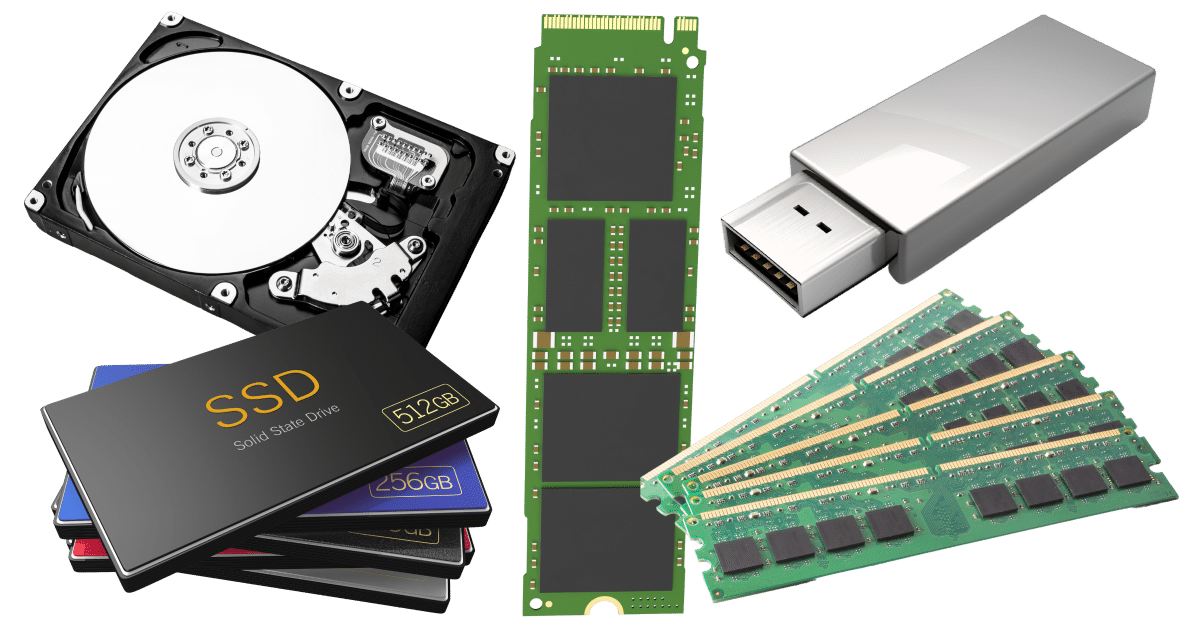
Memory, hard disk, and RAM: I get a surprising number of questions that show a misunderstanding between these most basic of computer terms.
The most common mix-up is that they are the same. While they’re not, I can see how it could be easy to confuse them at a conceptual level. So let me explain these terms.
Become a Patron of Ask Leo! and go ad-free!

Memory vs. disk space
- RAM is the memory circuitry in your computer that holds programs and data in use when it’s running. RAM loses its contents when power is shut off.
- Disks, HDDs and SSDs are devices used to store data long term. Disks retain their contents without power.
- Memory always refers to RAM. Disk space refers to disk space.
RAM
RAM stands for Random Access Memory. RAM is a collection of electronic circuitry where your computer’s programs and data are stored when it is running.
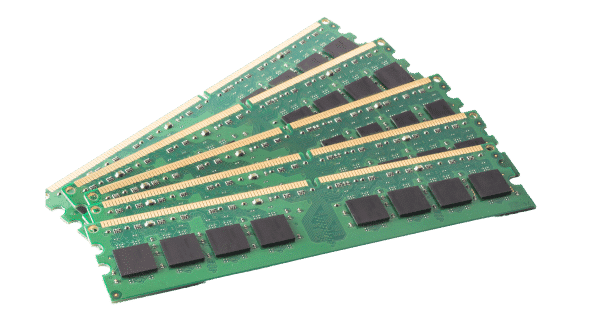
As you can see, RAM is made up of one or more small circuit boards where the microscopic circuitry lives. Every computer comes with a certain amount of RAM installed. There’s a limit as to how much total RAM a computer can contain.
The machine I’m using as I type originally came with 16 gigabytes (roughly 16 billion bytes) of RAM, has since been upgraded to 128 gigabytes, and has room for more.
One important characteristic differentiating RAM from other types of data storage is that it requires power to retain its contents. Remove power from RAM, and it forgets everything.
Disk
There are two types of devices we call disks.
A Hard Disk Drive (HDD) uses physical platters coated with magnetic material to store data. As the disk spins underneath read/write heads, the changes in magnetic polarization is read by the read head or can be set or written by the write head.
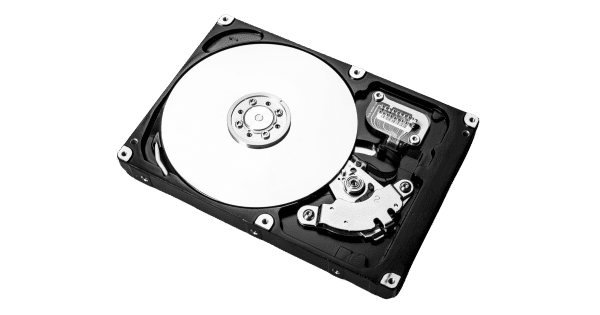
SSDs are devices that act like large-capacity internal hard drives but are made using what’s called flash memory. Flash memory is made from electronic circuitry that can keep its memory when power is removed.
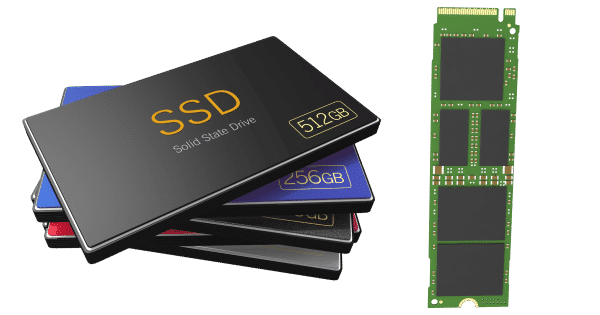
SSDs are used in place of (or in addition to) traditional HDDs. Flash memory is faster than a spinning hard drive, so SSDs are typically much faster than HDDs.
Both HDD and SSD disks are physical devices and typically reside inside your computer. It’s also common to have external hard drives connected to your machine using USB connections.
Two things distinguish these drives from other forms of storage.
- An HDD involves moving parts. The platters spin at speeds measured in thousands of revolutions per minute and the read/write head moves back and forth across the spinning platters.
- An SSD involves electronic circuitry based on flash memory technology and has no moving parts.
- In both cases, they retain their contents even when the power is removed.
Computers come with a disk on which the operating system and an initial set of programs are installed. This is typically where you save your work. You can replace the hard disk or add additional hard disks either internally, if your computer has room, or externally via USB connections.
Flash or thumb drives
Flash drives are external USB drives based on flash memory. The flash memory used is of lower quality than in SSDs but shares one important characteristic: a flash drive retains its contents when power is removed.
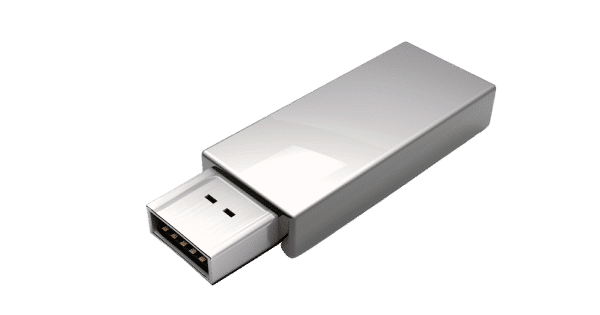
These go by a number of names, including flash drives, thumb drives (since they’re about thumb-sized), jump drives, and several others.
Memory
With all that storage defined, we can finally talk about memory.
Memory is RAM. Period. Nothing else. It’s that simple.
Even though the other drives we’ve discussed remember things, they are not referred to as memory.
Even though flash drives and SSDs are based on flash memory, they are not referred to as memory; always disks or drives.
It’s this confusion that I see frequently. A statement like, “I just added a terabyte of memory to my machine,” is unlikely to be true. You might have added 500 gigabytes of hard disk space, but at this writing, a terabyte of RAM is well beyond the reach of any consumer PC.1
Memory = RAM. Disk space = Disk space.
Do this
It might seem like the distinction is pedantic, but it’s important. When asking for help or purchasing a new computer, it’s important to be able to describe what you have and need as well as understand what you’re being told.
And now you do.
Want more clarity about technology? Subscribe to Confident Computing! Less frustration and more confidence, solutions, answers, and tips in your inbox every week.
Podcast audio

Related Video


Footnotes & References
1: As always, the numbers will get bigger over time, and someday a terabyte of RAM may even seem small. But not today.


You said, “Flash memory is faster than a spinning hard drive, so SSDs are typically much faster than HDDs.” Normal flash memory is much slower than an HDD: An SSD is a high-quality fast form of flash memory.
RAM stands for Random Access MEMORY – the clue is in the name.
Could you explain why some flash drives work so much slower than others. In moving or copying data to the 3.0 or 3.1 drives the time variances involved are really stark…I watch and the transfer seems to just pause…for no real reason. Could you break down the makeup of a flash drive and ID what I can look for to avoid the slow pokes….thanks.
Different USB Flash drive have different speeds and different qualities. Each USB type falls between a general range of speeds. Look for the transfer speed in the ad or on the packaging.
USB 2.0: Average Read Speed: from 10 to 25 Mb/s. Average Write Speed: from 3 to 10 Mb/s.
USB 3.0: Average Read Speed: from 60 to 150 MB/s. Average Write Speed: from 10 to 45 MB/s.
USB 3.1 Gen 1: Up to 5 Gbps.
USB 3.1 Gen 2: Up to 10 Gbps.
USB 3.2 Gen 2: Up to 20 Gbps.
USB C: Up to 40 Gbps
(Note: these speeds are in Gigabits not Gigabytes.
I would like to point out one caveat for the above article. The line blurs significantly when moving away from personal computers.
I say this because I have owned a number of (albeit now older) ‘smart devices’ (phones, tablets) where RAM and storage were the same area of flash type memory. Use too much of that memory for one function, and the other suffers.
I describe the distinction between RAM space, and disk storage space as follows (this is a significant over-simplification):
My computer’s disk drive is like a box, where I store my programs and data, much like the toy box I used when I was young. Its storage capacity is measured in units named bytes (just like memory – RAM).
My computer’s memory is where its operating system and my programs are copied to from my disk drive, so I can use (execute) them, similar to how I took my toys out to play with them when I was young.
Both disk and memory space are measured in bits/bytes for compatibility. When I start my computer, its operating system’s software is copied from the disk drive to memory, so I can run/execute/use it. When I open/start a program/app, its software is copied from the disk drive to memory, so I can run/use/execute it too.
This is how I understand the distinction between memory (RAM) and disk drives (storage). I hope it helps you understand it too,
Ernie
OK, so I have a question.
Years ago, I was a Sr. Tech in the hardware group at the company for which I worked. We had 2 types of RAM that were available, but not usually mixed on the same circuit boards.
These 2 types are Static RAM and Dynamic RAM. What Leo described is what we called dynamic RAM, and it needed both full-time power and periodic “refresh” in order to “remember” what it was supposed to.
Static RAM only needed power, not refresh.
So, did the industry stop using static RAM for much of anything? This is something that I hadn’t thought about in years, but this article reminded me of it.
SRAM can cost up to almost 10 times more than DRAM. So there’s that.