Unfortunately, with only that to go on, there are hundreds, if not thousands, of possible answers. To really diagnose, we’d need a lot more information about the system it’s happening on, the software and hardware installed, and what was happening at the time the problem happened.
I’ll throw out some guidelines, so perhaps you can narrow down the diagnosis.
Become a Patron of Ask Leo! and go ad-free!
Major causes
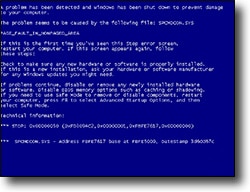
The most common causes for the fabled “blue screen of death” fall into four general buckets.
1. New Hardware
While the hardware can sometimes be bad, the real culprit is typically outdated, or just buggy, drivers. If you’ve just installed new hardware, then it’s likely to be related to the problem.
Make sure you’re running the latest drivers for that device. Check Windows Update, specifically for “Optional” updates, as driver updates are often classified as optional. Check with your computer manufacturer’s support site, or the support site for the specific hardware you recently added to your computer, for specific driver information as well.
Conversely, if you’ve just updated drivers, that would also be something to be very suspicious of. See How, and when, should I update drivers? for more information on driver updates. (Spoiler: don’t use driver update utilities.)
2. New Software
It’s rare these days, but occasionally software can cause blue screens as well.
If you’ve just installed new software, I’d be very tempted to immediately uninstall it and see if the problem goes away. I’d also make sure that Windows is as up-to-date as possible, once again by visiting Windows Update to check for both “important” and “optional” updates.
3. Viruses and Malware
Over the years, Windows has become much more resilient, but malware can still occasionally cause blue screens, even in the most recent versions of Windows.
Make sure your security software is as up to date as possible, and perform a full scan, in addition to the regular checks that the software might perform.
4. Old or Broken Hardware
If you’re positive nothing’s changed, you’ve been using your system like always, and these problems just started happening out of the blue, then it’s very likely that you’re experiencing a hardware malfunction of some sort. Unfortunately, it could be just about any hardware component of your system at fault.
One of the most common is a blocked, stuck, or broken ventilation fan, which is now allowing your computer to overheat. One of the first signs of an overheating computer is the unexplained crash, which often manifests as a blue screen.
As I said, though, everything from memory to add-on cards to the motherboard itself could all cause issues here. It may be time for some hardware diagnostic work.
A checklist
The bottom line when experiencing blue screens and reporting the problem to anyone is to include enough information to narrow down the problem. Write down:
- your operating system version and how up to date you are
- your computer model and what additional hardware is installed
- what software is running at the time of the crash
- what you were attempting to do, if anything, at the time
- if the problem happens randomly, or if you can make it reoccur somehow
- any changes you made to your hardware or software recently
- any other problems or suspicious issues you’ve been experiencing recently
Do it yourself?
If you’re just itching to attempt to interpret all those numbers and what they mean in hopes of figuring out the blue screen yourself, I’ll direct you to Windows Crash Dump Analysis, a post on “Mike’s Technology and Finance Blog”.
I’ll warn you that actually decoding and understanding a Windows crash based on the information in a blue screen is incredibly geeky and not for the faint of heart.
Most folks are much better off looking at the types of symptoms and behaviors that I’ve outlined above, or asking for help.
Do this
Subscribe to Confident Computing! Less frustration and more confidence, solutions, answers, and tips in your inbox every week.
I'll see you there!


I WAS DOWNLOADING THE SOFTWARE FROM SLOTS.COM WHEN MY COMPUTER TURNED BLUE . NOTHING I TRY FIXES THIS PROBLEM .
I RUNNING WIN 98 , THE FAN IS WORKING . IT IS A MICRON COMPUTER I BELIEVE ABOUT 233MHZ
hey
i just renewed my pc it worked perfectly for a cpl of weeks but a cpl of days ago i got a blue screen it was so fast that i couldnt read what was on
now when i put a CD in the computer freezes and sometimes it resets im going crazy
specs:
msi 915g
3.2 intel lga
1gbram ddr2 spektek
leadtek 6600 nvidia
audigy platinum ex
dvdrom dvdrw
power supply thermaltake 480w butterfly
yeah and i have dual screens
and win xp pro sp1
thx in advance
I’m not quite sure what you mean by “renewed”.
Any recent changes? I’d start with things like the System File Checker (http://ask-leo.com/what_is_the_system_file_checker_and_how_do_i_run_it.html) making sure you have updated drivers for all your hardware and Windows. A memory test might be in order (http://ask-leo.com/d-memtest). Assuming that all turns up nothing, I’d start removing optional components to see which might be contributing to the issue.
Good luck!
Leo
some times my computer displays a blue screen like some indication of virus problem or secuirity problem on the startup screen.
i have 2 PCs one contains Windows XP and other contains Windows98.how i cure this problem or what the prevension should i take to solve this.
send me complete solution. thanking u
one day i started my pc to do somework but it displays a blue screen .i restarted my pc and logged on it to safe mode.but the problem not solved.i had not been loading any new software /hardware for this january.
tell me the right way to solve out this problem.
If your PC blue screens in safe mode, then it is most likely bad hardware. Start by testing the PSU (power supply unit). Then try rotating and re-seating the memory. You may have to test each slot separately by booting the PC with memory in different positions. While in there and grounded, re-seat all plugs on the motherboard and on the devices. You can also disconnect non-essential devices and boot up with only the hard drive connected. If successful, shut down and add each device one at a time and boot. It can get very complicated, but these suggestions should get. you going in the right direction.
Hope you know you just responded to a ten year old comment
I was moving this weekend and my computer fell out of the bottom of a stroller (less than a 1 foot drop) on a stone floored kitchen. Now that I reconnected it, it is displaying a blue screen. Not sure where to go from here–I am guessing hardware problem. It is a Compaq Presario, SR1123WM series.
HELP! HELP! HELP! HELP! HELP! HELP!
Egrubs
I hate when that happens. My hope would be that one of the components had come loose from its socket. I would unplug the computer completely, open the box, and carfully press each of the expansion boards, memory boards and socketted chips back into their sockets.
Hi,
Question: Is it possible to blue screen a Windows machine from an “normal” desktop application (that is, not a service and not a driver) without the “help” of a faulty driver?
Please let me explain the background of this question:
I am a software developer.
I have written a piece of software running on a Windows 2003 server. The software is written in Delphi and it is a “normal” desktop application. That is, it does not consist of any drivers and it is not run as a service. It is the only software running on the server.
The server reboots for no apparent reason about 10 times per year. It seems to be completely random, except it only happens when my software is running on the machine. Maybe 10 times does not seem much, however this software is extremely critical and 10 times per year is considered a big problem.
I am now having a discussion with the guy responsible for the maintenance of the hardware and the operating system of this server.
I am claiming that the problem must be related to some driver used by my software. The HW/OS guy says it is “purely” an application problem. That is, he is arguing that it is not related to any HW-problems, not to any driver problems and not to the OS. He says my application contains some bug and that it is causing the server to reboot all by itself.
Is this even possible?
If he is right, could you give me an example of how to blue screen a Windows 2003 server from, say, a VB or Delphi application?
What Windows API-call should I make to make the computer blue screen?
I thought only software running in ring 0 could blue screen the computer. Am I wrong?
Best regards,
J. Nilsson
I do believe you are correct. An application needs the “help” of something in the OS, drivers and the like.
I have been having problems with my PC since I have upgraded Windows 98 to Windows XP. When the Windows XP gets started, it works well only for 5 to 10 minutes and then, either BLUE or WHITE blank screen appears. Everytime it happens, I have to restart my PC!!!
Please, suggest me what should I do to overcome this huge problem.
Hi. i have a problem concerning blue screens. I have a brand new computer i just bought AMD athlon 64 3.2ghz 1 gig ram and a nice video card.Every time i try to download a video game i get part way through and my then my comp freezes and blue screens.The game is a older one 2000 and my computer should be able to run it no problem .Do you have any advice Leo? i could really use it =)
I have an old compaq desktop computer and for about 4 months now it has blue screened me almost everytime I am on it. Now I get an blue screen that I cannot get out of. I held the powwer button on and it shut off but now it comes up with another error that sends me to choose which method I would like to start up in ie safe mode, normal or last good connection(something like that) I tried all three and comes back to that blue screen. I can’t even get on the web. I put my parents email up top if you could respond to me. Thank you.
hi,
i recently had a virus on my pc and removed it, i play world of warcraft on line and sice i formatted my pc i keep on getting corrupt files.
i brought a new hdd and my wow worked fine for a while, while i play the game for 2-6 hrs, i get a BSOD with error nv4_disp, i have the latest dx9 and nvidia drivers, sometimes the game kicks me out and tells me it soesn’t pick up my 3d in the game or my dx9.
or i’ll get a new BSOD with error ISDN_u.sys.
or during bootup i get BSOD.
what can be the problem here?, i checked my new hdd, RAM, acc card, can it be my m/b?
or my BIOS?
plz help
tx pieter
Hey my computer blue screens alot. I installed norton internet security 2006 and it started makin my computer shut off by its self. So i uninstalled it, and now it blue screens all the time and i have removed all hardware. Why is it doing this? It usualy does it when im scannin.. WOuld scannin it in safemode help?
Try working and scanning in safe mode with networking. If nothing happens then it is likely a hardware driver or other software that is not running when in safe mode.
My PC goes to the blue error screen basicly everytime I use it but the screen is in sections and I cant read what errors its trying to show. The temp is’nt going up and I’m not doing anything different. I scanned for viruss’ and didnt find any. Any advise would help. Thank you
Hi,
tyr changing the graphics aperture size to a small er one eg. 64mb for a 256mb card in you system bios.
worked for me
hi
sometimes when i’m connected for a certain period my pc will BSOD with error DRIVER_IRQL_NOT_LESS_OR_EQUAL with a error ISDN_U.sys
or when i try to use skpye as a chat program it happens instantly in my games why why why doe’s this happen???? can u plz help me
tx pieter
Hi. I have a COMPAQ laptop and recently the screen was turning blue. I thought it was the pixels but as I looked beyond the blue stuff, I see static- like movements. What’s wrong?
I agree with Mr. Fred,that the majority of blue screens are created due to a driver problem,particulary with video,and sound cards.
If your running a creative sound card on an xp sp2 machine it can cause all kinds of blue screen errors.
The card will make a user feel like they are compelled to cram a 5 foot bat right up its power supply lol!
But seriousely Creative labs does have a trouble shooting application that will search for all of your computers hardware,and detect the correct drivers that will be compatable to the other hardwares you have installed,otherwise the standard creative drivers will often fail.
Also ive found out from experience that the nvidia graphic cards are also a culprit in blue screens.
Originally when I built this new machine from top to bottom,I had to learn what works and what doesnt.
As an example I first decided that I wanted a dependable motherboard and everything else would be built around the Asus a7n8x running the last AMD XP Athlon 3200+ processor,the mob has the nvidia chipset with onboard sound,so I decided to purchase an nvidia 64 mb graphic card(I could always upgrade later)the nvidia graphic card had the elixer video 3200 ddr ram,so I purchased 2 512 mb elixer ddr ultra system ram,the numbers on the ddr graphic ram was the same as the ddr system ram,when I went to start the system there was no problems,I then attempted to install a newly purchased copy of windows xp home,it would start installing,and suddenly durring the hardware check xp would exclaim that certain hardware was not compatable with windows xp.
After several tries I went into my bios turned off the onboard sound,and again attempted to install xp,it started its original ritual and then kept rebooting,I then discovered by turning off both caches on the processor got rid of the rebooting problem,but it did make the xp install excrutionating slow,once xp was finally installed it almost booted up and bam it kept restarting,going into bios again did not help,so instead I removed all non essential hardware,modem/lan etc.
computer booted up completly(after I turned the L1 and L2 caches back on)of course the problems kept returning finally I purchased a new sound card but it didnt help,as I couldnt get it to work at all.
I then bought a new gigabyte ATI graphic card,after that no more reboots,I then installed the creative sound blaster live application downloaded the compatable driver sound works fine,and havent had any problems with it since.
Of course a 500 watt power supply came with the computer case that I bought with all of the fancy lights,and other gadgets such as the face led readouts for hardware temps monitoring,but I also changed it out and installed a 600 watt power supply,insuring that I have plenty of continuouse power for all of the addons.
A power supply that is not providing enough power,or is not functioning adequatly,or if the computer hardware is over heating may cause any of the blue screens as well.
Do not forget that if your running fast memory,and the mob doesnt support it,it may cause problems as well.
I also read one of the other posters that stated that their blue screen has many lines in it,this sounds like it may be related to the graphic card settings,if you can get it to boot up try to slow down the refresh rate for your graphic card,and make sure that the refresh rate that you set coincides with your monitor’s capabilities,as an example if you have a monitor that can handle a refresh rate of 65-70 do not boost the resolution higher that your monitor can handle otherwise you will get scratching screening,and may not be able for your graphic card to boot.
If boot failure happens check your mob manual to see if it has a jumper that allows you to reset your bios settings,some mob’s now have jumperless boards that is if they reboot for such a problem you have to just simply reset the settings in your bio’s.
I could go on for the blue screen problems but Ill stop for now,hope this helps,phew! that was long.
My laptop has a blue screen . And goes to preparing automatic repair then blue screen comes back on they just updated me 3days ago computer says I need to restart. I am in Windows 10. Have no start up screen to get anywhere
I had an Identical problem as Posted by: peter at April 4, 2006 12:04 PM.
My computer blue screened while using Skype with the message:
DRIVER_IRQL_NOT_LESS_OR_EQUAL with a error ISDN_U.sys
It has taken me 8 months to solve the problem, neither Dell (my computer manufacturer), Hayes (The manufacturer of my ISDN terminal Adaptor) or Microsoft seemed able to help despite numerous conversations.
Finally I did a search of my Hard disk and found three different versions of ISDN_u.sys. I replaced the version on my windowssysten32drivers (dated 3.7.2002 size 577Kb) with the one supplied with my Hayes Accura ISDN TA (Dated 5.2.2002 size 596Kb)
I have not had a BSOD since!!
I love all of these PC experts answer on this. Most of them are wrong and they are just guessing. When a PC bluescreens, 9 times out of 10 its always a bad stick of RAM. Change it out and your problems will more than likely be solved.
I don’t know if Stvn is correct that it is usually a bad stick of RAM.
I do know the the BSOD error I was receiving that was highly likely cause.
The last BSOD happened when I was changing the settings in Windows Media Player. Windows 7 corrupted?
I restored an image made about 6 weeks before the BSOD’s started hapening.
Then I replaced x 2 2 GB of RAM with 2 x 4 GB of RAM. It is now a month and no BSOD.
RAM is cheap. It may be worth a test provided you don’t need to remove the motherboard to do so.
Does someone know how John fixed this problem?
I had an Identical problem as Posted by: peter at April 4, 2006 12:04 PM.
My computer blue screened while using Skype with the message:
DRIVER_IRQL_NOT_LESS_OR_EQUAL with a error ISDN_U.sys
It has taken me 8 months to solve the problem, neither Dell (my computer manufacturer), Hayes (The manufacturer of my ISDN terminal Adaptor) or Microsoft seemed able to help despite numerous conversations.
Finally I did a search of my Hard disk and found three different versions of ISDN_u.sys. I replaced the version on my windowssysten32drivers (dated 3.7.2002 size 577Kb) with the one supplied with my Hayes Accura ISDN TA (Dated 5.2.2002 size 596Kb)
I have not had a BSOD since!!
Posted by: John Porter at August 21, 2006 12:14 PM
“I love all of these PC experts answer on this. Most of them are wrong and they are just guessing. When a PC bluescreens, 9 times out of 10 its always a back stick of RAM. Change it out and your problems will more than likely be solved.”
Thank you soooo much. This was the definitely true in my situation!!!!! Thanks
Hi,
I have similar problem like others. I’m getting BSOD like these: DRIVER_IRQL_NOT_LESS_OR_EQUAL, PAGE_FAULT_IN_NONPAGED_AREA. Sometimes it’s during playing some game, and everytime when some Internet browser connects to crl.microsoft.com (I was trying to verify signatures of drivers). My configuration is: MS motherboard, P4 – 2.7Ghz, 1Gb RAM (dual line), FX5600, 2xATA HDD on Raid (Silicon Image), Windows XP Home with SP2 (up to date). I believe my problem is in that raid. Cause in previously installed windows, this hardware (raid) wasn’t specified and all was ok, but now the system found it by itself. So finally I tried to put the latest driver from manufacturer (Silicon Images), now I’m able to connect to crl.microsoft.com (but the drivers aren’t still verified) and I hope that it’s fixed for now.
If anybody have Raid from Silicon Images, try updating drivers (my friend has another model from SI and had similar problems like me)
When I start my Dell Latitude (c-510/c-610 w/ Windows 2000 Professional ed.), everything looks like it is booting-up okay, the little loading bar graphic finishes, and then the screen goes completely blue (no graphics or text at all) and it starts going “ding, ding, ding, ding, ding…” I turn it off and restart it. Same thing. Over and over. Any idea what’s wrong?
i too have the same problem
its config is
intel 2.8 ghz p4 processor,intel 865gv motherboard,nvidia f5500 256mb graphics card,one 512mb ddr ram one 512 mb(266 mhz) ddr2 ram(400 mhz) recently my computer used to hang up suddenly so i cleanined the mother board n every thing on it (even removed the chipset fan coz it was all filled with dust) CAREFULLY now after a week it starts displayin this blue screen saying sum problem has been detected
so i formatted the whole hd n reinstalled xp sp2
the installation itself got stuck up 5 times
n now without even installing anytrhing this bsod shows up and if not that the comp restarts itself every 5 mins and says windows has recovered from a serious error
so wth am i supposed 2 to ?
ne 1 plzzzzzzzzzzzzzz help
I have been getting the blue screen and it points to this dll: ati2dvag for the past 2 days. I am running Windows XP and have Office 2003 on an HP compaq NC6000. The blue screen occurs when I paste an image from Visio to Word. The last software I installed was TurboTax and no new hardware. I tried researching for a solution to the dll and I saw a software called Registry Booster which I bought and this has helped with the slowness at startup. however, I still keep getting the blue screen. Any help would be GREATLY appreciated!
hey even i too getting same blue screen and it says bios problem call the adminstator or remove some programs in safe mode.plz help me to identify the problem,wats the reson(majority).
thank u.according to me its better to call the service person.
i am drying to mboot my system but it is showing blue screen error .safe mode it is booting normal mode it is not booting
I had some kind of similar problem with my IBM laptop ..when i installed horoscope exlporer 3.0 on my laptop it worked fine but the next day when i updated my pc through windows update….the immediate next moment when i started horoscope explorer it went of to the blue screen stating “IRQL NOT LESS OR EQUALL TO” ERROR AND SAID KERNEL FILES HAD SOME PROBLEM ..The next step of mine was to uninstall all the 8 updates i downloaded & installed ..once i completed the program started working properly again ..so i came to know that the probem was with the updated that resulted in blue screen..
any answers & solution will be kindly accepeted
—-Karthik——
Yea one more comment i wanted to post about the problem with XP …..Even if you have a Original XP cd or a Genuine Software never install the XP Updates ..as it causes a more hectic compatible issues………
When I boot-up , my DELL Inspiron 6000 (OS: Windows XP/Home Edition), It looks as though everything is fine. Then the infamous blue screen comes on. I’ve re-booted numerous times, and even pressed F8 to enter the system in Safe Mode to attempt to save files and documents that I had saved on my hard drive; also, to uninstall programs that I recently uploaded on my system. I don’t know what else to do!!!!!!!!!
I have the same error as the original poster. I read in one of your other replies
that using a branded OEM install disc could cause problems.
I got a Dell OEM full XP SP1 install and reinstalled from that. I can’t find the
original CD but I do have a ISO of it,
I verified the key of the CD and the response
from keyfinder and they agree.
I have been having wierd errors on this OS
a few times I had to use the recovery console
from another windows CD to replace files that vanished. NTLDR for example. I’m wondering
if Dell has moded the install enough tio make it unstable on generic hardware?
Would I do better to buy a retail CD/key and try again, or would reinstalling fix it for a while.
The system has 2gb ram, 256mb video card and a
LCD screen attached thru the digital port,
4 hard drives, the primary master is divided into a slice 0 (40gb) NTFS and slice 1 (98gb) NTFS, the rest are single slice NTFS, a DVD/RW, onboard sound (hard of hearing, don’t use sound much),
epson CX6000 MFC, 10/100 ethernet card connected to a port on a Linksys WRT54GC router, 802.11
Laserjet 4, USB Bluetooth (Widcomm based) dongle.
I figured the install is corrupted somewhere,
none of the spywhere/rootkit detector/virus scan
etc show anything tho? I’m wondering if I might do better to get a retail Win/XP Pro CD and try
again? Maybe the Dell flavor doesn’t like my home brew? I’ve gotten a lot of BSoD errors with corrupted DLL files, I removed and re-expanded them from recovery console, but it shouldn’t keep happening. One time I was told the boot process couldn’t find NTLDR and I had to extract/copy that from the recovery console too.
something is wrong here. even Windows sho0uld be more stable than that.
I have the whole contents of the c: filesystem
copied to one of the other hard drives, I have either CDs or ISO’s of the CDs for the apps.
I guess I’m asking should I try again with the Dell branded CD or buy a new retail CD and use that to reinstall.
Hello, I have windows 2000 Nt With microsoft 97. We do have spyware and virus protection. I get the blue screen every single time time I open certain myspace pages or radio station websites. It is always the same webpages that shut it down. My computer programming teacher told me to google this part of the code (1eco) that is appearing and I am not finding anything. My teacher thought it might be a virus? It also says KMODE_exception not handled. What is Registry Booster? My husband did find that on the internet and after he tried to click it off it kept reappearing and would not stop. I did notice that someone else was talking about the registry booster also. We have not installed any new software since this began to happen. I hope this answers all your questions. Thank you for your time!
hello sir before 2 month my computer was restarting continueously I replaced my ram(simmtronics 512).
but again problem is same, with one extra problem
blue screen(my pc configuration is ->processor-2.8/1MB/LGA,(SL-NO->L606A880)intel p4,
80 GB BARACU SEAGATE HDD(SL-NO->4LRLQXQ4),
INTEL MOTHER BOARD(SL-NO->BTGC62202BNY),
512 MB RAM Simmtronics(SL-NO->7-1212369)
LG CPMBO,LOGITECH KEYBOARD,LG MONITOR
OS-WINDOW XP.
Actualy this problem is started when I bought my PC 2year back,I changed the RAM and the problem was solved but again the same problem,
tell me my H/W devices are compitable or not,
tell me the solution This is my project semester,
please Reply.
Hello,
I just bought a new desktop a month ago. Dell:Inspiron 530S with 2GB memory, 320GB hard drive, 2.20GHz, 667MHZ FSB, windows XP-home edition.
I have had a blue screen for 4 times now with the same stop error: 0x40000080 also indicating the complete dump of physical memory.
Dell customer service had suggested that I should delete any new software installed by me and also try to restore my PC if problem occurs again.
After un-installing the sw, I downloaded some songs and the blue screen appeared again after a week twice in a row. I restored my PC both times, but the blue screen still comes up even at the time I am not surfing on net.
I don’t want to keep restoring my PC everytime an internet error has been suspected to enter my computer. It means, if any time I download something or just surf on the internet, I might end up running into this problem causing me to delete the files that I need.
Do you think something might be wrong with the system hardware, memory or drivers?? Please help me find a different solution to this problem as I am not having much fun with the blue screen.
Thanks
Mona
—–BEGIN PGP SIGNED MESSAGE—–
Hash: SHA1
Next time you restore it, make sure to restore it to as
pristine a condition as possible – as close to what it was
when it came out of the box as you can. Then DON’T ADD
ANYTHING. No downloaded software, no software installations,
nothing.
If the problem still happens, then Dell owes you an
explanation and possibly a new machine or at least a lot of
help since it’s likely the machine, and it’s still in
warrenty.
Leo
—–BEGIN PGP SIGNATURE—–
Version: GnuPG v1.4.7 (MingW32)
iD8DBQFH1Lm/CMEe9B/8oqERAtnYAJ9kCPsWCUGhIE6eb7KPl45qFefNSwCfajgM
rHbdvGwmPMkEtkoCXCnU4/A=
=ytCK
—–END PGP SIGNATURE—–
Hi Leo,
I was glad to see Mona’s note of March 9, 2008 about her new Dell Inspiron 530S. We bought the same computer in February ’08 and have the same problem. We couldn’t resolve it after speaking to their technical support several times and spending countless hours on it. We sent it back to Dell and had it replaced with another. The one we have now does the same thing. It’s also going back. We used the same software that was on our old computer (which worked fine)and did whatever updates were suggested. Just wanted you to know. Thanks for your insight.
Anne
PS – We have Paintshop Pro7 and now notice a flashing bar pattern running down a picture when we try to work on it in the program. Maybe that’s a hint.
Hi, I bought a Gateway laptop with Windows Vista just about a month ago and I’m already seeing the Blue Screen of Doom. It has an AMD Turion something (I think that’s a processor but am not quite sure), and I saw the blue screen as I was turning on my laptop. I have no idea what caused it, and it disappeared so quickly I barely had time to read the first few lines. After I saw the blue screen my computer restarted itself and it appeared again. Eventually my laptop turned on alright, and the error message was:
Problem signature:
Problem Event Name: BlueScreen
OS Version: 6.0.6000.2.0.0.768.3
Locale ID: 4105
Additional information about the problem:
BCCode: 50
BCP1: DE865B85
BCP2: 00000000
BCP3: 81C47841
BCP4: 00000002
OS Version: 6_0_6000
Service Pack: 0_0
Product: 768_1
Files that help describe the problem:
C:WINDOWSMinidumpMini031608-02.dmp
C:UsersBhavaniAppDataLocalTempWER-87375-0.sysdata.xml
C:UsersBhavaniAppDataLocalTempWER248.tmp.version.txt
I’m not too tech savvy so the above makes very little sense to me, but if you could please help me figure out what to do, I’d appreciate it. I’ve had this computer for less than a month and have McAfee so I doubt it’s a virus, or outdated technology. I’ve also been using my windows updater etc so I don’t understand why this is happening.
Hope to hear from you soon!
I also just purchased a Dell Inspiron 530 this past week. We get the blue screen once each day we re start the computer and everything works fine. I contacted Dell last nignt and they had no
fix for the problem other then asking me to send it back for a replacement. It sounds as though Dell has a problem with this model? should I request another model? Why is this happening?
Thank you,
Joe
the computer desk fell over and the screen hit the ground the tower was not even involved do i just need to buy a new monitor or can i correct the blue screen on it
Hey Leo, I’ve been working w/PCs since the mid-70s, and can Search the web with the best of ’em, but have an occasional BSOD that of course is driving me crazy, because this PC otherwise works perfectly for hours and hours on end. My *sense* is, after many, many months but only few dozen bluescreens, that my ATI x1950pro AGP videocard doesn’t like it when I turn the power off on my monitor! I’ll find the BSOD after powering-back the monitor, then I have to reset the PC.
Having lived thru the Energy Crisis of the 70s I have a hard time resisting pressing Off the power button on my CRT-based monitor when I leave my office, but will try very hard to do so and see if the BSODs go away complete (yeah I know about the x19xx AGP series and have the proper driver I think, v7-7).
Have you (or anyone) ever heard of anything like this before (PC doesn’t like monitor non-powered)??? Thanks!
i just bought a new asus laptop, model F8SG.i am having the same problem like Bhavani. i hope to solve my problem soon as i just bought it a week ago. please reply me asap, thanks.
just to add on to the comment i made. i went to change my ram and did a one to one exchange , not only that i also bring my laptop to service. however the problem still appear.
Hi i wonder if anyone can help me with this problem it doesnt happen all the time but every now and then it does,when i reboot or boot up my p.c on the start up on the Windows Xp Pro/Home Screen Where you get the blue/green bar that loads across the bottom of the screen my p.c freezes up then i have to reset my computer has anyone else had this problem ? ive heard it could be bad sectors on my hard drive ? thxs
I bought a new hard drive, motherboard and memory for my computer and when i try to install Windows, The blue screen appears, and shuts down the setup. What can i do to fix it?
Hello, Leo
– I am running Windows Vista Home Premium, it is up to date
– Dell C521 Dimension running ati x1300 pro video card
– I was using Nero at the time of the Crash
– Burning a video
My computer doesnt detect up my graphics card after BSOD conflict. I have removed and plugged in parts like the memory sticks etc., replaced the video card with another (same brand and model), updated drivers, replaced psu, wiped out windows vista and did a clean install, I am still having the same problems. Are there any other things that I can do to resolve this issue, do I need to replace the motherboard? The weird thing is that my computer works with the onboard vga connection, my monitor doesnt respond when I connect the dvi connection to my monitor.
Thanks
Yes,this article helped me for an interview. Thanks a lot.
hey leo
i have windows vista Home premium
its a gateway MA3 laptop
my computer tends to get the bsod after i try to turn it off. it usually says memory dump then loads and the computer restarts itself. it usually takes about two tries to turn it off. i really have no i idea why this is happening. how can i fix it?
thanks
Hey Leo, I just installed a new game onto my laptop, it takes some time to load up… which is fine. But one time when it was loading up my computer froze up, i tryed ctrl alt del, but that didn’t work… i then shut it down by pressing and holding the power button. When i tried rebooting it, I got the blue screen and there is nothing i can do. I was running windows xp, Dell notebook.
Hello, I just installed XP home edition as a clean instal and it only loaded 4-bit graphics, and it was using the default monitor instead of the plug & play monitor so I told it not to use the default monitor and now it does not recognize any monitor nothing displays on the monitor now. To make things worse it wont load safe mode so I can go in and fix my mistake. Can you please help me. How do I correct this problem?
hi leo,
i have a dell inspiron 1520 with a 2gig RAM and 250 HD. i am frequently getting blue screen with some errors ” microsoft detected some problem and is tying to shut down to prevent files loss”. can you help me out what’s happening?
i called the dell personals and changed my HD and OPTdrivers like 2 times when i had warranty ,but still the same.
hi leo,i bought a tevion powered usb hub and card reader when i tried to plug it in to install i get the blue screen my computer is a dell dimension 1100 can you help
i have a computer with the following specs: 1.7GHz dual core pinless processor, 160GB hard disc (not new), 1GHz DDR II memory. Any time i try to install a new xp operating system onto it, my computer blue screen. please what could be the posible causes and the remedies to consider?
hello Mr. Leo i just bought a new computer (i build it up) I had install windows XP Pro and after 2-3 weeks i saw one nice blue screen. Before happend this my computer was freeze. i find
out that my hard disk was total lost, anyway the company they give me new (warranty) i reinstall again the windows and now i have again the same symptoms and i am afraid that my hard disk is going to burn again.
My specs: E8500 dual core
Asus P5QC
500GB hard disc (SATA)
Thermaltake – 700w
Gaindward 9800gtx+
Thank you
for your time.
Hi Leo-
once I shut my laptop out of anger :-( very hard and there screen stopped working for a period of time so I currently plug into a desk top monitor. However, lately the screen seems to be trying to work again. I had multiple colors on my screen that would move around and now it just stays blue. Can you help me?
31-Dec-2008
Hey Leo, I keep getting the BSOD after like 20 minutes when the computer is on. When I am on it I don’t get it but when idle it gets the BSOD. I recently added new memory, I don’t know if thats the problem because I know I got the right memory for my computer. Its getting pretty annoying.
When I turn on my computer I immediately get a blue screen and it says something about “Crash dump memory.” I have received this message before but because I don’t have internet I hardly turn on my computer. My computer did a dump right in the middle of me trying to get more information on why I keep getting a blue screen. I deleted my Norton 360 because the subscription ran out could this be the problem?
I have a Systemax (’98) which has Windows 2000 Professional. I turned the computer on and there was a blue screen. It says to restart. I’m getting a message: STOP unexpected-kernel-mode-trap. If this is the first time (and this wasn’t the first time) RESTART. If screen appears again run a system diagnostic utility supplied by your hardware manufacturer. In particular run a memory check. Check for faulty or mismatched memory. Try changing video adaptors. Disable or remove any newly installed hardware or drivers and/or software. F8 safe mode. I’ve got this message in the past and RESTARTING has done the trick, however this time it continues blue screen.
My computer is Intel/core 2 duo running Win Vista ultimate version.
I immediately get a blue screen and it says “Blue Screen Error” and giving full detail of error as follws
Problem signature:
Problem Event Name: BlueScreen
OS Version: 6.0.6000.2.0.0.256.1
Locale ID: 1033Crash dump memory
while i am playing a game or vedio for 2 hours my computer blue screen .
I cannot boot in safe mode or any other. I have a stop:0x000000ED(0x82F3EC08, 0xC0000009c, 0x00000000,0x00000000) UNMOUNTABLE BOOT VOLUME It is a Dell Inspiron 5160 it says A problem has been detected and windows has been shut down to prevent damage to your computer. What can I do?
Why is this a question I’m asking? There are no results on searches of this error message other places I check including Microsoft error look-up, Forum searches and google search.
STOP: 0x000000ED (0x8595f520, 0xc0000185, 0x00000000, 0x00000000)
A friend is getting this, she has not done any un/installing lately she shut down her computer, started it up the next day, the fan was running loudly so she restarted it and gets this BSOD error during start-up. The only search results i ever got were generic 0x000000ed error which is an unmountable boot.And the fixes were never really favorable sounding or were not clear.
She can not get into safe mode, or safe mode with command prompt. She has access to Bios.
OS:Vista
Prior Problems: Rough running fan (i believe due to dust build up)
ANY Ideas? or resources for looking up thses error messages?
i have a computer with the following specs: 1.6GHz dual core pinless processor, 160GB hard disc , 1GHz DDR II memory. Any time i try to install a new xp operating system onto it, my computer blue screen. please what could be the posible causes and the remedies to consider?
Hi Leo. I have an older (5 or 6 years old) hp laptop that I have had no problems with. I moved in August and everything was fine, but in November I started getting the BSoD. I’ve looked up the codes and they point to a bad wireless driver. The thing is, when I bring it to work I do not get the blue screen, which has led some other people to comment that it might be a power source problem. I’ve tried other plugs in the house I’m in now, but keep getting the blue screen. Also, it’s not overheating or having fan problems. How can I find out if it is a power source problem and, if it is, how do I fix it? Thanks.
Since this is a laptop, I’m less concerned about external power – that’s typically “buffered” (so to speak) by the battery. Perhaps the battery itself is having issues, as 5-6 years is a long life for a laptop battery. Unfortunately the only way to know if I’m right (and I could easily be wrong) is to replace the battery, often kinda pricey.
19-Mar-2009
HI leo, everytime i turn my pc on it asks me to choose an option so i choose safe mode, thats when the blue screen appears?? whats happening and how do i fix the problem???
It seems most of these problems are from Compaq. I to am having this difficulty but non of these tips have helped. My friend says it could actually be the video cards or adapters. Is this true?
My laptop only ‘blue screens’ in certain buildings. Why is this? What kind of toxic signals are being emitted?
Hi Leo, Your solutions are a boon for computer illiterates like us. Recently I installed Intel GMA driver 946gz on my PC, this is when it started giving blue screen (memory dump). My PC came with factory installed vista home. I bought an XP professional os and using it. Now I am unable to uninstall the GMA driver(rollback). It is asking for a CD or location for old driver. If I do not do it, it is showing “found new hardware” every time I log in. Please help.
i have an acer aspire notebook model no.ZG5.Operating System is linux. I turned my notebook on a couple of months ago and i got blue screen of death. I don’t know what caused it or how it happened because on every website i’ve visited it explains that you cannot get blue screen of death with the linux operating system! Can you help me please?
Well when I was on windows live messenger, my computer I think randomly Bluescreened I Put it into Safe Mode and and used the system restore and this then seemes to solve the problem is there any chance that my computer will reoccur with this problem
Hi, i keep getting a blue screen whenever i turn my computer on. I have tried going to safe mode with networking to see if i could download a registry cleaner but it keeps telling me that the administrator won’t allow the installation. I kow i am the administrator but i can’t see anywhere that i can change it. Please can u help as i keep ringing Dell and they have charged me nearly
try reformat maybe some viruses.
My computer has a blue screen. I try to update my windows and it started to give the Blue Screen. Now I have upload the Window Xp Pro recovery cd but it doesn’t want work. I even format my driver and try to put the Window Xp Home and it would go on then in about 10 minute me being online it would turn back to the blue screen Can you please tell me what wrong. thank you.
no matter what i do, when i turn the machine off, and turn it back on the machine stay blue. If i press f8 and hold the key it goes right back to b luue again, what other options are there
I came from school and discovered that my PC was having a blue screen effect, I was not in the house and wonders how it could have come on its own in the house. Help me solve my dilemna before I blame my roommate who was there,or could he have performed an operation.
I’ve tried to change my blue screen on my computer to a wallpaper, but it wont do anything. I have spyware protection on here so how do I fix this?
9/10 times, the BSod occurs because you have a driver that is outdated and needs to be updated. You can go to the manufactures site to download these drivers. Hope this helps!
Blue Screen Error
My Computer screen is blue! I’ve tried everything! I think I did? Even if I can just get my stuff off the computer!! I need Help!
my ie wasnt connecting even tho msn and firefox worked fine. So i did a malware and virus scan and it showed nothing. And ie still didnt work. So i restarted my computer and blue screen keeps comin at loading. What happened
I have the blue screen that says page_fault_nonpaged_area etc and it was just after I used windows updates and downloaded vista sp2. nothing repairs it that is available to me, no restore points, which i know there was. cannot use safe mode or no other options. Any help out there? have lots of info I do not want to lose!!!!!!!
Oh yea MY BSOD also doesn’t have that code in caps with the underscores if that helps :)
blue screen error = stop: 0x0000009c(0x00000000,ox81171ce0,0xf2000800,0x00000800)
vista home premium
Toshiba satellite A200-ah7
firefox 3.5.5
first time it happened I was streaming a video using DIVX
second time I was running World of Warcraft
third time I was agin streaming Divx and the computer would not restart only get to scream where I could press f2 or f12, then go black and back to same scream.
I used my recovery disk to start, which put my computer back to its new state.
blue screen happened again when I as streaming video with DIVX
I have noticed that my computer is getting hotter than it use to even with my external fan running.
My computer opens but a blue screen with writings comes out saying:
A problem has been detected and windows has been shut down to prevent damage to your computer.
If this is the first time you’ve seen this stop error, restart your computer. If this screen appears again, follow these steps:
Disable or uninstall any anti-virus, disk defragmentation or backup utilities. Check your hard drive configuration, and check for any updated drivers. Run CHKDSK /F to check for hard drive corruption, and then restart computer.
Technical information:
***Stop: 0x00000024 (0x00190203, 0x82FA5A28, 0xC0000102, 0x00000000)
“Can someone please help me. I restart computer windows is loading than i get this message above. I cant do anything with the computer. Anyone has any information please. I’m using my laptop at this time.”
My system affected in security tool. I cleaned security tool removal virus. I have installed Kaspersky 2010. This anti virus protected my pc. But when i was use sfc command, my screen displayed blue screen.Why does my computer blue screen?
i got the blue screen when i was updating my mcafee antivirus and on the other side i was defragmenting my D:/ please help me solve this problem….. even i have just formatted my pc and installed winxp black edition 2008.
RE:
My computer opens but a blue screen with writings comes out saying:
A problem has been detected and windows has been shut down to prevent damage to your computer.
If this is the first time you’ve seen this stop error, restart your computer. If this screen appears again, follow these steps:
Disable or uninstall any anti-virus, disk defragmentation or backup utilities. Check your hard drive configuration, and check for any updated drivers. Run CHKDSK /F to check for hard drive corruption, and then restart computer.
Technical information:
***Stop: 0x00000024 (0x00190203, 0x82FA5A28, 0xC0000102, 0x00000000)
“Can someone please help me. I restart computer windows is loading than i get this message above. I cant do anything with the computer. Anyone has any information please. I’m using my laptop at this time.”
Did you just installed your vista
??? didi you installed it on an external drive???..i saw an error like that when i installed my OS that way..hehe
My computer opens but a blue screen with writings comes out saying:
Technical information:
***Stop: 0x00000024 (0x00190203, 0x82FA5A28, 0xC0000102, 0x00000000)If this is the first time you’ve seen this stop error, restart your computer. If this screen appears again, follow these steps:
Check your hard drive configuration, and check for any updated drivers. Run CHKDSK /F to check for hard drive corruption, and then restart computer.
“Can someone please help me. I restart computer windows is loading than i get this message above. I cant do anything with the computer. Anyone has any information please.
guys, most blue screens can be solved by booting up in safe mode (F8), loging in normally and restarting the comp. If not then you can always try some of the other options in safe mode such as system recovery or if you are experiancing this problem after installing software, you can always try a system restore.
Some time ago, I ‘cooked’ my laptop (I closed the lid, assuming it would hibernate, and it didn’t – it sat working in the bag until the battery ran out).
I know this did damage to the graphics card, as I can sometimes see random pixels in low-res applications, and the laptop will ‘blue screen’ if it gets hot enough.
My question is – why does my laptop crash more often when I’m not using it? I can work on it for hours, and yet if I walk away for 15 mins (to cook dinner or something) I often come back to a blue screen? I have tried it with and without screen-savers, but it seems my laptop is only immune to crashing if it’s doing something (i.e. CPU usage is >15%)
My computer has a totally BLUE screen and when it starts the computer goes right to the options with the buttons “start windows normally” and “safe mode” but i tried everything and my computer doesn’t start at all and i’ve been trying for a while now. does it mean i need a new computer.?
17-May-2010
In most of the cases of blue screen with the error message “page_fault_in_nonpaged_area” are resolved by replacing RAM/DDR.
hi
I faced a computer problem few days back , i tried to check my computer . It gave a msg saying It might take long would i like to check it later.I selected to check it now but it wont :non: . I wanted to scan my computer but was not able to recognize what the problem was :ange:
Finally some one suggested me to use a software that optimized my computer.
As I am not savvy , i used that software , easy to use. well download it from http://download.cnet.com/Advanced-System-Optimizer/3000-2094_4-10147659.html?tag=mncol
Run its PC fixer , that fixes problem usually comes on someone’s computer :)
Happy to uze it ,,,
Blue screen error is due to overheating and memory error, sometimes RAM has to changed. And avoid dust which may block the ventilation and results in overheating…..
blue screen error is due to hard disc drives when they are corrupt
The program and utilities for work with minidump files
blueviewscreen
avz(optional)
http://depositfiles.com/files/cfjute5oo
i’ve had this happen to several computers and the culprit was often, not always, due to the CPU heat sink being loaded with dust.
i have installed avg free after uninstalling that anivirus that problem had gone.
Blue screen error on Dell Mini Expiron is happening frequently. The only option is to unplug it & take out the battery when it happens. I’v updated drivers, got SP3 for XP & am at a loss to know what else to do. It happens when online and with only email open.
The latest blue screen error is STOP007F.
Any suggestions please?
A friend of mine has an HP GX60-235DX running windows Vista, the laptop is 2 years old. When the computer is started up it goes to nothing but a blue screen, I was gonna guide her through a system recovery but I am hoping that there is a minor fix that I can do so as to not put her at risk of losing info she has stored. Nothing can be accessed on the desktop because of it being just BLUE. Is there any pointers out there? HELP IN MAINE PLEASE?
what is the meaning of this error appearing with a blue sreen *** stop: 0x0000007B(0xF894F528,0x0000034,0x00000000,0x00000000)
Heres a weird one, mine will blue screen when I first turn it on. Now not every time, its happened a totsl of three times once about two days ago and then twice this morning within 20 min. Geeeerrrrr I dont know whats wrong I would expect it to happen when I am ruuning alot of stuff but its on start up.
I have a HP Pavilion DV 6000. Got the BLUE Window.
UNMOUNTABLE_BOOT_VOLUME
***Stop: 0xooooooED (Ox8A4A0E30, 0xC0000006, 0x00000000, 0x00000000)
I ran the Self test, it reports Test status (#1-07 Fail)
When I turn on the computer it starts with asking how to run, I have ran it in safe mode, it gives some kind of report(a full screen of multi/ Disk/ RDISK/ Part) then it shutsdown and restarts over and over and over. HELP Please
01-May-2011
my computer is showing the blue screen of death and im not sure whats wrong but it shows UNMOUNTABLE_BOOT_VOLUME what can i do?
05-May-2011
Hi. A weird blue screen appears on my computer whenever I try to turn it on. So, I reformat it but when it starts to install the operational system, it stops and turns my computer off.
I have a new computer, so I doubt it’s the hardware. I think it might be a virus, but how can a virus still “survive” even if we reformat the computer?
What can I do? Thank you!
07-May-2011
Everytime I turn my computer on the blue screen appears and states STOP: 0x0000008e
I have tried everything I can think of from registry cleaners to updating drivers, but I can’t seem to solve the problem….. I need help!!!!
08-May-2011
Hi Leo,
My Vista laptop wouldnt boot, and was left unused and unrepaired for about a year or so. Recently I decided to send it for repairs and it was able to boot, although it took about 30 minutes to do so!! A blue screen with “Windows has been shut down to prevent damage to your computer” comes on and the computer reboots itself(another 30 minutes). I managed to do a system restore in safe mode but the ultra-slow startup and blue screen persists. I’m beginning to suspect the power supply fan as you’ve mentioned, as the computer gets hot fast.
Help!
10-May-2011
My blue screen message is IRQL_NOT_LESS_OR_EQUAL
STOP: OXOOOOOOOA(OXED4OOOBB, OXOOOOOOO2,OXOOOOOOO1,OX804E66A5).
What does this mean?
28-May-2011
Other possible cause would be loose DVI cable connection either between the monitor or the comp brain.
My computer has a blue screen everytime when I open it so I can’t use it. Can you help me?
02-Sep-2011
hiya mate my notebook loads up and that but then it comes to just a clue screen and only just mouse is visable any ideas on how to sort/fix this?
okay.. i just had a shock. i booted my comp as usual.. vista logon screen loads up and.. BAM – as soon as i type in my password a bluescreen comes up with loading some numbers… couldn’t read so fast, but it wasnt a traditional errormessage. after it restarted my computer, it took a while to load up and stated that i had a BlueScreen. and im writing this just after it happened.
HEY, found a quick and easy fix to my problem which involved PAGE_FAULT_IN_UNPAGED_AREA and the system file aswSP.sys. I had bsod’s almost every boot in normal mode, but in safe mode i managed to boot clearly and fine. searched some and learned that this file belongs to avast antivirus and to fix the problem FOR AVAST ANTIVIRUS USERS-
1st – Enter safe mode IF you can’t enter normal mode – uninstall avast antivirus using an uninstalling service such as programs and features, ccleaner etc.
2nd – reboot and run the aswclear.exe, choose avast 6.0 and uninstall. then reboot.
3rd – reinstall(if you wish) avast again running setup_av_free.exe
DL the removal tool: http://files.avast.com/files/eng/aswclear.exe
DL avast-http://files.avast.com/iavs5x/setup_av_free.exe.
hope somebody got their probs fixed cause i did
This has never happened before so I am very confused. When I turn on my hp desktop (vista) it starts to boot up then says checking files. After that it will show the microsoft loadings symbol then all of a sudden a blue screen. I tried turning my monitore on and off so I know it isn’t the monitor! What is wrong with my computer? Please help I’m so desperate!
01-Nov-2011
My computer blue screens randomly every now and again and tells me it is doing a system dump. It is only a month old and I need to find a way to fix it! I’ve run McAfee scans to check there were no viruses or malware but nothing doing. Please could you give me some ideas of how to find out what is wrong with it!
So ive had my computer for about 3 months already . then i decided to paint my room . when i plugged everything back in my computer screen was blue . till this dayy ( 3rd dayy ) it still is . can anybody tell me how to fix this ?
Well actually im using 3d softwares , While im working in E-on Software Vue, Or Houdini while im using shaders , or even sometimes when im watching a video on my Workstation the display turns off and i can’t do anything but to hold on my power button! and turn the computer after a few seconds again! this happens almost every time i want to use my computer, it is so annoying and actually i cant use any of my 6000$ computer :(
@Amir
It might be time for a repair reinstall of windows
How should I reinstall Windows?
Well I`ve tried everything! no issues were found with hardware diagnostics,no corrupt files,no viruses, no malware I`ve even restored my computer to factory condition and it still gives me the dreaded blue screen of death.
@Marlie
If reinstalling to factory condition doesn’t fix it, that sounds very much like it could be a hardware problem.
I built my computer 2 1/2 yrs. ago and started getting Blue Death Screen a year ago. It went from a couple times a month to several x a day. Intel replaced the i5 a month ago, but that did not solve the problem. I downloaded freeware to monitore core temps & found they ran @ 159f-205f with 5 fans! Intel replaced the motherboard a couple days (all warranty parts, I had to rebuild) and it happens alot less frequently. I’m going to reinstall Windows 7 64 bit when I have time to reinstall 45+ prgrams and all updates and service packs. the core temps now range from 98f-150f under heavy load.
It could be a malaculous software virus because I know that I’m 8 used computers for 6 years but I HAVE ANTI VIRUS
Many pf the old replies require redacting as they can often be very misleading.
Reading a “solution” that is many years old, sometimes over a decade ,does not really fill me with much confidence.
i just did a new window 7 on my laptop and after all the process it got blue.
1 day i started pc it started but in 30 min it goes in’to the blue screen
My pc turns on but it turns green and a Skype options appears and nothing can be done please help
my computer just turned blue screen and its getting in my nerves i cant stand it the color is blueish and it lost other color
Hi Leo, my computer also shows blue screen error when I install any os either try to login to it. It have 22.4ghz core 2 du, 2gb of ram, 10 gb of hdd, 512 separated vga. I had win7 then after that happen I installed xp. But no one work yet, every shows blue screen when at the middle of install. Please help me to be well. it is because I haven’t money to spend on that. Please I’m begging you!
If it blue screens during install of any OS then it’s very likely a hardware problem of some sort. Unfortunately it could be just about anything.
so awhile back my pavilion dm4t-2100
blue screened out and it took me a while to figure out why…also it wud blue screen during simple startup…and found out that it was the hdd and there was imminent hard drive failure….I wasn’t able to do a recent backup but I had what mattered. so now I installed another hdd and windows 7 home premium. now my battle is finding the drivers for everything ie…….fingerprint scanner…wifi…Ethernet. I downloaded every driver that was on the hp specific website for my laptop model. now when I hit the wifi key on keyboard the Bluetooth comes on I dont have wifi or ethernet drivers that are correct. if I get you some info on my pavilion dm4t-2100 could you see what u could do to alleviate some of these driver issues. u shud have my email pls help if u have the time …thanks and I look forward to more of your articles!!!
i was running windows 8 an error occurs and i turn it to safe mode then after a month i rrinstall windows7 on it..the windows installs ,but after restarting the pc there is an error on blue screen that your hdd is not full implemented ,,any help ?
Whenever I try to sign on to Facebook I get a blue field and played field and then a blue field and it continues on doing that until I get tired of it and turn it off… Please help
Some time my system show blue screen and I can’t read the content.so could help me to get the screenshot?
A screenshot will only show the blue screen – because it is a shot of what is on the screen at the time. So it probably won’t be very helpful.
I didnt exactly get blue screen of death but after I changed my day settings to a day after today for something it bluescreened and restarted
Plz am using Toshiba statelite dual core is using blue and black screen I changed the memory and the hard drive but its still showing the blue and the black screen.please what should I do
Hey leo please help me i was playing a pc game suddenly my pc got struck i turned off my pc by holding the power button.next time when turning on my pc everything is changed to blue.it says checking file system on C.sometimes my pc gets more than 10min to start computer (i think it is a problem).but it works nicely.,
a cpl on days ago i disabled my internet explorer now this blue screen pops up and doesnot works
everytime my computer has a blue screen of death my sound stops working when i reboot it please help me
Hi sir,
I am Fairoze and want to state that i replaced my HP Laptop Battery one year ago. After three or more months of replacement, i found that i have a same battery issue as was before replacement. The battery is genuine i think, but it started showing “Plugged in, not charging” at any %age availability till now. Without power adapter plugged in, it gets shutdown after couple of minutes, no matter how much battery is filled. I am just running my laptop with this issue from 6 months without caring too much about Blue screen, but in the heart i know i have to pay for this one day.
But the main issue i am facing now is that that i am having Blue Screen issue all the time since from 6 months. Is it becoz of battery issue that i am facing Blue Screen or anything else, i don’t know? My power adapter is okay i think. I have Quick Heal antivirus installed in my pc. I always update my drivers. Please tell me the solution of it……….It will be ur most kindness if u reply via Email too.
Seems unrelated to the battery. Please read the article you just commented on for more.
BSOD usually comes with a stop code that gives you an idea of what went wrong. If you were lucky to catch it, you can refer to this list to see how to fix it:
https://www.lifewire.com/blue-screen-error-codes-4065576
If you’re unlucky to miss the error message and the stop code, you can try checking the Event Viewer or use a tool such as BlueScreenView to go through your minidump files. Once you’ve found the stop code, you can search for the appropriate fix here: https://softwaretested.com/?s=bsod