It’s rare these days, but typically a simple fix.
I suspect pretty much what you’ve indicated: a problem in the IP address assignment. But exactly what problem depends on a few details. Based on your description, I’ve got a pretty strong hunch.
Become a Patron of Ask Leo! and go ad-free!
Hub or router?
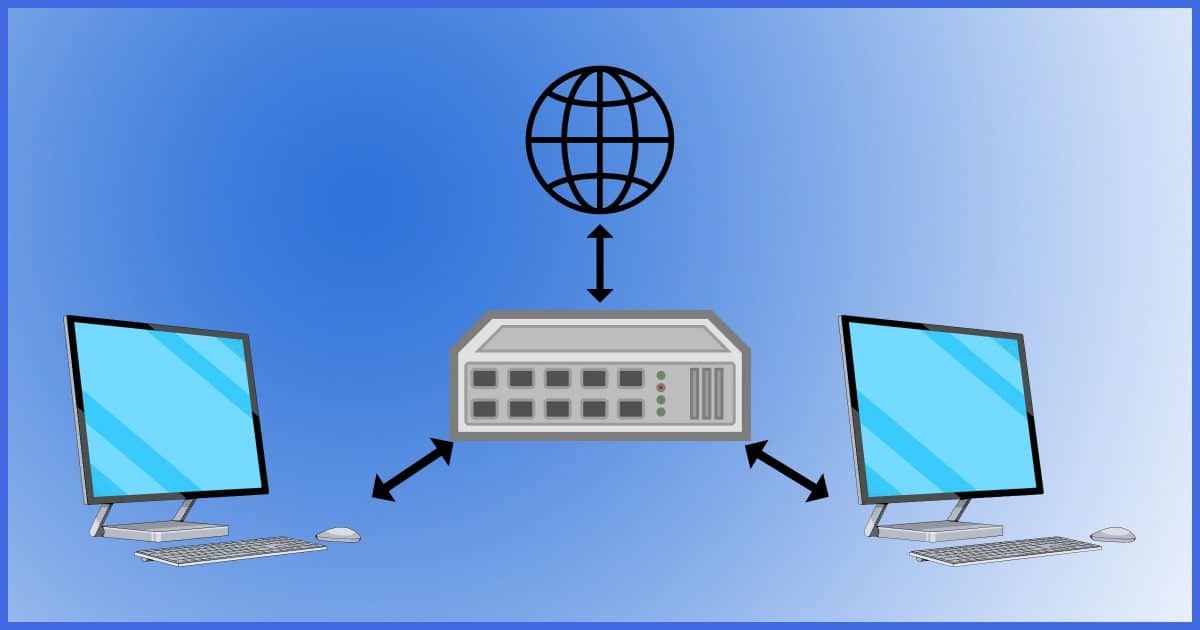
First, let’s make sure that the “hub/router” is in fact a router. They are different devices.
Most ISPs give you one and only one IP address. If you use a hub, then both computers are competing for the single IP address. Typically, the first one to request the IP address will win and be able to connect to the internet.
My hunch is that this is the problem because your symptoms match exactly.
The solution here is to ensure you’re using a router. A router will take that single IP address for itself and then hand out multiple local IP addresses to all the computers connected to it. It’ll do some magic (called NAT, for Network Address Translation) to make sure each computer’s conversations on the internet are kept straight. Another side effect of using a NAT router is that you are effectively firewalled and protected from several different internet threats.
The good news is that with the plethora of internet-connected devices these days, we’re all pretty much guaranteed to be using a router of some sort. Perhaps it’s provided by our ISP, and it may also provide Wi-Fi, but the bottom line is that if you’ve got multiple devices connecting to the internet successfully, you’re likely using a router.
Looking at the IP address
So let’s say you have a router. Let’s examine what your machines are seeing.
Open a command prompt and type “ipconfig /all”, followed by Enter. You should see something very much like this:
Windows IP Configuration

   Host Name . . . . . . . . . . . . : NOTENVMWIN10H01
   Primary Dns Suffix  . . . . . . . :
   Node Type . . . . . . . . . . . . : Hybrid
   IP Routing Enabled. . . . . . . . : No
   WINS Proxy Enabled. . . . . . . . : No
   DNS Suffix Search List. . . . . . : localdomain

Ethernet adapter Ethernet:

   Connection-specific DNS Suffix  . : localdomain
   Description . . . . . . . . . . . : Microsoft Hyper-V Network Adapter
   Physical Address. . . . . . . . . : 00-15-5D-0A-1C-03
   DHCP Enabled. . . . . . . . . . . : Yes
   Autoconfiguration Enabled . . . . : Yes
   Link-local IPv6 Address . . . . . : fe80::769a:91b1:42d:eda8%15(Preferred)
   IPv4 Address. . . . . . . . . . . : 10.1.10.238(Preferred)
   Subnet Mask . . . . . . . . . . . : 255.255.255.0
   Lease Obtained. . . . . . . . . . : Saturday, March 25, 2023 3:41:42 PM
   Lease Expires . . . . . . . . . . : Sunday, March 26, 2023 3:41:42 PM
   Default Gateway . . . . . . . . . : 10.1.10.1
   DHCP Server . . . . . . . . . . . : 10.1.10.1
   DHCPv6 IAID . . . . . . . . . . . : 100668765
   DHCPv6 Client DUID. . . . . . . . : 00-01-00-01-29-AF-13-D7-00-15-5D-0A-1C-03
   DNS Servers . . . . . . . . . . . : 10.1.10.1
   NetBIOS over Tcpip. . . . . . . . : Enabled
   Connection-specific DNS Suffix Search List :
                                       localdomain
We’re first going to look at the IP address assigned. This listing shows an IP address beginning with 10. That’s one of the address ranges reserved for private networks. IP addresses in these ranges are not valid on the open internet, but reserved for private networks. They are handed out by private network routers. There are three address ranges so reserved:
- 10.0. 0.0 to 10.255. 255.255.
- 172.16. 0.0 to 172.31. 255.255.
- 192.168. 0.0 to 192.168. 255.255.
For our next clue, we check “DHCP Enabled”. “Yes” implies that I’m behind a router and that the router has assigned me my IP address.
If instead you see “0.0.0.0”, “127.0.0.1”, or an address that begins with “169.”, then Windows was unable to get an IP address. “0.0.0.0” is no IP address, “127.0.0.1” is the machine itself, and a “169.” is an address that Windows will simply make up in order to have an address — but most things won’t work.
If you’re behind a router and you don’t get an IP address, then you need to confirm your physical connection, and more likely, your router’s configuration. DHCP, the IP-assignment protocol, can be turned off on routers; make sure it’s on.
If one of your machines get an internet address beginning with something other than 10, 172, 192 or 169 — say “156.” instead — and the second machine fails to get an IP address at all, then I’d bet that the first machine is connected directly to the internet and that router either isn’t a router at all, or its DHCP has been turned off.
An interesting test is to go to both machines and note the IP addresses they’re each using. Then on the machine that can’t connect to the internet, in the Command Prompt, type “ping ” followed by the IP address of the working machine. Chances are that will work, and indicates that the physical connections are all working. In fact, there’s even a good chance that pinging in the other direction (from good to bad) will work if the failing machine has had a 169. address assigned to it.
Do this
Make sure you’re using a router, not a hub. After that, it all boils down to reviewing your router’s configuration and the options associated with DHCP and IP address assignment.
This is stuff I talk about regularly, so maybe subscribe to Confident Computing! Less frustration and more confidence, solutions, answers, and tips in your inbox every week.
Podcast audio

Related Video


Comments are closed.