Where to look for the settings you can change.

Honestly, I’m not surprised.
Let’s review why it happens, what steps you might take to control it, and why you might not want to.
Become a Patron of Ask Leo! and go ad-free!

Adjusting laptop performance
Most laptops scale back on performance when running on battery to maximize the length of time before you need to be plugged in to recharge. Settings in the Settings app and in Control Panel allow you to adjust how performance is affected, if at all. Your computer’s BIOS may also have additional settings.
Running slower is a feature
Most laptops are configured to reduce power usage when not plugged into AC or line power. This is intentional, specifically to lengthen the battery life.
The two most common characteristics affected include:
- CPU processing speed. A faster CPU requires more power. While most laptop CPUs are already of the low-power variety, they may use even less when configured to do so.
- Display brightness. Depending on the type of display you have, it may be one of the more power-hungry parts of your system. Dimming the display reduces power usage.
Other performance aspects of your system also reduce power usage. In addition, the amount of time before your system automatically sleeps or turns itself off is generally different depending on whether the laptop is plugged in or not.
Windows settings
In the Windows 10 settings app, click on System, then Power & sleep.1 Scroll down and click on Additional power settings to bring up the Control Panel Power Options page.
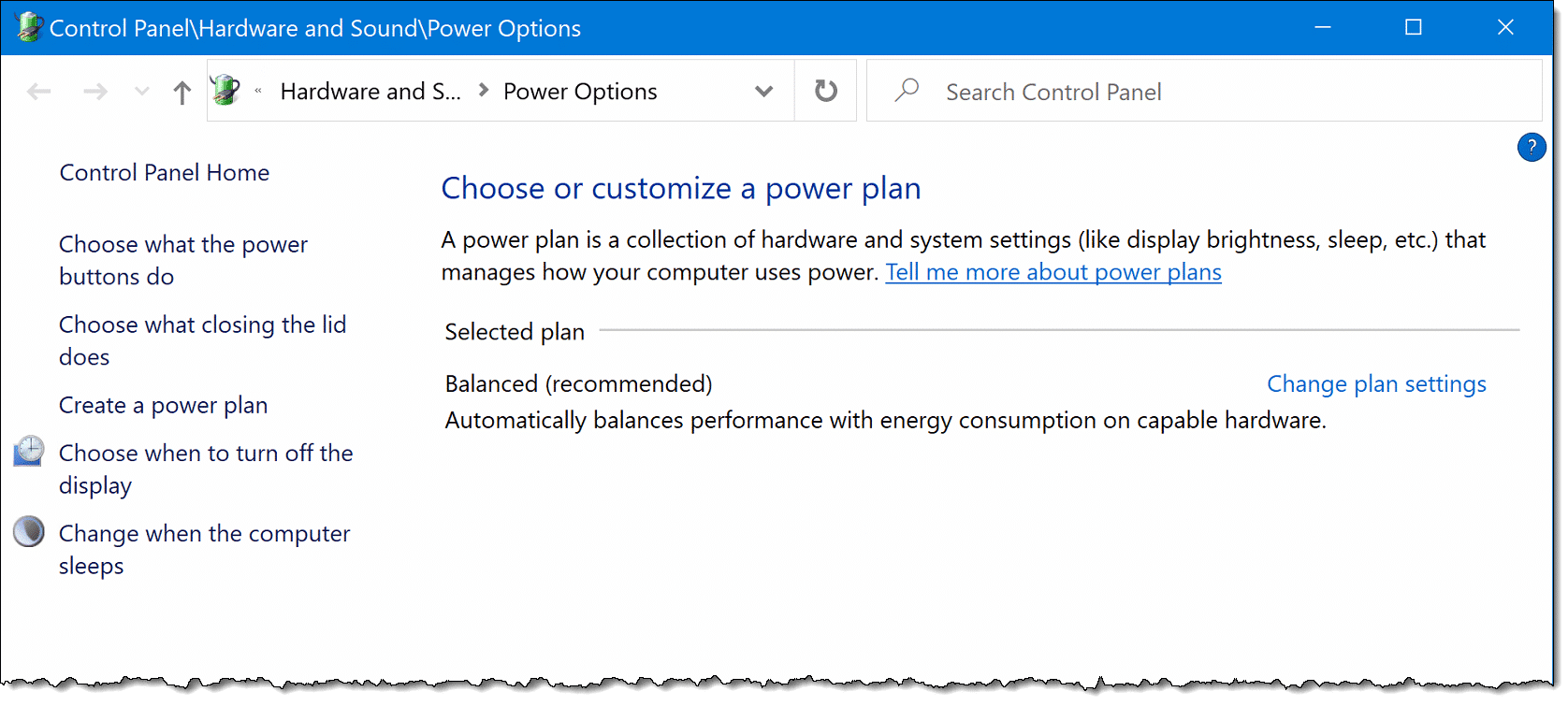
You may find one or more power plans listed. “Balanced” is typical, and attempts to balance performance with battery life. Additional plans often include one designed to maximize battery life and another to maximize performance.
Click on plan settings for the current plan and you’ll be shown settings controlling how quickly the laptop should go into sleep or hibernate (if available) modes and how quickly it turns off the display when plugged in and when not.

Click on Change advanced power settings for a more exhaustive list of things that can be controlled.
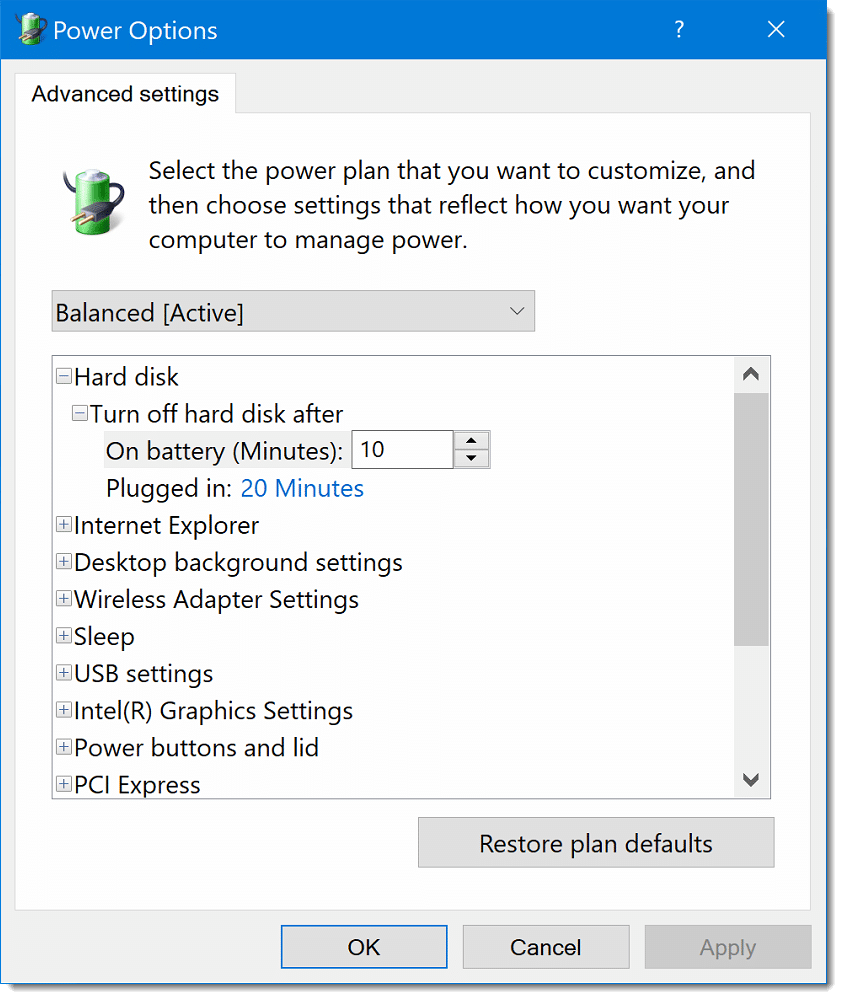
The contents of this list vary — often dramatically — depending on your specific laptop and installed options.
Examining this list allows you to see and control an assortment of settings that affect your power usage, your computer’s speed, and the amount of time it can run on battery. You may even find settings related specifically to video playback, as you mentioned in your question.
There’s one more place to look.
BIOS/UEFI settings
Some power-related settings are found in your computer’s BIOS or UEFI rather than controlled directly by Windows.
Unfortunately, since this will vary between computer manufacturers and models, I can’t give you exact steps.
You enter your computer’s BIOS or UEFI settings by rebooting and holding down a key, or by instructing Windows to reboot into the settings. Then look specifically for settings related to Power management or APC (Advanced Power Management Control).
These settings may allow you to further tune exactly how the computer behaves when running on battery.
The power / performance tradeoff
There’s no such thing as a free lunch — you can optimize either for power usage or for performance when running on battery. If you choose the latter, you may get the performance you’re looking for, but you’ll need to plug in to recharge the battery more often.
Do this
Subscribe to Confident Computing! Less frustration and more confidence, solutions, answers, and tips in your inbox every week.
I'll see you there!
Podcast audio

Related Video


Footnotes & References
1: In prior versions of Windows, you’ll want Control Panel and then Power Management Utilities.
Dell: Why Is My Notebook Performance Slow While Running on Battery Power?


Some manufacturers also include their own power management utilities to change the BIOS power settings. For example, my Lenovo system has a mfg. supplied applet called “Power Manager” to change the various BIOS power settings from within the Windows environment without having to reboot.