Yes, it does “just happen”.
That should make you a little nervous and perhaps motivate you to invest in that backup strategy you’ve been putting off.
The fact is, stuff happens. Things break. When things break, the failure can be catastrophic. Perhaps your machine won’t turn on. Failures can also be much more subtle, not showing up for weeks or months, or perhaps never.
Become a Patron of Ask Leo! and go ad-free!
Disk risk
This is mostly about the hard disk in your computer, but can apply to any data-storage medium. It’s not uncommon for a hard disk to develop or even come with a bad sector – an area on the actual medium that is somehow damaged.
Think of a bad sector as a typo in something you’re reading1 – but it can’t be fixed.
Sometimes it’s small or benign, and you can easily figure out what was intended. Other times, the typo is bad, there’s no way to understand what was said. In the worst case, the typo – perhaps even a tiny one – will render some key information or plot point completely unintelligible.
Where bad sectors come from
Bad sectors develop for a number of different reasons.
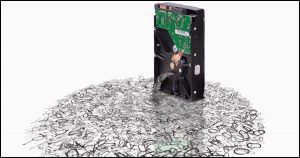
Magnetic media may come with a subtle flaw or a “thin spot” that simply wears out over time. Another common cause is motion – a disk drive getting banged around while it’s in use, and the read/write mechanism perhaps ever so slightly touching the magnetic material, which should never happen, and scratching it. This is one of the reasons that the more rugged laptop drives are also somewhat slower: the mechanisms are often built more solidly with motion in mind so as to minimize this risk.
 Optical media like CDs and DVDs degrade over time.
Flash memory, as used in thumbdrives and SSDs, is known to literally wear out the more it’s written to.
But regardless of these and other causes, it can and does happen …
… and data loss is the typical result.
Data corruption
Corruption is nothing more than data that’s supposed to be one thing erroneously getting changed to something it shouldn’t be. For example, data that used to be:
The quick brown fox jumps over the lazy dog.
might suddenly become:
The quick br�-t�?h�Z�O1E���-�Ca �f�E??IG�Gq+
Now, it’s one thing if the text you’re reading is suddenly garbled like that, but if that’s your financial data, or one of your installed programs – or even Windows itself – the results can be disastrous.
How corruption appears
Exactly how data corruption manifests varies dramatically based on exactly what’s been harmed and to what extent.
- You might never notice, because the bad sector is on some unused portion of your hard disk, or in part of a file you never or rarely use, or where the corruption is actually benign.
- In some relatively benign cases, you might get a “read error” or a “CRC error”, as the operating system detects that some form of data corruption had occurred.
- You might open a document to find its content scrambled.
- In more complex document formats (Microsoft Office documents are a good example), the program might not be able to open the document, due to corruption within.
- If the corruption happens within the file that contains a computer program (usually an EXE or DLL file), the program might not run at all, might crash when you run it, or might crash at some point when you access a certain feature that uses the instructions that have been damaged.
- If the corruption happens within the file system information – perhaps the information about what files are stored on the disk – files can disappear completely.
- If the corruption happens within the files that comprise Windows itself, Windows can crash or fail to boot.
- If the corruption happens within the master boot record, partition information, or other key areas of the hard disk, the entire disk may suddenly appear unformatted or empty.
As you can see, problems resulting from even a single bad sector’s worth of data corruption can range from being completely benign to a total disaster.
The good news in all this is that it’s not something that happens every day. Hard drives often run for years without a problem. But in a sense, it’s a game of Russian Roulette: you could wake up one morning with a dead hard drive. It quite literally has happened to me.
Prevention
So, how do you prevent corruption?
Easy: you can’t.
You cannot prevent a hard drive from developing bad sectors or failing. It happens. The best you can do is prepare.
What you can prevent is data loss.
The real “solution” is to know that someday, when you least expect it (and probably when it’ll be most inconvenient), it will happen.
The real solution is to be prepared with a complete and recent backup if your computer’s hard disk, your data, and whatever else is stored on any media that might fail (and by that, I mean all media). That way, when – not if – failure happens, you can replace the failed component (usually the drive), restore your files, and get on with your life as if nothing major happened.
Do this
Subscribe to Confident Computing! Less frustration and more confidence, solutions, answers, and tips in your inbox every week.
I'll see you there!


Gamma rays cause these sorts of problems. A friend proved it to my by pointing out that hard drives are not protect from gramma rays. Seemed reasonable to me :). It was the only reasonable explain for the problem I was having… :)
It’s possible, but only in very rare cases. Normally, the number of gamma rays that go through a typical house in a year can be counted on the fingers of a single hand, unless you live at 3000m altitude or higher. But it’s true that drives are not shielded against gamma rays, because it’s almost impossible without using very thick plates of lead, like about 1 foot thick or over 1m of solid, lead laden, concrete! Not practical and only used in some rare laboratories.
And, no, it was not the only reasonable explanation for your problem, whatever that problem was.
Some possibilities are: faulty area on the disk surface, a bad spot can have developed over time, several software glitch can also cause data corruption. Please keep in mind that those are only a tiny sample of possible causes.
If your friend had said 1,000,000+ other things that hard drives are not protected against or have insufficient protection on, would you also have believed them?
I remember when hard drives were vulnerable to cigarette smoke. We had a lot fewer head crashes when they banned smoking in the computer room :-)
There is an old “hacker” story that there are fundamental particles known as “bogons”. Bogons are capable of turning perfectly functioning software and hardware into malfunctioning software or hardware. This is because technological devices and products are “Bogon Sinks” (they absorb bogons). This “tendency to fail” is a trait called “BOGOSITY”. Sometimes those who write the software or design the electronics simply say it is “bogus”. It’s a reference to an inadequacy or tendency to fail.
Certain persons (who usually wear ties and suits, or military uniforms) are bogon emitters. When a bogon emitter comes by to examine the new software or hardware, the bogon flow between the bogon emitter (wearing a suit and tie), and the bogon sink (the software or hardware) causes the increased BOGOSITY within the tech device. Thus errors and failures happen at this time.
BOGON = fundamental particle
BOGOSITY = trait imparted by BOGON (tendency to fail, often spectacularly)
Tech = bogon sink; suits = bogon emitter.
My son has an Acer 3000, and suddenly it won’t power on at all. We have charged it for a long time, and tried it with and without the power cord, but it still won’t come up. Can you recommend anything to try that won’t cost anything? I am struggling right now financially. Do you know of any moonlighting jobs using your pc where you can work from home in the evenings or on the weekend?
How can I be sure that my backup isn’t copying corrupt files to begin with? Is that what the “verification” process handles?
30-Dec-2009
I believe that if gamma radiation (very high energy x-rays) can cause data coruption on a HDD you have a more serious problem. Your exposure to the same radiation.
As it is gamma should have no effect on a HDD.
Moving a drive while it is in use or dropping it can an most likely will cause problems as Leo suggested.
Again if you have a gamma source near enough that you think it could be causing your data corruption then you yourself are in some danger.
30-Dec-2009
It seems that a careless shutdown or accidental power loss can cause file damage…can you comment?
30-Dec-2009
Correct powerloss can cause data loss. Windows may not have flushed all of a modified file’s contents to disk even if you have done a “close” on the file (depending upon the details of how you opened the file). Thus, it is easy for a poorly timed powerloss to cause data you thought was hardened to disk to be lost. This problem should not exist for a shutdown, as the operating system knows to flush those buffers during that process. A good/professional programmer knows how to take steps to prevent such data losses (but most “programmers” are not good or professional in their profession ;-).
well, I see, yet again, you emphasise the point of ‘backup’. however, my question is, should one backup only the computer or laptop or even the online content such as, email IDs, social bookmarking profiles. & much more?
would my emails not be secure with a paid account with yahoo? should i sign up a contract with a third party site that claims to make a backup of all my online content? should i trust a site such as:
backupify.com
which is a recent entrent in the ‘data backup’ industry?
Your help would be really appreciated in the matter.
Thanks yet again for such a wonderful resource!
Frank, how in the world would a person be exposed to gamma rays in normal, everyday circumstances?
31-Dec-2009
Alpha, beta and gamma rays are everywhere around us. Part of these rays are coming out of the earth (e.g. alpha rays are emitted by the gas Radon which leaks from cracks in the shell of the earth) and another part is coming from outer space. Compare it to the light coming from the sun. Cosmic rays may contain high energetic neutrons, protons, electrons and so on. Some places on the earth are absolutely unfriendly to life and just as you may develop cancer after exposure to sunlight you may also develop cancer by breathing air with Radon in it.
As a scientist I do not suppose hard drives to fail by a normal exposure to the rays mentioned above–this story is probably an easy way out for someone who can not think of anything else. What about the rays used at airport security checks? They won’t kill a HDD as far as I know.
I always come across quite a number of crc errors and data corrupted every 1 out of 5-6 files I downloaded. At first, I could unRAR those files, but the next time I tried to do that, the files turned corrupted, crc errors or checksum does not match when I made a checksum file. Mr. Leo, would you mind commenting on this issues. Is my hard disk drive starting to fail or is it very common now that datas can be easily corrupted in hard disk after being kept for a period of time? Is there a way to minimize such problem as it started driving me nuts.
If you are getting that many errors, something is definitely failing. Get the ones you can read copied (aka backed up) somewhere else and keep trying the other important ones until you get luck in getting them read.
Time to get a new drive.
Toyota problems with highly computerized, wireless devices, voice activated automobiles of today??
One sure way to get corrupted magnetic media of any kind is to put it on or near the floor on an electric train, overground or underground. The motor under your feet generates a very powerful magnetic field and will corrupt the data on the media. If you’re carrying your laptop on a commuter train, keep it high off the floor. It happened to me a long time ago with a box full of floppies which were wiped clean on the London underground!
I had a serious HDD crash a couple of years ago and had to buy a new one. However, I managed to recover most of my files off the corrupt disk by using Acronis Disk Director on a bootable floppy. This package got me out of a very deep hole! I am very impressed by this software and NO, I do not have any connection with the company that produces or markets it.
There’s also the bathtub curve; basically, either the drive fails right away or lasts for years. Still, things can happen, such as dropping a laptop or a power surge or accidentally swiping it with an extra-strong magnet or dust getting through the filter and causing a head crash; and of course they sometimes fail for no obvious reason. However in general it goes by the bathtub curve.
Also, do redundant backups. If you only do one backup and that goes, you’re doomed.
You may like this little story as an epilogue to the problems of system crashes.
MANY years ago I worked as an engineer for the ‘worlds largest computer manufacturer’!? I was called in when our biggest system – based in Portsmouth – crashed at exactly 9 o’clock every morning.
We took the system apart and virtually rebuilt the hardware and software platform! With NO SOLUTION!
Then…. someone had a bright idea… The Royal Naval Radar testing station was in the hills about 2 miles away and above us and one of our managers phoned them to see if they were testing anything that might be causing problems!
30 minutes later a large group of Naval techniciams were secretly in meeting with our senior staff!
The outcome was that we encased our computer room in foil insulated shutters and the RNTS changed their testing to 2am-5am!! We had no problems after that!!
Draw your own conclusions?
Oh yes… it was NOT the hard drives that caused the failure but system boards! Nothing on the drives was ever found to be damaged.
In reference to the people talking about Cosmic Rays causing damage; you are CORRECT. It is one reason why ECC memory has been developed. In the unlikely event that a Cosmic Ray hits a stick of RAM, it may flip some of the “1”s to “0”s and vice-versa. ECC Memory works sort of like RAID 5 so that a hash is created for each piece of memory to ensure that when it is used, it has not been corupted by radiation.
I never had a single problem with file corruptions up until 2000s or so. Lately it has become an everyday problem.
Yet the first and a major cause is bad technology, bad controllers, and bad programming on modern system platforms.
It is impossible -or, at least >>was
The “system file” has gone missing because the system ordered/flagged it for deletion and it will get deleted during some later clean up process. Not because some disk cluster has suddenly become unreadable. Because a chkdsk would reveal that a cluster x in file xy is unreadable.
At least 70% of “files missing” and “files corrupted” are a result of programming flaws on the system. The file has become corrupted because: The system has written data in an occupied cluster arbitrarily. That’s why.
Other 30% are of course caused by a bad hdd surface and anomalies.
In my over forty years using and repairing computers, I have never seen a fatal failure of a hard drive. Just saying!
It happened to me once. That would have been one time too many if I hadn’t had a backup.
Oh, I have. On more than one occasion. :-)
Interesting to hear that: hopefully these days catastrophic failures are rare. My main hard drive went suddenly a few years ago when my house’s power cable was cut during road works. It functioned sufficiently afterwards to respond to data recovery programs (the best I tried was OnTrack Easy Recovery) but none, in general, were able to recover any of the larger files, even, I suspect, if they were not fragmented. Text-based files were a better prospect. I concur, of course, that back-up is best, preferably in more than one place. Experience has also confirmed that SMART warnings should be shown and heeded, and the affected drive backed up and replaced as soon as possible. I was recently taken aback to learn of a large company losing personnel records after the IT department ignored a notification of a SMART warning from a member of staff.
Happened here, too – no readily apparent explanation.
I’ve also been told by a computer professional to keep the tower off of carpeting – that the static can build up and affect the drive. True?
Static can definitely harm a computer. You can actually get anti-static mats to help with that.
Many years back, a neighbour asked me to repair their radio set, it being pre-WW2 and about 20 years old – both the set and myself.
I had repaired several similar sets and was accustomed to there being a some dust and fibre inside.
It was an old wooden or bakelite cabinet, gothic-arched to give plenty of air space for cooling of the valves/tubes.
This did not prepare me for this particular set.
When I took the back panel off, the interior except in the immediate vicinity of the Mains Dropper (for the valve/tube heaters) was filled with fluff.
It came out by the hand/fist-full, before I risked a vacuum cleaner.
—–
Coming more up-to-date, Nylon floor tiles were notorious for static, requiring frequent watering to dissipate.
One of our staff insisted on wearing nylon underwear, combined with having been a very competent typist.
This resulted in considerable problems with our ICL (UK) Termiprinters, between the static and also many broken ferrite cores, part of the reluctance circuits for the keys.
We had to ban her from using the Termiprinters – too costly.
Been repairing computers for 30 years and have definitely seen complete hard drives failures. On several units I have retrieved data by inserting them into a freezer for about 20 minutes, quickly hooking up unit to an adapter, spin it up, pull data off until it stops. Refreeze it, pull data off……..this works for about 3 times and then you are done. Other units when spun up, just make a ton of noise……..no data retrieval possible.
A very interesting approach and solution.
Thanks for the interesting topic of “file corruption” Leo. I do have some questions about this.
I have saved some “MP3 files” (tape recordings) and “Pictures” to folders on my desktop.
Initially the recordings and pictures were available and I could open them, but now i get error messages saying they can’t be retrieved or opened as connections are not available.
My file of “pictures” I initially saved to the desktop has depleted over time, so there is just a small fraction of the original pictures that were in this folder still available. (I have not deleted or removed them).
Files saved to “libraries” seem to be subject to this same problem of being retrievable for some time and then receiving messages that one can no longer “open” or “access” them.
These disappearing files are a source of great aggravation to me. Is the “desktop” or libraries insecure places to leave files? Is there a way to avoid pictures or files becoming lost or irretrievable? I do have these files available on “original media” sources, but I would like to use my computer in a way to prevent these problems from occurring, so I have more confidence in my computer to retain my files for future use.
Any useful suggestions, explanation, or solutions to this problem. Your advice would be most appreciated. I am running Windows 7.
I’m not exactly sure, but it may be the “Libraries” which are giving you fits. They aren’t really folders.
This article may help clear that up: https://askleo.com/just_what_are_windows_7s_libraries_and_how_do_they_work/
Thanks for your input. I did read through the article you provided on the libraries and do have a better understanding of how “libraries” work. I have tried to save my files on the “C drive” rather than in the libraries. The answer provided didn’t address the other issues with the “picture” and “audio files”.
The “audio files” weren’t stored in the “library” nor were the “pictures” so this still puzzles me?
The old “windows explorer” used to show ” file trees” where file locations could be easily identified and files could be moved using “drag and drop” but the newer program doesn’t seem to work in the same way or perhaps I haven’t been able to access this feature?
Is there a better file organisation and management tool available for identifying “file locations” and easily moving them? Perhaps my files have been moved to new locations? Any input on this matter would be greatly appreciated. Thanks.
If you save a file in a folder which happens to be in a Library, then you’ve saved it in that Library. The file tree structure remains effectively the same. The simplest explanation of a Library is that it is a shortcut or virtual folder which is composed of one or more physical folders. For example, you can have a Music Library which shows the contents of the Music folder under your user name plus the ..\{username}\Music folder under the ..\Public\Music folder. In addition, you can add the ..\Music folders from all users if you wish. The article Connie linked to explains it. You might have found the article a little confusing because somehow all of the backslashes (\) were removed, apparently, when the article was migrated from a different server. They’re fixed now.
I started with computers in 1986. Mt first computer was an IBM PC, which had a 30 MB hard drive, with a 1 year guarantee. The drive failed 1 week after the year was up, and a replacement IBM drive cost me $600 including the installation. Hard to believe – $20 per MB
Over the years since then involving numerous computers, I’ve had about 5 hard drive total failures, the last one of which was an OCZ SSD drive in 2011. Since that time the only failure was the replacement drive for that SSD drive, which was then replaced with one which is still functional.
I have had failures of new HDD drives from Seagate on several occasions when I was building a new system so since that time I avoid Seagate, and stick with WD for HDD drives, and Samsung for SSD drives. The Seagate HDD drives failed out of the box
Backup -BACKUP!! If you’re worried about loosing vital data use multiple places; an external HD, thumb Drives, DVDs, tape backups. Something! and enclose it it a lead-lined container to stop the errant gamma rays. That will, at least, give yourself some sense of protection. Really, S&%t Happens and it’s best to expect that nothing lasts longer than it’s Use-By-Date. Deal with the fact that it WILL happen and be ready.
Forget the lead lined container. A fireproof safe would be more useful. Maybe a tinfoil hat for the gamma rays :-)
“A fireproof safe would be more useful.” – It’s important to note that not all fireproof safes provide the same degree of proofness. During a fire, the internal temperature in a fireproof safe that’s designed to protect paper and documents may reach a level that will damage a hard drive or other electronics (which are less tolerant to heat than paper). It’s all down to the rating…..
I believe you missed my emoticon. I was being sarcastic. If cosmic Rays (pun intended) could damage a hard drive, the human race would have perished from cancer.
No, I didn’t miss the sarcasm :) I was referring to the fact that not all fireproof safes are equally fireproof. People very often do not realize that a safe that’s designed to protect documents from heat will not necessarily protect hard drives or other electronics. For example, a UL Class 350 safe will keep the internal below 350 degrees during a fire. That’s okay for paper, but not okay for hard drives or other media. To protect those, you’d need UL Class 125 safe.
https://en.wikipedia.org/wiki/Fire-resistance_rating#Tests_for_fire_resistance_of_record_protection_equipment
Actually a respected friend well versed in such matters points out that cosmic rays can, and do, cause problems for electronics and there’s no reason to believe it’s not the same case for hard disks. It’s not frequent at all (hence the human race point you raise :-) ). But it can and does happen.
Indeed: “Studies by IBM in the 1990s suggest that computers typically experience about one cosmic-ray-induced error per 256 megabytes of RAM per month.”
https://en.wikipedia.org/wiki/Cosmic_ray#Effect_on_electronics
Which is why electronics should be housed in tinfoil enclosures :P
Perhaps a tinfoil hat for the operator as well?
@Connie: Of course. That goes without saying.
When one has seen the amount of magnetic material “ripped” from the tapes in the earlier tape drives etc, then the possibility of similar happening in HDDs is more obvious, acknowledging that in the HDDs, the heads are designed to “fly” above the magnetic coating normally, where-as tape drives relied upon constant contact, the removed material requiring frequent cleaning of the heads.
But as others have mentioned, bumps etc can cause occasional, brief, intermittent contact in the HDDs.
I backup my data in a batch file with robocopy, copying files that are more current than the backup copy. Is it possible to add a verification stage to this procedure? If so, how? I ask because I noticed one comment about corrupt backups, saying that if the drive is corrupt the data will likely be read differently each time. Thus, the data verification stage should catch that the backup is different than the original. I don’t have a data verification stage. My only verification is to run robocopy a second time – not to copy the data, but to report discrepancies. It only checks the file path and name and the time stamp, so it would not catch a file that was not copied properly (AFAIK).
Good article. I noticed that you added a media at the bottom. I like it.
But why are we not noticed at the beginning of the article? It’s kind of useless this way cause I have read the whole article.
Nice future but pointless this way.
I’m looking forward for your next article.
People can actually subscribe to the podcast from their favorite service: iTunes, Android or RSS. That way you get the podcasts first in a very convenient way.
Actually, I had more MT flashdrives when I change O.S., as the newer system will not read what was written by the older system and my drive shows 0 files.
When I take the USB back to the older computer, it has no problem reading it and the stick is full. It does not always happen but there are occasions when such is the case. This is when the “quotes” come out that would make a sailor blush.
It is ALL ‘typed words” or many, many hours(days,weeks) of typing.
So, for it to disappear in a Flash is to say the least, disappointing.
You should never trust a flash drive with the only copy of your data. In fact you should never trust any drive, internal or external with the only copy of your data, anything bad can happen, and according to Murphy, anything bad that can happen will happen. But flash memory is worse, it really can disappear in a flash. I never use flash memory for anything but transporting data. If it’s for an important purpose, I’ll carry a duplicate on another flash drive. In other words back up.
This is also why we back up.
Hello!
Thank you for explaining the reason.
My question is can this problem occur in a brand new hard disk?
I bought a new hard disk for the same above reason but buying a new one didn’t suffice.
What can I do?
It’s definitely a possibility. It’s rare, but devices with defects do happen. If it’s defective and under warrantee, bring or send it back for a replacement.
New hard disks can come with bad sectors, and if software is corrupting data that, too, can happen with a new hard disk.
having problems with my computer was downloading windows 10 at the time and then i do not know if this is a coincidence or not but the next time i turned on the computer wouldn’t do anything just said preparing auto repair and no nothing.secondly if something was every spilled on a computer is the computer fried?thaanks for any help
The computer is not “fried”. You may need to reinstall Windows from scratch, or restore to an image backup taken prior to this problem.
Is it also possible that a bad sector is the magnetic field (for that sector) dying?
Magnetic fields don’t die in and of themselves. But it is possible that the surface of the platter has developed a damaged spot where the magnetic material has been scraped down or scraped a little, resulting in a reduced magnetic field.