Nothing lasts forever.
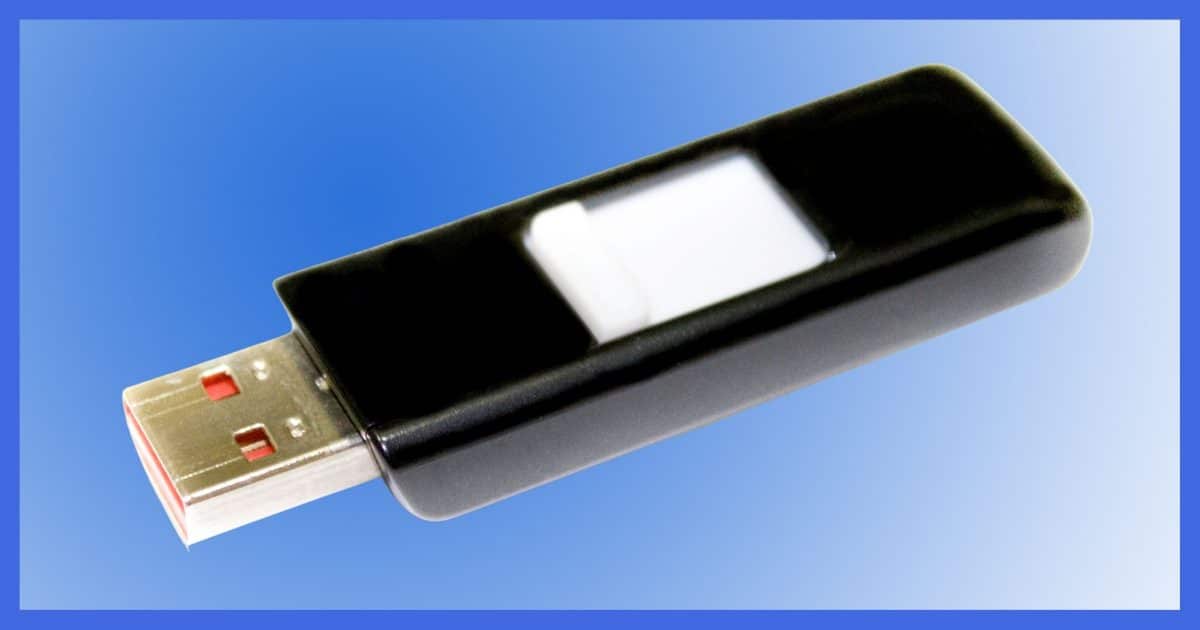

I have a database application that I share between multiple computers. We keep the database itself on a USB flash drive and simply move that drive to the other computers as needed. The database is never copied off the flash drive; we just update it in place. Seems very simple.
A friend of mine just told me that I am asking for trouble. He said something about flash drives “wearing out”, and that sooner or later, probably sooner, the data on my flash drive would become corrupt. Is that true? Do these USB drives actually wear out?
Yes.
I strongly recommend that you back up the drive’s contents sooner rather than later. You should also rethink how you’re sharing data.
Inexpensive flash memory, the type used in USB flash drives, memory sticks, and other devices, is very, very cool. But there is a dark side people don’t talk about much.
Flash memory “wears out”.
Become a Patron of Ask Leo! and go ad-free!

Flash Drives Wear Out
Inexpensive flash drives are not appropriate for high-write usage because they wear out the more they are written to. SSDs, also based on a type of flash memory, are generally more expensive, higher quality, and will probably outlast the useful life of the machines in which they’re used.
Putting the flash in flash memory
Flash memory chips are so-called because in order to write to them, the memory is loaded, and then a signal is sent to the circuitry saying “remember this”, kind of like the flash on a camera.1
Once the memory has been “flashed”, power can be completely removed and the memory will retain whatever was written to it.
The problem is, memory can be flashed only so many times. When the limit is reached, some portion of the memory may not properly remember what was written to it.
It may only take a single bit of information to be wrong or to “wear out” for the entire contents of a flash memory chip to be lost.
Error correction and wear leveling
Flash drives have a couple of features to try to avoid wearing out.
Their memory chips often include circuitry to avoid “bad bits”.
If a portion of the flash memory finally wears out and goes bad, the chip itself can compensate. It looks to the user like everything is fine.
Another approach is called “wear leveling.” This spreads the use of flash memory across the entire device even if you’re only writing to the same spot in the same file every single time.
But these techniques only postpone the inevitable.
In your example, you’re using your USB flash drive in perhaps the worst possible way for longevity. Database applications write to the disk a lot as tables, fields, indexes, and the like are updated. Even if you don’t write or update information in your database, the files may be updated with things like “last access” information and other administrivia.
The result is the USB flash drive is being written to. A lot.
With all that writing going on, reaching the failure point of some random bit or bits in the flash memory stick doesn’t seem very far-fetched. Remember, in the unluckiest case it might only take one worn-out bit of information to render the entire contents unreadable.
Using inexpensive flash memory
The best use of USB flash drives and other flash memory-based devices is simply copy-to and copy-from. Copy the information to the thumb drive to store it, copy it from the thumb drive to a local hard disk to use it, and then copy it back to the thumb drive to store it.
Never run disk-intensive applications directly against files stored on inexpensive flash drives.
You may find that your application speeds up when you copy your database to the hard disk for use. While reading flash memory is typically quite fast, writing is not.
If you really need external storage, there are plenty of external hard drives that could do the same job without the write limitations. Or perhaps a networked solution is the way to go.
Back up
Knowing that inexpensive flash memory-based devices will wear out eventually, there’s one other thing you need to make sure to do: back up.
If you keep your only copy of important data on a flash drive, your friend is right: you’re asking for trouble. It will wear out eventually, and your data will become completely unrecoverable.
Remember the “golden rule” of backing up:
If it’s in only one place, it’s not backed up.
If your data exists only on a flash drive, its days are numbered.
What about SSDs?
SSDs, or Solid State Drives, are indeed based on flash memory. And yes, they will wear out too.
Just not as quickly.
There is a difference between the “inexpensive” flash memory I’ve discussed and the flash memory used in SSDs.
USB thumb drives and CF, SD, and microSD memory cards are all relatively cheap. The type of flash technology they use is, as I’ve described, susceptible to wearing out if written to “too much”, and can wear out from regular use over time.
Not quite so for SSDs.
SSDs use more expensive flash technology and are engineered differently than their inexpensive cousins. Even as prices come down, the technology remains different and is often physically larger.
The same problem still applies: an SSD will wear out, it just takes a lot longer to do so. In fact, it’s not unreasonable to assume an SSD used as the primary drive in a computer can outlast the useful lifespan of the computer itself — again depending on how it’s used. It’ll wear out eventually, but you’ll likely have moved on to another machine before that time.
Do this
Remember that any media can and will fail. The differences we’re talking about have to do with how quickly on average the failure will happen. Again, based on use, traditional spinning hard drives and SSDs will significantly outlast inexpensive flash drives.
And you need to be backing them up.
All of them.
Use flash drives appropriately. Use SSDs for your systems when it makes sense. Back up everything, and then subscribe to Confident Computing! Less frustration and more confidence, solutions, answers, and tips in your inbox every week.
Podcast audio

Related Video


Footnotes & References
1: In all honesty, I don’t know if modern flash memory uses this exact technique, but it remains a fairly accurate metaphor for the process.


One other issue with USB thumb drives. The connector on the end is a high stress point. There are reported cases where it breaks internally. When that happens, your data is inaccessible!
I recently blogged about this and had a good amount of feedback from readers regarding the debatable lifespans of flashdrives with some of them saying that most modern USB drives had algorithms which were intelligent enough to spread out the usage patterns, and also separate bad sectors to minimise the chances of the flashdrive completely dying anytime too soon. Check it out here:
http://friedbeef.blogspot.com/2006/05/can-usb-thumbdrive-wear-out.html
Hi,
I need some guidance and introduction into using USBs for carrying my application. The application that I am developing would be loaded on a thumb drive without actually having to upload anything on the host computer. With an internet connection, all the data written to the thumb drive should be transferred to a server database.. Any help will be appreciated.
What you’re suggesting isn’t that difficult. Just minimize writes to the USB drive. I’m not sure what other pointers you might be looking for.
Hi,
I am new to the world of portable applications on USBs.So I need a little guidance.I am exploring of developing a portable application on a thumbdrive, which can be connected to a computer and can transfer data to a server database. It would be a standalone application probably developed in java.
Now, I have been going through a lot of articles on the internet. They talk about thumb drive, U3, Ceedo. What would be the best option?can you tell em teh pros and cons of all these options available and what would be the best for my kind of application.
Thanks
Annie
If you are able to format your USB drive with NTFS (not all systems support this), data on the stick will be “safer”. Note I said safer; safer then FAT or FAT32 storage.
Hardware failure cannot be circumvented; however good care of the USB stick will assist in “increasing” it’s life span.
Ordinary USB stick drives will “crash” sooner then an average hard drive. A backup copy, or rather copies, on various media is or are essential.
Personally, I backup critical managable data onto 2 different computer drives (on different computers), also to DVD and items small enough also get zipped and emailed to myself.
Is there any software that will test a thumb drive for remaining life / failing cells / etc?
—–BEGIN PGP SIGNED MESSAGE—–
Hash: SHA1
Not that I’m aware of. You could try CHKDSK /R on it, perhaps.
Leo
—–BEGIN PGP SIGNATURE—–
Version: GnuPG v1.4.6 (MingW32)
iD8DBQFF44KyCMEe9B/8oqERAnMoAJ4qwLk+s3Tdj4lUMNTpjmCAydFM8gCeN8hk
TjelzGXS2LfI0L3AeM8e1TM=
=EQch
—–END PGP SIGNATURE—–
I have a USB thumb drive problem. Just bought a new one 3 weeks ago. I cannot move files to it any longer, the message comes up as “the directory or file cannot be created.” I can move the file into a subfolder already on the drive but cannot move it into the drive itself without putting into a subfolder. Also, I cannot rename a subfolder in the drive. I had the same problem on a previous USB drive, bought a new one and all was OK for about 3 weeks, then it happened to the new drive also.
thanks, Tri
Yap…it can be quite headache with Thumb drive. I can see my files in the USB drive,but when I try to open or copy them out to another drive, it could not.
I could not even defrag it. any solution?
I would think that in normal operation users would be more apt to lose their data in a laundry cycle than write as many times as needed. Backing up these devices is sage advice, but there isn’t a need to throw them out (unless it is with the wash!)
Heck, Microsoft even encourages the use of USB Flash memory as extended RAM/pagefile in Vista.
http://www.microsoft.com/windows/products/windowsvista/features/details/readyboost.mspx
Like the previous poster Vista’s ready boost system has always worried me from the point of view of wearing out the USB flash drive. I always believed that USB memory sticks had a limited read-write duty cycle and presumably using readyboost means that data is being written to and from the drive at a very high frequency?
We really need to get someone from the flash drive industry to comment on this as increasingly we seem to be heading for solid state disk drives like the optional one in the Mac Air. If these drives are comprised of the same flash memory as USB sticks then presumably they have a limited life span that may be much less than the equivalent hard disk.
Don’t get me wrong I want solid state technology as it peeeves me that in the year 2008 we are still using storage that has to spin at 7500 rpm or faster and they are the cause of so much noise, heat and power consumption. Flash drives are better in every respect … except perhaps one??
Twice I have killed thumb drives when using them to move data from a MAC to a PC. MAC USB devices are not hot-swappable and if you forget to “eject” the device it can not only destroy data but render the device forever unusable. Neither the MAC or the PC now recognizes the existence of the drive(s).
Everyone uses ReadyBoost as some kind of counter example, and it’s not.
Regardless of the terminology used, ReadyBoost is NOT, repeat NOT a paging file in the traditional sense. It’s much more like a dynamically tuned pre-load cache, where Windows can *read* things from quickly as much as it needs to.
Readyboost does NOT *write* to flash ram excessively – it only updates that pre-load cache on a kind of as-needed basis.
I’ve heard of one person actually putting their real Windows swapfile onto flash memory. It lasted about two days before the flash drive died. And yes, died as in throw it away dead.
I stand by my statement: flash memory wears out. It’s getting better, lifespans are increasing, technologies are being developed to avoid wearing it out any sooner than it has to, but the bottom line is that writing to flash memory wears it out. The more you write, the shorter the lifespan, as simple as that.
Leo
1. The person who could write to subdirectories but not the root – maybe your root directory is full; try (moving everything out of and then) deleting a directory. There’s a finite number of entries allowed in the root in many filing systems.
2. Hard disc bits fail too! It would be interesting to hear some how-many-writes figures for them (and maybe other technologies – ISTR CDRWs aren’t very high), to companre with the 10k-100k that seems to be being bandied about for flash.
A quick search reveals that SLC flash has 100000 and MLC flash has 10000.
There is almost NO need to worry about wearing modern flash memory out.
If I format and rewrite the ENTIRE flash disk twice a day, it’ll last for more than 13 years with a cheap (read, common) MLC USB flash disk.
In any case, USB flash disks ensure that the wear is even, not concentrated. So it’s not 10,000 writes; it’s much, much less dramatic.
Use your USB as much as you like; it will be obselete before it is ruined.
Comment and questions. Well, everything dies eventually. For flash drives, other factors may present risks, too. I have lost all info few times just because I did not have patience to wait until XP would allow to EJECT/ disconnect USB drive from USB port. That I believe would be the major cause for failure – but drives would work after re-formatting; some recovery software would even let me save some files. I carry my drives with my keys in the pocket of my pants – such a location where they are exposed to mechanical impacts, heat, cold, moisture, electric and magnetic fields from different, at times very powerful sources; you bet this can be damaging, too. [And I’ve found that data can be lost even from recorded CD-R(W)s or DVD-R(W)s, if the media is not very high quality or not fully compatible; if recording speed or conditions are not good…]
Any technology is imperfect; I try to backup my USB drive onto an external USB or eSATA drive and on recordable/rewritable media, mostly DVD+-R as they are cheap now. And I try to be wise, prepared and “anxious for nothing”.
MY QUESTION WOULD BE
J. P. Gilliver is not completely right, as he forgot the point that live database usage can do thousands of writes in one day.
Here is a more important question: Do flash drives manage bad blocks like modern disk drives? If not, they are getting large enough that they probably will start to support SMART testing.
17-Jan-2009
this is just shocking, now i know the reason why my flash drive get many serious problems, when i put the flash drive connected to the computer, i just open my drive and directly run my applications stored in the flash, since the application writes and updates the data in my flash, that’s the problem, i had just ran out of write limit of the flash drive, you know, it has so many bad sectors today, i bought last year, yeah, you’re right, why don’t we just take out a large data storage for more safe and secure data to bring, ready to make a space for a hard drive in my bag, lol, thank you, this is open-minding for a amateur programmer like me
If these new SSD drives use flash memory, will they also become corrupted quickly from the constant writes?
I keep thinking about jumping to SSD as the prices drop and the sizes jump, and the biggest attraction to me is not the blazing speed (that is nice too), but the peace-of-mind from not having to worry about the old fashioned platter-spinning drives physically crashing.
However, after reading all these comments, it sounds like I’ll be lucky if an SSD drive can last a year or two as the main drive on my computer before all the little bits start blowing like fuses.
Do these SSD drives use the same type of flash memory and what kind of life expectancy can I expect. (OZC’s latest SSD drive says 1.5 million hours mean time before failure or MTBF, but now I am wondering what that spec measures – is that all time spent reading data and none spent writing).
If the little bits are all being flashed into oblivion will I even get a fraction of that 1.5 million hours? Should I hold off with SSD drives and embrace my good old platter-spinning drives for data integrity and longevity for a while longer?
22-Feb-2009
Extremely interesting subject. I heard someone say the Eee computer from Asus (and other me-too products) did not have a hard disk, only flash memory. I just browsed through the Asus website, but did not find a confirmation. True, not true?
12-Mar-2009
the flash can not be read from any computer. They do not recognize a new storage device (the red led on the flash is not on) . is the flash drive gone for good or can it be saved?
I’d rather see some information from the manufacturers on this. Wear-leveling is supposed to be built into the memory controller, so it automatically takes care of wear, and only writes to parts that haven’t been written to too many times. One would presume that it would also double-check everything it’s written to make sure it can be read correctly, and mark it as a bad sector if it doesn’t read back what it wrote.
Yeah, they wear out, but I’m skeptical that you would actually lose any data because of it. In a well-designed product, the available capacity on the drive would just decrease over time.
“Diskeeper Corporation” has a reference in it’s settings for Diskeeper 2009 that says it has technology to help flash units from becoming error prone and suggests that longevity can be attained by using their defragmenting technology.
If it “flashes” the drive as you say, defragmenting would reduce longevity, no?
I’m not questioning your guruness, O Mighty Leo, but this seems to be a contradiction. I don’t know enough about it, just what I read.
My 2 cents CDN.
I use USB drives pretty regularly with some pen drive apps, especially T-bird and Firefox and a few recovery tools I use to fix peoples computers like Bart-PE, Ubuntu and file recovery stuff. I haven’t had any problems but I keep a folder on my hard drive for each USB drive and back up regularly. No hardware is immune to failure. My only loss would be the $10 I invested in my stick.
Here’s an old classic:
Yesterday,
All those backups seemed a waste of pay.
Now my database has gone away.
Oh I believe in yesterday.
Suddenly,
There’s not half the files there used to be,
And there’s a deadline
hanging over me.
The system crashed so suddenly.
I pushed something wrong
What it was I could not say.
Now my data’s gone
and I long for yesterday-ay-ay-ay.
Yesterday,
The need for back-ups seemed so far away.
Thought all my data was here to stay,
Now I believe in yesterday.
Cute!
I’ve only had my 8gb kingston thumb drive for a short while and havent used it for much, the occasional word document or so. But as if overnight, I don’t know what happened, but now my thumb drive has been reduced to the capacity of 4mb! and also says that it needs to be formatted. I used some partition making program provided by kingston so i don;t know if that screwed up the thing or maybe its somehow this ‘wearing out’ phenomenon. I’ve formatted it but it still remains on 4mb capacity! What could have happened?? I don’t recall doing any thumb drive no-nos recently…
05-May-2009
They have error protection and will attempt to block out bad blocks and work around the problem.
To remove a “Fash Drive” from my computer, what do I have to close?
Thank you in advance.
Arthur
hi , i have a usb flash memory ,that i forgot the password , and i dont want to reset the passowrd coz i have information in it , i broke it by accident ! and i was wondering if thier is one basic part or piece in the usb that is responsible for saving the information? in that way if i could take this part and put it on other usb ???
My experience with USB memory is this:
I have never thrown away a Flash USB memory stick because it lost data. Ever.
I HAVE thrown away one USB stick because it lost data, but that contained a ‘compactflash’-sized 4Gb hard disk drive (I bought it because it was twice the capacity and half the price of flash USB available at that time. I won’t buy another like it).
I HAVE thrown away USB memory for other reasons though.
The most common is physical damage. The stick gets sat on, or chewed, or gets mangled in the washing machine. The next most common is storage. As software and technology gets more amd more complex, the amount of storage you need spirals out of control.
i have an old pentium 4 2.26 cpu with 256 ram. the ram runs at 266mgz and the HD is 7200 rpm. will this flash memory speed up my computer? i really don’t give a flying frigg if u call it flash memory flash ram hyper boost enema blast or any other numbchuck geeky term. all i wanna know is will it make the dadgummed computer run faster?
27-Oct-2010
I’ve used flash drives for about four years now without a hitch. I used to back up to CDs, but flash drives obviously can’t be scratched, have much greater capacity for a good price (especially now) and are easier to use and store.
After reading this I became concerned. I use Corsair Voyagers, and found a Corsair PDF that says they can indeed wear out (gasp!) but they use dynamic wear leveling, which gives their flash drives long life. According to them, one would have to write to every block of the drive to constitute an overwrite, and, for a 8 GB drive, overwrite 21 GB of data every day for 10 years to have a chance of wearing out the flash drive. Even if one overwrites 100% once a day to back-up, the life span would be at least 25 years.
It all depends on how you use it. Personally, as Leo suggested, I never have anything on a back-up flash drive that I don’t already have on a hard drive, and it would be outrageous for both to fail at the same time. On the other hand, it seems to me the article is a bit alarmist.
07-Nov-2010
I don’t see anything “alarmist” in telling people to back up their data. It doesn’t matter if it’s an a flash drive, CD, DVR, Hard drive, SSD or even an old floppy disc. If you can’t afford to lose it, it should be backed up somewhere, preferably 2 or 3 places.
I have a 16Gb usb flash drive that i use everyday.
Its about 2yrs old.
It recently self destructed.
The master file record was corrupted
as well as some other files.
CHKDSK etc did not help.
Reformatting did not help in either NTFS or FAT.
Luckily i make backups…..
Gonna do some bashing here … but I have had several USB Flash Drives go bad … one day … just nothing happens when I plug it into the computer. And in each case, it has been a Kingston Brand Flash Drive that has failed. All others, no problem for me. Is it just coincidence? maybe, but since I’ve had 3 Kingston drives fail, its doesn’t seem very likely.
Leo, does scanning a USB thumbdrive with an anti-malware software cause the thumbdrive to wear out extra fast? (I recall you saying that writing to memory causes the flash memory to degrade, but reading does not, so I’m guessing the answer is “no” — but I’m not really sure what an anti-malware scan involves.) Thanks…
19-Apr-2011
Leo are you saying that one corrupted byte of information can render whole thumbdrive useless? I assume not, because if that was the case then SSDs would not get invented.
23-Apr-2011
What do you mean by “wrong byte”?
24-Apr-2011
Leo, in your April 24, 2011 reply to Boris C., your last sentence states that “as soon as one byte goes bad you should immediately assume that all data on the device is tenuous.” That almost sounds like a user, at times, can tell when one or more bytes have become bad on a thumbdrive. If so, and assuming the entire thumbdrive has not yet become inoperable, what are some warning signs that a byte or two have become corrupted? Thanks…
@Yeppers.: If you have a file that appears corrupted or a program that won’t run, it’s possible that one or more bytes have been damaged. To see if you have any bad sectors:
Open “My Computer”
Right click on the drive you want to check and select Properties
click on the Tool Tab
Select Check Now under Error Checking
check the box which says Scan For And Attempt Recovery For Bad Sectors
Josh actually killed a 1G Sony Microvault USB Flash Drive in 2008 by writing but it took 90,593,104 (that’s 90.5 million) writes for the drive to die. The Flash Drive was unable to be written to any more but could still be read from. I don’t know how the life of this Flash Drive compares to others but am sure the technology is improving. I do like flash media and trust flash media but still back up anything impotant. For full details check out Josh’s Blog article.
My experience has been that the device becomes
un writable, but still readable. both for sticks and
cards. I copied the data and sent the media to
the manufacturer for a warranty replacement.
Is it okay to play mp3 files by directly double clicking on icons on the flash drive. Or should I copy them first to my hard drive and then play them. Is there any disadvantage associated if I play the mp3 files directly from the flash drive.
@Lancaster
There should be no problem playing mp3 files directly from your flash drive. Writing to the flash memory is what wears it out not so much just reading from it. And playing music only reads the information once for each play,
Would it help to re-format the USB stick ?
30-Sep-2011
I have used USB drives daily for several years, moving data between 3 computers in different offices. Most recently I have been using 64GB Corsair Survivor GTR and Voyager GTR USB drives. I have had more than a half-dozen USB drive failures. The USB drives consistently die by 18 months of use despite obsessive attention to unplugging rituals. When they die, it is immediately evident when plugging the USB drive into the computer: the blue activity light blinks continuously on the USB drive and the computer recognizes a lettered drive but no content. This failure pattern has not changed with size drive / evolution over the last 5 years. Occasionally there is a warning of impending failure (continuous blue light blinking can be reversed after powering off computer), but more commonly, failure is abrupt. I think the millions of hours before failure quoted for USB drives refers to testing in which the USB drives are continuously plugged into the same host computer. I think the chance of failure is highest when plugging and unplugging: static, voltage transients, etc.
Would love to see data on number of real-life plugs / unplugs of a USB drive prior to failure. And even better: a module on the USB drive that interfaces with the computer but is separate from the memory – and can be replaced independently from the memory!
I don’t think the number of plug / unplug cycles is going to be that significant. In one USB ‘pen’ drive test I saw online, the techie managed to get total failure under 8 hours without ever unplugging the device (he assigned the windows swap file to it).
And I have seen USB drives with removeable memory – they are called ‘card readers’. I’ve even seen one where you can plug in up to 4 seperate 32Gb ‘camera’ type memory cards to create one raid-style drive across them.
“Administrivia” Keh?
I’ve bought a half a dozen or more Nexxtech 16Gb flashdives in a period of a year from $10 – $20 (depending if they where on sale or not) three are already dead. A couple I can access on certain computers but not all (still trying to figure that one out) – I do not trust them for long term or important storage. And I haven’t used any of them very much. They do wear out, heavy use or not.
Hard drives have mechanical motors and other parts that can wear out. Does anyone know if I can read the data on a failed flash drive. I have not lost one, yet. Why is data recovery so expensive on these things, too? A clean room is not needed here, or is it?
If you haven’t had a problem with a flash drive, you can assume you eventually will. The solution is to be proactive and keep one or more backup copies of all of your data, for both your mechanical and flash media.Recovering the data from a defective drive can be prohibitively expensive and in many cases the data may be unrecoverable.
Steven:
Maybe 15 or 20 years ago, hard drives were made with the end of the main shaft sticking out of the case. I repaired several of them by just putting a drop of light oil on the shaft. That was all that was needed to get years of further use. They are not make that way anymore but I can’t help but wonder what a drop of oil could do if you could find the shaft. I also opened up those clunky inch-thick cases sometimes and freed up the write head. Or freed the disc to rotate. No clean room. I blew any dust off (your lungs are good at making dust free air). The drives worked fine after that. What if drives were made today to open up, allow you to remove the platters and put them into a new drive which could be a special repair drive. That could probably save a lot of data. Not every failure is a scratch on the media and a special repair drive could have special features. But this country believes in maximizing waste whenever it can so you will be told to just throw it away, as though that were possible. And your data with it. They don’t care. The manufacturers are happy to sell you a new drive. There are many more repair options that could be designed in to every product including HDD’s.
Bob Rankin had an interesting article in today’s mail about SSD’s life expectancy. They aren’t really flash drives that are discussed in this article, but they are similar aren’t they?
I’ve also been having an error message on my Kindle every time I download a book via USB. I thought it probably was a bad cable, but after reading your article and all of the comments I was wondering if the Kindle would fall into the category of “flash memory” failure?
It’s possible – that is flash memory – but I wouldn’t expect a Kindle to write so much to its flash memory as to approach the limits, unless you’ve had it for a very long time, have copied lots and lots of stuff to it, or the memory was faulty to begin with.
I have a friend who runs his business from an Access database. His PC was failing and he asked me for help, since the only place he had stored his database was on that PC. (I know! It shocked me, too! Access for a business. Not backed up.)
He bought a new PC and I migrated the database to the new machine for him. I also set him up with a box.com account, and taught him how to backup his database. I encouraged him to take the few minutes it takes to back up his database daily, at the end of his business day. He’s doing that now and [I] don’t know about him, but I know I sleep better at night.
This topic is exactly why I won’t store personal movie media on a flash drive for viewing. I take the “old” approach and use blank DVD media. Yes, I know those have a lifespan, too, but in my personal experience, I have yet to “lose” a movie.
It’s the WRITE cycles that are limited, not the read. The reader said that he doesn’t write anything to the USB drive. That being said, I would definately make another copy because they can physically break at the connector as another poster said.
I’m not sure which reader you’re referring to – if it’s the database scenario then it absolutely DOES write to the drive, even when only “reading” data from the database. Many operations we think of as only reading actually do update overhead and other information on the drive, thus writing to it.
I’ve had a few flash drives (Sandisk, PNY, etc) and using XP I’ve never had a problem. My Win 7 machine is another story. If I use a flash drive dedicated to Win 7, I’ll only get 3 or 4 uses before I get a device in use error or a read error. If I’m fortunate to get the data files written on the drive, they’ll work on my XP but won’t work on my Win 7. If I do a data write on my XP machine, my Win 7 machine says “Unknown Device” for the flash drive. Needless to say; I don’t use flash drives any more. I stay with disks and external hard drives for unsurpassed reliability.
Just for a change of pace from all the argument regarding wearing out or not (but I’m with Leo – these are for temporary storage only IMHO) – I seem to remember that the name Flash drive goes back to the days when an EPROM could be erased by exposing it to bright light – thus “flashing a PROM” became the shorthand for changing the content. Back in the day, this was the only way to revise the BIOS code.
I disagree about one bit being bad. One white pale I read mentioned every 512 byte sector containing 536 bytes to store it. The extra bytes are or error detection AND correction. Even if the bad bytes occur in the check bytes, that is detected and data integrity is preserved
You’re assuming that cheap drives use this technology, and if they do that there aren’t already bad bits being error-corrected. There is a limit, and it takes only one bad bit to cross that threshold into failure.
I use industrial Programmable Logic Controllers (PLCs), which are increasingly using flash memory (often called EEPROM) for a section of internal memory, since it doesn’t require a battery for data retention. The manufacturers warn against unrestricted writing to that portion of memory within a user program, as the program can scan (and repeat) in milliseconds, or microseconds in some cases, and destroy the memory in seconds.
Dear Leo,
I’m using a Hitachi external hard drive as a backup (also use Carbonite and iCloud). The device is connected to my desktop with a USB but every once in a while I get a message that “This device can perform faster…with a faster USB.” What would be a faster USB? I didn’t know there were differences. I realize the drive could fail as I’ve had two other external drives die on me, but it’s so handy! The other question regarding this drive is that there are times when I get a screen message that the external drive should be formatted before I use it! It’s got gigs and gigs of stuff on it…is this normal or a warning that it’s about to go bye-bye?
Carol
I’ll point you at this article to help understand a faster USB: https://askleo.com/how_can_i_tell_if_i_have_usb_20/
There are different versions of USB: USB 1.0, 2.0, 3.0, 3.1. The higher numbers are more modern and faster.
It’s not a warning, it’s an opportunity I guess. There are three different versions of USB: 1, 2 and 3. 2 is faster than 1, and 3 is faster than 2. Your machine probably has USB 2 ports (it’s a hardware thing, so your machine either has USB 2 or USB 3 ports – you can’t easily switch ’em).
So thumb drives wear out.
So do CDs, DVDs, hard drives, floppies, and even paper.
A local high school produced their yearbook ion cds (no paper book this year) – a few years down the line no drive to read them, if they even survive in readable condition.
One of the prob;ems with CDs etc is that the technology to read them finally goes away, look at the old paper or plastic tapes. no equipment around to read and interpret those.
What CAN one save (archive) stuff on?The only thing I have seen are the old fired clay hieroglyphic tablets that are sill around thousands of years later. Not too practical in modern times though.
I have a Verbatim USB flash drive on which I was attempting to write the recovery environment for my backup software, in Windows 10. Device Manager recognizes it, and lists it under Disk Drives as “Verbatim STORE N GO USB Device”. However, when I click on “This PC” in File Explorer, it is not shown among the devices and drives. Thus, I cannot access it, even though Device Manager tells me that it is working properly. What can be the problem?
A drive can show up on the Device Manager but not have a drive letter assigned. This article explains how to assign a drive letter:
http://ask-leo.com/how_do_i_get_my_attached_drive_to_show_in_windows_explorer.html
Hi Team Leo,
Does a flash drive’s warranty indicate quality? I have seen flash drive models with just one year warranty and other models with a lifetime warranty.
Do manufacturers just fool us and hope that we will not ask for free replacements on the models with a lifetime warranty? Are they just playing the numbers game?
Bottom line, are there differences in flash drive memory quality? I am sure that there are but is the warranty length a good indicator?
Thank you.
From my experience, I think the long guarantees are based on the fact that most people don’t save the receipt. I had a flash drive with a 10 year guarantee die 3 years later. They replaced my 4GB drive with a 32 GB as it looked identical and they didn’t have any smaller sticks of that model.
Caveat, the warrantee doesn’t cover the loss of data. Never store any data anywhere without at least one or two additional copies. I never use flash for anything but transferring data from one machine to another or as bootable installation media. I would never rely on it for important data.
There are definitely differences, but I’d be reluctant to rely on the warranty as an indicator. In all cases BACK UP.
Leo,
My thumb drive only contains music and I play it exclusively in my car.
I’ve begun to notice some errors in the playback.
Is this because it is wearing out?
Sincerely, Leo Thomet
Sounds likely, although it could be a problem with your player. You can test it by trying the USB flash drive in another device, for example, plugging it into your computer and running chkdsk.exe or trying another USB flash drive in your player.
Hard to say. If you’re not regularly writing to the thumb drive, probably not.
Hi, Thanks for the very good information on flash drives and SSD. I upgraded recently my desktop computer to Windows 10 Pro. It uses for the main drive a SSD . I just found that the default setting of defragmentation is a weekly defrag, although the operating system knows that it is using a SSD.
I turned off this option and selected the no periodic defragmentation. I believe that this is the right way to treat a SSD.
Joseph.
You are correct. Here is a great article on that: https://askleo.com/should-i-defragment-my-ssd-or-usb-flash-drives/
I read a wonderful article about a tech guy testing USB’s for precisely this purpose.
He proved that USB’s wore out, and he also discovered this ‘wear levelling’ scenario – meaning users will not notice any problems until the memory suffers a catastrophic failure.
The test I found most interesting was assigning a USB memory stick to Window’s virtual memory file. The USB failed in 8 hours.
Portable hard drives are so cheap now, that these prove more useful for ‘constant wear’ type scenarios.
And as Leo would say – Backup! Backup! Backup!
I am intrigued by those test results, especially the failure after 8 hours, as I seemed to recall that Microsoft had bought a program which they then built into Windows enabling a flash drive to be used as RAM: it wouldn’t be much good if the drives failed three times a day, would it?
I looked it up on Wikipedia and found it under “ReadyBoost”. Here it is stated under “Limitations”:
“Since flash drives wear out after a finite (though very large) number of writes, ReadyBoost will eventually wear out the drive it uses. According to the Microsoft Windows Client Performance group, the drive should be able to operate for at least ten years”.
“Ten years” under those conditions surprises me as much as 8 hours, but make of it what you will.
In practice, it seems to me, the number of times that 99% of flash drives are over-written is only single or double digit, so this is rarely an issue, although persistence of data can be.
Ready Boost doesn’t use the flash drive as RAM. Flash drives are much to slow for that. They are not only slower than RAM. They are slower than hard drive magnetic storage. It works as a kind of disk caching device and the number of writes to it are limited. As cells wear out the drive is still useable for Readyboost as it only uses the good cells. And if it wears out, flash memory is cheap and failure wouldn’t cause any data loss.
ReadyBoost is clearly designed to read much more than it writes. Thus 10 years of mostly-reading makes total sense.
“In fact, it’s not unreasonable to assume that an SSD used as the primary drive in a computer can outlast the useful lifespan of the computer itself; again, depending on how it’s used. It’ll wear out eventually, but you’ll likely have moved on to another machine before that time.”
Yep. because with anything semi-recent it should EASILY last 10+ years (or more than 5 years on the conservative side of things) assuming it only fails from writing date to the drive.
for example… my Samsung 850 EVO 250GB SSD has a rated write life of 75TBW, which is already quite underrated as one will probably see at least twice that before actual failure occurs (if not well beyond that), and if someone say writes 40GB of data to the SSD EVERY SINGLE DAY it will take 5 years just to reach 73TBW and 10 years to reach 146TBW. it’s unlikely the common person would consistently write that much data every single day to the SSD for 5-10 years straight. hence, assuming it only fails from writing data to the drive, it will last a EASY 10+ years for the vast majority of people.
so like Leo said, the desktop/laptop a decent SSD is used in will likely be outdated before the SSD fails. but at the same time, a decent desktop, while it will get somewhat outdated eventually, it will likely be more than enough to remain a good enough machine for at least 10+ years (my motherboard in my main PC will be 9 years old in May 2021 and I expect ill be able to get at least a few more years of use of it it(maybe more) before ill really need to upgrade). so we want those SSD’s to last ;)
p.s. I have had my current Samsung 850 EVO 250GB SSD since May 2015 and it’s still going strong as I don’t expect it to fail anytime soon. NOTE: it seems as SSD’s evolve they switch from MLC to TLC to QLC etc (Samsung 850 EVO has TLC memory) which is getting worse since it does not have the write endurance of previous generations. but the good news is if you buy a larger SSD, which is likely given the prices are reasonable for 500GB/1TB range SSD’s nowadays, it helps compensate for the lack of write cycles given the sheer storage space, and should still last a long time.
One thing to keep in mind with SSDs or any system drives is that if you are taking regular system image and daily incremental backups, all you will lose is your physical SSD which is coming down in price all the time. A 500 GB SSD only costs about $500. Your data and programs will remain protected by the backup. And in most cases, an SSD doesn’t suddenly stop working completely. Individual cells will start to wear out giving a warning that it’s beginning to fail and time to get a new one.
I’m not sure I’d count on the warning. It’s safest to assume failure will be sudden, and complete.
I use many flash drives, different makes and sizes. They are quite useful and practical.
But I never trust flash drives as they may stop working without any warning.
To protect my work I always backup my important flashdrive disks by saving their image.
I use Macrium Reflect program to save these full disk images as its new version 8 is now capable to image USB flashdrive disks. The previous version 7 did not have this capability.
There is a free Macrium Reflect 8 version which I highly recommend.
Do your backups today, you will thank me in the future when your drives fail for some reason.
A simple copy of all the files of an external drive is as effective as imaging the drive. An image backup is only necessary for system drives to preserve the OS, programs, and settings. The only advantage I can see in imaging an external drive is that it can be scheduled to back up regularly in the backup program. But as people don’t generally keep their flash drives plugged in all the time, that scheduled backup wouldn’t happen regularly.
I mostly use flash drives for one specific purpose, each. I keep the Windows 10 21-H2 installer on one, the Windows 11 installer on a second, the KDE Neon GNU/Linux live image on a third, the Linux Lite live image on a fourth the Macrium Reflect Recovery live image on a fifth and the System Rescue live image on a sixth (it has a great set of system/data recovery/partition management utilities).
The Windows 10/11 drives will be written to once or twice a year when/if a new image becomes available. The live images for the GNU/Linux distributions I prefer and the one for System Rescue may be a different story because I update them more often, System Rescue whenever a new version is released, KDE Neon GNU/Linux and Linux Lite when/if I need to reinstall one of them. As for the drive containing the Macrium Reflect Recovery image, it is only ever written to when a new version of Macrium Reflect is released, so I expect it to last a good while.
I have a 2 TB WD external USB SSD drive that I use when/if I need to transfer files outside my Home Network. I expect it to last a very long time because it is not normally in use, and very seldom written to. If any of these drives fail, the only thing I lose is the device itself since what I keep on these drives can be very easily replaced, and I can obtain new drives as/when I need them.
My backup rule of thumb is to back up to at least two places (Currently I use OneDrive, an internal encrypted 2 TB SSHD drive, and Google Drive). I sync my files to OneDrive. I use Macrium Reflect to back up my system to my internal 2TB SSHD drive (a full system image monthly, and daily differential images). I copied the original full system image I created when I installed Windows (and Macrium Reflect) to Google Drive, and I copy the monthly full system image there (removing the previous month’s image). So far, I have not lost any data, and I have replaced at least two computers, and wiped and fresh installed everything on my desktop at least twice (I experiment, probably too much :)). I have been using this regimen for about two or three years, and so far, so good.
Ernie
I find one flaw in that backup plan. Backing up to a second internal drive is great but if an electrical surge damages your computer, it can damage the system drive and the backup. It’s best to use an external drive, or copy the backups to an external drive daily.
Can I Back Up to an Internal Drive?
I agree Mark, that’s why I sync my desktop files to OneDrive. The local backup is for convenience, like when/if I do something really stupid during one of my many experimentations. :)
While USB flash drives have a limited life in terms of writing to them, does reading also cause them to wear out?
Reading from a Flash drive wouldn’t shorten its life.
No. At least not nearly to the same degree as writing to them does.
Very informative article, Mr. Leo! I have a SanDisk flash drive that just wore out after only three years, suddenly becoming hopelessly read-only.
From the article:
“The best use of USB flash drives and other flash memory-based devices is simply copy-to and copy-from.”
Okay, now I have a question. Let’s say that you have a file called “Zebra” that you frequently update on a local computer, and then you use your flash drive to transfer the latest version of this file to another computer. So, the very first time you do this, your flash drive will have a file called “Zebra.” But the next time you need to update the file, should you delete “Zebra” first and then copy the updated file to the flash drive using another name like “Zebra2”? Or should you just overwrite “Zebra” every single time? Or does it even matter?
Thanks for any tips on this.
It would be the last one. It doesn’t matter much. There might be a small advantage in ranaming as it keeps a string of backups, but if your files are backed up, renaming would be redundant.
I don’t think it matters.
Thanks, Mark. :)
Thanks, Leo. :)
And one more quick question: Is it better to delete files from your flash drive that you’re finished using, or should you just leave them on there because that’s less “stress” on the drive?
Up to you. I’d probably delete if there’s any security risk related to the files.
Deleting a file doesn’t do much writing unless you perform a wipe which overwrites all the data. Deleting only writes a tiny amount to the file tables. If you find it necessary to wipe a file, you should only use one pass as that would make it unrecoverable except for the most sophisticated recovery methods.
Thanks, Leo. Most of my files aren’t actually high-security, but that’s a good thing to consider.
Thanks, Mark—that’s helpful to know. I’ll probably just be doing “regular” deletions, so not much to worry about there. Hopefully by being more knowledgeable this time around, I’ll be able to make my *next* flash drive last a bit longer than three years. ;)