
I get these questions constantly.
Here’s a summary of my recommendations.
Become a Patron of Ask Leo! and go ad-free!

My security software recommendations
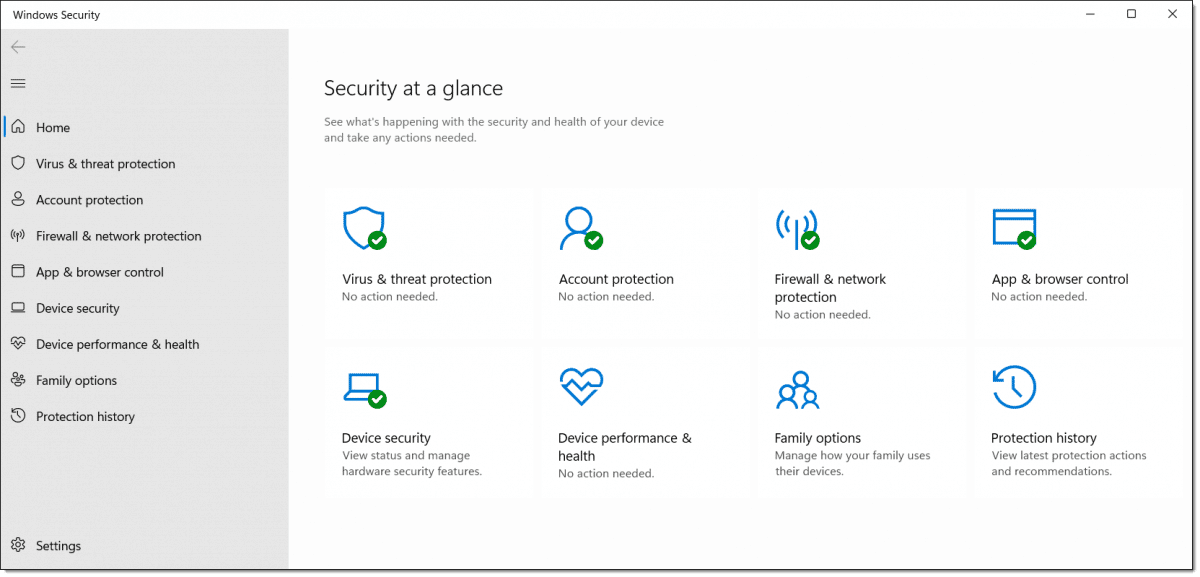
- Windows 10 and 11’s Windows Security is my recommended anti-malware tool for most.
- Your router can serve as your primary firewall at home or work.
- Leave the Windows Firewall enabled as well, unless it causes problems.
- Let Windows Update keep your computer as up to date as possible.
That’s it. Good basic protection in four steps.
Basic security software: Windows Security

In Windows 10, Windows Security — previously known as Windows Defender — comes pre-installed. Microsoft seems to be improving it with every release.
Windows Security does a fine job of detecting malware without adversely impacting system performance or nagging you for renewals, upgrades, or up-sells. It just does its job quietly in the background — exactly what you want from your anti-malware tool.
The ratings game
Every so often, Windows Security comes under fire for rating lower in tests published online than other security packages. I get push-back — often angry push-back — that it remains my primary recommendation.
There are several reasons I stick to that position.
- No anti-malware tool will stop all malware. Malware can and does slip by even today’s highest-rated packages.
- “Highest-rated” changes depending on the date, the test, and who’s doing the testing. There is no single clear, consistent winner.
- Regardless of how the data is presented, the differences among detection rates across most current anti-malware tools is relatively small compared to other factors.
There are also some practical reasons I continue to prefer Windows Security.
- It’s free.
- It’s already installed; there’s nothing you need to do.
- It rarely impacts system performance.
- It keeps itself up to date using Windows Update.
- It has no hidden agenda — it’s not going to pester you with renewals, upgrades, or up-sells to tools you don’t need.
It’s not perfect, but no security tool is.
My recommendation stands. Windows Security remains a solid, free security package with minimal system impact. It should be appropriate for almost everyone.
Alternative security software and additions
I also recognize that Windows Security might not be right for everyone. No single product is.
This is where I run into difficulty making specific recommendations. The landscape keeps changing. More than one tool that was once free has started promoting their paid product so heavily that the free version virtually disappears. People download and install programs thinking they are free, only to discover it’s a “free trial” or “free download” (if you want to keep it past a certain length of time, you’re required to purchase it).
Some have become as much self-promotion tools as they are security tools, bombarding you with sales pitches and upgrade offers to the point of getting in the way of your work.
Things keep changing. So to the extent that I mention specific tools below, caveat emptor: “Let the buyer beware.” I can’t honestly predict these tools will remain recommendation-worthy.
Malwarebytes Anti-Malware has evolved over the years into a full-featured security package. It continues to have a good track record for removing troublesome malware other packages sometimes miss. (And yes, there remains a free version: after the “trial” of their pro version ends, what remains is the free version. The free version is an on-demand scanner only.)
AVG, Avira, and Avast,1 or the “three AV’s”, as I like to call them, are three other free solutions I’ve recommended over the years. I continue to hear good things and not-so-good things about each, often in waves as each make significant updates..
Other name-brand (but potentially not free) solutions include Kaspersky,2 McAfee, WebRoot, and BitDefender.3
Caveats with all
I need to reiterate some important points.
- Beware of “free”. In most cases, a “free trial” is just that: a trial of a full-featured product eventually requiring payment. In some cases, like MalwareBytes, the “free trial” becomes a truly free version after the trial ends. In other cases, they are two separate downloads. And in other cases, there is no truly free version at all. Be sure you know which you are getting.
- Regardless of which you download, you are still likely to be faced with upgrade and up-sell offers, or even an ongoing subscription. Unless or until you know you want this, decline.
- Speaking of declining: when installing any of these, always choose custom installation, never the default. The default may include other unrelated software you don’t need or want. Consider using Ninite to install the free tools — all are available there.
What else besides security software?
A Firewall
For home and business use, I recommend the use of an NAT router as a firewall. You probably already have one.
They don’t have to be expensive, and are one of the simplest approaches to keeping your computer safe from network-based threats. If all the computers on the local side of the router can be trusted, there’s no need for an additional software firewall.
When traveling, or if you don’t trust the kids’ computer connected to the same network as your own, I recommend turning on the built-in Windows Firewall. In recent versions of Windows, it’s already on by default. There’s no harm in leaving it on, but it can occasionally get in the way of some local machine-to-machine activities, like sharing files and folders.
Back up
I strongly recommend you back up regularly.
In fact, I can’t stress this enough. Up-to-date backups completely avoid 99% of the disasters I hear about.
Macrium Reflect and EaseUS Todo are the backup tools I currently use and recommend. More on backing up here: How Do I Back Up My Computer?
Stay up to date
Keep your computer — Windows and all the applications you run — as up to date as possible.
In Windows 10, this happens automatically, as long as you don’t take steps to disable it. Needless to say, I strongly recommend you not disable those functions, and let Windows Update keep your system as up to date.
Many of the security issues we hear about are due to individuals (and, sadly, corporations) who have not kept their operating system or applications current with the latest available patches.
And finally, Internet Safety: 7 Steps to Keeping Your Computer Safe on the Internet has even more tips for keeping your computer safe.
Do this
Subscribe to Confident Computing! Less frustration and more confidence, solutions, answers, and tips in your inbox every week.
I'll see you there!
Podcast audio

Related Video


Footnotes & References
1: Or perhaps not: The Cost of Avast’s Free Antivirus: Companies Can Spy on Your Clicks (PCMag, January 2020)
2: Please see How Safe is Kaspersky Internet Security?
3: To be clear, I’ve not run any of the paid versions, and I’ve not run the “three AVs” in many years. Their mention here is simply based on their reputation over the years.


As a long-time reader, computer user, and computer-hygiene advocate, my recommendations are quite similar: I use AVG Free on my more robust machines and Avast on the modest ones; each are very good. The latest version of AVG demands more in system resources than Avast does, so install AVG in machines with at least 1 GB of memory and a relatively fast CPU. Avast gets by on less. I prefer AVG, though, because of its user interface.
Anti-spyware, I can’t vouch for Defender but have had good success with Spybot S&D. It’s been around long enough to have the bugs worked out of it.
I also use Ad-Aware 2007 for another layer of protection.
On Jan 27, PC World reported that the free version of Avast has been harvesting users’ browser histories on the pretext that the data has been ‘de-identified,’ thus protecting your privacy. But the data, which is being sold to third parties, can be linked back to people’s real identities, exposing every click and search they’ve made.
https://www.pcmag.com/news/the-cost-of-avasts-free-antivirus-companies-can-spy-on-your-clicks
This article explains how to prevent this from happening:
https://www.digitaltrends.com/computing/how-to-stop-avast-antivirus-from-selling-your-private-data/
Why no mention of PCMatic anywhere? At one time or another I have used every package listed on this site and settled on PCMatic for my 6 machines. All the others were interrupting me with this or that and slowing me down greatly. I avoid windows update like the plague as I have lost 2 machines on their lousy updates. With PCMatic I have been able to keep all my machines working for many years now, except the 2 windows upgrade one that failed.
There are SO MANY different solutions out there I simply can’t cover them all. PCMatic has a good reputation these days, and I’m glad to hear your success story.
I am using AVG free for last 4 years and never had any problem with it….though i must say latest AVG 8 is slightly more resource hogging n complex….
As for spyware…..spybot search & destroy,ADAWARE,spyware blaster….all fine and wonderful packages….& hizack this in case everything fails….
….FIREWALL…windows firewall & ZONE ALARM….
& lastly i want to add i am a fan of C-CLEANER as well…..
I like CCleaner as well. Have used it for many years. Anything that messes with your registry can be extremely dangerous but cc has never one done anything bad to me. SUPERAntiSpyware is another favorite freebie I use
As a long time PC user (as in IBM PC/XT), I was a very early user of Norton Utilities, version 1. Now they are Symantec. Over time I became frustrated with two things about them. 1) I have five computers in my home (six counting my 85 yr old moms), and the cost of yearly upgrades was exorbitant. 2) the time overhead using their products was killing throughput, particulary the full system scans. Not having lots of time to load and maintain separate solution pieces, as described in the article, I’ve started using Trend Micro’s Internet Security Pro. It comes as a 3-user pack, which suits a multi-user situation nicely. Have had it on-board for about two months, and I am very happy thus far. Especially with the much shorter times needed to do full system scans. Also, my machines are running much faster. Now, if I could just find a way to kill off the bandwidth hogs who are degrading the Verizon FIOS…
You don’t mention it, but it’s possible to use more than one product to cover the same bases (maybe pair up free-ware and commercial products).
For example, I too use CA eTrust (still the MS corporate solution) in realtime, I also have others anti-virus scanners I use, expecially when doing a software build that will end up on a customers system.
There’s no reason you couldn’t have two backup systems for critical data.
I also use MS Defender, but periodically do a scan with Lavasofts Ad-Aware or Spybot Search and Destroy.
Each product has different strengths.
08-Oct-2008
What Security Software do you recommend for Macintosh OSX.4?
We’ve used Intego https://www.intego.com/ on our Macs for many years and have never had a problem. Highly recommended.
I agree with all comments above. Packages for getting rid of spyware and malware that I tend to use are super-anti spyware and Malwarebytes Anti-Malware (particularly good). As for an antivirus program NOD32 is quite and it also doesn’t hog your machine like McAfee does…!!!
I’m curious, how can you make these recommendations when it seems to sound as though you are recommending them only because these are the only ones that YOU have tried and not because you have used and compared several different anti-virus or internet security products? Have you ever tested Trend-Micro AV or Int security? Or any others such as Stop Sign?
08-Oct-2008
I’m very leery of comparison sites, especially for AV programs. I’ve found a few “comparison” sites made by AV program makers to point you to their product. Make sure the site is well-known trustworthy site.
The above comment is directed to Leo, the author of the article, not to other users who made comments.
Thanks,
Papa
I can’t find linkscanner on AVG Free. I have version 7.5.
Can you help?
Thanks.
to Don
linkscanner is in AVG 8, not in 7.5
Panda is a software that allows you can choose yor protection according to your computer activity and your need for security levels. I’ve tried many and I love the platinum version. Never have the problems that spyware causes. It’s Always giving notifications of actions taken that makes me feel more secure. I’ve tried Avast but prefer Panda.
Personally i use comodo.com
for firewall-clamwin for antivirus.
No issues for the past 2 yrs.
Is it possible to be TOO clean with your computer? At the end of a day my husband and I run CCleaner,Spybot,Ad Aware, Spywear Terminator and Spywear Dr. ( not at same time) . People say we are silly but some programs find things others won’t.
Do a search for adwcleaner on the net. The site is in French or English. To access English, click on English key at top right corner of its webpage. Its free or donation ware. Portable. Updates itself. Fast. Cleans browsers and parts of registry. First time I ran it my keyboard worked correctly again and this computer speeded up to normal. Start. Stop. Run. Until I setup a lab to clean Gmail spam, my computer was ravaged by a Craigslist spammer and running adwcleaner was the only way I found to clean it. After running it you will need to reboot your computer then it scans again. To make sure it removed the problems. I’ve been running AVG, Malwarebytes, Spybot. They don’t touch what Adwcleaner can do.
I have found that most anti-spyware is a waste of time…I’ve made a c: partition (8 gigs) strickly for the os and a d: partition for everything else (my docs, program files etc.) and use acronis to image my c:. Anything happens to the os and it’s a simple 10 mins to reinstall the imaged os. I do use antivir for realtime antivirus and kaspersky for scanning new installs, not realtime. Online armor for firewall and that’s about it. I’ve found adaware and spybot just too bloated and doesnt really help all that much. Oh and I also use sandboxie for questionable .exe’s. Needless to say I don’t worry abit.
If you use AVG Anti-Virus 8.0 and choose to turn off LinkScanner as recommended by Leo, the AVG tray icon will show an ‘error’ state (appears with a big red ! over it). It is possible to turn this off as follows: open the AVG user interface, from the Tools menu choose Advanced Settings… On the left-hand side click Ignore Faulty Conditions, then check LinkScanner.
NOD32 from ESET has worked well for me for a few yrs now. Only lately have they gone to the suite thing where they now have anti spyware which I am informed is not compatible with Sunbelt Software’s CounterSpy. Counter Spy seemed to be a very good anti spyware program. Have also been using aSquared along with Windows Defender. I guess I got carried away and paranoid. But aSquared has become a monster bother and soI may uninstall it.
Most successful software
serach-and-destroy [broken link removed] has been the only software to successfully detect blocks and removes spyware, adware, pop-ups. It is the only one which could defend my computer from hijackers. No other software could do it. It’s simply great.
A great help
As a student I was always worried regarding my presentation files getting corrupt.
Re-doing all my files was always an extra work for me. But After installing serach-and-destroy [broken link removed] all the problems regarding my pc were solved. Now I am least worried about trojan invading my pc. This software has helped me to a great extend to make my pc spyware free.
Leo,
thanks for all your good advice. In this summary, you don’t say anything about “Registry Scan software to Repair Process Errors”. I’ve seen them advertised here and there, and also on your website. I have recently had a virus attack, and Kaspersky personnel suggested that it (the virus) might have changed the registry. Fortunately, with their help, the virus was finally identified and eliminated without having to recourse to working at the regisrty. I know from your previous comments that if something is advertised on your site, it does not mean that you recommend it. Fine, but if you say nothing about registry scan and repair softwares, does it mean you do NOT recommend them, and of course my main question is: what do they do?
Thanks in particular for your advice concerning backup. I retired recently, and realized that at work our IS department had taken care of that for us, … Now, I have to take care of myself. If it was not for your excellent newsletter, I would be lost!
A million thanks (sorry to be so long)
30-Nov-2008
Leo, Your sight is so informative, I’ve written down AVAST& MicrosoftDefender/Firewall& Serach-and Desroy[broken link removed??]means what? Are those all I really need?WindowsVista IS part of Vista, but are they free too? Is AVAST[free] better, your opinion only? Please, why did those empty pages STACK up after leaving site,kept r-clicking to “close” until they ALL did, just tell me that if you cannot tell me the others until another time, you’re intellegent AND knowledgeable not always a duo, you know!
I have been using Norton AntiVirus since Symantec bought IBM’s AntiVirus program. At the time, IBM’s software and research facility for AntiVirus software seemed to have the best credibility I could find.
My firm had a McAfee site license, but I found some items that McAfee would not catch (on floppies) would be blocked and removed by Norton (NAV).
The 2009 version of NAV seems to have gotten many things right. Symantec has shrunk the side effects of NAV – boot up is only marginally slower after NAV is installed; scans seem to truly run in the background, and don’t drag down other processes that are running; the auto update feature has two modes, and neither have a negative impact on other programs; web browsing is not much slower than before NAV is installed.
I used to agree with Leo’s assertion about security suites. But after reading PC Magazine’s thorough review (Jan 2009) of Norton Internet Security, it seems that the anti-spyware portion of NAV is as effective as any of the others. NAV is the anti-virus & anti-spyware portion of NIS.
Here’s the best part of Norton – SystemWorks Std. Ed. includes NAV as well as Norton Utilities.
I have never had any success with Ad-Aware or SpyBot S&D. In clearing out spyware from others’ PCs, I’ve used SpySweeper to much success.
In any case, I have historically always recommended NAV for the best anti-virus protection, despite some installation & upgrade problems with this software, as well as the performance hits.
Now, with the 2009 version, the performance hits have been minimized.
It would be great to find free security apps, as there are many fantastic free apps out there. But when it comes to security, free does not seem good enough for me.
Now, I will wait for the newest version to be offered for free or close to it. I have seen NAV 2009 offered for free when buying tax software, NIS 2009 and Norton 360 for under $20, but not yet for NSW 2009.
AVG is pretty good and it goes well with a peeson on a tight budget.
I just uninstalled AVG and installed Avast (free for personal computers). AVG did not pick up the virus software that Avast found. It seems to do a better job and its FREE!
Janice
About keeping your computer up to date: Windows Update is not enough! In addition to Windows itself, it is important to update all programs that you use for
This includes not only browsers, mail, chat, and P2P programs, but also office programs, PDF readers, media players, archive/compression software etc…
I have three recommendations for helping with that:
Filehippo doownloads have junk ware now so be careful.
For a free firewall, I recommend Sunbelt. At the beginning, the popups asking what you want to do are slightly annoying, but once it learns your habits, it works well. And it consumes little resources. I have also used Avira Free Anti-Virus for years, without a hitch.
I cant decide What to get Kaspersky or SYMANTEC, please be honest. Which is better
I find that GFI Backup works equally well for hard disk backups. it does not do any hard disk clones, but i can do without this feature considering that GFI Backup does what it does for free! :-)
i was using avg free some time back and some geeks in west australia recommended i use NOD32. the said its the best and i believe it. ive had 0 probs since i got it. nothing ever seems to get by it. id recommend it over anything. regards
i used avg free for 3 weeks then it or windows failed.. i had windows security telling me that avg free was turned off, when i went to avg it said it was on all things fine no need to do anything.. so you must ask which one was lying. i dont know. because i’m using windows avg had to go. sorry dudes didn’t work for me. now i use something else not a problem since
Oh, c’mon. The millons of Internet users with only a single PC are not going to buy a separate machine just to use as a firewall. However, they certainly do need a firewall, so it has to be software.
08-Aug-2009
Like you Leo, I have been using CA Antivirus for years – but I won’t be renewing my subscriptions. The 2009 suite (I know you don’t like suites!) seems to be a real resource hog. I switched my wife’s computer (worst affected by the CA performance drain) to the free version of Avira and after a week of restored performance, bought a licensed version. No regrets. When my CA license expires, I plan to switch all my PCs to Avira.
12-Aug-2009
I’m surprised not to see Malwarebyte’s AntiMalware program on your list of recommendations. I’ve cleaned up my own as well as my kids’ machines along with those of friends and family with AMW when nothing else would fully do the trick. Myself and many people I know are happy to recommend AMW to others.
It’s a free download and stays on your system without running in the background, so it’s not a real time scanner but when you have a problem you launch it, download the updated files and then scan (either quick or deep version).
I’ve been amazed to see AMW pick up dozens and even hundreds of issues (including worms, dialers and trojans) on various machines. The effects are instant and we’ve all had our speedy, happy computers back in working order.
I would really like to hear about Norten 360. I am a beginner and thought it was good,but what do i know? Thanks
12-Sep-2009
I’d like to go against the grain and put in a vote for all-in-ones. I’ve been a Norton user for years and it has progressively become less of a system hog so that now it runs unnoticed. Using rebates, I never pay more than $9.99, which I paid for my current Norton 360 Premium for 3 machines. You install it and forget it. It does everything and I have never had a virus infection even though I sometimes visit dangerous sites (because I write about Internet security, among other things, for a living). I also run the paid version of Malware bytes as extra backup — it’s fast and effective at spotting troublesome sites. As Leo says, people have different needs and solutions. Norton 360 is mine.
I definitely agree with your position on “suites”. I used Avanquest’s SystemSuite Pro (SSP) for several years. While it’s convenient to have a do-all like that, its AV and (especially) AS programs are weak. Firewall and PC cleanup routines were good. However, after getting a new computer middle of last year, SSP conflicted with the TPM (trusted program module) on the mobo, and I had to stop using it. I replaced it with Avira AntiVir (#1-rated free AV by Consumer Reports and PC World), Spyware Blaster, Malwarebytes and SuperAntiSpyware, and use Windows’ firewall. Have not had a virus or serious spyware infection in 2 years. Also tried Avast for awhile, and other than it’s kludgy interface, found it to be almost as good as Avira.
I’m surprised that you didn’t mention any of these except Avast. CA and AVG were probably very good 5+ years ago, but not today. Avira is rated the #1 free AV by both Consumer Reports and just this month by PC World.
BitDefender Internet Security 2010
Have been using it for over 10 years. European, so folks have not really heard of it. Have installed it on over 300 PCs, including all family members. Not one of them has had a virus or (fill-in-blank)ware problem. Ever.
The Zeus virus that can grab your bank double verification codes is stopped cold. Hourly updates if wanted.
At .03 cents a day, it is worth it. Don’t go to Starbucks for 2 days and you got it covered.
ps Also have SpyBot S&D.
I suspect you may have created this article before Microsoft Security Essentials was released. M$ Security essentials has received good reviews.
btw I use all your other recommended tools at times.
07-Oct-2009
What is “CA” thaat is taked about in the comments section?
07-Oct-2009
Like you Leo, I have been using CA Antivirus for years – (I know you don’t like suites!)
<Leo’s reply>
Yes, I’m moving away from CA myself, and will be updating my recommendations as time permits.
Mary: but you said much earlier that you didn’t like suites and couldn’t recommend them so why have you been using CA?
We have used CA in this house for years and have had no problems. There may be some lack of ‘speed’ but if you lock your house door you are slowed down when wanting to get out!
Mary
CA does also have a suite, which is a different product than the stand-alone anti-virus. And you know my position on suites.
07-Oct-2009
While locking your door slows you down when you enter or leave, it does not slow you down while you are moving around inside the house. That is where the problem is. Most testers just look at how effective an AV program is at detecting and removing stuff, but these testers usually have very powerful machines and forget how important resource requirements are for millions of users who can not afford to keep up with the hardware upgrades required to feed these resource monsters.
As someone already mentioned it, MalwareBytes is (in my humble opinion) by far the best free scanner on the market. It digs out everything that shouldn’t be there. As primary AV I use Eset Smart Security, but AMB finds things which Eset has overlooked. I scan with it once a week, and have never been in trouble!
Some months ago I started using Microsoft LiveOneCare, and am quite pleased with it. Having used many of the others it dawned on me to try MS. It seems to have worked well and also backs up my files. So far so good. John Mutch
Am amazed that ESET Nod 32 does not get a mention been useing it for years with NO problems .
im with you mate. ive used nod 32 for years now and have no complaints. its caught everything that tried to get by it and they are the greatest with help if needed. I tried a couple of the freebies too initially but when nod 32 was recommended to me I got it and tried it and it found numerous things that the others missed. ill be sticking with them for sure. cya
COMODO INTERNET SECURITY AND BIO CLEAN = BRILLIANT
This is a free for home use, all in one suite, as the 2 programs compliment each other. It takes a bit to learn them, especially heuristic alerts, but its worth the effort. Do NOT run them with anything else, or you will have software conflict.
Comodo performs as well, or better, than all the other security software, including some excellent payware. However, nothing is going to be a perfect solution, so don’t beat yourself over this.
I have used these for 2 years now, rarely scan, and have no problems. I highly recommend this security solution. Regards Bill3.
I agree with you about Comodo and was scanning all the comments to see if anyone else uses it. When I was prepping a windows 10 computer for the first time, I installed avast and it trashed the operating system requiring me to use the recovery partition to restore it. Then I tried Comodo and it installed and ran with no issues, and also seemed to have a light overhead, so I started to use it with older machines too. I have not noticed any conflict with Microsoft security essentials, but I did not enable the firewall from Comodo because (as Leo says) it really is not needed.
I’ve used Vipre for some time and find to be one of the best out there.
I CURRENTLY USE AVAST FREE ANTIVIRUS + TC-SPY ANTISPY + COMODO FREE PERSONAL FIREWALL, and can honestly say my computer runs like a dream very quick,I use TC-spy for quick scans results are excellent, I can recomend these programs which are all free.
I have used CA for a year & had no problems, but when the renual date came up I didn’t feel like the cost was worth it especially with all the good freebees you can get.But now I can’t get it off my computer & it keeps popping up saying I need to renew, this has gone on for about three months now & no matter what I do I can’t get it off my pc.
i had avg free and when i got my NOD32 it found two viruses that avg missed and one other thing i dont recall what. i have not had a single problem with NOD32 ever. great program and reasonable too.
I have used AVG Free Antivirus but many of the viruses go undectected despite performing all regular updates. So I don’t use it now.
Commodo is good so, really very advanced with all sorts of Rules you may want to setup, shows active applications connecting to the internet and much more. The Antivirus seems good too. It also protects most vulnerable Windows Registry keys that are often modified by Malware. Plus the option of getting surveyed detailed data with what most users did (like they allowed / denied access) when they encountered the same Question from the Firewall.
But one Big drawback with it is the size of the software plus the size of the updates, it takes. A massive 250MB. If you have a 1 GB capped plan, you are doomed. One more problem is that the whole update needs to be downloaded as One-piece, Every single disconnect and you have to start the update all over again. Plus the website doesn’t give Standalone Update Packs, that can be singly downloaded and installed on Multiple PCs.
Otherwise once installed and updated, Comodo is something which really guards you. I once used to have a combination of NAT router + ZoneAlarm + AVG Antivirus and did malware scanning manually. But once I installed Comodo, I was satisfied. Yes safe browsing habits do count.
Ravi.
Some virus scanners (eg avira) claim to protect against both viruses and spyware; could this conflict with let’s say windows defender?
07-Oct-2009
I would also recommend Winpatrol from http://www.winpatrol.com/ – it’s like UAC in Vista but it doesn’t complain everytime you move your mouse :-)
It only warns you if you startup options are being changed. I have XP but I tempted to tell Vista users to disable UAC and install Winpatrol instead.
To Rien: Nope!
08-Oct-2009
There’s a new kid on the block as of Tuesday, September 28, and that’s Microsoft Security Essentials (MSE). It include an anti-virus and an anti-spyware tool and has gotten a lot of positive feedback (including mine), and best of all, it’s completely free.
I’ve been running it on 3 PCs while it was in beta test and have installed it on all my PC since it was officially released. Runs on XP, Vista and Win 7 (both 32 & 64 bit).
08-Oct-2009
Interesting those old comments. I believe that 10 years ago windows defender was an anti spyware tool as an addition to the present antivirus (and only that!). Nothing like the defender from today (win 10)
Leo’s comments on conflicting software are still valid of course
Btw, I agree with Leo that the current defender is reliable and quiet and still improving. For me really no need to look at any other (realtime) software. Especially the free software with the toolbars, popups etc etc nowadays. Seems to be getting worse(?)
I do use malwarebytes for periodic scans.
Nothing else.
WinXP SP3, IE7 both w/ latest updates. Listing what I use (all freeware).
-Comodo personal Firewall. Better than Norton or Zone Alarm!
-Dump AVI, go with AVAST!. No begging, updates constantly, fully configurable AV.
-Spybot S+D, Super Anti-Spyware, SpywareBlaster.
Those cover that prob.
-CCleaner for everyday temp etc. file deletion.
The included Registry scanner/cleaner is great for ridding the hd of left-overs after uninstalling programs.
-Comodo System Cleaner for monthly cleanup that CC might miss, or if things on pc get slow.
-I also have tools for checking/controlling- internet connection speed, running processes, running services, start-ups, system resources, sys. config, and emergency recovery tools, both on the pc and CDROM… You get the idea lol. The main thing is to find what works for YOU, and then stick with it! Paid or free, if it doesn’t do what you need without confusion or work-arounds, then it’s value is zer0.
John N.
Has anyoneever heard of the Free Advanced System Care and Sytem Care 360? I think these are anti-spyware type products, but not sure. Can anyone shed some light?
iam using advanced system care 360 free version and it seems to work quite well for me lot of tools on this one as for supraantispyware it used to be a good one as well but something happened and cant seem to get the updates sometype of problem there !
For years I used the free version of Spybot Search and Destroy, but I’ve read that it is no longer the good program it used to be. Yet I see that you recommend it. Could you comment on this?
10-Oct-2009
People who are new to Spybot Search and Destroy 2 need to know that immediately after installing the program you must download all the updates, then immunize. Just installing the program without the updates leaves it ineffective. Otherwise the fully patched version 2 has all the protection of version 1.6 and more…
I would like to say that I have been using BitDefender Internet Security from the 2008 version to the 2010 version. It seems there are always issues after installing the new version, but eventually they get worked out. This program has done a good job for me and runs very well on my Vista Home Premium machine. It doesn’t seem to take up a lot of system resources at all. The only thing I would warn about is their tech support leaves something to be desired. Other than that, I would have to recommend this program from my experience. I also use Malwarebytes and SUPERAntispyware as on demand scanners.
I’ve used BitDefender for years. Simple, does a very good job. It scores very highly in tests and reviews, but I’m wondering if it misses out a bit in the USA as its location – Romania – is a bit out on a limb. By the way, I’m in UK. By the way, Leo, I’ve seen the occasional raised eyebrow over Kaspersky. Some don’t trust it as it’s based in Moscow, but I’ve never heard of ANY evidence of a problem. I reckon if there was any blatant misuse by the Kremlin it would have been found by now. Do you have any comment on this?
I’ve heard the same concerns, and have also noted the lack of hard evidence.
Leo, to the best of my knowledge and belief, “disrecommend” is not a word, and even if it was is clunky and unworthy of you. Would any of the following synonyms better serve your intention:
Discourage, disapprove, disincline, dissuade, oppose, disparage, reject, condemn, discount, discredit, disdain, disfavor, repudiate, rule out, be skeptical of, call into question?
11-Oct-2009
After looking through all the comments, I was surprised that Sandboxie was only mentioned once. This program should be a must have for 1) protecting the operating system from web threats 2) testing new programs, which, if they do not work well, confines the problems to the sandbox, which can easily be deleted. 3) Especially good for online banking, since a separate sandbox can be set up for each bank. Conduct your transactions (don’t visit other web sites in the same sandbox, log out, close the browser and delete the contents of the sandbox after each banking session.
12-Oct-2009
What do you say about Sophos? been using for a year and did not get into major trouble with the kind of protection it uses. .
Leo, I think the comments on grammar are a waste of time.
You have numerous mistakes in the little I have seen so far, but who cares. If I can understand what you are saying, that to me is what matters.
None of the words that are listed get the message
across better than “disrecommend”, period. This is the first time I’ve been to your site and I get the feeling you are probably a one man operation and don’t have someone on staff to just proof read and check your grammar. The only thing that concerns me is how good are your answers to our problems, not how they are written. If I can understand the answers, that’s enough for me.
Keep them coming, Ed Lada, PA
I’ve just purchased an Iomega 500GB External HD and am using the McAfee ‘Total Protection’ Backup/Restore feature to Archive my data (Full Backup Daily and Change Backup every 2 Hours). I’m told that the’Backup/Restore’ feature in McAfee can NOT be configured to do a Total Image Archive. If so, can I partition the External Drive to allow continued use of McAfee ‘Backup/Restore’ and use another S/W product to allow me to do a Total Image Archive? If so, what S/W do you recommend and HOW do I partition the External HD? I see that you are recommending Acronis for OnLine Backup, but I’m not sure how to accomplish Local Total Image Backup.
i dl pctools spyware dr. and my pc is dragging. i get alot of probs just trying to get online. i wanted you to know.
I just have to ares Avast and Malwarebytes’ Anti-Malware, is that ok and should I download AVG Free or Avira Free just to be on the safe side ?
Like the poster above, I too use and love Sandboxie and have peace of mind when doing my banking transactions, it’s a fantastic product
Hi Leo. I have got a nice new Windows 7 machine running,Spywareblaster,Malwarebytes (paid) and Secunia PSI.(which I wholly recommend to all and sundry. Do you think it would do any harm to have Defender running as well? I know two Anti Virus programs running concurrently is a big no no! But how about Anti Spyware?
Leo, I have been using Vipre Antivirus software from Sunbelt Software for about a year now. It appears to have won awards in several areas. I wonder how it stacks up against some of the other AV software you’ve reviewed.
Thanks, John
What do you think of ParetoLogic’s Anti-Virus Plus? As far as I can tell, it has been working fine on my computer.
Gday Leo,
I have downloaded Microsoft Security Essentials on my Windows XP. Apart from this programme, I have a Windows Firewall running, and Malawarebytes. Is this sufficent protection for my computer please?
Thank you and Happy New Year from Australia.
I use Microsoft Security Essentials, Microsoft Firewall, Malwarebytes, HiJackThis and Spybot.
I’m not a fanboy of Microsoft, but will use their products when they provide the needed service.
I have been running the above combination for over 3mos. and no problems. I run checks with Malwarebytes, HiJackThis and Spybot periodically.
MSSE runs nightly and has updates about 3 or more times a day, so it is up to date.
My computer flies. Windows 7 32bit, 3gb ram, 250gb disk integrated graphics (Intel) 17″ Toshiba. Boots up in 40secs.
PS. I bought Kaspersky Internet Suite last year but found that it hogged the system and caused the bootup to be about 1min 30secs.
Great computer so far; I’ve had it for 1 year.
I myself use a good ol’ fashioned padlock on mah comp :D
The padlock didn’t work, seems that bolt cutters can easily get past it :(
article interesting. did not see Norton listed at all. I have heard good and bad things about them but do not understand. Most says it buggs the computer down but they do not say how or why? Would be very interested on some info about the norton security good or bad or both I do run the premier addition 360 and this past year has been the best but the first 2 years along with vista premium has been a learning experience. Windows vista has been replaced with windows 7 but so far i like my vista. Just very curious about it all.thank you
I used to use McAfee when it came with the computer and would just keep buying the yearly upgrade. Then computers starting comeing with Norton, so I would just keep it and buy the yearly upgrades. In May 2009, I switched to Trend Micro Internet Security Pro v.2. It will let you install on up to 3 pc’s. I love it. It came with Anti-virus, spy-ware detection, firewall, and a system tuner. I think it works fantastic. I had Windows XP until January 4, 2010 when I upgraded to Windows 7. I really like that too.
Leo,
Your recommendation on security software is not too perfect. my expectation is that you will not give name of any product. but analysis what and how they function. If you wishes to know what i am talking about. have a look at this site toptenreviews.com they are independent research body that rate softwares on a given perameter.
thanks.
OKE S.O.
I still stick with my Norton Internet Security suite. I can’t really accept that a company with that reputation would sell a half-baked, cut cornered product to consumers! Such a strategy could backfire on them worse than Starforce’s DRM software did on them! As a few commented here, around 2007 or 2008 it did become a resource hog and i tried a couple other brands. One needed to be put back into learn mode every 2 weeks because it resulted in boot-up times of nearly 15 minutes -yes fifteen minutes- and at times 6 minutes for a web page to change once it was loaded. Another had no feature to pause a scan and it was impossible to do anything while a scan was running. I went back to Norton in 2009 and they have revised it so it is nowhere near the resource monster it once was. All I can say is i have used Norton’s products exclusively since having a PC and the only time I ever had a problem was picking up an infection when it was in the wild. It was one of those that found its way into my computer through the Internet connection rather than as an attachment or something I did. My computer is on 24/7 and has been for years. The trend now seems to be rather than a simple cookie cutter match files against a database to find malware to watching for suspicious activity that may indicate behavior that viruses would follow. This real time approach definitely seems to have its advantages. The problem with what you recommend is that it’s hard enough to get people to install this software and keep it updated to begin with using a single suite program, but realistically, if they need to start doing this with several sites and programs it isn’t going to get done. I know that about all have auto-update features but from the IT boards and other computer boards I frequent, no matter what safety measures are installed, what safe practices are recommended, people will still find a way to to get around them.
Leo, I’m surprised you didn’t mention ‘SuperAntispyware’! It is excellent for picking up ad-tracking cookies that ‘Avira’ and ‘Malwarebytes’ misses. Other than that, my only other suggestion is ‘CCleaner’ for “Index.dat” files in particular.
I hate the all-in-one suites. I’ve used many over the years. They almost always bog a system down.
If you had to buy anti-virus, I like Symantec Norton Anti-virus 2010. This can always change. I do use and install AVG 9.0 free, and Malwarebytes on all my client’s PCs. I also use CCleaner and IOBit Advanced System Care and Smart Defrag for regular maintenence. Tip – Run CCleaner before all scans to eliminate wasted time scanning junk files.
Microsoft Security Essentials (MSE) is a first class anti virus and anti malware protection. Don’t let that Windows Defender look fool you, it’s lightweight and effective. And the built in Windows Firewall should be fine for most, as long as you configure it right. When it comes to public spots, check “Don’t allow exemptions”. And the most important part of your protection: YOU! Safe browsing habits and having strong passwords helps a lot. Stay away from porn and social networking sites, a lot of viruses comes from those places. And email, don’t open spam, unless it was misplaced and you know the sender. And your regular emails that aren’t labeled as spam, look carefully. If you don’t know the person or company, mark it as spam and trash it unopened. Common since goes a long way towards staying protected and virus free. And if you’re one of those porn freaks or social networkers, buy a cheap laptop and don’t risk your main system.
Whick AV product allows one to add sites to be ‘blocked’ , eg, if its a popup generated by an ‘ok’ browser site?
Where can i make the ‘ok’ site ‘not ok’?
What about ZoneAlarm products?
Thanks
I am still using StopZilla on my notebook. I am elderly and they gave me a lifetime update. Stop Zilla does a good job. I also have Avest on my desktop and laptop. No problems in a year.
I would add Firetrust Mailwasher to the security list. It stands between your server and computer to pre-screen email, allowing you to delete mail from the server before it’s downloaded. The free version provides good basic service, while the pay version includes a larger number of screening options and spam tool screens.
The same company makes Benign, which strips out and makes harmless various email infections. It’s also available in both free and pay versions.
I’ve used both for years and wouldn’t want to be without them.
My local pc guru suggested using Malwarebytes & either Avira or Avast for security. I installed Malwarebytes @ Avast some months ago on my XP Home, and since then have had no problems. Both are free programs & seem to do the trick.
So between my Guru’s advice & yours, Leo, I am having trouble free computing. Many thanx.
Leo,
Appreciate what you do! FYI: My experience with the AVG browser add-in has been positive. The little green stars can be annoying at times, but I feel comfortable knowing the site is safe. Hope it really works as presented!
Also, I have no complaints with the following security and maintenance software. Some are run monthly and some weekly. AVG is run nightly.
You mentioned some of these in your article.
AVG free
GlarySoft
Windows Built-ins
Anti-Malwarebytes
ERUNT (Auto registry backup upon reboot)
Backup ‘My Documents’ to external HD
No issues, no complaints, no fees, no cost.
Perhaps this will be helpful to a reader in some way.
Thanks again!
I have read elsewhere, quite a lot of enthusiastic opinion of Sunbelt’s Vipre Antivirus Premium, and have recently installed a 30 day free trial.
I dont see any mention of it here at all.
Any particular reason ?
07-Apr-2010
My Spyware Doctor will be out in May. Can’t afford to keep it. What other free scanner would you recomend in place of it?
07-Apr-2010
Hello,
Great article. I am wary of free products though. In principle there is no such a thing as a free lunch… Why are these free in the first place ?
I am running my own one man band business and therefore I purchased my laptop security softwares:
McAfee Total Protection Service: I am wondering and have strong doubts if this really works since I have not seen any performances tests throughour internet but only marketing hype… My laptop caught viruses which went un-detected and all the malware detected thus far are exclusively cookies… Would you have any experience with this product ?
Yoggie Gatekeeper Card Pro: This is a hardware miniature firewall with its own CPU, SSHD, RAM and hardened Linus OS running 13 or 14 security suites. It seems to be working well but again I’d be happy to read about performances tests.
Im studying IT for the first time. Your article clearly explained to me the need for a firewall and the type I should use. Thank you
Good Article.
I’m using Microsoft security essentials. Does it give better protection?
Is there anything that i need to know about that anti virus
Good Article, I like http://www.trustdownload.com/Antivirus-and-Spyware-Cleaners/Antivirus/File-Lock.html is verry simple.
I’m “In the Business” with 10 years of experience. I agree with the article but wish you had been a bit more explicit about the difference between spyware and conventional viruses and worms. Typical blended threats require a solution for both for any Internet connected computer. malwarebytes and Spybot are both tools I use but I would be seriously handicapped without Superantispyware.com
Has anyone had success running Windows Defender and MSE together? I have tried on a Vista laptop and it just freezes.
14-May-2010
To answer David Ryley’s post, I have Defender + MSE + Avast Free running on this laptop (Win 7) without any problems.
I used Zone Alarm for a week until I realized it was bugging up my pc, so I restored and got rid of it since the windows firewall seems to do the job pretty well as per reviews. It’s almost certain that Microsoft is constantly updating all these built in programs with features and abilities to get rid of competition….and I’m buying into it!
I have used Avast for many years without issue — recently I had to reload Vista due to harddrive crash — and decided to use Avira based on Consumer Report & Leo’s recommendation.
I plan to un-install soon as this program is causing 10-20 second ‘hangs’ in the OS — nothing will work while it’s doing it’s thing. Once it’s done updating… everything is good again — anyone else experience this?
Excellent Leo, Just excellent. You are current, relevant and, well, excellent. You are one of the few sites I subscribe to. Thank you. Scott=
Thanks for the Great info, Leo .. My Norton 360 is about to expire and I want the best .. I don’t mind paying $$ but I want the best….
Have you tried avast as a free anti-virus alternative? I’ve been using that for a year now on three laptops, ranging from old (PIII 500 Mhz) to newer (dual core 2ghz) and find that I have had few av problems since I started using it, and that it slows down my machines less than other packages. It also has a gamer mode that is perfect for my impatient, non-technical family. I also, once a week, use the free malwarebytes to do a complete system scan, after turning avast off.
The two together have greatly dimished the number of XP systems I’ve had to restore. My wife hates Vista and isn’t yet convinced that 7 is a good upgrade, so we’re stuck with XP viruses for a while.
I run Linux for my own use. It’s just so much easier to not have to worry about viruses. I’m probably one of the few Linux users out there who DOESN’T want to see Linux become as popular as MS Windows.
I recommend Comodo.com and use it. It has a combo firewall (excellent) anti-melware and anti-Virus program and it’s free. I’ve used it for quite awhile now and the latest version now has a new feature called sandbox. There is a separate software program you can buy that does the same thing that is not from Comodo. I just found out about it. What sandbox does is completely isolate the program from the rest of your computer. Very good stuff.
Sage and consistent, as always Leo… good work! I’ll put my two cents in here and offer my maintenance routine which appears to be quite similar to yours. Sometimes folks DO get caught up in redundancy. What I use is simple, easy to use, all free, and, I think, sans redundancy.
I’ve used AVG free, GlarySoft, Malwarebytes Anti-Malware, and the Windows Firewall for years. No complaints on these freebies! Checkdisk (for DOS level scan,) Scandisk (for Windows level scan,) Disk Cleanup, and Defrag. Updating and doing a backup regularly is a must. I use a spreadsheet to list all maintenance tasks. Some are weekly tasks and some are monthly tasks. I may spend 20 minutes a week in front of the screen, but mostly run maintenance programs as I do other things around the house. I may try new freebies after reading reviews (ie. My Defrag 4.3.1) but try maintain a schedule that works and is simple.
Backup, Backup, Backup! I bought a 1Tb ext. HD about a year ago. ($100) I use this to copy ‘My Documents’ weekly. Based on your recommendation Leo, I plan to change my backup routine to an imaging routine for the HD. Macrium (again free) is what I’ll start with.
For those with limited HD space, (and why at today’s prices,) copying ‘My Documents’ does provide an elemental ‘data’ backup routine. All of us ARE keeping data somewhere in the ‘My Documents’ folder right? Good!
I keep a System Boot Disk, and the CD’s for XP and MS Office. All other programs I use can be downloaded from the web. Having a HD image, however, DOES make sense in terms of ease of recovery.
As others have mentioned, I found you on another website (the one with the Pit in it!) and followed you here.
Kudos to the chef for a much needed service.
Love the archives… (OMG)
Jon
Hello I am kind of dumb founded on all the Internet security question’s that people have. I bought my computer pre-loaded like most people now days and the security that came with Microsoft sucked it let 3 Virus’s into my computer and caused a great deal of grief so I went looking for something new and after being told by every store I went to I was told to buy Kaspersky and I bought it, I have been with them now for over a year and it is the very best, as of right now it has stopped 6 virus’s, 2 trojans and 3 malware from getting into my computer and it is so easy to use and it come’s with everything you can think of, firewall, email security, malware, virtual keyboard,Anti-spam, two way firewll, parental controls, proactive protection and it up-date’s your computer every single hour around the clock, plus so much more. It has worked so well I just bought 2 more years of Kaspersky Internet Security, my wife’s business computers also has Kaspersky and my children’s computers also. I recommend Kaspersky if you want the job done right. I dissagree about windows defender I have had so many problems with Microsoft’s so called security it set me back months on a book I am writing, after installing Kaspersky I have had ZERO problems Kaspersky stops it all and I will use them only from now on. But people can buy what ever they want but after they all fail then at least read about Kaspersky Internet Security and no I do not own any stock or get paid for anything I just believe they are great. Thank You
Tom
My ISP TWC/Roadrunner provides a free perpetual
license for CA’s Security Suite. I use their
AV, Spybot S&D (for other malware),
and Windows’ built in Firewall (+ a gateway / NAT router).
Currently using Acronis’ Backup & Recovery 10 Workstation
(more or less the same as True Image Home 2010)
with image backups and ability to bare metal restore.
I’ve been happy with Acronis’ software, it does what it says it will do.
There are plenty of free antispyware/malware programs you can download that do a great job.
http://www.onlinecomputertips.com/spyware/
I too have not been impressed with all-in-one security suites. Some were horrible and took up way too many resources. That is until now. I strongly recommend VIPRE Premium from Sunbelt Software. It’s the best all-in-one I have used (anti-virus, anti-spyware and firewall). It doesn’t eat up resources, runs non-intrusively, is updated frequently and is easy to set up and use. The price is very reasonable and a home site license is within most people’s budgets. I don’t work for the company and of course the product might not work for everyone. Also I do cross check with other scanners and products now and then to make sure it is performing it’s job.
No product finds every little thing. The free products are top quality these days, but I never found one quite as good as VIPRE and as far as I know there aren’t many free all-in-one products and few, if any, that do a comprehensive job. When you load several programs for security, you can run low on memory or resources. VIPRE can replace several things and use less memory and resources overall. It’s not as well known as some of the others, but Sunbelt is a large company with a lot of loyal users and just recently merged with another company. I mention it because it runs so well on all my PCs and because I seldom see it mentioned in review or recommendations. I have had less issues with it than any other security software. It really is that good.
I have read the above article and do take on board what Leo says but for the past 3 years I have used Norton for my protection and have NEVER had any problems… As far as I am concerned my PC is safe and secure… As always Leo your advice is most welcome and thank you for sharing your wealth of experience with me {and everyone else}… 4s..
I highly recommend PC Pitstop Optimize3 and Advanced System Care for general, day-to-day maintenance and to keep the cobwebs cleared out. I run the Pro version of ASC, so it does it automatically, but I run PC Pitstop once a week.
Knock on wood… my machine runs very well under heavy use (8+ hours per day).
I’ve used the paid versions of Zone Alarm for many years, largely on the recommendation of an IT manager at my late wife’s company. Katie was a programmer who could make a mainframe sit up and beg, but was clueless about Windows. She relied on advice from her IT guru at work, and he recommended ZA as stable, effective, efficient and safe – and reasonably priced. After a long chat with him during which he explained all his reasoning why it was better than the rest, I gave their trial a try, and paid my fee at the end. It does exactly what it says on the tin, and does not fill my machine with all kinds of spurious bits and pieces that make it impossible to uninstall as Norton does. I have had no problems with any kind of malware over the seven or eight years I have used it.
As for free apps, ZA’s firewall is two-way, unlike the Windows one, while the latest AVG has both anti-virus and anti spyware included. I install these for any friends who don’t want to pay for their security. I’m sorry, but I don’t trust Microsoft to make a decent security application in view of the fact that most security holes are the result of the poor programming of their own applications.
I personally had a bit of trouble with microsoft security essentials.
I have been using the avast free home virsion,and its doing real well.
Spot on – MS Security Essentials is awesome.
I use AVAST on all my PCs. Over the years,I’ve found it to be steadfast & trustworthy (although sometimes (???) it tends to use slightly more resources than it should). In the more than three years I’ve been using it, I’ve only gotten a virus only once. (To a lot of folks, that would’ve probably been one too many times.) Before AVAST, AVG was the anti-virus of my choice. I haven’t had the opportunity to try MSSE yet (if I ever lose faith in AVAST, it’s second in line as the AV of choice). Thanks!
I use since over a year now Norton Internet Security.In the past I used also freeware, like AVG,Spybot,Ad-Aware, Zone Alarm aso. But over the time I got tired to manage all this free ware, new versions and updates. My recommendation, get a software that fit’s your need and stick with it. Have a backup ready, in case of …… ;-)
The AVG update will not install if MSE is installed.
20-Oct-2010
I recently had a heinous infection on my main computer, which came simply from visiting an infected website. I was running avg, it did not stop it, and became disabled. Even MalwareBytes was helpless. Online scanning was disabled, as was system restore. The only thing that fixed it, was HitMan Pro. I downloaded a trial version on another computer, put it on a usb drive, and transferred it. Problem solved. Pretty scary to have something that MalwareBytes could not fix.
norton system works 2003 had norton ghost as one of its included software. i feel happy to have purchased the nsw2003 for rs. 3000 plus. the norton ghost componant alone paid its full value, during these 7 years. i regularly take a ghost backup of my c drive weekly and on innumerable occassions it saved my skin during virus attacks, incompatible new software drivers etc. it works wonderfully even in winxp. i have not tried in win7 but i hope it works. norton ghost2003 has the ability to backup not only windows drives but can also comfortably backup and restore all variations of linux. i strongly feel leo can without hesitation recommend it. but the million dollor question is, where from new readers download/purchase nsw2003.
I agree exactly with Leo’s recommendations. On two occasions friends broght me their machines completely blocked, ie cont/alt/delete disabled, antivirus dead, malwarebytes would not run, and everything else marked as infected. I had to resort to Combifix which allowed me to run MBAM and remove the phony antivirus. By the way the last time I removed the Norton bloatware it took me three days to remove all the pieces. Thanks Leo for simple easily managed suggestions.
Thanks for the good advice Leo, especially regarding backups.
I also use Acronis for these operations; however I think you should reword your recommendation to specify their 2010 version only.
The 2011 version is a real dog at this stage.
It has compatibility problems with earlier existing 2010 version backups, and the program “hangs” in many situations. The user interface is a triumph for “presentation designers” over practical functionality.
One is forced to scroll for information that was previously all on the one screen in the earlier version- I have never seen so much wasted screenspace on what should be essentially a utility “function orientated” program.
It’s a disaster- lets hope they can soon get it right.
Keep up the good work.
Hi Leo, firstly I can’t thank you enough for such amazingly useful information.
It’s so great that people in my situation with little computer knowledge have such a great resource which is what I found in your articles & I can’t thank you enough for this.
So my situation is that recently bought a laptop computer which came with 60 days free Norton Protection. I’m nearing the end of my 60 days & I’m receiving alerts stating that I must buy the paid version. This is at a cost of about $70.
Being a first year full time law student Iam unable to afford this & I’m really worried about that.
I’m very interested in installing “Microsoft security essentials” or “Malwarebytes Anti-malware”
I’m wondering, if I install these free versions will they come with the same complete level of protection as Norton?
Also, I’m assuming I have to uninstall Norton before installing anything else. If so how do I go about doing uninstalling from my windows 7 laptop?
Another question (& I hope you don’t mind so many) but since I bought my laptop I have been getting messages to “back-up” my computer. When I press on these icons I find them difficult to understand. I follow the steps & it always says “back-up not complete” or “back-up failed”.
Is there an easy way to do a back up on my computer?
Thanks so much once again, your time is greatly appreciated.
Thanks, Davina… :0)
Leo I disagree with you in regard Microsoft Security Essenials. I had installed this product along with Avast and Zone Alarm and all were up to date. I was downloading from Brothersoft and Avast was the only software that picked up and threw out a massively dangerous Trojan.Also the m/s security essential software being run prior to, never picks up any of the spyware malware that SuperAntiSpyware does. Love reading you newsletter keep up the great work. Thanks
Dyson
01-Dec-2010
The current update for AVG Free wants Microsoft Security Essentials removed before it will install. Is that a good idea? Can Essentials be installed after AVG is updated?
01-Dec-2010
I am also a Microsoft Security Essentials convert …I run Winpatrol free version as well because it has many good features and does not compete or conflict with MSSE because it performs other ‘guard duties’
My PC has been clean for over a year now.
I have Norton and it scans all of my incoming mail and downloads and tells me if it is not good
Here’s my problem with Avast, AVG, Avira, etc. It’s not often, very rare in fact, but there comes a time when I want to temporarily shut down the antivirus program, and there is no facility to do so. My only recourse is to completely uninstall the entire program, which is cumbersome. If that’s my choice, then I’ll just leave it uninstalled. Perhaps that’s changed now, but for too long it was the status quo and I’m not going to keep trying out a product to see if it’s improved at some point.
It’s good to be validated that MSE and Malwarebytes (and a NAT router) are good choices, and that Spybot is still a good alternative. Ad-aware was good, but like the AV programs, it got bossy when it installed elements that couldn’t be turned off without uninstalling the entire thing.
I JUST PURCHASED ” KASPERSKY” DID I MAKE A MISTAKE ?
HOW DO U RATE THIS SOFTWARE ?
02-Dec-2010
Several years ago I used Norton and Symantec but disliked the way they operated and their high subscription cost. I switched to Kaspersky Internet Security (KIS) in 2007 and have it on three home PCs and laptops. It is, of course, important to keep your subscription active, so you get the security updates (daily, typically). When renewing my subscription, I always go for the two or three-year option, as it works out cheaper.
Pros: Very secure. Great features, including parental controls. Excellent value for money.
Cons: Sometimes hogs CPU during background scan.
Overall, I recommend KIS to anyone not sure which security bundle to choose.
Hi Leo! Most of the stuff you “put out” for the “general user” is OK, but that’s it. Nothing really great, and nothing to write home about! In regards to your Firewall/AV recommendations, I’d say that you’re a little “out-of-touch” M-S SE ain’t that swift, and M-S is VERY nosy about what is on people’s computers! Avira is one of the biggest P-o-S that you could EVER install on a machine! Where have you been of late??? BEST for 32 OR 64-bit machines is COMODO Internet Security FREE (Firewall & AV)! NOT nosy and even if a bit out-of-date, it’ll STILL run, which M-S SE won’t! And SPYBOT or Adaware???? You have got to be kidding me! They’re both so BLOATED, SLOW and out-of-date, that they couldn’t find a noodle in a wet paper bag!!! Use SUPERAntispyware FREE and MalwareBytes (FREE) and you’re good to go. Jesus H. Christ Leo, try and stay a bit up-to-date, even with normal users!!!! -J.Ellis
Leo, I like what you report. I have use Malware to help clean up clients infected systems. MSE came on a new laptop I purchase and turned it off, just because of previous results from MS. I see you also mention AVG and Avira, but you haven’t mentioned Avast – free. I have used this for 8 years and it has never let me down. With its new interface it is even better. Like you say, nothing is 100% all the time. Are you toting MSE for a reason? Just wondering.
I just purchase a tower HP and will be turning it on soon. I’ve used Stop Sign Virus Protection since 2002 and have been really pleased. I’ll call them to add my 3rd computer. They scan continuously each day, update and repair – For the beginner they might be too much because there is always a window popping up asking you what you want to do next. But for my money Stop-sign is really good.
MSE is well-touted as an excellent antivirus program, but what about anti-spyware? If MSE doesn’t do spyware, can you recommend a good anti-spyware program that “plays nicely” with MSE? And the same for a firewall program? Thanks…
firewall when you’re not behind a router.
05-Jan-2011
I’m running the following on 50 computers that I maintain.
Superantispyware-free version.
Extermintate_it Paid version
Please can you help. I am receiving unwanted emails that are sent from my email address to bulk recipients and then being returned unsent. Can you recommend a solution. I have Sky Broadband but am using AOL for emails only.
Thanks
Ann
15-May-2011
@Ann: It appears that your AOL account may have been hacked. If this is the case you should change your AOL password and security information. Here’s an article on what to do:
http://ask-leo.com/is_changing_my_password_enough.html
Trying to tell non comnputer people that Antivirus does not catch everything is hard to do. I use MSE, because I got sick of the buy popup from Avira. If I were to go with a paid program, what would I get that MSE would not give me?
AVG Free and “built in”MS stuff! AVG slow if lines are busy but I have always run the backups first thing daily, and a full scan once a week. Learned my lesson long ago!
Len – Extermintate_it is a questionable program. Not a rogue but it does give lots of false positives and doesn’t offer a trial nor it’s free to remove. I’m wondering on how many legit files and legit reg entries that weren’t infected you’ve removed using Exterminate-it.
Anyhow, I’m using KIS 2012 and paid MBAM as my security setup. Microsoft did really well there cracking a very difficult arena to crack. Not easy to put up a brand new antivirus against the well established paid and free security vendors and Microsoft managed it very well I thought with MSE.
I found that if I am using a current Vipre license
(GFI/Sunbelt software) that the Vipre people will
remove any malware I hapen to get for free.
Sort of like antimalware insurance.I have not
had the opportunity(thankfully) to utilize this service yet.
Best regards
Bob Byrne
Thanks to “Leo” and alot of you on this site I have learned alot about many new items and issues.Thank you All. Michka’el.
Over the years I have tested and used various security products. Many of them were good (for a while), but always ended up eventually having some drawbacks (high cost, high overhead, clunky interface, too intrusive, etc). For quite a while now I have used nothing but Vipre (formerly owned by Sunbelt Software, now GFI). It has the best mix of cost, safety, flexibility, ease of use and performance. Support is really good and is U.S. based. They have “lifetime” licenses at a reasonable price and good pricing on licenses for all your home machines (unlimited). They update anti-virus signatures several times a day, usually. As Leo says, one size does not fit all, but I think once you try Vipre you will like it better than anything else you may have tried before. I was never a big fan of comprehensive security packages myself, preferring to buy separate “best in its’ class” items, but Vipre changed my mind.
Just a comment about AVG Free, since Leo recommends it. A lot of people use and recommend it, but I have found that it slows my system down a lot. I have quite an old system. Perhaps on newer, faster systems, it’s not an issue. It’s also only an anti-virus I think and does not have a Firewall.
Hey All…
I just wanted to ask about AVAST antivirus? Isn’t there anyone who recommends this program?
I have used ‘Avast’ ever since a geek friend of mine recommended, it is free and I With AVAST I have never had a virus in my computers. I have used it for almost 8 years. I never had to pay; although some times they try to introduced a new version that has a 30 days trial and then you have to purchased it. But I insist to stay with the older version for home edition that don’t need to put your credit card. At one time I purchase a Northon antivirus but had no patient to follow all the prompts, I went back to AVAST.
Hi Leo,
Is Norton a good solution?
12-Nov-2011
AVG now (without my permission) installs a search bar that slowed my computer a lot. AVG does not offer any info removing the Toolbar even though I did not check the box to include the Toolbar. It was so annoying I unintalled AVG. Now I still have the Toolbar on Google and I cannot remove it.
So AVG is getting paid for hits when someone else uses my computer and this toolbar. Why would AVG offer to uninstall the toolbar. Pretty underhanded business dealings.
@Joon
When you installed AVG you probably didn’t uncheck the box that said install the toolbar, or you may have chosen the express install which automatically installs it as a default. Many freeware programs do this, as that’s how they make money. In order to remove the toolbar, some toolbars can be uninstalled through the add/remove programs function in the control panel, others can be removes through the install/remove add-ins from your browser.
As a Computer Repair shop owner, I have seen products such as Avira and AVG (FREE) Fail on NUMEROUS occasions, ever since “Rootkits” (Super nasty infections, known to disable AV Programs, and admin tasks like task manager, and even internet connection via using bad proxy settings) came onto the scene. I have found several programs that DO work.
KASPERSKY is probably #1 due to price and protection. #2 is ESET. #3 is Norton but ONLY the 360 PREMIER edition, which is VERY expensive in comparision, as well as a system hog, etc. Back in “The Good Ol’ Days”, I could give customers AVG, Spybot Search and Destroy, and Adaware, and call it good. Unfortunately those times are gone, and I have yet to find a SINGLE free AV program that protects against serious viruses or rootkits. If anyone DOES know of one out there, I’d greatly appreciate the heads-up!
Some known bad AV programs are-AVG Free ( my old roommate used paid, and STILL had crap found by MALWAREBYTES after ) , Avira, Avast, Webroot, Mcafee, Microsoft Security Essentials, Win Defender, -pretty much everything free, and unfortunately even most of the pricey ones too.
These of course, are just from my experience as a computer technician and then business owner.I am posting this hoping to save some people the trouble of trying to find good ones, or googling it. Unfortunately like everything else, AV programs are about politics-they pay for reviews, and fake top 100 lists, etc.
BTW Leo, thanks SO much for the great site, I send MANY customers here to find easy answers!
Hey Leo,
As a professional computer tech, I am not a fan of link scanners either, mainly for a different reason than you stated (although MS Phishing Filter REALLY slows down the browser!) – my reason is that nothing is 100%, and if a user trusts a link scanner 100% then they could still get infected by trusting it.
Here is a procedure that I recommend to my customers to help stay away from the bad guys – use Mozilla Firefox and install AdBlockPlus (available at adblockplus.org). Since many spyware infections are coming in on otherwise benign web pages (especially on XP with IE 8 or less) removing the ads will be a huge advantage in the fight against malware. Sure, Simple Ad Block (adblockplus’s cousin) IS available for IE, but its $30 – why pay that when its free for FF?
Dave
I would recommend microsoft security essentials as well (I never though I would recommend a microsoft avs!).
AVG used to be good (but is now bloated). Then again, if you are careful about what you view/download/install you shouldn’t need antivirus.
Dear Anyone.
For starters – what WOULD you call Malwarebytes Anti Malware if not an antivirus scanner? I notice Leo says it doesn’t count as one but I can’t see WHY it doesn’t count as one. Silly.
And secondly – as far as scanning everything you download goes, that’s only as good as the scanner you use. I have Avast Free which happily tells me my system is secure. But my system was getting slower and slower and repeated full scans with Avast were coming up empty.
So I did a 10-Bit full scan – found 10 nasties. Killed those. Then I did a Malwarebytes scan – and found 97. That’s not a mistype – 97! And I’d scanned EVERYTHING I’d ever downloaded with Avast Free!
So I’ve got Avast Free still, and 10-Bit, but I do a full system scan once a week with Malwarebytes to be on the safes side – for something that isn’t an antivirus scanner – according to Leo – it’s very good at finding nasties!
Yours respectfully
Christopher Burke
I have used Norton for about 15 years. I currently use Norton 360 and I have found it to be 100% reliable. My only observation is that you must keep the auto updates running and setup. I use CCleaner to get rid of the junk and Norton Ultilities to tidy up. It all works well together.
After many years of trying everything, I’m down to using everything Leo recommends excet AVG & Avira. All I can add is TDSSKiller rootkit removing tool by Kaspersky, (it’s free), and maybe Cookienator, for tracking cookies. Ad-Aware has come a long way. Most all of them update every day. Here’s to staying “clean”.
I used AVG for quite awhile but was attacked several times and had trojans, etc. on several occasions. I lost control of my desktop and had to reinstall Windows. I went to MSE when it came out and haven’t had any problems since.
I have been using Avira for many years now. Both the free and the paid for versions with good results.
My ISP recommended Malwarebytes just to make sure nothing was missed. It’s been doing a fine job for me for a few years too.
Kind of makes me feel good that Leo recommends the same tools that I have been using for years. I just don’t have any problems with any of my computers. It’s nice.
What about Windows Defender?
07-Mar-2012
I noticed you did not recommend AVAST free. I have been using it on every computer I have built which is a lot. I also use it on all 7 of my home computers 3 desktops 3 laptops and one netbook. I don’t mind having to register it every year for the benefits it provides. I rely on Ask Leo thanks for a great service
ESET YES OR NO AND WHY?
eset is great. google it up and find the free 30 day trial. its the full version you will get. I did it and have been using nod32 for years with no problems and its found every thing that tried to get by it. its worth every cent and I wont be changing for anything. hope it helps you mate. give it a try anyhow and make up your own mind. cya, paul
I’d definitely recommend Avast over AVG. The 2 times I’ve had AVG, it ended up destroying my system and causing me to have to reformat, thus losing all my data.
I couldn’t even boot into safe mode! The first time it happened…well it just sort of happened, I went to restart my computer and right when it got to the windows splash screen, it blue screened. The 2nd time, I actually installed AVG by accident some how (I meant to download and install Avast). So I went to uninstall AVG, it prompted me to restart and guess what…destroyed my system again, wasn’t able to boot into safe mode or anything.
So on that note, I highly recommend staying away from AVG as from my experience it’s almost as bad as McAffee is at causing more problems than fixing. If you cherish the integrity of your system, don’t install AVG. I’ve never had any issues with Avast and it never pops up advertisements asking me to buy their full version. It’s always up to date and I haven’t had a virus on my system in years (I do scans with Spyboy search and destroy, as well as, malwarebytes monthly along side it).
@Allen
Millions of people have been using AVG without any problems. So I’d suspect the problems you are having may be caused by malware or some other problem, not AVG software.
All things considered, I recommend Avast over AVG any day. I’ve had huge system problems with AVG. To blame “some other problem” for it, is not fair. I have never had such problems with Avast and I’ve never had any infections since using Avast, MBAM and SS&D. It’s less resource hungry and it does not irritate me with constant tugging to buy their products.
I used Ad-aware for many years but last week succumbed to blandishments to upgrade to Ver.10. Big mistake – for the 1st time ever I got BSOD every time I awoke the computer from sleep. I also got some bizarre effects like empty emails. Big trouble removing program. I finally tried a system restore and wonder of wonders – it worked. Note that they have added AV to spyware detection ie exactly what Leo warned against.
I installed Spybot which I have used previously. Lo and behold. the 1st run found W3i.IQ5.FRAUD! Is it a false positive?
I have no symptoms of anything wrong. I’m very careful where I go and what I download. Security Essentials did not find this, nor did Ad-aware 9.6 nor did Malwarebytes Antimalware.
Is it real? How dangerous is it? Opinions welcome.
Using W7 and a router plus a commodo firewall
P.S. to above comment.
I am using AVG and it, and all other security ware mentioned, is up to date.
So if I’ve got malware – How could I have gotten it?
I recently had a problem with my desktop computer and the tech recommended Webroot. So far so good, it doesn’t take up a lot of disk space which is good for me. I was using Microsoft Essentials.
In the “Short-Short Version” you (once again) emphasized MSE. In the article you also mentioned you don’t answer Mac-related questions very often. I’m hoping this one will be an exception, or at least be among the “not-very-often.” I have now tried to install MSE *several* times on my Windows XP Pro installation in BootCamp on my MacBook Pro. (Also when that installation resided on an old (original) 13″ MacBook.) It has failed every time! This last time Microsoft suggested a scanner (to be sure I removed *all* previous anti-malware programs,) which I used. Among the ones found (in addition to my ZoneAlarm Firewall and Anti-Virus) were Malwarebytes’ Anti-Malware and Spybot Search & Destroy… and a few others. I virtually reamed my system of security programs, also using several cleaners and registry-fixers (in sequence, not simultaneously) to be sure all of it was gone. Of course I worried about running “naked” while MSE installed…, BUT it still wouldn’t install. I also had a failed backup to contend with–*very* long story short, the not-up-to-date Windows from my original MacBook is now on the Pro.
Could these problems with installing MSE have something to do with hardware issues of running Windows in BootCamp (Apple drivers) on a Mac? OR, what could I have done wrong? I did run chkdsk /f on (each) restart, but (ahem) had neglected to restart twice after the one prior to the backup which is why the restore errored out. Perhaps I needed to do that prior to the MSE install as well?
You are not the only one to recommend MSE. I would prefer to have it in my Windows (which I need as the “go-to” person, still, after semi-retirement.) I would appreciate any ideas you have as to why the installation of MSE keeps on failing! And possibly what I can do about it.
I’m amazed. After years of juggling with Avast,AVG,SpyBot etc. with their large footprint, it was recommended that I use MSE and MalWareBytes plus the router Firewall. I did and have had no more problems with sluggish performance or malware.
Excellent article. Will visit more often!
Pete
I have a Northgate PC with 35G HDD (5GB “free”). I’m currently use the FREE AVG anti-virus software, Super Anti-Spyware Professional (pay version), and CYBER DEFENDER (pay version), yet my XP PC is VERY sluggish. I know HDD probably needs to be much larger, but what can I do to maximize the speed on this machine? As to the internet, I have a 40MB down/5MB cable broadband setup connecting thru an SMC cable broadband modem/router (N-protocol). Thanks.
@Russell,
Here’s a good article from Leo on how to speed up an XP. Look through the links at the bottom as they are good too:
How can I make my computer run faster
I haave 256 mb ram on my system and I have tried almost all antivirus softwares. They tend to slow down the systyem cosiderably. If someone knows any antivirus compatible to 256 mb ram kindly let me know.
Hemachandra
02-Oct-2012
I would like to know what you think about “VIPRE ANTI-VIRUS”??? I currently have it & I sometimes think it is too protective!! Can that be so?? Thanks!
The results in http://www.av-test.org/en/tests/home-user/julaug-2012/ show that Symantec Norton Internet Seecurity 2012 provides much better protection than Microsoft Security Essentials. Kaspersky Internet Security had the highest rating with Avira and Bitdefender not far behind. Anything other than systematic testing is just guesswork.
Thank you for this article. I would like to link my friends to it. I’ve followed nearly the exact path in my own AV software history.
I use Advanced System Care ,and it seems to do all that is required to keep your computer running in tip top condition. Gets rid of malware and the junk along with many other things that affect your computer and Excellent program.
Check it out !!!
ive got asc too and would highly recommend to everyone. works a charm for me.
“Different strokes for different folks!” I use Comodo Personal Firewall (free version) for my firewall, Avast for my “active” anti-virus, and have MalwareBytes (MBAM) installed but inactive to use as a “second opinion”. I also have Kaspersky TDSSKiller Rootkit Remover to be used when deemed necessary. I did have Spybot S&D but just recently I dumped it. I also had Secunia PSI but got rid of it after their (I feel) lousy attempt to “modernize” (for lack of a better word) their application. The older version of PSI provided me much more information that does the current version of PSI. Same goes for Spybot. So far, I have had no problems, infestations, etc., with my current set-up.
I actually agree with Leo on this as Micro Security Essentials as first choice my reasons are so simple ,I repair computers for friends and have Windows Based Computers in my home and also one Imac the pcs have never had a virus in at least 4 years and I use a VPN on these repaired friends computers which on request I can check them remotely when a problem arises with no problem up to now as far as Trojans viruses or unwanted nasties so Microsoft Security gets my vote, remember also its free,,,,,,,,,,
I used to use AVG never had problems until I installed K9. I tried reinstalling with the settings the support gave me but never really worked together kept blocking my whole internet etc. I unistalled AVG and now use MS security essentials.
I.ve been using avast! Internet Security for a couple of years now, and although it’s not free, it’s certainly reasonable, and I have had NO problems whatsoever. I also use CCleaner, Boost (http://www.boostbyreason.com/), Malwarebytes anti-malware, and WinPatrol. All seem to be highly recommended and highly effective.
I, too, use Avast! — free, not Internet Security. Prior to that, I had been using Avira, but it suddenly stopped updating and even a reinstall didn’t fix that. Avira tech support had no answer for why. So I switched to Avast! Have had no problems with it for 5 years. I also have SpywareBlaster, Malwarebytes and SuperAntiSpyware, all free versions. I use the latter 2 very rarely because I haven’t had more than a couple of nasties in the last half-dozen years. Desktop connects to the Internet thru my router via a Belkin adapter, so none of my computers are even visible on the Internet. Hence, never get anything. I provide tech support to a dozen families and non-profit organizations, and set their computers up the same way. They, too, never have malware problems.
I use Malwarebytes along with Webroot’s Spysweeper and have no problems. Had Norton, tried AVG and a couple of freebies. I will stick with this combo.
Over the years I have used a variety of these systems (Norton’s, AVG, McAfee and others with varying degrees of success) but 2 years ago my Tech put me on to Trend Titanium and I can’t fault it. It’s fast unobtrusive and extremely vigilant. It’s great value and peace of mind for money you pay.
Best antivirus, malware, all around security on-line? Simple: as Leo says, first of all, always use a decent router even for just one computer; other than that Viper will do it all and has great, responsive support, not to mention very reasonable renewals with frequent annual ‘bargain renewals’ Leave my computer on all day, most days, never get infected. Vipre is fast, lean, and user friendly interface. Not to mention their wonderful,free, weekly newsletter via email, with updates on security risks and other useful info.
I’ve had a “decent router” for ages and had to upgrade recently so I could move to n band as well as WPA2-PSK. I have to assume it’s Firewall offers some protection because I’m an old guy of computer level 3/10. As well as various phones my router links to an iPad and three Windows computers.
My main computer runs Win7 with ESET protection since ages ago when Nortons just about paralyzed my computer, I trust things are better these days. The second is a laptop that came with Norton’s pre-installed and which I purchased out of fear of what may happen if I tried to uninstall Nortons. Now I find I can use it on three computers. What a waste! My third computer runs XP and was protected by free AVG. That is, until it crashed miserably due to virus intrusion. One angry woman and she was pointing at me! Why?
It was after clearing all the problems in the XP installation that I decided that free virus programs were inviting failure. If I was starting again I would choose ESET for all, but I quake at the prospect of declining Norton’s and there is an upgrade from that XP on the horizon with all the pitfalls that threatens. The point is that all three virus programs are now paid because I’ve had failures from the free version of AVG, dreadful problems with running and removing old Nortons and only one rude contact with ESET. The odds favour ESET.
I recently bought a new desk-top with Wndows 8. It had a trial version of Kapersky (now expired) but the built in anti-virus etc. is Windows Defender. If Microsoft Security Essentials is better than Defender why didn`t Microsoft make that the factory-installed virus protection?. Should I switch to MSE.
Ken
This is another case of Microsoft’s bad naming choices. I should clarify this in the article, but in Windows 8 the program called Windows Defender is, basically, Security Essentials. So there’s no need to grab MSE – you effectively already have it.
If you are using the free versions of AVG or Avast, and are getting prompted to get the newest version, users are reporting various problems with these, you may want to check this out, there are various reports online about it…
Let’s say I’m on vacation but want to keep an eye on stocks I am trading…I’d want to make sure my laptop is secure if I’m checking in on my stock portfolio or bank account…would it be a good idea to bring a router with me for extra protection?…or is it even possible to hook up a router onto my laptop while in a motel…thanks.
I’ve heard of it being done, and it can work. You’d connect it up to the wired connection that the hotel provides. In all honesty I’d just turn on the Windows firewall, and then have you review this article: Can hotels sniff my internet traffic? and then treat everything as outlined here: How do I use an open WiFi hotspot safely?
Security? My Dollar three ninty-eight. Compare to the home with the doors locked/bolted so the thieves can’t get in. Keeps the locals and the drive-bys out. Not the ones that really want in. And, Once in the locks are useless to keep them leaving with the goodies.
(Most? vrii are let in by the user via email and Browser views. Yes?)
Having a good firewall, that prevents all those OEM freebies and downloaded hypes from calling home, is a must. The big boys are guilty of attempting those calls also. Adobe, Picasa, And on and on. A firewall that offers a report of same would surprise most if read. Who and how many attempts on each usage.
I hear they call only call home to assure you have the latest update. Right!
With that in mind I prefer to allow updates within a time frame that doesn’t disrupt any activity currently running. And/or waiting till the release is out for a while with an ear to the ground for any problems that may need fixes.
Also have NoScript and AdBlock plus with Mozillas Firefox browser to reduce ‘unauthorized’ activity.
The firewall? ZoneAlarm (free). Originally from Steve Gibson. Now by?? The only virii I now find are the hooks in the Registry left after uninstalling the OEM freebees.
I keep aware of the new as it comes across the screen. But don’t have time to change horses based on other users (readers) recommends.
Norton OEM was the hardest to remove. Had to call and threaten them to get their tool to completely erase it!
Finally. Didn’t mention any of the other anti-vrii as I don’t use any of them. They were causing more problems with their latest and greatest (added bloat) including the time consuming management of them with each ‘upgrade’.
I just instaled a copy of ‘webroot secure anywhere” and to say I’m impressed is an understatement.
I can’t believe the low overhead, the checking of every keystroke, every port and thread and the speed increase with their tools is outa-sight. In five minutes on line the log has checked 4 million bits of data and commands to and from every open port on my PC. Why haven’t I seen this shield before. It works hand in hand with all other resident virus checkers because it’s more of a guard and shield to suspicious activity on the PC.
John, I did an Internet search of ‘webroot secure anywhere’ (WCA) and PC Magazine had an article (Oct 29,1012) indicating 5 different WCA suites were available. Which did you use?
Opps. Change my last from WCA to WSA.
Download any Linux based FREE operating system at distrowatch dot com. Mint is user friendly as is Ubuntu. Very, very few virus attack Linux based systems. Instructions for creating a ISO image are posted on their respective web sites. You may also use the portable version (USB stick) or load and try the system without installing it. Give it a try, it’s the wave of the future!
And the more people do what you say, the sooner viruses for Linux will proliferate to the level that they do with Windows, just as Mac users are beginning to find out.
I like Norton360…you get a world-wide network, plus cleanup utilities and a backup.
Can you recommend a VPN? From time to time, I need to use a WIFI connection for online banking.
What would be a good VPN for that purpose?
I don’t (yet) have a specific recommendation, but a couple of people I respect use http://www.hotspotshield.com fairly regularly.
I have heard advice like this before; RUBBISH
MS Security Essentials is at best average, it is far from satisfactory. Good free anti-virus;
1. Avast
2. Avira
3. AVG (not as good as 1. or 2.)
Anti-malware Free editions;
1. Super Anti-spyware
2. Malwarebytes
3. Emsisoft Anti-malware
4. Spyware Blaster (immunising anti-malware)
I recommend at least two of these anti-malware programs, only ever use one anti-virus program.
Windows defender is useless and finds nothing
If you want to be free to not have to use any of the above, use;
Returnil http://www.returnilvirtualsystem.com/
Sandbox style technology, once you reboot all that invaded your system when you were surfing is completely gone…
The guy who wrote this article does not know much; remember a little knowledge can be dangerous
I disagree Rosshi. I’m using MSE and having no problems with it. And maybe before you jump to such conclusions you should read through the site a bit. One thing Leo is very clear about is that even the best anti-virus software can’t save you from yourself. It’s all about understanding what might be dangerous and practicing safe computing practices.
http://ask-leo.com/internet_safety_8_steps_to_keeping_your_computer_safe_on_the_internet.htmlHere's a great article on that:
Sorry to ask a silly question..I use MSE, so, do I still need windows firewall turned on? I also run a couple of other things that Leo has talked about. By the way Leo, ALWAYS glad to get you emails, so informative and I learn heaps! Thank you, I willnever unsubscribe.
You need a firewall somewhere, yes. That could be your router, or you could turn on the Windows Firewall.
Thank you, windows firewall is on..
Leo,
I am currently using ESET. Do you recommend Windows Security Essentials over ESET? Can
both be run simultaneously?
ESET is a very good AV program. If you’ve already paid for it and aren’t having any issues with it, you don’t need to change.
What Mark said. In general it’s NOT a good idea to run two anti-virus programs at the same time.
except avira and avg free both at same time ???
Leo 26 May 2013 Reply
What Mark said. In general it’s NOT a good idea to run two anti-virus programs at the same time.
Hey Leo,
At the end of the article you write “Keep your computer up-to-date.” Problem is that most computers postpone updates they need to do, or ignore them. When these are Adobe or JAVA updates, they are leaving themselves at risk to security breaches. That’s why our IT management solution (http://www.fixico.com) includes a patch scanner that makes sure all OS and core software is always updated, becuase as we say here – Antivirus is just not enough.
This wasn’t clear enough for me. Should I get all of these, Only 1 of these, or 1 from each of the categories that was listed?
The short version of the article at the beginning sums it up and pretty much tells you all you need to do.
* Get a router even if you have only one computer; it will be your firewall.
* Install the free Microsoft Security Essentials as your anti-virus, anti-spyware and malware scanner.
* Turn on Windows Automatic Update.
* Turn on the Windows Firewall when you travel.
In addition you might want to get a standalone Malware Scanner, a Spyware scanner, and MalWareBytes, but you can also download these when the need arises.
My secret Recipe for computer Security at low cost. Okay my gaming computer , I do not want to waste resources on virus software . So you install mse and set it up to run quick scan everyday. then you purchase the pro version of Malware bytes for addition real- time protection ( life time license for 25 bucks is a steal ) . Remember must visit vendor site to add file exceptions to mse to make the two work happy together. Set Malware bytes to update about every 2 hours and run flash scan ( that runs in about 20 seconds ). So the above is automatic and carefree unless you get alert . Next about every couple of weeks you go est 32 website and run the online scanner. Just turn over windows firewall and you now have easy low cost security package.
I’ve been using ASC Ultimate 6 (Advance System Care Ultimate 6). It’s like the combination of tuneup utilities and internet security AV and game booster. Try it for those who have a problem in registry, junks files, malware, and shortcuts. It can improve also your internet and can defrag your disks.
avast is way better than MSE… my computer came with mse and got viruses, avast stopped them dead, and if you go to a website with a viruse on it avast will say “virus detected” and wont allow access to the webpage…… no more viruses
Leo, do you currently use only free PC security software? Or, are do you also utilize paid-for security software? If any are paid for, which ones are they? Thanks…
Leo only recommends software he actually uses. In the article What software do you use? Leo says, “Microsoft Security Essentials is one of the first things that I install on my machines to scan for viruses and spyware.” Since you can only use one live at a time, it’s safe to assume Leo runs only Microsoft Security Essentials as his live antimalware program.
Thanks, Mark. Do you know if it is possible to install and turn off a “live” anti-malware software, and later turn it back on to run the scanner manually on demand – without it conflicting with the primary live anti-malware software that is always running? (I would then turn the secondary anti-malware back off again when the on-demand scan is completed.) Or am I asking for trouble if I try this? My reason for asking: I would like to install and get the benefit of the recommended free AVG or free Avira — without needing to remove my primary anti-malware software (Norton Internet Security). As I understand it, both AVG and Avira, although free, do provide real-time protection; therefore, as you know, they should not be running at the same time as Norton.
Live scanning is typically an option that you can turn on and off, but it depends on the specific software.
Im still only using free – in fact the recommended Microsoft Security Essentials is what I use on all my Windows machines.
A very interesting article. I use and have done for about 5 years F-Secure Security Suite and have no complaints. It can be used on 3 machines and has great support here in South Africa.
theres a huge discussion going on about this MS saying they know recomend installing other software.
http://answers.microsoft.com/en-us/protect/forum/mse-protect_scanning/news-from-microsoft-pcpro-article-mse/23fd79c8-71f0-4957-b29e-367997348088?page=3
ever tried trend micro anti virus ?
No, but I’ve heard reasonably good things about them.
{url removed}
what’d the best to block ads ??
Since Ask Leo! is ad supported I choose not to recommend ad blockers. Ads are what keep so much of the internet free. If a particular site has annoying ads, don’t visit that site.
Thanks for alerting me to this, Leo. I’ve been running AdBlock Plus (in addition to NoScript on Firefox), on all of my Windows & Linux browsers. Mainly as part of my security strategy, but also the content that I want to see loads much faster. Critical on someone with a cell based ISP with a 5GB cap/month.
Yes, there are certainly legit sites that doesn’t “ad” one to death. This is one of the few left. I’ll add “AskLeo” to my whitelist. As much as I’ve learned from you, a few ads won’t harm me.
Cat
wel; its not about block all ads altogether but to block anything explicit nature ,internet free “is part of our life “the other part is life itself !! = preserve our nature of adhere what’s right and proper and good
I Use MSE anti virus running along side a Real-time, Cloud-based antivirus by Immunet, (free version) which is compatible with MSE and some other anti viruses. Also I Use Windows own firewall with a firewall helper called Windows 7 Firewall control free version 32 Bit or 64bit, works with XP and in my case Vista. Great helper because when you click on a program it will ask you permission to let the program access the internet. Both still available on the net but as with most software read carfully as you dont want to end up with an unwanted toolbar installed.
Thanks for posting this article. I am a newcomer to your site and newsletters, and I’m finding a lot of great stuff here. I use Microsoft Security Essentials and am a screen reader user. I have found this program to work great with both of my screen readers, and that is also the opinion of other experienced screen reader users with whom I’ve communicated over the years. In addition, a former coworker of mine recommended Security Essentials highly and he wasn’t a screen reader user. Thanks again and keep up the great work!
I was running Microsoft Essentials and picked up infections which I had suspected. Couldn’t install Avast probably blocked. But with Avira I had no problem and then I found 6 infections which were duly removed. Avira gets my vote any day!
Andy,
Here’s a great article by Leo about using Malwarebytes. It is good to have around for stuff like that too as it will get malware that others miss.
http://ask-leo.com/malwarebytes_antimalware_removes_malware_that_others_dont.html
Hello Leo and Hi to all others! Happy and blessed Chanukah my friend. Also Happy Hanukkah and Christmas to all others here! You have all given tons of input and response thank you. Leo, Sir. I met you as I started with computers in 2009 after online training with Metrex/Skillport online training and since then I’ve learned and listened to everything Leo teaches us all. To me Norton 360 slows everything down.AVG gets Trojans attached to parts of it somehow humm? Microsoft Security Essentials is Top Notch and finds “everything!” Since Leo told me and all of us about it and I installed it and highly recommend it! SpyBot S&D is also very good and the only-protection I could get onto my other computer which is a HP Pavilion 305n running Windows XP Home Edition. Leo, My sister bought me this computer second hand and I took ownership of it as the owner and administrator and am setting everything up all over but…I can’t uninstall the MSE I partially installed or get it to fully update and complete installation! I installed Sp3 and that just Really slowed everything-up! So I uninstalled it and installed SpyBot S&D. My MSE is still in it but no-matter what I do I can’t seem to be able to uninstall it and reinstall it. Any idea’s? Thank you again Sir and all of you for your many ideas also.MichkaEL.
You might try using Revo Uninstaller to remove the rest of MSE.
I’m going to write a new article about this, but if you just accepted the copy of Windows that was installed on this second hand computer – well, that’s a problem for a number of reasons. The correct solution is to wipe the machine and reinstall Windows from scratch. You don’t know whether the previous owner had good security habits or not, and you could have gotten a machine full of malware – even if scans indicate otherwise. The machine is basically not trustworthy. (It’s also possible that getting Windows second-hand like this might not be legal.)
I wonder if this is why refurbished machines come with a newer version of Windows than the OEM one; with a new OEM COA and the old one covered up with a transparent piece of paper that reads “Microsoft old COA” with the bottom half of the sticker crossed out.
Am rather surprised to see that no mention of ‘Kaspersky’ (2014?) was given.
You know, the one that the professionals use:-)
There are dozens of different anti-malware packages that “professionals” use – Kaspersky is just one. My recommendation is another. Different professionals all have different tastes & opinions.
You mean the one that slows my gaming notebook to a crawl :-(
Yes, I’m speaking of KIS 2014.
Windows Defender/MBAM Pro is much more compatible.
Cat
Leo just a quick hello to you and luck for this year.
Have been using Microsoft Security Essentials since it was first offered as One Care.
Have not been infected since that time.
Of course everyone uses the internet differently, that’s why we need you.
Thanks again.
CrazyOldMan
Good article but the writing needs work:
I believe that the user actually had to explicitly ignore warnings presented by MSE and explicitly allow malicious software to be run.
The above is UNCLEAR. Are you suggesting that this was a bad review? –that they didn’t do their due diligence or didn’t understand how to make best use of MSE?? What do you really mean?
LMA
I mean that they failed to mention that it apparently requires the user explicitly ignoring warnings for the malicious software to be run. Whether that makes it a bad review is up to you.
When I looked at the screenshot, something seemed off: I then realized that the tab icons have been removed somewhere down the road since I started using it in 2010.
One time it even had a background, which was also later removed.
Well I bought new toshiba laptop. It has windows defender and norton. I removed norton and defender is workind well. Is defender enough? Can I use defender along with antimalwarebytes?? Please suggest me….
I subscribe to Bob Rankin and as a result I was referred to AskLeo. Bob recently railed against MSE in no uncertain terms. Now you are telling us it is fine. And from the same study I might add. How on earth are we to get onside when you advisors are at odds. Surely if one thinks it is fine the other ought to agree not to knock it. At least that way it is left to us to decide. Saying “well you are left to decide” is not a fair answer in this case, to me. Best regards. john.
What you need to do is actually read both of their arguments. You’ll find you agree with one or the other.
Leo and Bob calmly discussing the issue
Welcome to the world of technology. Much like religion and politics different people have different values, beliefs, assumptions and priorities … with the net result being that they end up with different opinions. You will find this kind of inconsistency across the spectrum when it comes to computers. There are rarely any truly black-and-white answers that absolutely everyone agrees on.
You have provided great information on antivirus software. I was looking for the right information about the top antivirus tools, and having gone through your article, I came to some of the best available options.
I read the article. I have a combination modem/router, I think (it’s what my ISP gave me when I signed on to a package thing that has DSL high speed Internet andTelephone service combined. They gave me a “Comtrend AR-5381u Wireless ADSL2+ Router”. What does NAT mean? Is my router an NAT router? How do I find out?
If your ISP supplied you with a router, that is a NAT (Network Address Translation) router. This article explains how to tell if you are behind a NAT router.
http://ask-leo.com/how_do_i_know_if_im_behind_a_nat_router.html
And this article explains in general how NAT works.
http://askleo.com/how_does_nat_work/
This article shows how to tell: How do I know if I’m behind a NAT router?
I’ve found MSE/Windows Defender combined with MBAM Pro a great 1-2 punch. In active (Pro) more, MBAM will block many known nasty websites, some that looks legit.
A well configured hardware Firewall, as Leo has mentioned, also helps a lot by keeping the bad guys out. Wireless routers for this purpose doesn’t have to be expensive, just a reliable brand. Which is better than being behind a cable modem & Windows/3rd party Firewall on a 1 PC setup.
I still leave Windows Firewall on, though.
Cat
I have a new computer and I was downloading the ms windows updates. I noticed quite a number of updates had an incorrect download date. I downloaded them on 19May2014, but the download date shows a future date of 26May2014. I don’t recall this happening before. Should I be concerned?
You should check the date and time on your computer.
Hi, Leo, greetings from Sydney Australia, I am using Windows XP PRO SP3 32 bit.
As you recommended, I am trying to download Avira free, but keep on getting a message that says that I may not have permission….I am logged in as ‘Owner’….is there a way I can make myself Administrator & toggle between the two? This is really causing me problems, I am a non-techie, just an old age pensioner trying to read articles on the Net, & doing the usual things, emails, card games, You Tube & Facebook, & saving pics etc….I had Avira, but it got quite clunky to use so deleted it, it was not easy to programme it to my own specs, & I eventually gave up, but Malwarebytes isn’t protecting me & MSE I’ve heard isn’t going to be around much more & I need anti-virus protection.
Thanks so much Leo, you are the person who keeps me sane when I am frustrated with the computer…. I am saving up for an external hard drive as you also recommend….
SlimSylv
MSE will be around until next year.
If “Owner” does not have administrative privileges there’s no way for it to give it to itself. There should be another account on that machine (often called “Administrator”) that DOES have administrative privileges. You could login to THAT account and then give the administrative privileges to it. This article may uncover the Administrative account: http://ask-leo.com/how_do_i_get_administrative_privileges_on_windows_xp.html
What do you mean by ‘until next year? Does it mean there will be no support for MSE after 2015? What will we do, us XP and 7 users?
Potentially no support for XP users. MSE on other OS versions should continue just fine.
Hi, Leo, greetings from India, I am using Windows XP SP3
As you recommended, I am trying to download Avira free, but keep on getting a message that says that I may not have permission….I am logged in as ‘Owner’….is there a way I can make myself Administrator & toggle between the two? This is really causing me problems, I am a non-techie, just an old age pensioner trying to read articles on the Net, & doing the usual things, emails, card games, You Tube & Facebook, & saving pics etc….I had Avira, but it got quite clunky to use so deleted it, it was not easy to programme it to my own specs, & I eventually gave up, but Malwarebytes isn’t protecting me & MSE I’ve heard isn’t going to be around much more & I need anti-virus protection.
Thanks so much Leo, you are the person who keeps me sane when I am frustrated with the computer…. I am saving up for an external hard drive as you also recommend….Thenkyou
Dear Leo!
Before I could copy from your letters immerges and texts in the word [Office XP] but now only text – way
I use windows xp pro
Alex
Before when? I’ve made no changes that would affect that lately.
Mr. Notenboom. In our world of “Pay for the 1st Search Result”, it’s nearly impossible to believe anyone. E.G. I run a really tightened down computer. Never the less, I somehow was infected with AV Security Essentials on another windows 7 computer. It now boots up in only safemode with no internet ability. A few pro’s looked at it and told me it has changed some of my DLL files. In trying to get rid of it, I have tried many known trial versions of ESET down to AVG, Avast etc etc. None of them checked and cleaned my other computer before they downloaded “Their Version” of safety. My only option is to now rescue, but that deletes over 15,000 high res photos, and many hundreds of documents. Every search I do has their own recommendations as to what Suite is best, but I can’t find one that will fix my computer, which is the intent of AV Security Essentials Virus or what ever it is, so the question is, can you help?
From what you describe I would:
a) BACK UP THAT COMPUTER. The fact that you might lose anything means you haven’t been backing up. Back it up. Now. That way you’ll not. And then start backing up regularly after everything has been fixed again.
b) The system sounds compromised enough that after backing it up you should probably just reinstall Windows, reinstall your applications, and recover your data from backups.
Best of luck….
Kaspersky anti-virus is this any good? A friend put this on my computer…
Kaspersky is one of the big names in antivirus software. It’s well regarded.
Hi Leo,
I just discovered your site and have been reading through many of your articles — all very helpful.
What do you think of Norton anti-virus software? I see that you advised against all-in-one “suites” — which I assume includes Norton — but that it what I have right now. Per your suggestion to use Microsoft Security Essentials, it occurred to me that maybe I just use that, but I have to disable Norton first to do so (which actually may not be that easy; my experience with Norton is that it is almost like a virus itself in that they really nag you to come back. That’s why I still have it; I just couldn’t take it anymore and eventually gave in!). Would you recommend I do this?
“Norton is that it is almost like a virus itself in that they really nag you to come back.” – I think you may have stumbled onto one reason I don’t mention Norton much. It’s had its ups and downs as a product over the years, but seems OK these days. If it’s running and working for you I don’t see a need to change.
Hi David,
I know you want to hear the expert’s opinion. I’ll share mine, too. I respect and understand Leo’s comment – I’ll address it further below.
Regarding removal, simply google “Norton Removal Tool” and be careful to download it directly from a Norton.com website. It will remove most any recent Norton program after which your PC will need to be rebooted. As Leo and most other techies recommend, do NOT run multiple real-time anti-malware programs on the same PC as they will at a minimum fight for resources and can conflict with each other to cause operational problems.
Note that Comcast offers to its Internet customers for free the rebranded Norton Security Suite which is essentially the Norton 360 program. Each year since Comcast has upgraded the program at some point after the retail version has been released. They currently offer the 2014 version (as of today, 21.6.0.32). You don’t have to install the Comcast ConstantGuard package. The Norton offering has been available as a standalone ever since Comcast switched from giving away McAfee.
I currently await to see what Comcast offers going into 2015, as Symantec has revamped and simplified its Norton product line greatly. I did run the Norton 2015 beta on a test PC for a handful of weeks but the beta is no longer available. Comcast has announced recently that they are doing away with the ConstantGuard – I describe it as umbrella code – that really does not do anything new but hides the Norton name behind the ConstantGuard user interface. In other words, crapware.
My History with Norton
I have been a fan of Norton since the 1990s, not that I have always been happy with it in the past, but I believe it offers the best protection. The Norton Anti-Virus engine has consistently been at the top of the reputable head-to-head comparisons of anti-malware software for years. My recollection is that, in the early days of anti-virus software, IBM had a great team with a superior program. Norton bought it and rebranded it as their own.
In time, the program became more complex as it adapted and grew to fight more challenging attacks and malware. At one point, it was clear to me that anti-spyware and anti-malware vendors would cross over and attempt to cover “both” of those bases with one program – so that there was only one real-time engine running in the background – and that made sense to me.
While I cannot and will not attempt to speak for Leo, I can share some issues I found while working with Norton.
During those years, Norton became quite buggy when it came time to move to a newer version, switch product lines, or simply reinstall or uninstall. But the protection was IMHO still first-rate, scoring higher than most other well-known programs.
In 2009, the Norton product (based on Norton Anti-Virus and found in Internet Security, 360 and now just Security) was redesigned and rewritten. It was much faster to install, it added less time to bootup, the updates were less impactful on other foreground applications.
I still found, though, with the Comcast branded Norton Security Suite that their version would be released in the fall of a year and that that installation version was never updated. So after installing a fresh copy of that year’s version, Norton would have to be updated and often those updates were serial in nature. The worst I recall was about eight updates and six of them required rebooting.
I also favored the bundled Norton when they included a backup utility when Windows Home Editions did not offer that utility.
I wonder about Microsoft Security Essentials – they state that it cannot be installed now on a Windows XP PC, but it seems to still run scans and grab updated definitions, despite the doom & gloom warnings when run on XP. I recommend it as it seems to have a smaller impact while it provides real-time protection. As well, Microsoft is not trying to up-sell anyone to a fuller version.
It seems that Windows Defender now encompasses MSE, but Defender can also be run standalone.
Note that I have seen Defender root out a virus that even Norton missed. In other words, I do not believe that any anti-malware program can catch all problems, even if they are fully up-to-date. And some may catch problems sooner than others. But for the performance and reliability, I’m still a Norton fan.
I’ve never been a big fan of Norton, but that’s mostly because of the reputation it garnered about being nearly impossible to uninstall. That one would need to search for and download a separate tool to do so still bothers me a lot. It also suffers from feature-itis – as many of the name brand security suites have – trying to do more and more that has less and less to do with actual security. I realize it’s a competitive feature race, but I would prefer a tool that does one thing and does that one thing really well. Speaking in generalities now (not specifically Norton) all those additional features and options and such, turned on by default no less, frequently serve to slow machines down, interfere with other operations, and just generally confuse the user.
I just recently uninstalled a different major package from the machine of a friend because the anti-spam portion of the tool was apparently impacting the performance of her email program quite seriously. I don’t want my anti-malware tool to also try to be an anti-spam tool. In my mind those are two different things, and best served by two different utilities and even two different approaches.
I hope that Norton’s simplified 2015 interface will reduce some of that confusion and remove some of the attempts to be a one-stop solution for everything under the sun. I’m sure that their anti-malware utility is just fine – but that’s typically not what I have issues with.
I have found that the times I am using Norton (years ago, norton 360 and now norton antivirus provided by my isp) that I cannot use restore points. When I had a hard drive failure while using 360, I was told nothing could be salvaged because of Norton goback. I think I’m ready to stay away from Norton. I also use CC Cleaner and smart defrag, but haven’t seen any issues with norton regarding those.
I’ve been using Norton Internet Security on a pc running Windows 7 for about 4 years now and I haven’t experienced any problems using System Restore the few times that I’ve used it. Before then I used Norton on a pc running Windows XP. Even though I’m very happy with Norton Internet Security, I would stop using it in a heart beat if it prevented me from using System Restore.
You may want to explore some other options besides System Restore. Although it does work well sometimes – it will often fail when you really need it. It’s a good idea to also have an image backup that you can restore your computer to. If something goes wrong, that will get you back, 100%, to a time when your computer worked. More in this article: http://askleo.com/why_i_dont_like_system_restore/
If you rely that heavily on System Restore I would STRONGLY encourage you to read this: Why I don’t like System Restore
Lynn: Before using the Windows System Restore function, you will first need to disable the “Norton Product Tamper Protection” feature that can be found under Settings – Administration Settings.
Leo and Robert –
Back in mid-2014, when Microsoft stopped supporting Win XP and when my subscription to Norton Internet Security ended, I uninstalled NIS because I stopped going online with that PC. I had no problem uninstalling NIS. Currently, if I want to uninstall Norton from a different PC (and I think it was the same way back in 2014), I would go to Start – All Programs – Norton Security – Uninstall.
I started using Norton back in 2009. I later learned that that was the year Norton really stopped being a resource hog in a big way. Norton has worked very well for me over the years. The only thing I don’t like about it now is the change Norton recently made in which you must be online in order to run a truly “comprehensive” full scan. If the PC is offline (and mine is when I run my daily middle-of-the-night scheduled scan), then all you get is a “limited” full scan. One setback because of “the cloud”, in my opinion.
I am having a situation in Google. I have Windows 8, actually I think it is 8.1. When I open Internet Explorer and Google appears (Not Google Chrome), I enter what ever in the search box that I am interested in searching i.e recipe for pasta. It will open all kinds of recipes. no problem. But for some reason, when I use the left arrow to go back to the previous page t here is a + sign after every word I typed. i.e. recipe+for+pasta+… Sometimes there is a % mark, sometimes the letter B, etc. This is so annoying. And I continue to receive the message … is not responding, them that has to be recovered. For instance, if I want to open my email, or bank account, what ever, it always says … is not responding. I have performed a system restore, but van only go back to October 3. I can’t go back any further. All my temporary files have been deleted. This is driving me crazy. Thank you for your time.
Hi Leo,
I know you are very busy and I appreciate you being there for everyone. Haven’t heard back from you. My internet explorer Windows 8.1 continues to give me problems. Every time I access something from Google on Internet Explorer, it locks up saying the program is not responding. This is a fairly new computer. Has actually acted like this almost from day one of my purchasing it brand new from the store. Hope you can help. Also, I could not find window defender in the control panel as you mentioned in one of your articles. I use Webroot, should I also have Microsoft Security Essential? Thank you for your assistance and hope to hear back from you soon.
This article on Ask Leo! discussses reasons why this message occurs and some steps you can take to fix the problem.
http://askleo.com/not_responding_what_does_it_mean_and_what_do_i_do_about_it/
As for the antivirus question. Running more than one AV program at a time can cause problems. So I wouldn’t recommend installing a second one.
http://askleo.com/can_i_run_more_than_one_antimalware_program_or_firewall/
I pay for Norton 360 and they say my machine is clean and tuned up; I ran a scan by Spyhunter and it says I have 2195 pieces of malware. I’m confused. Who is right? – or more precisely how can I find out who is right?
Without knowing what’s being reported it’s impossible to say. Many spyware programs report benign cookies as “threats”. Make sure it’s REALLY SAYING MALWARE and not some other term that you’re interpreting as malware. Not all anti-malware tools catch all malware, but some will over-report as well.
Thank you, Leo; it certainly did say malware but I guess that is a catch-all term. When I spoke to Norton, they simply stated Spyhunter was plain wrong, that my PC was clean and tuned-up and then uninstalled (with my permission) Spyhunter (along with CCleaner and Smart Defrag) on the grounds that they would interfere with their software. I guess that could be true. I am no expert (and don’t want to be!) and feel so not in control – I guess I must pay my susbscription and hope – or maybe follow your advice and use MSE – and still hope!!.
It’s possible that those programs do interfere with Norton. If it’s true, then that would be enough reason for me to stay away from software that’s so finicky. I personally am comfortable with Avast. The free version comes with a cost: an occasional up-sell popup commercial. That actually gives me confidence that a lot of people probably take the bait and help finance a good product. And if you do pay for it, you even get rid of the commercials.
Hi Brian,
I used Norton 360 quite some time ago but I’ve been using Norton Internet Security for about 4 or more years. I’ve been using the free version CCleaner and Malwarebytes and I haven’t had any issues so far. I just updated CCleaner to v 4.19.4867 (64 bit) and noticed that it added a startup which I hate, so I went to Norton’s Start Up manager and turned it to Off. Or you can use winpatrol to change it and monitor it. You can prevent also prevent this version of CCleaner from performing automatic cleaning by opening CCleaner and clicking on Options and then Monitoring, and unchecking the boxes for Enable System Monitoring and Enable Active Monitoring.
I also wanted to add that since I’ve been using Norton Internet Security, Malwarebytes comes up clean every time I run it, with not even a cookie to report.
Spyhunter is a dubious program in itself and I would not trust any “results” it claims to find! See here:
http://www.wilderssecurity.com/threads/is-spyhunter-a-real-program-or-a-fake-one.210561/
I recently recovered a friends computer from a Cryptowall infection. It was the worst infection I have ever seen. I think that it counted up over 20 viruses and trojans. Like usual, I used Malwarebytes and it took care of most of it, but not all. So I ran Windows Defender (which the malware had shut down) and got several that Malwarebytes had missed. But it still wasn’t clean, so I ended up running the Eset trial version to finish the job. The point is that no software is guaranteed to fix it all. After an infection like this one, your computer may never be totally the same as before. I am going to wipe this particular computer and reinstall it from scratch. I have already educated my friend in the intricacies of keeping image backups as a way to avoid this kind of scenario. And by the way, incase you’re wondering, he did lose some data, but we managed to shut down the system before Cryptowall was finished, so we rescued some that way. Some was on a backup, and some had been copied to OneDrive. But the family pictures that he really, really, badly wanted are gone forever.
I wanted to add one thought. Both Malwarebytes and Eset offer free 30 day trials with completely working software. This allows using it without needing to pay for it. But let me add – in order to encourage this kind of responsible behavior on the part of vendors, make sure that you encourage it by buying a product from them if you are going to buy something. They deserve it. And this isn’t spam because I don’t get a penny from either of them. It just makes sense to encourage a business plan like this.
Reading this horror story about family pictures lost forever, I wonder, does a virus (e.g. Cryptowall as that is the subject here) actually delete things or overwrite them – in which case, are they retrievable through some Undelete program? – (People who make viruses should have their heads banged together or something more unmentionable.)
Sometimes file recovery software can be used, but it REALLY depends on the specific virus. Some go so far as to wipe free space, delete file history, shadow copies and the like. So the answer is both yes and no, depending on the malware variant you’re looking at.
Cryptowall is very professional. The shadow copies were gone. And by the time you mess around getting it shut down and all the associated malware looked after, you’ve probably destroyed most of what was possibly left from the assault. They wanted $500 in bit coins in the first three days, and a thousand dollars after that, to recover the data. I don’t believe in financing crooks if there is any possible way around it.
Cryptowall encrypts a file, then deletes it and wipes it. Actually, it seems to do it in batches. In this case it was interrupted and had a bunch of files that were encrypted but the originals were still there. You could tell how far it had gotten. Interestingly, it was smart enough to do the newest files first – the ones you were most likely to really miss because you probably hadn’t printed them, which was the case here. It takes a long time to encrypt a big batch of files. He actually made a back up of his accounting data while this was happening and it survived because he shut down his computer. It was a really odd situation, to say the least. Cryptowall apparently shut down his Windows Defender then loaded up the computer with malware. Never saw such a mess.
Very interesting post.I myself use MSE along with MBAM free and hitman pro and herdprotect.Spybot was good in early days,but not any good now.It has gone downhill,and the latest version adds some bloat like shredder etc.MVPS.Org is not recommending it now.And Ad-Aware has become a full fledged antivirus now.Though it is not good av at all.I think leo should have a look on where do spybot and Ad-Aware stand now.
i bought an assus laptop last week . it had macafee antivirus. but it was expired so i want to know what shoud i do defending my windows8.1 please tell me shoud i remove macafee how coud i active windows defender. when i click the windows defender bottom in CP says my defender is not on what shoud i do and when i go action center for turning on or of my firwall its look like its been locked no action is working . thanks for so many help. help me on this too. leo
Maybe this article will help: https://askleo.com/do-i-need-to-deactivate-my-old-anti-virus-before-installing-the-new-one/
Thanks. i uninistal my expired macafee and update my defender….. So my mind is out of bug now…hahaha Thanks… and i hope it works and dont dispoint me for having to chose ……
I have to disagree on the MSE…I have ran other virus scans that MSE totally misses!
G’day Folks,
I use BitDefender Total Security on all my workstations, always the latest version, current is 2015 for all BD products.
Why BD, well it is the best and out ranks Norton AVG etc., i.e. it is Ranked No 1.
Why use anything else when you can use the best !!
Regards
pcbugfixer / Sydney / Australia
Three free Windows applications (XP onward) that will greatly help protect against ransomware are:
Microsoft’s Enhanced Mitigation Experience Toolkit (EMET) — https://www.microsoft.com/en-us/download/details.aspx?id=43714 (also see http://www.securityweek.com/microsoft-emet-51-brings-improved-security-and-compatibility). Though MS does not list XP as a supported OS, it will run (SP3 with .NET 4.0).
CryptoPrevent — https://www.foolishit.com/vb6-projects/cryptoprevent/ (for what it may be worth, the Premium Edition, with automatic daily updates of definitions, is currently on sale for $15; the lifetime license covers all of one’s machines), and,
SurfRight’s HitmanPro.Alert, with CryptoGuard — http://www.surfright.nl/en/cryptoguard .
I have these applications running on more than a dozen Windows boxes, from XP through 8.1.1, with zero adverse issues (though on some systems, EMET may need to be tweaked; do a web search for specific issues, should any be encountered).
Has any one of you tried ” Vipre” It’s rated number one I used it for Six years.
I have a life time subscription to it. Look it over, You will like it, I’m sure !!
I’m lovin Panda Pro 2015. No annoying pop ups and does great job.
Following these recommendations, I have one question: I have installed MSE as my real-time antimalware software, and for stand-alone scans I have installed AVG free, spybot and malwarebytes to be run weekly or every two weeks and to have them on hand if needed. Is it enough to update these stand-alone scanners before my scheduled scan (every week or every two weeks) or should I have them update daily?
Since you only run them on demand, updating the AV program before running would be as effective as updating more often.
Updating before you use them should be fine.
I have been using Norton Anti-virus and Norton Internet Security for over 10 years now. I started with Noron Anti-Virus and I remember getting only one virus.. I no longer the specifics and can’t remember if I was using NAV or Avast at the time. Later I moved up to Norton Internet security and have had no problems since. I beiefly tried Norton 360 and didn’t like it for some reason an soon reverted back to NIS. On a scan it een finds riska embedded in .zip files. If for some reason I cannot use Norton {I have a desktop, 2 laptops, and 3 tablets} I will use Avast {my very first choice for AV way back when). Lastly I last received “The Best of Ask Leo” on Feb 9 and am wondered if you have stopped it of is something wrong? I checked my trash and spam folders an nothing there.
I use avast for busniss like it a lot
I’m a ” semi-serious ” computer user . ( 2-3 hrs daily ) Fortunately, I have managed to escape viruses , malware etc …. I’ve been a faithful NOD32 user for many years … Malwarebytes is my other ” Buddy “. Chrome, Gmail, Nod32 and Malwarebytes has been a winning combination for many years …. Thanks Leo, I always enjoy your articles.
YOU HAVE EXCELLENT ARTICLES, BRILLIANT OPINIONS AND A TREMENDOUS AMOUNT OF EXPERIENCE!!!!!
THANKS FOR ALL YOUR ADVICE AND SUGGESTIONS!
THE BEST ANTI VIRUS WITH FIREWALL IS BY FAR ESET.CO
ITS GREAT!
Personaly, I’m a big fan of the “Keep your operating system and applications as up to date as possible”.
I remember way back when the Melisa, or other similar, virus was a BIG thing, and, after some searching, I discovered that my computer running Windows 95 was effecively imune because I had installed a particular Important patch 2 YEARS before ! It was before Windows auto update was implemented.
Since then, I visited Windows updates site religiously untill the automatic update came, then set that to always check AND install updates.
I do the same for all of my applications, unless they never, or can’t, touch the internet in any way.
Every times anybody ask me for a recomendation for an antivirus, I give at least 3 recomendations and tell that only one should run at any given time. I know that no AV can ever be “perfect” and it often a case of personal preference.
‘Personally, I’m a big fan of the “Keep your operating system and applications as up to date as possible”.’ – Yeah, keeping updated is critically important. The bottom line is that if your system isn’t up-to-date, it’s vulnerable and could be exploited in ways that antivirus software or other security solutions would do absolutely nothing to prevent.
One very useful tool to keep in mind when hit with adware, PUPs , foistware is AdwCleaner as described in Leo’s article How do I remove PUPs, foistware, drive-bys, toolbars, and other annoying things I never wanted?. It removes a lot of unwanted software installed along with many freeware programs that MalwareBytes and other antimalware programs miss. I wouldn’t necessarily download it in advance as you’d want the latest version when these things come up. If the malware blocks the download, you can download it on another computer.
I can only stand by what Leo says here. But there is one very important piece of security software missing: it is the one that has to be downloaded into your brains. It is free, open source software. Here is the source code:
Think very hard before downloading and installing stuff.
I would say that it is probably the fact that for Linux this has been largely automated that adds to the relatively virus-free linux environments: in linux, most software for the distribution is on a trusted repository, and the repository managers keep it normally pretty clean. Most of the time, you don’t have to download from a funny place (you can, but then you’re probably just as vulnerable as a windows user). Most malware you install yourself. It very rarely gets onto your machine by vulnerabilities out of your control.
“Most malware you install yourself.” – Yeah, probably more than 99% of infections are the result of the user either downloading/opening something or having out of data apps.
What I find fascinating (and perhaps somewhat disturbing) is that no small number of those infections also require explicitly bypassing some kind of security related prompt or warning, most commonly UAC.
That’s one thing I was wondering about. Malware which would do an end run around UAC would be extremely rare. What good is UAC if people just click through? Maybe you could write an article about UAC and its vulnerability to a PEBCAK. (Problem Existing Between Chair And Keyboard)
Yup, if a system is fully updated, it’s exceptionally unlikely that it’ll be compromised without some form of user action.
“Turn on Windows Firewall when you travel; perhaps just leave it on all the time.” – I think the best option is to leave it on all the time. Unless you’re troubleshooting a connectivity issue, there’s really no point in turning it off.
For windows,I am using Bitdefender Total Security+Free Malwarebytes.Work well together without any conflict.
I also use KeyScrambler and Malwarebytes Anti-Exploit to prevent loggers to see what I am typing and Zero Day Attacks.
This may have been mentioned before but I don’t have time to read all the comments so here goes: every time I do the recommended windows updates my computer runs slower and slower all the time. WHY?
On the side, I’ve built or rescued from near-death about 70 Windows computers including the three in our small office and would like to offer a perspective from having to deal with friends and computer clients who just won’t take adequate steps to protect their computers. Keep in mind that the vast majority of computer users (especially Mac users) have no idea what they’re doing with their computers — that’s why default programs and settings are so important to the manufacturers since most people never change them. These folk are the most vulnerable — of course, few of them bother to read advice from experts like Leo.
That said, I recommend a three-fold set of protections for the computer itself:
(1) A solid Internet security program. I’ve come back to Norton Security after abandoning it when it got bloated. They’ve turned Norton into a really solid program that does not slow down your computer. Even the computer illiterate can use it safely. Kaspersky is also solid as are a number of those mentioned by others commenting on the article. If you use Comcast as your Internet Service Provider, Norton Security is a free download (I think you can put it on 3 computers). Otherwise, keep your eyes open for rebate deals from frys.com, best buy, and newegg.com. Frys has deals almost every week. And Norton does honor the rebates.
(2) Supplement your Internet Security Program with Malwarebytes Anti-Malware. You can download the free version which you have to run manually. We’ve been using the Premium version (license is for 3 computers) which you can get for as little as $12.95 (1-year subscription) when Newegg.com puts it on sale. The Premium version runs in the background and you can schedule scans. Having it running in the background (and it is compatible with just about every Internet Security or anti-virus program) has caught a few threats. You can stock up on Malwarebytes Anti-Malware Premium when it’s on sale and just enter the new serial number each year from the copies you’ve bought.
(3) Super Anti-Spyware is another good supplement. It does a great job of removing cookies and some threats. You’ve got to run the free version scans manually. The Professional version runs in the background and you can schedule scans. The license covers 2 computers. There’s a little trick you can use to get it for $14.95/year. This link takes you to the site where you pay only $14.95 instead of the “retail” price of $59.95 (nobody ever pays the retail price – they normally offer it for half off): http://store.superantispyware.com/%28S%28p4teco4qzhtlw3se0ld3dlhu%29%29/MainCheckout.aspx?catalogentry=SASCheckout_2user_1495.xml&referrer=sw-f9def1495-sas&tag=SASNOTIFY&xe_eem=1
Between those three programs, your computer will be pretty darned secure. Of course, you may want to use some security measures in your browser(s), but that’s a theme for another day.
(3)
“Between those three programs, your computer will be pretty darned secure.” – Pretty darned secure? Perhaps. Running smoothly? Possibly not. While it’s okay to use real-time AV and AM apps side-by-side, it’s not a good idea to use more than one real-time AM app – and nor is it a good idea to use more than one real-time AV app. Doing so can cause conflicts, system instability and is really a waste of both computer resources and money.
Given that malware can be (mostly) easily avoided simply by using good practices, the best option, IMO, is to simply use a real-time AV and, if it makes you feel more secure/comfortable, to run occasional manual scans with the no-cost version of MBAM.
I just got a new (used) computer and the store put on windows 10 with Windows defender. I HATE it.
I write poems on a poetry site and download pictures to illustrate my poem. When I have done so, I then delete them. Half the time, I cannot do so because it says “open in Windows Defender”. I then have to wait a while and go back later and do it. What is the story?
Timing. It’s all about timing. Apparently Windows Defender is simply scanning the file to make sure it’s not malware, at the same time as you’re attempting to delete it. The solution: just wait a while.
Funny how everyone’s mentioning what AV platform they use or what Malware product one should certainly have installed on their machines. And oh, let’s not forget about using an efficient Firewall (although nowadays all OS’s come with one). That’s really great and shows folks being pro-active in keeping viruses and the like from inhabiting their computing devices and wrecking havoc on one’s life.
But there’s one thing that’s still missing that absolutely NO ONE has mentioned you can do to protect yourself if you access the Internet. There are people out there who do not, for whatever reason use E-mail. So they’re never going to be a victim of a phishing-scheme sent to them or click on a link in an E-mail or open an attachment from someone they don’t know who sent it to them. But they, like everyone else will still go out onto the Internet and eventually wind-up at a website that’s been infected and is spreading Malware and the like around to everyone and anyone who visits this website.
So how does someone prevent themselves from going to an infected website after they’ve done a Google search and are about to click on a URL from the results displayed? Simple, use another DNS provider instead of the one from your ISP! ! ! !
I’ve been using OpenDNS now for quite some time and I can’t remember the last time I got steered towards an infected website. And the reason: the folks at OpenDNS do a damn good job of keeping their black-list of BAD websites up-to-date on a daily if not hourly basis. As such, the chances you’ll find yourself going to an infected website are slim AND none. Now ask yourself, how often does Your ISP update their DNS black-lists? Once a day, once a week? Once a month? Let’s hope not.
So try using another FREE DNS Provider instead of the one from your ISP and see if it makes a difference when you Surf the Web. Besides OpenDNS there’s also the following:
Google public DNS
Norton free DNS
ScrubIt free DNS
GTEI free DNS (now Verizon)
Here’s an article from Leo that sorts out the firewall that you need: https://askleo.com/do_i_need_a_firewall_and_if_so_what_kind/
“As such, the chances you’ll find yourself going to an infected website are slim AND none.” – Actually, that’s not the case at all. OpenDNS is absolutely excellent – I use it too – and it will indeed block some malicious URLs. But it’ll certainly not block them all – in fact, it’ll only block an extremely small percentage. Currently, OpenDNS protects only against Conficker, some ransomware and a single zero-day Internet Explorer exploit – which represents only a very, very small subset of the threats that are out there. It can also block phishing websites, but it isn’t particularly great at that either.
The bottom line is that DNS-level filtering/blacklisting isn’t an effective way to block malware/phishing – if it were, every ISP would be doing it and malware/phishing would be a thing of the past – and it’s significantly less effective than the real-time signature-based or heuristic analysis used by other products.
As I said, OpenDNS is excellent: it’s free, places no overhead on your computer, can make your internet connection a little bit zippier and does provide an additional layer of security. But it’s an extremely thin layer and not one that should relied upon.
Leo you have been using a Mac for several years now so how about answering this Security Software question for people with Macs.
Keep up the great work.
Regards,
tom Davis
Here is an article on that. It’s a bit old, as you’ll see, but the position remains relatively the same. http://ask-leo.com/are_macs_inherently_safer.html – You’ll get great Mac advice from Leo’s friend Gary Rosenzweig at this site: http://macmost.com/getting-help
I’m noticing, at this time, that hackers are focusing on phones and tablets more than they are on Macs. But Mac users would be wise to be as cautious as possible.
Honesty, I’m find that “common sense” is enough on a Mac. At least for me. I use no additional security software. (Though I have switched to OpenDNS.)
“Honesty, I find that “common sense” is enough on a Mac.” – To some extent, that holds true for PCs too. While it certainly makes sense to use an antivirus product on a Windows-based system, common sense should prevent it from ever needing to spring into action. In some ways, an antivirus is a bit like a vehicle’s airbags: they’re good to have in case you or somebody else makes a mistake – but, if you drive carefully and sensibly, there’s a good chance that they’ll never go off.
If you’re regularly be “saved” by your antivirus, you really need to think about how you’re using your PC.
ransomware is becoming a nuisance again. If you’ve ever been stung by this kind of exploit which locks up your computer, and then asks for money, we need another layer.
I’m using WinAntiRansom by WinPatrol. They seem to be in the forefront in this area.
It blocks anything it deems a “ransomeware type action” after which you have to whitelist the program involved. So it entails some training. I have found that installers that use a temp folder may trigger it, or utilities that patch themselves into the OS for added features will also.
The problem is that, ultimately, it’s very hard to protect the user against their own actions. That’s why Leo’s advice on staying safe on the internet is so important!
I don’t particularly like apps that address specific, niche threats. The problem is that people end up with a whole bunch of “anti” apps – antivirus, anti-malware, anti-rootkit, anti-keylogger, anti-ransomware, anti-browser hijacker – and this can cause a number of problems such as false-positives, system instability, etc., etc. as well as making troubleshooting more complex.
The reality is that, if you keep your system up-to-date, exercise caution with email attachments and file downloads, it’s very unlikely that your computer will ever be compromised – either with ransomware or any other form of unwanted/malicious software. Consequently, it really isn’t necessary for people to run a bunch of “anti” apps: an antivirus plus commonsense and good practices plus backups are probably all that most folk really need. And adopting this approach will make it less likely that you’ll experience computer problems.
The best solution to ransomware is to do regular backups, so that if your data becomes encrypted you have a backup you can restore from.
EMSISOFT ANTI MALWARE is by far, the BEST I have ever used. Try it.
Read through just about everything. Some of it interesting, most of it just BS aka “manure”! It amazes me! I used a dual-boot system on both of my machines: Microsucks Windows-7 Pro [64-bit] for official/work related stuff; I am (but I’m NOT) the Admin, just “a user” with limited rights. Basically, I use another router as a hardwall; Comodo Internet Security Suite Premium (AV & Firewall); NEVER use any Microsucks products except for the OS and most functions have been eliminated! Spybot Search & Destroy and SuperAnti-Spyware. Avast AV used to be very good, now it’s OK; AVG and Avira SUCK! Tested them and they were lacking (big-time)! For Internet useage, I use Ubuntu Linux 14.04.3 LTS [64-bit] it is my #1 OS [default] & Microsucks only #2! Linux can get into Microsucks with ease…. Microsucks can’t get into Linux. On my other system I also have Microsucks Windows-7 Pro [64-bit] AND Linux Mint 17.03.3 LTS [64-bit] as my default OS. Because Microsucks is THE most commonly used OS and #1 OS in the world, it is also the most commonly attacked OS. Many people have switched to Apple/Mac (because of Microsuck’s Windows-10 crap?); making it the #2 most used OS AFTER Microsucks and also making it more prone to attacks than previously! Linux has many distros; each is different in their grub (like the MBR in Windows) and their kernel, which also makes them uninterresting for hackers/attacks. It is very much like having an automated/revoving door in Windows opening for the attack[-er], whereas with Linux (irregardless of the Distro) it is more like an attack[-er] having to manually open the door themselves! And the community keeps a close watch on all facets so that if an attck does occur, it is patched/fixed in moments and immediately put out to all users of the affected distro! Maybe someday that might change, but most likely NOT in my lifetime (I’m now 62), and I’ve been in the IT-Tech business now for over 20+ years (on both sides of the fence!) I will stay with my comment that Linux is STILL THE SAFEST way to go now and probably for the next few years at least. Those that make the switch from Microsucks have to re-learn many things, but it is worth it. BTW, you can configure Linux to automatically make backups of whatever you want every week/ every 2-weeks/ once a month, whenever you want. Another reason to try THE BETTER OS! Remember the text: “requires Windows 98 or better. So I installed Linux.”?
You know, it isn’t all about security and there’s some very good reasons that Linux hasn’t become more popular with consumers – and likely never will. In order for it to become more mainstream, I think the Linux community would need to eliminate >90% of current distros and focus their resources on properly developing and supporting the remainder – probably no more than 3 or 4. But I really can’t see that happening. The current situation of multiple distros with different subsystems, different dependencies and different core libraries – which are frequently updated in such a way to break apps – simply does not work. It doesn’t work for software developers, and that means it doesn’t work for consumers either. What really matters to end-users is not so much the operating system, as the overall ecosystem of apps and services that it enables. And it’s extremely difficult – if not impossible – to create that ecosystem when desktop Linux is so fragmented.
Microsoft Security Essentials has been updated to version 4.9.218.0 (x86 and x64).
Since XP is now unsupported, Microsoft will not support Microsoft security.
I have run unprotected except for Win patrol aka Scotty and firewall/router combo.
Most of the bad stuff gets on your computer with the aid of the computer operator.
Actually for the time being they do continue to update the malware definitions for Microsoft Security Essentials, and I believe some (though not all) other anti-malware packages are still supported as well.
But it’s time to leave XP.
“Thus my recommendation stands. Windows Defender remains a solid, free anti-virus and anti-spyware package with minimal system impact, and should be appropriate for almost anyone.” – Until quite recently, I was in complete agreement with this recommendation – but now I’m starting to have some doubts as to whether WD really is the best option for most folk.
“The differences among detection rates across most current anti-malware tools is relatively small.” – That is indeed the case in relation to common or garden malware: WD’s detection capabilities are broadly similar to the detection capabilities of other products, with usually only a percentage point or two between them. However, when it comes to real-world efficacy testing in relation to specialized financial malware/crimeware – LICAT, Zberp and the numerous ZeuS clones, for example – there’s a much greater disparity. While most antivirus solutions block close to 100% of such threats, WD blocks only about 75%. That’s a big gap. And, of course, this specialized crimeware is what you really, really want your antivirus program to be able to block. It’s extremely nasty stuff that steals banking credentials and in some cases even automatically makes transactions.
In theory, this disparity shouldn’t matter too much: good habits coupled with common sense should mean that your antivirus program sits idle and never has to spring into action. The reality, however, is that many people do not have good habits and/or common sense – which is why tens of thousands of computers become infected with ransomware and other forms of malware each and every day.
While there’s much to like about WD – it’s free, unobtrusive, etc., etc. – the bottom line is that using it instead of some other product means that certain people may be 25% more likely to be hit by financial crimeware.
BTW, the efficacy testing I mentioned is actually funded by the banks and used to determine which products are recommended/supplied to their customers.
A friend is replacing a very old desktop with a laptop. I agree with your comment about the use of a router as a firewall.
She wants to be able to use the laptop all over the house.
how should she proceed with a router? Can it be installed at the entry point in the house for her ISP to cover the entire house?
Tom
A router with Wi-Fi seems the ideal solution.
I sent you an email about good virus scanners. It said to come here, but I specifically noted that these websites that you linked are blocked by my school policy. They don’t let me run the installer. I need a virus scanner, as most of the people at my school downloaded things that are viruses. I’m worried about the safety of my computer but none of your recommendations work. What am I supposed to do to keep my ( and others) computer safe when virus scanners don’t work?
I’ve just got W10 Home and would like to use Avast (free) instead of Windows Defender but I am a little confused. Do I have to uninstall/disable Windows Defender first (eg by going to Windows services)?
I also like Avast’s tool that looks for outdated software.
You shouldn’t have to, no.
Windows Defender can’t be uninstalled, but you can disable it. Most antivirus programs disable Defender during the installation process. If not, it can be manually disabled under Windows Defender in the Control Panel.
I have recently experienced a problem with AVG free that crashed my Windows 10 Pro system (64-bit) such that I had to restore my C: drive from backup (thanks Leo). I have now removed AVG free and gone to Windows Defender as recommended by Leo. It may be wise to give AVG free a miss till they fix any problems. If you have Spybot Search and Destroy free then it turns off Windows Defender. You can fix this by changing a parameter in the Spybot settings. (Search for Spybot S & D and Defender)
I’ve always thought that my security was more important than a free antivirus program could give. It takes a lot of effort and time to keep up with internet threats and I want the team covering my back to be able to keep up with that.
The detection rates of the best free antiviruses are the same as the best paid ones (just have a look at the test results at AV Comparatives, and AV Test), and are better than the detection rates of many paid ones. Unless a paid antivirus has some features you really need, or you want to buy the paid version of a free antivirus to support the developer, there is little need to actually pay for an antivirus. I regularly install free antiviruses on customers computers.
For those that want to pay for their anrivirus, you should never buy an antivirus without testing the trial version first. Some antiviruses will cause massive slowdonws on some systems or other problems. If you test the antivirus first, you will see how well it performs on your system, and if it causes issues you can try something else before you spend money.
1. Hardware routers (the consumer grade Netgear / D-Link etc DSL units) are horribly insecure. Most are based on an unpatched Linux kernel that is many years old.
2. The last time I saw any candid reference to Windows Security Essentials, a Microsoft person was reported as admitting it was practically no good at all, and should at best be used as a 2nd-tier line of defence. Admittedly this was a few years ago, but I’m too scared to use it alone.
2.1 If you don’t install any 3rd-party security software on Windows 7/8/10 you get a warning (Security Centre Notification) that you should. I think that says enough.
1. Have heard this as well, but professional routers are quite out of price range for the average consumer.
2. Debunked and misunderstood completely. I’ve written articles on it.
3. Not true for Windows 10. Windows Defender is in place from the start.
In my current setup, would a router make sense (I’m not tech/security savvy/knowledgeable)?
Current setup = USB tethered Windows 10 laptop to my phone using FoxFi (and FlashVPN) Android apps. (Lately i’ve been going with VPN the way of a Windows Firefox extension called Hoxx VPN and Googling would give me the corresponding country’s Google site with the Hoxx country selection.) The laptop I installed free avast AV and free ZoneAlarm 2016 firewall and Windows 10 firewall is turned off and Windows 10 Defender I assumed also turned off/disabled when I took these actions.
My questions: (1) security/privacy-wise, I can VPN either of the way I pointed out above perfectly equally secured/safe? (2) router/HW firewall makes sense…and if it does, how would the setup/hookup diagram would look like (detailed/ELI5) explanations with the steps please? (3) if router can and should be inserted, would any thing in my current setup need to change to accomodate/fit in/work well/no conflict with router being inserted?
PS. I gave fake email so please post reply in this thread (or link me to the answer elsewhere, BUT the link being in this thread).
PS. if router makes sense, can you please recommend a good, bang for buck, home-use, not prohibitively expensive router? THANKS!
If you are using your phone for tethered internet access, your phone is essentially acting as your router. A VPN would encrypt everything from your end to the VPN server so an additional router would offer no extra security.
Thanks for answering, Mark. What about my question #1 meaning whether I do the VPN on the phone (FlashVPN Android app) or on the Windows 10 laptop via Firefox extension Hoxx VPN, I’m getting all the VPN benefits either way? And to properly gain VPN benefits, I ALWAYS need to connect to VPN FIRST before connecting via tethering? Or can those 2 actions/steps be reversed and it wouldn’t make any diff? Or it would BE DIFF but only for that span of time I’m not hiding behind VPN???
Again, thanks for helping!
If your phone is on the VPN, the traffic from your computer to the phone should be encrypted from the computer to the WiFi hotspot like it would with a router WiFi connection. I say should, because most phones nowadays use WPA2 PSK encryption, but I’m not sure if this applies to all phones. You should be able to find out by checking the WiFi hotspot settings on your phone.
“by checking the WiFi hotspot settings on your phone”:
if by this u mean (Android) OS built in hotspotting, then I’m NOT doing it by that method (Settings ^ More… ^ Tethering & portable hotspot ^ Set up Wi Fi hotspot …which FWIW when I just now followed this menu sequence said = Set up Wi Fi hotspot (it does say) WPA2 PSK (FWIW EVEN THOUGH of MY tethering setup) …furthermore phone =Moto X 2013 Developer Edition XT1053 unlocked {no way shape form am I Developer}) (please keep in mind “my setup”=USB tethered using Android FoxFi app…also keep in mind I’m not tech-savvy meaning I piecemeal my knowledge and (hopefully) asking the right questions…i didnt get no structured classroom teaching learning networking in an orderly fashion: lesson A THEN lesson B so on so on…instead I jump all around/non structured)
questions: (#1) did i grasp the right notion/understanding when I suspect VPN benefits only begins from the device it originates from (remember, my setup= 2 devices=phone+laptop)??? so what i mean is in the scenario IF I’m using the VPN inside the laptop meaning using Hoxx VPN…then what happens security wise between the USB data transfer cable I’m using for USB tethering from laptop to phone meaning that 3 ft of USB cable is getting VPN benefits, yes/no? BUT if I originate VPN in THE PHONE (USING FlashVPN), THEN my untrained (in networking) but logical enuff mind says this way is completely secured (am I right?)……….or is that 3 ft cable still safe&secured??????????
#2: i thought i was gonna ask u question #2 but now cant think of #2 (unless im forgetful or lost my train of thoughts…but if i remember, i’ll as then). AGAIN THANKS for answering so I can self educate meself
Yes, if you go through the VPN on the Laptop, your data is encrypted between your computer and the VPN server. If the VPN connection originates from your phone, and you connect via a USB tethered connection, you data is still safe, because the data is going through a cable to your phone and not accessible through the airwaves.
Above, on December 18, 2014 at 10:35 am, AJ North mentioned Surfright products, surfright.nl/en
HitmanPro.Alert 3.5 HitmanPro.Kickstart & HitmanPro.
I urge you, Leo, to write about these tremendous products. I’ve been using them for years & it’s the only security software that hasn’t bogged down my system, when I then turn it off, rendering my system unprotected.
I’m not an employee, but I have struggled with searching for & spending money on other products that I end up unable to use. Thought I’d throw in my experience!
I have a bank account with online Ally bank and received WebrootSecureAnywhere free. Was going to withdraw some money so I called them last week to ask what the minimum in my account had to be to maintain the free AV. They replied $ 1.00. It blocked several potential bad web (not porn) sites.
Like Leo, I use Windows Defender with my Windows 10 OS and Malwarebytes… period. 3rd party AV programs are unnecessary other than to provide some psychological reassurance. I note that Steve Gibson, Paul Thurrott, Mary Jo Foley and Leo Laporte (on his PC’s) all use Windows Defender alone. I think I’m in reasonably good company. Claiming this program is the “best) (i.e. ESET, BitDefender, Kaspersky, Norton, AVG, Avast etc etc etc) is mostly about falling prey to marketing hype and lab tests from AV Comparatives/AV Test/Virus Bulletin etc which does not represent the real world in which most of us move (even though they claim to have “real world tests”). But if putting down your hard-earned dollars for a 3rd party, bloated internet security suite bolsters your assurance that you are as safe as can be – well, then all the best to you.
“AVG, Avira, and Avast, or the “three AV’s”, as I like to call them, are three other free solutions that I’ve recommended over the years.” Because of this your statement in this article, I decided to download the free version of Avast recently, when Microsoft Essentials seemed to stop working properly on my old Dell laptop running Vista. After Avast finished downloading and scanning, I turned off the machine. Next morning my computer would not open Windows. All I got was a grey screen. I called Avast and was told unless I purchased 3 years of their program for $179 there was nothing they could do for me. I demanded to speak to a supervisor and was told there were none available. I was very angry and demanded that one call me. The agent told me it would be withing 24 to 48 hours. By the next day 24 hours later, I googled my problem and found some advice of how to start the laptop in safe mode. I was then able to delete Avast and my laptop was again working, and even Microsoft Essentials was working properly again. Avast never returned my call. Just wanted to alert your readers that Avast may not be the one to try.
Unfortunately, that is normal for most free programs. They only offer support for their paid versions as it would cost them a lot to be giving support for free.
I get weird sms on my phone from unknown number, I think it’s a virus. It says “hey i brought new glasses, what do you think about it?” . How can i get viruse trough sms? And will visiting porn site on phone give me such virus?
That just sounds like SMS spam unless you click on a bad link. You can’t get a virus via an SMS. Visiting some porn sites can potentially infect you with malware.
Come on Ray, that article does not say you can get a virus from an SMS. It says you can get a virus by clicking on a link in an SMS. That’s the same thing as clicking on a link in an email. You are not getting a virus from that email. You are getting a virus from going to an infected website or running an infected program.
Oops, wrong link. This is the one I meant to use:
http://blog.zimperium.com/experts-found-a-unicorn-in-the-heart-of-android/
While there are no such threats, currently ITW, people should nonetheless be aware that SMS/MMS could theoretically be vulnerable. Praemonitus praemunitus, as they say.
While I agree that Windows Defender provides adquate protection, I find that it can cause very noticable slowdowns unless your compuer has a fast CPU. As a result, some people will be better off with a light third party antivirus as it will make their computer will run faster.
I work for SuperGeek and we are recommending Bitdefender. Here’s the review- https://supergeek.com.au/choose-the-best-internet-security-program-for-your-pc/
new user, should i subscribe to usage companies, or buy an over the counter spam protector
All email programs and almost all web based email interfaces include spam filtering. That’t what we generally recommend using to filter spam.
Hi and thank you for your article. I have Win7, with free Avast and free Malwarebytes. I am puzzling over whether to put Avast in passive mode – can’t seem to find anything that explains exactly what it does and does not do in passive mode – or keep it active, then set it to passive mode when I want to use Malwarebytes. I am sure you et al have good thoughts on this!
Passive mode turns off real-time malware monitoring. You should only have one AV program at a time monitoring in real-time. So if Avast is the only AV monitoring in real-time, it’s best to leave it in real-time. If you are running a different AV monitoring in real time, it should be set to passive mode.
https://askleo.com/can_i_run_more_than_one_antimalware_program_or_firewall/
The very best anti malware is Emsisoft. It is not free but is well worth the few dollars you pay.
I’m surprised people are still using Malwarebytes. It is known to have poor
detection rates. Ditto for Avast. Antivir is the best of the free ones.
Malwarebytes is not a full Antivirus. It’s meant to be run periodically in conjunction with your regular AV. It’s a great additional scanner which can catch some malware other AVs miss.
https://askleo.com/malwarebytes_antimalware_removes_malware_that_others_dont/
11/16/18 I had 5 instances of trojan.emitet.generic, which Malwarebytes quarantined and I removed. I downloaded KL-Detector to see if I had a keylogger, and I performed the several keyboard functions KL suggested but I don’t understand the report – 830 entries. I don’t know if these mean I have a keylogger. Here are a few samples: So grateful for your help AND your emails.
C:\Windows\Prefetch\NOTEPAD.EXE-9FB27C0E.pf was modified.
C:\Windows\Prefetch\BACKGROUNDTASKHOST.EXE-83825424.pf was modified.
C:\Users\Donna\AppData\Local\Google\Chrome\User Data\Crashpad\settings.dat was modified.
C:\Users\Donna\AppData\Local\Google\Chrome\User Data\lockfile was created.
C:\Users\Donna\AppData\Local\Google\Chrome\User Data\Default\Login Data-journal was modified.
A few weeks ago some malware on my computer disabled Defender on windows 10.
I googled the symptoms and was directed to a Microsoft help forum. Microsoft forum (Microsoft MVP .) recommended malware-bytes to remove the malware so Defender could be restarted .. I then was instructed to do a few other steps via the run/cmd input and then Defender was enabled again. I thought it ironic a Microsoft site recommended another product to fix its Defender product ..but there you go.
I have had no other issues with Defender.
I’ve gone back to using Defender solely because I get fed up with the constant pop-ups on Avira. My problem is that Defender blocks my use of OneNote (older version) which I load with heaps of information. How do I stop Defender blocking my OneNote so that I can use it? I can’t find a way of adding it to the trusted Apps list, because the file is hidden.
What’s the error you get when it blocks OneNote?
It says: Unauthorized changes blocked C:\Program … \ONENOTE.exe from making changes to the folder %useprofile%\…\personal.
Any help would be much appreciated. Occasionally I can get through, but mostly I can’t.
OK, I think this helps. This looks like Windows Defender’s Ransomware protection at play. There are two approaches:
1) Disable that. Open up the Windows Security page (right click on the Defender icon in the notification area and click “View Security Dashboard”), then “Virus & threat protection”, then “Manage ransomware protection” (near the bottom), and then turn off “Controlled folder access”. I run this way.
or
2) in that same place, click on “Allow an app through Controlled folder access”. Then “add an allowed app”, then browse all apps. That’ll open a file-open dialog where you would open onenote.exe as displayed in the error message. (That error message should have the whole path to onenote.exe in it — if not search your PC for the location of onenote.exe. It varies, unfortunately, depending on your Office version.)
Thanks Leo, I’ve turned off Ransomware Protection. As I mentioned before, the file OneNote.exe is not visible in Explorer, only the OneNote folder. Tricky! See this snippit from https://www.file.net/process/onenote.exe.html :
The file onenote.exe is located in a subfolder of “C:\Program Files”. Known file sizes on Windows 10/8/7/XP are 1,018,664 bytes (50% of all occurrences) or 710,344 bytes. The program is not visible. The file is digitally signed. It is not a Windows system file. Onenote.exe is able to record keyboard and mouse inputs. Therefore the technical security rating is 28% dangerous; however you should also read the user reviews.
The option to add might have been better than turning off the protection, if I could only see it.
You might, in Windows File Explorer, turn on the option to view hidden files. Not sure if that would impact the Open dialog used by Defender, but it’s worth a shot.
Thanks Leo, I’ve turned off Controlled Folder Access”. I did try your second option earlier, but found that I couldn’t access the OneNote.exe file, only the folder. I found this explanation online:
Onenote.exe is not essential for the Windows OS and causes relatively few problems. The file onenote.exe is located in a subfolder of “C:\Program Files”. Known file sizes on Windows 10/8/7/XP are 1,018,664 bytes (50% of all occurrences) or 710,344 bytes. https://www.file.net/process/onenote.exe.html
The program is not visible. The file is digitally signed. It is not a Windows system file. Onenote.exe is able to record keyboard and mouse inputs.
Perhaps the new version is different, but I like the simplicity of the old version.
Leo: “In practice, it rarely impacts system performance.”
Windows Defender actually impacts performance more than most other products including, surprisingly, McAfee and Norton. That’s not to say it badly impacts performance, simply that it has more of an impact than other products do.
https://www.av-comparatives.org/tests/performance-test-october-2018/
Another point to consider is support. If ever you find yourself in need of help, good luck getting it from Microsoft. With paid products, you have a much better chance of getting support – and I’ll give a shoutout to Emsisoft here as an example of a company that really does get support and customer service right.
While Windows Defender certainly isn’t a bad product, its not the best either. In terms of protection, system impact and support it lags behind other products. Do those factors make a $30/year solution a better choice? Opinions will vary and may also be influenced by folks’ budgets.
One thing’s for sure though: Windows Defender is a better choice than the other freebie products which can bug you with ads and/or may compromise your privacy.
https://restoreprivacy.com/antivirus-privacy/
Hi Leo,
Thanks for your list. I notice that a few comments use freeware, and that you don’t dissuade them from using such applications (eg, free versions of AVG). However, you mention that using multiple AVG products could lead to conflicts with code.
Do you find this to be the case as well when using OSS security tools? Specifically, I am considering multiple password management tools for business and personal use, but there will be a bit of overlap. I’m looking at PW Safe and KeePass, but also considering LessPass based on – https://privacyaustralia.net/privacy-tools/.
I’m based outside Melbourne and haven’t found a local app that is more-recommended than EU/US market leaders. Among those, I’m also not sure if there would be a conflict using multiple versions. At the least, it would seem that browsers like Chrome force you to choose “one preferred password manager”, be it OS or paid. And opting for any one that isn’t Chrome has created a bit of headache.
Any light you can shade on these types of apps would be most welcome, as they are the most-essential security software I use today.
Best,
Will
Honestly I don’t know. I could see multiple browser extensions conflicting with each other and causing things to not work, but exactly which combinations would and would not work I can’t say. My recommendation is to choose a single one.
I like PC Matic, for the reasons covered here: https://askbobrankin.com/pc_matic_an_overdue_review.html
So far, it is working great. It has a browser extension for Chrome and Vivaldi that works as an ad-blocker as well. I also use Comodo firewall. I haven’t had any problems for a long time – can’t remember the last one. Of course, I’m careful where and what I do on the internet and with email. Common sense goes a long way. I also do daily backups in case these protections should fail. I’m not trying to imply that I’m invulnerable, just that I feel pretty safe, and experience has so far confirmed that.
Hi Leo,
You’ve compiled a great list of security software. Thanks! I see that you’ve mentioned Avast and Avira. I’ve tried their VPNs last year and they really good as far as security is concerned. Recently I’ve found other software here https://cooltechzone.com/hide-ip, which is Surfshark. In the article, it’s said that it hides IP address well and doesn’t leak your real one. Would you recommend it?
Looks like it’s “just another VPN” — nothing particularly notable from what I can see, though I have no experience with it. I happen to use TunnelBear myself and have been quite happy.
Hi Leo,
Excellent article.
1 thing is completely missing: don’t use a Windows computer on the Internet or use Internet connected software (mail) while using a account that has administrative privileges.
I always create a separate local Admin account while the users use their Microsoft Account that has regular user privileges. When infected with a virus that is contained to that particular users profile, a virus cannot install itself in for say, the Windows system folders.
If a regular user wants to install software then UAC kicks in and presents the user with a logon prompt for the local Admin account.
Very neat and safe.
Regards, Henno
Oh forgot an important thing:
If you are in a professional environment with a Microsoft domain, then configure AppLocker.
It is _the_ gamechanger, especially against ransomware.
Regards, Henno
Leo –
Since smart phones are like mini-computers, I hope you don’t mind answering this question. Do you use any security software with your smart phone? If you do, which anti-malware software do you use? If you don’t, why don’t you?
Thanks…
I don’t at this time, other than Google’s own protection within the Android play store. (I realize that’s not 100%). The SINGLE MOST IMPORTANT THING I DO: is not install random apps, or games. I only install things that I actually need and use.
Hmmm, seems to me that wouldn’t help you very much in preventing viruses from getting onto your phone while you’re browsing! I mean — isn’t that kinda/sorta like avoiding download sites, but browsing without any anti-virus software or router…? Yeesh!
PC-Matic is a good program, but as Leo said in another comment:
Also, this article is recommending free solutions. There are a few good paid AV programs.
I confess I didn’t read all 430 comments (at this writing), but I’d like to add/emphasize one important thing: If the program you’re using is free, it’s pretty safe to assume that your data is what you’re trading for it, whether you’ve been informed of this or not. I use a couple of free services (Malwarebytes, Ccleaner [never the registry cleaner]) but avoid free programs that monitor usage in real time.
I used Windows Security Essentials for 9 years on my Windows 7 machine and now Windows Security on my Windows 10, and have never had more than a few tracking cookies or PUPs to deal with.
I have been paying for a McAffee LiveSafe subscription for years. No loyalty there; however, my rational thought each year, when the renewal for this software comes due, is I need to have something protecting my desktop all the time 24/7. Until this last Ask Leo posting, I never considered Windows Defender to be the solution that would equal McAffee’s LiveSafe software. Just never stopped to consider the Defender alternative. My wife and I are retired now. We live off social security and two small pensions, and struggle each month to stay above water financially. The annual renewal cost of McAffee LiveSafe is now a concern. Drop it and use Defender, or continue. What Leo recommends is suggesting Defender may be as comprehensive as McAffee LiveSafe. If this is true, my decision to continue spending money I don’t need to spend is a no brain’er. Please chime in here. Leo, if you read this, please confirm my thinking rationale. Regards to anyone who responds to this post inquiry.
I can’t say whether or not it “equals” “LiveSafe” because I don’t know the entire scope of that product. I can say that Windows Defender is enough for most people. Including myself.
” Windows users are more or less limited to the Microsoft anti-virus now” I don’t understand this statement — there are dozens of anti-virus tools out there.
Hi Leo, I note this article was originally written in 2008. Have you tried the newer redesigned version of Spybot Search and Destroy which first came out I think around 2016 as something like ver 2.4. In short when I tested Spybot Search and Destroy 2.4 it was totally useless. It sometimes totally failed to detect malware that other AV products detected and cleaned easily. Other times it simply flagged infected files as unknown. The older version of Spybot Search and Destroy (ver 1.6.2 I think) was excellent. It got a friend’s computer working again after it had a serious infection. Something no other AV product achieved. However, I would shy way clear of the later versions of Spybot Search and Destroy unless the company has done a major overhaul of the software since 2016 to make it something better than totally useless.
You should have mentioned PCMATIC. Best product that I have ever used, and it has worked when the other product had failed me.
Yes. Leo has stopped recommending it because of potential spyware as mentioned in a footnote to this article about an article in PCMag.
should i gave up my trend micro max in exchange of downloading the mic sec essentials on my window 7 ?
as cant have both in the same time ”
{link removed}
I wouldn’t, but it’s totally up to you.
Recently Microsoft added “Ransomware Protection” to the security package in Windows 10. It has a subprocess called “Controlled Folder Access”. It has blocked access to a number of EXE files of apps that are trustworthy as well as some Windows processes that are built into Win 10. When this first happened I scanned my computer with several of the free antimalware services and found no problems. With the Win 10 processes I checked their size and location and they seem to be within safe parameters and not malware variants.
I did not see any reference to this in the recent comments although in googling this occurrence I am not alone in this problem. Would you care to comment?
Honestly it’s one of the reasons that I don’t talk about it more — it simply causes too much confusion with false positives, as you’ve seen. I generally leave that feature turned off.
There are several gadgets being marketed such as one that copies all your photographs, another that “fixes” old computers and runs them like new. I worry that perhaps they also get into your system and get information that you don’t want them to. Is that a worry?
I don’t know, specifically, about the device which collects all your photographs but there are some free utilities you can download which do that. As for the one which revives old computers, that is a Linux distribution, based on Lubuntu, which you can also download for free and create your own Linux installation media much cheaper.
I personally use Hostnoc.com, It has a strong firewall anti-malware and anti-Virus program and it comes with the package. Used it for quite a while now and the latest version now has a new feature called a sandbox. There is a separate software program you can buy that does the same thing that is not from Comodo. I just found out about it.
I am running Malwarebytes Free 4.2.1 and discovered that they have removed the quarantine feature from the free version. You can run it and it will detect malware, but if you try to use the quarantine it gives you a message that you must upgrade to Premium.
I am a home user running a Windows 10 desktop 24/7 and relying on my ISP, Router, and Windows Security for normal operation.
To provide “second opinions” I run each night either Immunet, Malwarebytes, or Ad-Aware using an unattended overnight batch file. They are all free copies which are operated using batch commands and a “button pusher” called PTFBpro. My batch has a report of the results of the scans for me to review the first thing in the morning. I have another batch which runs every evening to update the definition files of all of the scanners except Malwarebytes which includes its update before every scan.
The overnight batch also backups data every run and one night a week makes images all stored on a NAS.
That’s a pretty cool setup.
I will never recommend McAfee, Avira, Malwarebytes, Bitdefender. Because I am a ethical hacker and while I was learning ethical hacking I have created and it is too easy to create a payload(a type of virus that creates remote connection to the target computer in my case which was my windows 10 virtual machine) that can bypass these software. Because they rely on there database that contains signatures, activities and behavioral information of the virus and modification in the behavior, the way they will act when executed that does not match with their database will bypass the antivirus software
As I’ve said many times, NO security software will stop EVERYTHING. I’d be interested in what you WOULD recommend?
I have tried my payload against Windows Security, AVG and Avast and they always verify my payload as what it was. So, I would recommend Windows Security, AVG and Avast
“Malwarebytes Anti-Malware has evolved over the years into a full-featured security package. It continues to have a good track record for removing troublesome malware other packages sometimes miss.” — LOL! Cite? Besides the company’s marketing material, that is!
I too have used PCmatic for years on our five computers using their Lifetime (one payment plan). I’m very satisfied.
Here is a tidbit.
I just joined askleo today and when I contributed and exited the payment page, PCmatic’s supershield (their browser whitelist real time monitor) flagged a reference to a web address and would not go there. The transaction cleared ok with no other problems. PC matic provided a lot of information as to what the problem was… but I simply deleted the page. No time for figuring it out.
Anyway, from what I have seen so far, I’m impressed and looking forward to following Leo.
Gil.
I have used System Mechanic Ultimate Defense for anti-virus, malware for quite a few years. also c-cleaner and drive genius, these are the only external programs for system maintenance that I use and all have been good to me over the years