Actually, this is not necessarily a problem. It’s not at all uncommon to have some files that refuse to defrag, and that’s quite all right. Chances are it won’t impact performance in any noticeable way, and that’s really what defragging is all about: improving performance.
Let’s look at some of the reasons, and some of the ways to force the issue if you still feel you need to.
Become a Patron of Ask Leo! and go ad-free!
Defragmenting
Defragging, or more properly, defragmenting, is the process of taking all the parts or “fragments” of a file on your hard disk and making sure that they are physically next to each other, and in order.
Files don’t need to be that way: the first part of your file could be on the outer rim of the hard disk, the next part somewhere on the inner portion, and other parts scattered everywhere in between.
The “problem” that defragging solves is simply that when all those pieces are next to each other and in order, the hard disk has to do a lot less work to access the file.
Defragmenting obstacles
There are several technical approaches to defragging, but most require that you have enough free space on your hard disk for a copy of the largest file that needs defragging. No, that’s not technically necessary, but it makes the defragmenting tool significantly simpler, faster and otherwise more reliable.
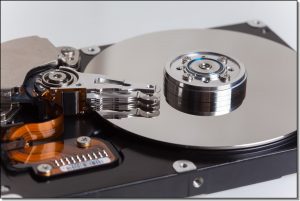 As a result, many, if not most defragmenting tools just require some fairly random percentage of free space, like 10% or 15%. If there’s not enough room for a second, temporary, copy of a file that needs to be defragmented, then that file cannot be processed.
The most common reason files do not get successfully defragged is simply that there’s not enough free space on the hard disk to do so.
The second most common cause is that the file is in use by some program.
That’s why most defragging utilities suggest you close all running programs prior to attempting to defrag. One of the things you can do when you run into this situation is to look at the list of files that were not defragged and see if they are in use. This article: How can I find out who is using a “file in use”? explains how. If you can, you can then close the program that has the file open and try defragging again.
The next problem is that the operating system itself, as part of its normal workings, often has files open in such a way that those files cannot be defragged. One very common example is windows paging or swap file. The folks out at Sysinternals.com have a free utility, PageDefrag for just this purpose. It can schedule a defrag of the system files on your next boot, before the system is actually running.
Why bother?
My question to you is a simple one: why bother?
Defragging the files you can defrag easily, and doing so regularly, gets you 99% of the performance gain you’re looking for anyway. Jumping through these extra hoops to get the system files defragged is typically just not worth it, unless you’ve determined that these files are severely fragmented. And that’s rare.
My recommendation is to simply do the normal defrag “every so often”.
In fact, Windows 7 and better will do it automatically for you, once a week.
That’s plenty.


I just reformatted my hard drive, and my machine says the same thing when I defrag after all my programs are re-installed. Funnily enough though, there are no programs in the list of “un-defragged programs”, even though it says to look in the list!
Sometimes the easiest solutions are the best. Try defragging in “safe mode” and turning off your screensaver. Altho, as Leo says, you have to have enough free space on your harddrive for the defragger to work right.
delete all restore points and try defragging again :D
Deleting all restore points then recreating a new restore point worked!!!! It freed up almost 100 GBs on my 450 gigabyte drive and most of the red boxes disappeared.
I run Defraggler…
I cannot defrag my C: drive because the files that need to be defragmented are no longer in my computer (so i think)… A lost file (recovery was done) to obtain deleted files after a master reboot was done. (not by me ) lol… anyhow I cannot delete these files so I cannot defragment them either. My Hard drive says I have space available but when i go to defrag. there is blocks of red fragmented files that wont defrag so it is lagging my computer… Any help on how to remove these files will be appreciated…I have 31 % of free space but I shoud have 100 GB free…The files that are stuck are jpg’s and mov files… can anyone help me ? I have windows XP Home Edition
—–BEGIN PGP SIGNED MESSAGE—–
Hash: SHA1
Apparently you didn’t read the entire article. There are more reasons listed
there than just disk space.
Leo
—–BEGIN PGP SIGNATURE—–
Version: GnuPG v1.4.7 (MingW32)
iD8DBQFHDqJBCMEe9B/8oqERAsHsAJwPlPMmh7tFzyJ92BhRgiKKv3OZlgCeJWPD
E+yAYX9WquRMpX+KNIQCtd0=
=pnLA
—–END PGP SIGNATURE—–
Leo’s explanation is correct : the available free space has to be atleast twice the size of the largest file to be defragmented. So the actual percentage of free space is not the only factor, but the size of the fragmented file is important too.
There are also some system files like the Master File Table (MFT) that cannot be defragmented by the windows defragmenter, but requires a third party utility. While defragging some of the other system files may not be important, the MFT and paging files need to be defragmented for the best performance. Essentially, defragment the ‘normal’ fragmented files and the MFT, and you’re all set.
I use an automatic defragmenter that defragments my 3 drives as and when necessary quietly in the background, so remembering to defrag or scheduling one for late nights is not a factor. I like it much more than the old conventional manual defrag or scheduled defrag because it automatically and intelligently tackles fragmentation in the background, without interrupting my computing. And I dont waste *my* time defragging 2x160GB and 1x 250GB worth of drives..
Yes, I read the article, but still unsure where my problem, “based on its size” fits in.
I have an IMAGE file that won’t defrag that consists of 16,583 Fragments and its size is 46,023 MB. I have a 111 GB drive with 48% free space. Can this be a major contributor to why my machines are running slow? If so, what can I do to fix it?
Thank you,
Joe
—–BEGIN PGP SIGNED MESSAGE—–
Hash: SHA1
Wow… that’s a big file. 45gig on your 111gig hard drive..
that one file is taking up nearly half your space. Yes, I’m
not at all surprised that the file wouldn’t defrag.
There’s no way for me to know whether its fragmentation is
responsible for your system slow down – that depends too
much on how you use your system and what else is running
on it.
And what it is one does with a 45 gigabyte file.
Leo
—–BEGIN PGP SIGNATURE—–
Version: GnuPG v1.4.7 (MingW32)
iD8DBQFHlp9SCMEe9B/8oqERAhlKAJ9Xqypx9mgfxPPklCbIlwogDe0HTwCeP9GI
CPLU3gPOxEUgPGBWjeBulZc=
=KGgi
—–END PGP SIGNATURE—–
I’m surprised that you recommend defragmenting your hard drive every night. Do you WANT your hard drive to die from all that extra work? Once a month, or even 3 months is PLENTY.
—–BEGIN PGP SIGNED MESSAGE—–
Hash: SHA1
First, I don’t believe that defragging really shorten’s the
drive’s life appreciably.
That being said, I did drop back to once a week, just
because nightly defragging was of little benefit.
Leo
—–BEGIN PGP SIGNATURE—–
Version: GnuPG v1.4.7 (MingW32)
iD8DBQFH9UmxCMEe9B/8oqERAgaAAJ9FJmf+WanexQ/EbAVomixCMZVf9gCeNV8D
Fdl8Zh6+4N2+E4lWWaBNQx4=
=ROIe
—–END PGP SIGNATURE—–
The hint for PageDefrag is reason enough alone for this article.
Almost 10 years ago, I had a bunch of SGI O2’s where a defragger would be active around 3am-5am. It would start, defrag, then remember where it was for the next day. Things like this should be part of the OS; it really helps your system’s speed and Microsoft would be better off with some good news about their currently flaking OS. ;-)
My Sony desktop has always defragged using the XP home utility until only the past month or so, when I got the “Some files did not defrag” message” and worse, since the report box, which is made not to be maximized in size showed only the start of the file path: docs & settingsname etc. which is all I could see. Printing didn’t help, but after saving the report I found that the stubborn file is a db file used by Google Earth. The full path is Documents and SettingsMyNameLocal SettingsApplication DataGoogleGoogleEarthdbCache.dat. In the past I have always done a disc cleanup followed by a empty recycle bin, then a defrag, which has worked fine. My 80G drive is partitioned C/D from the factory with most space on D due to “Click to DVD” software and the OS is on the 13.97G of the C drive, which had 21% free (3.03G) space the 1st time I got the files not defragged message (and 17% now), which seems to be enough space to double copy the largest file. The report says the Google file is 395Mb, 105 fragments, and the timing seems to coincide with a recent updating of Google Earth to a new version. Windows Explorer shows a 409.6Mb dbcache.dat file & another smaller 2Mb index file. I have an external 250G backup drive also. So, my questions are: Should I uninstall/re-install Google Earth? Is there another available defrag utility I can use if the PageDefrag utility above won’t (will this work-don’t think this file is a paging file?); and will it work on a file of this type? Or should I ignore the issue, since it seems the only slow-down would be when using Google, which does seem to run more slowly even though I have FIOS internet?
—–BEGIN PGP SIGNED MESSAGE—–
Hash: SHA1
I would ignore it. The effect of having that one file
fragmented are nearly neglible.
Leo
—–BEGIN PGP SIGNATURE—–
Version: GnuPG v1.4.7 (MingW32)
iD8DBQFIYZVmCMEe9B/8oqERAkuXAJ4rbbFPRHiN32j0v1i5J3netBB9AQCfT0WP
I3FOjf2CrRIMYC6v/EKRINg=
=Bejo
—–END PGP SIGNATURE—–
Zipped files won’t defrag. That was the problem when I was getting the same message. May be something to look for.
—–BEGIN PGP SIGNED MESSAGE—–
Hash: SHA1
“.zip” files defrag just fine. Defragging doesn’t apply to
the files within a .zip.
Some files won’t defrag typically because they’re too big,
or perhaps because they’re exclusively locked by an
application or by the operating system. For example normal
defrag programs cannot defrag the paging file – that
requires extra steps (and it’s typically not worth it
anyway.)
Leo
—–BEGIN PGP SIGNATURE—–
Version: GnuPG v1.4.7 (MingW32)
iD8DBQFIf3/XCMEe9B/8oqERAr6LAKCEO8r+AOqTZhZCu/0NmwrYYwwCNwCfSgIt
DMMomoOMB/Ufn+tZTSv0LnM=
=AVBI
—–END PGP SIGNATURE—–
I installed MS XP SP3 upon virtual PC over Vista, the Virtual PC has Elastic virtual Hard drives, and all the files within the .vhd are less than 1.5gb, neverthenless, the .vhd weights about 3.5gb, I defragged it, i notieced most of the files were nicely aranged one next to other excepting some small pieces over there.
At sight I saw the space between most of the files and the small files over there was a bit more than the space used by most of the files, that makes me think, if I defragged those files, the page files, I may reduce the .vhd size about 1.5gb!, so, I need a Defragmeter thet defraggs it all.
I’m getting the same “some files would not defrag” message. However, my concern is that I have a huge amount of fragmented files and Windows XP keeps saying I still need to defragment. I have some very big audio recording files and I’m wondering if they’re just too big to fix. Also, I’m using Norton System Works Speed Disk to optimize and it’s taken days just to move 10% of the files. Should I move some of the files to my other drive and try to defragment a little at a time? I’m moving pretty slow in that drive and I need to be fast in the studio. Thanks for all your great advice, keep it up!
I have 57.23 gigs total on my NTFS,hard drive with only 13.24 gigs, (23%) free space. There’s an enormous amount of fragmented files, (about as much as total contiguous files and unmovable files combined.) Up until a few weeks ago, when I defragged, I got a pretty clean slate and had plenty of free space, but the fragmented file(s)started growing and has continued to grow and my free disc space has dropped from 34% down to the current 23%. I’ve checked and none of my files are in use by another user,entity, etc. I’ve exhaused my defragging efforts and my question is – What happens when I run out of space? Is my computer going to lock up or what? Thanks, Jimmy
25-Oct-2008
i have windows xp .i clicked MY COMPUTER then SHARED DOCUMENTS and opened .nothing happend !!
How do you consolidate the system files so you have larger free contigous space on your drive?
It is impossible for my page file to be in a single fragment because I have unmovable system files scattered over the disk. I have jkdefrag, contig and pagedefrag. I also have format but I’d rather not use! It’s not very important but I’d like to know how.
is there a way to reverse the defrag?? i did a defrag yesterday and now my computer wont play sound and some files are missing???
18-Feb-2009
theres a tip you can use to help force a file to defrag. it works with any reasonable small (less than about half your remaining space) file not locked by the operating system, even the most severely fragmented (3000+ fragments per 100 megabytes) files. If you have already run the windows defragger, it will at least have made some attempt to group free space together, even if it cant get all the files. So, you copy and paste the file into the same folder. This will force the OS to allocate space for another file, and it will choose the largest spaces available. It will then assemble the fragments of the original into the large spaces it allocated, which (barring the most severe of space shortages and file fragmentations) will usually drastically reduce the number of fragments in the copied file. When the copy is finished, delete the original and rename the copy to what the original was called. This will often jump start the defragger should you decide to run it multiple times, because it will no longer choke on the heavily fragmented ones at the top of the list (which you did this to =])
Either paste and copy the file in the same place again. OR..look at the file’s properties for something like “this file is from another computer and is locked” Its rare but happens once in a while with downloads from certain sites (or copies of the file)) Then unlock it and all is ok again.
After 6 years of using Diskeeper these are the only “tricks” I needed to know.
(XP pro servp.3)
I’ve seen people comment here and there about moving single files or bunches of files from one drive to another to defragment them; through the inherent process, if the destination HDD is sufficiently defragmented (or empty) the files should neatly lay out in a smooth order on the disk platters – that is my understanding.
I have just under 3TB (yes, that’s Three Terabytes) of HDD space across a handful of External and internal drives.
With the speed of file transferring over connections like SATA-3Gb/s (yes, even one of my external drives is that fast), being so fast, shouldn’t it be like the holly-grail of Defragging options just to hop-skip-and-jump entire HDD’s worth of data from one drive to another (preferably to an empty or well defragmented one)… automatically defragmenting in the process?
disk def. has detected that chkdsk/f. is scheduled to run the volume. hppalvion
please check chkdsk/f.
My pc has just told me (for the first time since I purchased it several years ago and after many defrags) that it cannot defrag all the files. My pc has 77% free space. I recently downloaded a programme from Nokia, which I later uninstalled because it didn’t to what I wanted it do and also made my pc run slow, and I ran a wash programme I have that allegedly removes any residues left after uninstalling programmes. I only got the “cannot degrag all files” report from the next time I degragged after uninstalling this programme, so wonder if it was that which is affecting it. I ran the defrag again with everything shut down but it still came up with the same message. It says all of the files it cannot degrag are in documents and settingsAll Users Application. I’m not much of a pc expert. Is it worth trying to get these particular files to degrag? Will whatever/wherever they are have any long term impact on the performance of my pc?
03-Jul-2010
I only have 16% available space (46.64GB used and 8.99GB free). Report told me following: Volume fragmentation info: total fragmentation 15%; file fragmentation 30%. all of them are in my itunes folder. I went in and unchecked read only hoping that would help but it didnt. Do i need to further attempt to defrag this? I have already deleted all the files and programs I feel comfortable deleting to try to free up more space.
Mein Gott! I have 17% fragmented files on my laptop, and all of these fragmeted files (147 fragments!) are on the “System Volume Information”. How can I defragment the System Volume Information? Please, help me.
14-May-2011
My AVG Internet security 2010 reports that I”m protected and up to date, but windows defender warns that the malware moniter is off. When I update the program it reads completed successfully, and gives a error code. How can I resolve this problem?
I have 1 GB free on my laptop’s 136 GB hard drive. This is after I have completely emptied my hard drive of photos, videos, documents, pictures, etc. (moved to external hard drive). I’m not aware of any huge programs on my computer, and it was set to defrag every week automatically. Recently, I tried to defrag manually, and it said I had 70% fragmentation. It took a few hours to go through the process, and when it was finished, it still said I had 70% fragmentation. I know you said lack of hard drive space would reduce ability to defrag, but any advice would be appreciated!
15-Oct-2011
The question for me is “why won’t some files defrag under NTFS?” I’ve been using defraggers since PC Tools Compress v.4.21 (way back in the DOS era–also when dinosaurs roamed the earth) and every FAT-based defragger I’ve used (PC Tools Compress–all versions, Norton Speed Disk, MS-DOS 6.x Defrag, Win9x Defrag–at least in Safe Mode) not only defragmented every single file, but if I wished (and I usually did) it “compacted” the files so that all of the files were together and all of the free space was together (which of course made defragmenting larger files easier). I have mostly been out of the Windows “loop” for the past several years as a Linux user, but dip back into the Windows world now and then. I have yet to find an NTFS defragger that will do what the FAT/FAT32 defraggers could do routinely. They only defrag files to the extent that there is EXISTING contiguous free space to do it with. They don’t move anything to create contiguous free space. And files are still scattered (many of them still fragmented) all over the hard drive.
Are there NTFS defraggers which will do the complete job like the FAT defraggers have? If not, why not? Particularly, does it have anything to do with the nature of the NT File System? Thanks. Sign me “Baffled”.
06-Feb-2012
Leo: Remembeer I don’t know what the hell I’m talking about. I’m only a typist with benefits! But since most of us have far more memory than we need why doesn’t M/S program windows so there is routinely a ‘buffer’ between progams for fragmented files? More to this suggestion if you are interested.
17-Mar-2012
Just one caveat that should be mentioned with regard to defragging the more modern Solid State Drives (SSD) – Don’t.
If your hard drive is Solid State, you should get a warning that defragging could damage the hard drive but, just in case you don’t get a warning, check your hard drive type. Perhaps Leo could tell you how to check this.
Hi Leo,
I’ve a 20Gb file (graphics work) on the C drive which won’t defrag because the My Documents file – 2.5Gb – is apparently located in otherwise free space and divides this free space into two or more unallocated sections. This means that the huge file is now red-zoned in three sections and thus can’t be defragged.
My proposed solution is to delete this My Documents ‘island’ as well as the huge graphics file from my hard drive, defragment, and then to firstly copy my huge file back onto the C drive and then to also copy the My Documents ‘island’ back onto the C drive in the hope that my huge file will then occupy a blue contiguous area and the My Documents file will relocate itself in an otherwise suitable area.
Would this be a stupid/dangerous move? The data is as follows: 56Gb hard drive on XP. Removing only the My Documents – 2.5Gb – ‘island’ and the huge 20Gb file leaves me with 46Gb free space.
Or is it entirely possible and I may indeed safely go ahead with this file ‘swap’?
I hasten to add that the XP home edition is in fine fettle and is still working well. I simply dislike untidiness.
TIA
“My Documents” likely has special meaning to Windows, and probably can’t be deleted. Regardless, it contains A LOT of things that you’ll want to preserve before you try. MANY applications make assumptions about what they can or cannot put there. I wouldn’t play with it without MUCH more detailed investigation.
Instead, I’d probably run Defraggler – which does a better job in cases like this – and perhaps run it more than once.
Thanks for your response, Leo. Yes, I do hear what you tell me.
But…
I’ve been trying, for years, to remove this enormous red blot by repeatedly defragging C: drive. No dice.
I recently also tried some well-rated defragger freeware but all they could do is try load me up with unwanted add-ons, nothing else.
I’m now also thinking that instead of worrying about the My Docs folder I should simply delete that huge graphics file and use the space on the C: hdd to create a 20Gb partition. That move should shift the My Docs folder into a more ‘contiguous’ position, not so?
I can, after a suitable interval, then delete the 20Gb partition and re-insert the huge graphics file in the space left behind.
Of course I’d need to run, after each step, the MS Disk Defragmenter, their chkdsk facility, their XP Recovery disc and their MRT in order to stabilise and clear out the clutter which CCleaner misses.
Yes, I’m so ignorant that I prefer to use all the bells-and-whistles at my disposal – in the hope that any harm I do will be so mitigated.
I’ve a 1Tb external hdd which I use only for a regular system and a separate cloned backup.
It’s thus not a space problem to create yet another two partitioned drives containing cloned backups and experimenting, as proposed in my first and this post, in search of positive results. I can view the status of the relevant hdd to verify any improvements.
How to transfer those external hdd results to this XP’s hdd might be a challenge for the future, if I understand you correctly?
I’ve also noted that pesky ntuser.dat file found in the user file [my computer name is ‘user’] also likes to consider itself un-deletable – “Access Denied” – it likes to tell me. Yet I can, on the cloned version, duplicate it or replace it at will – with yet another ‘saved’ version .
Perhaps I can treat the My Docs folder in a similar fashion? And then set up a new ‘Administrators Account’ and thus overwrite the previous one?
I re-formatted my hdd and reinstalled XPSp3 a few months before MS ceased XP support in order to ‘refresh’ this device and ensure it’ll ‘live’ until 2019.
I’m a total ‘noob’ at all this stuff. It’s so good to be able to consult and receive guidance even though my choice of terminology might be confusing.
Thanks for your support. I’ll be in touch if any of my idiocies bear fruit.
Take care now.
Again, you are treading on very risky ground. “ntuser.dat” for example, is your registry. Delete it and Windows won’t boot.
Honestly I think the return on the amount of time you’re spending on this isn’t worth it. I would NOT delete “My Documents”. Period. You may simply have some files that cannot be defragmented.
Thank you Leo, I’ll now certainly heed your “you are treading on very risky ground” warning.
Methinks you’ve saved me from unnecessarily wasting time – which, after all, is the purpose of your advisory column, not so? Thanks once again!
We’ve all been conditioned to regard the colour ‘red’ as signifying danger and this attitude is probably the root cause of my foolish concern? Do you get that, Mark?
Perhaps this huge file in the red zone, which so bothers me, would be more ‘comfortable’ within the My Docs folder and not, as currently located in the user or All Users folders as found under Documents & Settings. I’ll create a file within the My Docs folder and transfer the 20Gb content thereto. I’ll do this first on a cloned version of my system and see how this goes.
@ Mark Jacobs (Team Leo)
Thanks for your helpful contribution.
I’ve no issues, at all, with the operation of this XP device – except I sometimes wish I had a more powerful version of Intel’s Celeron M.
When working with large [200Mb+] graphic images Gimp does tend to get a bit ‘draggy’.
Yes, I’ve upped the Virtual Memory to 2Gb but I still have only around 450Mb of RAM available. I’m told I can go as high as 4Gb Virtual Memory. I’ve also made some alterations to the Registry which automatically clears this PageFile system every time I turn the machine off.
There are no temperature issues – which to me is a sign of danger – when editing large files.
Here’s a ‘Believe it or Not’ solution I came across many years ago when heat was once a serious issue and this device was crashing regularly – BSD – every time I tried to open or download a file of 40Mb or more. The diagnoses on the www ran from viruses to Registry issues. I even tried something called ‘HijackThis’ but it couldn’t find any faults. Needless to say the Registry files contained nothing which resembled the files which ‘they’ were ostensibly referring to. I was also advised to clean and replace the heat-sink gunk which, it was said, had dried out. LOL
Then some guy wrote that this laptop interior had collected dust which was interfering with heat transference and I should apply a vacuum-cleaner on/at the heat-vent. Problem solved. I still suck at the heat-vent about once every two or three years, though – just in case.
I know of friends, involved in on-line games, which have gone to the extent of fitting their desk-bound devices with water-cooling equipment. LOL
@ Leo & Mark
Thank you for your honesty and insistence that I don’t really have any real problems. This is soooo refeshing because, imho, 99% of these wannabe-helpful sites are dangerous to the average laptop dilettante.
Bless y’all…
Defragging really only gives small speed increases which are in many cases imperceptible unless the disk were heavily fragmented. Your drive seems pretty well defragmented. Even if you filled the red hole, you wouldn’t notice any perceptible improvement. As long as things work it’s no use worrying about how your disk looks in the defrag program.
1. Is there a “Defragmentation” at the boot level” i.e. before many files are being used? Windows-10, with C: drive of 1.89 TB HD and 0.89 TB free!
2. How to get rid of “File in use” if they are “Windows files”,. to use the suggestion above of having these files not being in use, something that prevented their defragmentation?
You could create a Windows live USB flash drive or disc and boot from that and defrag. You can google how to do that. It probably won’t give you any noticeable increase in speed.
Many files in use actually can be defragged and are, so it’s not really a huge problem, and thus not worth a lot of effort. There are two basic approaches: boot from some other disk and run the defrag tool from there (for example a dual boot system with the OS’s on different drives), or “PageDefrag” is a tool you can use – it’s discussed in this article: https://askleo.com/why_wont_some_files_defrag/