
Let’s say you just bought your second computer. Perhaps you purchased a new laptop, tablet, new machine for your spouse, or another machine for yourself. Maybe you want to connect your smartphone via Wi-Fi when you’re at home, to reduce the usage of your mobile data plan. Perhaps you got a smart TV, light switch, video-streaming box, or Echo or Echo-like device.
Whatever the device, you want to connect it to the internet. It would also be nice to share things, like printers or extra disk space, among compatible devices.
You, my friend, need a LAN, or Local Area Network. There are lots of ways to set one up; I’ll review the basic setup for the most common case.
Already have a network, but not sure how to grow it? I’ll look at that, too.
First, let’s look at the two types of networks: wired and wireless.
Become a Patron of Ask Leo! and go ad-free!
Wired Ethernet
The basis of your LAN will be ethernet. That word has a very specific technical meaning, but in common use, it’s simply the technology behind 99% of computer networks: a way of transmitting digital data.
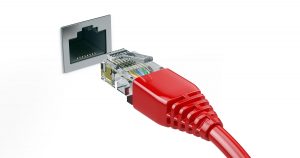
Most computers now come equipped with an ethernet adapter – it’s the squarish hole that accepts what looks like an oversized North American modular phone jack.
Your broadband internet connection — cable, DSL, or something else — will come into your home or business as a wire that connects to a device typically called a modem (again, technically inaccurate, but it’s the common term). The modem’s job is to convert the broadband signal to ethernet.
 That ethernet is then connected to a router. The router can be a separate device, or, as we’ll see momentarily, can be in the same box as the modem.
Routers control two important things. First, they “route” information from the internet to your LAN, and among the devices connected to it. Second, as a side effect of the way routers allow devices to share an internet connection, most also provide a very efficient firewall, protecting the devices on your LAN from many internet dangers.
Each of your devices need an ethernet adapter. Most already have them. In a traditional wired LAN, an ethernet cable connects each device to the router, and another connects the router to the modem.

Important: Many ISPs provide a combined modem/router. That means the two separate devices — modem and router — are placed into a single box. Your internet goes in one connection, and you connect your devices to ethernet ports.
Wireless from the start
These days, it’s more common to connect devices wirelessly than to use ethernet cables. Laptops, portable devices, utility devices, and even desktops now use short-range1 wireless networking technology known as Wi-Fi.
The most common approach is to use a wireless router to include wireless capabilities in your network from the start.

The wireless router combines the functions of two devices: the router, just as we saw above, and a wireless access point, or WAP. (And yes, ISPs often provide a single box that combines all three devices: modem, router, and wireless access point.)
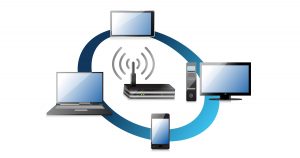 A wireless access point is a device that acts as a translator between wired ethernet signals and wireless Wi-Fi signals.
Adding wireless to an existing network
If you have an existing network using a wired-only router, and you want to expand that network to include wireless connections, you have two options:
- Replace the wired-only router with a router that includes Wi-Fi.
- Add a wireless access point to your network.
Note: Getting an additional wireless router is not on that list. You do not need two routers. If you have a router you want to keep, you can simply add a wireless access point.

A wireless access point is simply a device you plug into your existing router as if it were another computer. It connects all your wireless devices to the router.
Dealing with network growth
The number of internet-connected devices we deal with now is pretty amazing. Unfortunately, it’s pushing the limits of some of our network connectivity.
 Wireless is easy. A typical wireless router (or router with a wireless access point) can easily handle dozens of devices connected via Wi-Fi.
Wired devices, however, present a different problem.
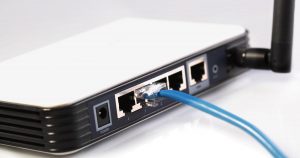
Most home and small business routers — wired or wireless — come with a limited number of connections. Often there are exactly five connections: one for the internet (often labelled “WAN”, for Wide Area Network, or modem) and four for networked devices. Of course, today it’s not uncommon to have more than four wired devices in your home office. If all you have is a four-port router, adding that fifth device can be a problem.
The simple solution is a switch.

The best way to think of a switch2 is as wired network extender. All a switch does is make sure that data coming in on one port is sent to the correct other port to reach its intended destination. In the diagram above, one port of the switch is connected to one of the ports on the router. Additional computers are then connected to the switch.
Switches come in many sizes and often add more than a few ports. Common configurations for home or small business switches include eight- or 16-port switches.
Networking can get crazy
What I’ve described above are the common scenarios that apply to home and small business networks.
Those are the simple cases.
Adding multiple wireless access points, extending networks over larger distances, or adding additional layers of security or functionality all add complexity…
… right up to the internet itself, which, when you get right down to it, is built of not much more than the building blocks we’ve talked about here. Oh, they might be bigger, faster, and significantly more expensive, but the concepts are essentially the same.
But if all you want to do is share an internet connection with a few devices at home, your setup can remain pretty simple.
Do this
Subscribe to Confident Computing! Less frustration and more confidence, solutions, answers, and tips in your inbox every week.
I'll see you there!
Podcast audio

More for Patrons of Ask Leo!
Silver-level patrons have access to this related video from The Ask Leo! Video Library.
 Setting up a Home Network
I am having trouble with my newtork which is between 2 computers, i have brought the ethernet cards and installed them no problem and the cable. It says that there is a local area connection active. I have setup the network but cannot access the files from the other computer (i have only got the files from that computer in My Network PLaces). When i go to workgroup computers on the server/main computer i cannont access the computers but i can on the other one but for the main computer it says that it is inaccesible. Please help me!!
It’s a little hard to understand your description, so I’m not really clear on exactly what’s happening.
You didn’t indicate whether you have a hub, router or something between your computers. If not, you need a crossover network cable. For that, and for just a plain old hub, you probably want to make sure you have netbui protocol installed as well.
And of course make sure sharing is enabled on both computers. You didn’t indicate what OS, so it’s hard to pinpoint just where those problems might be.
Leo
I am interested in wirelessly networking (DSL) a PC and an iMac. The PC is running on Windows XP Home Edition and the iMac is running OS X. Is this even possible? No one I ask seems to know.
Sure. Quite possible. Basically anything that could be connected by standard TCP/IP over ethernet should be able to work ok via WiFi. I’ve been in conferences where we’ve had multiple PCs & Macs sharing a wireless access point.
Sir,
I have installed two operating systems(O.S) in my computer, i.e in dual mode. Initially my computer was having only Win98se O.S. Now I have installed Window XP, recently. Win98se O.S is in C: drive and Window XP O.S is in D: drive. My computer is in small home network containing 5 computer in LAN. All of them are directly connected to the router.
The problem is that I cannot login to LAN using XP. I cannot browse internet and cannot transfer data to & from other computers in the LAN. Whereas in Win98 I can perform all these tasks. I have done same TCP/IP configuration in both O.S’s, and also given same Workgroup name. Though I have given same I.P address to both O.S’s, but it didn’t worked out even when I gave different I.P addresses in WIN98 and WIN XP.
Please help me to fix this problem.
What kind of device are you connected to? A router?
I’d be tempted in WinXP to start a command shell and enter these three commands:
“ipconfig /release”
“ipconfig /renew”
“ipconfig /all”
Errors at the second step would be informative, as would the data that it reports on the last one. On the surface what you’ve described should just work.
Yeah. Well I just reinstalled Windows XP Professional on a good computer. It had previously had Xp Professional but then it just collapsed because of all the spyware and viruses that had been on it. My problem is that i dont know how to connect to the internet threw my first computer(connects to my service provider[Verizon Adsl]). I try to make a Home Network but it sais that i dont have the right hardware…..well thats odd…I had it working fine about 5 hours ago….i do not know how to set up a local area network and could you please help me.
~Ben Ashby~
In a nutshell you want to turn on Internet COnnection Sharing on the computer that’s connected to the DSL, and then network the other computer to it using either a hub, or a reversing cable. Can you be more specific about what you were doing when it toldyou you didn’t have the right hardware?
I HAVE 2 PUTERS WITH XP, I HAVE DSL…..I GOT THE LINKSYS ROUTER ON THE MAIN PUTER AND THE WIRELESS ADAPTER ON THE OTHER…THE ADAPTER SIGNAL IS GREAT AT 11 MBPS, THE PROBLEM IS THE DSL IS ONLY AT WITH BOTH PUTERS ON…. WHAT CAN I DO? THANKS
UHH MISTAKE , THE DSL IS AT 2MBPS
I guess I don’t understand your question Tony. Everything sounds correct.
I have three computers one XP two Win2000. I have a DSL router(192.168.0.2) with a single RJ45 connection plugged into one of two ethernet cards in the XP machine. The other ethernet card in the XP machine is plugged into a 5 port hub (192.168.0.1). My DSL is functioning perfectly on the XP box but I have no ICS on the 2000 boxes nor can I share files, printers etc. I am very unsure on how to set the TCP/IP addresses so all boxes can see/share and browse the internet. I know this is a lot to ask but I need actual configuration settings and IP addresses if you have the time and energy.
Thanks – more than slightly frustrated Chip
Submit this one via http://ask-leo.com/askleo.html (free — or pay if you’re in a hurry 🙂 and I’ll try to get around to it. I’ll also need to know what kind of DSL router you have.
I have a desktop and mobile connected via a wired router to a cable modem. When I go through the XP networking wizard, it tells me this is unsafe because any files I share between computers are visible to the internet. It recommends connecting the two computers directly, then connecting to the internet by one of the computers. I cannot see how to do this. What do you suggest.
If your router is indeed a NAT router, then what you’re setting up is just fine. You’re basically implementing the diagram that accompanies the article here. This’ll help clarify “NAT router”: http://ask-leo.com/archives/000040.html
I liked your article, but still it does not answer few questions. For example setting IPs for each computer. Setting up LAN takes only few steps, and it is fairly easy, but explaining it to the public is not.
Hi! Leo
I want to setup ADSL wireless in my home…with my 2 laptops.
Please! tell me what I need to buy to setup it.
Thanks for yours time
Wilson
Besides the DSL modem (your DSL provider will either provide and/or recommend one), all you’ll need is a broadband wireless router, and then the wireless cards for your laptops if they don’t already have wireless built in.
I have exactly the set-up in your diagram. The router I’m using is the netgear MR814. I am unhappy with the wireless signal between the router and two laptops in a part of my house. The router is in the basement and can’t be easily moved because that’s where the cable modem is. The area I want to improve the wireless signal to is near a wired XP computer.
Can I attach another wireless router or access point to the port near the dead area? Or do I need to put a non-wireless router in the basement and a wireless one on the port? Can I reuse the MR814?
Yes, you could connect another wireless access point. The key is simply that the access point must be wired to to the router. (And access point can, in fact be a router, but make sure DHCP is turned off, so that you don’t get “double NATting” by going through two levels of routing.)
Is it possible to set up a wireless connection to my dsl connection for my laptop thru a wireless lan router? Say I want to surf in the kitchen or outside under my favorite tree. Do i need to have another computer? Or is it enough that i buy a wireless lan router. thnx in advance
No additional computer required. If you look at the diagram accompanying the article you commented on, you’ll see the laptop is communicating with the DSL router directly.
I have a DSL cable running to a wireless router then to my desktop. I have a Sony Vaio wireless laptop. How can I share files between the two with what I’ve got? I like the idea of me and my wife being on the net at the same time but i would love to transfer files from the desktop to the laptop and vice versa
The scenario you describe should work. Just make sure you have file sharing enabled on one or both machines.
Judy
May 19, 2019 @ 6:54pm/reply
I have a Chromebook (Ethernet or wi-fi), my wireless router which connects to cable company. No access point? Router has one internet port and 4 lan. Modem has one internet port. However, it is not secure even with my security and password . My computer has USB with extender and adapter. How do I get an access point? Also have two mobile phones. Thanks for any explanation you can give me about the access point.
I already have a wireless network of 2 computers and i don’t have an access point. Can i connect a 3rd one without buying an access point, or an access point is necessary in order to connect more than 2 computers?
I believean adhoc network will work with more than two computers.
I have 2 laptops & want to setup a wireless network. It would go cable modem to router or access point? then wireless to my 2 laptops? I’m being told I have to have a PC hardwired to control the routeror access point then wireless to my 2 laptops! I don’t need a 3rd pc just build my network do I?
What you described should be fine: cable to wireless router, and then your two laptops.
I have a situation that won’t allow me to run the following all on one network so I must ask this:
Can I have both a wireless adapter in my XP machine (that connects to an access point in another WLAN to the internet)and a hardwired ethernet connection that goes to my LAN to access my printers?
If yes, how do I tell the XP machine which connection to use for inet and which for printer?
I want to share internet between two computers at home. A desktop (wired) and two laptops (wireless). I’m confused about access point and router. What would my needs be?
i have 3 computers at home on a network. im sharing my dialup connection on my computer using a hub. im planning to have a dsl connection maybe this week. how can i still share my dsl connection when the dsl modem is connected to my ethernet card? should i buy another ethernet card? router for me is kinda complicated.
Doug: it may just work. If you’re connected to more than one LAN, the OS figures out where named resources are by, essentially, asking on all connected networks and seeing who responds. It’s been a while since I worked with this type of situation, but as I said … it might “just work”.
Roberto: you want a router (the interface between the internet and all your computers) with a wireless access point (the way the wireless computers will connect to the router) built in. Think of the access point as nothing more than a wireless alternative to the network cables that also come out of the router.
Bahmshayno: you can make what you describe work, but I’d REALLY recommend a router. These days they’re cheap, they’re small, and in most cases you just plug them in and they work.
I’m about to buy a laptop as a 2nd computer. Your saying I should then also buy a router and then a wireless base station (i take it that is for sendin the routed signals)
will this do the same job as both of those things : http://www.dabs.com/uk/ProductView?quicklinx=2CS8 (sorry about linking to external pages!)
And with this laptop : http://www.dabs.com/uk/ProductView?quicklinx=3FK0 do I need to buy a wireless notebook card (I don’t think I would have to looking at the specs – but I want to be sure!)
Thanks for your time.
Malc
(www.trackam.co.uk)
Actually I do *not* recommend getting a *separate* router and base station for small installations. I *do* recommend exactly the kind of device you’ve linked to: a single device that is both. The Belkin you point to should be fine, I run a LinkSys in a couple of situations as well. More recommendations here: http://ask-leo.com/d-recommend
Thanks very much – Ive ordered those items (and a wireless laptop card to as the model Im getting doesnt have one intergrated).
Cheers
Malc (soon to be network enabled)
Is it safe for health to place our wireless router on a bedside table beside our bed, with a view to frequency emissions etc. This is where our phone console is. Just got me thinking when you read about the concern with mobile phones etc.
I don’t know. I’ve not heard of any research or data one way or the other.
Hi Leo:
I have two computers. They are both be within a few feet of each other. I have a cable modem. I want to share the network connection. I like Linksys. Even though I don’t need wireless at the moment, and truthfully, not sure if I will, I will probably buy a wireless router. Question: should I buy the linksys wrt54g to get 802.11g (and a + b) or the befw11s4 that does a and b?
I haven’t looked at the specific models you mention, but if I were to get another router, I would get it with 802.11g, just to keep my options open to support the faster wireless protocol if I ever got other equipment that supported it.
Hi,
If possible could you help me out with my home network. I have 2 PC’s at home and a wireless internet connection. The 1st PC has 2 NIC’s (one onboard for the internet and one PCI [with 8 ports] for the 2nd PC). The 2nd PC has 1 NIC. The 2nd PC is connected to the 1st PC by means of a crossed over network cable. The network connection on the 1st PC is bridged to allow the 2nd PC internet access. Unfortunately once bridged the internet connection is very slow, even if the 2nd PC is not connecting to the internet. Is this normal?
Is it possible to link the 2nd PC and the internet using the network card that has 8 ports instead of creating the bridge? Thanks for your time.
Shane: I avoid bridging like the plague. What I’d do instead is turn on “internet connection sharing” on the PC connected to the internet that has more than one NIC. That allows that PC to act as a NAT router for your other machines, and in my experience has been quite fast.
Hi im going to buy a laptop im using OptusNet Cable on my computer so if i buy a laptop i can use my cable on it? if you can what do i have to buy? (cords/rooters/etc) and how much do you think it will cost me? i live in Melbourne Victoria Australia.
You’ll have to check with the cable company. You may only need a cable modem and a network cable to go to it, or you may want to add a router to the mix.
yeah i am DUMB when it comes to setting up my us robotics 8003 router i want to setup the router with NAT for 2 pcs using one as the “dmz” my question is how do i do this thanks nrm.
I’m not familiar with that specific router, so I’ll simply direct you to the documentation that should accompany it, or the US Robotics web site. Typically there’s a web-based interface that allows you to make all those configuration changes.
Hi Leo
I have just got broadband and want to connect to one laptop (a desk top to follow shortly) I am trying to connect to th einternet wirelessly but the connection kept droppin off even with a good signal. Now the signal has dissappeared is it something I’m doing or is it the router and card malfunctioning?
If the signal’s truly disappeared, then yes, I’d suspect the hardware. However before doing that I’d a) ‘reboot’ the router by powering it down for a few, and then also b) remove (if you can) the wireless card from the computer, and reinstall it. I’d also make sure that a wired connection works reliably, since this is a new installation.
I have a 2-station LAN set up with a desktop and laptop. I just installed a cable modem to the ethernet switch. The cable company requires that the TCP/IP be set to automatically get the IP address. I can configure the desktop to connect to the internet. However, I can’t get the LAN working. In setting up a second IP (with my old IP addresses), having XP configure the network, etc. I am unable to have lan and cable. I called the cable company and after speaking with 3 technicians, was told that their cable internet (lite version) that I have will not allow me to run a LAN. I need to upgrade to the business-version of their cable internet.
I’ve tried everything I can think of – and have experience with networking as well as installing cable modems on a lan – but can’t get this working. Am I out of luck on this one?
In my area, there are no other high-speed options – cable is the only way.
Use a router that provides NAT instead of your switch. It will “look like” a single computer to your cable company, but you can connect multiple computers to the router.
hello
i am trying to set up a LAN between 2 computers in my house, i have connected both pc’s to the router and the router to the modem, i have tryed to create a connection but i have failed in every attempt.
some advise as to how i should proceed would be very helpfull
THANKS
Hard to say without more details. My first suggestion is can you get one computer working without the router? If so, check the setup against the diagrams included in this article. If you still have problems report back with some of the specific symptoms and equipment used.
Hi. I have a Linksys wireless B setup and two laptops. It’s working great. My question is, is there a way to the main laptop to be wireless as well, without having it plugged in via ethernet cable to the router? It would be great to have both laptops with no cables attached. Thanks, Brian
Sure. All you should need is a wireless adapter for that second laptop if it doesn’t already have one (which I’m assuming). They typically plug into the pcmcia (pccard) slot, but there are now also inexpensive USB wireless adapters that work very well also.
I only have one computer but I am on Comcast high speed internet full broadband. My question is I have NOD32 and windows xp service pack 2 and also McAfee firewall should I get a firewall router also. Most tect’s say yes but not sure what to do what do you think??????? Thanks
People’s opinions vary on this. In general only one is enough. I tend to like hardware firewalls because they keep the load off of your PC. Software firewalls will check outgoing traffic, though, which most hardware firewalls do not.
Hi i have two computers, a desktop and a laptop, they are both connected to a linksys router via ethernet. The linkysys router is also connected to a cable modem. Both my computers are connected to the internet but i cant seem to get them on the same network. Both computers have different ip adresses but have the same workgroup and different names. I also want to be able to disconet my laptop from the linksys router because it has wireless and stil be connected to the same network with my desktop.
i have a dlink di624. how many wireless connections can i achieve for my router??
Many. I think the logical limit is something like 32, 64 or 128, but in reality you’ll be limited by bandwidth first. I’ve seen routers start to get confused at around 30 connections … but even that starts to depend on the specific router.
I’m trying to set up a network for my two computers, I don’t have a router but I do have a hub. I have had a network with them sharing a dial up connection. I now have a broadband connection and was trying to connect both together. It was working fine til I accidently turned off my computer, and now it wont connect at all to the net, but the other computer will. ANy advice at all? I’m really going insane here and cant sleep til I figure this out.
I want connect two computer with a single network cable. please help me can do it
thancks
Mully: I’m guessing you need to get a router. I’m not sure how you were configured prior to getting broadband, but a router’s going to be the quickest and easiest way to get your scenario working.
mrp: you want this article: http://ask-leo.com/can_i_network_two_computers_with_just_a_cable.html
Hi! My home is currently set up on a “wired” network. We have four computers that all connect to a router, which is located in a bedroom central to the house. This also happens to be where our broadband connection comes into the house. This is my college age son’s room and he is usually away at school, which means no computer is hooked up in there usually. He brings his laptop home on weekends and connects it. We want to switch to a wireless network. We have a total of 2 PCs and 2 Macs. Some already have wireless cards in them. I think all we need to get is the wireless base station to do this (and of course, two more wireless cards for the remaining computers without them), but what I’m concerned about is does there have to be a computer hooked up to the wireless base station at all times to run it or just to configure it? Or are we good to go once we plug it in? This wireless stuff is foreign to me.
I also have a question and concern about speed. My son has a laptop (the one in college) PC with an 801.11g card in it. He says he gets great speed at college. My laptop (Mac) can only run an 801.11b card. I’m planning on getting an 801.11g wireless router, as I believe they are down compatible as well to 801.11b (please correct me if I’m wrong), but I am worried about the speed of that, as compared to my current wired setup. Since I work from home on my Mac, mostly on the internet (web design), speed is of course an issue for me. Will I get roughly the same speeds as I do with wired or am I going to experience a “downgrade” in my speed with 801.11b wireless? My office is less than about 50 feet from where the router will sit, however it is a different room.
A wireless access point or router does not need a computer to run. You’ll need one to configure it, of course, but once set you should be good.
Your DSL connection will be the limiting factor for internet speed – so the number of computers and what they’re doing on the internet will affect your speed much more than simply adding another wireless computer.
hello! i have recently bought a network switch in order to set up my home network. in the switch i have plugged my 2 computers and the connector from my broadband. my host computer can still connect to the internet through the switch.
both of the computers are showing the presence of a network but only my host computer can ping the client and not the other way round.
Please help!!
My guess is you need a router, not a switch. These articles should help:
http://ask-leo.com/why_does_my_home_network_only_work_with_one_computer_at_a_time.html
http://ask-leo.com/whats_the_difference_between_a_hub_a_switch_and_a_router.html
Hello,
I have two desktop pc’s, a laptop, and a “Talk Broadband” gateway that I use for telephone service from my cable internet. I also have a router, and have recently purchased a hub. Before buying the hub, I had the cat5 cable from my modem running to my TB gateway, then from the gateway out to a landline phone, and a cat5 out to my router, then to my 3pcs. According to my TB provider, this is the way that the network must be setup, with the hardware available. I was discontent with this set up for 2 reasons.
1. The TB is a bit unreliable, and ocassionaly goes off line, denying me not only phone service, but also denying internet to all my hosts.
2. I have other members of the house that I share the single internet connection with, and they need to have their own individual ip address, of which my cable isp provides, but are not accessable when using only the router.
So upon getting the 4 port hub, I connected the TB gateway from the hub, and nothing out from the TB gateway that would be affected by it going off line. I use the other three connections from the hub for the 3 pcs and they now all have their own unique ip address. The problem is that I now cannot use my router, which I especially like for it’s use as a physical firewall, not to mention the home networking features. Any suggestions?
Not sure why you can’t use your router. I’d try internet – to hub, and then the TB gateway to one port on the hub, and the Router’s internet side to another port on the hub. Other computers can connect to the hub if they want, or to the router.
“Not sure why you can’t use your router. I’d try internet – to hub, and then the TB gateway to one port on the hub, and the Router’s internet side to another port on the hub. Other computers can connect to the hub if they want, or to the router.”
I know that. But if my computers are connected to the router, they will all have the same IP address. As I said, the reason I got the hub is so that the computers will have different IP addresses. The locally assigned ip addresses the router provides to the network don’t go any further than the local network. I want all the computers to continue to have separate IP addresses, but I also want the security and networking features of the router. Is there a way to accomplish this?
Jason
Ah. I see what you mean.
The very short answer is no … the security features that routers present are in large part *because* they assign local IP addresses to the computers behind them, and “look like” one IP address on the internet. If you need to actually appear as separate addresses on the internet, then by definition you are bypassing much of the security provided by these routers. (Yes high end routers can do more, but I’m assuming a several thousand dollar programmable device is not what you had in mind.)
If you really need separate IP addresses on the internet for each machine, I would just use the hub, and make sure that each machine has appropriate firewall software installed and enabled.
I’ve just bought a new lap top & i want to use wireless using DSL connection which is connected to my PC at home? Because am currently living near colledge in the same town and my parents can’t affort to pay for another internet connection for me due to my sister at home who also need the internet. “Can i surf the net in the cormfort of my flat using the network set up at home?”. Hope you understand what i mean 🙂
Hi
I’ve read the whole article but none of them is having a more or less same problem.They all got PC’s and lap tops connected in their homes.But mine will be from the PC at home to my lap top at college.
Let me put it this way, do i need to be in the same erea of connection to be able to use the internet?
If I understand your question correctly … yes. Wifi has a range of around 300 feet at best, quite often far less.
Hi Leo,
I have a ethernet hub (and NO router). My DSL modem, PC1 and PC2 are all connected to the hub. Each individual PC is thus able to setup seperate Internet sessions. My PCs both have XP PRO and they each have their own firewall enabled (one is Norton and the other Windows firewall). However I’m not able to use the networking wizard to setup home networking based on the above config. Can you kindly offer some advice. All I want to do as a minimum is Printer sharing. File sharing is a nice to have but not required. Thanks.
In all honesty … replacing the hub with a router is by far the quickest and easiest way to get that to work.
My question is similar to several of above, but different.
Sharing a printer?
I have a 2Wire 1000HW wireless gateway. Their website claims this is an integrated “one-box solution, featuring a high performance ADSL modem, super-fast router, professional-grade firewall, and flexible home networking options including a HyperG wireless access point.”
It has one USB and one ethernet port on the back of it, neither of which I need, since both my wife and I connect to it via wireless with our laptops.
My question is: can I attach my HP1200 Laserjet directly to this gateway with a USB cable (the printer has a USB port), and then print to it from either laptop, wirelessly? I figure, since the 2Wire is a router, it should be able to do this. Any thoughts??
It depends on the printer. In the past, printers needed to be connected to a computer. Newer printers are sometimes coming “network ready”, which means that they have just enough computer inside them already to handle communicating on the network by themselves. If that’s the case, then you should be able to connect the printer to the router.
From what I’ve been able to determine, the HP Laserjet 1200 is NOT network ready … it apparently needs to plug into either a computer, or some kind of network server device that HP can provide (for a fee, no doubt).
Hi Leo
It is possible to add a wireless network connection onto a shared line, you see, the scenario is, the network connection is coming from another location,( CAT5) through a router, a network line is then made available to another area. I want to add 2 more “wireless” connections from that line. Currently, I can add a cat5 link to both new pc’c, but need to know how to achieve this by wireless networking.
I hope you can help.
Kind regards
Dilip
I’m not sure I completely understand your scenario, but it sounds like you just need a wireless access point, and then a wireless network card in each PC.
I have a Paradyne 6381 ADSL+ Modem Bridge/Router. It is supplied by my DSL provider and I do not have an option to use another DSL modem. I have my Linksys Wireless B Brodband Router connected to the modem. My desktop connect via Cat5 Ethernet to the router, while my laptop connects via Wireless. The problem I am having is that both routers are trying to handle NAT and DHCP on the same subnet. If I disabled those on either device I lose all connectivity. What changes can I make on the equipment to prevent these conflicts?
You should be able to disable DHCP/NAT on the linksys. Be sure that you either reboot the PCs, or do an “ipconfig /release” and “ipconfig /renew” on each so that they get a new IP address from the router that’s left NAT-enabled. Also be sure that the linksys is connected to the Paradyne using the “WAN” or uplink port.
Hi Leo,
I am novice computer user and am having problems setting up my wireless network. I have two desktops on 2nd floor of my house and a laptop which i use mostly in the basement. I have verizon DSL connection. Verizon sent me Westell Versalink 327 modem/router but since its range was not very good i decided to buy a new router. I ended up buying Belkin pre-n router, belkin pre-n desktop card and a belkin pre-n notbook card. I disables the wireless n dhcp in versalink and set up belkin router. The desktops on 2nd floor are working fine and my laptop seems to have no problem connecting to the network on mail floor n other parts of the house but when i go to basement the connection is not steady….signal quality i get is usually above 70 percent but i wouldn’t be able to connect. That happens mostly at night.
if the laptop is in my lap
and
i move or change position, i’ll be disconnected? what could be the
reason? 60-70 signal is pretty good for a steady connection why then i
disconnect?
is there a way to increase the strength n range of signal? n why is the
internet connection is slow? not as fast as it should be?
Please let me know how can i increase the range of my network? should i use another router/access point if yes how and where should i put it? it has to be connected to the main pc thru wires? or can i connect it to the 2nd wireless desktop? What are other options there?
Thanx
Aani
The biggest problem with WiFi range is usually interference from other devices. Specifically 2.4ghz cordless phones, and, of all things, Microwave Ovens. Make sure that your laptop and especially the base station are well away from both when they’re in use.
I have broadband via cable ‘modem’ connected to Linksys Wireless Router (802.11b). My laptop connects via wireless signal and desktop is ethernet-cabled from the router…both are running Windows XP Pro. I want to share files and esp printers back and forth. My question is can I simply turn on sharing for files and printers via control panel OR must I first set up a network with the Network Wizard? And if that is correct, do I have to set up the desktop as ICS? My wife runs her business on the desktop and I take my laptop away from home periodically so I understand the ‘sharing’ is only going to work while I am home. Thanks in advance for your help
You do not need to run the network wizard, you can in fact just enable sharing. You also do not need to turn on ICS if both computers are getting their internet via the router.
Hello Leo:
I set up a home network with 6 PC with Windows XP, some with Home Edition others with Professional. All PC
You said you “upgraded to DSL” … what did you have before?
I have the same problem as posted by Steve on April 6,2005 at 4:26 PM. I have a desktop (XP home edition) in basement connected to modem and router (802.11b). I also have laptop (XP prof ed)that is networked wirelessly to desktop. I have a printer connected to the desktop which I used to share with laptop. Everything worked perfect for a month but now I cannot see any networked printers on my Laptop. I connect to internet fine though. I tried setting up the network again. Ensured that the printer’s sharing properties are on but whenever I tried adding this printer to laptop, it doesn’t see it. Can you help?
Does the desktop have the Windows Firewall turned on? That will cause shared items to not be visible locally.
I had Dial Up.
Hello Leo:
I set up a home network with 6 PC with Windows XP, some with Home Edition others with Professional. All PC
Since you had multiple computers, when you had dialup, did you have the modem connected to one computer, and internet connectionsharing turned on on that computer?
I think either of two things is happening: either your router is not providing DHCP, or you have ICS still turned on on one of your computers. For the router, you’ll have to look at it’s documentation. I suspect that’s the most likely cause.
Hi i got 1 pc and 1 laptop and i want to create a wireless netowrk.
I got a broadband connection and i want to share that aswell
so what i would like to know if i wanted to share the broadband do i have to leave the pc on in order to access internet on my laptop
Nope. If you follow the general plan outlined in the article using a router, each pc is independant.
Hi Leo
i got a problem and was wonfering if you could help me.
I have a new laptop and thats in my room which is in 3rd floor and my phone line is in the ground floor. What i would like to know how can i access the internet do i have to:
Get an extenson cable from the ground floor to my room to connect to the internet
or will i be able to connect to the internet wirelessle if so what do i have to do and what product would i need
Many Thanks In Advance
Jamal
If you have only the one computer, extending the phone line is definitely the easiest.
You have a lot of good information here, and have answered several questions I have had about setting up my home wireless. But when I went to your recommendations page to look at what was there, I found most of the links to specific things give a 500 Internal Server Error. Makes it hard to check out what you recommend. 😉
Thanks very much for letting me know. Should be fixed now.
Some days *I* hate computers.
hello
I have a wireless network card for my pc and for my laptop. Ont eh pc i have broadband. i do not have nor want a wirless broadband modem. i have tried to set up a wirless network using the windows wizard but when in my network places the other computer on either machine won’t show up. they both say that they are connected to the same net work. PLEASE HELP!!!!!!!!!!!!!
Hi, Leo,
This website is pretty good.
I have a networking set-up question.
My roommate has a home network setup already. He connects the cable modem and a router on his desktop (window XP home SP2) and all other three laptops will connect to the home network via the router (wirelessly). His IBM laptop with window XP home SP2 and my Sony VAIO with window XP home SP2 can be easily setup and connect to the network and do the file sharing. However, I failed several times to setup my new Sony VAIO with window XP pro SP2 to the home network. Most of the time, the desktop and other two laptops CAN see the new VAIO on the screen but CANNOT access the shared files while the new VAIO CANNOT see other computers but itself in the workgroup. Really don’t know what the problem is and wish you can help me.
Thanks much!
San
The most common problem is the Windows firewall. Turn it off on your VAIO and see if things start working.
Thanks
from this article i am getting more knowledge
but i haven’t router and i dont want to use router and i setup by using proxy server technology. so how can i connect with all computer via internet
I am trying to set up a wireless network with acess to the internet on three pc and one laptop(already have Tiscali broadband). Please Help
HITesh: I don’t understand what you are attempting to do. A router will be by far the easiest solution.
pvc: what’s outlined in the article you just commented on sounds like the perfect solution for your situation.
hi there,
i have just bought a desktop in replacement for my broken laptop, as it turns out i have been given a brand new notebook via insurance claim.
i want to run the laptop off my wanadoo broadband connection on the desktop.
i have bought a belkin wirelees adsl router with modem, i did everything i could it told me to do and my laptop can find the network but i cant get on the internet?? i normally click on my speedtouch connection but i have nothing to click for the modem in the router!!!
please help im not an expert user, just an internet addict!
thank you so much in advance.
Hi, I used to have cable at my home in another state, moved here and I havent gotten cable yet, so I have my router (D-Link DI-524) and 2 computers, is there a way I can setup a network with my router/ essentialy making it a network hub, without an internet connection. They both use xp but for some reason I cant configure them to communicate, will I just have to buy a switch?
The router should work just fine. Make sure it’s configured to provide DHCP. That’s typically the missing piece (and why a hub or switch alone probably won’t work).
I have a netgear WGR614 wireless router and a built in Broadcom 802.11 WLAN on the laptop, my problem is .. no matter how much i look into the setting the Laptop can’t log on .. it has the correct key and all setting are correct .. the Laptop is running XP SP2 .. the network is seen but it won’t connect?
hopeful to make it work soon, I’m buying a NETGEAR PCMCIA adapater for another laptop which runs 2k sp3 .. I bet it works ok
wish me luck
John
Hi Leo, I get internet connection through LAN (Shared internet connection for my building)
We also uses the LAN for playing Games and Chatting(Borgchat)
i have 2 Desktops, and 1 Laptop, which i had already configure for my home netwok, can u please tell me how i can configure them, so that even they will be on my building LAN, currently i have to keep on changing Cables connecting Home n/w and Building N/w
Sounds like you’d just use a router, as outlined in the article. It’s possible that a hub would work for you as well, depending on how the building network is set up.
Yes, Australia. It’s great to see Microsoft’s next-door-neighbour writing help files in ENGLISH! I’ve scoured the Windows XP help file for real information on setting up my home network around a DI704P router and only been able to discover that it’s difficult (!) Keep up the good work, Leo. I Can’t give you a Latte; will a pat on the back do?
I’ll let you know how the setup went when I’ve had less beers and my daughter has tweaked the system.
By the way, D-Link is willing to help, but, umm, don’t have a clue about writing directions.
Love Puget Sound one day I’ll see it again. As an engineer I’m thoroughly impressed with a bridge that floats – tautology? contradiction? Who cares?
What i’m really looking for is, after i’ve got the ISP connection going, multi-computers on the LAN network getting onto the same internet client because the router does that for you, how do i print my doc from computer A throguh the rpinter on computer B, or backup Computer C on hte massive hard drive of computer D, down the LAN? it was easy when i used a simple hub – everyone got everything. using router seems to be a lot more specific. i gave them all the same workgroup name (ROME, ’cause, hey, all roads lead there) but they don’t see each other. the error message talks about ‘permissions’ – whose? how does a simple router give permissions? i’ve even got static DHCP going – no joy.
Google found your note 2nd after searching “setup home network using router” – GREAT.
Typically things like the Windows firewall get in the way of computers seeing each other on a LAN. Since you’re behind a router, it’s safer to turn the Windows firewall off now. With the computers all having the same Workgroup name, the other thing that can happn is that tne devices aren’t shared out properly. Check the properties for each and make sure that they can all be used by “everyone”.
Hi,
Was wondering what if you have a USB dsl modem, no cat5 connection. And u wish to share the internet connection through a DLink wireless router?
is it impossible ? When i first tried it, with some fiddling i got it to work however two days later it stopped working.
Can u help
It depends on what other connections you have available. It is possible to share a USB DSL modem, by plugging it into a computer that has an ethernet connection also by using Internet Connection Sharing.
Im trying to connect my desktop to the internet via dial up and then my laptop from my desk top is it posible
Yes. You’ll need a network connection to connect the laptop to the desktop, and then use Internet Connection Sharing on your desktop.
hi!
i was wondering do you need at least 1 pc wired to the router or can they all be wireless?
like this:
[phone line]—[wireless router & modem]—))) (((—[wireless pc]
They can all be wireless if you like 🙂
Initially having one wired temporarily can sometimes make configuring the router easier.
yea thats great thanx! getn myself a psp so the wireless router in the house is a must 🙂
Yes I am running ME on both of my computers, and I was wondering how or if you can set them up as one of them acting as a server so that it can gain access to the other one, and also block the other one from loading software with out an administrative password? I know this is a lot but can you please help me?
Larry
Leo, I am a novice with wireless and connectivity. Please bear with me: I have a dial up modem with one phone line, and three computers. Two are laptops, one is a desktop. I would like the lap tops (XP) to be wireles to the internet, the desktop (ME)can stay as it is. What do I need to do? Do I need to change my phone connection type, or does the router(?) do that transformation. How do you find a card for my laptop that is compatable with a router, and my phone company? If my latop is wireless can I use it in any hotspot like an airport or do I need yet anotherpiece of hardware of service provider? If I can set this up will this system also allow me to recieve landline phone calls. I guess I have out “technicaled” myself and need a little guidance which is hard to find, but glad I found you.
how do i set up a domain? When setting up XP it askes if i am a part of a domain or a local network. I have a network set up and running just fine on four computers. I’d also rather not take the time to reinstall for a domain and reorganize windows and all of my files.
I’d like to take the next step and allow anyone to log on to any computer and setup common drives as opose to shared folders.
I have no idea how to do this.
Hey there,
I was going to buy a router today until i started thinking what i need to buy! So if i had 2 desktop computers in each side of the house how would i connect them to a router and what would i need?
Cheers,
Sumit
The article pretty much outlines my recommended setup.
so do u actually reply to us or not!!
You want this article: http://ask-leo.com/why_didnt_you_answer_my_question.html
Can anyone help? Leo?
My problem is frequent dropped home network connection. I have two computers connected WITHOUT a hub or access point in my home network. Both computers are running Windows XP SP2. The scheme is DSL to server with one client computer. The computers connect via wireless Raylink/Buslink cards through USB ports (the cards have adapters). When I boot up and start the proxy the connection is strong and stays strong. File sharing works great, and the client can access the net through the server no problem. Then suddenly the connection will be dropped and the computers lose contact.
I have tried everything and read all I could so far to solve this problem but nothing works. Drivers are up to date. Equipment seems good because it works like new when it IS working.
Any advice? I do have one question that may lead somewhere. I notice that I have no default gateway listed in the TCP/IP settings for either computer. Should I have something in there with this setup?
Thanks in advance.
AC
hey dude hows it be??…..i got a little problem i have a reading disability so help…..i got my wireless laptop and a non internet desktop pc both xp i wanna connect my pc to my laptop so i could wirelessly connect to the internet using my friends router 2 floors up from me ….he wants to share he internet with me but i dont have a phone or nothing could i connect an ethernet cable to both ? im new at computers
You could, but it’ll be MUCH easier in the long run if you just get a wireless network card for your desktop and connect using only it. They’re pretty inexpensive these days, and then you wouldn’t have to have your laptop on in order to connect.
If you insist on doing it with the laptop, you’ll need to turn on internet connection sharing on it, and then connect with a “reversing” ethernet cable to the desktop. Some internet applications may not work because you’ll be going through two layers of what’s called address translation – the router and your laptop.
Hi Leo,
For some unexplained reason, my XP Pro machine is experiencing difficulty reconnecting to my home LAN at boot up. I have my cable modem and Linksys cable router attached to my Windows 98 machine which acts as the host. Sometimes, when I fire up the XP machine the LAN connection is not present in the Network Neighborhood window. Ocassionaly, a re-boot will fix it but more often than not, I will get a message that a network cable is unplugged or something like that. The mapped drives to my host machine never connect without forcing a search for the mapped drive. This has worked flawlessly for over a year. Any ideas what might be going on?
Network Neighborhood does indicate two 1394 connections which I believe are my external firewire hard drives, but I am not sure.
Thanks,
Chris
“Cable Unplugged” is Windows telling what it thinks is happening at the hardware level. I would check, perhaps even replace, the cable you are using. Perhaps plug the cable into a different port on the router, and lastly, perhaps even try replacing the network card on the machine.
I’m trying to set up a network at home between two computers. Both have LAN cards and have a cable between them. However I can not get either computer to recognise one another and constantly get a message saying “A network cable is unplugged” What am I doing wrong? How can I rectify this problem?
You either need to use a router (or perhaps a hub) as outlined in this article, OR you need a cross-over cable, as outlined in this article: http://ask-leo.com/can_i_network_two_computers_with_just_a_cable.html – note that either approach may require you to install additional networking protocols. Check that last article for that.
Hi, I am currently trying to expand my wireless network, I have a 3Com Wireless 11g Cable/DSL router, and I have just purchased an Access Point of the same brand. My problem is that I can connect to the access point (it’s in the same room as the router at the moment) while I have an ethernet cable into it from the router, once I unplug it, and I cannot get internet access on it via wireless. It has a static ip address, and the gateway is the router, the router is the dhcp server. It seems that the access point won’t communicate via wireless to the router, is this normal? I thought access points could sit up high and boost your signal or create seperate Lan’s while all being connected via wireless to the router for DHCP purposes. It’s driving me mad and 3Com are impossible to get answers from, any help or suggestions would be greatly appreciated.
Thanks, Monica.
What you’re seeing is expected. An access point is expected to be connected to a wired network. It in a sense “gets” the network from the cable, and makes it available wirelessly. It does not communicate wirelessly to the router.
Hi Leo,
I’ve read your instructions here and I have my router connected properly I believe. Just like in the diagram. But for some reason the Internet will still not work on either computer. Right now there is the wire running from the modem to the router and two wires running out of the router to each computer. But still nothing. Now there are two other connections, one for a printer and another for ‘com’ which i assume is computer? Does something need to be connected to that running to the base computer? Or would this be an ISP issue? Cheers!! Bryan
What model of router?
Hi Leo!
I have two notebook Compal model CL51 & model CL51A. After flashing BIOS, the screen is nothing but power led is blink. I think my BIOS is error.
Please, help me!
Thank you!
You want this article: http://ask-leo.com/flashing_my_bios_failed_how_can_i_recover.html
Hi Leo.
I’m new to networking, and have perhaps a simple question. I have set up a home network that looks like this.
………Internet
…………|
……..ADSL Modem
…………|
……Wireless Router
……../……………
……./……………..
PC (Connected….Laptop (connected
….by Cable)…………wirelessly)
The primary reason for setting this up was to connect wirelessly to the internet. That works fine. Neither computer is connecting ‘through the other’, they both go directly through the router, and connect to the internet fine.
So far so good. But now I think I’d like to share the printer (I still move files the old fashioned way) and maybe it’d be fun to try network games. The thing is, I cant for the life of me get one computer to ‘see’ the other. I don’t understand how LAN and WAN should join.
XP has an automatic wireless network set-up feature but this requires that the wireless router use a flash drive, and my wireless router does not have a USB port.
I also tried the ‘Set up a Home Network’ on XP but that didn’t work either. It seems that one of these does WAN and the other does LAN, but what I seem to need is a bit of each. As you can see, I don’t really understand the things I am trying to manipulate, but I’m sure many people have similar problems, and I’m sure the solution to problem is easy…
Continuing from the last post, there are a few things I should mention, I guess.
I temporarily disable all security features when I try to get this to work, so I’m pretty sure these aren’t the prob. What I mean is, I take off my firewall, xp firewall (never on) and also disable WEP.
Another thing, I think my router is also an “Access point”. So, I set up SSID to be the same as the wireless computer (same as the router; I don’t need to do anything for the fixed PC, right??). I don’t think I need an auxillary access point (ie. other than the router).
Now, one thing I have found is that if I change my SSID on the wireless and router to a custom name, then I CAN log on to the wireless network(and access the router), but, cannot access the internet from that wireless network.
This could mean that the problem is some setting with the modem. My modem is strange (DSL-302G), and some people call it 2/3 modem 1/3 router, because it allows things like NAT. With NAT enabled, this means that you can actually set up two computers out of the one modem (one IP address). However, all sorts of problems arose when I tried to go wireless, and no one wanted to help me when I had the other setup, as people found it weird. Now that I have changed set up, I believe I have put the modem into ‘bridge’ mode, which I imagine makes it more like other modems (Setting “ZIPB = Enable”, if that helps). Also, I have left NAT on, because it seems to be very popular. I think of it as kind of like a universal splitter that just kicks in whenever you need it, but really, I have no idea what it does or whether I should just turn it off.
I imagine my problem is really quite simple for people who understand all this stuff, but it is the mother of all frustrations when you don’t know what all the letters mean. The last time I tried to get this set up I eventually decided that moving files between computers manually wasn’t so bad afterall, but six months later, it’s getting on my berves.
Excuse the length, but I thought that if I gave as detailed a description as possible, people might make better use of this. Thanks all.
With regards to comments above.
I find myself in the amusing situation of having solved my own problem.
Embarassingly, the solution was even simpler than I had suspected.
Despite my protestations, I did have a secondary firewall on. When I got rid of that, I could right click on a Folder and choose to share it. When I searched from the other computer, it found it.
It always seems strange how computer things appear impossible until you get them working, but when you do, they always seem so bloody simple!
Hello Leo,
I have a home network setup using a Billion 5100 modem/router via wired LAN. I set it up using the MS XP wizard. It works perfectly with my main Desktop and my Laptop, I can access the internet and my email with no problems and share my printer. I do not necessarly wish to share files between both computers, so just a simple network and the same ISP.
At the moment I have a guest at my house who has normally only dialup but with a different ISP than myself. She has a Laptop with XP Pro and I set her up on my network, no problems. She can access the internet, use my printer and recieve mail etc, but when it comes time to send mail it wants to “dialup”
using her normal ISP, which we don’t want it to do.
We have set it up to “never dial” but it just wont send her mail, it just sits in her Outbox. What can I do. Is it ok to send and receive mail with different ISP’s on a home network??
This article may help: http://ask-leo.com/why_cant_my_guest_send_email_using_my_lan.html
I have 2 PCs. How do I create a LAN (Peer-peer) between the two of them, just to share files and printers and probably internet connections. Do I use Straight-through or Crossed CAT5 cable to connect them together. I will very much appreciate your quick response. Thanks.
I *really* recommend still using a router, even if you don’t connect to the interent. That way you’ll use “normal” cables, and you can connect additional machines if you like. And someday you can plug in the internet.
You can use a reversing cable … this article has more: http://ask-leo.com/can_i_network_two_computers_with_just_a_cable.html
I have a computer in my basement connected to a cable modem. Is it possible to connect a wireless-router to a upstairs computer and be able to read the basement cable modem? Or do i have to directly connect the router to the modem?
You need to connect your access point (or router) to the cable modem, and install a wireless network card on the upstairs computer.
I have started a new business. I have a laptop connected to the internet via cable. I have no land line in my home, I just have a cell. In order to connect to home office the program they have supplied me with to transmit statements is dial up. Obviously I have no dial tone to connect. Is there a way of connecting with my cable modem to their dial up modem?
I would like to ask if you could clarify regarding what you said about the configuration of connecting from the isp to the router. what is exactly do we need to know for our provider to get a compatible router. thanks
Ana: not really. You can’t just dial a cell phone into a line expecting a “normal” modem. At least I’ve never been able to :-). In general what I do instead is use a data connection between my cell phone and laptop (exactly how depends on the phone and your cell provider). Bonus is that you get higher speeds that way.
Ria: you really need to ask you provider what it is they need. Big decisions are are Cable versus DSL, but even within those, there are alternatives that affect what type of equipment you’ll need. Again, your ISP should tell you.
I have just set up two pc’s with a wireless router. Does any actions carried out by one pc affect the other. (e.g. A one time registration for something online on one pc but not being able to carry out the same registration on the other).
It depends on the ‘actions’ you’re talking about. But in general, no, machines do not affect each other that way. Registration in particular is one that remains unique to each machine.
Hi there. I am wondering if I can direct connect two computers to each other without a router. Namely an old win95 laptop to a winxp desktop. Both have Ethernet cards etc
This article may help: http://ask-leo.com/can_i_network_two_computers_with_just_a_cable.html
Hi
I have a computer connected to the internet by 56k, How can i share this connection to intenet through a Linksys Wireless-B Broadband Router?
Thanks
Not easily. A broadband router expects to be connected to a broadband connection.
I AM TRYING TO CONNECT TWO COMPUTERS TO THE INTERNET
THROUGH ONE ASDSL MODEM NO ROUTER. I HAVE PLUGGED THE MODEM INTO ONE COMPUTER AND THE ETHERNET BETWEEN THE TWO COMPUTERS SET UP A HOME NETWORK BUT CAN’T CONNECT TO THE INTERNET THROUGH THE SECOND COMPUTER.
Have you enabled Internet COnnection Sharing on the first one?
Leo,
Having just spent the last 2 days on and off trying to re-setup my cable/wireless network (after format and clean xp install of the laptop), I have finally had a win of sorts. After reading “daves” post of a few weeks ago (I have the exact network setup he had) I managed to get internet access on the laptop after disabling the router WEP key and all firewalls (that I know of). Despite this success after much frustration, I am unable to “see” the laptop from the PC (ethernet connection to router) or see any computers in the workgroup for that matter from the PC. This problem has existed ever since I’ve had the router/network, though I thought I’d have another crack at it while I had minimal programs installed on the laptop.
I am able to access and share files from the laptop to the PC but not the other way. It is as if there is some kind of firewall stopping me seeing the laptop?! I have tried every measure I know of and searched forums for an answer but as yet have had no success.
Setup is PC (XP SP1) connected to Linksys WRT54G via CAT5,
WRT connected to Motorola SB4200 cable via CAT5, laptop (XP SP1) (centrino) connected to WRT via wireless.
Avast anti-virus (previously had Nortons.)
Windows firewall (on or off makes no diff)
Sharing on all folders
Thank you for yours and anyone elses help.
I have a network setup via a broadband router, how can I disconnect my desktop PC (running XP) from the LAN (It has a wired ethernet connection)
You want to DISconnect? How about unplugging the cable?
Thanks Leo, I HAD thought of that one, but it’s just not terribly user friendly! So I’m just disabling the entire LAN at present so I can keep the router live for VOIP use.
Thanks
Chris
You can also go into Settings/Network and right click on the connection representing that network adapter and disable it.
The writer forgot to mention MANY DSL modems (and possibly cable modems, but I have little experience with them) have a Router built in. If this is the case I reccomend NOT USING the built in router and purchasing a linksys. You can in theory hook up a hub or switch (switch is better) straight to this modem and use more than 1 computer on the connection. The problem is the modem interfaces are usually horrible. The main thing is you want to put your modem in “bridge” mode if you are using a seperate router. If you dont, the pc’s will be double NAT-ed, and this causes problems with almost any program that tries to use the internet other than your web browser.
i got a an isdn modem speedtouch 330 and i have 2 machines one is a desktop and the other one is a laptop which has a wireless card .
i bought a creative network blaster which is an access point (wireles router) my desktop is wired to the router wan port and my my modem is conected to the desktop via usb, i can see on my laptop that there is internet connection but when i trie to acces any thing in the browser i cant why this happen ? i tried to put the wire which come from my desktop to the lan port on the router and i do ics in the desktop i can acces the internet in my laptop but this will be internet sharing via the desktop what i want is internet sharing via the router mean if i switch off my desktop pc i wanna the internet to be available always and one more things the adsl which i have is wired via rj11 but on the router there is no rj11 port
sir i do get that how to connect pcs for using internet but i have a query i wil be gratefull if u help me out.
my quey is .. i have a laptop and a computer. i want to connect these 2 with the help of a lan cable for simple file sharing. idon’t have any router,hub or so. can i connect a laptop and a computer for simple file sharing with just a lan cable.
i dont want to share the internet connection.
please help me out
thanking you ANAND
You want this article: http://ask-leo.com/can_i_network_two_computers_with_just_a_cable.html
Can you network two desktops one with Win ME and one w/ Win 98se with a single phone line? If so how could I do that I really don;t want to buy network cards and network cables
Phone line: no. 2 network cards: yes. That’s this article: http://ask-leo.com/can_i_network_two_computers_with_just_a_cable.html
I have a Motorola surfboard 5100 cable modem, connected to NTL (UK).
One pc connects via the usb port, the other via the LAN port, as the userguide shows.
I can’t seem to connect both PC’s to the internet at once, if one connects the other drops out. I assumed the SB5100 would automatically assign individual addresses to each PC? Any ideas on how to cure? Probably something in the settings I’ve got wrong….. Thanks in anticipation, Col
That modem supports one OR the other, but not both at the same time. You probably need to add a router to your mix, as described in the article.
Clarification: your ISP probably supports only one connection. In either case adding a router is the appropriate solution.
Here’s the FAQ from motorola: http://broadband.motorola.com/noflash/sb_faq.html#p24
Thanks for your prompt replies, I also asked Motorola support this question and got the following reply:
“Colin,
The reason it drops is because you only have one IP address associated to the modem, it cannot split the IP, you would need a router in order to accomplish this. The modem only supports sharing files between the 2 PCs, not internet connection, the manual never states that.”
I must admit it isn’t that clear in the manual about file sharing being the only cross-port feature….. I’m off to sort out a router.
Hope this clarifies things for others using the Motorola SB5100 cable modem (I suppose it never did use the word ‘router’).
Thanks again,
Colin
That modem supports one OR the other, but not both at the same time. You probably need to add a router to your mix, as described in the article
Motorola surfboard 5100 cable modem
it does dual feed 2 ip address’s 2 separate networks
The Motorola SB5100 is able to give 2 or even more connections. I have my SB5100 hooked up to my main computer via USB and shared my internet line in windows.
This provides internet acces to my other computer via my ethernet card.
Not an expert on this, but you “main” computers ip on the ethernet adapter looks like a LAN ip eg. 192.168.0.1
That ip is used to make a gateway on the “second” computer that is routed through windows.
So on the “second” computer my settings look like this:
IP: 192.168.0.(2-255)
Netmask: 255.255.255.0
Gateway: 192.168.0.1 (Main computers ip on the ethernet adapter)
But im going to invest in a router so i don’t have to have my main machine turned on for the second computer to access the internet.
listen if u buy a router and all ready have had your computer connected directly to a modem and it doesnt work when u connect the router go to run and type winipcfg then click relase all then renew all should work fine
Your article assumes the use of ethernet for 2 of the PCs. I have a PC and a laptop, a Belkin 54G router/modem and wireless connections from both computers to talktalk broadband internet. The internet works well from both computers but I don’t seem to be able to link the 2 computers. At the very least I would like my wife’s laptop to be able to use the Kyocers Mita printer which is attached to my PC. File sharing would be an added bonus as she has run out of storage space on her 20 Gb HDD!
How do I set up a wireless router if I only have a laptop. I have no desktop to plug the cable into. I have done this with a desktop and a router, but now I need to set up elsewhere for just a laptop. Thanks.
—–BEGIN PGP SIGNED MESSAGE—–
Hash: SHA1
You don’t need a desktop. Just use a wireless router and your laptop.
Leo
—–BEGIN PGP SIGNATURE—–
Version: GnuPG v1.4.6 (MingW32)
iD8DBQFF2OYfCMEe9B/8oqERApW1AJ4vAeHTA6BW8yTzANC7tp/kRBfhzgCgg1o4
uD5k0Hhcd2QxWt8UdddcvnA=
=aQ9d
—–END PGP SIGNATURE—–
I have a broadband connection which needs to be logged into. Can I use a switch instead of a router to use two systems simultanously? Or can I at least use one system and use one port of the switch to connect the Packet8 device?
—–BEGIN PGP SIGNED MESSAGE—–
Hash: SHA1
I’m guessing I don’t understand the question. I’d plug two computers into the
router with no need for an additional switch. Pretty much like the diagrams in
the article.
Leo
—–BEGIN PGP SIGNATURE—–
Version: GnuPG v1.4.6 (MingW32)
iD8DBQFGAD1DCMEe9B/8oqERArAyAJ4oAdwmh4AqTEWorGwpNzuNm4FawwCfUAfz
pnICX2swbAAhRc4ftlBNVgM=
=Vr8t
—–END PGP SIGNATURE—–
We have your basic wireless setup Using a broadband router. Do we need to add firewalls to the computers behind the router that is set up with 128 bit incription
—–BEGIN PGP SIGNED MESSAGE—–
Hash: SHA1
Depends on how “safe” the users of your LAN are. If they’re prone to openning
attachments from people they don’t know, or downloading untrustworth software,
then yes, you’ll want to have a firewall on each machine. Otherwise, no … I
run without firewalls on my machines, just the router.
Leo
—–BEGIN PGP SIGNATURE—–
Version: GnuPG v1.4.6 (MingW32)
iD8DBQFGDG//CMEe9B/8oqERAhhUAKCH6XDArgKTU2pDoKNYH4M4BfPVZgCfdE/X
UQl3sIZUM168rqzIQyLrbBI=
=7uua
—–END PGP SIGNATURE—–
Hi, I’ve recently setup a small business network, the budget was tight so i have utilised the internet router to provide a LAN and WAN. Users log on to a server for central data storage and shared resources. The server and pc’s are all connected to the router which is acting as the central point for all traffic. Should i have connected the server to the router and the pc’s to the server or is my setup ok. It all works ok but net logons are hideously slow.
Leo states that if you don’t need wireless yet, but are buying a router, to go ahead and buy a router that has wireless access. That is fine but if you are not using the wireless feature DISABLE it by turning it off in the wireless configuration part during the initial setup! If you are not using the wireless portion then there is no reason to allow other to see you have a network and to try to break in. Wireless networks, even when using the built in security, are fairly simple to break into. If a malicious person wanted to, they could get in and steal your files or delete them or do whatever they wanted. They could also install software that will tell them your passwords for online accounts (eBay, PayPal, online banking, etc.) I know it just sounds like I’m being a worry wart but I worked for a large manufacturer of access points and other computer hardware and I tested this stuff. Simple software, that can be downloaded from the internet for free, can decrypt your encryption keys (WEP, WPA, etc.) in as little as 15 minutes of monitoring your traffic. Just be aware of wireless’ limitations and security problems and watch your logs for other people gaining access to your access point.
hello,
i change and update my processor 500mhz to 600mhz.
but now created an error message is plz update ur BIOS to continous load window.
what i am doing now?
—–BEGIN PGP SIGNED MESSAGE—–
Hash: SHA1
You are updating your BIOS.
Leo
—–BEGIN PGP SIGNATURE—–
Version: GnuPG v1.4.6 (MingW32)
iD8DBQFGXH2lCMEe9B/8oqERAhxmAJ9NHjPymap/enQnHY7lTMEm76Hu3QCfTN0c
apYK1+wBViyukvvHxk9/wjs=
=/ebP
—–END PGP SIGNATURE—–
I have a home network set up to share an internet connection and to share files and printers. I have a cable modem connected to a linksys 811b wireless router with four available RJ34 ports. I have the four ports wired to rooms in my home. When I use another wireless router with 4 ports as a hub, I get the internet sharing but my home network isn’t available. Why can’t I use a spare router as a hub or switch to add multiple computers at the end of a long cat5 cable (50 ft)?
sir,
i want know all ip address for my own network(around 120 pc in my 8 switch). any software for know an ip address?
thank you
loganathan
Re: loganathan’s post. He wished to know how to scan to find out the IP addresses on his network. The nicest piece of software that I know of to do this is angry ip scanner. Available from snapfiles, and lots of other sites. (Free)
Leo T
I got a question. I live in an apartment build that proveds me with a connection to the internet, the whole apartment is wired for internet using a t1 line. So in my apartment I have an RJ45 port that i use to conenct to but soon I will be getting a second computer that I will want to network to the internet and my first computer. MY connection is DHCP, and I need to add a firewall to it as well. So my Idea is that I get a router and the connect my computer to that will this work right? any help would be great.
—–BEGIN PGP SIGNED MESSAGE—–
Hash: SHA1
I think so. If I understand you correctly you described exactly what I would do
in that situation.
Thanks,
Leo
—–BEGIN PGP SIGNATURE—–
Version: GnuPG v1.4.7 (MingW32)
iD8DBQFHUHnVCMEe9B/8oqERAj9hAJ4r2J7YQQ4lvlMdTfafJkrR44o7nwCbBM2y
Kt0p4L0DRZwxmfDRSEpLsg4=
=qdjJ
—–END PGP SIGNATURE—–
Hi…
I have a broadband router/modem in the house and want to connect my computer to it via Cat5 cable. My computer will be located in a room above the garage which is about 50m from the house. Cable run with turns and stuff will prob be about 60m or so.
I am quite happy doing the connections and stringing the cable etc BUT…what i need to know is : is this distance for a cable connection too long?
if it is, what device do I need to boost the signal? I should say that on average, my BB speed is about 4mbps when connected directly into router/modem ie right beside it….
My idea is to place the router/modem as close to the edge of the house as possible so minimising the run and so the router/modem will be about 10m from the main line input into the house.
any advice would be gratefully received.
Thanks
For the record, a simple hub can be used as a repeater/signal booster. but it sounds like you won’t need that.
-Leo
hi Leo
i m here on first time
i want to know that
which kind of cable is required to connection between HUB and SWITCH
23-Sep-2008
Hi Leo, I have ethernet ports located throughout my home. I have my computer and modem located in the upstairs bedroom. I was originally told by the installer that I would be able to access another computer if plugged into any of the other ports but I have no connection/siganl. Then I was told to place the modem in the basement and plugged the etherent(cat5) cords in the modem from the basement. What about the phone line that was plugged in the modem when it was upstairs? Do I need that? I have AT & T DSL through my phone line. HELP
– You need a phone line in the basement
– You’d plug the phone side of your modem into that phone line
– You’d plug your router or switch into the network side of the modem
– You’d plug the Ethernet cables that run to the points into your house into the router or switch
This is very similar to exactly what I run.
02-Oct-2008
I have a U-Verse 4 port router and have 6 devices to connect. My choice is to add a 5 port hub or a 8 port switch. If I connect 3 devices to ports on the router and the others to ports on the hub or switch, will the router ports have better “performance” than the others? Would the hub or switch make a difference?
In general the rule of thumb is to reduce the number of devices that traffic has to travel over, and reduce the amount of irrelevant data that each device has to see.
I’d use a switch, and I’d put your higher traffic devices directly on the router.
05-Oct-2008
Sharing home broadband connection
——————————————————————————–
Hi I like to set up a home network so i can share my adsl broadband connection with another tenant in the house I’d like to limit the Mbs he can download per month and not give him access to use the landline at all is this possible and how would i go about doing it? I’d have to buy a hub too connect the two computers together or should i get a router can i limit the Mbs using the router or do i need someother software I’d like him and me to know how much data we downloaded seperately any ideas appreciated
19-Oct-2008
I want to set up a wireless router for my laptop while remaining hardwired on my desktop computer.
That is, hardwire from DSL modem to wireless router, hardwire from wireless router to desktop, and wireless to laptop.
But looking at descriptions of routers, none of them indicate this is a possible. Help please!
20-Oct-2008
I want to add a Wireless Access Point by connecting it to a HUB. The HUB is connected to a Broadband Cable ROUTER which is connected to the Broadband MODEM and then to ISP. Can a Wireless Access Point be connected to a HUB in this way ?
Thanks.
17-Nov-2008
Hi Leo
in one part of my house (lower level, corner room) i have my cable modem and an older linksys wireless router. i’ve given up on wireless approach as i believe the plaster walls, cinderblock walls and bx electrical cable block the single, even just 30 ft straight down the hall u get very very poor single (yes even tried state of art router)
i’ve two pcs cable connected to the router. i have a 100 ft cat5 cable run to another part of the house where i have another pc. I need to add two more pcs in that location. can i buy a switch for that far end of the cat 5 and use it to hook up the 3 pcs to it instead of just the one?
diagrams of current/proposed:
current
——–
-[modem]-[router]
………………| |—pc #1
………………| |—–pc #2
………………|
………………|-(100 ft cat 5)
………………|——-pc #3
proposed
——–
-[modem]-[router]
………………..| | |—pc #1
………………..| |—–pc #2
………………..|
………………..|-(100 ft cat 5)
………………..|——-[switch]
………………………….| | |— pc #3
………………………….| |—– pc #4
………………………….|——- pc #5
i need a simple solution, can you assist?
thank you!
eck
20-Nov-2008
Can I have a switch connected to one of the ports of my wireless router? I have a Leviton Integrated Network (smart house) panel that distributes ethernet to all rooms, so that is where my DSL modem and wireless router are installed (centrally located in the house). The problem is that I have 3 computers and a network printer that I want installed all in one location, but only have 2 ethernet ports to use (and one actually needs to be used for the phone/fax). I also have an older router that is not wireless capable. Can that be connected to a wireless router port for adding network? Most of my PC’s are desktops without wireless capability currently installed and I prefer to go hard wired anyway. Perhaps there is an even easier solution to my problem. Please advise.
07-Dec-2008
I am going to let my son have his own PC. It will have a wireless connection to our wireless router which is also used by two other computers. ROuter has a hardware firewall. All computers have up to date virus s/w. If my son downloads something he shouldn’t, could that compromise my other two computers ‘inside’ our home network?
07-Apr-2009
hi,leo i have what is probably a common question,i have mobile broadband as does the girl living in the apartment next door to me,and she asked me yesterday how can i stop my neighbour from stealing or hijacking her bandwidth? iv’e often wondered this myself,basically this chap knocked on her door and said to her can i have your password because i want to use your bandwidth,which made her angry,and i wasn`t to happy about it either,so any advice on how to prevent him from doing this would be much appreciated,i just need to know how to set up a password and how and where it is located on my pc! thankyou.:)
Wireless broadband – as in setting up a WiFi access point on your broadband connection – can be simply protected by configuring the access point to require a WPA key, and then only installing that key on machines you want to give access to. That’s done on your wireless router (varies by model) and then your PC will ask for a password when connecting to that network.
30-May-2009
I don’t quite understand. “Mobile Broadband” – as in something from your cellular telephone provider – is not sharable that way; there’s no way to “steal” it.
Wireless broadband – as in setting up a WiFi access point on your broadband connection – can be simply protected by configuring the access point to require a WPA key, and then only “installing that key on machines you want to give access to. That’s done on your wireless router (varies by model) and then your PC will ask for a password when connecting to that network.
– Leo
30-May-2009″
it`s this http://www.three.co.uk/Mobile_Broadband
leo,and apparently you can tap into it just like any other broadband it simply connects into your pc or laptop etc and i want to prevent anyone from sharing that bandwidth thankyou..
31-May-2009
Hi, Leo – Thanks for the article, it helps a lot.
But, I still have some doubt;-)
I have a cable modem with the ethernet connected to my PC (so far working solo ok) and I want to add another PC on the same connection; can I just use a 4-port switch (instead of the router as in the above graph)? Would my 2 PCs work then from the switch alone connected directly to the cable modem? Would they then have same IP or different ones?
Thks in advance.
If your ISP provides more than one IP address per connection, a switch may be enough.
If your cable modem is also a router (a possibility) then a switch may be enough.
If your ISP assigns only one IP address, and the cable modem is not also a router, then you will need a router.
You’ll need to ask your ISP.
31-May-2009
I have a wired home network with 2 computers hooked to it. I use a 4 port linksys router and cat 5e cable. One is running XP (Athalon 2400-1 gig ram) and one Vista basic (Athalon 2800-1.5 gig ram). They both have different download speeds and the Vista machine seems to load the pages faster. Does the ram affect this and also does the hard drive have any affect? I am pulling my hair out!
It’s been so long since I set up my wireless network. The computer I set it up on has crashed and I won’t be using it again. I have one pc hardwired, 1 pc wireless, and my laptop which is wireless. Over the weekend while using my laptop I clicked on my network, I noticed “lonnies computer” in my group. All the other computers were turned off except my laptop. I have no clue where the other computer came from. My question is, how do I keep Lonnies computer from accessing my network. Like I said it’s been so long and I can’t remember how I set up network in the first place, or how to see if it’s password protected.
Thank you, Evelyn
Hi Leo- I have a home with three floors (basement, first and second). On the first floor, I have the internet broadband cable modem connected to a D-Link gigabit wireless router.
I want to get wired as well as wireless connection to the basement and the second floor.
To do this, I paln to run ethernet cable from the DLink wireless router (first floor) to a D-link wireless access point in the basement. This access point has 4 ports, allowing for 3 wired connections in the basement. The fourth port I plan to connect to a switch, from where I will run ethernet cable to the second floor. This will terminate in a wireless access point .
I know this sounds complicated, but with the way chases are run in the house, this would be the easiest way to run cable. Does that sound like a reasonable setup?
24-Jun-2009
Leo- Thanks for that prompt response. Any tips on configuring the wireless access point (it’s a DAP-1522 from D-link )? I’ve read that when you already have a wireless router upstream (D-link as well in my case), the access point may also try to function as a router, and you have to manually configure it to do otherwise
?
Hi Leo,
My daughter will be attending college and living in a dorm room. Most of the dorms do not have wireless yet. I purchesed a network printer and a laptop and assume that her roomate will also have a computer (most likely a laptop). The laptop and the printer are 1000M capable. My thought was to set up a small LAN in her room. Does it make the most sense to set up a wireless router in her room and would a N with 10/100/1000 be useful?
Hi Leo,
This is an excellent resource. In my situation, I work from home in the converted 3rd car garage which is seperate from the house by about 50 feet. I have DSL coming to the office connecting to an AT&T wireless router/modem(2wire). It his hard wired to my work computer. In the house I have a home computer with wireless nic but the signal is hit or miss. I am sure due to distance and walls. I have a Linksys wireless router sitting and doing nothing. Can I use this to attach to the current wireless network and provide more stable connection in the house? How?
Can someone tell me the cable confguration I have to use to connect a router to a lan card of my pc. I think that straight through cable will be required but someone says that this is not the case
when i try to connect to my internet it says wrong ip address what do i do to fix that?
Hi Leo,
I purchased a wireless laptop that run windows vista. I also have a desktop the runs windows XP. How can I connect both computers to one internet account using a mobile broadband device?
Hi Leo,
I just got a broadband wireless and it appears that it’s not working properly. In some occasions it would tell me that “Windows has detected an IP address conflict, another computer on this network has the same IP address on this computer. This computer may have network connectivety issues. So Leo, I am wondering if someone trying to access my computer or what’s going on. I’ve been seeing some weird stuff happening to my computer. Please let me know if someone trying to access my personal information and stalk what I do.
cable modem reviews give ideas to customers about the specifications, functions, weaknesses and strength of the product they bought. These reviews are visible on TV, print and on the Internet. They commonly compare diffrent products aknowledging the pros and cons of using one over the other.The main concerns of reviewing cable modems are to show which modem provides are the most eay to use and much better
Hi Leo,
I’m having a heck of a time hooking up wireless for 4 computers with WEP. I’ve been running them all along fine unsecured but not that I’m trying to secure them, I can’t get more than 2 to work at a time. The base unit works and one other, but whichever one I use, it has to connect directly to the broadband to function. I set up a network and yes, they all see the wireless signal and connect ok via the password I set on my Link54G and all seems to be fine. I run DCHP and all my IP’s are set to auto. I can see my other computers on the workgroup. I’m a professional tech of many years and have been doing my own learning forever but this has me stumped for 3 days now. The only light at the end of the tunnel is that I’ve learned a ton about wireless! I can talk to my linksys, I’ve set it up just about everyway possible and think I’m missing something stupid. Help me out, I appreciate it. US Embassy, Beijing China.
I am running 2 computers w/ D link DI 624m router & a DCM 200 modem I connect to the inteernet at 100 mbps when running 1 computer & no router. When both are hooked up to the router the internet speed drops to 512 kbps on both coputers, I am having problems up loading (when both connected) pictures & maintaining video streams. What do you think the problem is?
Based on the information that you have given here for setting up a home network using a linksys device capable of hardwired and wireless, how would I set this up to be able to share files across the home network?
Would a file server of some sort be required?
I have a DSL modem connected to a laptop. I would like to share that connection with my desktop via wireless. I can get them to talk to each other but the desktop will not see the internet. Is this the wrong way of doing this?
I have 2 PC’s and want to hook one up in my bed room with the printer and scanner thats hard wired to the internet with a wireless high speed router. And keep the other one hooked up to my flat screen in my living room and have it networked to the one in my room so it can share the printer and scanner and get access to the internet. I have done some research but need more clarification for my situation. Neither computer have built in wireless either. Can I make this work bu buying a USB network adapter for the one in the living room so it can gain access to the one in the bed room with the printer and scanner and wireless router?? Please e-mail me back if I left important information out.
Hi, I have 2 laptops both running XP and a DSL connection. One is wired right into the DSL modem while the other is run wirelessly. I have both laptops in the same workgroup and shared. I was able to access both laptops from the other but than one day I was able to see either one. I know of no changes. Any ideas to get me back to being able to access both laptops from each other? Thanks.
13-Nov-2009
Thanks Leo, I’ll give that a try. I assume I’m looking for File and Print Sharing to be checkmarked under Exceptions, correct?
Well, I checked my Firewall settings and saw nothing out of the ordinary. File and Print Sharing was checked under Exceptions for both laptops…
I went through and shut off the firewall on each laptop and all I can see in the workgroup is the on each laptop is itself. Any advice?
Hi Leo!
Just got a new wireless laptop for Christmas; have an old desktop as well, so now we’re attemtping to set up home network. Bought new apple airport extreme router to handle it all. Laptop now hooked up to internet & working fine, but desktop won’t connect to internet via new router. Called cable company, who said I need to upgrade to a new 5-computer cable modem / router via THEM (versus my airport extreme), as current cable modem only handles computer. Does that seem right, or scam-ish?
29-Dec-2009
I have a blu ray player that needs to be wired, but I wanted to know if I could use an extra wireless router as an access point to get a connect to the player. Please advise
Hi Leo,
I would like to know if there will be a diffence in speed if I use these following setups
note: my DSL connection have 5 IP addresses given by my ISP
(1) modem directly connected to a switch then distribute the 5 IPs to each of the computers
or
(2) modem connected to the router’s WAN port assigning only one IP to the WAN then shared by the 5 computers
is there any difference of internet speed I will get with the kind of setup I mentioned?
06-Jan-2010
I have 2 computers, 4 laptops and a wireless printer, the router I have only has 4 ports, it’s a Netgear, I’m looking at a Netgear 8-port switch, will a switch work like a router to connect all of my computers + printer? or do I still need a router? and do routers go up to 8-ports? I haven’t found one yet. Please advise.
Hello Leo,
Great Site!
My current setup is:
1 x desktop PC running XP (hard wired with ethernet to wireless router – Netgear WGR614 V6)
1 x laptop running windows 7(used wirelessly around the house)
1 x usb external harddrive (stores all my music/videos etc)
As i’m sick of burning VDs and only being able to print from my desktop
I want to:
buy a PS3 or Xbox and stream movies from study room to TV in living room
not have a pc/laptop running all the time so the external drive can be accessed to stream these data
Be able to access usb printer from laptop and desktop
My question is:
Can you advise what setup I should use?
I’ve read about IPEVO to connect external drive to my existing router but perhaps I should be looking at a getting a new faster router that has a USB port installed, or a proper NAS drive I can connect via ethernet to existing router?
I’ve spent hours online trying to find someone with the same setup I could copy but had no luck. Any help would be greatly appreciated
Thansk,
cat
To Laurie concerning your Airport router. Just to support Leo’s answer about your Airport router. My father is doing exactly what you are trying to do. He has cable internet and is currently using a one computer modem supplied by his provider. He has a an Airport router hooked up to it. While he is in town, he uses a Mac computer wired directly to the router, another Mac using the Wifi, and a networked printer through the USB port. While he is out of town, I house sit for him and I leave his Epson printer connected and network my Brother printer through a network port, and then use the remaining ports to connect a desktop PC, and an x-box, while running a notebook PC wireless. All of these run without problem. I do the same thing at my house with a Netgear router and my friend with a Linksys. The only difference between what we are doing and what the provider wants to sell you is their device just combines the modem and router in to one device. It sounds as though your cable provider doesn’t want to help you with your technical issues or they are trying to sell you one of their products.
have only laptops that run wirelessly 4 to be exact; also running xbox 360, wii, and ps3, also wirreless printer…but only the laptops see the network…netgear router…modem wired to the router…
Sorry, I am confused. I cannot understand how this answers my question about how to attattach a Lexmark printer with built-in Network adaptor to a Dell XP PC via a DSL router. I have no software installation disks for this printer and I do NOT want to use USB or parellel port connections. I was directed to this page via Ask Leo search page.
Im having a problem installing a addon to our network. First it comes in as a Cisco Static DSL modem with one ethernet jack. This runs to a 3com hub with 16 jacks. Seven of them jacks are being used for internal networking and little WAN. Now I have added a 8th connection that is wireless with a linksys wrt54g2 V1.5 router. I can’t figure out how to make this work. It works within the the LAN and any computer I hook up. But I can’t get it to hit the WAN. Can this connection be made with this router or do I have to buy a access point. Sorry the router was bought two months ago and hate to see it goto waste.
Hello Leo, I have a DSL drop in my office with a wireless router equipped with two ethernet ports, which is used for my wife’s PC. However, my son on the other end of the house has a Xbox360 and wants to play online. It would be very difficult to run RJ45 through the walls in the office. How can I set up a wireless network with ethernet capability for the Xbox receiving from the router in my office? Thanks, Tom
I want to set up a home network. My desktop is a Mac and I have one other desktop and two laptops..all use Windows 7…except of course not the Mac. So ..my question is…can I create a network that will work with the Mac and windows based computers?
Hi Leo, I have a desktop running xp home and a new Toshiba Satalite running win 7. the laptop has a wireless connection, but no slot for a card. I’m afraid of wireless connections as I’m unsure how to set it up–it shows two connections: Netgear which is unsecured and then a VPN or dial-up, How can I make Netgear secure to where I can use it on the road–don’t know how to do WEP which I would prefer-Thanks, Leo
How i can connect if :-
1. The range more than 800 meters.. this is because i want to get connect to my network (server) to my site office (new and doesn’t have any network) i’ll using MT/MTI but then what the best solution (which UTP cable or if there is any other solution) for your information range from my server room to MT/MTI is around 500m and MT/MTI to my new office is about 400m
2. If i’m using Nortel switches.. what AP can connect into it..
We recently added a new room to our house with a office. I told the contractor we did not have a wireless pc to put in the office, so they put an ethernet connection for DSL. However, we are not getting a signal through the hookup. We have a network covering the rest of the house with a d-link router and this part of the network works fine. The phone company who is our nternet provider says we need a phone connection along with the ethernet connection to get a DSL signal. Is that correct and what am I forgetting?
I’m trying to set up a second computer in another room with a Belkin router. It’s telling me there is no connectivity and to contact my ISP although my internet comes through the phone lines. What am I doing wrong, I done everything I can think of.
i have a wifi inet connection,the question is do i still need a router or no need ,can i connect my both laptop via this wifi link? thanks
one more thing,your articles r a great help,thanks again
02-Feb-2011
Hi I got a switch belkin switch to connect two of my computers internet doesnt work properly on the second one i have checked all the setting and firewall setting still sometime internet is working and suddenly it stop i have heard about routers do i still need to buy router even if i have switch
Hi Leo, i’m thinking about purchasing the TP-Link TL-WA901ND Advanced Wireless N Access Point.
the reason is because i have the BT Home hub 3 which uses Wireless N, and i have a dead zone at the other side of the house, and i would run an ethernet through the house but 1# i want to connect several devices #ps3, laptop, desktop) 2) dont want cables everywhere..
but the main reason i’m asking is can i use the AP without connecting it to my home hub via cables??
@Nathan
If I understand your situation correctly, it seems you can accomplish this with a wireless repeater. My house is too big for my wireless router and that works for me.
I bought a 7″ brandless android 2.2 netbook from HK on eBay. It uses Windows CE and has many nice features. I have wireless wifi network at home and have another laptop. My problem is, I couldn’t get my netbook on the internet for over 3 minutes. It gets cut off. The user manual mentions about a port for USB2.0. Does this mean I have to buy a USB adapter or something? Will getting a USB adapter flash disk#?# solve my problem with the internet? As you see, I have so little or no idea at all about the workings of a computer. #I only know how to use it#. I plan to take my netbook to a professional but if you could help me now, it would be a ton off my wallet. Thanks for your help. By the way, I have read the above article and am a bit better knowledge-wise now. Thanks a million.
Leo do you teach any IT classes? You should! Great way of explaining things that anyone can understand.
I am trying to set up a LAN, connecting my modem to a UNIX computer. I would like then to connect this computer (that I call the root) to a hub, to which I would like to connect several other computers… So the Gateway would be the UNIX computer itself, and then the other computers could only be seen through the ROOT …
modem
|
Unix Computer (root of LAN)
|
HUB
/ / |
1 2 3 4 5 ….
Is this possible?
THank you very much for your comments
FRED
Leo, Would you please tell me what software did you use to draw the network in the “How should I set up my home network?” I like the graphics much better than what I use now. Thanks in advance for the info.
Frank
20-Jul-2012
thanks Leo for showing the diagrams. they gave me a better understanding on how to add a network to my computer. got me a wireless router everything is working just fine and my tablet works also now.
Presently have an linksysE3000 router that works well with 6 computers, 1 xbox, 4 ipads, iphones, etc. I have another router that I upgraded from; is there any advantage to adding another router (add in the basement). Thanks
20-Jul-2012
I set up my home network quite a number of years ago, using a wireless router. Since my home has rather large distances between the router, and other computers, I suffered from marginal connection speeds for many years, even though I had a booster amp on my main router.
I tried antennas with more gain, due to narrowing the directivity, but I finally decided that I would try the “black boxes” which use the household electrical wiring, and after researching what was available, I chose the WD Live Wire system. I liked the fact that they offered 4 Ethernet jacks on each module, and the reviews I read were very good.
Just plug one of the units into a household AC outlet, and then connect a network cable from the router to the unit. Then wherever you have another computer, plug in another module to an AC outlet, and using an Ethernet cable, connect another computer to it.
You must make sure that you do not connect the AC for the WD Live Wire unit to a surge protected AC outlet, as that will block the high frequency network signals from accessing the house wiring. And try to avoid any outlet which may have surge protectors connected to other outlets on the same powerline branch.
After I got all of this squared away, all my computers were now running at the peak speed of my main computer, connected directly to the router. I was very pleasantly surprised at the fantsastic performance of the WD unit.
The units come in sets of 2, and cost from $80-100 per set. If you’re unhappy with your wireless ressults at homer, this is an excellent path to take.
I have a desktop pc (wired) and a laptop (wireless) pc connected to my modem/router combo.
I have the printer plugged into the laptop, but cannot figure out how to be able to use it on both without constantly unplugging from one and plugging in the other. Any suggestions? Thanks!
20-Jul-2012
That’s a very ggod article as a foundation. alas! I have a slightly more advanced challenge – I have a desktop, and laptop and a netbook. All connect to the router. But only the laptop seems able to connect to the other two, neither of which will talk to either of the other two. And when my son or daughter visits, their iPads show the network but cannot connect – and whem I take my netbook to either of their houses, I have the same problem. Yes, we have swapped passwords, etc..
It’s a mystery….
I have my home set up with a modem from my provider which has wireless in it. On this I put two computers and then a wireless print server and another netgear router as well as any wireless laptops brought into my home. On the netgear I have four computers but I have been unable to get these four to see the print server. The other two computers and any wirleess laptops don’t have a problem seeing or using the print server. Any suggestions how to correct this problem.
20-Jul-2012
I would love to set up a home network but don’t think it is possible due to the way I connect to the net. In our home we have a desktop and two laptops, however, we connect to the net using a Verizon “5 Spot” device. It’s a little device about the size of a cell phone that once turned on allows all our computers to connect to the net. It is not a modem and I don’t think it is possible to use it via a modem or a router. A home network would be nice as I could then share files between my desktop and the two laptops, however, I don’t think it’s possible. Any ideas would be welcome.
20-Jul-2012
Leo,
Excellent article!! It was detailed in very simple, easy to understand terms. The “diagrams/pictures” with the descriptions made it easy to follow. Great job for someone just learning about the wireless setup.
Bob
Using a Peer 2 Peer network
I have been doing this for a long time, we have a small business using a P2P,
things to be carful with, IP conflicts, that is 2 PC with the same IP. It is the best to use a static IP but it takes more time. If you have a offline atomic backup, make sure it runs off hours because it will load down your bandwidth. Remember the more IP’s you have the more problems there can be.
You have not mentioned the impact of your anti-virus program if it has a firewall. I had huge problems getting the router to recognise my desktop and laptop and for them to be able to see each other. I found the solution on my anti-virus (F-Secure) help pages; without that I would never have sorted it out!
Having read many articles on this subject I still do not understand why it is so difficult to achieve the following……………
How do I get access from my laptop or my wife’s pc to my MAIN PC?
They keep asking me for “user name and password” in a separate window everytime I try to access my PC.
Even though I believe I have made the sharing of the folders I wish to share – available as it were!
Using win7 ultimate.
many thanks
After you’re set up, and n number of people are online, how is the bandwidth allocated:
-priority to first online or to preset devices/users eg. parents,
-arithmetically divided among users (slowing connection speeds),
-or all connected get max. up/download speeds?
Any max. number of connections on a typical domestic broadband connection?
26-Jul-2012
internet, to modem/router combo, to netgear switch, to 2 computers and ps3,all wired. ps3 gets nat 3 strict.How can i get nat 2 and not mess up other computers?
I have a Modem, 5 Port Ethernet switch and 2 Laptops. I connected Ethernet Cable from Modem to Switch. From the switch I have 2 Ethernet cables plugged in two different laptops. Only one laptop has internet connection and not both. Could you please let me know if this appraach is right?
If your modem is JUST a modem (and not a router) then your ISP is only giving you one IP address at a time. Rather than a switch try using a router.
hii Everyone.. i need your help regarding a wifi network.., my neighbour gave the his wifi network key.. but the probs is i cant get a better signial in my room.. and his parent are not allow him to share me a wire.. there is any device with port rj45 & wifi if possible where i can capture his network then connect a cat5 cable in the device to my room? please help thanks.. a device where i dont need to connect any cable or adaptor at his place.. i can only get his wifi network downstair in my living room.. and i want to create a lan connection into my house from his wifi network ..
thanks
You can place a WiFi range extender (AKA wireless repeater) in your living room or whichever place in your home gives you the best signal. You can experiment to find the best location.
http://askleo.com/how_do_i_best_extend_my_wireless_network_for_laptop_access/
See the section: “Wireless Repeater” Some of these also function as wired routers which allow you to plug in ethernet cables.
I have some visiting vendors trying to do some training with the 4 laptops they have connected to one wireless Belkin router. All the laptops are connecting to router and getting IP addresses but they cannot ping each other, either by hostname or ip address. The vendor is trying to use one of the laptops as the host for network license key and connect from the other laptops to run software they have installed on the laptops. When they try to enter either hostname or IP in their connection software with port # they try to connect but then get a “asynchronous sync error socket 10060. I have disabled Windows firewall on all the laptops, one is XP the others are all Windows 7.
How is it that I setup my network so the data I’m transferring over the internet is a higher priority than any other computer on my network? I’d like to know if I can do that, and if so, a reply as soon as possible.
sir, i have two dsl modem on two different ptcl line in net cafe,now sir i want to connect all pcs in a same workgroup but the problem is that i connect 4 pcs i mean my main pc nd three other pcs in a same workgroup from one dsl modem nd be in same workgroup,4 pcs connected to the second modem.now sir i want to connect all pcs in same workgroup for sharing data,how can i solve this problem.plz hep me to solve the problem
is there any setting for wifi modem such that a particular person cannot be able to connect with wifi even knowing passward?
Many routers have a setting to allow only devices with MAC address which you approve to be able to access the network. They are not very difficult to by-pass, but might help against non-expert hackers from getting into your network.
“Off” is the only setting I’m aware of on the WiFi adapter. As Mark has mentioned, the router can be configured to further restrict access to specific MAC addresses.
hi,
if I want to design a wireless network for a floor contain 10 offices and 8 computer laps. How many APs do I need? and where I need to locate them? do I need a separate AP for each office and each computer lap?
It depends too much on the physical characteristics of the building for anyone to make a recommendation here. Sorry.
hi leo i use window 7 in my pc by mistake i have delete internet explorer from my pc and use another browers but i need for internet explorer my system asked for dial up connection but i use mobile broadband what can i do to resolve this problem
i have win7 home basic it use as server and i have 10 laptop and 10 desktop all the pc and laptop together accessing win7 home basic sometime its works and mostly is disconnect most of loptop which is connected through wireless what is the problem please help me
I have broadband connection (DSL) using teracom adsl modem/router. How can I use internet and intranet networks in with the same modem. Internet network is having ip address in the range 192.168.*.* and two DNS. Intranet ip address are in the range 10.40.*.* with two different DNS.
I just hooked up my 3rd computer to my wireless – now it shows another computer (no 4) on the network. How would that happen.
i have two modem in my house but only one internet connection so how to connect between two modem can u explain it please sir becoz the distance between two rooms are large distance so please tel me how to connect between two modem……………
This depends enturely on your ISP’s capabilities. Normally you CANNOT just connect up two modems to your incoming internet. Talk to your ISP.
Hi Leo,
I am having a lot of trouble with my wifi signal, it is excellent downstairs in the basement when I do a speed check. I have my cogeco modem in the basement, and I have a wireless router attached to it, which is also attached to my pc down in the basement, upstairs I only get two bands and I keep getting on my phone that my internet is unstable. If I get Cogeco to bring the modem upstairs to the main area, and attach my wireless router, will I need my pc attached? as I don’t want it upstairs. Never use the PC, always laptop or phone. Someone did mention that it could be my Cogeco Modem? not sure what to do..any ideas as I want to use my android in-box to stream movies, but internet is useless.
I’d point you at this article: http://askleo.com/how_do_i_best_extend_my_wireless_network_for_laptop_access/ (And no, your PC doesn’t have to be near the router. If you want your PC to work at all on the internet, though, you’ll want to connect it to the router – wired or wirelessly.)
Leo sir how could i extend a LAN upto the distance of 50 Km over line
If by extend your LAN 50 KM, you mean network with a computer 50 KM away, you could use a program like Teamviewer. I use it when I travel to access my home computer from another country. It’s so easy to use, I even use it to access my other computers when I’m at home.
I have a playstation 4 and I’m a livestreamer I bought a new router off ebay. Will I be able to use that router if their router is down in the shop of my parents garage? As in I’m trying to not get any lag time? I already bought a router hoping I could just plug it in and do it that way but have it as close to my console as possible. Do you understand my question?
Jacob
No, I guess I don’t. You only need one router per internet connection, so I’m not sure why you got another.
I have a shed out back. Using a wifi repeater I am able to connect to my home wireless router from the shed. Now I want another machine in my shed… I bought a patch cable to connect the LAN port from the one computer to the LAN port of the computer with the wifi card. I can’t figure out for the life of me how to get the ICS working… it doesn’t seem to be a supported situation. Is there not a device I can get that would connect both computers via wired internet to a device that will connect to my wireless router over wifi? Thanks Leo!
Can i use my home ip address on my mobile broadband device (sierra wireless aircard 760S 4G LTE mobile telstra Wi-Fi hotspot)
& if i can’t how do i change it from contract to prepaid
Your IP number belongs to and is assigned by your ISP, so no you can’t use your home IP on your mobile phone. As for changing from contract to prepaid, you will have to contact your ISP for that.
hi leo. anyone can answer this question for me: my brother uses mcafee to protect his laptop, and when he is on our wireless network, he can see all the computer in the house on the same wireless network using the mcafee software.
my friends and i lan computers together to play games like sins of a solar empire, and i was wondering if there is any known free or opensource tool that simply allows me to see all the computers on the LAN like mcafee allows? thanks to anyone who replies.
im about 6 years late, but im just getting to this part of technology, i have 1 computer. i have 1 router that i use for my lan. floor cable to rouhter to comp. it has spaces for either more lan lines(3 more) or its also wireless. i know i can onnect another computer to it and have both run on same internet. also found that i can set up a wireless as well between the two. is it safe for people to connect to my roughter through wireless, ? does that mean they have access to anyy shared files? my tv and my computer can share(another story) so if comp and tv share, does the 3rd person useing the same fequency also gett shared with simply because hes on the same network? (not sure if im useing network correctly) in other words, if i let either someone plug into my roughter via ethernet cable or wireless, can they see whats on my comp? or change settings. i trust these people but not going to give them the benifit of the doubt. what can i do to make sure they cant brouse my files. any help would be appieciated.. pls ecuse the typos, keyboard has probs with wireless reciever, yet anpther topic
If you have sharing turned off on your computer, they shouldn’t be able to see anything on your computer. Also, you can make sure that the Windows Firewall is turned on (It usually is by default). You can also specify that you are on a public network when you log onto the network for the first time which turns off all sharing on your computer.
We have 2 x laptops connected wirelessly via SKY modem; however we do have a computer that was initially W98 but updated with W2000. Today I received a cable to connect to my SKY modem and the computer, however the computer keeps saying that the internet is not recognised (the laptops are networked). When connecting the cable to the SKY modem only 1 of the 2 lights are lit up? (there appears to be a green and yellow light, but only the yellow light is lit).
The computer does recognise the cable. The computer used to run on a dial up connection and I don’t know what I need to do to get it to connect the SKY modem. I figured once I connected the cable in at each end then hey presto, but not so, can you help?
Thanks
i have a windows xp professional and internet connection thro dial up. i have no lan connection at home .
. i hve installed my wifi router thro online for access to wifi enabled device .i.e. mobile etc. for internet connection. but the router says ‘your network card not found’.i can’t connect my mobile to my home pc for estblishing internet connection to my mobile thro my pc. any solution?
Hi Leo, i need to add an access point but i would like to have it on the same subnet including the clients since I have enough IP addresses. How can i do that?
thx
I have 6 computers includng 2 laptops connected from a modem to a wireless router then conncted to a swich, internet is connected to all machined thru the switch n router everythng is working good ..but i need to interconnect all my systems so i could play multiplayer games n make 1 machine as an admin and remaining machines as shared machnes so i can give access n manage all machines .. can u help me sir.
hi leo
i want to ask u something, i have already a internet connection i dont know what it is called but it has no router in my house and it connect to internet with a wire so we called it cable net. my nearby cousins set a wifi network in thwie home and its very close to me like the door open in next room. and i want to set this wifi in my laptop. but there is no setting of wifi in my lapi. some days age my lapi was run 2 networks like it was catch wifi signals and cable net also. nut i dont know what happen and it is catching wifi signals, may b the setting of wifi is delete.. i want both networks on my pz. so plz helpme
Just got a upgrade box from Ritter.now having trouble with the netgear router do it get hook up the same way.cause right now its showing limited on my laptop and we can’t get internet on no devices
Hi Leo,
I have a netgear wireless router but its connected via cable to my pc. The ntework works fine however i dont get signal in some of my other rooms. I bought a toto link extender but cannot configure the damn thing to get it to extend my signal. Can you assist? I tried pushing the wps button etc bt it does not extend. what other settings is need or what am i doing wrong?
Hi leo
Im thinking on moving my house into the 21st century and networking it as now more or less everything we own now connects to internet.
My provider is (bskyb) and there modem does have 4 ports but it doesnt quite cut it with my needs do i need a router or go straight for a switch.
Also i want to have one central memory bank of sort for films and music that can be accessed any where in the house
Thanks for any help or advice you can offer and great work with the page
I live between two locations. Can I use the same broadband connection in both locations (2 miles apart) using two routers ?
You’ld have to talk to your ISP.
Are posts older than two years even relevant to this discussion? If not, delete them from the thread. Being that the thread contains so many “old” messages – how current is the article? Don’t just post to Facebook to post; if there is a date to the article then my apologies because I missed it.
There is an original date, and an updated date at the bottom of the article.
All older Ask Leo! articles with links posted to Facebook are linked either because they were recently updated or reviewed and found relevant, and imported to the new format.
There is a date, and the post itself, while a few years old, is actually still quite relevant today – or I wouldn’t have promoted it.
hi Leo,
The modem that I have is a Cisco DPC2320, which serves as the modem and wireless router for the my home connections. It only has one ethernet outlet. I have acquired another desktop computer and would like to connect it somehow via ethernet cable as well.
My brother has a WR-NET-016-LO indoor smart wireless-N AP router.
If I connect the second router to the Cisco modem router then connect the 2 desktop computers via ethernet cables to the second router, would hat work?
It can work but it’s difficult to make it work reliably – router-to-router connections require additional configuration and thought. My recommendation: pick up what’s called a switch. Connect that switch to your modem, and then connect everything to the switch. Switches come with differing numbers of ports. Get more than you think you’ll need. They’re pretty cheap.
Hi Leo. Have a desk top upstairs hooked up to with Bell with combined modem and wireless router.Added another desk top downstairs but after adding username and PW, it says no internet connection, error 651, modem reporting a problem.What did I do wrong? John
I have a problem that no one can seem to figure out… I have a higher speed modem/ router that is allso wireless. It sits by my desktop I am connected by a ethernet cord. My son has a desktop that runs off wifi. When I am connected to the internet he can not tells him no internet connection. Basically only one computer can be connectec at a time I have had the internet tech out twice he was able to connect with laptop and my computer connected so we know it works but my sons will not
Hey Leo, I was reading your website on the descriptions and I would like to think I am fairly savvy when it comes to home networking but I am not 1005% sure on exactly how many network swtiches I can have on a single network setup. I have a modem -(Conected to a router) -> connected to 1 of 5 (network switches) – recently I have been having connection issues where I either have to unplug something or restart everything for everything to be connected. Is there a limit or what are the restrictions.
No real limit other than performance :-).
I started out with a desktop. So my internet cable is hooked to the tower. I use my laptop all the time and I print wirelessly to my printer. I want to get rid of the desktop but don’t know how to access the internet since it is cable.
I recently had a new ethernet port put in my pc the guys that installed it checket if it worked and it worked 100% but when i got home i connected everything but didnt work keeps giving me a error but if i connect my laptop it works so why wont my pc pick up my router im using a dlink router
how can i connect 2 computers to the internet and to each other with one lan network card?
i have a router if i connect them to the router with lan cable will they access each other and the internet same time?
or is there a specific setting i must do?
I have two Internet Connections from different service Providers. (Both the connections are WAN type).I have a Dlink router. Can you help me to use this both connection in sigle router so that i can boost my speed. Use both connection in the same time.
(100MBPS+50MBPS=150MBPS Total)
Thank You.
Dear Leo,
I have an internet service with Comcast utilizing a residential gateway + router ARRIS TG862G-CT.
The wireless part of LAN works flawless. But my desktop PC connected to the Ethernet via cable.
And it drives me crazy. Every morning after turning my PC on I can not surf the web – getting massage “page can not be displayed” even though the internet access icon reads – “connected to the internet” ?!
To add insult to the injury I figured out it can be fixed by a) rebooting a PC, b) rebooting a router, or c) just unplugging an Ethernet cable and immediately plugging it back.
Do you have any ideas what is going on?
Any help will be highly appreciated.
Thanks a lot,
Michael
In regards to my home network, my isp ran one cable into my home and then split that cable and put my personal internet and rented router/modem on one split and then put my works rented router/ modem on the other. So my work has an account through comcast and I have an account. My question is since it is one cable running into my home that was split, if I want to move my home office can I just unhook my personal modem/router and switch it’s connection point with my work one? Does my isp (comcast) know who to bill based on the amount of service that runs through the modem/router not the cable since its one cable split? Thanks in advance!
This is my third attempt (going back from 10 to 7) to get new laptop with Win 10 to let me access my 2 old (win 7).
It is these @#%%^** CREDENTIALS. No where can I find what it WANTS me to enter. All my PWs are the same, accounts the same, the only difference is the PC NAME. But to share my 3 PCs on same router, (Desktop is WIRED, Laptops wireless), Win 10 will NOT LET ME ACCESS each other.
Sometimes the two Win 7 will not ask for CREDENTIALS but 10 ALWAYS DOES.
All I want to do is setup, operate my 3 PCs and and sometime SEE, transfer data to each other without a hasstle.
HOW DO IU SET THIS UP?? Win 10 is faster but without SHARING old and new PCs, it is not worth it.
My wife and I have PC’s connected to a wired home network, and we have been able to share files and printer. After my wife’s pc was updated by Microsoft (forced), now her PC says connected to Network 2 and mine says connected to Network 3, and we can’t share files. My PC doesn’t show Network 2 and hers doesn’t show Network 3. How do I fix it so they can share files again?
Actually those network names on one machine (“Network 2”) have no relationship to whatever is on another. So it’s perfectly normal for a network to be identified as network 2 on one machine because it’s the 2nd network that machine has seen, and have that work and connect to a different machine that happens to call the same network “network 3” because it’s the 3rd network seen by that machine. Bottom line: the names don’t tell us anything.
My GUESS is that the firewall has been turned on on the updated machine and needs to allow incoming connections, OR (more likely, I think) the network has been labeled as “public” and needs to be changed to “private”.
First of all, I have Windows 10.
I have a regular DSL modem and have an Netgear ORBI90 wireless router connected to it. I have the ORBI90 connected to the DSL modem (CenturyLink). So…the regular DSL modem is not really used at all, except as a connection to the ORBI90. I have all of my wired devices hooked to the ORBI90 as well as 3 different switches. The wireless is all off of the ORBI90.
My problem is that I have different network names for my three PC’s and can’t connect them to a homegroup – they don’t even see each other. How can I get each PC on the same network, so I can connect them to the same workgroup?
Routers are becoming unnecessary. My five year old modem has multiple CAT5 ports and the wireless works for any device in the house.
That’s because your modem is more than just a modem. It’s also a router. Routers are KEY to setting up networks.
That’s because you have a wireless router. It’s built in together with the modem. That’s very common nowadays with home WiFi.
Wireless routers generally have a limit to the number of devices which can be connected simultaneously, and this can be quite restrictive.
For example, my previous router supported up to 8 connections, but we have a dozen devices in the household.
The limit could show up at an awkward time. For example, my ward invited his friends to come to his birthday party, “and bring your devices.”
Most of the wireless devices I run into have limits of 32 or often much much greater (128 is also what I recall as being common). 8 seems wildly restrictive these days.
Leo, I have a recently new ATT Uverse gateway, router, modem with a Netgear Pro-Safe SRXN3205 Router and a Airport Extreme Router connected to its Lan ports. My set up gives me 3 wireless networks with separate addresses for each ie. ATT wireless = Chases Down, Netgear wireless = Chases UP & Airport Extreme Wireless = Chases Office.
This results in me having to switch my Iphone to the strongest of these as I relocate around the house in order to get maximum wireless speed.
How can I set up my wireless to be one network name? In other words have the two routers [Netgear and Airport E] become access points [and maybe the ATT also] for the wireless and therefore only have one wireless network address for the whole house. Then my Iphone will always be wirelessly connected to the closest access point as I go around the house.
Thank you for your no nonsense website, Leo…….
I’m not sure if you can have more than one WiFi hotspot with the same network name. Even if you could, it wouldn’t change anything as it would still have to log off one router and log on to the next router in the same way as with different names.
Thanks Mark for the prompt response. Soooo it sounds like I should keep my three networks created with 3 wireless routers [one being the ATT gateway] each having their own addresses.. Seems redundant to me but what do I know:-)
Hi I have an old laptop plugged in to the main internet source (cable modem) and I also have a second laptop that I am using through the wifi. I just want to switch the two laptops places and still be able to use the wifi and internet. How would I do that?
Is there any reason you can’t just plug the second laptop into the ethernet port and turn on the WiFi on the old laptop?
Hoping for some clarity here!
Scenario 1:
I’ve got a great router, plugged into the lan wall outlet in the upstairs office going to the internet box in the basement right, so wired connection, great. I have 3 computers up there on wireless, I’d like to have them wired
Q1: Switch needed in the office to the router sounds right?
Scenario 2:
In the basement I’ve got a TV and a PS4 I’d like to have wired connections on both, right now the ps4 is wired and the tv us wireless.
Q2: Do I need another switch here?
What is the ideal scenario to connect all my devices wired and ignore wireless?
Thabks very much in advance for your guidance!
One router at the internet connection, and then as many switches as you might need to make more physical connections on your local network 🙂
I’m trying to create a home network with a printer, desktop pc, fax machine, internet, modem, firewall, router, ip phone, laptop, and digital camera. but I’m not sure if I really know how
Most computers now come equipped with an ethernet adapter
Is that still the case? I have 4 laptops a and only the 9 year old Sony Vaio still has an Ethernet connection. You said it yourself in a later paragraph:
These days, it’s more common to connect devices wirelessly than to use ethernet cables.
Hi Leo,
I have a LAN which I was running a centralized application in my office setting. Later I have acquired other gadgets (ie. laptop and printer phone etc…). Also to be able to access internet I acquired a Router. after setting it unto the LAN i noticed my transmition becomes slowly, but if I umplug the Wi-Fi, it works normal.
What should I do to help myself out?
What do you mean by “unplug the Wi-Fi”? It’s not something that normally involves a plug. 🙂
Hi Leo,
I need help my Router is currently connected via ethernet to my PS4 and the main wire that is connected to the router that the comcast company installed is under my house. Well now I have a desktop computer that doesn’t have wifi capabilities I want to know if there is a small modem or switch I could get that will connect to the router via wifi but will connect to my desktop via ethernet CAT5 cord. Please Help !
Clarification my PS4 is in the living room and the office is in a separate room so the router isn’t even close to the office desk.
Actually it may be easier to add Wi-Fi capabilities to your desktop using a USB Wi-Fi adapter. Searching Amazon for “USB Wi-Fi Adpater” returns many.
Hi Leo,
Was Wondering…. We Moved To A New Location And The Internet Service Provider Has Ethernet Hookup. My Old Place We Had Xfinity Cable Internet. I Bought A $700 Cable Modem/Router At The Time, But Do Not Want To Use Their Modem (Rental Fee). Is Their A Adapter That Can Goto Ethernet Port Of New House And Other End Connect To The Cable Connect Of The Modem I Have? Some Kind Of Adapter I Am Looking To Do So. I Do Not Like There Modem Nor Like Paying On It Monthly. Hopefully You Can Direct Me…..
If your ISP really is terminating at your location with ethernet, you don’t need a modem. You should check with them.